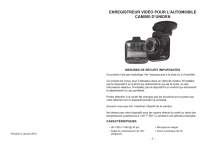
ENREGISTREUR VIDÉO POUR L’AUTOMOBILE
CAM500 D’UNIDEN
MESURES DE SÉCURIT IMPORTANTES
Ce produit n’est pas hydrofuge. Ne l’exposez pas à la pluie ou à l’humidité.
Ce produit est conçu pour l’utilisateur dans un véhicule moteur. N’installez
pas le dispositif à un endroit qui obstruerait la vue de la route, ou des
rétroviseurs latéraux. N’installez pas le dispositif à un endroit qui entraverait
le déploiement du sac gonflable.
Portez attention à la route! Ne changez pas les fonctions et ne portez pas
votre attention sur le dispositif pendant la conduite.
Assurez-vous que rien n’obstrue l’objectif de la caméra.
Ne laissez pas votre dispositif sous les rayons directs du soleil ou dans des
températures supérieures à 140° F (60° C) pendant une période prolongée.
CARACTÉRISTIQUES
Parution 2, janvier 2015
• HD 1920 x 1080 @ 30 fps
• Microphone intégré
• Angle de visionnement de 140°
(diagonal)
• Zoom numérique de 4X
-1-
• Écran de 2,0 po.
• Enregistrement sur carte microSD
• G-Sensor avec mode de détection de
collision
• Enregistrement en boucle
• Pile rechargeable interne
INCLUS DANS L’EMBALLAGE
• Caméra/enregistreur
• Câble HDMI
• Adaptateur pour l’auto
• Guide d’utilisation
• Câble miniUSB/USB
• Support pour le tableau de bord
Si un des articles est endommagé ou manquant, veuillez contacter notre ligne
d’assistance à la clientèle immédiatement au 800-297-1023. N’utilisez jamais un
appareil endommagé!
Besoin d’aide? Obtenez réponses à vos questions 24/7 sur notre site Web au:
www.uniden.com.
Voyant à DEL de mise en fonction
Voyants infrarouge
à DEL
Objectif
Côté gauche (non
illustré)
Entrée d’alimentation
Microphone
Prise HDMI
N’installez pas la caméra dans un endroit risquant de provoquer une
distraction si le dispositif se dégage par mégarde
Ne tentez pas de faire fonctionner la caméra pendant la conduite. Si vous devez
accéder à la caméra CAM500 pour changer les réglages, etc., rangez-vous sur
le côté de la route de manière sécuritaire.
Certains états ou provinces empêchent les conducteurs d’installer quoi
que ce soit sur le tableau de bord, ou restreignent l’installation à certains
emplacements du tableau de bord. Il est de la responsabilité du propriétaire
d’installer la caméra CAM500 en respectant les lois en vigueur.
1.
2.
3.
COMMANDES ET VOYANTS
Loquet de dégagement
de la caméra
Ne déposez pas le dispositif sans l’avoir installé correctement sur le tableau de
bord ou devant ou au-dessus du sac gonflable.
Bague de
verrouillage
Mise en/hors
fonction
Fente pour
carte microSD
OK (Début de
MENU
Défilement l’enregistrement/
Mode ou
arrêt
vers le haut
arrière
d’un segment
Défilement vers
spécifique)
le bas
INSTALLATION DE LA CAMÉRA/ENREGISTREUR CAM500
Mesures de sécurité relatives à l’installation
AVERTISSEMENTS! Le non-respect des mesures de sécurité suivantes pourrait
entraîner en un accident, ou une collision pouvant provoquer la mort ou des
blessures sérieuses.
4.
5.
6.
Glissez la CAM500 sur la partie supérieure du support pour tableau de bord
jusqu’à ce qu’elle se verrouille en place.
Assurez-vous que la bague de verrouillage est réglée à la position UNLOCK.
Appuyez sur le support à ventouse pour le fixer au tableau de bord.
Tournez la bague de verrouillage à la position LOCK. Assurez-vous que le
support est verrouillé au tableau de bord.
Branchez l’adaptateur pour l’auto à l’appareil et à la prise d’allume-cigarette.
Appuyez sur POWER pour mettre l’appareil en fonction et effectuer le
visionnement. Réglez l’angle de visionnement, si nécessaire.
Pour retirer le support, tournez la bague de verrouillage à la position UNLOCK
et soulevez la rondelle de plastique du socle et dégagez la ventouse du tableau
de bord.
FONCTIONNEMENT
RÉGLAGE DE LA CAMÉRA/ENREGISTREUR CAM500
Si vous êtes en cours d’enregistrement (le point rouge clignote à l’écran),
appuyez sur OK pour arrêter l’enregistrement. Vous ne pouvez accéder aux
menus de la caméra CAM500 pendant l’enregistrement.
Appuyez sur MODE puis sur M pour effectuer les réglages de la caméra.
Sélectionnez un mode [Video (vidéo), Still (photo), ou Playback (lecture)] et appuyez
sur M pour afficher les réglages du mode sélectionné. Les menus pour le mode
vidéo et le mode photo ont deux options - ce mode et les réglages. Le mode de
lecture vous permet d’effacer les fichiers protégés de la carte mémoire microSD (non
incluse 0 carte microSD de classe 10 recommandée).
N’obstruez pas le champ de visionnement du conducteur du véhicule pendant
la conduite.
-2-
-3-
Mode vidéo
Appuyez sur MODE jusqu’à ce que
apparaisse à dans le coin supérieur gauche
de l’écran. Appuyez une fois sur M pour afficher les options du menu vidéo et deux
fois pour afficher les options du réglage.
MENU PHOTO
MENU RÉGLAGES
Exposition
Fréquence
HDR
Écran de veille
Horodatage
Voyants infrarouges à
DEL
MENU VIDÉO
MENU DES RÉGLAGES
Résolution
Date/heure
Format
Enregistrement en boucle
Identification du véhicule/
conducteur
Réglages par défaut
Exposition
Mise hors fonction automatique
Détection du mouvement
Cliquetis des touches
Enregistrement audio
Langage
Capteur G
Mode télé
Réécriture des fichiers
verrouillés
Fréquence
Horodatage
Écran de veille
Surveillance du
stationnement
Voyants infrarouges à DEL
Sensibilité du
stationnement
Format
Réglages par défaut
Version
Mode photo (caméra)
Tout comme le mode vidéo, le mode photo (still) comporte deux options. Appuyez
sur MODE jusqu’à ce que
apparaisse dans le coin supérieur gauche de l’écran.
Appuyez une fois sur M pour afficher les options du menu photo et deux fois pour
afficher les options du menu des réglages.
MENU PHOTO
MENU RÉGLAGES
Résolution
Date/heure
Mode en continu
Identification du véhicule/
conducteur
Qualité
Mise hors fonction
automatique
Netteté
Cliquetis des touches
Balance des blancs
Langage
ISO
Mode télé
-4-
Version
Mode de lecture
Le mode de lecture vous permet de sauvegarder des fichiers de la carte microSD.
Appuyez sur MODE jusqu’à ce que
apparaisse dans le coin supérieur gauche de
l’écran. Appuyez une fois sur M pour afficher l’option d’effacement ou deux fois pour
afficher l’option de protection.
MENU D’EFFACEMENT
MENU DE PROTECTION
Effacer le fichier actuel
Verrouiller le fichier actuel
Effacer tout
Déverrouiller le fichier actuel
Verrouiller tout
Déverrouiller tout
Tant que les fichiers déverrouillés pouvant être réécrits se trouvent sur la
carte microSD, les fichiers verrouillés ne pourront être réécrits. Cependant,
si la carte microSD ne contient que des fichiers verrouillés (aucun fichier
non verrouillé), le fichier verrouillé le plus ancien sera réécrit. Transférez les
fichiers importants sur votre ordinateur.
FONCTIONNEMENT
COMMENT... ?
FAIRE CECI...
Régler la date et
l’heure?
Sélectionnez le mode photo. Appuyez deux fois sur
M pour accéder aux options de réglage. Utilisez les
flèches HAUT et BAS pour défiler jusqu’à l’option
date/heure.
-5-
DÉPANNAGE
COMMENT... ?
FAIRE CECI...
Commencer un
enregistrement?
L’enregistrement commence automatiquement
lorsque l’unité est mise en fonction. Si vous devez
redémarrer l’enregistrement, sélectionnez le
mode vidéo et appuyez sur OK. L’enregistrement
commencera.
Appuyez sur OK. L’enregistrement s’arrêtera.
Arrêter
l’enregistrement?
Prise de photos?
Ajuster la qualité
photo?
Effacer des
fichiers de la carte
microSD?
Révision d’une
vidéo sur la
caméra?
Sauvegarde des
fichiers sur la carte
microSD ou sur
l’ordinateur.
Sélectionnez le mode photo et appuyez sur OK.
Sélectionnez le mode photo. Appuyez une fois sur
M pour accéder aux options. Vous pouvez régler la
qualité, la netteté, la balance des blancs, la valeur
ISO et l’exposition.
Sélectionnez le mode de lecture (playback). Appuyez
sur MENU pour accéder au menu d’effacement.
Sélectionnez le mode de lecture (playback). Les
boutons de lecture apparaissent au bas de l’écran.
Appuyez sur OK pour commencer la lecture. Utilisez
les boutons pour avancer et reculer rapidement.
1. Retirez la carte microSD de la caméra et insérezla dans l’adaptateur.
2. Insérez l’adaptateur comportant la carte microSD
dans l’ordinateur. Localisez “Fichier” et “Copier’
les fichiers désirés sur votre ordinateur.
SI...
Vous ne pouvez enregistrer de
vidéo ou prendre des photos.
ESSAYEZ CECI...
• Vérifiez la carte microSD; celle-ci
pourrait être pleine. Effacez des
fichiers de cette carte microSD ou
utilisez une nouvelle carte microSD.
• Assurez-vous que la carte microSD
est verrouillée. Déverrouillez-la si
elle est verrouillée.
“File Error” (erreur de fichier)
Erreur de formatage de la carte.
apparaît lorsque des phots ou des Reformatez votre carte microSD.
vidéos sont lus.
La vidéo n’est pas claire.
Nettoyez l’objectif.
Vous ne pouvez accéder aux
Appuyez sur OK pour arrêter
menus.
l’enregistrement.
ENTRETIEN
Usez de sens commun lorsque vous transportez votre CAM500. Assurez-vous que
l’objectif soit propre en tout temps.
N’exposez pas la caméra aux températures élevées. Retirez-la et rangez-la loin
d’une source de chaleur.
Ne faites pas fonctionner le dispositif dans des températures dépassant 14° F ~
140° F.
Veuillez disposez de la caméra en respectant les lois en vigueur en matière de
recyclage.
-6-
-7-
SPÉCIFICATIONS
Écran
ACL de 2,0 po.
RAM
DDR3
Stockage
microSD (d’un maximum de 32 Go)
Entrée/sortie AV
USB 2.0
HDMI
Alimentation
Pile au lithium-poymère intégrée de
250 mAh (10 min)
Type d’alimentation
12 V CC
Type de capteur
CMOS
Angle de visionnement
(chaque lentille)
140° (diagonal)
Zoom optique
Zoom numérique de 4X
Capteur
1/3 po.
Vitesse de trame vidéo
30 fps
Enregistrement sonore
Oui (microphone intégré)
Canaux
1
Capteur G
Oui
GPS
Non
MOV/TS
MOV
Format vidéo
MOV
Résolution photo
16M/12M/10M/8M/5M/3M
Codec vidéo
H.264 (avc1)
Codec audio
MP3
Systèmes d’exploitation
supportés
Windows 2000/XP/Vista/7/8/8.1
Mac OS 10+/LINUX (caméra Web et stockage)
Température de
fonctionnement
14° F ~ 140° F
-10° C ~ +60° C
Température d’entreposage
-4° F ~ 158° F
-20° C ~ +70° C
Humidité pendant le
fonctionnement
10 ~ 90%
AVIS DE LA FCC ET D’INDUSTRIE CANADA
Cet appareil a été testé et s’avère conforme aux restrictions relatives aux
équipements numériques de classe B, d’après l’article 15 des règlements de
-8-
la FCC. Son fonctionnement est soumis aux deux conditions suivantes : (1)
Ce dispositif ne doit pas causer d’interférences et (2), il doit pouvoir accepter
les interférences, incluant celles pouvant nuire à son fonctionnement normal
Tous les changements apportés à cet appareil, s’ils ne sont pas
expressément approuvés par Uniden ou toute utilisation de celui-ci d’une
autre manière que celle décrite dans ce guide peut annuler votre autorisation
de le faire fonctionner.
L’appareil est conforme aux normes d’Industrie Canada. Son fonctionnement
est soumis aux deux conditions suivantes : (1) Ce dispositif ne doit pas
causer d’interférences et (2), il doit pouvoir accepter les interférences,
incluant celles pouvant nuire à son fonctionnement normal.
Tous les changements apportés à cet appareil, s’ils ne sont pas
expressément approuvés par Uniden ou toute utilisation de celui-ci d’une
autre manière que celle décrite dans ce guide peut annuler votre autorisation
de le faire fonctionner.
GARANTIE LIMITÉE D’UN AN
Important! Conservez votre facture d’achat! Une preuve d’achat est nécessaire
pour l’entretien sous garantie.
LE RÉPONDANT DE LA GARANTIE : UNIDEN AMERICA CORP. (ci-après
“UNIDEN”).
ÉLÉMENTS DE LA GARANTIE : pendant une période d’un (1) an, Uniden garantit à
l’acheteur original que cet appareil Uniden sera libre de tout défaut de pièces et de
main-d’oeuvre, selon les restrictions et exclusions décrites ci-dessous.
LA DURÉE DE LA GARANTIE : cette garantie, qui ne s’applique qu’à l’acheteur
original, se terminera et ne sera donc plus en effet 12 mois après la date de l’achat
original dans un magasin au détail. Cette garantie sera nulle si l’appareil est (A)
endommagé ou n’a pas été maintenu en bon état suite à un entretien raisonnable
ou nécessaire, (B) modifié, altéré ou utilisé en tant que composante d’un ensemble
de conversion, d’assemblages secondaires ou toute autre configuration qui n’est
pas vendue par Uniden, (C) mal installé, (D) réparé ou entretenu par toute autre
entité qu’un centre de service autorisé par Uniden pour n’importe quel problème
ou défaillance couvert par cette garantie, (E) utilisé conjointement avec des
équipements, pièces ou en tant que composante d’un système qui ne soit pas
fabriqué par Uniden, ou (F) installé ou programmé par d’autres personnes que celles
mentionnées dans le guide d’utilisation de cet appareil.
ÉNONCÉ DES RECOURS : au cas où cet appareil ne serait pas conforme Ià la
garantie et ce, en tout temps pendant la période de cette garantie, le répondant
s’engage à réparer le défaut et à vous retourner l’appareil sans frais de pièces ni
de main-d’oeuvre, ni sans aucun autre frais (à l’exception des frais de port et de
manutention) encouru par le répondant ou l’un de ses représentants en rapport
avec l’exécution de cette garantie. LA GARANTIE LIMITÉE DÉCRITE CIHAUT
CONSTITUE LA SEULE ET ENTIÈRE GARANTIE SE RAPPORTANT À L’APPAREIL
ET REMPLACE ET EXCLUT TOUTE AUTRE GARANTIE DE QUELQUE NATURE
QUE CE SOIT, QU’ELLE SOIT FORMELLE, TACITE OU SURVENANT SUITE À
L’IMPLANTATION D’UNE LOI, INCLUANT, MAIS SANS S’Y LIMITER, TOUTES
LES GARANTIES TACITES EN QUALITÉ LOYALE ET MARCHANDE OU LES
APTITUDES À UN BUT PARTICULIER. CETTE GARANTIE NE COUVRE PAS NI NE
PRÉVOIT PAS DE PROVISIONS POUR LE REMBOURSEMENT NI LE PAIEMENT
DES DOMMAGES-INTÉRÊTS DIRECTS OU INDIRECTS. Certaines provinces ou
états ne permettent pas d’exclusions ni de restrictions pour les dommages-intérêts
directs ou indirects et les restrictions ou exclusions décrites ci-haut peuvent ne pas
s’appliquer à vous.
RECOURS LÉGAUX : cette garantie vous donne des droits spécifiques et vous
pouvez avoir d’autres droits pouvant varier de province en province. Cette garantie
devient nulle à l’extérieur des États-Unis et du Canada.
MARCHE À SUIVRE POUR HONORER LA GARANTIE : si, après avoir suivi
les directives du guide d’utilisation, vous êtes persuadé(e) que votre appareil est
défectueux, emballezle soigneusement (dans son emballage d’origine, si possible).
Joignez-y votre preuve d’achat et une note décrivant le problème.
Expédiez l’appareil, port payé, par l’entremise d’un service postal certifié et assuré ou
d’un courrier qui vous permette de retracer ultérieurement l’envoi, au répondant de la
garantie, à l’adresse suivante :
Uniden America Corporation
C/O Saddle Creek
743 Henrietta Creek Rd., Suite 100
Roanoke, TX 76262
800-297-1023, de 8:00 à 16:30, heure centrale, du lundi au vendredi.
">