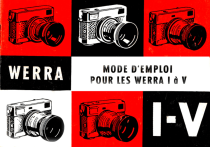
MODE D'EMPLOI
POUR LES WERRA 1 a V
Introduction
Nous vous félicitons de l'acquisition de l’appareil photographique
petit format WERRA et y joignons tout de suite une prière:
Consacrez autant d'attention au mode d'emploi qu'à votre WERRA.
Parcourez-le avant la première prise de vue, même si vous possédez
déjà des connaissances photographiques. À l’aide du mode d'emploi
vous vous familiariserez avec votre appareil. Seulement par la con-
naissance approfondie du manuel d'instructions vous éviterez des échecs
et des déceptions. Vous aurez dès lors l'estime et l'amour pour votre
WERRA de par son haut rendement et ses avantages multiples.
Nous vous souhaitons beaucoup de joie et bon succès,
Généralités
Fig. 1
Fig. 2
Fig. 3
Fig. 4
Déverrovillage de la paroi dorsale
Tourner la bague moletée avec les deux pouces de 180° vers la
gauche. Le repère de la bague moletée et celui sur l'écrou pour
statif se trouvent dès lors en regard l’un de l’autre.
Enlèvement de la paroi dorsale
Pousser la paroi dorsale avec les deux pouces dans la direction
de la flèche jusqu’à ce qu'elle se laisse enlever facilement. En-
suite ôter le carton protecteur.
Placement du film
1. S'assurer que le bouton (1) du rouleau de transport est com-
plètement sorti. S'il n’est pas sorti, tourner la bague d’arme-
ment jusqu'à la butée. Si elle ne revient pas dans sa position de
départ, il y a lieu de tourner le rouleau de transport à la main
pour que le bouton sorte et la bague d'armement se détende.
2. Tourner la bobine réceptrice par le bouton moleté (2) dans
le sens des aiguilles d'une montre jusqu'à ce que la partie
recourbée du pince-film (3) se trouve en haut. Tenir le bouton
moleté et introduire l’extrémité du film dans le pince-film, la
partie émulsionnée (côté clair) vers le haut.
3. Placer la cassette dans son logement. Veiller à ce que le film
se trouve contre la paroie du boîtier.
4. En tournant le bouton moleté de la bobine réceptrice, enrouler
le film (émulsion vers le haut) environ deux fois autour de la
bobine réceptrice. Les dents du rouleau de transport doivent
bien entrer dans les perforations du film.
Replacement de la paroi dorsale
S'assurer que l'ouverture de la cassette (sortie du film) s'appuie
bien contre le couloir-film et pousser le film doucement contre
son bord supérieur. Placer le couvercle de façon à avoir un
espace de 15 à 20 mm entre la partie chromée et le haut du cou-
vercle. Mettre le couvercle convenablement dans les rainures
latérales et poussez-le en direction de la flèche. En cas de résis-
tance, tourner légèrement le bouton de rebobinage.
Fig. 5
Fig. 6
Fig. 7
Fig. 8
Verrouillage de la paroi dorsale
Tourner la bague moletée avec les deux pouces vers la droite
jusqu'à ce que l’enclenchement se produise. Le repère de la
bague moletée et celui de l’écrou pour statif se trouvent alors l’un
en face de l'autre.
S'assurer que le dos est bien verrouillé.
Armement de l’obturateur et transport du film
Tourner la bague d'armement vers la droite jusqu’à la butée.
Ainsi l’obturateur est armé et le film a été avancé d'une image.
Par pression sur le bouton (1) on déclenche. Ne pas pousser avec
force. De même ne pas presser le bouton de déclenchement en
armant.
Pour réarmer il faut d'abord déclencher, et on ne peut à nouveau
déclencher qu'après avoir tourné la bague d'armement jusqu'à
la butée. En agissant avec force, l’obturateur et l'appareil peu-
vent être endommagés. Un verrou est apporté contre la double
exposition et la non exposition.
Apres l'introduction de la pellicule et le verrouillage du dos, le
film doit être avancé de deux images, c'est-à-dire tourner deux
fois la bague d'armement et déclencher deux fois, avant de
pouvoir prendre la première vue.
Mise au point du compteur d'images
Avant la première prise de vue on tourne la douille moletée se
trouvant au milieu du compteur, en sens contraire des aiguilles
d’une montre jusqu'à ce que le repère se place en face du 0 du
compteur. Le repère se déplace à chaque prise de vue et indique
le nombre de vues prises.
En manipulant la bague d’armement, s'il n’y a pas de film dans
l'appareil, le repère se déplacera de quelques traits. Toutefois,
avec une pellicule dans l'appareil le compteur ne marque qu'un
seul trait par action.
Fig. 9
Récapitulation
1. Déverrovillage du dos.
2, Enlèvement du dos.
3. Placement du film.
+. Replacement du dos.
5. Verrouillage du dos.
6. Avancement du film de deux vues par armement et déclenche-
ment.
7. Mise au point du compteur d'images.
Emploi du capuchon protecteur
a) Comme protection de l'objectif.
b) Sans couvercle, il évite le déplacement imprévu des valeurs
sur l'objectif standard pour des prises de vue en série et en
utilisant la mise au point sur trois repéres.
c) Comme parasoleil sur l’objectif standard.
Attention!
Lors de l'emploi du parasoleil comme capuchon protecteur,
veillez à ce que la bague des distances se trouve entre c et 6 m,
afin d'éviter le coincement par le tirage trop grand de l'objectif.
Le filtre éventuel doit être enlevé pour les mêmes raisons. Par
l'emploi du capuchon comme protecteur, visser les filtres sur le
devant à la place du couvercle.
Rebobinage du film
Aussitôt que l'armement ne se fait plus, le film est complètement
exposé (généralement après 36 vues). || doit être rebobiné. A
Fig. 10
rig. 11
Fig. 12
Fig. 13
10
cet effet tourner l'appareil la face de fond vers le haut et enfoncer
le bouton (I) aussi longtemps que le film soit complètement
rebobiné. Le bouton de rebobinage (2) est retiré jusqu’à la
butée et tourné dans le sens de la flèche jusqu’à ce que la résis-
tance s'arrête. Le film est alors rentré dans la cassette.
Repousser le bouton de rebobinage et retirer le film après avoir
enlevé le dos.
Vis universelle pour statif
Pour mettre l'appareil sur statif, nous livrons une vis adapta-
trice pour transformer le filet de 3/5" en filet de !/,”’. Cette vis est
vissée dans l’écrou pour statif. Elle est munie en outre d’un
filetage M 30,5 x0,5, sur lequel, en cas de prises de vue sans
statif, les filtres ou le couvercle du capuchon peuvent être vissés,
s'ils ne sont pas employés.
Filtres
Nous livrons pour le WERRA des écrans jaunes, verts resp. vert-
jaune, oranges et rouges. Pour des objectifs standard les filtres
ont un filetage extérieur et intérieur M 30,5 x<0,5 permettant
l'emploi avec le parasoleil. Pour le Flektogon 2,8/35 mm et le
Cardinar 4/100 mm, objectifs interchangeables pour les WERRA III,
IV et Y, des filtres a filetage M 49 x0,75 sont á employer.
Obturateur
Le WERRA est équipé d'un obturateur central, suivant le modèle
avec un Vebur ou Prestor-RVS.
Obturateur Vebur
Cet obturateur comprend des vitesses d'une seconde á 1/,;,* de
sec. et la pose (B) et une synchronisation X. Pour des prises de
vue avec flash électronique toutes les vitesses sont à employer,
avec des lampes-éclair (Vacublitz) seulement les vitesses B,
1 seconde a 1/,;¢ de sec.
Jbturateur Prestor-RYS
Il est prévu pour les vitesses de 1 seconde á 1/;,,€ de sec. et la
pose (B). II est intégralement synchronisé et équipé d'un déclen-
Fig. 14
11
12
cheur automatique. Pour des prises de vue a flash, metire le
levier (I) sur X ou M.
Le contact X (3) permet la prise de vue avec flash électronique
sur toutes les vitesses.
Le contact M (2) est destiné à la synchronisation de lampes-
éclair. Temps de pose de !/;;¢ a !/;5° de sec. suivant le type de
lampe. Suivre en tout cas les instructions accompagnant les
flash électroniques et les lampes-éclair.
Lors de l’utilisation du déclencheur automatique, placer le levier
sur V (4). Après l'armement de l’obturateur et pression sur le
bouton de déclenchement, l’obturateur se déclenche automatique-
ment après un temps de 6 a 8 sec. Le levier de synchronisation
peut être placé sur V avant ou après l'armement. I! est également
possible de le replacer avant le déclenchement. Toutefois, le
levier ne doit pas être bougé lors du fonctionnement du déclen-
cheur automatique. Après le déclenchement le levier doit être
replacé sur X ou M, à moins qu’une autre prise de vue avec
retardement ne soit désirée.
Pour des dégats dûs à une mauvaise manipulation de ce qui
précède, une garantie n’est pas prévue.
Intermédiaire pour appareils flash
Pour des flash à fixer sur l’appareil WERRA avec une barre, nous
livrons un intermédiaire (5). Celui-ci est vissé dans l’écrou prévu
de l’appareil avant de fixer la barre; ceci pour éviter le blocage
du bouton de rebobinage et du transport du film.
CaS
Fig. 15
Fig. 16
14
Prenez bonne note des indications, le mode d’emploi vous
paraitra plus clair.
a) Objectif
Le WERRA | est équipé de l'objectif à quatre lentilles, le renommé
Tessar 2,8/50 mm, c'est-à-dire il a une luminosité de 2,8 et une
focale de 50 mm. Il est bien corrigé pour les prises de vue en
blanc et noir et en couleurs.
La bague avant de l’objectif indique les diaphragmes (repère
rouge sur chiffre).
Avec la bague arrière de l’objectif on fait la mise au point de la
distance (valeur des mètres ou pieds sur le repère rouge).
b) Mise du temps de pose
Le temps de pose est mis par la bague griffée (point rouge sur
chiffre d'exposition).
c) Diaphragme
A cóté du temps de pose c'est le diaphragme qui est décisif. La
plus grande luminosité est obtenue avec le plus petit chiffre
(objectif standard = 2,8). Une grande luminosité permet un
temps de pose court. Chaque diminution de l'ouverture du
diaphragme (— grand chiffre de diaphragme) demande pour
les mêmes motifs et les mêmes conditions d'éclairage une pro-
longation du temps de pose en proportion. Le diaphragme est
d'une importance primordiale pour la profondeur de champ.
d) Profondeur de champ
La profondeur de champ est lue sur la bague derriére les
distances mètres-pieds, des deux cótés de l'index rouge, á l’aide
des chiffres de diaphragme 4, 8, 11 et 16.
15
16
Exemple 1
Objectifs avec indications en métres
En mettant au point sur 6 m et diaphragme 8, la profondeur de
champ s'étend de 3,5 m a co.
Si l'on met 1,5 m et diaphragme 16, la profondeur de champ est
de 1,1 à 2,5 m.
Exemple 2
Objectifs avec indications en pieds
En mettant au point sur 20 pieds et diaphragme 8, la profondeu
de champ s’étend de 11 pieds à co.
Si l’on met sur 4 pieds et diaphragme 16, la profondeur de champ
est de 3 à 6 pieds.
e) Réglage à trois repères
Quand les repères rouges sont placés sur les chiffres rouges
(pour obturateur Vebur: diaphragme 8, distance 6 m ou 20 pieds,
temps de pose 1/.,e de sec.; pour obturateur Prestor-RVS:
diaphragme 8, distance 6 m, temps de pose !/,,* de sec.), on
obtient le réglage à trois repères. Celui-ci est spécialement
recommandé aux débutants, par temps ensoleillé ou peu nua-
geux, depuis mai jusqu’à septembre, avec film en blanc et noir
17° DIN. Pour film à 21° DIN le temps de pose est de 1/,,,¢ de
sec. pour l'obturateur Vebur et de 1/,,;e de sec. pour l'obtu-
rateur Prestor-RVYS au lieu de 1/;,€ et 1/;,€ de sec.
Viseur
IIs'agit d'un viseur a cadre lumineux avec correction de parallaxe.
Pour une distance supérieure á 1,7 m tout le champ visuel doit
étre rempli du sujet á photographier (figure a).
Pour des vues rapprochées, c'est-á-dire en cas de distances au-
dessous de 1,7 m jusqu'd 0,9 m, le champ limité par les coins
dans le viseur est d emprunter. La partie présentée par la
figure 17b vient ainsi sur l’image. Pour des prises de vue en
largeur il est à remarquer que la délimitation de l’image se
transporte vers la droite et en dessous et ceci de la largeur des
trois marquages de parallaxe.
Fig. 17
17
18
Récapitulation des manipulations essentielles lors d’une
prise de vue
1. Dévisser le capuchon protecteur, enlever le couvercle pro-
tecteur.
2. Placer le capuchon protecteur comme parasoleil sur l’objectif.
J. Estimer la distance et indiquer sur l'objectif.
4. Choisir le diaphragme.
5. Indiquer le temps de pose.
6. Faire attention à la profondeur de champ, quand celle-ci esi
désirée ou nécessaire.
/. À l'emploi du réglage à trois repères suivre les indications
de la figure 10b et d de la figure 16.
8. Tourner la bague d'armement jusqu’à la butée.
9. Déclencher.
Le WERRA ll se distingue du WERRA | seulement par I'application
d’un posemètre photo-électrique incorporé.
Posemètre photo-électrique
Le posemètre a deux portées de mesure. La première est à
employer par des conditions d'éclairage défavorables, c'est-à-
dire quand l'aiguille (3) ne marque pas. En poussant l’axe pro-
longé (2) du petit clapet (1), celui-ci s'ouvre et la première portée
se fait.
Par temps clair, la seconde portée est à employer. Le clapet
reste fermé. Un point vert est visible sur la partie supérieure.
Fig. 18
19
Fig. 19 Sur le dos du WERRA Il un calculateur est appliqué. Il a les
20
mêmes valeurs que l’échelle du posemètre, la sensibilité en DIN
et ASA, les valeurs du diaphragme, les temps de pose ainsi qu’un
repère vert et noir.
Après l'introduction du film, la sensibilité est marquée sur le
calculateur, en tournant la plaque du milieu (allemand = DIN,
américain = ASA).
Avant la prise de vue on tient l'appareil vers le sujet. Après, on
reporte sur le calculateur la valeur indiquée sur le posemètre en
tenant compte du fait que pour la première portée de mesure
(lumière insuffisante — clapet ouvert) le repère noir et pour la
seconde portée de mesure (temps clair — clapet fermé) le repère
vert est à régler sur la valeur marquée.
Le temps de pose et le diaphragme se trouvent alors en face. lls
sont à régler sur la bague des temps de pose (6 fig. 15) et sur la
bague des diaphragmes (5).
Récapitulation
1.
МЕ вые
Comme pour le WERRA |; de plus, indiquer la sensibilité di
film (DIN ou ASA) sur le calculateur.
. Tenir l'appareil en direction du sujet et lire la valeur sur le
posemeétre.
Reporter cette valeur sur le calculateur.
Lire le temps de pose et le diaphragme.
. Indiquer le temps de pose et le diaphragme sur les baques
respectives.
21
verte du grand-angle 2,8/35 mm ou du téléobjectif 4/100 mm
aussi longtemps que l’image dans le petit rectangle au milieu du
viseur forme une unité avec la vue générale (fig. 25 a et b). Pour
des prises de vue en hauteur utiliser des lignes horizontales, pour
des vues en largeur des lignes verticales pour la mise au point.
Les champs dans le viseur
Les champs pour les différents objectifs sont délimités par des
cadres dans le viseur.
L’entièreté du viseur est valable pour le grand-angulaire Flek-
togon 2,8/35 mm, le premier cadre pour l'objectif standard
2,8/50 mm et le cadre intérieur pour le téléobjectif Cardinar
4/100 mm.
Pour corriger la parallaxe pour des distances au-dessous de
1,7 m, on choisit le champ délimité par des traits au dedans des
rectangles correspondants.
Fig. 25c Ne pas masquer le viseur télémétrique par la main.
2/
Le télémètre fonctionne jusqu’à 30 m environ pour l'objectif
standard et le grand-angulaire, jusqu'à 50 m pour le téléobjectif.
Le fait que pour des sujets à Une distance de plus de 30 m resp.
50 m les images partielles ne coïncident pas, n’a pas d’effet dans
la pratique.
Récapitulation
1.
2.
3.
4.
. Faire attention au champ d'image correspondant à l'objectif
© NO
Placer l'objectif. Index en face d'index.
En pressant sur le cliquet, tourner la bague des diaphragmes
une fois vers la gauche, une fois vers la droite.
Mettre l’oculaire au point.
Régler la distance à l’aide du viseur télémétrique.
utilisé.
. Mettre le diaphragme et le temps de pose.
. Tourner la bague d'armement.
. Déclencher.
25
Fig. 26
Fig. 27
Fig. 28
Fig. 29
26
Le WERRA IV se distingue du WERRA Ill par son posemètre
photo-électrique incorporé.
Posemètre photo-électrique
II s’agit, comme dans le cas du WERRA Il, d'un posemètre à deux
portées de mesure. || diffère de celui-ci seulement par d'autres
valeurs de l’échelle (voir fig. 18, alinéa 1).
Mise au point des valeurs d’exposition
Après le placement de la pellicule on indique la sensibilité du
film (DIN ou ASA) sur la partie inférieure du raccord de l’objec-
tif en déplaçant le petit levier (1 fig. 28). Ensuite, le diaphragme
lu sur l’échelle du posemètre (fig. 27) est à régler sur la bague
des diaphragmes (1 fig. 29). Par pression sur le cliquet, celle-ci
est tournée soit sur le repère vert (si le clapet du posemètre était
fermé), soit sur le repère noir (si le clapet était ouvert) de la
bague intermédiaire (2). Des demi-intervalles peuvent également
être reportés. La bague des diaphragmes est couplée à la bague
des temps de pose aussitôt que le cliquet est lâché. En photo-
graphiant, ce sont les valeurs derrière le triangle rouge qui sont
appliquées (pour fig. 29: diaphragme 11, temps de pose 1/,;* de
sec.). D'autres diaphragmes avec temps de pose en concordance
peuvent être placés sur le repère rouge. Dans ce cas ne pas
presser le cliquet!
Si le diaphragme lu sur l'échelle ne peut étre placé en face du
point vert ou noir, la bague des diaphragmes doit étre désem-
brayée par pression sur le cliquet, tournée dans l'autre sens et,
par la libération du cliquet, elle doit de nouveau être accouplée
à la bague des temps de pose. Les deux bagues se déplaceront
dès lors accouplées.
Si la baque des temps de pose se trouve avec la lettre B au-
27
28
dessous de l'index rouge, des temps de pose de plus d'une
seconde sont á appliquer. Dans ce cas, le bouton de déclenche-
ment doit être enfoncé aussi longtemps que l'exposition s'avere
nécessaire. Si un diaphragme plus petit est désiré, celui-ci est,
par pression sur le cliquet, à placer en face de l'index rouge.
Chiffres rouges = secondes entières; ils ne servent que d'aide
de calcul.
Exemple 1
Sensibilité 10° DIN (10,5° sur l'échelle DIN). Conditions d’éclai-
rage défavorables, clapet du posemètre ouvert. L’aiguille de
l'échelle indique le chiffre 4. Le réglage sur l'index noir de la
bague intermédiaire donne un temps de pose de 2 sec. Donc,
avec diaphragme 4 il faut exposer 2 secondes. Pour une plus
grande profondeur de champ, le temps de pose est à $ augmenter
suivant l'indication donnée par le diaphragme correspondant.
Dans notre exemple il faut 15 sec. pour le diaphragme 11.
Appuyer sur le cliquet et placer le diaphraame 11 en face de
lindex rouge postérieur.
Exemple 2
Sensibilité 16° DIN (16,5° sur l'échelle DIN). Clapet à nouveau
ouvert. L'aiguille indique, comme pour exemple 1, le chiffre 4.
Le réglage sur l'index noir de la bague intermédiaire donne un
temps de pose de !/, seconde. Si le diaphragme 11 est désiré, le
temps de pose sera de 4 sec. Ensuite le diaphragme 11 sera mis
sur B et les deux valeurs doivent être réglées sur le triangle
rouge postérieur.
Fig. 30
29
30
Récapitulation
Emploi comme le WERRA Il, en outre:
1.
2.
3.
4.
Indiquer la sensibilité sur la bague de raccord de l'objectif.
Tenir l'appareil vers le sujet.
Lire le diaphragme sur l'échelle du posemètre.
Reporter la valeur du diaphragme sur la bague intermédiaire
de l'objectif (employer le repère vert par clapet fermé et le
repère noir par clapet ouvert du posemètre). Si nécessaire,
pousser le cliquet et tourner la bague des diaphragmes vers le
côté déplaçable.
. Faire attention au réglage spécial pour temps de pose de plus
d'une seconde.
Le WERRA V a comme nouveauté par rapport au WERRA IV Fig. 31
l'accouplement du réglage du temps de pose et du diaphragme
au posemètre.
L'aiguille du posemétre est visible dans le champ d'image du
viseur télémétrique; en méme temps, le diaphragme et le temps
de pose sont reflétés dans le viseur.
Le posemètre photo-électrique a une portée de mesure. || est
à veiller à ce que la fente à la surface supérieure de l’appareil ne
soit pas couverte.
La sensibilité du film est à indiquer sur la face inférieure de la
bague de raccord de l’objectif.
31
Fig. 32 L'appareil photographique doit être tenu vers le sujet, le clapet
32
du posemètre étant ouvert. En appuyant sur le cliquet, la bague
des diaphragmes est découplée et tournée vers la droite ou la
gauche jusqu'à ce que l'aiguille du posemètre se trouve juste
au milieu de la découpe en dessous dans le viseur télémétrique.
Le diaphragme et le temps de pose réglés sont visibles au milieu
du coin droit inférieur du champ de visée. Dans l’exemple, on
expose !/,ê de sec. par diaphragme 11. Il reste encore à armer
et à déclencher.
S'il n’est pas possible de tourner la bague des diaphragmes pour
que l'aiguille du posemètre se place au milieu du viseur télé-
métrique, la bague des diaphragmes et celle des temps de pose
sont à déplacer en commun (lâcher le cliquet!). Par nouvelle
pression sur le cliquet, l’aiguille se laisse déplacer en tournant
la bague des diaphragmes.
Des corrections indispensables de la valeur d'exposition pour
des prises de vue anormales (p.ex. des ombres très prononcées,
champs de neige, etc.) peuvent également être obtenues par le
désembrayage et le déplacement de la bague des diaphragmes.
Si, toutefois, le temps de pose indiqué dans le viseur est trop
long pour un objet se déplacant avec une grande vitesse, de
sorte qu'on risquerait d'obtenir une image floue, la bague des
diaphragmes et celle des temps de pose peuvent étre déplacées
en commun comme dans le cas du WERRA IV.
Récapitulation
1. Placement du film.
2. Indiquer la sensibilité du film (DIN ou ASA) sur la face infé-
rieure de la bague de raccord de l'objectif.
3. Armer.
4. Mise au point de l’oculaire.
5. Tenir l’appareil vers le sujet.
6. Mettre la distance (voir fig. 25 a et b).
7. Ouvrir le clapet du posemètre par pression sur l’axe prolongé.
33
34
8. Débrayer la bague des diaphragmes en appuyant sur le
cliquet et la tourner jusqu’a ce que l'aiguille du posemétre se
place au milieu de la découpe en dessous dans le viseur.
ÿ. Déclencher.
FIN
Quand vous aurez lu attentivement le mode d’emploi et regardé
les images, l’un ou l’autre vous paraîtra compliqué. Il se peut
qu'il vous manque des explications lesquelles peuvent vous être
utiles. Faites-nous en part pour que nous puissions apporter les
modifications lors de nouvelles éditions.
Le soin avec lequel le mode d’emploi est élaboré doit vous
assurer que vous avez acquis avec votre WERRA un instrument
de précision, lequel demande une manipulation correcte. Certes,
le WERRA est robuste et résistant, mais les objectifs, l’obturateur,
le posemètre et le viseur télémétrique vous donneront satisfaction
si vous les préservez des gouttes d’eau de mer et du sable. Au cas
OÙ vous seriez victime d'un de ces vices, n'essayez pas de faire le
nettoyage vous-méme, mais confiez votre appareil á une per-
sonne compétente.
Envoyez-le à l’un de nos ateliers de réparation ou à l'usine à
Eisfeld/Thuringe, ou donnez-le à un magasin spécialisé pour
qu'il le transmette à l'usine mentionnée.
Pour le nettoyage des parties en verre on utilisera d’abord un
pinceau doux et ensuite un linge ou un morceau de peau de
chamois bien propre et doux,
35
Partie I: Généralité
36
2
y=
сл
LL
Fig
38
9. 6
Fi
+ ETA
A oy
TR
Fig. 7
41
42 Fig. 9
Fig. 10
43
45
Mee «ал
i" ARA EI Er
+ CAR В
Partie Il: Particularités des différents modeles WERRA
47
Fig. 15
0000000000000 O0C
Déclencheur avec filetage pour déclencheur flexible
Viseur |
Bague d'armement et de transport du film
Bague des distances
Bague des diaphragmes
Bague des temps de pose
Contact de synchronisation
Œeillet pour courroie
Filetage pour filtre et parasoleil
: : ‘ X et M (prises de vue à flash) et mécanisme
Levier pour synch ronisation de retardement V
Verrouillage du dos avec bague moletée
Compteur d'images
Bouton de déblocage pour le rebobinage
Filetage pour pied
Bouton de rebobinage
49
50
Fig. 16
+
> + 8
L JJ «©
6 + # # +
+ +
+ 6 + + + + +
6 + + #6 #4 +
> ® +
> +
+
+
6 + # #
6 # # # # +
6 + + #
Fig. 17
51
WERRA Ii
LF.
`
hal THEFT
= 1
Fig. 20
Py Ea aos
Fig. 21
Fig. 22
1 Bague des distances
? Bague de la profondeur de champ
3 Bague de serrage
4 Bague des diaphragmes avec cliquet
i Bague des temps de pose
55
56
WERRA IV
58
29
us eu в :
E A Rd pr a EE
TENER 231
Si ERR
ol og E
=
Fig. 31
VEB Carl Zeiss JENA
Département pour jumelles á prismes et appareils photographiques
Téléphone: léna 7042 — Téléscripteur: léna 058622
Mo. de I'imprimé: W 56-G113-3
IV-14-48 8879 Ag 91/0244/60 10.61 10000
">