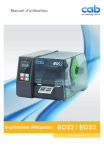
Manuel d'utilisation
Imprimantes d'étiquettes
EOS2 / EOS5
Made in Germany
2 Manuel d'utilisation
pour les produits suivants
Famille
Modèle
EOS
EOS2/200
2
EOS2/300
EOS5/200
EOS5/300
Édition : 09/2018 - Réf. article : 9003296
Droits d'auteurs
Cette documentation ainsi que sa traduction sont la propriété de cab Produkttechnik GmbH & Co KG.
Tout usage, représentation, reproduction ou traduction de ce manuel, intégral ou partiel à d'autres fi ns que celles initialement
prévues, principalement pour l'acquisition de pièces détachées pour un matériel vendu par cab, nécessite au préalable une
autorisation écrite de cab.
Marques déposées
Windows est une marque déposée de Microsoft Corporation.
Cab utilise des logiciels libres et open source dans ses produits.
Plus d'informations sur www.cab.de/opensource.
Rédaction
Pour vos questions ou suggestions veuillez vous adresser à cab Produkttechnik GmbH & Co KG.
Traduction française
Ce document est traduit depuis l'original en langue allemande. cab technologies ne peut être tenue pour responsable pour toute
interprétation erronée de sa forme ou de son contenu.
Actualité
Par l'évolution permanente des matériels, des différences peuvent survenir entre la documentation et le matériel.
Consulter le site internet www.cab.de pour obtenir la dernière version.
Conditions générales
Les livraisons et prestations sont soumises aux « Conditions Générales de Vente » de cab.
Allemagne
cab Produkttechnik GmbH & Co KG
Karlsruhe
Tel. +49 721 6626 0
www.cab.de
USA
cab Technology, Inc.
Chelmsford, MA
Tel. +1 978 250 8321
www.cab.de/us
Taïwan
cab Technology Co., Ltd.
Taipei
Tel. +886 (02) 8227 3966
www.cab.de/tw
Chine
cab (Shanghai) Trading Co., Ltd.
Guangzhou
Tel. +86 (020) 2831 7358
www.cab.de/cn
France
cab Technologies S.à.r.l.
Niedermodern
Tel. +33 388 722501
www.cab.de/fr
Mexique
cab Technology, Inc.
Juárez
Tel. +52 656 682 4301
www.cab.de/es
Chine
cab (Shanghai) Trading Co., Ltd.
Shanghai
Tel. +86 (021) 6236 3161
www.cab.de/cn
Afrique du sud
cab Technology (Pty) Ltd.
Randburg
Tel. +27 11 886 3580
www.cab.de/za
Table des matières
1
1.1
1.2
1.3
1.4
Introduction............................................................................................................................................. 4
Instructions................................................................................................................................................ 4
Usage prévu.............................................................................................................................................. 4
Consignes de sécurité............................................................................................................................... 5
Environnement.......................................................................................................................................... 5
2
2.1
2.2
2.3
2.3.1
2.3.2
2.4
Installation............................................................................................................................................... 6
Description de l'imprimante....................................................................................................................... 6
Déballer et installer l'imprimante............................................................................................................... 8
Connexion de l'imprimante........................................................................................................................ 8
Raccordement au réseau électrique................................................................................................... 8
Raccordement à un ordinateur ou à un réseau d'ordinateurs............................................................. 8
Mise sous tension de l'imprimante............................................................................................................ 8
3
3.1
3.2
Afficheur tactile....................................................................................................................................... 9
Écran d'accueil.......................................................................................................................................... 9
Navigation dans le menu..........................................................................................................................11
4
4.1
4.2
4.3
4.4
Insertion des consommables............................................................................................................... 12
Insertion du rouleau d'étiquettes............................................................................................................. 12
Réglage de la cellule de détection d'étiquettes....................................................................................... 13
Insertion du ruban transfert..................................................................................................................... 14
Réglage du défilement du ruban transfert............................................................................................... 15
5
5.1
5.2
Fonctionnement de l'impression......................................................................................................... 16
Impression en mode d'arrachage............................................................................................................ 16
Impression en mode de coupe................................................................................................................ 16
6
6.1
6.2
6.3
Entretien................................................................................................................................................. 17
Consignes de nettoyage......................................................................................................................... 17
Nettoyage du rouleau d'impression......................................................................................................... 17
Nettoyage de la tête d'impression........................................................................................................... 18
7
7.1
7.2
7.3
Dépannage............................................................................................................................................. 19
Affichage des erreurs.............................................................................................................................. 19
Messages d'erreurs et solutions............................................................................................................. 19
Résolution des problèmes....................................................................................................................... 21
8
8.1
8.2
8.3
8.4
Étiquettes / support continu................................................................................................................ 22
Dimensions étiquettes / support continu................................................................................................. 22
Dimensions............................................................................................................................................. 23
Dimensions pour marques au dos.......................................................................................................... 24
Dimensions pour perforations................................................................................................................. 25
9
9.1
9.2
Certifications......................................................................................................................................... 26
Remarque concernant la déclaration UE de conformité......................................................................... 26
FCC......................................................................................................................................................... 26
10
Index....................................................................................................................................................... 27
3
4 1
Introduction
1.1
Instructions
Dans cette documentation les informations importantes sont marquées comme décrit ci-après :
Danger !
Indique une situation présentant un danger grave et imminent pour la santé ou la vie par une tension
électrique dangereuse.
Danger !
!
Indique une situation présentant un niveau de risque élevé qui, si elle n'est pas évitée, entraînera la mort
ou des blessures graves.
Avertissement !
!
Indique une situation présentant un niveau de risque modéré qui, si elle n'est pas évitée, est susceptible de
provoquer la mort ou des blessures graves.
Attention !
!
Indique une situation présentant un niveau de risque faible qui, si elle n'est pas évitée, pourrait entraîner
des lésions corporelles mineures ou modérées.
!
Précaution !
Retient votre attention à de possibles dangers, dommages matériels ou qualitatifs.
i
Information !
Environnement !
Vous conseille. Vous facilite le travail ou vous guide à travers les étapes importantes.
Conseils environnementaux.
Directive concernant la marche à suivre.
Renvoi vers un autre chapitre, position, image ou document.
Option (accessoires, périphériques, matériels optionnels).
Heure
1.2
Affichage sur l'écran.
Usage prévu
i
•
Ce matériel est élaboré d'après les derniers critères technologiques et les règles de sécurité actuelles.
Cependant suivant son utilisation, des dysfonctionnements peuvent survenir, présentant des dangers pour
l'utilisateur ou son entourage et causer des dommages au matériel ou à d'autres objets se situant à proximité.
•
L'appareil ne doit être utilisé qu'en parfait état de fonctionnement et ceci en parfaite connaissance des règles
de sécurité et d'instructions d'emploi.
•
L'appareil est conçu exclusivement pour l'impression de matériaux testés et approuvés par le fabricant.
Une utilisation autre que celle prévue est à proscrire. Le fabricant ainsi que le revendeur décline toute
responsabilité en cas d'incident dû à une telle utilisation ; l'utilisateur sera tenu seul responsable.
•
Pour une utilisation adéquate, le suivi du manuel d'utilisation ainsi que les conseils d'entretien et de révision
du fabricant sont primordiaux.
Information !
Toutes les documentations sont incluses sur DVD lors de la livraison et sont mises à jour sur notre site internet.
4
1
Introduction
1.3
Consignes de sécurité
•
L'appareil est configuré pour des tensions de 100 à 240 VAC. Il doit être relié à une prise de terre.
•
Ne coupler l'appareil qu'avec du matériel équipé de protection basse tension.
•
Avant de brancher ou débrancher, éteindre tous les appareils concernés (ordinateur, imprimante, accessoires).
•
L'appareil doit être utilisé dans un environnement sec, ne pas exposer à l'humidité (éclaboussures, brouillard, etc...).
•
Ne pas utiliser l'appareil dans une atmosphère explosive.
•
Ne pas utiliser l'appareil à proximité de lignes à haute tension.
•
Si l'appareil est utilisé capot ouvert, assurez-vous que les habits, cheveux, bijoux etc. des personnes à proximité
n'entrent pas en contact avec les parties en rotation de l'appareil.
•
L'appareil ou certains de ses composants peuvent chauffer lors de l'impression. Ne pas toucher ces parties
durant l'impression et attendre le refroidissement avant le remplacement de la matière ou le démontage.
•
Risque d'écrasement lors de la fermeture du capot. Lors de la fermeture, saisir le capot à l'extérieur uniquement
et ne pas toucher la zone de pivotement de celui-ci.
•
Ne pratiquer que les opérations décrites dans ce manuel d'utilisation.
Les interventions spécifiques doivent être réservées à du personnel formé ou à des techniciens du service
après-vente.
•
Des interventions inadéquates sur les parties électroniques ou leurs logiciels peuvent causer des dysfonctionnements.
•
D'autres interventions inappropriées ou transformations de l'appareil peuvent avoir une incidence sur sa sécurité.
•
Les réparations doivent toujours être effectuées dans un atelier qualifié possédant les compétences et le matériel
nécessaires pour une remise en état optimale.
•
Ne pas retirer les étiquettes d'avertissement, sinon les dangers ne pourront pas être identifiés.
•
Le niveau de bruit maximal se situe en dessous de 70 dB(A).
Danger !
Danger de mort par électrocution.
XX Ne pas ouvrir le capot de protection de l'appareil.
!
1.4
Avertissement !
Cet appareil est un produit de classe A. Il peut provoquer des interférences radios dans les zones
résidentielles. Dans ce cas, l'utilisateur pourra être tenu de prendre des mesures adéquates.
Environnement
Le matériel obsolète est composé de matériaux de qualité recyclables qui devraient subir une revalorisation.
XX Déposer dans des points de collecte, séparé des autres déchets.
De part sa modularité de conception, il est très facile de décomposer l'imprimante en pièces détachées.
XX Recycler les pièces.
Le circuit électronique de l'appareil est équipé d'une batterie au lithium.
XX Déposer les batteries dans des endroits prévus à cet effet.
5
6 2
2.1
Installation
6
Description de l'imprimante
1
1
2
2
8
8
3
3
4
4
5
5
6
6
7
EOS2
1
2
3
4
5
6
7
8
Capot
Flasques de maintien
Support de rouleau
Dérouleur de ruban
Enrouleur de ruban
Rouleau de déviation
Mécanisme d'impression
Afficheur tactile
Figure 1
Vue d'ensemble
7
EOS5
2
Installation
7
9
10
11
12
9
10
11
12
13
Cellule de détection d'étiquettes
Support de tête avec tête d'impression
Margeurs
Molette de réglage des margeurs
Molette pour le réglage de la position
de la cellule de détection d'étiquettes
14 Levier de verrouillage de la tête d'impression
15 Arête d'arrachage
16 Rouleau d'impression
13
16
Figure 2
14
15
Mécanisme d'impression
19
20
21
24
22
17
18
Figure 3
23
Connexions
17
18
19
20
21
22
23
24
Interrupteur
Prise d'alimentation secteur
Emplacement pour carte SD
2 ports USB maître pour clavier, lecteur
de codes à barres, clé USB, clé Wi-Fi,
adaptateur Bluetooth ou clé de service
Port USB Full Speed esclave
Port Ethernet 10/100 Base-T
Port série RS-232
Port USB maître pour clavier, lecteur
de codes à barres, clé USB, clé Wi-Fi,
adaptateur Bluetooth ou clé de service
8 2
Installation
2.2
Déballer et installer l'imprimante
XX Sortir l'imprimante du carton.
XX Vérifier les dommages éventuels subis par l'imprimante lors du transport.
XX Placer l'imprimante sur une surface plane.
XX Retirer les protections de transport en mousse au niveau de la tête d'impression.
XX Contrôler entièrement le contenu de la livraison.
Livraison :
•
Imprimante d'étiquettes
•
Câble d'alimentation
•
Câble USB
•
Manuel d'utilisation
•
DVD avec logiciel d'étiquetage, pilote Windows et documentation
i
Information !
Conserver l'emballage d'origine pour tout transport éventuel.
!
Précaution !
Détérioration de l'imprimante et des consommables par l'eau et par l'humidité.
XX Installer l'imprimante uniquement dans des endroits secs et protégés de toute projection d'eau.
2.3
Connexion de l'imprimante
Les interfaces disponibles en standard et les connecteurs sont représentés sur la Figure 3.
2.3.1
Raccordement au réseau électrique
L'imprimante est équipée d'une alimentation en énergie à grand champ. Le fonctionnement avec une tension de
réseau de 230 V~/50 Hz ou de 115 V~/60 Hz est possible sans intervention sur l'appareil.
1. S'assurer que l'appareil soit éteint.
2. Mettre le câble dans la prise d'alimentation électrique (18/Figure 3).
3. Brancher le câble dans une prise électrique reliée à la terre.
2.3.2
!
Raccordement à un ordinateur ou à un réseau d'ordinateurs
Précaution !
En cas de mise à la terre insuffisante ou défaillante, des perturbations de fonctionnement peuvent survenir.
Veiller à ce que tous les ordinateurs et les câbles connectés à l'imprimante soient reliés à la terre.
XX Raccorder l'imprimante à l'ordinateur ou au réseau avec un câble approprié.
Détails concernant la configuration des interfaces individuelles Manuel de configuration.
2.4
Mise sous tension de l'imprimante
Quand toutes les connexions sont réalisées :
XX Mettre l'imprimante sous tension grâce à l'interrupteur (17/Figure 3).
L'imprimante effectue un test du système et affiche ensuite sur l'écran l'état du système Prête.
8
Afficheur tactile
3
9
L'utilisateur peut contrôler le fonctionnement de l'imprimante à l'aide de l'écran tactile, par exemple :
•
interrompre, continuer ou arrêter des tâches d'impression,
•
régler les paramètres d'impression, par ex. la température de chauffe de la tête d'impression, la vitesse
d'impression, la configuration des interfaces, la langue et l'heure ( Manuel de configuration),
•
commander le fonctionnement en mode autonome avec un support mémoire ( Manuel de configuration),
•
effectuer la mise à jour du firmware ( Manuel de configuration).
Plusieurs fonctions et réglages peuvent également être réalisés sur l'ordinateur par logiciels ou par une
programmation directe par des commandes propres à l'imprimante. Détails Manuel de programmation.
Les réglages effectués sur l'écran tactile servent au réglage de base de l'imprimante.
i
3.1
Information !
Il est recommandé si possible d'effectuer les réglages des différentes tâches d'impression dans le logiciel.
Écran d'accueil
après la mise sous tension
Figure 4
lors de l'impression
en mode pause
après une tâche d'impression
Écran d'accueil
L'écran tactile est actionné directement par la pression du doigt :
•
Pour ouvrir un menu ou sélectionner un élément de menu, appuyer brièvement sur l'icône correspondante.
•
Pour faire défiler les listes, faire glisser le doigt sur l'écran vers le haut ou vers le bas.
Tableau 1
i
Aller au menu
Réimpression de la dernière étiquette
Interruption de la tâche d'impression
Annulation et suppression de toutes les
tâches d'impression
Poursuite du travail d'impression
Avance de l'étiquette
Icônes sur l'écran d'accueil
Information !
Les icônes inactives sont grisées.
10 3
Afficheur tactile
10
Dans certaines configurations logicielles ou matérielles, des icônes supplémentaires apparaissent sur l'écran d'accueil :
Impression à la demande
sans tâche d'impression
Figure 5
Impression à la demande
durant la tâche d'impression
Coupe immédiate
lorsqu'un massicot est connecté (accessoire)
Boutons optionnels de l'écran d'accueil
Déclenchement de l'impression d'une
étiquette de la tâche d'impression en mode
coupe ou similaire.
Tableau 2
Déclenchement d'une coupe immédiate
sans transport de la matière.
Boutons optionnels de l'écran d'accueil
L'en-tête affiche diverses informations sous la forme de widgets en fonction de la configuration :
Figure 6
Widgets possibles dans l'en-tête
La réception de données via une interface est signalée par une goutte qui tombe
La fonction Enregistrer flux données est active Manuel de configuration
Toutes les données reçues sont enregistrées dans un fichier .lbl.
Pré-alarme fin de ruban Manuel de configuration
Le diamètre du rouleau de ruban restant est descendu sous la valeur définie dans le menu.
Carte SD connectée
Clé USB connectée
gris : adaptateur Bluetooth connecté, blanc : connexion Bluetooth active
Connexion Wi-Fi active
Le nombre d'arcs blancs symbolise la force du signal Wi-Fi.
Connexion Ethernet active
Connexion USB active
Programme abc actif
Heure
Tableau 3
Widgets sur l'écran d'accueil
3
Afficheur tactile
3.2
Navigation dans le menu
11
Niveau de démarrage
Figure 7
Niveau de sélection
Niveau de paramètres / fonctions
Niveaux de menu
XX Au niveau de démarrage, appuyer sur
pour accéder au menu.
XX Choisir un domaine dans le niveau de sélection.
Les différents domaines possèdent des sous-structures avec d'autres niveaux de sélection.
L'icône
permet un retour au niveau précédent et l'icône
un retour au niveau de démarrage.
XX Continuer la sélection jusqu'à ce que le niveau de paramètres / fonctions soit atteint.
XX Sélectionner la fonction. L'imprimante effectue sa fonction éventuellement après un dialogue préparatoire.
- ou Sélectionner le paramètre. Les réglages dépendent du type de paramètre.
Paramètres logiques
Figure 8
Paramètres de sélection
Paramètres numériques
Exemples de paramétrage
Curseur pour le réglage approchant de la valeur
Réduction progressive de la valeur
Augmentation progressive de la valeur
Quitter le réglage sans enregistrer
Quitter le réglage en enregistrant
Le paramètre est désactivé, un appui active le paramètre
Le paramètre est activé, un appui désactive le paramètre
Tableau 4
Boutons
Date / Heure
12 4
Insertion des consommables
4.1
12
Insertion du rouleau d'étiquettes
1
2
3
4
5
6
7
8
9
Figure 9
Insertion du rouleau d'étiquettes
1. Tourner la bague d'arrêt (2) dans le sens inverse des aiguilles d'une montre de sorte que la flèche soit dirigée
et débloquer ainsi le margeur (1).
vers le symbole
2. Retirer le margeur (1) du support de rouleau (4).
3. Positionner le rouleau (3) sur le support (4) de telle façon que la face à imprimer soit en haut.
4. Positionner le margeur (1) sur le support (4) et le pousser jusqu'à ce que les margeurs soient en appui sur le
rouleau (3) et qu'en poussant, une certaine résistance se fasse sentir.
5. Tourner la bague d'arrêt (2) dans le sens des aiguilles d'une montre de sorte que la flèche soit dirigée vers le
symbole et bloquer ainsi le margeur (1) sur le support.
6. Tourner le levier (8) dans le sens inverse des aiguilles d'une montre, pour déverrouiller la tête d'impression.
7. Positionner les margeurs (5) en tournant la molette de réglage (7) afin que la matière puisse passer entre les
deux margeurs.
8. Guider la matière sous le rouleau de déviation (6) jusqu'au mécanisme d'impression.
!
Précaution !
XX Faire passer la matière sous la cellule de détection d'étiquettes (9).
9. Positionner les margeurs (5) afin que la matière soit guidée librement, sans serrage.
10. Régler la cellule de détection d'étiquettes ( 4.2 page 13).
11. Appuyer sur le support de tête puis tourner le levier (8) dans le sens des aiguilles d'une montre pour verrouiller la
tête d'impression.
4
Insertion des consommables
4.2
Réglage de la cellule de détection d'étiquettes
i
13
Information !
Lors de la livraison, le capteur de la cellule de détection d'étiquettes (2) est positionnée au milieu de la matière.
Un réglage de la cellule de détection d'étiquettes (1) n'est nécessaire que lors de l'utilisation de certaines
matières :
•
avec marques au dos ou perforations qui ne sont pas centrées
•
avec plusieurs étiquettes de front et un nombre pair d'étiquettes
•
avec des étiquettes de formes particulières
1
2
3a
3b
Figure 10 Réglage de la cellule de détection d'étiquettes
La position de la cellule est indiquée par une LED jaune.
1. Déverrouiller la tête d'impression.
2. Appuyer sur la molette (3) pour l'amener dans la position de réglage (3b).
3. Positionner la cellule de détection d'étiquettes en tournant la molette (3), afin que le capteur (2) puisse détecter
le bord avant de l'étiquette, la marque noire ou la perforation.
4. Appuyer à nouveau sur la molette (3) pour l'amener dans sa position initiale (3a).
14 4
Insertion des consommables
4.3
14
Insertion du ruban transfert
i
Information !
Ne pas insérer de ruban transfert en cas d'impression thermique directe et enlever éventuellement le ruban
déjà introduit.
2
1
1 3
1 4 5
A
B
C
6
Figure 11 Réglage du flasque de
positionnement
Figure 12 Insertion du ruban transfert
1. Nettoyer la tête d'impression avant l'insertion du ruban transfert ( 6.3 page 18).
2. Déverrouiller la tête d'impression.
3. Régler le flasque de positionnement (1) du dérouleur (3) d'après la largeur du ruban (Figure 11) :
•
Maintenir l'axe du dérouleur et déverrouiller le flasque de positionnement (1) en tournant dans le sens A.
•
Déplacer le flasque de positionnement (1) vers la direction B et le régler à la largeur du ruban à l'aide des graduations.
•
Maintenir l'axe du dérouleur et verrouiller le flasque de positionnement (1) en tournant dans le sens C.
4. Engager le rouleau de ruban (5) sur le dérouleur (3) jusqu'au flasque de positionnement (1), afin que le côté
encré du ruban soit orienté vers le bas lors du déroulement.
i
Information !
Pour le réenroulement du ruban, un mandrin carton (4) d'au moins la même largeur que le rouleau d'origine
est requis.
XX Lors du changement de ruban, utiliser le mandrin carton vidé pour le réenroulement.
5. Adapter la position du flasque de positionnement du réenrouleur à la largeur du mandrin (4) et positionner
le mandrin carton sur le réenrouleur (2).
6. Guider le ruban transfert à travers le mécanisme d'impression comme décrit sur la Figure 13.
!
Précaution !
XX Passer le ruban transfert au dessus de la cellule de détection d'étiquettes (6).
7. Fixer le début de ruban transfert avec une bande adhésive au milieu du mandrin (4). Respecter le sens de
rotation de l'enrouleur, à l'inverse des aiguilles d'une montre.
8. Tourner le réenrouleur (2) dans le sens inverse des aiguilles d'une montre pour lisser le ruban transfert.
9. Verrouiller la tête d'impression.
Figure 13 Défilement du ruban transfert
4
Insertion des consommables
4.4
Réglage du défilement du ruban transfert
La formation de plis lors du défilement du ruban transfert peut causer des erreurs d'impression. La déviation du ruban
transfert (2) peut être adaptée pour éviter la formation de plis.
1
2
Figure 14 Réglage du défilement du ruban transfert
i
Information !
Le réglage s'effectue de préférence pendant le fonctionnement de l'imprimante.
XX Tourner la vis (1) avec un tournevis Torx TX10 et observer le comportement du ruban.
•
En tournant dans le sens des aiguilles d'une montre, le ruban est tendu à l'extérieur.
•
En tournant dans le sens inverse des aiguilles d'une montre, le ruban est tendu à l'intérieur.
15
16 5
Fonctionnement de l'impression
!
Précaution !
Détérioration de la tête d'impression suite à une mauvaise manipulation !
XX Ne pas toucher la partie inférieure de la tête d'impression avec les doigts ou des objets coupants.
XX Veiller à ce qu'aucune salissure ne se trouve sur les étiquettes.
XX Veiller à conserver les surfaces des étiquettes lisses. Les étiquettes rugueuses agissent comme
de l'abrasif et réduisent la durée de vie de la tête d'impression.
XX Imprimer à une température d'impression la plus basse possible.
L'imprimante est prête à fonctionner quand toutes les connexions sont établies et que les étiquettes ainsi que
le ruban transfert sont insérés.
5.1
Impression en mode d'arrachage
La bande d'étiquettes est séparée manuellement après l'impression. L'imprimante est équipée d'une arête d'arrachage.
5.2
Impression en mode de coupe
Un massicot est disponible en tant qu'accessoire pour les imprimantes EOS2 et EOS5.
Avec le massicot, les étiquettes ou les supports continus peuvent être coupés automatiquement après impression.
16
6
Entretien
6.1
Consignes de nettoyage
17
Danger !
Danger de mort par électrocution !
XX Débrancher l'imprimante du secteur avant tous travaux de maintenance.
L'imprimante n'exige que très peu d'entretien.
Le nettoyage régulier de la tête thermique est important. Cela garantit toujours une bonne impression et permet
d'éviter toute usure prématurée de la tête d'impression.
La maintenance se limite sinon à un nettoyage mensuel de l'appareil.
!
Précaution !
Détérioration de l'imprimante par des produits nettoyants agressifs !
Ne pas utiliser d'agent abrasif ou solvant pour le nettoyage des surfaces externes ou des différents éléments.
XX Éliminer la poussière et les dépôts de papier dans la zone d'impression avec un pinceau souple ou un aspirateur.
XX Nettoyer les surfaces externes avec un nettoyant multi-usages.
6.2
Nettoyage du rouleau d'impression
L'accumulation de saleté sur le rouleau d'impression peut entraîner une altération de la qualité d'impression et du
transport de la matière.
!
Précaution !
Détérioration du rouleau d'impression.
XX Ne pas employer d'objets coupants (cutter, tournevis ou autres) pour nettoyer le rouleau d'impression.
4
1
2
3
1
Figure 15 Rouleau d'impression
1. Déverrouiller la tête d'impression.
2. Retirer les étiquettes de l'imprimante.
3. Basculer la face avant avec l'arête d'arrachage (2).
4. Dégager le rouleau d'impression (3) d'abord du côté intérieur puis à l'extérieur vers le haut de ses fixations (1).
5. Nettoyer les dépôts avec un nettoyant adapté ou si le rouleau d'impression est abîmé, le remplacer.
6. Pousser le rouleau d'impression avec les roulements (4) jusqu'à l'enclenchement dans les fixations (1).
7. Repositionner la face avant avec l'arête d'arrachage (2).
18 6
Entretien
6.3
18
Nettoyage de la tête d'impression
Intervalle de nettoyage : Impression thermique directe
- après chaque changement de rouleau d'étiquettes
- après chaque changement de rouleau de ruban transfert
Impression transfert thermique
Des salissures peuvent s'accumuler sur la tête pendant l'impression, qui peuvent influencer la qualité de l'impression,
par ex. par des différences de contraste ou des bandes verticales.
!
Précaution !
Détérioration de la tête d'impression !
XX Ne pas employer d'objets coupants ou durs pour nettoyer la tête d'impression.
XX Ne pas toucher la couche de protection en verre de la tête d'impression.
!
Attention !
Risque de brûlures par la ligne de chauffe de la tête d'impression.
XX Veiller à ce que la tête d'impression ait refroidi avant son nettoyage.
1
Figure 16 Ligne de chauffe de la tête d'impression
XX Déverrouiller la tête d'impression.
XX Retirer les étiquettes et le ruban transfert de l'imprimante.
XX Nettoyer la tête d'impression avec une tige de nettoyage spéciale ou avec des cotons-tiges imbibés d'alcool pur.
XX Laisser sécher la tête d'impression 2 à 3 minutes.
7
Dépannage
7.1
Affichage des erreurs
19
En cas d'erreur, un message d'erreur apparaît sur l'afficheur :
Figure 17 Affichage des erreurs
Le traitement de l'erreur dépend de son type 7.2 page 19.
Pour poursuivre l'opération, les options suivantes sont disponibles dans le message d'erreur :
Répéter
La tâche d'impression continue après correction de l'erreur.
Annuler
La tâche d'impression en cours est annulée.
Avancer
Le transport de l'étiquette sera re-synchronisé. Ensuite la tâche peut être poursuivie avec Répéter.
Ignorer
Le message d'erreur est ignoré et la tâche d'impression poursuivie avec éventuellement
un fonctionnement limité.
Enregistrer le journal
L'erreur ne permet pas l'impression.
Pour une analyse plus détaillée, différents fichiers systèmes peuvent être stockés sur
un support mémoire externe.
Tableau 5
7.2
Boutons dans les messages d'erreurs
Messages d'erreurs et solutions
Message d'erreur Cause
Le massicot ne coupe pas le support ;
Bourrage massicot
il revient cependant en position initiale.
La mémoire d'entrée de données est
Buffer plein
pleine et le système distant essaie
d'envoyer d'autres données
Code à barres trop grand pour la zone
CàB trop long
affectée sur l'étiquette
Nom de champ en double dans la
Champs en double
programmation directe.
Le support à imprimer est épuisé
Charger étiquettes
Erreur dans le défilement du papier
Ruban transfert épuisé
Charger ruban
Ruban transfert fondu lors de l'impression
Connecter option
L'impression prévue concerne des
étiquettes en thermique direct, cependant
dans le logiciel c'est une impression
transfert thermique qui a été définie
La programmation ne communique pas
avec le périphérique existant
Solution
Appuyer sur Annuler.
Changer la matière.
Utiliser le transfert de données avec protocole
(de préférence RTS/CTS).
Réduire le code à barres ou le déplacer.
Corriger la programmation.
Insérer la matière.
Vérifier le défilement du papier.
Insérer un nouveau rouleau de ruban transfert.
Interrompre la tâche d'impression en cours.
Modifier la température via le logiciel.
Nettoyer la tête d'impression 6.3 page 18
Insérer le ruban transfert.
Relancer la tâche d'impression.
Interrompre la tâche d'impression en cours.
Dans le logiciel, activer le mode thermique direct.
Relancer la tâche d'impression.
Connecter le périphérique optionnel ou
corriger la programmation.
20 7
Dépannage
20
Message d'erreur Cause
Contenu du code à barres invalide,
Déf. codes barres
par ex. : caractère alphanumérique dans
un code à barres numérique
La taille de l'étiquette n'est pas définie
Déf. taille étiq
dans la programmation
Erreur matérielle
Défaut écriture
Solution
Corriger le contenu du code à barres.
Vérifier la programmation.
Répéter la procédure d'écriture.
Reformater le support mémoire.
Éteindre puis rallumer l'imprimante.
Si l'erreur se reproduit à nouveau, contacter le SAV.
La tension défaillante est affichée.
Merci de la noter.
Ruban mal inséré.
Nettoyer la tête d'impression 6.3 page 18.
Insérer le ruban correctement.
Le paramètre configuré ne correspond pas au
ruban utilisé.
Modifier le paramètre dans la configuration
Appuyer sur Ignorer, pour ignorer la commande
ou appuyer sur Annuler, pour interrompre la tâche
d'impression en cours.
Vérifier le contenu du support mémoire.
Défaut tension
Erreur matérielle
Encrage ruban
Le sens de déroulement du ruban ne
correspond pas au paramètre configuré
Erreur de syntaxe
L'imprimante reçoit une commande
inconnue ou erronée du système distant
Étiquette introuvable
Appel sur un support mémoire d'un fichier
qui n'existe pas
Erreur de lecture lors de l'accès au support Vérifier les données du support mémoire.
mémoire
Sauvegarder les données.
Reformater le support mémoire.
Plusieurs étiquettes manquent sur le
Appuyer sur Répéter, jusqu'à ce que la prochaine
rouleau d'étiquettes
étiquette soit repérée.
Le format d'étiquette indiqué dans
Interrompre la tâche d'impression en cours.
le logiciel ne correspond pas à celui
Modifier le format de l'étiquette dans le logiciel.
réellement utilisé
Relancer la tâche d'impression.
Le support dans l'imprimante est un
Interrompre la tâche d'impression en cours.
support continu, le logiciel attend
Modifier le format de l'étiquette dans le logiciel.
cependant des étiquettes
Relancer la tâche d'impression.
Le massicot reste bloqué pour une raison Éteindre l'imprimante.
inconnue
Retirer la matière coincée.
Allumer l'imprimante.
Relancer la tâche d'impression.
Changer la matière.
Massicot sans fonction
Éteindre puis rallumer l'imprimante.
Si l'erreur se reproduit à nouveau, contacter le SAV.
Commande d'impression trop lourde : par Interrompre la tâche d'impression en cours.
ex. en raison d'un trop grand nombre de
Réduire le nombre d'objets à imprimer.
polices ou de graphiques
Formater le support mémoire.
Support mémoire non formaté
Type de support mémoire non supporté
Utiliser un autre type de support mémoire.
Erreur dans la police de téléchargement
Interrompre la tâche d'impression en cours.
sélectionnée
Modifier la police.
Ruban transfert positionné dans
Pour une impression thermique directe, retirer le
l'imprimante alors qu'elle est configurée
ruban transfert.
pour une impression thermique directe
Pour l'impression transfert thermique, régler
sur « Impression transfert » au niveau de la
configuration de l'imprimante ou du logiciel.
Échauffement trop important de la tête
Après une pause, l'impression en cours redémarre
d'impression
automatiquement.
Si l'erreur se reproduit, diminuer la température ou
la vitesse d'impression dans le logiciel.
La tête d'impression n'est pas verrouillée Verrouiller la tête d'impression.
Fichier illisible
Manque étiquette
Massicot bloqué
Mémoire pleine
Média inconnu
Police introuv.
Retirer ruban
Tête surchauffée
Verrouiller tête
Tableau 6
Messages d'erreurs et solutions
7
Dépannage
7.3
Résolution des problèmes
21
Problème
Cause
Solution
Le ruban transfert plisse
Déviation du ruban transfert non réglée
Régler le défilement du ruban transfert
4.4 page 15
Ruban transfert est trop large
Utiliser un ruban transfert qui ne
soit que légèrement plus large que
l'étiquette.
Tête d'impression encrassée
Nettoyer la tête d'impression
6.3 page 18.
Température trop élevée
Réduire la température via le logiciel.
Mauvaise combinaison d'étiquettes et de
ruban transfert
Utiliser un autre type de ruban ou une
autre marque.
L'impression présente des
zones voilées ou vides
L'imprimante ne s'arrête pas Impression thermique direct sélectionnée
lorsque le ruban transfert est dans le logiciel
terminé.
Activer le mode transfert thermique
dans le logiciel.
L'imprimante imprime une
série de caractères au lieu
du masque d'étiquette
Imprimante en mode moniteur
Quitter le mode moniteur.
L'imprimante fait avancer
les étiquettes, mais pas le
ruban transfert
Ruban transfert mal inséré
Vérifier le défilement du ruban transfert
et l'orientation de la face encrée et
corriger si besoin.
Mauvaise combinaison d'étiquettes et de
ruban transfert
Utiliser un autre type de ruban ou une
autre marque.
L'imprimante n'imprime
qu'une étiquette sur deux
Format trop grand défini dans le logiciel
Modifier le format dans le logiciel.
Lignes blanches verticales
dans l'impression
Tête d'impression encrassée
Nettoyer la tête d'impression.
6.3 page 18.
Tête d'impression défectueuse
(défaillance de certains points de chauffe)
Remplacer la tête d'impression.
Manuel de service
Lignes blanches
horizontales dans
l'impression
Imprimante pilotée en mode coupe avec
le réglage Recul > Optimisé
Modifier le réglage sur Recul > Systématique
Manuel de configuration.
L'impression est plus claire
d'un côté
Tête d'impression encrassée
Nettoyer la tête d'impression.
6.3 page 18.
Tableau 7
Résolution des problèmes
8.1
Étiquettes / support continu
22
Dimensions étiquettes / support continu
ÉtiquettesSupport continu / Gaine thermorétractable
Sens de défilement
22 8
Figure 18 Dimensions étiquettes / support continu
Repère Désignation
Dimensions en mm
B
Largeur des étiquettes
si plusieurs étiquettes de front
10 - 116
5 - 57
H
Hauteur des étiquettes
5 - 1000
-
Longueur d'arrachage
> 30
-
Longueur de coupe
>5
A
Distance entre étiquettes
>2
C
Largeur support
9 - 120
GE
Largeur support continu
9 - 120
GS
Largeur gaine thermorétractable
5 - 85
DL
Bord gauche
≥0
DR
Bord droit
≥0
E
Épaisseur étiquette
0,03 - 0,60
F
Épaisseur support
0,03 - 0,16
QE
Épaisseur support continu
0,05 - 0,50
QS
Épaisseur gaine thermorétractable
V
Tableau 8
Avance papier
≤ 1,1
≥7
•
L'impression est tributaire des dimensions, de la matière et de la nature de l'adhésif de l'étiquette.
Pour les applications spécifiques il est nécessaire d'effectuer au préalable des tests et une validation.
•
Attention à la rigidité ! Le support doit pouvoir être entraîné par le rouleau d'impression !
Dimensions étiquettes / support continu
Étiquettes / support continu
8.2
Dimensions
Cellule par transparence
& réflexe
Tête d'impression
23
Sens de défilement
8
Arête d'arrachage
Arête de coupe
Figure 19 Dimensions
Repère Désignation
Dimensions en mm
IT
Distance ligne d'impression - arête d'arrachage
13,7
IC
Distance ligne d'impression - arête de coupe
20,3
K
Largeur d'impression
203 dpi
300 dpi
SX
Distance cellule par transparence et réflexe - milieu du défilement
des étiquettes
108,0
105,7
-58 - 0
C'est-à-dire distance admissible entre les marques noires
ou les perforations et le milieu de la matière
SY
Tableau 9
Distance cellule par transparence / réflexe - ligne d'impression
Dimensions
44,9
24 8
Étiquettes / support continu
Dimensions pour marques au dos
Étiquettes avec marques au dos
Support continu avec marques au dos
Début virtuel de l'étiquette
Sens de défilement
8.3
24
Marquage au dos
Figure 20 Dimensions pour marques au dos
Repère Désignation
A
AZ
Dimensions en mm
Distance entre étiquettes
>2
Distance entre zones à imprimer
>2
L
Largeur de la marque au dos
>5
M
Hauteur de la marque au dos
3 - 10
Distance de la marque au dos - milieu du
défilement du papier
-58 - 0
XM
Z
Distance début virtuel de l'étiquette - début réel
de l'étiquette
0 à A / recommandé : 0
XX Adapter le réglage du logiciel
•
Les marques doivent se trouver sur le verso du support.
•
Une cellule de détection d'étiquettes pour les marques sur recto est disponible sur demande.
•
Les indications sont valables pour des marques noires.
•
Les marques de couleur peuvent ne pas être repérées. u Effectuer des essais préliminaires.
Tableau 10 Dimensions pour marques au dos
i
Information !
La détection des marques noires par la cellule de détection d'étiquettes est possible avec des matières
translucides, non seulement en mode réflexe mais également en mode de détection sur échenillage.
8
Étiquettes / support continu
8.4
Dimensions pour perforations
25
Support continu avec perforations
Sens de défilement
Étiquettes avec perforations
pour perforations en bordure
Épaisseur minimale du support 0,06 mm
Figure 21 Dimensions pour perforations
Repère Désignation
A
Dimensions en mm
Distance entre étiquettes
>2
AZ
Distance entre zones à imprimer
>2
N
Largeur de la perforation
>5
P
Hauteur de la perforation
2 - 10
Distance perforation - milieu du défilement du papier
-58 - 0
si perforation en bordure
XM
>8
Y
Début de l'étiquette identifiée par le capteur en cas de
détection par transparence
Z
Distance début théorique de l'étiquette - début réel
de l'étiquette
Bord arrière de la perforation
0 à A-P
XX Adapter le réglage du logiciel
Tableau 11 Dimensions pour perforations
Perforation
en bordure
Perforation
oblongue
Figure 22 Exemples de perforations
Perforation
rectangulaire
Perforation
ronde
Perforation
entre étiquettes
Non recommandée !
Non recommandée !
26 9
9.1
Certifications
Remarque concernant la déclaration UE de conformité
Les imprimantes EOS2 et EOS5 répondent aux exigences fondamentales en matière de santé et de sécurité
des directives européennes :
•
Directive 2014/35/UE relatives au matériel électrique destiné à être employé dans certaines limites de tension
•
Directive 2014/30/UE concernant la compatibilité électromagnétique
•
Directive 2011/65/UE relative à la limitation de l'utilisation de certaines substances dangereuses dans les
équipements électriques et électroniques
Déclaration UE de conformité
https://www.cab.de/media/pushfile.cfm?file=3385
9.2
FCC
NOTE : This equipment has been tested and found to comply with the limits for a Class A digital device,
pursuant to Part 15 of the FCC Rules. These limits are designed to provide reasonable protection against
harmful interference when the equipment is operated in a commercial environment. The equipment
generates, uses, and can radiate radio frequency and, if not installed and used in accordance with the
instruction manual, may cause harmful interference to radio communications. Operation of this equipment in
a residential area is likely to cause harmful interference in which case the user may be required to correct the
interference at his own expense.
26
10
Index
27
B
U
Batterie au lithium................................5
Usage prévu........................................4
C
V
Connexion...........................................8
Vue d'ensemble...................................6
D
Déballer...............................................8
Dimensions........................................23
Dimensions étiquettes.......................22
E
Environnement....................................5
Erreurs
Affichage......................................19
Messages....................................19
Solutions......................................19
F
Flasque................................................6
I
Impression en mode d'arrachage......16
Informations importantes.....................4
Insertion du rouleau d'étiquettes.......12
Insertion du ruban transfert...............14
Installer................................................8
L
Livraison..............................................8
M
Marques au dos.................................24
N
Nettoyage
Consignes....................................17
Rouleau d'impression..................17
Tête d'impression.........................18
P
Perforations.......................................25
R
Recycler..............................................5
Réglage du défilement du ruban.14, 15
Réparations.........................................5
Rouleau d'impression
Nettoyage....................................17
S
Support continu.................................22
T
Tension............................................5, 8
Tête d'impression
Détérioration................................16
Nettoyage....................................18
28
28
Cette page a intentionnellement été laissée vide.
">