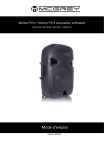
McGrey P212 / McGrey P215 haut-parleur actif/passif
00079143 / 00079144 / 00079147 / 00079145
MIDI
MMC
Mode d'emploi
Version 08/2021
© 2020
Ce mode d'emploi est protégé par des droits d'auteur. La reproduction de ce mode
d'emploi, même partielle, n'est autorisée qu'avec l'accord de Musikhaus Kirstein
GmbH. Il en va de même pour la reproduction ou la copie d'images, même sous
forme modifiée.
Contenu
Précautions de sécurité et mesures de précaution
Informations importantes
Fonctionnement
Éléments de fonctionnement
Éléments de fonctionnement
Spécifications techniques (haut-parleurs actifs)
Spécifications techniques (boîtes passives)
Fonction TWS (True Wireless Stereo)
Déclaration DEEE
Déclaration de conformité simplifiée de l'UE
3
4
6
7
8
9
10
10
11
11
Merci d'avoir choisi ce produit.
Pour que vous soyez pleinement satisfait de ce produit, veuillez lire attentivement ce
mode d'emploi avant de l'utiliser. Conservez ce mode d'emploi en lieu sûr. Le mode
d'emploi doit être transmis à tous les utilisateurs ultérieurs.
Suivez les instructions d'utilisation !
Le mot "AVERTISSEMENT" indique des risques qui peuvent
entraîner des blessures graves si aucune mesure de précaution
n'est prise.
Le mot de signal NOTE indique les précautions générales à
prendre lors de la manipulation du produit.
Les images et les représentations à l'écran figurant dans le
présent mode d'emploi peuvent différer légèrement de l'aspect du
produit réel, dans la mesure où cela n'a pas d'incidence négative
sur les caractéristiques techniques et la sécurité du produit.
Toutes les formulations relatives aux personnes dans ce mode
d'emploi doivent être considérées comme neutres du point de vue
du genre.
Ce mode d'emploi s'applique aux personnes qui ont été supervisées ou formées à
l'utilisation de l'appareil par une personne responsable de leur sécurité et qui ont
démontré leur capacité à manipuler l'appareil.
Les enfants doivent être surveillés afin de s'assurer qu'ils ne
jouent pas avec l'appareil. Ne laissez pas les enfants sans
surveillance.
Toutes les informations contenues dans ce mode d'emploi ont été vérifiées au mieux de
nos connaissances et de nos convictions. Toutefois, ni l'auteur ni l'éditeur ne peuvent être
tenus responsables de tout dommage lié à l'utilisation de ce mode d'emploi.
Les autres produits, marques et noms de sociétés mentionnés dans ce document
peuvent être des marques déposées de leurs propriétaires respectifs. Le respect de
toutes les lois applicables en matière de droits d'auteur relève de la responsabilité
de l'utilisateur de ce document.
Sécurité précautions et mesures de précaution
Placez toujours l'appareil solidement sur une surface plane afin
d'éviter que l'appareil ne tombe et ne vous blesse.
Ne placez pas d'appareils susceptibles de chauffer (par exemple
des appareils d'éclairage ou des machines à fumée) sur
l'appareil.
Ne touchez jamais le câble d'alimentation ou l'appareil lorsqu'il
est mouillé, car cela pourrait provoquer un choc électronique.
Ne pas nettoyer le boîtier en plastique avec des solvants ou d'autres produits de
nettoyage à base de produits chimiques.
Gardez l'appareil à l'abri de la pluie et de l'humidité.
Les dommages causés par le non-respect de ce manuel d'utilisation ne sont pas
couverts par la garantie. Le revendeur n'accepte aucune responsabilité pour les
défauts ou les problèmes qui en résultent.
Avant de procéder au branchement, assurez-vous que le câble d'alimentation est en
parfait état.
Ne touchez le câble d'alimentation que par la fiche.
Branchez toujours la fiche d'alimentation en dernier. Le branchement doit se faire
sans forcer.
Éviter tout contact du câble d'alimentation avec d'autres câbles.
Ne pas plier ou tordre le câble et ne pas placer d'objets dessus.
Cet appareil peut endommager votre audition si le volume est trop élevé.
Si vous avez des problèmes d'audition ou des bourdonnements d'oreille, consultez
immédiatement un spécialiste.
Veillez à ce qu'aucun objet ou liquide ne pénètre dans l'appareil.
Protéger l'appareil des chocs violents.
Débranchez l'appareil du réseau électrique en cas d'orage.
Eteindre immédiatement l'appareil et débrancher l'adaptateur secteur de la prise si :
- Le bloc d'alimentation, le câble d'alimentation ou la fiche sont endommagés.
- Apparition de fumée ou d'odeurs inhabituelles
- Des objets sont tombés dans l'appareil ou du liquide a été renversé sur
l'appareil.
- L'appareil a été exposé à l'humidité
- L'appareil ne fonctionne pas correctement ou il y a un changement
significatif dans les performances.
Informations importantes
Alimentation électrique
-
Ne branchez pas l'appareil sur les mêmes prises que d'autres appareils
électriques commandés par un onduleur (par exemple, un congélateur, un
lave-linge, un four à micro-ondes ou un climatiseur) ou contenant un moteur.
Selon le mode d'utilisation de l'appareil électrique, des perturbations de
l'alimentation électrique peuvent entraîner des dysfonctionnements ou
produire des bruits audibles.
-
Pour des raisons de sécurité et pour que l'appareil fonctionne correctement,
vous devez vous assurer que la connexion est bien mise à la terre.
-
Avant de connecter l'appareil à d'autres appareils, vous devez déconnecter
tous les appareils du réseau électrique. Cela permet d'éviter les
dysfonctionnements et/ou d'endommager les haut-parleurs ou d'autres
appareils.
Lieu d'installation
-
Cet appareil peut perturber la réception de la radio et de la télévision. Par
conséquent, n'utilisez pas cet appareil à proximité de tels récepteurs.
-
Le bruit peut être causé par des appareils de communication sans fil, tels
que des téléphones mobiles, utilisés à proximité. Ce bruit peut se produire
lors de la réception ou de l'initiation d'un appel ou pendant une conversation.
Si vous rencontrez de tels problèmes, vous devez placer ces appareils sans
fil à une plus grande distance de ce produit ou les éteindre.
-
N'exposez pas l'appareil à la lumière directe du soleil, ne le placez pas à
proximité de produits dégageant de la chaleur, ne le laissez pas dans un
véhicule fermé et ne l'exposez pas à des températures extrêmes. Une
chaleur excessive peut déformer et décolorer l'appareil.
-
Si vous déplacez l'appareil d'une pièce à une autre où la température et/ou
l'humidité sont très différentes, des gouttes d'eau (condensation) peuvent se
former à l'intérieur de l'appareil.
Si vous essayez d'utiliser l'appareil dans ces conditions, vous risquez de
l'endommager ou de provoquer un dysfonctionnement. Vous devez donc
inspecter l'appareil avant de l'utiliser et le laisser reposer pendant plusieurs
heures jusqu'à ce que la condensation se soit complètement évaporée.
Maintenance
-
Pour le nettoyage quotidien, essuyez l'appareil avec un chiffon doux et sec
ou un chiffon légèrement humidifié avec de l'eau. Pour éliminer les saletés
tenaces, utilisez un chiffon imbibé d'un détergent doux et non abrasif.
Essuyez ensuite soigneusement l'appareil avec un chiffon doux et sec.
Plus d'informations
-
Soyez prudent lorsque vous utilisez les touches ou autres éléments de
commande de l'appareil, ainsi que les prises et les connexions. Une
manipulation brutale peut entraîner des défauts.
-
Ne jamais heurter l'écran ou exercer une forte pression sur celui-ci.
-
Lors de la connexion/déconnexion de tous les câbles, saisissez la fiche ellemême, ne tirez pas sur le câble. Vous éviterez ainsi les courts-circuits et les
dommages au câble.
-
Pour éviter de déranger vos voisins, essayez de maintenir le volume de
l'appareil à un niveau raisonnable.
-
Les vibrations sonores peuvent être transmises par les sols et les murs plus
que prévu. Veillez à ce que ces bruits ne deviennent pas une nuisance pour
les voisins.
-
Si vous devez transporter l'appareil, emballez-le, si possible, dans la boîte (y
compris le rembourrage) dans laquelle il a été livré.
Fonctionnement
Fonctionnement du lecteur USB / SD
1. Affichage
2. Fente pour carte SD
3. Interface USB
4. Sélecteur de mode - On/Off
5. Touche Play/Pause/Stop
6. Bouton de mode de lecture
7. Dernier titre
8. Titre suivant
9. TWS Véritable stéréo sans fil
10. Capteur pour la télécommande
Au point 10 (capteur pour la télécommande) :
Veuillez noter que le capteur de la télécommande est situé à l'arrière de l'enceinte,
c'est pourquoi celle-ci ne peut être contrôlée que depuis l'arrière de l'enceinte à
l'aide de la télécommande.
Connexion par fiche - haut-parleur passif
ENTRÉE
-
LIEN
-
Connexion haut-parleur (entrée) Pour la connexion à un haut-parleur
actif
Raccordement d'un haut-parleur
(sortie) pour le raccordement d'un
autre boîtier de haut-parleur passif.
Veuillez tenir compte de la résistance
totale.
Si vous utilisez des enceintes supplémentaires connectées via la sortie LINK,
veuillez vérifier la résistance totale et la comparer aux données de l'amplificateur.
Un seul haut-parleur passif peut être connecté à un hautparleur actif !
Éléments de fonctionnement
Éléments de fonctionnement
- 1 | Lecteur multimédia
Pour écouter de la musique via une carte SD, Bluetooth ou USB
- 2 & 5 | Contrôle du volume du microphone
Contrôle le niveau d'entrée pour les prises XLR et jack 3, 4, 6 et 7
- 3, 4, 6 & 7 | Connecteurs XLR et jack (6,3 mm)
Pour la connexion de microphones ou d'appareils de ligne (table de mixage, guitare,
clavier, etc.)
- 8 | Contrôle du volume MP3/Line
Contrôle le niveau d'entrée pour les prises LINE IN et le signal MP3
- 9 | Commutateur MP3/Ligne
Pour basculer entre les sources audio lecteur MP3 et LINE IN
- 10 | Connexions d'entrée/sortie de ligne
Connecteur LINE In (asymétrique) pour les appareils externes utilisant des câbles
audio avec fiches RCA.
Les connexions LINE OUT émettent un signal stéréo asymétrique vers des
appareils externes via des câbles cinch
- 11 | Bouton de volume
Vous pouvez régler le volume global à l'aide de ce bouton rotatif
- 12 | Bouton d'aigus
Vous pouvez ici contrôler la proportion des fréquences aiguës
- 13 | Bouton de basse
Vous pouvez ici contrôler la proportion des fréquences basses
- 14 | Sortie d'extension
Permet la connexion d'une enceinte passive supplémentaire (charge totale min. 8Ω)
via le câble Speaker Twist (compatible Speakon).
- 15 | Interrupteur POWER
Permet d'allumer et d'éteindre l'appareil
- 16 | Prise AC INPUT
Pour connecter le câble d'alimentation
Spécifications techniques (haut-parleurs actifs)
P212 MA
P215 MA
Amplificateur
Puissance de sortie maximale (PEAK)
Puissance de sortie maximale (RMS)
Type
600 W
800 W
120 W
Classe - AB
Données du système de haut-parleurs
Woofer
Tweeter
Réponse en fréquence
Niveau de pression acoustique (SPL)
Haut-parleur basse
Haut-parleur 12" (312
fréquence de 15" (386
mm) LF
mm)
Haut-parleur de compression HF de 25,5 mm (1")
55 Hz - 18 KHz (-10dB)
50 Hz - 18 KHz (-10dB)
max. 95 dB
Connexions audio
Lecture de MP3
Système de fichiers
Format
Débits binaires
Taux d'échantillonnage
Entrée
Impédance d'entrée
Ligne en
Impédance d'entrée
Aux in
Impédance d'entrée
Sortie auxiliaire
Impédance de sortie
Fente pour carte SD
Carte mémoire
USB / SD
FAT 16 / FAT32
MP3 / WMA / WAV / FLAC / APE
32 - 800 kbps
44,1 kHz
1 prise combinée XLR / jack 6,3 mm
22 kΩ symétrique
1 prise jack 3,5 mm, stéréo
8,3 kΩ
2 x Cinch
8,3 kΩ
2x Cinch
100 kΩ, asymétrique
prend en charge jusqu'à 32 Go
Bluetooth
Gamme de fréquences
Numéro de canal
Version
Compatibilité
plage max.
Puissance de sortie maximale
2,4 GHz
79
compatible avec Bluetooth 4.2
Prend en charge le profil A2DP 1.2
environ 15 m
10 dBm
Égaliseur
Haut
Profondeur
± 12 dB à 10 kHz, coupure
± 12 dB à 100 Hz, coupure
Alimentation, tension (fusible)
Charge connectée
Raccordement au réseau
220 W
Prise standard IEC
Spécifications techniques (boîtes passives)
Puissance de sortie maximale
(PEAK)
Puissance de sortie maximale
(RMS)
Résistance
Type
Gamme de fréquences
Réponse en fréquence
Niveau de pression acoustique
(SPL)
Angle du faisceau
Fréquence de coupure
P212 MP
P215 MP
600 W
800 W
180W
8Ω
2 voies
75 Hz à 35 kHz (±3 dB)
55 Hz-18 KHz (-10dB) 50 Hz-18 KHz (-10dB)
96 dB (plein espace, 1 W @ 1 m)
70° H x 50° L
2,2 kHz
Poignées
Poignée ergonomique, 35 mm
Tweeter
Woofer
Haut-parleur à compression de 1 pouce
Connexions
Câblage
12" (305 mm)
15" (381 mm)
2 x Speaker Twist (compatible Speakon),
4 pôles
Broches 1+ / 1- Entrée
Broches 2+ / 2- link
Dimensions (H x L x P)
Poids
583 x 375 x 308 mm
685 x 433 x 366 mm
10,1 kg
14,9 kg
Fonction TWS (True Wireless Stereo)
1. Appuyez sur la touche Mode des deux enceintes pour activer la fonction
Bluetooth des deux appareils.
2. Appuyez maintenant sur le bouton de couplage de l'un des appareils. L'écran
affiche "bt:bt" et le symbole Bluetooth apparaît en bas à droite de l'écran.
3. Lorsque l'écran du système de la deuxième colonne affiche également "bt:bt" et
que le symbole Bluetooth disparaît de l'écran, vous entendez une tonalité de
connexion. Cela indique que les systèmes sont connectés l'un à l'autre.
4. Connectez votre appareil compatible Bluetooth (par exemple, votre téléphone
portable) à l'un des haut-parleurs. Les fichiers lus sur le premier appareil sont
également lus sur le second système.
5. Appuyez à nouveau sur la touche PAIR si vous souhaitez séparer les deux
appareils.
Connexion Bluetooth
1. La première fois que vous connectez un appareil au système, appuyez sur la
touche MODE du lecteur MP3 pour activer le mode Bluetooth.
2. Ensuite, activez la connexion Bluetooth sur l'appareil de votre choix (par exemple,
un téléphone portable ou une tablette) et connectez-le à l'unité P212 ou P215.
3. La prochaine fois que vous voudrez utiliser la connexion Bluetooth avec votre
téléphone portable, votre tablette, etc., il vous suffira de passer en mode Bluetooth
sur le système de colonne et votre appareil précédemment apparié se connectera
automatiquement au produit.
Déclaration DEEE
(Déchets d'équipements électriques et électroniques)
Votre produit a été conçu et fabriqué avec des matériaux et des composants de
haute qualité qui sont recyclables et réutilisables. Le symbole signifie que votre
produit doit être éliminé séparément des déchets ménagers à la fin de sa vie.
Déposez cet appareil au point de collecte ou au centre de recyclage le plus proche.
Aidez-nous à protéger l'environnement dans lequel nous vivons tous.
Toutes les données techniques et les apparences sont susceptibles d'être modifiées
sans préavis. Toutes les informations étaient correctes au moment de la mise sous
presse. Musikhaus Kirstein GmbH ne garantit pas l'exactitude ou l'exhaustivité des
descriptions, photographies ou déclarations contenues dans ce manuel. Les
couleurs et les spécifications imprimées peuvent différer légèrement du produit. Les
produits de Musikhaus Kirstein GmbH ne sont vendus que par l'intermédiaire de
distributeurs agréés. Les distributeurs et les revendeurs ne sont pas des
représentants de Musikhaus Kirstein GmbH et ne sont pas autorisés à engager
légalement Musikhaus Kirstein GmbH de quelque manière que ce soit.
DÉCLARATION DE CONFORMITÉ SIMPLIFIÉE DE L'UE
Par la présente, Musikhaus Kirstein GmbH déclare que l'unité radio du modèle
[McGrey P212 MA, 12" Aktivbox et McGrey P215 MA, 15" Aktivbox] est conforme à
la directive européenne 2014/53/UE. Vous pouvez télécharger la déclaration de
conformité UE complète pour cet article sous le lien de téléchargement :
http://www.kirstein.de/docs/Konformitaetserklaerung/CE_Konformitaetserklaerung_0
0079143.pdf
http://www.kirstein.de/docs/Konformitaetserklaerung/CE_Konformitaetserklaerung_0
0079144.pdf
Musikhaus Kirstein GmbH
Bernbeurener Straße 11
86956 Schongau - Allemagne
Téléphone : 0049-8861/909494-0
Fax : 0049-8861/909494-19
">