Michael C.
How to start a running activity on a Forerunner 55?
From the watch face, press START and select 'Run'. If outdoors, wait for the status bar to turn green (indicating GPS acquisition), then press START again to begin the timer.
FORERUNNER 55
®
Manuel d'utilisation
© 2021 Garmin Ltd. ou ses filiales
Tous droits réservés. Conformément aux lois relatives au copyright en vigueur, toute reproduction du présent manuel, qu'elle soit partielle ou intégrale, sans l'autorisation préalable
écrite de Garmin, est interdite. Garmin se réserve le droit de modifier ou d'améliorer ses produits et d'apporter des modifications au contenu du présent manuel sans obligation d'en
avertir quelque personne physique ou morale que ce soit. Consultez le site Web de Garmin à l'adresse www.garmin.com pour obtenir les dernières mises à jour, ainsi que des
informations complémentaires concernant l'utilisation de ce produit.
Garmin , le logo Garmin, ANT+ , Auto Lap , Auto Pause , Edge et Forerunner sont des marques commerciales de Garmin Ltd. ou de ses filiales, déposées aux Etats-Unis et dans
d'autres pays. Body Battery™, Connect IQ™, Firstbeat Analytics™, Garmin Connect™, Garmin Express™, Garmin Index™, Garmin Move IQ™ et TrueUp™ sont des marques
commerciales de Garmin Ltd. ou de ses filiales. Ces marques commerciales ne peuvent pas être utilisées sans l'autorisation expresse de Garmin.
®
®
®
®
®
®
Android™ est une marque commerciale de Google Inc. Apple , iPhone et Mac sont des marques commerciales d'Apple Inc., déposées aux États-Unis et dans d'autres pays. La
marque et les logos BLUETOOTH sont la propriété de Bluetooth SIG, Inc., et leur utilisation par Garmin est soumise à une licence. The Cooper Institute , ainsi que les marques
commerciales associées, sont la propriété de The Cooper Institute. iOS est une marque déposée par Cisco Systems, Inc. utilisée sous licence par Apple Inc. Windows et Windows
NT sont des marques déposées par Microsoft Corporation aux États-Unis et dans d'autres pays. Zwift™ est une marque commerciale de Zwift, Inc. Les autres marques et noms
commerciaux sont la propriété de leurs détenteurs respectifs.
®
®
®
®
®
®
®
Ce produit est certifié ANT+ . Pour obtenir la liste des produits et applications compatibles, consultez le site www.thisisant.com/directory.
®
M/N: A04162
®
Table des matières
Introduction..................................... 1
Présentation de l'appareil....................... 1
Icônes d'état............................................ 2
Affichage du menu des commandes.... 2
Configuration de votre montre............... 2
Activités et applications................... 2
Prêt... Partez............................................ 3
Démarrage d'une activité........................4
Astuces pour l'enregistrement des
activités............................................... 4
Arrêt d'une activité.................................. 4
Évaluation d'une activité......................... 4
Ajout d'une activité................................. 5
Activités en salle..................................... 5
Utilisation de la fonction de course
virtuelle................................................ 5
Enregistrement d'une activité HIIT..... 6
Étalonnage de la distance sur tapis de
course.................................................. 6
Activités en extérieur.............................. 6
Course sur piste.................................. 7
Pratique de la natation....................... 7
Entraînement................................... 9
Entraînements......................................... 9
Création d'un entraînement
personnalisé sur Garmin Connect... 10
Envoi d'un entraînement personnalisé
sur votre appareil.............................. 10
Début d'un entraînement.................. 10
Suivi des suggestions quotidiennes
d'entraînement.................................. 11
Entraînements fractionnés............... 11
Programmes Adaptive Training....... 12
A propos du calendrier
d'entraînement.................................. 13
Entraînement PacePro......................... 14
Création d'un programme PacePro sur
Garmin Connect................................ 14
Envoi d'un programme PacePro sur
votre appareil.................................... 14
Démarrage d'un programme
PacePro............................................. 15
Arrêt d'un programme PacePro....... 15
Table des matières
Utilisation des alertes de course et de
marche.................................................. 16
Entraînement en salle........................... 16
Records personnels.............................. 16
Consultation de vos records
personnels......................................... 16
Restauration d'un record
personnel........................................... 16
Suppression d'un record
personnel........................................... 17
Suppression de tous les records
personnels......................................... 17
Affichage de l'âge physique................. 17
Suivi des activités.......................... 17
Objectif automatique............................ 18
Utilisation de l'alarme invitant à
bouger................................................... 18
Activation de l'alarme invitant à
bouger................................................ 18
Suivi du sommeil.................................. 18
Utilisation du suivi du sommeil
automatique...................................... 18
Utilisation du mode Ne pas
déranger............................................ 19
Minutes intensives................................19
Gain de minutes intensives.............. 19
Evénements Garmin Move IQ™............ 19
Paramètres du suivi des activités....... 19
Désactivation du suivi des
activités............................................. 20
Suivi de l'hydratation............................ 20
Suivi du cycle menstruel...................... 20
Fonctions de fréquence cardiaque..20
Fréquence cardiaque au poignet......... 21
Port de l'appareil............................... 21
Astuces en cas de données de
fréquence cardiaque inexactes........ 21
Affichage du widget Fréquence
cardiaque........................................... 22
Diffusion de la fréquence cardiaque
aux Garmin appareils........................ 22
Diffusion des données de fréquence
cardiaque au cours d'une activité.... 23
Configuration d'une alerte de
fréquence cardiaque anormale........ 23
i
Désactivation du moniteur de
fréquence cardiaque au poignet...... 23
A propos des zones de fréquence
cardiaque.............................................. 23
Objectifs physiques.......................... 24
Définition de zones de fréquence
cardiaque........................................... 24
Définition des zones de fréquence
cardiaque par l'appareil.................... 25
Calcul des zones de fréquence
cardiaque........................................... 25
Consultation de l'estimation de votre
VO2 max. pour la course à pied........... 25
A propos des estimations de la VO2
max.................................................... 26
Temps de récupération........................ 26
Affichage de votre temps de
récupération...................................... 27
Affichage de vos prévisions de temps de
course.................................................... 27
Utilisation du widget Niveau de
stress..................................................... 27
Body Battery™....................................... 27
Affichage du widget Body Battery... 28
Conseils pour améliorer les données
de Body Battery................................. 28
Fonctions Intelligentes................... 29
Couplage de votre smartphone avec
votre appareil........................................ 29
Astuces pour les utilisateurs Garmin
Connect existants............................. 29
Fonctionnalités Bluetooth
connectées............................................ 30
Synchronisation manuelle des
données avec Garmin Connect........ 30
Localisation d'un smartphone
égaré.................................................. 30
Widgets................................................. 31
Affichage des widgets...................... 31
Affichage du widget météo.............. 31
Contrôle de la lecture de la musique sur
un smartphone connecté..................... 32
Activation des notifications
Bluetooth............................................... 32
Affichage des notifications.............. 32
Gestion des notifications................. 32
Désactivation de la connexion
Bluetooth du smartphone................. 32
Activation et désactivation des alertes
de connexion du smartphone.......... 33
Synchronisation des activités.............. 33
Lectures de signaux sonores pendant
votre activité......................................... 33
Fonctions Connect IQ........................... 33
Téléchargement d'objets Connect
IQ........................................................ 33
Fonctions de suivi et de sécurité.... 34
Ajout de contacts d'urgence................ 34
Demande d'assistance......................... 34
Activation et désactivation de la
détection d'incident.............................. 34
Activation de LiveTrack........................ 35
Partage d'événement en temps réel.... 35
Historique...................................... 35
Affichage de l'historique...................... 35
Affichage de votre temps dans
chaque zone de fréquence
cardiaque........................................... 35
Suppression de l'historique.................. 36
Affichage des totaux de données........ 36
Gestion de données.............................. 36
Suppression de fichiers.................... 36
Déconnexion du câble USB.............. 36
Garmin Connect.................................... 37
Synchronisation de vos données avec
l'application Garmin Connect........... 37
Utilisation de Garmin Connect sur
votre ordinateur................................. 38
Capteurs sans fil............................ 38
Couplage de vos capteurs sans fil...... 38
Accéléromètre...................................... 38
Entraînez-vous avec un
accéléromètre................................... 39
Etalonnage de l'accéléromètre........ 39
Réglage de la vitesse et de la distance
de l'accéléromètre............................ 40
Utilisation d'un capteur de vitesse ou de
cadence de vélo en option................... 40
Personnalisation de l'appareil.........40
Définition de votre profil utilisateur..... 40
ii
Table des matières
Personnalisation de la liste de vos
activités................................................. 40
Paramètres d'applications et
d'activités.............................................. 41
Personnalisation des écrans de
données............................................. 41
Alertes............................................... 42
Auto Lap............................................ 43
Activation et désactivation de la
touche Lap......................................... 44
Activation d'Auto Pause®................ 44
Activation de l'auto-évaluation......... 45
Modification des paramètres GPS...45
Personnalisation de la série des
widgets.................................................. 46
Suppression d'une activité ou d'une
application.............................................46
Paramètres du suivi des activités....... 46
Désactivation du suivi des
activités............................................. 46
Personnalisation du cadran de
montre................................................... 47
Fonctions Connect IQ........................... 47
Téléchargement d'objets Connect
IQ........................................................ 47
Téléchargement de fonctions Connect
IQ sur votre ordinateur...................... 47
Paramètres système............................ 48
Paramètres de l'heure....................... 48
Fuseaux horaires.............................. 48
Modification des paramètres du
rétroéclairage.................................... 49
Définition des tonalités de
l'appareil............................................ 49
Affichage de l'allure ou de la
vitesse............................................... 49
Modification des unités de
mesure............................................... 49
Horloge.................................................. 50
Définition d'une alarme..................... 50
Suppression d'une alarme................ 50
Démarrage du compte à rebours..... 50
Utilisation du chronomètre............... 51
Synchronisation de l'heure avec le
GPS.................................................... 51
Réglage manuel de l'heure............... 51
Informations sur l'appareil.............. 51
Table des matières
Affichage des informations sur
l'appareil................................................ 51
Affichage des informations légales et
de conformité relatives à l'étiquetage
électronique...................................... 52
Chargement de l'appareil..................... 52
Conseils pour charger l'appareil...... 52
Entretien du........................................... 53
Nettoyage de l'appareil..................... 53
Changement des bracelets.................. 53
Caractéristiques................................... 54
Dépannage..................................... 54
Mises à jour produit.............................. 54
Mise à jour du logiciel avec
l'application Garmin Connect........... 54
Configuration de Garmin Express.... 54
Mise à jour du logiciel à l'aide de
Garmin Express................................. 54
Informations complémentaires........... 55
Suivi des activités................................. 55
Mon nombre de pas quotidiens ne
s'affiche pas...................................... 55
Le nombre de mes pas semble
erroné.................................................55
Le nombre de pas affiché sur mon
appareil ne correspond pas à celui
affiché sur mon compte Garmin
Connect............................................. 55
Mes minutes intensives clignotent.. 55
Acquisition des signaux satellites....... 55
Amélioration de la réception satellite
GPS.................................................... 56
Redémarrage de l'appareil................... 56
Réinitialisation de tous les paramètres
par défaut.............................................. 56
Optimisation de l'autonomie de la
batterie.................................................. 56
Mon appareil n'est pas dans la bonne
langue.................................................... 57
Mon smartphone est-il compatible avec
mon appareil ?...................................... 57
Mon téléphone ne se connecte pas à
l'appareil................................................ 57
Puis-je utiliser l'activité cardio en
extérieur ?.............................................. 57
Comment puis-je coupler manuellement
des capteurs ANT+ ?............................ 58
iii
Puis-je utiliser mon capteur Bluetooth
avec ma montre ?................................. 58
Annexes......................................... 59
Champs de données............................. 59
Notes standard de la VO2 max............ 60
Dimensions et circonférence des
roues...................................................... 61
Index.............................................. 63
iv
Table des matières
Introduction
AVERTISSEMENT
Consultez le guide Informations importantes sur le produit et la sécurité inclus dans l'emballage du produit pour
prendre connaissance des avertissements et autres informations importantes sur le produit.
Consultez toujours votre médecin avant de commencer ou de modifier tout programme d'exercice physique.
Présentation de l'appareil
Appuyez sur ce bouton pour allumer l'appareil.
Appuyez sur ce bouton pour activer et désactiver le rétroéclairage.
LIGHT Maintenez ce bouton enfoncé pour afficher le menu des commandes.
Appuyez sur ce bouton pour démarrer et arrêter le chronomètre d'activité.
START Permet de choisir une option ou de confirmer la lecture d'un message.
STOP
BACK
Appuyez sur ce bouton pour revenir à l'écran précédent.
Appuyez sur ce bouton pour enregistrer un circuit, une période de repos ou passer à la prochaine
étape d'un entraînement pendant une activité.
Sélectionnez ce bouton pour faire défiler les widgets, les écrans de données, les options et les para­
mètres.
DOWN Maintenez ce bouton enfoncé pour ouvrir les commandes de la musique (Contrôle de la lecture de la
musique sur un smartphone connecté, page 32).
UP
Sélectionnez ce bouton pour faire défiler les widgets, les écrans de données, les options et les para­
mètres.
Maintenez ce bouton enfoncé pour afficher le menu.
Introduction
1
Icônes d'état
Les icônes d'état s'affichent lorsque vous démarrez une activité. Dans le cadre d'activités de plein air, la barre
d'état devient verte lorsque le GPS est prêt. Une icône clignotante signifie que l'appareil recherche un signal.
Une icône fixe signifie que le signal a été trouvé ou que le capteur est connecté.
État de la connexion du Smartphone
État de la fréquence cardiaque
État de l'alarme
Etat de l'accéléromètre
Etat du capteur de vitesse et de cadence
Affichage du menu des commandes
Le menu des commandes contient des options, comme le mode Ne pas déranger, le verrouillage des boutons
et l'arrêt de l'appareil.
1 Sur n'importe quel écran, appuyez longuement sur LIGHT.
2 Appuyez sur UP ou DOWN pour faire défiler les options.
Configuration de votre montre
Pour tirer pleinement parti des fonctions de la Forerunner, suivez les étapes ci-dessous :
• Couplez votre smartphone avec l'appareil Forerunner à l'aide de l'application Garmin Connect™ (Couplage de
votre smartphone avec votre appareil, page 29).
• Configurez les fonctions de sécurité (Fonctions de suivi et de sécurité, page 34).
Activités et applications
Vous pouvez utiliser votre appareil pour des activités sportives, que ce soit d'intérieur ou de plein air. Quand
vous démarrez une activité, l'appareil affiche et enregistre des données de capteur. Vous avez la possibilité
d'enregistrer des activités et de les partager avec la communauté Garmin Connect.
Vous pouvez aussi ajouter des activités et des applications Connect IQ™ à votre appareil via l'application
Connect IQ (Fonctions Connect IQ, page 33).
Pour en savoir plus sur la précision du suivi des activités et des métriques sportives, rendez-vous sur
garmin.com/ataccuracy.
2
Activités et applications
Prêt... Partez
La première activité sportive que vous enregistrez sur votre appareil peut être une course, un parcours ou toute
autre activité en extérieur. Vous devrez peut-être recharger l'appareil avant de commencer l'activité
(Chargement de l'appareil, page 52).
1 A partir du cadran de montre, sélectionnez START.
2 Sélectionnez une activité.
3 Sortez et patientez pendant que l'appareil recherche des satellites.
4 Appuyez sur START pour lancer le chrono.
5 Allez vous entraîner.
6 Une fois votre course terminée, sélectionnez STOP pour arrêter le chrono.
7 Sélectionner une option :
• Sélectionnez Reprendre pour redémarrer le chrono.
• Sélectionnez Enregistrer pour enregistrer la course et remettre le chrono à zéro. Vous pouvez afficher un
résumé ou sélectionner DOWN pour voir davantage de données.
• Sélectionnez Ignorer > Oui pour supprimer la course.
Activités et applications
3
Démarrage d'une activité
Lorsque vous démarrez une activité, le GPS s'allume automatiquement (si nécessaire). Si vous disposez d'un
capteur sans fil en option, vous pouvez le coupler à l'appareil Forerunner (Couplage de vos capteurs sans fil,
page 38).
1 A partir du cadran de montre, sélectionnez START.
2 Sélectionnez une activité.
REMARQUE : les activités définies comme favorites s'affichent en premier dans la liste (Personnalisation de
la liste de vos activités, page 40).
3 Sélectionner une option :
• Sélectionnez une activité dans vos favoris.
• Sélectionnez , puis sélectionnez une activité dans la longue liste d'activités.
4 Si l'activité nécessite l'utilisation de signaux GPS, sortez et cherchez un lieu avec une vue dégagée du ciel.
5 Attendez que la barre d'état verte s'affiche.
L'appareil est prêt une fois qu'il établit votre fréquence cardiaque, acquiert les signaux GPS (si nécessaire),
et se connecte à vos capteurs sans fil (si nécessaire).
6 Appuyez sur START pour lancer le chrono.
L'appareil enregistre les données d'activité uniquement lorsque le chronomètre d’activité est en marche.
ASTUCE : vous pouvez maintenir le bouton DOWN enfoncé pendant une activité pour ouvrir les commandes
de la musique (Contrôle de la lecture de la musique sur un smartphone connecté, page 32).
Astuces pour l'enregistrement des activités
• Chargez votre appareil avant de démarrer une activité (Chargement de l'appareil, page 52).
• Sélectionnez BACK pour enregistrer des circuits, commencer une nouvelle posture, se reposer pendant une
activité en piscine ou passer à l'étape suivante d'un entraînement.
• Appuyez sur UP ou DOWN pour afficher d'autres pages de données.
Arrêt d'une activité
1 Sélectionnez STOP.
2 Sélectionner une option :
• Pour reprendre votre activité, sélectionnez Reprendre.
• Pour enregistrer l'activité, sélectionnez Enregistrer.
REMARQUE : si l'auto-évaluation est activée, vous pouvez entrer votre effort perçu pour l'activité
(Activation de l'auto-évaluation, page 45).
• Pour marquer un circuit, sélectionnez Circuit.
• Pour supprimer l'activité, sélectionnez Ignorer > Oui.
Évaluation d'une activité
Avant de pouvoir évaluer une activité, vous devez activer le paramètre d'auto-évaluation sur votre appareil
Forerunner (Activation de l'auto-évaluation, page 45).
Vous pouvez enregistrer votre ressenti lors d'une course, d'une activité à vélo ou d'une session de natation.
1 Après avoir terminé une activité, sélectionnez Enregistrer (Arrêt d'une activité, page 4).
2 Sélectionnez un nombre qui correspond à l'effort perçu.
REMARQUE : vous pouvez sélectionner
pour ignorer l'auto-évaluation.
3 Sélectionnez votre ressenti au cours de l'activité.
Vous pouvez visualiser vos évaluations dans l'application Garmin Connect.
4
Activités et applications
Ajout d'une activité
Votre appareil est fourni avec un certain nombre d'activités d'intérieur et d'extérieur. Vous pouvez ajouter ces
activités à votre liste d'activités.
1 Sélectionnez START.
2 Sélectionnez Ajouter.
3 Sélectionnez une activité dans la liste.
4 Sélectionnez Oui pour ajouter l'activité à la liste de vos favoris.
5 Sélectionnez une position dans la liste d'activités.
6 Appuyez sur START.
Activités en salle
L'appareil Forerunner convient à une utilisation en salle, comme un entraînement sur tapis de course ou sur
vélo d'appartement. Le GPS est désactivé pendant vos activités en intérieur.
Si la fonction GPS est désactivée lorsque vous courez ou marchez, la vitesse, la distance et la cadence sont
calculées à l'aide de l'accéléromètre intégré à l'appareil. L'étalonnage de l'accéléromètre est automatique. La
précision des données de vitesse, de distance et de cadence augmente après quelques parcours effectués en
extérieur à l'aide du GPS.
ASTUCE : si vous tenez la barre du tapis de course, la précision de l'appareil sera réduite. Vous pouvez utiliser
un accéléromètre en option pour enregistrer votre allure, votre distance et votre cadence.
Lorsque vous pédalez avec le GPS éteint, les données de vitesse et de distance ne sont pas disponibles, sauf si
vous possédez un capteur en option qui envoie ces données à l'appareil (comme un capteur de vitesse ou de
cadence).
Utilisation de la fonction de course virtuelle
Vous pouvez coupler votre appareil Forerunner avec une application tierce compatible pour transmettre vos
données d'allure, de fréquence cardiaque ou de cadence.
1 Sélectionnez START > Course virtuelle.
2 Sur votre tablette, ordinateur portable ou smartphone, ouvrez l'application Zwift™ ou une autre application
d'entraînement virtuel.
3 Suivez les instructions à l'écran pour démarrer une activité de course et coupler les appareils.
4 Appuyez sur START pour lancer le chrono.
5 Une fois votre course terminée, sélectionnez STOP pour arrêter le chronomètre d'activité.
Activités et applications
5
Enregistrement d'une activité HIIT
Vous pouvez utiliser des chronos spécialisées pour enregistrer une activité d'entraînement fractionné de haute
intensité (HIIT).
1 À partir du cadran de la montre, sélectionnez START > HIIT > Options > Chronomètres.
2 Sélectionner une option :
• Sélectionnez Libre pour enregistrer une activité HIIT ouverte et non structurée.
• Sélectionnez AMRAP pour enregistrer autant de répétitions que possible pendant une période définie.
• Sélectionnez EMOM pour enregistrer un nombre défini de mouvements à tout moment sur la minute.
• Sélectionnez Tabata pour alterner entre des intervalles de 20 secondes d'effort maximal et 10 secondes
de repos.
• Sélectionnez Personnalisé pour définir la durée de l'exercice, le temps de repos, le nombre de
mouvements et le nombre de répétitions.
3 Si nécessaire, suivez les instructions présentées à l'écran.
4 Sélectionnez START pour démarrer votre première activité.
L'appareil affiche un compte à rebours et votre fréquence cardiaque actuelle.
5 Si nécessaire, sélectionnez BACK pour passer manuellement à l'activité suivante ou au temps de repos.
6 Une fois votre activité terminée, appuyez sur STOP pour arrêter le chronomètre d'activité.
7 Sélectionnez Enregistrer.
Étalonnage de la distance sur tapis de course
Pour enregistrer des distances plus précises sur votre tapis de course, vous pouvez étalonner la distance après
avoir couru au moins 1,5 km (1 mi) sur un tapis de course. Si vous utilisez différents tapis de course, vous
pouvez étalonner manuellement la distance sur chaque tapis de course ou après chaque course.
1 Démarrez une activité de tapis de course (Démarrage d'une activité, page 4).
2 Courez sur le tapis jusqu'à ce que votre appareil Forerunner enregistre au moins 1,5 km (1 mi.) de données.
3 Une fois la course terminée, appuyez sur STOP.
4 Sélectionner une option :
• Pour le premier étalonnage de la distance sur tapis de course, sélectionnez Enregistrer.
L'appareil vous invite à terminer l'étalonnage sur tapis de course.
• Pour étalonner manuellement la distance sur tapis de course après le premier étalonnage, sélectionnez
Étalon. + enregistr. > Oui.
5 Vérifiez la distance parcourue sur tapis de course affichée et saisissez la distance sur votre appareil.
Activités en extérieur
L'appareil Forerunner est fourni avec des activités d'extérieur préchargées, comme la course à pied et le
cyclisme. Le GPS est activé pour les activités d'extérieur. Vous pouvez ajouter d'autres activités à la liste
(Personnalisation de la liste de vos activités, page 40).
6
Activités et applications
Course sur piste
Avant de commencer une course sur une piste, assurez-vous qu'il s'agit d'une piste standard de 400 m.
Vous pouvez utiliser l'activité de course sur piste pour enregistrer des données de course sur une piste en
extérieur, notamment la distance en mètres et les intervalles.
1 Placez-vous sur la piste en extérieur.
2 Sélectionnez START > Course sur piste.
3 Patientez pendant que l'appareil recherche des satellites.
4 Si vous courez sur le couloir 1, passez à l'étape 10.
5 Maintenez le bouton UP enfoncé.
6 Sélectionnez les paramètres de l'activité.
7 Sélectionnez Numéro du couloir.
8 Sélectionnez le numéro du couloir.
9 Appuyez deux fois sur BACK pour revenir au chronomètre d'activité.
10 Sélectionnez START.
11 Courez autour de la piste.
Après 3 tours, votre appareil enregistre les dimensions de la piste et étalonne la distance.
12 Lorsque vous avez terminé de courir, sélectionnez STOP > Enregistrer.
Conseils pour l'enregistrement d'une course sur circuit
• Attendez que l'indicateur d'état du GPS soit vert avant de commencer votre course.
• Lors de votre première course sur un circuit inconnu, faites au moins 3 tours pour étalonner la distance du
circuit.
Vous devez courir légèrement au-delà de votre point de départ pour terminer le tour.
• Effectuez chaque tour sur la même voie.
REMARQUE : la distance Auto Lap par défaut est de 1 600 m, soit 4 tours autour du circuit.
• Si vous utilisez un autre couloir que le couloir 1, définissez le numéro de couloir dans les paramètres de
l'activité.
®
Pratique de la natation
1 Sélectionnez START > En piscine.
2 Sélectionnez la taille de la piscine ou saisissez une taille personnalisée.
3 Sélectionnez START.
4
5
6
7
8
L'appareil enregistre les données de natation uniquement lorsque le chronomètre d'activité est en marche.
Démarrez votre activité.
L'appareil enregistre automatiquement vos longueurs et les intervalles de nage.
Sélectionnez UP ou DOWN pour afficher d'autres pages de données (facultatif).
Lorsque vous vous reposez, appuyez sur BACK pour mettre le chronomètre d'activité en pause.
Sélectionnez BACK pour relancer le chronomètre d'activité.
Une fois l'activité terminée, sélectionnez STOP > Enregistrer.
Activités et applications
7
Enregistrement de la distance
L'appareil Forerunner mesure et enregistre la distance en longueurs complètes. Pour obtenir une distance
précise, il est nécessaire de définir correctement la taille de la piscine (Définition de la taille de la piscine,
page 8).
ASTUCE : pour garantir la précision des résultats, terminez chaque longueur sans changer de type de nage.
Mettez le chrono en pause lorsque vous vous reposez.
ASTUCE : pour aider l'appareil à compter vos longueurs, exercez une forte poussée contre le mur et laissezvous glisser avant d'entamer votre premier mouvement.
ASTUCE : lorsque vous effectuez des exercices, mettez le chronomètre en pause ou utilisez la fonction
d'enregistrement des exercices (Entraînements avec le journal d'entraînement, page 9).
Définition de la taille de la piscine
1
2
3
4
À partir du cadran de montre, sélectionnez START > En piscine.
Maintenez enfoncé UP.
Sélectionnez Paramètres > Taille de la piscine.
Sélectionnez la taille de la piscine ou saisissez une taille personnalisée.
Terminologie de la natation
Longueur : un aller dans le bassin.
Intervalle : une ou plusieurs longueurs à la suite. Un nouvel intervalle débute après une phase de repos.
Mouvement : un mouvement correspond à un cycle complet du bras sur lequel vous portez l'appareil.
Swolf : votre score Swolf est la somme du temps et du nombre de mouvements qu'il vous faut pour effectuer
une longueur. Par exemple, 30 secondes et 15 mouvements correspondent à un score Swolf de 45. Le score
Swolf permet de mesurer l'efficacité de la nage et, comme au golf, plus votre score est faible, plus vous êtes
performant.
Types de nage
L'identification du type de nage est uniquement disponible pour la natation en piscine. Votre type de nage est
identifié à la fin d'une longueur. Les différents types de mouvements s'affichent dans votre historique de
natation et sur votre compte Garmin Connect.
Libre
Nage libre
Dos
Dos
Brasse
Brasse
Papillon
Papillon
Mixte
Plusieurs types de nages dans un même intervalle
Exercices
Utilisé avec l'enregistrement des exercices (Entraînements avec le journal d'entraînement,
page 9)
Astuces pour les activités de natation
• Avant de démarrer une activité de natation en piscine, suivez les instructions à l'écran pour sélectionner la
taille de la piscine ou entrer une taille personnalisée.
La prochaine fois que vous démarrerez une activité de natation en piscine, l'appareil utilisera cette taille de
piscine. Vous pouvez maintenir le bouton UP enfoncé, sélectionner les paramètres de l'activité, puis
sélectionner Taille de la piscine pour modifier la taille.
• Appuyez sur BACK pour enregistrer une pause quand vous nagez en piscine.
L'appareil enregistre automatiquement vos longueurs et les intervalles de nage pour les activités de natation
en piscine.
8
Activités et applications
Récupération pendant une séance en piscine
L'écran de récupération par défaut affiche chrono de repos. Il affiche aussi le temps et la distance du dernier
intervalle terminé.
REMARQUE : les données de natation ne sont pas enregistrées pendant une phase de récupération.
1 Pendant votre activité de natation, appuyez sur BACK pour commencer une phase de récupération.
L'écran inverse l'affichage (texte blanc sur fond noir) et l'écran de récupération apparaît.
2 Pendant une phase de récupération, appuyez sur UP ou DOWN pour afficher les autres écrans de données
(facultatif).
3 Appuyez sur BACK et continuez à nager.
4 Répétez la procédure pour chaque intervalle de récupération supplémentaire.
Repos automatique
La fonction de repos automatique est uniquement disponible pour la natation en piscine. Votre appareil détecte
automatiquement les moments de repos et affiche l'écran de repos. Si vous vous reposez plus de 15 secondes,
l'appareil crée automatiquement un intervalle de repos. Quand vous recommencez à nager, l'appareil démarre
automatiquement un nouvel intervalle de natation.
Vous pouvez aussi appuyer sur BACK pour marquer manuellement le début et la fin de chaque intervalle de
repos.
REMARQUE : vous pouvez désactiver la fonction de repos automatique dans les options d'activité (Paramètres
d'applications et d'activités, page 41).
Entraînements avec le journal d'entraînement
La fonction de journal d'entraînement est uniquement disponible pour la natation en piscine. Vous pouvez
utiliser le paramètre de journal d'entraînement pour enregistrer manuellement les séances de battements de
jambes, la nage à un bras ou tout autre type de nage autre que l'un des quatre types de nage principaux.
1 Au cours de votre séance de piscine, appuyez sur UP ou DOWN pour afficher l'écran de journal
d'entraînement.
2 Appuyez sur BACK pour démarrer le chrono d'entraînement.
3 Une fois l'intervalle d'entraînement terminé, appuyez sur BACK.
Le chrono d'entraînement s'arrête, mais celui de l'activité continue à enregistrer l'intégralité de la séance de
natation.
4 Sélectionnez la distance de l'entraînement terminé.
Les incréments de distance sont basés sur la taille du bassin sélectionnée pour le profil d'activité.
5 Sélectionnez une option :
• Pour débuter un autre intervalle d'entraînement, appuyez sur BACK.
• Pour débuter un intervalle de natation, appuyez sur UP ou DOWN et revenez aux écrans d'entraînement de
natation.
Entraînement
Entraînements
Vous pouvez créer des entraînements de course pédestre ou cycliste personnalisés qui englobent des objectifs
pour chaque étape d'entraînement et pour des valeurs variables de distance, temps et calories. Pendant votre
activité, vous pouvez afficher des écrans de données d'entraînement qui contiennent des informations sur les
étapes de votre entraînement, par exemple la distance pour une étape ou l'allure pour une étape.
Votre appareil inclut des suggestions quotidiennes d'entraînements de course en fonction de votre historique
d'entraînement et de votre condition physique. Vous pouvez créer et rechercher plus d'entraînements avec
Garmin Connect ou sélectionner un programme d'entraînement contenant des séances intégrées, puis les
transférer sur votre appareil.
Vous pouvez programmer des entraînements à l'aide de Garmin Connect. Vous pouvez programmer des
entraînements à l'avance et les enregistrer sur votre appareil.
Entraînement
9
Création d'un entraînement personnalisé sur Garmin Connect
Avant de pouvoir créer un entraînement dans l'application Garmin Connect, vous devez disposer d'un compte
Garmin Connect (Garmin Connect, page 37).
1 Dans l'application Garmin Connect, sélectionnez
ou
.
2 Sélectionnez Entraînement > Entraînements > Créer un entraînement.
3 Sélectionnez une activité.
4 Créez votre entraînement personnalisé.
5 Sélectionnez Enregistrer.
6 Saisissez le nom de votre entraînement, puis sélectionnez Enregistrer.
Le nouvel entraînement s'affiche dans la liste de vos entraînements.
REMARQUE : vous pouvez envoyer cet entraînement sur votre appareil (Envoi d'un entraînement
personnalisé sur votre appareil, page 10).
Envoi d'un entraînement personnalisé sur votre appareil
Vous pouvez envoyer sur votre appareil un entraînement personnalisé créé dans l'application Garmin Connect
(Création d'un entraînement personnalisé sur Garmin Connect, page 10).
1 Dans l'application Garmin Connect, sélectionnez
ou
.
2 Sélectionnez Entraînement > Entraînements.
3 Sélectionnez un entraînement dans la liste.
4 Sélectionnez
.
5 Sélectionnez votre appareil compatible.
6 Suivez les instructions présentées à l'écran.
Début d'un entraînement
Pour pouvoir débuter un entraînement, vous devez en télécharger un depuis votre compte Garmin Connect.
1 A partir du cadran de montre, sélectionnez START.
2 Sélectionnez une activité de course ou de vélo.
3 Sélectionnez Options > Entraînement > Entraînements.
4 Sélectionnez un entraînement.
REMARQUE : seuls les entraînements compatibles avec l'activité sélectionnée apparaissent dans la liste.
5 Sélectionnez DOWN pour afficher la liste des étapes de l'entraînement (facultatif).
6 Sélectionnez START > Faire entraînement.
7 Appuyez sur START pour lancer le chrono.
Une fois que vous commencez un entraînement, l'appareil affiche chaque étape de l'entraînement, des notes
sur l'étape (facultatif), l'objectif (facultatif) et les données de l'entraînement en cours.
10
Entraînement
Suivi des suggestions quotidiennes d'entraînement
Pour que l'appareil puisse suggérer un entraînement quotidien, vous devez avoir une estimation de votre VO2
max.
1 A partir du cadran de montre, sélectionnez START.
2 Sélectionnez une activité de course à pied.
L'entraînement quotidien suggéré s'affiche.
3 Sélectionnez START et choisissez une option :
• Pour effectuer l'entraînement, sélectionnez Faire entraînement.
• Pour supprimer l'entraînement, sélectionnez Ignorer.
• Pour mettre à jour le type d'objectif de Fréquence cardiaque à Allure, sélectionnez Type d'objectif.
• Pour désactiver les notifications d'entraînement suivantes, sélectionnez Désactiver les invites.
L'entraînement suggéré est automatiquement mis à jour en fonction des changements des habitudes
d'entraînement, du temps de récupération et de la VO2 max.
Activer et désactiver les notifications de suggestions quotidiennes d'entraînement
Les suggestions quotidiennes d'entraînements se basent sur votre historique d'entraînement, votre VO2 max.,
votre sommeil et votre temps de récupération.
1 A partir du cadran de montre, sélectionnez START.
2 Sélectionnez une activité de course à pied.
3 Si besoin, sélectionnez BACK pour ignorer l'entraînement.
4 Maintenez le bouton UP enfoncé.
5 Sélectionnez Entraînement > Entraînements > Suggestion du jour.
6 Sélectionnez START.
7 Sélectionnez Désactiver les invites ou Activer les invites.
Entraînements fractionnés
Vous pouvez créer des entraînements fractionnés en vous basant sur la distance ou le temps. L'appareil
enregistre votre entraînement fractionné personnalisé jusqu'à la création d'un nouvel entraînement fractionné.
Vous pouvez utiliser des intervalles ouverts pour suivre des entraînements et lorsque vous courez une distance
connue.
Entraînement
11
Création d'un entraînement fractionné
Les entraînements fractionnés sont disponibles pour les activités de course à pied et de cyclisme.
1 A partir du cadran de montre, sélectionnez START.
2 Sélectionnez une activité.
3 Sélectionnez Options > Entraînement > Intervalles > START > Modifier > Intervalle > Type.
4 Sélectionnez Distance, Temps ou Ouvert.
ASTUCE : vous pouvez créer un intervalle ouvert (sans fin) en sélectionnant l'option Ouvert.
5 Si nécessaire, sélectionnez Durée, entrez une valeur de distance ou d'intervalle de temps pour
l'entraînement, puis sélectionnez
.
6 Appuyez sur BACK.
7 Sélectionnez Repos > Type.
8 Sélectionnez Distance, Temps ou Ouvert.
9 Si besoin, sélectionnez Durée, entrez une valeur de distance ou de temps pour l'intervalle de récupération,
puis sélectionnez
.
10 Appuyez sur BACK.
11 Sélectionnez une ou plusieurs options :
• Pour régler le nombre de répétitions, sélectionnez Répéter.
• Pour ajouter un intervalle d'échauffement ouvert à votre entraînement, sélectionnez Échauffement >
Activé.
• Pour ajouter un intervalle d'étirement ouvert à votre entraînement, sélectionnez Récupération > Activé.
Lancement d'un entraînement fractionné
1
2
3
4
5
A partir du cadran de montre, sélectionnez START.
Sélectionnez une activité de course ou de vélo.
Sélectionnez Options > Entraînement > Intervalles > START > Faire entraînement.
Appuyez sur START pour lancer le chrono.
Quand votre entraînement fractionné comporte un échauffement, appuyez sur BACK pour débuter le
premier fractionné.
6 Suivez les instructions présentées à l'écran.
Une fois que vous avez terminé tous les intervalles, un message s'affiche.
Arrêt d'un entraînement fractionné
• À tout moment, sélectionnez BACK pour arrêter l'intervalle ou la période de repos en cours et passer à
l'intervalle ou la période de repos suivant.
• Lorsque tous les intervalles et périodes de repos sont terminés, sélectionnez BACK pour terminer
l'entraînement fractionné et passer à un chronomètre qui peut être utilisé pour la récupération.
• À tout moment, appuyez sur STOP pour arrêter le chronomètre de l'activité. Vous pouvez redémarrer le
chronomètre ou terminer l'entraînement fractionné.
Programmes Adaptive Training
Il y a un programme Adaptive Traning sur votre compte Garmin Connect et Garmin Coach pour y intégrer vos
objectifs d'entraînement. Par exemple, en répondant à quelques questions vous pouvez trouver un programme
qui vous aidera à vous préparer pour une course de 5 km. Le programme s'adapte en fonction de votre forme
physique actuelle, de vos préférences en matière de conseils et de planning et de la date de la course. Quand
vous démarrez un programme, le widget Garmin Coach s'ajoute à la série de widgets présente sur votre
appareil Forerunner.
®
12
Entraînement
Utilisation des plans d'entraînement Garmin Connect
Avant de pouvoir télécharger et utiliser un programme d'entraînement de Garmin Connect, vous devez créer un
compte Garmin Connect (Garmin Connect, page 37), puis coupler votre appareil Forerunner avec un
smartphone compatible.
1 Dans l'application Garmin Connect, sélectionnez
ou
.
2 Sélectionnez Entraînement > Programmes d'entraînement.
3 Sélectionnez et programmez un plan d'entraînement.
4 Suivez les instructions présentées à l'écran.
5 Vérifiez votre plan d'entraînement dans votre calendrier.
Démarrage de l'entraînement du jour
Une fois que vous avez envoyé un programme d'entraînement Garmin Coach à votre appareil, le widget Garmin
Coach s'affiche dans votre série de widgets.
1 Sur le cadran de la montre, appuyez sur UP ou DOWN pour afficher le widget Garmin Coach.
Si l'entraînement de cette activité est prévu pour aujourd'hui, l'appareil affiche le nom de l'entraînement et
vous invite à le démarrer.
2
3
4
5
Sélectionnez START.
Sélectionnez DOWN pour afficher les étapes de l'entraînement (facultatif).
Sélectionnez START > Faire entraînement.
Suivez les instructions présentées à l'écran.
A propos du calendrier d'entraînement
Le calendrier d'entraînement disponible dans votre appareil complète celui que vous avez configuré dans
Garmin Connect. Une fois que vous avez ajouté plusieurs entraînements au calendrier de Garmin Connect, vous
pouvez les envoyer sur votre appareil. Tous les entraînements programmés envoyés sur l'appareil apparaissent
dans le widget Calendrier. Quand vous sélectionnez un jour dans le calendrier, vous pouvez voir ou effectuer
l'entraînement correspondant. L'entraînement programmé reste dans votre appareil, que vous l'ayez effectué ou
non. Quand vous envoyez des entraînements programmés depuis Garmin Connect, ils remplacent le calendrier
d'entraînement existant.
Entraînement
13
Affichage des entraînements programmés
Vous pouvez voir les entraînements programmés dans votre calendrier d'entraînement et démarrer un
entraînement.
1 A partir du cadran de montre, sélectionnez START.
2 Sélectionnez une activité de course ou de vélo.
3 Sélectionnez Options > Entraînement > Calendrier d'entraînement.
Vos entraînements programmés apparaissent, triés par date.
4 Sélectionnez un entraînement.
5 Sélectionner une option :
• Pour voir les étapes de l'entraînement, sélectionnez DOWN.
• Pour démarrer l'entraînement, sélectionnez START > Faire entraînement.
Entraînement PacePro
De nombreux coureurs aiment porter un bracelet d'allure pendant leurs courses pour les aider à atteindre leur
objectif. La fonction PacePro vous permet de créer un bracelet d'allure personnalisé en fonction de la distance
et de l'allure ou de la distance et du temps. Vous pouvez aussi créer un bracelet d'allure pour un parcours
connu afin d'optimiser vos efforts selon les modifications de l'altitude.
Vous pouvez créer un plan PacePro à l'aide de l'application Garmin Connect. Vous pouvez prévisualiser les
intervalles sur l'appareil Forerunner avant d'utiliser le plan.
Création d'un programme PacePro sur Garmin Connect
Avant de pouvoir créer un programme PacePro dans l'application Garmin Connect, vous devez disposer d'un
compte Garmin Connect (Garmin Connect, page 37).
1 Dans l'application Garmin Connect, sélectionnez
ou
.
2 Sélectionnez Entraînement > Stratégies d'allure PacePro > Créer une stratégie PacePro.
3 Suivez les instructions présentées à l'écran.
Le nouveau programme s'affiche dans la liste de vos programmes PacePro.
REMARQUE : vous pouvez envoyer ce programme sur votre appareil (Envoi d'un programme PacePro sur
votre appareil, page 14).
Envoi d'un programme PacePro sur votre appareil
Avant de pouvoir envoyer un programme PacePro à votre appareil, vous devez créer un programme à l'aide de
votre compte Garmin Connect (Création d'un programme PacePro sur Garmin Connect, page 14).
1 Dans l'application Garmin Connect, sélectionnez
ou
.
2 Sélectionnez Entraînement > Stratégies d'allure PacePro.
3 Sélectionnez un programme dans la liste.
4 Sélectionnez
ou Envoyer vers l'appareil.
5 Sélectionnez votre appareil compatible.
6 Suivez les instructions présentées à l'écran.
14
Entraînement
Démarrage d'un programme PacePro
Avant de pouvoir démarrer un programme PacePro, vous devez l'envoyer depuis votre compteGarmin Connect
(Envoi d'un programme PacePro sur votre appareil, page 14) sur votre appareil.
1 A partir du cadran de montre, sélectionnez START.
2 Sélectionnez une activité de course en plein air.
3 Sélectionnez Options > Entraînement > Programmes PacePro.
4 Sélectionnez une formule.
5 Sélectionnez DOWN pour afficher un aperçu des fractionnés (facultatif).
6 Sélectionnez START > Utiliser le plan.
7 Appuyez sur START pour lancer le chrono.
Allure cible pour l'intervalle
Allure actuelle pour l'intervalle
Progression de l'intervalle
Distance restante pour l'intervalle
Temps global en avance ou en retard sur votre temps cible
Arrêt d'un programme PacePro
1 Maintenez le bouton UP enfoncé.
2 Sélectionnez Arrêter PacePro > Oui.
L'appareil arrête le programme PacePro. Le chronomètre d'activité continue de fonctionner.
Entraînement
15
Utilisation des alertes de course et de marche
REMARQUE : vous devez configurer les alertes d'intervalles course/marche avant de commencer une course.
Une fois que vous avez démarré le chrono, vous ne pouvez plus modifier les paramètres.
1 A partir du cadran de montre, sélectionnez START.
2 Sélectionnez une activité de course à pied.
REMARQUE : les alarmes de pause de marche sont uniquement disponibles pour les activités de course à
pied.
3 Sélectionnez Options.
4 Sélectionnez les paramètres de l'activité.
5 Sélectionnez Alertes connectées > Ajouter nouv. > Course/Marche.
6 Définissez le temps de course pour chaque alerte.
7 Définissez le temps de marche pour chaque alerte.
8 Allez vous entraîner.
Chaque fois que vous terminez un intervalle, un message s'affiche. L'appareil émet également un signal sonore
ou vibre si les tonalités audibles sont activées (Définition des tonalités de l'appareil, page 49). Une fois les
alertes course/marche activées, elles sont utilisées chaque fois que vous allez courir, jusqu'à ce que vous les
désactiviez ou que vous activiez un mode de course différent.
Entraînement en salle
Garmin recommande d'utiliser les activités en intérieur lorsque vous vous entraînez en salle ou pour préserver
l'autonomie de la batterie. si vous sélectionnez une activité qui est généralement pratiquée en intérieur, le GPS
est automatiquement désactivé. Si la fonction GPS est désactivée lorsque vous courez ou marchez, la vitesse,
la distance et la cadence sont calculées à l'aide de l'accéléromètre intégré à l'appareil. L'étalonnage de
l'accéléromètre est automatique. La précision des données de vitesse, de distance et de cadence augmente
après quelques parcours effectués en extérieur à l'aide du GPS (Activités en salle, page 5).
Lorsque vous pédalez avec le GPS éteint, les données de vitesse et de distance ne sont pas disponibles, sauf si
vous possédez un capteur en option qui envoie ces données à l'appareil (comme un capteur de vitesse ou de
cadence).
Records personnels
Lorsque vous terminez une activité, l'appareil affiche tous les nouveaux records personnels atteints durant
cette activité. Les records personnels incluent votre meilleur temps sur plusieurs distances de course standard
et sur votre plus longue session de course, de vélo et de natation.
Consultation de vos records personnels
1
2
3
4
5
À partir du cadran de montre, maintenez le bouton UP enfoncé.
Sélectionnez Historique > Records.
Sélectionnez un sport.
Sélectionnez un record.
Sélectionnez Voir le record.
Restauration d'un record personnel
Pour chaque record personnel, vous pouvez restaurer le record précédemment enregistré.
1 À partir du cadran de montre, maintenez le bouton UP enfoncé.
2 Sélectionnez Historique > Records.
3 Sélectionnez un sport.
4 Sélectionnez un record à restaurer.
5 Sélectionnez Précédent > Oui.
REMARQUE : cette opération ne supprime aucune activité enregistrée.
16
Entraînement
Suppression d'un record personnel
1
2
3
4
5
À partir du cadran de montre, maintenez le bouton UP enfoncé.
Sélectionnez Historique > Records.
Sélectionnez un sport.
Sélectionnez un record à supprimer.
Sélectionnez Effacer le record > Oui.
REMARQUE : cette opération ne supprime aucune activité enregistrée.
Suppression de tous les records personnels
1
2
3
4
À partir du cadran de montre, maintenez le bouton UP enfoncé.
Sélectionnez Historique > Records.
Sélectionnez un sport.
Sélectionnez Effacer tous les records > Oui.
Les records sont supprimés pour ce sport uniquement.
REMARQUE : cette opération ne supprime aucune activité enregistrée.
Affichage de l'âge physique
Votre âge physique vous permet de comparer votre condition physique avec celle d'autres personnes du même
sexe. Votre appareil utilise des informations telles que votre âge, votre indice de masse corporelle (IMC), votre
fréquence cardiaque au repos et votre historique d'activités soutenues pour vous indiquer votre âge physique.
Si vous avez une balance Garmin Index™, votre appareil utilise le taux de graisse corporelle au lieu de l'IMC pour
déterminer votre âge physique. Les activités physiques et un changement de style de vie peuvent modifier votre
âge physique.
REMARQUE : pour obtenir un âge physique plus précis, procédez à la configuration de votre profil utilisateur
(Définition de votre profil utilisateur, page 40).
1 Maintenez enfoncé UP.
2 Sélectionnez
> Profil utilisateur > Âge physique.
Suivi des activités
La fonction de suivi des activités enregistre le nombre de pas quotidiens, la distance parcourue, les minutes
d'intensité, les calories brûlées et les statistiques de sommeil pour chaque journée enregistrée. Les calories
brûlées tiennent compte du métabolisme de base et des calories liées à la dépense énergétique.
Le nombre total de pas durant la journée apparaît dans le widget de décompte des pas. Le nombre de pas est
régulièrement mis à jour.
Pour en savoir plus sur le suivi des activités et les métriques sportives, rendez-vous sur garmin.com
/ataccuracy.
Suivi des activités
17
Objectif automatique
Votre appareil crée automatiquement un objectif de pas quotidiens suivant vos précédents niveaux d'activité.
Au fil de vos déplacements dans la journée, l'appareil affiche votre progression par rapport à cet objectif
quotidien
.
Si vous ne souhaitez pas utiliser la fonction d'objectif automatique, vous pouvez définir un objectif
personnalisé en nombre de pas à l'aide de votre compte Garmin Connect.
Utilisation de l'alarme invitant à bouger
Une position assise pendant des périodes de temps prolongées peut avoir une mauvaise influence sur le
métabolisme. L'alarme invitant à bouger est là pour vous aider à rester actif. Après une heure d'inactivité, le
message Bougez ! et la barre rouge s'affichent. Des segments supplémentaires apparaissent après chaque
quart d'heure d'inactivité. L'appareil émet également un signal sonore ou vibre si les tonalités audibles sont
activées (Définition des tonalités de l'appareil, page 49).
Sortez marcher un peu (au moins quelques minutes) pour réinitialiser l'alarme invitant à bouger.
Activation de l'alarme invitant à bouger
1 À partir du cadran de montre, maintenez le bouton UP enfoncé.
2 Sélectionnez
> Suivi des activités > Alarme invitant à bouger > Activé.
Suivi du sommeil
Pendant que vous dormez, l'appareil enregistre automatiquement des données sur votre sommeil et surveille
vos mouvements durant vos heures de sommeil habituelles. Vous pouvez régler vos heures de sommeil
habituelles dans les paramètres utilisateur de votre compte Garmin Connect. Les statistiques de sommeil
comportent le nombre total d'heures de sommeil, les phases de sommeil et les mouvements pendant le
sommeil. Vous pourrez consulter vos statistiques de sommeil sur votre compte Garmin Connect.
REMARQUE : les siestes ne sont pas intégrées à vos statistiques de sommeil. Vous pouvez utiliser le mode Ne
pas déranger pour désactiver toutes les notifications et alertes, sauf les alarmes (Utilisation du mode Ne pas
déranger, page 19).
Utilisation du suivi du sommeil automatique
1 Portez l'appareil sur vous lorsque vous dormez.
2 Envoyez vos données de suivi du sommeil sur le site Garmin Connect (Garmin Connect, page 37).
Vous pourrez consulter vos statistiques de sommeil sur votre compte Garmin Connect.
18
Suivi des activités
Utilisation du mode Ne pas déranger
Vous pouvez utiliser le mode Ne pas déranger pour désactiver le rétroéclairage, les alertes sonores et les
alertes vibrantes, par exemple quand vous dormez ou que vous regardez un film.
REMARQUE : vous pouvez régler vos heures de sommeil habituelles dans les paramètres utilisateur de votre
compte Garmin Connect. Vous pouvez activer l'option Pendant le sommeil dans les paramètres système pour
entrer automatiquement en mode Ne pas déranger pendant vos heures de sommeil habituelles (Paramètres
système, page 48).
REMARQUE : vous pouvez ajouter des options au menu des commandes.
1 Maintenez le bouton LIGHT enfoncé.
2 Sélectionnez Ne pas déranger.
Minutes intensives
Pour améliorer votre état de santé, des organismes tels que l'OMS (Organisation mondiale de la Santé)
recommandent de pratiquer au moins 150 minutes par semaine d'activité physique d'intensité modérée,
comme la marche rapide, ou 75 minutes par semaine d'activité physique d'intensité soutenue, comme la course
à pied.
L'appareil surveille l'intensité de votre activité et note le temps que vous passez à faire des activités d'intensité
modérée à élevée (données de fréquence cardiaque requises pour quantifier le niveau d'intensité). L'appareil
additionne les minutes d'activité modérée et d'activité intensive. Le nombre de minutes intensives est doublé
lors de l'addition.
Gain de minutes intensives
Votre appareil Forerunner calcule les minutes intensives en comparant vos données de fréquence cardiaque à
votre fréquence cardiaque moyenne au repos. Si la fonction de fréquence cardiaque est désactivée, l'appareil
calcule des minutes d'intensité modérée en analysant le nombre de pas par minute.
• Pour un calcul précis des minutes intensives, démarrez une activité chronométrée.
• Pour obtenir une fréquence cardiaque au repos plus précise, il est conseillé de porter l'appareil jour et nuit.
Evénements Garmin Move IQ™
La fonction Move IQ détecte automatiquement des activités telles que la marche, le vélo, la natation, la course
à pied ou le vélo elliptique, pendant au moins 10 minutes. Vous pouvez voir le type d'événement ainsi que sa
durée sur votre ligne du temps Garmin Connect, mais ces événements ne s'affichent pas dans votre liste
d'activités, vos aperçus ou vos flux. Pour enregistrer l'activité avec plus de détails et de précision, enregistrez
une activité chronométrée.
Paramètres du suivi des activités
À partir du cadran de la montre, maintenez le bouton UP enfoncé, puis sélectionnez
> Suivi des activités.
État : désactive les fonctions de suivi d'activité.
Alarme invitant à bouger : affiche un message et la barre d'activité sur le cadran numérique et l'écran de
décompte des pas. L'appareil émet également un signal sonore ou vibre si les tonalités audibles sont
activées (Définition des tonalités de l'appareil, page 49).
Alarmes d'objectif : permet d'activer et désactiver les alertes d’objectif, ou de les désactiver seulement pendant
les activités. Les alertes d'objectif vous signalent votre objectif de pas quotidiens et de minutes intensives
hebdomadaires.
Move IQ : permet à votre appareil de démarrer et d'enregistrer automatiquement une activité chronométrée de
marche ou de course quand la fonction Move IQ détecte des mouvements familiers.
Suivi des activités
19
Désactivation du suivi des activités
Lorsque vous désactivez le suivi des activités, les pas, les minutes intensives, le suivi du sommeil et les
événements Move IQ ne sont pas enregistrés.
1 Maintenez enfoncé UP.
2 Sélectionnez
> Suivi des activités > État > Désactivé.
Suivi de l'hydratation
Vous pouvez suivre votre consommation quotidienne de liquide, activer des objectifs et alertes, et entrer la
taille des contenants que vous utilisez le plus souvent. Si vous activez les objectifs automatiques, votre objectif
augmente les jours où vous enregistrez une activité. Quand vous vous entraînez, vous avez besoin de plus de
liquide pour compenser la transpiration.
Suivi du cycle menstruel
Le cycle menstruel est une composante importante de votre santé. Vous pouvez en apprendre plus sur cette
fonction et la configurer dans les paramètres Statistiques de santé de l'application Garmin Connect.
• Suivi du cycle menstruel et détails
• Symptômes physiques et émotionnels
• Prédictions de menstruations et de fertilité
• Informations sur la santé et l'alimentation
REMARQUE : si votre appareil Forerunner n'est pas doté du widget de suivi du cycle menstruel, vous pouvez le
télécharger depuis l'application Connect IQ.
Fonctions de fréquence cardiaque
L'appareil Forerunner dispose d'un moniteur de fréquence cardiaque au poignet et est aussi compatible avec
les moniteurs de fréquence cardiaque pectoraux ANT+ . Vous pouvez voir des données de fréquence cardiaque
au poignet sur le widget de fréquence cardiaque. Lorsque des données de fréquence cardiaque au poignet et
des données de fréquence cardiaque du moniteur ANT+ sont disponibles, votre appareil utilise les données de
fréquence cardiaque du moniteur ANT+.
®
20
Fonctions de fréquence cardiaque
Fréquence cardiaque au poignet
Port de l'appareil
• Portez l'appareil autour du poignet, au-dessus de l'os.
REMARQUE : l'appareil doit être suffisamment serré, mais rester confortable. Pour optimiser les relevés de
fréquence cardiaque, l'appareil ne doit pas bouger pendant que vous courez ni pendant vos entraînements.
REMARQUE : le capteur optique est situé à l'arrière de l'appareil.
• Voir Astuces en cas de données de fréquence cardiaque inexactes, page 21 pour plus d'informations au
sujet de la fréquence cardiaque au poignet.
• Pour en savoir plus sur la précision, rendez-vous sur garmin.com/ataccuracy.
• Pour en savoir plus au sujet du port et de l'entretien de l'appareil, rendez-vous sur le site www.garmin.com
/fitandcare.
Astuces en cas de données de fréquence cardiaque inexactes
Si les données de fréquence cardiaque manquent de fiabilité ou ne s'affichent pas, vous pouvez utiliser ces
astuces.
• Nettoyez et séchez votre bras avant d'installer l'appareil.
• Evitez de mettre de la crème solaire, des lotions ou des répulsifs pour insectes sous l'appareil.
• Veillez à ne pas griffer le capteur de fréquence cardiaque situé à l'arrière de l'appareil.
• Portez l'appareil autour du poignet, au-dessus de l'os. L'appareil doit être suffisamment serré, mais rester
confortable.
• Attendez que l'icône
soit pleine avant de débuter votre activité.
• Echauffez-vous 5 à 10 minutes et attendez que la fréquence cardiaque soit détectée avant de commencer
votre activité.
REMARQUE : dans les environnements froids, échauffez-vous à l'intérieur.
• Rincez l'appareil à l'eau claire après chaque entraînement.
Fonctions de fréquence cardiaque
21
Affichage du widget Fréquence cardiaque
1 À partir du cadran de la montre, appuyez sur UP ou DOWN pour afficher le widget de fréquence cardiaque.
REMARQUE : si besoin, ajoutez le widget à votre série de widgets (Personnalisation de la série des widgets,
page 46).
2 Appuyez sur START pour afficher votre fréquence cardiaque actuelle en battements par minute (bpm) et un
graphique représentant votre fréquence cardiaque pour les 4 dernières heures.
3 Appuyez sur DOWN pour afficher votre fréquence cardiaque moyenne au repos au cours des 7 derniers
jours.
Diffusion de la fréquence cardiaque aux Garmin appareils
Vous pouvez diffuser la fréquence cardiaque depuis votre appareil Forerunner et la consulter sur vos appareils
couplés Garmin.
REMARQUE : la diffusion des données de fréquence cardiaque diminue l'autonomie de la batterie.
1 Dans le widget de fréquence cardiaque, maintenez le bouton UP enfoncé.
2 Sélectionnez Options > Diffusion de la fréquence cardiaque.
L'appareil Forerunner démarre la diffusion de la fréquence cardiaque et l'icône
s'affiche.
REMARQUE : vous pouvez afficher uniquement le widget de fréquence cardiaque pendant la diffusion des
données de fréquence cardiaque à partir du widget de fréquence cardiaque.
3 Couplez votre appareil Forerunner avec votre appareil compatible Garmin ANT+.
REMARQUE : les instructions de couplage sont différentes en fonction des modèles de Garmin compatibles.
Reportez-vous au manuel d'utilisation.
ASTUCE : pour arrêter de diffuser vos données de fréquence cardiaque, appuyez sur n'importe quel bouton
et sélectionnez Oui.
22
Fonctions de fréquence cardiaque
Diffusion des données de fréquence cardiaque au cours d'une activité
Vous pouvez configurer votre appareil Forerunner pour diffuser automatiquement vos données de fréquence
cardiaque lorsque vous démarrez une activité. Par exemple, vous pouvez diffuser vos données de fréquence
cardiaque sur un appareil Edge lorsque vous pédalez.
REMARQUE : la diffusion des données de fréquence cardiaque diminue l'autonomie de la batterie.
1 Dans le widget de fréquence cardiaque, maintenez le bouton UP enfoncé.
2 Appuyez sur Options > Diffusion pendant une activité > Activé.
3 Démarrez une activité (Démarrage d'une activité, page 4).
L'appareil Forerunner commence à diffuser vos données de fréquence cardiaque en arrière-plan.
REMARQUE : aucun élément n'indique que l'appareil diffuse votre fréquence cardiaque lors d'une activité.
4 Couplez votre appareil Forerunner avec votre appareil compatible Garmin ANT+.
REMARQUE : les instructions de couplage sont différentes en fonction des modèles de Garmin compatibles.
Reportez-vous au manuel d'utilisation.
ASTUCE : pour arrêter la diffusion de vos données de fréquence cardiaque, arrêtez l'activité (Arrêt d'une
activité, page 4).
®
Configuration d'une alerte de fréquence cardiaque anormale
ATTENTION
Cette fonction émet une alerte uniquement lorsque votre fréquence cardiaque dépasse le nombre de
battements par minute que vous avez défini ou descend en dessous de cette valeur après une certaine période
d'inactivité. Cette fonction ne vous signale pas d'éventuels problèmes cardiaques et n'a pas été conçue pour
traiter ni diagnostiquer une maladie ou un problème médical. En cas de problème cardiaque, consultez toujours
votre médecin.
Vous pouvez définir la valeur du seuil de fréquence cardiaque.
1 Dans le widget de fréquence cardiaque, maintenez le bouton UP enfoncé.
2 Sélectionnez Options > Alertes de fréquence cardiaque anormale.
3 Sélectionnez Alarme haute ou Alarme basse.
4 Définissez la valeur du seuil de fréquence cardiaque.
Chaque fois que votre fréquence cardiaque passe au-dessus ou en dessous de la valeur définie pour ce seuil,
un message s'affiche et l'appareil vibre.
Désactivation du moniteur de fréquence cardiaque au poignet
La valeur par défaut du paramètre FC au poignet est Auto. L'appareil utilise automatiquement le moniteur de
fréquence cardiaque au poignet, sauf si vous couplez un moniteur de fréquence cardiaque ANT+ à l'appareil.
1 Dans le widget de fréquence cardiaque, maintenez le bouton UP enfoncé.
2 Sélectionnez Options de fréquence cardiaque > État > Désactivé.
A propos des zones de fréquence cardiaque
De nombreux athlètes utilisent les zones de fréquence cardiaque pour mesurer et augmenter leur résistance
cardiovasculaire et améliorer leur forme physique. Une plage cardiaque est un intervalle défini de battements
par minute. Les cinq zones de fréquence cardiaque couramment acceptées sont numérotées de 1 à 5, selon
une intensité croissante. Généralement, les plages cardiaques sont calculées en fonction de pourcentages de
votre fréquence cardiaque maximum.
Fonctions de fréquence cardiaque
23
Objectifs physiques
La connaissance de vos plages cardiaques peut vous aider à mesurer et à améliorer votre forme en
comprenant et en appliquant les principes suivants.
• Votre fréquence cardiaque permet de mesurer l'intensité de l'effort avec fiabilité.
• En vous entraînant dans certaines plages cardiaques, vous pourrez améliorer vos capacité et résistance
cardiovasculaires.
Si vous connaissez votre fréquence cardiaque maximum, vous pouvez utiliser le tableau (Calcul des zones de
fréquence cardiaque, page 25) pour déterminer la meilleure plage cardiaque correspondant à vos objectifs
sportifs.
Si vous ne connaissez pas votre fréquence cardiaque maximum, utilisez l'un des calculateurs disponibles sur
Internet. Certains centres de remise en forme et salles de sport peuvent proposer un test mesurant la
fréquence cardiaque maximum. La fréquence cardiaque maximum par défaut correspond au chiffre 220 moins
votre âge.
Définition de zones de fréquence cardiaque
L'appareil utilise les informations de votre profil utilisateur saisies lors du réglage initial pour déterminer vos
zones de fréquence cardiaque par défaut. Vous pouvez définir des zones de fréquence cardiaque différentes
selon le profil sportif : course à pied, cyclisme et natation. Pour obtenir les données les plus précises sur les
calories pendant votre activité, définissez votre fréquence cardiaque maximale. Vous pouvez aussi saisir
manuellement chaque zone de fréquence cardiaque et votre fréquence cardiaque au repos. Vous pouvez
ajuster manuellement vos zones sur l'appareil ou à l'aide de votre compte Garmin Connect.
1 À partir du cadran de montre, maintenez le bouton UP enfoncé.
2 Sélectionnez
> Profil utilisateur > Fréquence cardiaque.
3 Sélectionner Fréquence cardiaque maximale, puis entrer votre fréquence cardiaque maximale.
Vous pouvez utiliser la fonction Détection auto pour enregistrer automatiquement votre fréquence
cardiaque maximale pendant une activité.
4 Sélectionner FC au repos, puis entrer votre fréquence cardiaque au repos.
Vous pouvez utiliser la fréquence cardiaque moyenne au repos mesurée par votre appareil ou définir une
fréquence cardiaque moyenne au repos personnalisée.
5 Sélectionner Zones > À partir de.
6 Sélectionner une option :
• Sélectionner BPM pour afficher et modifier les zones en battements par minute.
• Sélectionner % maximum pour afficher et modifier les zones sous forme de pourcentage de votre
fréquence cardiaque maximale.
• Sélectionner % RFC pour afficher et modifier les zones sous forme de pourcentage de votre réserve de
fréquence cardiaque (différence entre la fréquence cardiaque maximale et la fréquence cardiaque au
repos).
7 Sélectionnez une zone, puis entrez une valeur pour chaque zone.
8 Sélectionnez Fréquence cardiaque pour le sport, puis sélectionnez un profil de sport pour ajouter des zones
de fréquence cardiaque séparées (facultatif).
24
Fonctions de fréquence cardiaque
Définition des zones de fréquence cardiaque par l'appareil
Les paramètres par défaut laissent l'appareil détecter votre fréquence cardiaque maximale et définir vos zones
de fréquence cardiaque sous forme de pourcentage de votre fréquence cardiaque maximale.
• Assurez que les paramètres de votre profil utilisateur sont corrects (Définition de votre profil utilisateur,
page 40).
• Portez souvent votre moniteur de fréquence cardiaque au poignet ou pectoral pendant vos courses.
• Testez quelques programmes d'entraînement de votre fréquence cardiaque dans votre compte Garmin
Connect.
• Affichez les tendances de votre fréquence cardiaque et vos temps dans les zones à l'aide de votre compte
Garmin Connect.
Calcul des zones de fréquence cardiaque
Zone
% de la fréquence
Effort perçu
cardiaque maximum
1
50 à 60 %
Allure tranquille et détendue, respira­
tion rythmée
Entraînement cardiovasculaire de
niveau débutant, réduit le stress
2
60 à 70 %
Allure confortable, respiration légère­
ment plus profonde, conversation
possible
Entraînement cardiovasculaire de base,
récupération rapide
3
70 à 80 %
Allure modérée, conversation moins
aisée
Capacité cardiovasculaire améliorée,
entraînement cardiovasculaire optimal
4
80 à 90 %
Allure rapide et légèrement inconfor­
table, respiration profonde
Capacité et seuil anaérobiques
améliorés, vitesse augmentée
5
90 à 100 %
Sprint, effort ne pouvant être soutenu
Endurance anaérobique et musculaire,
pendant longtemps, respiration difficile puissance augmentée
Avantages
Consultation de l'estimation de votre VO2 max. pour la course à pied
Cette fonction nécessite un moniteur de fréquence cardiaque au poignet ou pectoral compatible. Si vous
utilisez un moniteur de fréquence cardiaque pectoral, vous devez l'installer et le coupler avec votre appareil
(Couplage de vos capteurs sans fil, page 38).
Pour augmenter la précision des estimations, renseignez votre profil utilisateur (Définition de votre profil
utilisateur, page 40) et configurez votre fréquence cardiaque maximale (Définition de zones de fréquence
cardiaque, page 24). au début, les estimations peuvent manquer de précision. L'appareil nécessite en effet
quelques courses pour connaître vos performances de coureur.
1 Courez à l'extérieur pendant au moins dix minutes.
2 Après votre course, sélectionnez Enregistrer.
Une notification s'affiche et indique l'estimation de votre VO2 max. ainsi que chaque augmentation de votre
VO2 max.
Fonctions de fréquence cardiaque
25
A propos des estimations de la VO2 max
La VO2 max correspond au volume maximum d'oxygène (en millilitres) que vous pouvez consommer par
minute et par kilogramme de votre corps lors de vos meilleures performances. Plus simplement, la VO2 max
représente vos performances sportives et devrait augmenter au fur et à mesure que votre forme physique
s'améliore. L'appareil Forerunner nécessite un moniteur de fréquence cardiaque au poignet ou une ceinture
cardio-fréquencemètre textile compatible afin d’afficher l'estimation de votre VO2 max.
Sur l'appareil, l'estimation de votre VO2 max. s'affiche sous la forme d'un chiffre, d'une description et d'un
niveau sur une jauge colorée. Sur votre compte Garmin Connect vous pouvez voir d'autres détails sur
l'estimation de votre VO2 max., y compris votre âge physique. Votre âge physique vous permet de comparer
votre condition physique avec celle d'autres personnes du même sexe et du même âge que vous. Plus vous
vous entraînez et plus votre âge physique a des chances de baisser avec le temps (Affichage de l'âge physique,
page 17).
Violet
Supérieur
Bleu
Excellent
Vert
Bon
Orange
Bien
Rouge
Mauvais
Les données de VO2 max. sont fournies par Firstbeat Analytics. Les analyses de la VO2 max. sont fournies
avec l'autorisation de The Cooper Institute . Pour en savoir plus, consultez l'annexe (Notes standard de la VO2
max., page 60) et rendez-vous sur le site www.CooperInstitute.org.
®
Temps de récupération
Vous pouvez utiliser votre appareil Garmin avec un moniteur de fréquence cardiaque au poignet ou pectoral
compatible pour afficher le temps restant jusqu'à ce que vous ayez complètement récupéré et que vous soyez
prêt pour votre prochain entraînement.
REMARQUE : les temps de récupération recommandés sont basés sur l'estimation de votre VO2 max. et
peuvent sembler inadaptés au début. Pour en savoir plus sur vos performances, vous devez effectuer plusieurs
activités avec votre appareil.
le temps de récupération s'affiche juste après une activité. Le temps défile jusqu'à ce qu'il soit optimal pour que
vous vous lanciez dans un nouvel entraînement. L'appareil met à jour votre temps de récupération tout au long
de la journée, en fonction des changements liés au sommeil, au stress, à la relaxation et à l'activité physique.
26
Fonctions de fréquence cardiaque
Affichage de votre temps de récupération
Pour augmenter la précision des estimations, renseignez votre profil utilisateur (Définition de votre profil
utilisateur, page 40) et configurez votre fréquence cardiaque maximale (Définition de zones de fréquence
cardiaque, page 24).
1 Allez vous entraîner.
2 Après votre course, sélectionnez Enregistrer.
Le temps de récupération apparaît. Le temps maximal est de 4 jours.
REMARQUE : sur le cadran de la montre, vous pouvez appuyer sur UP ou DOWN pour afficher le résumé de
l'activité et le temps de récupération, puis sur START pour afficher plus de détails.
Affichage de vos prévisions de temps de course
Pour augmenter la précision des estimations, renseignez votre profil utilisateur (Définition de votre profil
utilisateur, page 40) et configurez votre fréquence cardiaque maximale (Définition de zones de fréquence
cardiaque, page 24).
Votre appareil s'appuie sur l'estimation de votre VO2 max. (A propos des estimations de la VO2 max, page 26) et
sur votre historique d'entraînement pour fournir un temps de course cible. L'appareil analyse vos données
d'entraînement sur plusieurs semaines pour ajuster les estimations de votre temps de course.
ASTUCE : si vous disposez de plusieurs appareils Garmin, vous pouvez activer la fonction TrueUp™ pour les
données physiologiques, qui permet à votre appareil de synchroniser des activités, un historique et des
données à partir d'autres appareils (Synchronisation des activités, page 33).
1 Sur le cadran de la montre, appuyez sur UP ou DOWN pour afficher le widget Performance.
2 Appuyez sur START pour faire défiler les mesures de performance.
Vos estimations de temps de course apparaissent pour plusieurs distances : 5 km, 10 km, semi-marathon et
marathon.
REMARQUE : au début, les estimations peuvent manquer de précision. L'appareil nécessite en effet
quelques courses pour connaître vos performances de coureur.
Utilisation du widget Niveau de stress
Le widget Niveau de stress affiche votre niveau de stress actuel et un graphique de votre niveau de stress des
dernières heures. Il peut également vous guider dans une activité de respiration pour vous aider à vous
détendre (Personnalisation de la série des widgets, page 46).
1 Pendant que vous êtes assis ou inactif, appuyez sur UP ou DOWN pour afficher le widget Niveau d'effort.
2 Sélectionnez START.
3 Sélectionner une option :
• Appuyez sur DOWN pour afficher les informations supplémentaires.
ASTUCE : les barres bleues indiquent les périodes de repos. Les barres jaunes indiquent les périodes de
stress. Les barres grises indiquent les moments où vous étiez trop actif pour pouvoir déterminer votre
niveau d'effort.
• Sélectionnez START > DOWN pour démarrer une activité de relaxation.
Body Battery™
Votre appareil analyse la variabilité de votre fréquence cardiaque, votre niveau de stress, la qualité de votre
sommeil ainsi que vos données d'activité pour déterminer votre niveau global de Body Battery. Comme la jauge
d'essence d'une voiture, cette métrique indique votre réserve d'énergie. Le niveau de Body Battery va de 0 à 100,
où un score de 0 à 25 correspond à une faible réserve d'énergie, un score de 26 à 50 une réserve moyenne, un
score de 51 à 75 une réserve haute et enfin un score de 76 à 100 une très haute réserve.
Vous pouvez synchroniser votre appareil avec votre compte Garmin Connect pour afficher votre niveau de Body
Battery le plus récent, les tendances sur le long terme ainsi que des détails supplémentaires (Conseils pour
améliorer les données de Body Battery, page 28).
Fonctions de fréquence cardiaque
27
Affichage du widget Body Battery
Le widget Body Battery affiche votre niveau de Body Battery actuel ainsi qu'un graphique de votre niveau de
Body Battery des dernières heures.
1 Appuyez sur UP ou DOWN pour afficher le widget Body Battery.
REMARQUE : si besoin, ajoutez le widget à votre série de widgets (Personnalisation de la série des widgets,
page 46).
2 Appuyez sur START pour afficher un graphique de votre niveau de Body Battery à partir de minuit.
3 Appuyez sur DOWN pour afficher un graphique combiné de votre Body Battery et de votre niveau de stress.
Les barres bleues indiquent les périodes de repos. Les barres orange indiquent les périodes de stress. Les
barres grises indiquent les moments où vous étiez trop actif pour pouvoir déterminer votre niveau d'effort.
Conseils pour améliorer les données de Body Battery
• Votre niveau de Body Battery se met à jour quand vous synchronisez votre appareil avec votre compte
Garmin Connect.
• Pour obtenir des résultats plus précis, portez l'appareil pendant vos heures de sommeil.
• Du repos et une bonne nuit de sommeil rechargent votre Body Battery.
• Une activité intense, un effort élevé et le manque de sommeil peuvent causer l'épuisement de votre Body
Battery.
• Ni la nourriture, ni les stimulants comme la caféine n'ont d'impact sur votre Body Battery.
28
Fonctions de fréquence cardiaque
Fonctions Intelligentes
Couplage de votre smartphone avec votre appareil
Pour que vous puissiez utiliser les fonctions connectées de l'appareil Forerunner, celui-ci doit être couplé
directement via l'application Garmin Connect et non pas via les paramètres Bluetooth de votre smartphone.
1 Depuis la boutique d'applications sur votre smartphone, installez et ouvrez l'application Garmin Connect.
2 Rapprochez votre smartphone à moins de 10 m (33 pi) de votre appareil.
3 Maintenez le bouton LIGHT enfoncé pour mettre l'appareil sous tension.
Lorsque vous allumez l'appareil pour la première fois, celui-ci est réglé sur le mode couplage.
ASTUCE : vous pouvez maintenir le bouton UP enfoncé et sélectionner
> Téléphone > Coupler un
téléphone pour activer manuellement le mode couplage.
4 Pour ajouter votre appareil à votre compte Garmin Connect, sélectionnez une option :
• Si c'est le premier appareil que vous couplez avec l'application Garmin Connect, suivez les instructions à
l'écran.
• Si vous avez déjà couplé un autre appareil avec l'application Garmin Connect, accédez au menu
ou
, puis sélectionnez Appareils Garmin > Ajouter un appareil et suivez les instructions à l'écran.
®
Astuces pour les utilisateurs Garmin Connect existants
1 Dans l'application Garmin Connect, sélectionnez
ou
2 Sélectionnez Appareils Garmin > Ajouter un appareil.
Fonctions Intelligentes
.
29
Fonctionnalités Bluetooth connectées
L'appareil Forerunner propose plusieurs fonctionnalités connectées Bluetooth pour votre smartphone
compatible, via l'application Garmin Connect.
Téléchargements d'activité : envoie automatiquement votre activité à l'application Garmin Connect dès la fin
de son enregistrement.
Instructions audio : permet à l'application Garmin Connect de lire des annonces d'état, comme des alertes pour
chaque kilomètre parcouru ainsi que d'autres données, sur votre smartphone pendant vos courses ou autres
activités.
capteurs Bluetooth : permet de connecter des capteurs Bluetooth compatibles, comme un moniteur de
fréquence cardiaque.
Connect IQ : vous permet d'étendre la fonctionnalité de votre appareil à l'aide de nouveaux cadrans de montre,
widgets, applications et champs de données.
Trouver mon téléphone : permet de localiser un smartphone égaré qui est couplé avec votre appareil
Forerunner et actuellement à sa portée.
Trouver ma montre : permet de localiser un appareil Forerunner égaré qui est couplé avec votre smartphone et
actuellement à sa portée.
Fonctions musique : permet de contrôler le lecteur de musique sur votre smartphone.
Téléchargements PacePro : permet de créer et télécharger des stratégies PacePro dans l'application Garmin
Connect et de les envoyer vers votre appareil via une connexion sans fil.
Notifications téléphoniques : affiche des notifications et des messages liés à votre téléphone sur votre
appareil Forerunner.
Fonctions de suivi et de sécurité : ces fonctions permettent d'envoyer des messages et alertes à vos proches,
ainsi que de demander de l'aide aux contacts d'urgence configurés dans l'application Garmin Connect. Pour
plus d'informations, consultez Fonctions de suivi et de sécurité, page 34.
Interactions avec les réseaux sociaux : permet de publier une mise à jour sur votre réseau social préféré
lorsque vous téléchargez une activité sur l'application Garmin Connect.
Mises à jour logicielles : permet de mettre à jour le logiciel de votre appareil.
Bulletins météo : envoie les conditions météo en temps réel et des notifications à votre appareil.
Téléchargements d'entraînement : permet de parcourir les entraînements dans l'application Garmin Connect et
de les envoyer vers votre appareil via une connexion sans fil.
Synchronisation manuelle des données avec Garmin Connect
1 Maintenez le bouton LIGHT enfoncé pour afficher le menu des commandes.
.
2 Sélectionnez
Localisation d'un smartphone égaré
Vous pouvez utiliser cette fonctionnalité pour localiser un smartphone égaré couplé via la technologie sans fil
Bluetooth actuellement à sa portée.
1 Maintenez le bouton LIGHT enfoncé pour afficher le menu des commandes.
2 Appuyez sur .
L'appareil Forerunner commence à rechercher votre smartphone couplé. Une alerte sonore retentit sur votre
appareil portable, la force du signal Bluetooth s'affiche sur l'écran de l'appareil Forerunner. La force du
signal Bluetooth augmente à mesure que vous vous rapprochez de votre smartphone.
3 Sélectionnez BACK pour arrêter la recherche.
30
Fonctions Intelligentes
Widgets
Votre appareil est fourni avec des widgets qui offrent des données accessibles en un clin d'œil. Certains d'entre
eux nécessitent une connexion Bluetooth à un smartphone compatible.
Certains widgets sont masqués par défaut. Vous pouvez les ajouter à la série des widgets manuellement
(Personnalisation de la série des widgets, page 46).
Body Battery : si vous portez l'appareil toute la journée, ce widget affiche votre niveau de Body Battery actuel
ainsi qu'un graphique de votre niveau des dernières heures.
Calendrier : affiche les réunions à venir à partir du calendrier de votre smartphone.
Calories : affiche des informations sur les calories brûlées pour la journée en cours.
Coach Garmin : affiche des entraînements planifiés quand vous sélectionnez le programme d'entraînement
d'un coach Garmin sur votre Garmin Connect.
Fréquence cardiaque : affiche votre fréquence cardiaque actuelle en battements par minute (bpm) ainsi qu'un
graphique représentant votre fréquence cardiaque au repos moyenne.
Historique : affiche l'historique de vos activités ainsi qu'un graphique de vos activités enregistrées.
Minutes intensives : suit le temps passé à effectuer des activités modérées à intenses, votre objectif de
minutes intensives hebdomadaires, et les progrès réalisés pour atteindre votre objectif.
Dernière activité : affiche un bref résumé de votre dernière activité enregistrée, comme votre dernière course,
votre dernière sortie à vélo ou votre dernière session de natation.
Dernière course : affiche un bref récapitulatif de votre dernière course enregistrée.
Suivi du cycle menstruel : affiche votre cycle actuel. Vous pouvez afficher et enregistrer vos symptômes
quotidiens.
Fonctions musique : fournit une commande du lecteur audio de votre smartphone.
Notifications : vous informe en cas d'appels entrants, de SMS et de mises à jour des réseaux sociaux, en
fonction des paramètres de notification de votre smartphone.
Performances : affiche des mesures de performances qui vous aident à suivre et à comprendre vos
entraînements ainsi que vos performances de course.
Respiration : Votre fréquence respiratoire actuelle en respirations par minute et une moyenne sur sept jours.
Vous pouvez suivre un exercice de respiration pour vous aider à vous détendre.
Etapes : suit le nombre de pas quotidiens, l'objectif de pas ainsi que les données pour les jours précédents.
Stress : affiche votre niveau de stress actuel ainsi qu'un graphique de votre niveau de stress. Vous pouvez
suivre un exercice de respiration pour vous aider à vous détendre.
Météo : affiche la température actuelle et les prévisions météo.
Affichage des widgets
Si votre appareil est fourni préchargé avec plusieurs widgets, vous pouvez en télécharger d'autres lorsque vous
couplez votre appareil avec un smartphone.
• Sur le cadran de la montre, appuyez sur UP ou DOWN.
L'appareil fait défiler les widgets de la série et affiche des données récapitulatives de chaque widget. Le
widget Performance implique la réalisation de plusieurs activités avec un moniteur de fréquence cardiaque
et des courses en extérieur avec le GPS activé.
• Appuyez sur START pour afficher les détails d'un widget.
ASTUCE : vous pouvez appuyer sur DOWN pour afficher d'autres écrans pour un widget.
Affichage du widget météo
La fonction de météo nécessite une connexion Bluetooth à un smartphone compatible.
1 Sur le cadran de la montre, appuyez sur UP ou DOWN pour afficher le widget Météo.
2 Appuyez sur START pour afficher les informations météo.
3 Sélectionnez UP ou DOWN pour afficher les tendances météo, horaires et quotidiennes.
Fonctions Intelligentes
31
Contrôle de la lecture de la musique sur un smartphone connecté
1 Sur votre smartphone, lancez la lecture d'une chanson ou d'une liste de chansons.
2 Maintenez le bouton DOWN enfoncé à partir de n'importe quel écran pour accéder aux commandes de la
musique.
3 Sélectionner une option :
• Sélectionnez
pour lire et mettre en pause la piste audio en cours.
• Sélectionnez
pour passer à la piste suivante.
• Sélectionnez pour ouvrir d'autres commandes relatives à la musique, comme le volume et la piste
précédente.
Activation des notifications Bluetooth
Avant d'activer des notifications, vous devez coupler l'appareil Forerunner avec un appareil mobile compatible
(Couplage de votre smartphone avec votre appareil, page 29).
1 Maintenez enfoncé UP.
2 Sélectionnez
> Téléphone > Notifications > État > Activé.
3 Sélectionnez Lors d'activité.
4 Sélectionnez une préférence de notification.
5 Sélectionnez une préférence de son.
6 Sélectionnez En dehors d'une activité.
7 Sélectionnez une préférence de notification.
8 Sélectionnez une préférence de son.
9 Sélectionnez Confidentialité.
10 Sélectionnez une préférence de confidentialité.
11 Sélectionnez Temporisation.
12 Sélectionnez la durée d'affichage à l'écran de l'alerte en cas de nouvelle notification.
Affichage des notifications
1
2
3
4
5
Sur le cadran de la montre, appuyez sur UP ou DOWN pour afficher le widget des notifications.
Sélectionnez la touche START.
Sélectionnez une notification.
Appuyez sur START pour voir plus d'options.
Appuyez sur BACK pour revenir à l'écran précédent.
Gestion des notifications
Vous pouvez utiliser votre smartphone compatible pour gérer les notifications qui s'affichent sur votre appareil
Forerunner.
Sélectionner une option :
• Si vous utilisez un appareil iPhone , accédez aux paramètres des notifications iOS pour sélectionner les
éléments à afficher sur l'appareil.
• Si vous utilisez un smartphone Android™, à partir de l'application Garmin Connect, sélectionnez Paramèt
res > Notifications.
®
®
Désactivation de la connexion Bluetooth du smartphone
1 Maintenez le bouton LIGHT enfoncé pour afficher le menu des commandes.
2 Sélectionnez
pour désactiver la connexion Bluetooth du smartphone sur votre appareil Forerunner.
consultez le manuel d'utilisation de votre appareil mobile pour désactiver la technologie sans fil Bluetooth
sur votre appareil mobile.
32
Fonctions Intelligentes
Activation et désactivation des alertes de connexion du smartphone
Vous pouvez configurer l'appareil Forerunner pour vous alerter lorsque votre smartphone couplé se connecte et
se déconnecte via la technologie Bluetooth.
REMARQUE : les alertes de connexion du smartphone sont désactivées par défaut.
1 À partir du cadran de montre, maintenez le bouton UP enfoncé.
2 Sélectionnez
> Téléphone > Alertes connectées > Activé.
Synchronisation des activités
Vous pouvez synchroniser des activités à partir d'autres appareils Garmin vers votre appareil Forerunner via
votre compte Garmin Connect. Ceci permet à votre appareil de refléter plus précisément votre statut
d'entraînement et votre condition physique. Par exemple, vous pouvez enregistrer une activité de cyclisme avec
un appareil Edge, puis afficher les détails de l'activité sur votre appareil Forerunner.
1 À partir du cadran de montre, maintenez le bouton UP enfoncé.
2 Sélectionnez
> Système > Physio TrueUp.
Lorsque vous synchronisez votre appareil avec votre smartphone, les activités récentes de vos autres appareils
Garmin s'affichent sur votre appareil Forerunner.
Lectures de signaux sonores pendant votre activité
Avant de pouvoir configurer des notifications sonores, vous devez disposer d'un smartphone doté de
l'application Garmin Connect couplé à votre appareil Forerunner.
Vous pouvez configurer l'application Garmin Connect pour qu'elle lise des annonces d'état motivantes et des
alertes d'entraînement sur votre smartphone pendant vos séances de course ou d'autres activités. Lorsqu'une
notification sonore se déclenche, l'application Garmin Connect désactive le son du smartphone pour lire
l'annonce. Vous pouvez personnaliser le niveau du volume dans l'application Garmin Connect.
1 Dans l'application Garmin Connect, sélectionnez
ou
.
2 Sélectionnez Appareils Garmin.
3 Sélectionnez votre appareil.
4 Sélectionnez Options d'activité > Signaux sonores.
5 Sélectionnez une option.
Fonctions Connect IQ
Vous pouvez ajouter des fonctions Connect IQ à votre montre provenant de Garmin et d'autres fournisseurs à
l'aide de l'application Connect IQ. Vous pouvez aussi personnaliser votre appareil avec des cadrans de montre,
des champs de données, des widgets et des applications de votre appareil.
Cadran de montre : permet de personnaliser l'apparence de l'horloge.
Champs de données : permet de télécharger de nouveaux champs de données qui proposent de nouvelles
façons d'afficher les données de capteur, d'activité et d'historique. Vous pouvez ajouter des champs de
données Connect IQ aux objets et pages intégrés.
Widgets : fournit des informations accessibles immédiatement, comme des données de capteur et des
notifications.
Applications pour appareil : ajoutez des objets interactifs à votre montre, comme de nouveaux types d'activité
de plein air ou sportives.
Téléchargement d'objets Connect IQ
Avant de pouvoir télécharger des fonctions depuis l'application Connect IQ, vous devez coupler votre appareil
Forerunner avec votre smartphone (Couplage de votre smartphone avec votre appareil, page 29).
1 Depuis la boutique d'applications sur votre smartphone, installez et ouvrez l'application Connect IQ.
2 Si nécessaire, sélectionnez votre appareil.
3 Sélectionnez un objet Connect IQ.
4 Suivez les instructions présentées à l'écran.
Fonctions Intelligentes
33
Fonctions de suivi et de sécurité
ATTENTION
Les fonctions de sécurité et de suivi sont des fonctions complémentaires qui ne doivent pas être utilisées en
premier pour solliciter une aide d'urgence. L'application Garmin Connect ne contacte aucun service d'urgence à
votre place.
L'appareil Forerunner intègre des fonctions de suivi et de sécurité que vous devez configurer dans l'application
Garmin Connect.
AVIS
Pour utiliser ces fonctions, votre appareil doit être connecté à l'application Garmin Connect via la technologie
Bluetooth. Vous pouvez indiquer des contacts d'urgence sur votre compte Garmin Connect.
Pour en savoir plus sur les fonctions de sécurité et de suivi, rendez-vous sur garmin.com/safety.
Assistance : permet d'envoyer un message contenant votre nom, un lien LiveTrack et votre position GPS à vos
contacts d'urgence (si disponibles).
Détection d'incident : quand l'appareil Forerunner détecte un incident pendant une marche, une course ou une
session de vélo en extérieur, il envoie un message automatisé, un lien LiveTrack ainsi que votre position GPS
à vos contacts d'urgence (si disponibles).
LiveTrack : permet à vos amis et à votre famille de suivre vos courses et vos entraînements en temps réel.
Vous pouvez inviter des abonnés par e-mail ou sur les réseaux sociaux. Ils pourront ainsi consulter vos
données en temps réel sur une page web.
Live Event Sharing : permet d'envoyer des messages à vos amis et à votre famille pendant un événement pour
leur fournir des informations en temps réel.
REMARQUE : cette fonction n'est disponible que si votre appareil est connecté à un smartphone Android.
Ajout de contacts d'urgence
Le numéro de téléphone des contacts d'urgence est utilisé pour les fonctions de sécurité et de suivi.
1 Dans l'application Garmin Connect, sélectionnez
ou
.
2 Sélectionnez Sécurité et suivi > Fonctions de sécurité > Ajouter un contact d'urgence.
3 Suivez les instructions présentées à l'écran.
Demande d'assistance
Avant de pouvoir demander de l'aide, vous devez définir des contacts d'urgence (Ajout de contacts d'urgence,
page 34).
1 Maintenez le bouton LIGHT enfoncé.
2 Quand vous sentez trois vibrations, relâchez le bouton pour activer la fonction d'aide.
L'écran du compte à rebours s'affiche.
ASTUCE : vous pouvez sélectionner Annuler avant la fin du compte à rebours pour annuler l'envoi du
message.
Activation et désactivation de la détection d'incident
1 Sur le cadran de la montre, maintenez la touche UP enfoncée.
2 Sélectionnez
> Sécurité > Détection d'incident.
3 Sélectionnez une activité.
REMARQUE : la fonction de détection d'incident n'est disponible que pour les activités de marche, de course
et de vélo en extérieur.
Lorsque votre appareil Forerunner avec GPS activé détecte un incident, l'application Garmin Connect peut
envoyer automatiquement un SMS et un e-mail comportant votre nom et vos coordonnées GPS à vos contacts
d'urgence. Un message s'affiche et vous indique que vos contacts seront informés dans les 30 secondes. Vous
pouvez sélectionner Annuler avant la fin du compte à rebours pour annuler l'envoi du message.
34
Fonctions de suivi et de sécurité
Activation de LiveTrack
Avant de pouvoir démarrer votre première session LiveTrack, vous devez configurer des contacts dans
l'application Garmin Connect (Ajout de contacts d'urgence, page 34).
1 Maintenez le bouton UP enfoncé.
2 Sélectionnez
> Sécurité > LiveTrack.
3 Sélectionnez Démarrage automatique > Activé pour lancer une session LiveTrack chaque fois que vous
démarrez une activité de plein air.
Partage d'événement en temps réel
Le partage d'événements en temps réel vous permet d'envoyer des messages à vos amis et à votre famille au
cours d'un événement pour leur fournir des mises à jour en temps réel, y compris le temps cumulé et le temps
du dernier circuit. Avant l'événement, vous pouvez personnaliser la liste des destinataires et le contenu du
message dans l'application Garmin Connect.
Historique
L'historique inclut le temps, la distance, les calories, l'allure ou la vitesse moyennes, les données de circuit et,
éventuellement, les informations reçues du capteur.
REMARQUE : lorsque la mémoire de l'appareil est saturée, les données les plus anciennes sont écrasées.
Affichage de l'historique
L'historique contient les précédentes activités que vous avez enregistrées sur votre appareil.
Cet appareil inclut un widget Historique qui vous permet d'accéder rapidement à vos données d'activité
(Personnalisation de la série des widgets, page 46).
1 À partir du cadran de montre, maintenez le bouton UP enfoncé.
2 Sélectionnez Historique.
3 Sélectionnez Semaine en cours ou Semaines précédentes.
4 Sélectionnez une activité.
5 Sélectionnez START.
6 Sélectionner une option :
• Pour afficher des informations complémentaires sur l'activité, sélectionnez Toutes les statistiques.
• Pour afficher votre temps dans chaque zone de fréquence cardiaque, sélectionnez Fréquence cardiaque
(Affichage de votre temps dans chaque zone de fréquence cardiaque, page 35).
• Pour sélectionner un circuit et consulter des informations complémentaires sur chacun d'entre eux,
sélectionnez Circuits.
• Pour afficher le temps et la distance de chaque intervalle, sélectionnez Intervalles.
• Pour supprimer l'activité sélectionnée, sélectionnez Supprimer.
Affichage de votre temps dans chaque zone de fréquence cardiaque
Avant de voir les données de zone de fréquence cardiaque, vous devez terminer une activité avec un moniteur
de fréquence cardiaque et l'enregistrer.
En visualisant votre temps dans chaque zone de fréquence cardiaque, vous pouvez ajuster l'intensité de votre
entraînement.
1 À partir du cadran de montre, maintenez le bouton UP enfoncé.
2 Sélectionnez Historique.
3 Sélectionnez Semaine en cours ou Semaines précédentes.
4 Sélectionnez une activité.
5 Sélectionnez START > Fréquence cardiaque.
Historique
35
Suppression de l'historique
1 À partir du cadran de montre, maintenez le bouton UP enfoncé.
2 Sélectionnez Historique > Options.
3 Sélectionner une option :
• Sélectionnez Supprimer toutes les activités pour supprimer toutes les activités de l'historique.
• Sélectionnez Réinitialiser les totaux pour réinitialiser toutes les données de distance et de temps.
REMARQUE : cette opération ne supprime aucune activité enregistrée.
Affichage des totaux de données
Vous pouvez afficher les données relatives à la distance totale parcourue et au temps enregistrées sur votre
appareil.
1 À partir du cadran de montre, maintenez le bouton UP enfoncé.
2 Sélectionnez Historique > Totaux.
3 Si nécessaire, sélectionnez une activité.
4 Sélectionnez une option pour afficher des totaux hebdomadaires ou mensuels.
Gestion de données
REMARQUE : l'appareil n'est pas compatible avec Windows 95, 98, Me, Windows NT et Mac OS 10.3 et
versions antérieures.
®
®
®
Suppression de fichiers
AVIS
Si vous avez des doutes sur la fonction d'un fichier, ne le supprimez pas. La mémoire de l'appareil contient des
fichiers système importants que vous ne devez pas supprimer.
1
2
3
4
Ouvrez le lecteur ou volume Garmin.
Le cas échéant, ouvrez un dossier ou un volume.
Sélectionnez un fichier.
Appuyez sur la touche Supprimer de votre clavier.
REMARQUE : si vous utilisez un ordinateur Apple , vous devez vider la corbeille pour supprimer
complètement les fichiers.
®
Déconnexion du câble USB
Si votre appareil est connecté à votre ordinateur en tant que volume ou lecteur amovible, déconnectez votre
appareil de votre ordinateur en toute sécurité, afin d'éviter toute perte de données. Si votre appareil est
connecté à votre ordinateur Windows en tant qu'appareil portable, il n'est pas nécessaire de déconnecter
l'appareil en toute sécurité.
1 Effectuez l'une des actions suivantes :
• Sur un ordinateur sous Windows, sélectionnez l'icône Retirer le périphérique en toute sécurité dans la
barre d'état système, puis sélectionnez votre appareil.
• Pour les ordinateurs Apple, sélectionnez l'appareil, puis Fichier > Ejecter.
2 Débranchez le câble de l'ordinateur.
36
Historique
Garmin Connect
Vous pouvez communiquer avec vos amis sur Garmin Connect. Garmin Connect vous procure les outils
nécessaires pour suivre, analyser et partager vos activités ainsi que pour encourager vos amis. Enregistrez vos
activités quotidiennes telles que vos courses, marches, parcours à vélo, randonnées et bien plus encore. Pour
créer un compte gratuit, rendez-vous sur www.garminconnect.com.
Enregistrement de vos activités : après avoir terminé et enregistré une activité avec votre appareil, vous pouvez
l'envoyer à votre compte Garmin Connect et la conserver aussi longtemps que vous le voulez.
Analyse de vos données : vous pouvez afficher des informations plus précises sur votre activité, y compris la
durée, la distance, l'altitude, la fréquence cardiaque, les calories brûlées, la carte vue du dessus, des
graphiques d'allure et de vitesse, ainsi que des rapports personnalisables.
Planification de vos entraînements : vous pouvez vous fixer un objectif à atteindre et charger l'un des
programmes d'entraînement quotidiens.
Suivi de votre progression : vous pouvez suivre vos pas quotidiens, participer à une rencontre sportive amicale
avec vos contacts et réaliser vos objectifs.
Partage de vos activités : vous pouvez communiquer avec des amis et suivre leurs activités, ou publier des
liens vers vos activités sur vos réseaux sociaux préférés.
Gestion de vos paramètres : vous pouvez personnaliser les paramètres de votre appareil et les paramètres
utilisateur sur votre compte Garmin Connect.
Synchronisation de vos données avec l'application Garmin Connect
Votre appareil effectue une synchronisation périodique automatique de vos données avec l'application Garmin
Connect. Vous pouvez également synchroniser manuellement vos données à tout moment.
1 Approchez l'appareil à moins de 3 m (10 pieds) de votre smartphone.
2 Maintenez le bouton LIGHT enfoncé à partir de n'importe quel écran pour afficher le menu des commandes.
3 Sélectionnez
.
4 Consultez vos données actuelles dans l'application Garmin Connect.
Historique
37
Utilisation de Garmin Connect sur votre ordinateur
L'application Garmin Express™ connecte votre appareil à votre compte Garmin Connect via un ordinateur. Vous
pouvez utiliser l'application Garmin Express pour télécharger vos données d'activité sur votre compte Garmin
Connect et envoyer des données, telles que vos exercices ou programmes d’entraînements, du site Garmin
Connect vers votre appareil. Vous pouvez également installer des mises à jour logicielles et gérer vos
applications Connect IQ.
1 Connectez l'appareil à votre ordinateur à l'aide du câble USB.
2 Rendez-vous sur le site www.garmin.com/express.
3 Téléchargez puis installez l'application Garmin Express.
4 Ouvrez l’application Garmin Express et sélectionnez Add Device.
5 Suivez les instructions présentées à l'écran.
Capteurs sans fil
Votre appareil peut être utilisé avec des capteurs sans fil ANT+ ou Bluetooth. Pour plus d'informations sur la
compatibilité et l'achat de capteurs en option, rendez-vous sur le site buy.garmin.com.
Couplage de vos capteurs sans fil
La première fois que vous connectez un capteur sans fil à votre appareil à l'aide de la technologie ANT+ ou
Bluetooth, vous devez coupler l'appareil et le capteur. Une fois le couplage effectué, l'appareil se connecte au
capteur automatiquement quand vous démarrez une activité et que le capteur est actif et à portée.
1 Si vous couplez un moniteur de fréquence cardiaque, vous devez le porter.
Le moniteur de fréquence cardiaque n'envoie et ne reçoit des données qu'une fois que vous l'avez installé
sur vous.
2 Approchez l'appareil à moins de 3 m (10 pi) du capteur.
REMARQUE : tenez-vous à au moins 10 m (33 pieds) de tout autre capteur sans fil pendant le couplage.
3 Maintenez enfoncé UP.
4 Sélectionnez
> Capteurs et accessoires > Ajouter nouv..
5 Sélectionner une option :
• Sélectionnez Tout rechercher.
• Sélectionnez votre type de capteur.
Une fois le capteur couplé avec votre appareil, l'état du capteur passe de Recherche à Connecté. Les
données du capteur apparaissent dans la boucle des écrans de données ou dans un champ de données
personnalisé.
Accéléromètre
Votre appareil est compatible avec l'accéléromètre. Vous pouvez utiliser l'accéléromètre plutôt que le GPS pour
enregistrer votre allure et la distance parcourue lorsque vous vous entraînez en salle ou que le signal de votre
GPS est faible. L'accéléromètre est en veille et prêt à envoyer des données (tout comme le moniteur de
fréquence cardiaque).
L'accéléromètre s'éteint après 30 minutes d'inactivité afin de préserver la pile. Lorsque la pile est faible, un
message apparaît sur l'appareil. Cela signifie qu'il reste environ cinq heures d'autonomie.
38
Capteurs sans fil
Entraînez-vous avec un accéléromètre
Avant d'aller courir, vous devez coupler l'accéléromètre à votre appareil Forerunner (Couplage de vos capteurs
sans fil, page 38).
Vous pouvez courir en salle avec un accéléromètre pour enregistrer votre allure, votre distance et votre
cadence. Vous pouvez aussi courir à l'extérieur avec un accéléromètre pour enregistrer vos données de
cadence conjointement à l'allure et la distance calculées par le GPS.
1 Installez votre accéléromètre en suivant les instructions fournies.
2 Sélectionnez une activité de course à pied.
3 Allez vous entraîner.
Etalonnage de l'accéléromètre
L'étalonnage de l'accéléromètre est automatique. La précision des données de vitesse et de distance
augmente après quelques parcours effectués en extérieur à l'aide du GPS.
Amélioration de l'étalonnage de l'accéléromètre
Pour pouvoir étalonner votre appareil, vous devez acquérir les signaux satellites GPS et coupler votre appareil à
l'accéléromètre (Couplage de vos capteurs sans fil, page 38).
L'accéléromètre se calibre tout seul, mais vous pouvez améliorer la précision des données de vitesse et de
distance en effectuant quelques courses en extérieur avec le GPS activé.
1 Sortez et restez 5 minutes dans un endroit offrant une vue dégagée sur le ciel.
2 Démarrez une activité de course à pied.
3 Suivez une piste sans vous arrêter pendant 10 minutes.
4 Arrêtez votre activité et enregistrez-la.
La valeur d'étalonnage de l'accéléromètre se met alors à jour en fonction des données enregistrées.
Normalement, si votre façon de courir de change pas, vous ne devriez pas avoir à réétalonner votre
accéléromètre.
Etalonnage manuel de l'accéléromètre
Pour pouvoir étalonner votre appareil, vous devez le coupler à l'accéléromètre (Couplage de vos capteurs sans
fil, page 38).
Si vous connaissez votre facteur d'étalonnage, nous vous recommandons d'étalonner votre appareil
manuellement. Si vous avez étalonné un accéléromètre avec un autre produit Garmin, vous connaissez sans
doute ce facteur.
1 À partir du cadran de montre, maintenez le bouton UP enfoncé.
> Capteurs et accessoires.
2 Sélectionnez
3 Sélectionnez votre accéléromètre.
4 Sélectionnez Facteur étalonnage > Définir la valeur.
5 Réglez le facteur d'étalonnage :
• Augmentez le facteur d'étalonnage si votre distance est trop courte.
• Réduisez le facteur d'étalonnage si votre distance est trop longue.
Capteurs sans fil
39
Réglage de la vitesse et de la distance de l'accéléromètre
Pour pouvoir personnaliser la vitesse et la distance de votre accéléromètre, vous devez coupler votre appareil
avec le capteur de l'accéléromètre (Couplage de vos capteurs sans fil, page 38).
Vous pouvez configurer votre appareil de manière à ce qu'il calcule la vitesse et la distance à partir des
données de votre accéléromètre au lieu des données du GPS.
1 À partir du cadran de montre, maintenez le bouton UP enfoncé.
2 Sélectionnez
> Capteurs et accessoires.
3 Sélectionnez votre accéléromètre.
4 Sélectionnez Vitesse ou Distance.
5 Sélectionner une option :
• Sélectionnez Indoor lorsque vous vous entraînez avec le GPS désactivé (en intérieur le plus souvent).
• Sélectionnez Toujours pour utiliser les données de votre accéléromètre sans tenir compte du paramètre
GPS.
Utilisation d'un capteur de vitesse ou de cadence de vélo en option
Vous pouvez utiliser un capteur de vitesse ou de cadence de vélo compatible pour envoyer des données vers
votre appareil.
• Couplez le capteur à votre appareil (Couplage de vos capteurs sans fil, page 38).
• Réglez les dimensions de vos roues (Dimensions et circonférence des roues, page 61).
• Commencez un parcours (Démarrage d'une activité, page 4).
Personnalisation de l'appareil
Définition de votre profil utilisateur
Vous pouvez mettre à jour vos paramètres de taille, de poids, d’âge, de sexe et de fréquence cardiaque
maximale (Définition de zones de fréquence cardiaque, page 24). L'appareil utilise ces informations pour
calculer des données d'entraînement.
1 À partir du cadran de montre, maintenez le bouton UP enfoncé.
2 Sélectionnez
> Profil utilisateur.
3 Sélectionnez une option.
Personnalisation de la liste de vos activités
1 Maintenez enfoncé le bouton UP.
2 Sélectionnez
> Activités et applications.
3 Sélectionnez une option :
• Sélectionnez une activité afin de personnaliser les paramètres, définissez-la comme activité favorite,
modifiez l'ordre d'apparence, etc.
• Sélectionnez Ajouter pour ajouter des activités ou créer des activités personnalisées.
40
Personnalisation de l'appareil
Paramètres d'applications et d'activités
Ces paramètres vous permettent de personnaliser chaque application Activité préchargée en cohérence avec
vos besoins. Par exemple, vous pouvez personnaliser des pages de données et activer des alarmes et des
fonctionnalités d'entraînement. Tous les paramètres ne sont pas disponibles pour tous les types d'activité.
Sur le cadran de la montre, maintenez le bouton UP enfoncé, sélectionnez
> Activités et applications,
sélectionnez une activité, puis sélectionnez les paramètres de l'activité.
Alertes connectées : permet de régler les alarmes d'entraînement pour l'activité (Alertes, page 42).
Pause Auto : permet de régler l'appareil afin d'arrêter d'enregistrer des données quand vous arrêtez de bouger
ou quand votre vitesse descend en dessous d'une certaine valeur (Activation d'Auto Pause , page 44).
Alertes vibration : permet à l'appareil de détecter automatiquement vos temps de repos et de créer un
intervalle de repos (Repos automatique, page 9).
Démarrage du compte à rebours : active un compte à rebours pour les intervalles en piscine.
Écrans de données : permet de personnaliser et d'ajouter des écrans de données pour l'activité
(Personnalisation des écrans de données, page 41).
GPS : permet de définir le mode pour l'antenne GPS (Modification des paramètres GPS, page 45).
Numéro du couloir : permet de choisir le numéro du couloir pour la course sur piste.
Circuits : permet d'enregistrer un circuit ou une période de repos au cours d'une activité (Marquage de circuits
par distance, page 43).
Taille de la piscine : permet de définir la longueur de la piscine (Définition de la taille de la piscine, page 8).
Restaurer les réglages par défaut : permet de réinitialiser les paramètres de l'activité (Réinitialisation de tous
les paramètres par défaut, page 56)
Auto-évaluation : permet de définir la fréquence à laquelle vous voulez évaluer l'effort perçu pour l'activité
(Activation de l'auto-évaluation, page 45).
Détection de mouvements : permet d'activer la détection des mouvements pour la natation en piscine.
Alertes vibration : permet d'activer des alertes qui vous indiquent quand inspirer et expirer pendant une activité
de respiration.
®
Personnalisation des écrans de données
Vous pouvez afficher, masquer et modifier la présentation et le contenu des écrans de données de chaque
activité.
1 Maintenez enfoncé UP.
2 Sélectionnez
> Activités et applications.
3 Sélectionnez l'activité à personnaliser.
4 Sélectionnez les paramètres de l'activité.
5 Sélectionnez Écrans de données.
6 Sélectionnez un écran de données à personnaliser.
7 Sélectionner une option :
• Sélectionnez Disposition pour modifier le nombre de champs de données de l'écran de données.
• Sélectionnez Écrans de données pour modifier les données qui apparaissent dans le champ.
• Sélectionnez Réorganiser pour modifier la position de l'écran de données dans la série.
• Sélectionnez Supprimer pour supprimer l'écran de données de la série.
8 Si besoin, sélectionnez Ajouter nouv. pour ajouter un écran de donnée à la série.
Vous pouvez ajouter un écran de données personnalisé ou sélectionner un écran de données prédéfini.
Personnalisation de l'appareil
41
Alertes
Vous pouvez définir des alertes pour chaque activité. Celles-ci peuvent vous aider à atteindre des objectifs
précis, à développer votre connaissance de l'environnement qui vous entoure et à naviguer jusqu'à votre
destination. Toutes les alertes ne sont pas disponibles pour toutes les activités. Il existe trois types d'alertes :
alertes d'événement, alertes de limite et alertes récurrentes.
Alerte d'événement : une alerte d'événement se déclenche une seule fois. L'événement est une valeur
spécifique. Par exemple, vous pouvez définir l'appareil pour qu'il vous prévienne lorsque vous atteignez une
certaine distance.
Alerte de limite : une alerte de limite se déclenche chaque fois que l'appareil se trouve en dehors d'une plage
de valeurs spécifiée. Par exemple, vous pouvez définir une alerte qui se déclenche si votre fréquence
cardiaque est inférieure à 60 battements par minute (bpm) ou supérieure à 210 bpm.
Alerte récurrente : une alarme récurrente se déclenche chaque fois que l'appareil enregistre une valeur ou un
intervalle spécifique. Par exemple, vous pouvez définir une alerte se déclenchant toutes les 30 minutes.
Nom d'alerte
Type d'alerte
Description
Cadence
Limite
Vous pouvez définir les valeurs de cadence minimale et maximale.
Calories
Evénement, récur­
rente
Vous pouvez définir le nombre de calories.
Distance
Récurrente
vous pouvez définir un intervalle de distance.
Fréquence
cardiaque
Limite
Vous pouvez définir les valeurs de fréquence cardiaque minimale
et maximale, ou sélectionner des changements de zone. Voir A
propos des zones de fréquence cardiaque, page 23 et Calcul des
zones de fréquence cardiaque, page 25.
Allure
Limite
Vous pouvez définir les valeurs d'allure minimale et maximale.
Course/Marche
Récurrente
vous pouvez définir des pauses de marche programmées à inter­
valles réguliers.
Heure
Evénement, récur­
rente
vous pouvez définir un intervalle de temps.
Configuration d'une alerte
1 Maintenez le bouton UP enfoncé.
2 Sélectionnez
> Activités et applications.
3 Sélectionnez une activité.
REMARQUE : cette fonction n'est pas disponible pour toutes les activités.
4 Sélectionnez les paramètres de l'activité.
5 Sélectionnez Alertes connectées.
6 Sélectionner une option :
• Sélectionnez Ajouter nouv. pour ajouter une nouvelle alerte pour l'activité.
• Sélectionnez le nom de l'alerte que vous souhaitez modifier.
7 Si besoin, sélectionnez le type de l'alerte.
8 Sélectionnez une zone, entrez les valeurs minimale et maximale ou configurez une alerte personnalisée.
9 Si nécessaire, activez l'alerte.
Pour les alertes d'événement et les alertes récurrentes, un message apparaît chaque fois que vous atteignez la
valeur de l'alerte. Pour les alertes de limite, un message apparaît chaque fois que vous êtes au-dessus ou audessous de la limite indiquée (valeurs minimale et maximale).
42
Personnalisation de l'appareil
Définition des alertes de fréquence cardiaque
Vous pouvez configurer votre appareil de façon à ce qu'il vous avertisse quand votre fréquence cardiaque
passe en dessous ou en dessus d'une zone cible ou d'une valeur de votre choix. Par exemple, vous pouvez
définir une alerte qui se déclenche si votre fréquence cardiaque descend en dessous de 150 battements par
minute (bpm).
1 Maintenez le bouton UP enfoncé.
2 Sélectionnez
> Activités et applications.
3 Sélectionnez une activité.
REMARQUE : cette fonction n'est pas disponible pour toutes les activités.
4 Sélectionnez les paramètres de l'activité.
5 Sélectionnez Alertes connectées > Ajouter nouv. > Fréquence cardiaque.
6 Sélectionner une option :
• Pour utiliser la limite d'une zone de fréquence cardiaque existante, sélectionnez une zone de fréquence
cardiaque.
• Pour personnaliser la valeur maximale, sélectionnez Personnalisé > Haute, et entrez une valeur.
• Pour personnaliser la valeur minimale, sélectionnez Personnalisé > Basse, et entrez une valeur.
Chaque fois que vous êtes au-dessus ou au-dessous de la limite indiquée ou d'une valeur personnalisée, un
message s'affiche. L'appareil émet également un signal sonore ou vibre si les tonalités audibles sont activées
(Définition des tonalités de l'appareil, page 49).
Auto Lap
Marquage de circuits par distance
Vous pouvez configurer votre appareil de manière à utiliser la fonction Auto Lap, qui marque automatiquement
un circuit à chaque kilomètre ou mile parcouru. Cette fonction est utile pour comparer vos performances
pendant différentes parties d'une activité.
1 Maintenez le bouton UP enfoncé.
2 Sélectionnez
> Activités et applications.
3 Sélectionnez une activité.
REMARQUE : cette fonction n'est pas disponible pour toutes les activités.
4 Sélectionnez les paramètres de l'activité.
5 Sélectionnez Circuits > Auto Lap.
6 Sélectionner une option :
• Sélectionnez Auto Lap pour activer ou désactiver Auto Lap.
• Sélectionnez Distance automatique pour régler la distance entre les circuits.
Dès que vous complétez un circuit, un message s'affiche et vous indique le temps correspondant au circuit
effectué. L'appareil émet également un signal sonore ou vibre si les tonalités audibles sont activées (Définition
des tonalités de l'appareil, page 49). La fonction Auto Lap reste activée pour le profil d'activité sélectionné
jusqu'à ce que vous la désactiviez.
Au besoin, vous pouvez personnaliser les écrans de données afin d'afficher des données supplémentaires
concernant le circuit (Personnalisation des écrans de données, page 41).
Personnalisation de l'appareil
43
Personnalisation du Message d'alerte de circuit
Vous pouvez personnaliser un ou deux champs de données qui apparaissent dans le Message d'alerte de
circuit.
1 Maintenez le bouton UP enfoncé.
2 Sélectionnez
> Activités et applications.
3 Sélectionnez une activité.
REMARQUE : cette fonction n'est pas disponible pour toutes les activités.
4 Sélectionnez les paramètres de l'activité.
5 Sélectionnez Circuits > Alarme de circuit.
6 Sélectionnez un champ de données à modifier.
7 Sélectionnez Aperçu (en option).
Activation et désactivation de la touche Lap
Vous pouvez activer le paramètre Touche Lap pour enregistrer un circuit ou une pause pendant une activité à
l'aide de la touche BACK. Désactivez le paramètre Touche Lap pour éviter d'enregistrer des circuits en appuyant
par erreur sur la touche LAP pendant une activité.
1 Maintenez le bouton UP enfoncé.
2 Sélectionnez
> Activités et applications.
3 Sélectionnez une activité.
REMARQUE : cette fonction n'est pas disponible pour toutes les activités.
4 Sélectionnez les paramètres de l'activité.
5 Sélectionnez Circuits > Touche Lap.
L'état de la touche Lap peut être Activé ou Désactivé selon le paramètre choisi.
La touche Lap reste activée ou désactivée pour le profil d'activité sélectionné.
Activation d'Auto Pause
®
Vous pouvez utiliser la fonction Auto Pause pour mettre le chrono automatiquement en pause lorsque vous
vous arrêtez. Cette fonction est utile si votre activité comprend des feux de signalisation ou d'autres lieux où
vous devez vous arrêter.
REMARQUE : l'historique n'est pas enregistré lorsque le chrono est arrêté ou en pause.
1 Maintenez le bouton UP enfoncé.
2 Sélectionnez
> Activités et applications.
3 Sélectionnez une activité.
REMARQUE : cette fonction n'est pas disponible pour toutes les activités.
4 Sélectionnez les paramètres de l'activité.
5 Sélectionnez Pause Auto.
6 Sélectionnez une option :
• Sélectionnez Si arrêté pour mettre le chrono automatiquement en pause quand vous vous arrêtez.
• Sélectionnez Personnalisé pour activer la mise en pause automatique du chrono lorsque votre allure ou
vitesse descend en dessous d'un certain niveau.
44
Personnalisation de l'appareil
Activation de l'auto-évaluation
Lorsque vous sauvegardez une activité, vous pouvez évaluer l'effort perçu et votre ressenti pendant l'activité
(Évaluation d'une activité, page 4). Vous pourrez consulter vos évaluations sur votre compte Garmin Connect.
1 Maintenez le bouton UP enfoncé.
2 Sélectionnez
> Activités et applications.
3 Sélectionnez une activité.
REMARQUE : cette fonction n'est pas disponible pour toutes les activités.
4 Sélectionnez les paramètres de l'activité.
5 Sélectionnez Auto-évaluation.
6 Sélectionner une option :
• Pour faire une évaluation uniquement après avoir suivi un entraînement structuré ou fractionné,
sélectionnez Entraînements uniquement.
• Pour faire une évaluation après chaque activité, sélectionnez Toujours.
Modification des paramètres GPS
Pour plus d'informations sur la fonction GPS, rendez-vous sur le site www.garmin.com/aboutGPS.
1 Maintenez enfoncé UP.
2 Sélectionnez
> Activités et applications.
3 Sélectionnez l'activité à personnaliser.
4 Sélectionnez les paramètres de l'activité.
5 Sélectionnez GPS.
6 Sélectionner une option :
• Sélectionnez Désactivé pour désactiver le GPS pour l'activité.
• Sélectionnez GPS uniquement pour activer le système GPS.
• Sélectionnez GPS + GLONASS (système de positionnement par satellites russe) pour obtenir des
informations de position plus précises lorsque vous ne disposez pas d'une vue bien dégagée sur le ciel.
• Sélectionnez GPS + GALILEO (système de positionnement par satellites de l'Union européenne) pour
obtenir des informations de position plus précises lorsque vous ne disposez pas d'une vue bien dégagée
sur le ciel.
REMARQUE : l'utilisation du GPS et d'un deuxième système satellite risque de réduire davantage l'autonomie
de la batterie que l'utilisation de l'option GPS seule (GPS et autres systèmes de positionnement par satellites,
page 45).
GPS et autres systèmes de positionnement par satellites
En utilisant le GPS avec un autre système satellitaire, vous pouvez améliorer les performances dans les
environnements difficiles et acquérir plus rapidement votre position qu'avec l'option GPS seule. L'utilisation de
plusieurs systèmes peut toutefois réduire plus rapidement l'autonomie de la batterie que l'utilisation de l'option
GPS seule.
Votre appareil peut utiliser ces systèmes de positionnement par satellites (GNSS).
GPS : une constellation de satellites créée par les États-Unis.
GLONASS : une constellation de satellites créée par la Russie.
GALILEO : une constellation de satellites créée par l'Agence Spatiale Européenne.
Personnalisation de l'appareil
45
Personnalisation de la série des widgets
Vous pouvez modifier l'ordre des widgets dans la série des widgets, supprimer des widgets et ajouter de
nouveaux widgets.
1 Maintenez le bouton UP enfoncé.
2 Sélectionnez
> Aspect > Widgets.
3 Sélectionnez un widget.
4 Sélectionner une option :
• Appuyez sur UP ou DOWN pour modifier la position du widget dans la série.
• Sélectionnez pour supprimer le widget de la série.
5 Sélectionnez Ajouter.
6 Sélectionnez un widget.
Le widget est ajouté à la série de widgets.
Suppression d'une activité ou d'une application
1
2
3
4
À partir du cadran de montre, maintenez le bouton UP enfoncé.
Sélectionnez
> Activités et applications.
Sélectionnez une activité.
Sélectionner une option :
• Pour supprimer une activité de votre liste de favoris, sélectionnez Supprimer des favoris.
• Pour supprimer l'activité de la liste des applications, sélectionnez Supprimer.
Paramètres du suivi des activités
À partir du cadran de la montre, maintenez le bouton UP enfoncé, puis sélectionnez
> Suivi des activités.
État : désactive les fonctions de suivi d'activité.
Alarme invitant à bouger : affiche un message et la barre d'activité sur le cadran numérique et l'écran de
décompte des pas. L'appareil émet également un signal sonore ou vibre si les tonalités audibles sont
activées (Définition des tonalités de l'appareil, page 49).
Alarmes d'objectif : permet d'activer et désactiver les alertes d’objectif, ou de les désactiver seulement pendant
les activités. Les alertes d'objectif vous signalent votre objectif de pas quotidiens et de minutes intensives
hebdomadaires.
Move IQ : permet à votre appareil de démarrer et d'enregistrer automatiquement une activité chronométrée de
marche ou de course quand la fonction Move IQ détecte des mouvements familiers.
Désactivation du suivi des activités
Lorsque vous désactivez le suivi des activités, les pas, les minutes intensives, le suivi du sommeil et les
événements Move IQ ne sont pas enregistrés.
1 Maintenez enfoncé UP.
2 Sélectionnez
> Suivi des activités > État > Désactivé.
46
Personnalisation de l'appareil
Personnalisation du cadran de montre
Vous pouvez personnaliser les informations et l'aspect du cadran.
1 Maintenez le bouton UP enfoncé.
2 Sélectionnez Cadran de montre.
3 Appuyez sur UP ou DOWN pour prévisualiser les options du cadran de montre.
4 Sélectionnez START.
5 Sélectionner une option :
• Pour activer le cadran, sélectionnez Appliquer.
• Pour modifier les données qui apparaissent sur le cadran de montre, sélectionnez Données.
• Pour modifier la couleur de la nuance, sélectionnez Nuance de couleur.
Fonctions Connect IQ
Vous pouvez ajouter des fonctions Connect IQ à votre montre provenant de Garmin et d'autres fournisseurs à
l'aide de l'application Connect IQ. Vous pouvez aussi personnaliser votre appareil avec des cadrans de montre,
des champs de données, des widgets et des applications de votre appareil.
Cadran de montre : permet de personnaliser l'apparence de l'horloge.
Champs de données : permet de télécharger de nouveaux champs de données qui proposent de nouvelles
façons d'afficher les données de capteur, d'activité et d'historique. Vous pouvez ajouter des champs de
données Connect IQ aux objets et pages intégrés.
Widgets : fournit des informations accessibles immédiatement, comme des données de capteur et des
notifications.
Applications pour appareil : ajoutez des objets interactifs à votre montre, comme de nouveaux types d'activité
de plein air ou sportives.
Téléchargement d'objets Connect IQ
Avant de pouvoir télécharger des fonctions depuis l'application Connect IQ, vous devez coupler votre appareil
Forerunner avec votre smartphone (Couplage de votre smartphone avec votre appareil, page 29).
1 Depuis la boutique d'applications sur votre smartphone, installez et ouvrez l'application Connect IQ.
2 Si nécessaire, sélectionnez votre appareil.
3 Sélectionnez un objet Connect IQ.
4 Suivez les instructions présentées à l'écran.
Téléchargement de fonctions Connect IQ sur votre ordinateur
1
2
3
4
Connectez l'appareil à votre ordinateur à l'aide d'un câble USB.
Rendez-vous sur apps.garmin.com et connectez-vous.
Sélectionnez une fonction Connect IQ et téléchargez-la.
Suivez les instructions présentées à l'écran.
Personnalisation de l'appareil
47
Paramètres système
Maintenez le bouton UP enfoncé, puis sélectionnez
> Système.
Langue : permet de définir la langue d'affichage de l'appareil.
Heure : permet de régler les paramètres d'heure (Paramètres de l'heure, page 48).
Rétroéclairage : permet de régler les paramètres de rétroéclairage (Modification des paramètres du
rétroéclairage, page 49).
Sons : permet de régler les sons de l'appareil, comme le son des touches, les alertes et les vibrations (Définition
des tonalités de l'appareil, page 49).
Ne pas déranger : active ou désactive le mode Ne pas déranger. Vous pouvez utiliser l'option Pendant le
sommeil pour activer automatiquement le mode Ne pas déranger pendant vos heures de sommeil
habituelles. Vous pouvez définir vos heures de sommeil habituelles sur votre compte Garmin Connect
(Utilisation du mode Ne pas déranger, page 19).
Verrouillage automatique : vous pouvez activer le verrouillage automatique des boutons pour éviter d'appuyer
sur un bouton par accident. Utilisez l'option Lors d'activité pour verrouiller les boutons pendant une activité
chronométrée. Utilisez l'option En dehors d'une activité pour verrouiller les boutons si vous n'enregistrez pas
d'activité chronométrée.
Format : permet d'afficher les Préférences d'allure/vitesse sur l'appareil pour les activités de course à pied, de
vélo ou autres. Cette préférence a une incidence sur d'autres options d'entraînement, sur l'historique et les
alertes (Affichage de l'allure ou de la vitesse, page 49). Vous pouvez également modifier le paramètre Début
de la semaine et les unités de mesure utilisées sur l'appareil (Modification des unités de mesure, page 49).
Physio TrueUp : permet à votre appareil de synchroniser des activités, l'historique et des données à partir
d'autres appareils Garmin.
Enregistrement de données : permet de définir la façon dont l'appareil enregistre les données d'activité.
L'option d'enregistrement Intelligent (par défaut) permet d'augmenter la durée des enregistrements
d'activité. L'option d'enregistrement Toutes les secondes fournit des enregistrements d'activité plus détaillés
au risque de ne pas enregistrer entièrement les activités qui durent longtemps. Activez l'option Enregistrer la
VFC pour enregistrer la variabilité de votre fréquence cardiaque au cours d'une activité.
Mode USB : permet de configurer l'appareil pour utiliser le mode de stockage de masse ou le mode Garmin
lorsque l'appareil est connecté à un ordinateur.
Réinitialiser : permet de réinitialiser toutes les données utilisateur et tous les paramètres (Réinitialisation de
tous les paramètres par défaut, page 56).
Mise à jour du logiciel : vous permet d'installer les mises à jour logicielles téléchargées à l'aide de Garmin
Express ou de l'application Garmin Connect (Mise à jour du logiciel avec l'application Garmin Connect,
page 54).
Infos produit : permet d'afficher des informations sur l'appareil, la licence et le logiciel, ainsi que des
informations légales.
Paramètres de l'heure
À partir du cadran de montre, maintenez le bouton UP enfoncé, puis sélectionnez
> Système > Heure.
Format Heure : permet de définir si vous souhaitez que l'heure soit affichée au format 12 heures ou 24 heures
sur l'appareil.
Réglage de l'heure : permet de définir l'heure manuellement ou automatiquement en fonction de votre appareil
portable couplé ou de votre position GPS.
Synchroniser avec GPS : permet de synchroniser manuellement l'heure quand vous changez de fuseau horaire
ou lors du passage à l'heure d'été/hiver.
Fuseaux horaires
A chaque mise sous tension de l'appareil et acquisition des signaux satellites ou synchronisation avec votre
smartphone, l'appareil détecte automatiquement votre fuseau horaire et l'heure actuelle.
48
Personnalisation de l'appareil
Modification des paramètres du rétroéclairage
1 À partir du cadran de montre, maintenez le bouton UP enfoncé.
2 Sélectionnez
> Système > Rétroéclairage.
3 Sélectionner une option :
• Sélectionnez Lors d'activité.
• Sélectionnez En dehors d'une activité.
4 Sélectionner une option :
• Sélectionnez Touches pour activer le rétroéclairage en cas d'appui sur une touche.
• Sélectionnez Alertes connectées pour activer le rétroéclairage en cas d'alerte.
• Sélectionnez Mouvement pour activer le rétroéclairage lorsque vous levez et tournez votre bras pour
regarder votre poignet.
• Sélectionnez Temporisation pour définir le délai au bout duquel le rétroéclairage sera désactivé.
Définition des tonalités de l'appareil
Vous pouvez configurer l'appareil de sorte qu'il émette une tonalité ou une vibration lorsque vous sélectionnez
des touches ou qu'une alerte est déclenchée.
1 À partir du cadran de montre, maintenez le bouton UP enfoncé.
2 Sélectionnez
> Système > Sons.
3 Sélectionner une option :
• Sélectionnez Touches sonores pour activer et désactiver le son des touches.
• Sélectionnez Alarmes sonores pour activer les paramètres de son des alertes.
• Appuyez sur Vibration pour activer et désactiver la vibration de l'appareil.
• Sélectionnez Vibration par touche pour activer les vibrations lorsque vous sélectionnez une touche.
Affichage de l'allure ou de la vitesse
Vous pouvez changer le type d'informations qui s'affichent dans votre récapitulatif d'activités et dans
l'historique.
1 À partir du cadran de montre, maintenez le bouton UP enfoncé.
2 Sélectionnez
> Système > Format > Préférences d'allure/vitesse.
3 Sélectionnez une activité.
Modification des unités de mesure
Vous pouvez personnaliser les unités de mesure affichées sur l'appareil.
1 Maintenez le bouton UP enfoncé.
2 Sélectionnez
> Système > Format > Unités.
3 Sélectionnez Impériale (US) ou Métrique.
Personnalisation de l'appareil
49
Horloge
Définition d'une alarme
Vous pouvez définir plusieurs alarmes. Pour chaque alarme, vous pouvez décider si elle doit sonner une fois ou
plusieurs fois régulièrement.
1 À partir du cadran de montre, maintenez le bouton UP enfoncé.
2 Sélectionnez Réveil > Ajouter une alarme.
3 Sélectionnez Heure, puis saisissez l'heure de l'alarme.
4 Sélectionnez Répéter et choisissez quand l'alarme doit se répéter (facultatif).
5 Sélectionnez Sons, puis sélectionnez un type de notification (facultatif).
6 Sélectionnez Rétroéclairage > Activé pour allumer le rétroéclairage en même temps que l'alarme.
7 Sélectionnez Etiquette, puis sélectionnez une description pour l'alarme (facultatif).
Suppression d'une alarme
1
2
3
4
À partir du cadran de montre, maintenez le bouton UP enfoncé.
Sélectionnez Réveil.
Sélectionnez une alarme.
Sélectionnez Supprimer.
Démarrage du compte à rebours
1
2
3
4
Sur n'importe quel écran, appuyez longuement sur LIGHT.
Sélectionnez Chrono.
Entrez l'heure.
Sélectionnez une option, si nécessaire :
• Sélectionnez > Redémarrer > Activé pour relancer automatiquement le chrono après expiration.
• Sélectionnez > Sons, puis sélectionnez un type de notification.
5 Sélectionnez .
50
Personnalisation de l'appareil
Utilisation du chronomètre
1
2
3
4
Sur n'importe quel écran, appuyez longuement sur LIGHT.
Sélectionnez Chronomètre.
Sélectionnez START pour lancer le chrono.
Sélectionnez BACK pour redémarrer le compteur de circuit
.
Le temps total du chronomètre
continue de s'écouler.
5 Sélectionnez START pour arrêter les deux chronomètres.
6 Sélectionnez une option.
7 Sauvegardez le temps enregistré en tant qu'activité dans votre historique (en option).
Synchronisation de l'heure avec le GPS
À chaque mise sous tension de l'appareil et acquisition des signaux satellites, l'appareil détecte
automatiquement votre fuseau horaire et l'heure actuelle. Vous pouvez aussi synchroniser manuellement
l'heure avec le GPS quand vous changez de fuseau horaire ou lors du passage à l'heure d'été/hiver.
1 À partir du cadran de montre, maintenez le bouton UP enfoncé.
2 Sélectionnez
> Système > Heure > Synchroniser avec GPS.
3 Patientez pendant que l'appareil localise les satellites (Acquisition des signaux satellites, page 55).
Réglage manuel de l'heure
1 À partir du cadran de montre, maintenez le bouton UP enfoncé.
2 Sélectionnez
> Système > Heure > Réglage de l'heure > Manuel.
3 Sélectionnez Heure, puis saisissez l'heure.
Informations sur l'appareil
Affichage des informations sur l'appareil
Vous pouvez afficher des informations sur l'appareil, comme l'identifiant de l'appareil, la version du logiciel, des
informations réglementaires et le contrat de licence.
1 À partir du cadran de montre, maintenez le bouton UP enfoncé.
2 Sélectionnez
> Système > Infos produit.
Informations sur l'appareil
51
Affichage des informations légales et de conformité relatives à l'étiquetage électronique
L'étiquette de l'appareil est fournie sous forme électronique. L'étiquette électronique peut contenir des
informations légales, comme les numéros d'identification fournis par la FCC ou des marques de conformité
régionales, ainsi que des informations relatives au produit et à sa licence.
1 À partir du cadran de la montre, maintenez le bouton UP enfoncé.
2 Sélectionnez
> Système > Infos produit.
Chargement de l'appareil
AVERTISSEMENT
Cet appareil contient une batterie lithium-ion. Consultez le guide Informations importantes sur le produit et la
sécurité inclus dans l'emballage du produit pour prendre connaissance des avertissements et autres
informations importantes sur le produit.
AVIS
Pour éviter tout risque de corrosion, nettoyez et essuyez soigneusement les contacts et la surface
environnante avant de charger l'appareil ou de le connecter à un ordinateur. Reportez-vous aux instructions de
nettoyage (Entretien du, page 53).
1 Branchez la petite extrémité du câble USB sur le port situé sur votre appareil.
2 Branchez la grande extrémité du câble USB sur un port de chargement USB.
3 Chargez complètement l'appareil.
Conseils pour charger l'appareil
1 Connectez le chargeur de manière sécurisée à l'appareil afin d'effectuer la recharge à l'aide du câble USB
(Chargement de l'appareil, page 52).
Vous pouvez charger l'appareil en branchant le câble USB à un adaptateur secteur approuvé par Garmin à
l'aide d'une prise murale standard ou d'un port USB de votre ordinateur. Le chargement d'une batterie
complètement déchargée peut prendre jusqu'à deux heures.
2 Retirez le chargeur de l'appareil lorsque le niveau de charge de la batterie atteint 100 %.
52
Informations sur l'appareil
Entretien du
AVIS
Evitez les chocs et les manipulations brusques qui risquent d'endommager l'appareil.
Evitez d'appuyer sur les boutons lorsque l'appareil est sous l'eau.
N'utilisez pas d'objet pointu pour nettoyer l'appareil.
Evitez d'utiliser des nettoyants chimiques, des solvants ou des répulsifs contre les insectes pouvant
endommager les parties en plastique et les finitions.
Rincez soigneusement l'appareil à l'eau claire après chaque utilisation dans l'eau chlorée ou salée, et après
chaque contact avec de la crème solaire, des produits de beauté, de l'alcool ou d'autres produits chimiques. Un
contact prolongé avec ces substances peut endommager le boîtier.
N'entreposez pas l'appareil dans un endroit où il est susceptible d'être exposé de manière prolongée à des
températures extrêmes, au risque de provoquer des dommages irrémédiables.
Nettoyage de l'appareil
AVIS
La moindre particule de sueur ou de moisissure peut entraîner la corrosion des contacts électriques lorsqu'ils
sont connectés à un chargeur. La corrosion peut empêcher le chargement et le transfert de données.
1 Nettoyez l'appareil à l'aide d'un chiffon humecté d'un détergent non abrasif.
2 Essuyez l'appareil.
Après le nettoyage, laissez bien sécher l'appareil.
ASTUCE : pour plus d'informations, consultez la page www.garmin.com/fitandcare.
Changement des bracelets
L'appareil est compatible avec les bracelets de 20 mm de large, standard et interchangeables.
1 Faites glisser le poussoir sur l'extrémité du bracelet pour retirer ce dernier.
2 Insérez un côté de l'extrémité du nouveau bracelet dans l'appareil.
3 Faites glisser le poussoir et alignez l'extrémité du bracelet avec l'autre côté de l'appareil.
4 Répétez les étapes 1 à 3 pour changer l'autre moitié du bracelet.
Informations sur l'appareil
53
Caractéristiques
Type de pile
Batterie rechargeable lithium-ion intégrée
Autonomie de la batterie
Jusqu'à 14 jours en mode montre connectée, avec les Smart Noti­
fications et la fréquence cardiaque au poignet
Jusqu'à 20 heures en mode GPS
Plage de températures de fonctionnement De -20 à 60 ºC (de -4 à 140 ºF)
Plage de températures de chargement
De 0 à 45 ºC (de 32 à 113 ºF)
Fréquence sans fil
2,4 GHz à 1 dBm maximum
Résistance à l'eau
Natation, 5 ATM1
Dépannage
Mises à jour produit
Sur votre ordinateur, installez Garmin Express (www.garmin.com/express). Sur votre smartphone, installez
l'application Garmin Connect.
Ceci vous permet d'accéder facilement aux services suivants pour les appareils Garmin :
• Mises à jour logicielles
• Téléchargements de données sur Garmin Connect
• Enregistrement du produit
Mise à jour du logiciel avec l'application Garmin Connect
Afin de pouvoir mettre à jour le logiciel de l'appareil avec l'application Garmin Connect, vous devez disposer
d'un compte Garmin Connectet coupler l'appareil avec un smartphone compatible (Couplage de votre
smartphone avec votre appareil, page 29).
Synchronisez votre appareil avec l'application Garmin Connect (Synchronisation manuelle des données avec
Garmin Connect, page 30).
Lorsqu'une nouvelle version du logiciel est disponible, l'application Garmin Connect l'envoie
automatiquement sur votre appareil. La mise à jour s'installe quand vous n'utilisez pas activement l'appareil.
A la fin de la mise à jour, votre appareil redémarre.
Configuration de Garmin Express
1 Connectez l'appareil à votre ordinateur à l'aide d'un câble USB.
2 Rendez-vous sur www.garmin.com/express.
3 Suivez les instructions présentées à l'écran.
Mise à jour du logiciel à l'aide de Garmin Express
Afin de pouvoir mettre à jour le logiciel de l'appareil, vous devez disposer d'un compte Garmin Connect et
télécharger l'application Garmin Express.
1 Connectez l'appareil à votre ordinateur à l'aide du câble USB.
Lorsqu'une nouvelle version du logiciel est disponible, Garmin Express l'envoie sur votre appareil.
2 Suivez les instructions présentées à l'écran.
3 Ne déconnectez pas l'appareil de l'ordinateur pendant la mise à jour.
1 L'appareil
54
résiste à une pression équivalant à 50 m de profondeur. Pour plus d'informations, rendez-vous sur www.garmin.com/waterrating.
Dépannage
Informations complémentaires
• Rendez-vous sur support.garmin.com pour profiter d'autres manuels, articles et mises à jour logicielles.
• Rendez-vous sur le site buy.garmin.com ou contactez votre revendeur Garmin pour plus d'informations sur
les accessoires en option et sur les pièces de rechange.
Suivi des activités
Pour en savoir plus sur la précision du suivi des activités, rendez-vous sur garmin.com/ataccuracy.
Mon nombre de pas quotidiens ne s'affiche pas
Le nombre de pas quotidiens est remis à zéro chaque nuit à minuit.
Si des tirets apparaissent au lieu de votre nombre de pas, autorisez l'appareil à acquérir les signaux
satellites et à définir l'heure automatiquement.
Le nombre de mes pas semble erroné
Si le nombre de vos pas vous semble erroné, essayez de suivre les conseils suivants.
• Portez l'appareil sur votre poignet non dominant.
• Placez votre appareil dans l'une de vos poches lorsque vous utilisez une poussette ou une tondeuse à
gazon.
• Placez votre appareil dans l'une de vos poches lorsque vous utilisez activement vos mains ou vos bras
uniquement.
REMARQUE : l'appareil peut interpréter certaines actions répétitives comme des pas : faire la vaisselle, plier
du linge, ou encore taper dans ses mains.
Le nombre de pas affiché sur mon appareil ne correspond pas à celui affiché sur mon compte
Garmin Connect
Le nombre de pas affiché sur votre compte Garmin Connect est mis à jour lorsque vous synchronisez votre
appareil.
1 Sélectionner une option :
• Synchronisez le nombre de vos pas à l'aide de l'application Garmin Connect (Utilisation de Garmin
Connect sur votre ordinateur, page 38).
• Synchronisez le nombre de vos pas à l'aide de l'application Garmin Connect (Synchronisation manuelle
des données avec Garmin Connect, page 30).
2 Patientez pendant que l'appareil synchronise vos données.
La synchronisation peut prendre plusieurs minutes.
REMARQUE : si vous actualisez l'application Garmin Connect ou l'application Garmin Connect, vos données
ne seront pas synchronisées et le nombre de vos pas ne sera pas mis à jour.
Mes minutes intensives clignotent
Lorsque vous faites de l'exercice à un niveau d'intensité correspondant à votre objectif de minutes intensives,
les minutes intensives se mettent à clignoter.
Acquisition des signaux satellites
Pour acquérir des signaux satellites, l'appareil doit disposer d'une vue dégagée sur le ciel. L'heure et la date
sont réglées automatiquement en fonction de la position GPS.
ASTUCE : pour plus d'informations sur la fonction GPS, rendez-vous sur le site www.garmin.com/aboutGPS.
1 Placez-vous à l'extérieur dans une zone dégagée.
Orientez la face avant de l'appareil vers le ciel.
2 Patientez pendant que l'appareil recherche des satellites.
La procédure de recherche de signaux satellite peut prendre 30 à 60 secondes.
Dépannage
55
Amélioration de la réception satellite GPS
• Synchronisez fréquemment l'appareil avec votre compte Garmin :
◦ Connectez votre appareil à un ordinateur à l'aide du câble USB et de l'application Garmin Express.
◦ Synchronisez votre appareil avec l'application Garmin Connect à l'aide de votre smartphone compatible
Bluetooth.
Lorsqu'il est connecté à votre compte Garmin, l'appareil télécharge plusieurs journées de données satellites
ce qui va lui permettre de rechercher les signaux satellites rapidement.
• Placez-vous à l'extérieur avec votre appareil dans une zone dégagée et éloignée de tout bâtiment ou arbre.
• Restez immobile pendant quelques minutes.
Redémarrage de l'appareil
Si l'appareil ne répond plus, il peut être nécessaire de le redémarrer.
REMARQUE : le redémarrage de votre appareil peut entraîner la suppression de vos données ou de vos
paramètres.
1 Maintenez LIGHT enfoncé pendant 15 secondes.
L'appareil s'éteint.
2 Maintenez LIGHT enfoncé pendant 1 seconde pour mettre l'appareil sous tension.
Réinitialisation de tous les paramètres par défaut
Vous pouvez réinitialiser tous les paramètres de l'appareil tels qu'ils ont été configurés en usine.
1 Maintenez le bouton UP enfoncé.
2 Sélectionnez Système > Réinitialiser.
3 Sélectionner une option :
• Pour réinitialiser tous les paramètres de l'appareil tels qu'ils ont été configurés en usine et enregistrer
toutes les informations saisies par l'utilisateur ainsi que l'historique des activités, sélectionnez
Réinitialiser les paramètres par défaut.
• Pour supprimer toutes les activités de l'historique, sélectionnez Supprimer toutes les activités.
• Pour réinitialiser tous les totaux de distance et de temps, sélectionnez Réinitialiser les totaux.
• Pour réinitialiser tous les paramètres de l'appareil tels qu'ils ont été configurés en usine et supprimer
toutes les informations saisies par l'utilisateur ainsi que l'historique des activités, sélectionnez Supp.
données + réinit. param..
Optimisation de l'autonomie de la batterie
Vous pouvez prolonger la durée de vie de la pile de diverses manières.
• Réduisez la temporisation du rétroéclairage (Modification des paramètres du rétroéclairage, page 49).
• Désactivez la technologie sans fil Bluetooth lorsque vous n'utilisez pas les fonctions connectées
(Désactivation de la connexion Bluetooth du smartphone, page 32).
• Désactivez le suivi des activités (Paramètres du suivi des activités, page 19).
• Utilisez un cadran de montre qui n'est pas actualisé chaque seconde.
Par exemple, utilisez un cadran de montre sans trotteuse (Personnalisation du cadran de montre, page 47).
• Limitez le nombre de notifications affichées par l'appareil (Gestion des notifications, page 32).
• Arrêtez la diffusion des données de fréquence cardiaque vers les appareils Garmin couplés (Diffusion de la
fréquence cardiaque aux Garmin appareils, page 22).
• Désactivez le moniteur de fréquence cardiaque au poignet (Désactivation du moniteur de fréquence
cardiaque au poignet, page 23).
REMARQUE : le moniteur de fréquence cardiaque au poignet sert à calculer les minutes d'intensité soutenue
et les calories brûlées.
56
Dépannage
Mon appareil n'est pas dans la bonne langue
Vous pouvez modifier la langue si vous avez choisi la mauvaise langue pour votre appareil.
1 Maintenez le bouton UP enfoncé.
2 Faites défiler la liste jusqu'au dernier élément, puis appuyez sur START.
3 Faites défiler la liste jusqu'à l'avant-dernier élément, puis appuyez sur START.
4 Sélectionnez la touche START.
5 Sélectionnez votre langue.
6 Sélectionnez la touche START.
Mon smartphone est-il compatible avec mon appareil ?
L'appareil Forerunner est compatible avec les smartphones utilisant la technologie sans fil Bluetooth.
Consultez le site www.garmin.com/ble pour plus d'informations sur la compatibilité.
Mon téléphone ne se connecte pas à l'appareil
Si votre téléphone ne se connecte pas à l'appareil, vous pouvez essayer ces astuces.
• Éteignez votre smartphone et votre appareil, puis rallumez-les.
• Activez la technologie Bluetooth sur votre smartphone.
• Installez la dernière version de l'application Garmin Connect.
• Supprimez votre appareil de l'application Garmin Connect et des paramètres Bluetooth sur votre smartphone
pour tenter à nouveau le processus de couplage.
• Si vous avez acheté un nouveau smartphone, supprimez votre appareil de l'application Garmin Connect sur
votre ancien smartphone.
• Rapprochez votre smartphone à moins de 10 m (33 pi) de l'appareil.
• Sur votre smartphone, ouvrez l'application Garmin Connect, sélectionnez
ou
, puis sélectionnez
Appareils Garmin > Ajouter un appareil pour entrer en mode couplage.
• Select UP >
> Connectivité > Téléphone > Coupler un téléphone.
Puis-je utiliser l'activité cardio en extérieur ?
Vous pouvez utiliser l'activité cardio et activer le GPS pour une utilisation en extérieur.
1 Sélectionnez START > Cardio > Options > Paramètres > GPS.
2 Sélectionnez une option.
3 Sortez et patientez pendant que l'appareil recherche des satellites.
4 Appuyez sur START pour lancer le chrono.
Le GPS reste allumé pour l'activité sélectionnée jusqu'à ce que vous le désactiviez.
Dépannage
57
Comment puis-je coupler manuellement des capteurs ANT+ ?
Vous pouvez utiliser les paramètres de l'appareil pour coupler manuellement des capteurs ANT+. Lors de la
première connexion d'un capteur à votre appareil à l'aide de la technologie sans fil ANT+, vous devez coupler
l'appareil et le capteur. Une fois le couplage effectué, l'appareil se connecte au capteur automatiquement
quand vous démarrez une activité et que le capteur est actif et à portée.
1 tenez-vous à au moins 10 m (33 pi) d'autres capteurs ANT+ pendant le couplage.
2 Pour coupler un moniteur de fréquence cardiaque, installez-le.
Le moniteur de fréquence cardiaque n'envoie et ne reçoit des données qu'une fois que vous l'avez installé
sur vous.
3 Maintenez enfoncé UP.
4 Sélectionnez
> Capteurs et accessoires > Ajouter nouv..
5 Sélectionnez une option :
• Sélectionnez Tout rechercher.
• Sélectionnez votre type de capteur.
Lorsque le capteur est couplé avec votre appareil, un message s'affiche. Les données du capteur
apparaissent dans la boucle des pages de données ou dans un champ de données personnalisé.
Puis-je utiliser mon capteur Bluetooth avec ma montre ?
L'appareil est compatible avec certains capteurs Bluetooth. Lors de la première connexion d'un capteur à votre
appareil Garmin, vous devez coupler les appareils entre eux. Une fois le couplage effectué, l'appareil se
connecte au capteur automatiquement quand vous démarrez une activité et que le capteur est actif et à portée.
1 Maintenez le bouton UP enfoncé.
2 Sélectionnez
> Capteurs et accessoires > Ajouter nouv..
3 Sélectionner une option :
• Sélectionnez Tout rechercher.
• Sélectionnez votre type de capteur.
Vous pouvez personnaliser les champs de données facultatifs (Personnalisation des écrans de données,
page 41).
58
Dépannage
Annexes
Champs de données
L'affichage de certains champs de données nécessite des accessoiresANT+.
Allure : allure actuelle.
Allure circuit : allure moyenne pour le circuit en cours.
Allure moyenne : allure moyenne pour l'activité en cours.
Allure pour l'intervalle en cours : allure moyenne pour l'intervalle en cours.
Cadence : course à pied. Nombre total de pas par minute (pieds gauche et droit).
Cadence : cyclisme. Le nombre de tours de la manivelle. Ces données apparaissent quand votre appareil est
connecté à un capteur de cadence.
Calories : nombre de calories totales brûlées.
Chrono : temps du chronomètre pour l'activité en cours.
Distance : distance parcourue pour le tracé actuel ou l'activité en cours.
Distance circuit : distance parcourue pour le circuit en cours.
Distance de l'intervalle : distance parcourue pour l'intervalle en cours.
Fréquence cardiaque : fréquence cardiaque en battements par minute (bpm). Votre appareil doit disposer de la
fréquence cardiaque au poignet ou être connecté à un moniteur de fréquence cardiaque compatible.
Fréquence cardiaque moyenne : fréquence cardiaque moyenne pour l'activité en cours.
Fréquence respiratoire : votre fréquence respiratoire en respirations par minute (rpm).
Heure : heure actuelle en fonction de votre position actuelle et de vos paramètres d'heure (format, fuseau
horaire, heure d'été).
Pas : nombre de pas pour l'activité en cours.
Round Distance : au cours d'une activité HIIT, la distance parcourue pour l'activité en cours.
Round Pace : au cours d'une activité HIIT, l'allure moyenne pour l'activité en cours.
Round Speed : au cours d'une activité HIIT, la vitesse moyenne pour l'activité en cours.
Round Time : pendant une activité HIIT, temps du chronomètre pour l'activité en cours.
STRESS : votre niveau d'effort actuel.
Temps circuit : temps du chronomètre pour le circuit en cours.
Temps intervalle : temps du chronomètre pour l'intervalle en cours.
Vitesse : vitesse de déplacement actuelle.
Vitesse circuit : vitesse moyenne pour le circuit en cours.
Vitesse moyenne : vitesse moyenne pour l'activité en cours.
Zone de fréquence cardiaque : plage de fréquence cardiaque actuelle (1 à 5). Les zones par défaut sont basées
sur votre profil utilisateur et votre fréquence cardiaque maximale (220 moins votre âge).
Annexes
59
Notes standard de la VO2 max.
Ce tableau montre les classifications standard des estimations de la VO2 max. par âge et par sexe.
Hommes
Centile
20–29
30–39
40–49
50–59
60–69
70–79
Supérieur
95
55,4
54
52,5
48,9
45,7
42,1
Excellent
80
51,1
48,3
46,4
43,4
39,5
36,7
Bon
60
45,4
44
42,4
39,2
35,5
32,3
Bien
40
41,7
40,5
38,5
35,6
32,3
29,4
Mauvais
0–40
<41,7
<40,5
<38,5
<35,6
<32,3
<29,4
Femmes
Centile
20–29
30–39
40–49
50–59
60–69
70–79
Supérieur
95
49,6
47,4
45,3
41,1
37,8
36,7
Excellent
80
43,9
42,4
39,7
36,7
33
30,9
Bon
60
39,5
37,8
36,3
33
30
28,1
Bien
40
36,1
34,4
33
30,1
27,5
25,9
Mauvais
0–40
<36,1
<34,4
<33
<30,1
<27,5
<25,9
Données réimprimées avec l'autorisation de The Cooper Institute. Pour plus d'informations, rendez-vous sur le
site www.CooperInstitute.org.
60
Annexes
Dimensions et circonférence des roues
Votre capteur de vitesse détecte automatiquement les dimensions de la roue. Si besoin, vous pouvez saisir
manuellement la circonférence de la roue dans les paramètres du capteur de vitesse.
Les dimensions des pneus sont indiquées sur les deux côtés du pneu. Ceci n'est pas une liste exhaustive. Vous
pouvez aussi mesurer la circonférence de votre roue ou utiliser l'un des calculateurs disponibles sur Internet.
Dimensions des pneus
Dimensions des roues (mm)
20 × 1,75
1 515
20 × 1-3/8
1 615
22 × 1-3/8
1 770
22 × 1-1/2
1 785
24 × 1
1 753
24 × 3/4 tubulaire
1 785
24 × 1-1/8
1 795
24 × 1,75
1 890
24 × 1-1/4
1 905
24 × 2,00
1 925
24 × 2,125
1 965
26 × 7/8
1 920
26 × 1-1,0
1 913
26 × 1
1 952
26 × 1,25
1 953
26 × 1-1/8
1 970
26 × 1,40
2 005
26 × 1,50
2 010
26 × 1,75
2 023
26 × 1,95
2 050
26 × 2,00
2 055
26 × 1-3/8
2 068
26 × 2,10
2 068
26 × 2,125
2 070
26 × 2,35
2 083
26 × 1-1/2
2 100
26 × 3,00
2 170
27 × 1
2 145
27 × 1-1/8
2 155
Annexes
61
Dimensions des pneus
Dimensions des roues (mm)
27 × 1-1/4
2 161
27 × 1-3/8
2 169
29 x 2,1
2288
29 x 2,2
2298
29 x 2,3
2326
650 × 20C
1938
650 × 23C
1944
650 × 35A
2 090
650 × 38B
2 105
650 × 38A
2 125
700 × 18C
2 070
700 × 19C
2 080
700 × 20C
2 086
700 × 23C
2 096
700 × 25C
2 105
700C tubulaire
2 130
700 × 28C
2 136
700 × 30C
2146
700 × 32C
2 155
700 × 35C
2 168
700 × 38C
2 180
700 × 40C
2200
700 × 44C
2235
700 × 45C
2242
700 × 47C
2268
62
Annexes
Index
A
accéléromètre 2, 38–40
accessoires 38, 55, 58
activités 2, 4–7, 41, 46
commencer 4
enregistrement 4, 45
personnalisé 10, 14, 40
alarmes 42, 50
alertes 19, 33, 42–44, 46, 49
cadence 42
distance 42
fréquence cardiaque 23, 42
heure 42
allure 14, 15, 42, 49
altitude 14
applications 5, 30, 33, 34, 47
smartphone 29
assistant 34
Auto Lap 43
Auto Pause 44
B
batterie, optimisation 32
Bluetooth technologie 30, 34
Body Battery 27, 28
bracelets 53
C
cadence
alertes 42
capteurs 40
cadrans de montre 33, 47
calendrier 12, 13
calorie, alertes 42
capteurs ANT+ 38
couplage 38
capteurs Bluetooth 38
capteurs de vélo 40
capteurs de vitesse et de cadence 40
caractéristiques techniques 54
champs de données 33, 47, 49, 59
chargement 52
chrono 1, 3, 6, 7, 35
à rebours 50
chronomètre 51
circuits 1, 7, 43, 44
commandes de la musique 32
compte à rebours 50
Connect IQ 33, 47
connexion 33
consignes de sécurité 34
contacts, ajout 34
contacts d'urgence 34
couplage 29
ANT+ capteurs 23
capteurs 38
capteurs ANT+ 22, 58
capteurs Bluetooth 58
smartphone 29, 57
cycle menstruel 20
D
dépannage 7, 21, 28, 29, 52, 55–57
détection d'incident 34
dimensions des roues 61
distance 8
alertes 42
mesure 49
données
pages 41
stockage 37, 38
téléchargement 30
transfert 37, 38
données utilisateur, suppression 36
Index
E
écran 49
enregistrement d'activités 3, 7
entraînement 3, 7, 11, 12, 14, 15, 30, 45
calendrier 13, 14
plans 9, 12–14
entraînement en extérieur 57
entraînement en salle 5, 6, 16, 39
entraînements 8–11, 13, 14
chargement 10, 14
création 10
F
favoris 40
fractionnés 8, 9, 16
entraînements 11, 12
fréquence cardiaque 2, 17, 20–22
alertes 23, 42, 43
couplage des capteurs 22, 23
moniteur 21, 23, 25–27
zones 23–25, 35, 40
fuseaux horaires 48, 51
G
Garmin Connect 9, 10, 12–14, 29, 30, 33,
34, 37, 54
stockage de données 38
Garmin Express 54
mise à jour du logiciel 54
GLONASS 45
GPS 2, 35, 45, 57
arrêt 16
paramètres 48
signal 4, 55, 56
H
heure 51
alertes 42
paramètres 48
heure du jour 48
HIIT 6
historique 7, 35–37
suppression 36
transfert vers l'ordinateur 37, 38
horloge 1, 48, 50
hydratation 20
I
icônes 2
ID de l'appareil 51
intervalles de marche 16
L
LiveTrack 34, 35
logiciel
licence 51
mise à jour 54
version 51
longueurs 8
M
menu 1
menu de contrôle 2
menu principal, personnalisation 46
météo 31
minutes intensives 17, 19, 55
mises à jour, logiciel 54
mode montre 56
mode sommeil 18, 19
Move IQ 19, 46
musique 2
lecture 32
N
nages 8
natation 7–9
nettoyage de l'appareil 53
niveau d'effort 27
niveau de stress 27, 28
notifications 32
P
paramètres 19, 41, 46, 48, 49, 56
appareil 33
paramètres système 48
parcours virtuel 5
partage d'événement en temps réel 35
partage de données 33
personnalisation de l'appareil 41
pièces de rechange 53
pile
chargement 52
optimisation 56
portefeuille 2
profil utilisateur 17, 33, 40
profils 2
activité 3, 7
utilisateur 40
R
raccourcis 2
records personnels 16
suppression 17
récupération 26, 27
réinitialisation de l'appareil 56
repos automatique 9
rétroéclairage 1, 49
S
score d'effort 27
score de stress 28
score swolf 8
signaux satellites 55, 56
smartphone 2, 31, 33, 34, 47, 57
applications 30, 33
couplage 29, 57
statistiques de santé 20
statut d'entraînement 11
suivi 34
suivi des activités 17–20, 33, 46
suppression
historique 36
records personnels 17
toutes les données utilisateur 36
T
taille de la piscine 7, 8
tapis de course 6
technologie Bluetooth 30, 32, 57
Technologie Bluetooth 33
téléchargement des données 30
temps final estimé 27
tonalités 49, 50
touches 1, 53
personnalisation 44
U
unités de mesure 49
USB 54
déconnexion 36
V
vibration 49
vitesse, zones 49
VO2 max. 11, 25–27, 60
W
widgets 20, 22, 23, 27, 28, 31, 33, 47
Z
zones
fréquence cardiaque 24, 25, 40
heure 48, 51
vitesse 49
63
support.garmin.com
Juin 2021
GUID-3A791586-B59F-4B37-B9C5-5A41F8C6BE0B v1
">
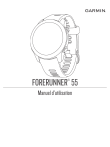
The public link to your chat has been updated. You may view and manage your chat links after registration here.

How to start a running activity on a Forerunner 55?
From the watch face, press START and select 'Run'. If outdoors, wait for the status bar to turn green (indicating GPS acquisition), then press START again to begin the timer.

How to record a run and view the activity statistics on a Forerunner 55?
To record a run, press START from the watch face, select the 'Run' activity, wait for the GPS signal to be ready, and press START to begin the timer. When finished, press STOP and select 'Save'. To view detailed statistics, synchronize the watch with the Garmin Connect app, which provides data on duration, distance, pace, heart rate, and GPS maps.
How to record a run and view activity statistics?
To record a run, press START, select the run activity, and wait for the GPS signal (indicated by a green status bar). Press START to begin the timer and STOP to finish, then select 'Save'. To view statistics, synchronize the device with the application. Data such as duration, heart rate, and maps will be available. Synchronization occurs automatically or can be performed manually by holding LIGHT and selecting the sync option.
How to record a run and view session statistics?
To record a run, press START and select the 'Run' activity. Wait for a clear view of the sky until the status bar turns green, then press START to begin the timer. Once finished, press STOP and select 'Save'. To view detailed statistics such as duration, distance, pace, and heart rate, synchronize the device with the Garmin Connect app. Synchronization can occur automatically or manually via the controls menu.
How to record a run and view its statistics?
To record a run, press START, select the activity, wait for the GPS status bar to turn green, and press START again to begin the timer. When finished, press STOP and select Save. To view statistics, synchronize the device with the Garmin Connect app.

How to change the unit of measurement from miles to kilometers?
Hold the UP button, select Settings > System > Format > Units, and choose the Metric option.
How to record a run and view its statistics?
Press START from the watch face, select 'Run', and wait for a GPS signal. Press START again to begin the timer. Once finished, press STOP and select 'Save'. Synchronize the device with Garmin Connect to view detailed statistics such as pace, distance, heart rate, and maps.
How to change measurement units from miles to kilometers?
Hold the UP button, select Settings (gear icon) > System > Format > Units, and select 'Metric' to display distances in kilometers and speeds in km/h.
How to record a run and access performance statistics in the application?
To record a run, select the activity on the watch, wait for a GPS signal, and press START. Once the activity is saved, synchronize the device with the Garmin Connect app. Detailed statistics such as pace, heart rate, and maps will be available in the application's activity history.
How to change the unit of measurement from miles to kilometers?
Hold the UP button, navigate to Settings > System > Format > Units, and select the Metric option.
How to record a running activity and view the statistics?
To record a run, press START, select the "Run" activity, wait for the GPS signal (wait for the status bar to turn green), and press START to begin the timer. When finished, press STOP and select "Save". To view detailed statistics and maps, synchronize the device with the Garmin Connect app.
How to change the measurement units from miles to kilometers?
Hold the UP button, select Settings > System > Format > Units, and choose the Metric option to display distances in kilometers and speed in km/h.
How to record a run and view statistics on a Forerunner 55?
Press START, select 'Run', wait for the GPS signal, and press START again to begin. When finished, press STOP and select 'Save'. Synchronize the device with the Garmin Connect app to view detailed statistics such as pace, distance, and heart rate.
How to change the measurement units from miles to kilometers?
Hold the UP button, navigate to Settings > System > Format > Units, and select Metric.
How to create and start a customized training session on the watch?
To create and perform a workout: 1. Use the Garmin Connect app (Training > Workouts > Create a Workout) to set up and save the activity. 2. Send the workout to the device. 3. On the watch, press START, choose the activity, select Options > Training > Workouts, and pick the desired workout to start.
How to program and access a running workout on a compatible smartwatch?
Create the workout in the Garmin Connect application and send it to the device. On the watch, select START, choose the running activity, then navigate to Options > Training > Workouts to select and begin your session.
How to create and access a custom running workout on the watch?
Create the workout in the Garmin Connect app under Training > Workouts, then send it to the device. To access it on the watch, select START, choose the activity, go to Options > Training > Workouts, and select 'Do Workout' to begin.
Login to continue