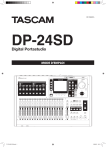
D01258881A
DP-24SD
Digital Portastudio
MODE D'EMPLOI
F_DP-24SD_OM.indd 1
29/03/15 16:31
PRÉCAUTIONS DE SÉCURITÉ IMPORTANTES
AVERTISSEMENT :
POUR PRÉVENIR LES
RISQUES D'INCENDIE ET
D'ÉLECTROCUTION, N'EXPOSEZ
PAS CET APPAREIL À LA PLUIE
NI À L'HUMIDITÉ.
Pour le Canada
THIS CLASS B DIGITAL APPARATUS COMPLIES WITH CANADIAN
ICES-003.
CET APPAREIL NUMÉRIQUE DE LA CLASSE B EST CONFORME À
LA NORME NMB-003 DU CANADA.
DÉCLARATION DE CONFORMITÉ
Nous, TEAC EUROPE GmbH. Bahnstrasse 12,
65205 Wiesbaden-Erbenheim, Allemagne,
déclarons sous notre propre responsabilité que
le produit TEAC décrit dans ce mode d'emploi est
conforme aux normes techniques lui correspondant.
2 TASCAM DP-24SD
F_DP-24SD_OM.indd 2
29/03/15 16:31
INSTRUCTIONS DE SÉCURITÉ IMPORTANTES
1 Lisez ces instructions.
2 Conservez ces instructions.
3 Tenez compte de tous les avertissements.
4 Suivez toutes les instructions.
5 N'utilisez pas cet appareil avec de l'eau à proximité.
6 Ne nettoyez l'appareil qu'avec un chiffon sec.
7 Ne bloquez aucune ouverture de ventilation.
Installez-le conformément aux instructions du
fabricant.
8 N'installez pas l'appareil près de sources de
chaleur telles que des radiateurs, bouches de
chauffage, poêles ou autres appareils (y compris des
amplificateurs) dégageant de la chaleur.
9 Ne neutralisez pas la fonction de sécurité de la fiche
polarisée ou de terre. Une fiche polarisée a deux
broches, l'une plus large que l'autre. Une fiche de
terre a deux broches identiques et une troisième
broche pour la mise à la terre. La broche plus large ou
la troisième broche servent à votre sécurité. Si la fiche
fournie n'entre pas dans votre prise, consultez un
électricien pour le remplacement de la prise obsolète.
10 Évitez de marcher sur le cordon d'alimentation et
de le pincer, en particulier au niveau des fiches, des
prises secteur, et du point de sortie de l'appareil.
11 N'utilisez que des fixations/accessoires spécifiés par
le fabricant.
12 Utilisez-le uniquement avec des chariots, socles,
trépieds, supports ou tables spécifiés par le
fabricant ou vendus avec l'appareil. Si un chariot est
utilisé, faites attention à ne pas être blessé par un
renversement lors du déplacement de l'ensemble
chariot/appareil.
• L’appareil tire un courant nominal de veille de la prise
secteur quand son interrupteur POWER ou STANDBY/
ON n’est pas en position ON.
• La fiche secteur est utilisée comme dispositif de
déconnexion et doit donc toujours rester disponible.
• Des précautions doivent être prises en cas d'utilisation
d'écouteurs ou d'un casque avec le produit car une
pression sonore excessive (volume trop fort) dans les
écouteurs ou dans le casque peut causer une perte
auditive.
• Si vous rencontrez des problèmes avec ce produit,
contactez TEAC pour une assistance technique.
N'utilisez pas le produit tant qu'il n'a pas été réparé.
ATTENTION
• N'exposez pas cet appareil aux gouttes ni aux
éclaboussures.
• Ne placez pas d'objet rempli de liquide sur
l'appareil, comme par exemple un vase.
• N’installez pas cet appareil dans un espace confiné
comme une bibliothèque ou un meuble similaire.
• L’appareil doit être placé suffisamment près de
la prise de courant pour que vous puissiez à tout
moment attraper facilement la fiche du cordon
d'alimentation.
• Si le produit utilise des piles/batteries (y compris
un pack de batteries ou des batteries fixes), elles ne
doivent pas être exposées au soleil, au feu ou à une
chaleur excessive.
• PRÉCAUTION pour les produits qui utilisent des
batteries remplaçables au lithium : remplacer une
batterie par un modèle incorrect entraîne un risque
d'explosion. Remplacez-les uniquement par un type
identique ou équivalent.
AVERTISSEMENT
• Les produits ayant une construction de Classe !
sont équipés d'un cordon d'alimentation avec
une fiche de terre. Le cordon d'un tel produit doit
être branché dans une prise secteur avec terre de
sécurité.
13 Débranchez cet appareil en cas d'orage ou de non
utilisation prolongée.
14 Confiez toute réparation à des techniciens de
maintenance qualifiés. Une réparation est nécessaire
si l'appareil a été endommagé d'une quelconque
façon, par exemple si le cordon ou la fiche
d'alimentation est endommagé, si du liquide a été
renversé sur l'appareil ou si des objets sont tombés
dedans, si l'appareil a été exposé à la pluie ou à
l'humidité, s'il ne fonctionne pas normalement, ou s'il
est tombé.
TASCAM DP-24SD
F_DP-24SD_OM.indd 3
3
29/03/15 16:31
Informations de sécurité
88 Pour les consommateurs européens
Mise au rebut des équipements électriques et
électroniques
(a) Tous les équipements électriques et électroniques
doivent être traités séparément de la collecte
municipale d'ordures ménagères dans des points
de collecte désignés par le gouvernement ou les
autorités locales.
(b)En vous débarrassant correctement des équipements
électriques et électroniques, vous contribuerez
à la sauvegarde de précieuses ressources et à la
prévention de potentiels effets négatifs sur la santé
humaine et l'environnement.
(c) Le traitement incorrect des déchets d'équipements
électriques et électroniques peut avoir des effets
graves sur l'environnement et la santé humaine en
raison de la présence de substances dangereuses
dans les équipements.
(d)Le symbole de poubelle sur roues barrée d'une
croix, indique que les équipements électriques
et électroniques doivent être collectés et traités
séparément des déchets ménagers.
(e) Des systèmes de retour et de collecte sont
disponibles pour l'utilisateur final. Pour des
informations plus détaillées sur la mise au rebut des
vieux équipements électriques et électroniques,
veuillez contacter votre mairie, le service d'ordures
ménagères ou le magasin dans lequel vous avez
acheté l'équipement.
4 TASCAM DP-24SD
F_DP-24SD_OM.indd 4
29/03/15 16:31
Sommaire
1 – Introduction...............................................8
Caractéristiques.................................................................... 8
Éléments fournis avec le produit.................................... 8
Conventions employées dans ce mode d'emploi.... 8
Marques commerciales...................................................... 9
Précautions concernant l'emplacement et
l'emploi.................................................................................... 9
Attention à la condensation............................................ 9
Nettoyage de l'unité........................................................... 9
À propos des cartes SD...................................................... 9
Précautions d'emploi................................................... 9
Utilisation du site mondial TEAC.................................... 9
Enregistrement de l'utilisateur........................................ 9
2 - Guide de prise en main............................10
Lecture et mixage..............................................................10
Préparation....................................................................10
Écoute du morceau de démonstration...............10
Enregistrement et mastering.........................................11
Création d'un nouveau morceau...........................12
Branchement et réglage des sources
d'entrée...........................................................................12
Réglage de la guitare comme source
d'enregistrement pour la piste (Track) 1.............13
Réglage et contrôle du niveau d'entrée..............13
Enregistrement d'une guitare en piste 1............13
Lecture de l'enregistrement....................................14
Enregistrement d'une guitare en piste 2............14
Enregistrement d'une voix en piste 3..................15
Mixage des pistes........................................................16
Mastering d'enregistrement...................................16
Extinction..............................................................................18
3 – Nomenclature et fonctions des parties...19
Face supérieure...................................................................19
Face avant.............................................................................22
Face arrière...........................................................................23
Écran d'accueil....................................................................23
Structure du menu............................................................24
Opérations à l'écran..........................................................25
4 – Préparation...............................................26
Insertion et retrait des cartes SD..................................26
Insertion d'une carte SD...........................................26
Retrait de la carte........................................................26
À propos des cartes SD protégées contre
l'écriture..........................................................................26
Alimentation de l'unité....................................................26
Changement des broches de prise
électrique.......................................................................26
Démarrage et extinction.................................................27
Démarrage de l'unité.................................................27
Extinction.......................................................................27
Réglage de la date et de l'heure...................................27
Préparation d'une carte SD à l'emploi........................28
Modes d'enregistreur.......................................................28
Branchement d'autres équipements..........................28
Face avant......................................................................28
Face arrière....................................................................29
Réglage du contraste........................................................29
5 – Gestion de morceau.................................30
Édition des noms................................................................30
Chargement d'un morceau............................................30
Création d'un nouveau morceau..................................31
Sauvegarde d'un morceau..............................................31
Affichage des informations de morceau...................32
Copie de morceaux...........................................................32
Effacement de morceaux................................................32
Protection des morceaux................................................33
Suppression des données audio inutiles
dans un morceau...............................................................33
Changement d'un nom de morceau...........................34
6 – Enregistrement de base..........................35
Sélection des sources d'entrée.....................................35
Assignation des entrées..................................................35
Assignation à une piste mono................................35
Assignation à une piste stéréo...............................35
Assignation à un bus stéréo....................................35
Vérification de l'assignation....................................35
Annulation d'une assignation................................35
Emploi de l'alimentation fantôme...............................36
Écoute de contrôle (monitoring)..................................36
Sélection de l'écoute..................................................36
Voyants OL et indicateurs de niveau...........................36
Temps de maintien d'affichage de crête............37
Réglage de l'écran Mixer.................................................37
Emploi de l'égaliseur d'entrée................................37
Réglage DIGITAL TRIM (piste uniquement)........38
Envoi de signaux à des effets internes/
externes..........................................................................38
Activation des effets insérés....................................38
Réglage de la position stéréo.................................38
Changement de la phase du signal......................38
Contrôle du niveau de fader...................................39
Solo.........................................................................................39
Coupure du son des pistes.............................................39
Entraînement à l'enregistrement.................................39
Faire le premier enregistrement...................................39
Enregistrement multipiste..............................................40
Réglage des pistes pour l'enregistrement.........40
Réglage du panoramique et du niveau
de piste...........................................................................40
Sélection et assignation d'entrée..........................40
TASCAM DP-24SD
F_DP-24SD_OM.indd 5
5
29/03/15 16:31
Sommaire
Réglage des niveaux d'entrée................................40
Enregistrement............................................................40
Annulation d'une opération..........................................40
Réglage de la fonction d'annulation....................40
Annulation de la dernière opération
(annulation simple)....................................................41
Annulation d'opérations antérieures
(annulation multiple).................................................41
7 – Fonctions de l'enregistreur.....................42
Réenregistrement partiel................................................42
Emploi d'un pédalier pour le punch in/out.......42
Réglage du pédalier...................................................42
Procédure de report de pistes.......................................43
Exécution du report de pistes.................................43
Vérification du résultat..............................................43
Fonction de repérage direct..........................................43
Accès direct à une valeur horaire..........................44
Accès direct à une valeur mesure/temps...........44
Marqueurs de repérage...................................................44
Placement d'un marqueur de repérage..............44
Saut aux marqueurs de repérage..........................44
Suppression d'un marqueur de repérage..........44
Retour à zéro ou au dernier point
d'enregistrement................................................................44
Avance et retour rapides.................................................45
Recherche avec la molette JOG/DATA........................45
Recherche avec visualisation d’une forme
d’onde.............................................................................45
Recherche avec écoute audio.................................45
Lecture en boucle..............................................................45
Réglage des points IN/OUT.....................................45
Emploi de la lecture en boucle...............................46
Saut de lecture en arrière................................................46
Vérification des points de repère (Preview)..............46
Réenregistrement partiel automatique.....................46
Réglage des points IN/OUT.....................................47
Vérification des points de punch in/out.............47
Entraînement au réenregistrement
automatique.................................................................47
Réenregistrement partiel automatique
effectif.............................................................................48
Contrôle d'une prise...................................................48
Pistes virtuelles...................................................................48
Enregistrement sur des pistes virtuelles.............48
Assignation de pistes virtuelles.............................48
8 – Édition de piste........................................49
Vue d'ensemble de l'édition de piste..........................49
Points d'édition............................................................49
Procédures d'édition de base.................................49
Explications des options...........................................49
COPY/PASTE (copier/coller)............................................50
COPY/INSERT (copier/insérer).......................................50
MOVE/PASTE (couper/coller).........................................51
MOVE/INSERT (couper/insérer).....................................51
OPEN (insérer du silence)................................................51
CUT (supprimer une partie)............................................51
SILENCE (effacer une partie)..........................................52
CLONE TRACK (dupliquer une piste)...........................52
CLEAN OUT (supprimer une piste)...............................52
9 – Emploi des effets intégrés.......................53
Effets dynamiques.............................................................53
Insertion d'un effet dynamique.............................53
Édition d'un effet dynamique.................................53
Effets pour guitare.............................................................53
Insertion d'un effet pour guitare...........................53
Édition des effets pour guitare...............................53
Rappel d'effets de la bibliothèque d'effets
pour guitare..................................................................54
Sauvegarde d'effets pour guitare dans la
bibliothèque.................................................................54
Effets en boucle (par départ).........................................54
Emploi des effets en boucle....................................54
Édition d'effets en boucle........................................54
Rappel de la bibliothèque d'effets en boucle...54
Sauvegarde d'effets en boucle dans la
bibliothèque.................................................................54
10 –Mixage de réduction et mastering
des pistes................................................ 55
Mixage de réduction des pistes....................................55
Niveaux et balance.....................................................55
Groupe de faders.........................................................55
Position stéréo (panoramique)...............................55
Égaliseur de piste........................................................55
Effets en boucle (par départ)..................................56
Création d'un fichier master...........................................56
Réglage des points de début et de fin................56
Création d'un fichier master....................................57
Sortie du mode Mixdown........................................57
Vérification du fichier master.........................................57
Fin de la vérification du fichier master................58
Finition d'un fichier master (mastering)....................58
Procédures de mastering.........................................58
Emploi de l'égaliseur de mastering......................59
Emploi de la compression de mastering............59
Emploi de la normalisation......................................60
Sortie du mode Mastering.......................................60
11 – Diverses autres fonctions......................61
Métronome..........................................................................61
Fonction accordeur...........................................................62
6 TASCAM DP-24SD
F_DP-24SD_OM.indd 6
29/03/15 16:31
Sommaire
Configuration (PREFERENCE).........................................62
Réglage de l’économiseur automatique
d’énergie.........................................................................63
Réglage du monitoring automatique..................63
Réglage du format de nom de fichier..................63
Restauration des réglages de préférence
initiaux...................................................................................63
Visualisation des informations......................................64
12 – Gestion des cartes SD............................65
Formatage rapide d'une carte SD................................65
Formatage complet d'une carte SD............................66
13 –Échange de données avec un
ordinateur..............................................67
Systèmes d'exploitation requis.....................................67
Branchement à un ordinateur.......................................67
Déconnexion................................................................68
Importation et exportation de pistes.........................68
Importation de pistes................................................68
Exportation de pistes.................................................69
Suppression de fichiers du dossier AudioDepot....70
14 – Guide de dépannage.............................71
15 – Messages................................................72
Messages généraux...........................................................72
16 – Caractéristiques techniques.................75
Données................................................................................75
Valeurs d'entrée/sortie.....................................................75
Entrées/sorties audio analogiques.......................75
Valeurs d'entrée/sortie de commande................75
Performances audio..........................................................75
Systèmes d'exploitation requis.....................................75
Générales..............................................................................76
Dessins avec cotes.............................................................76
Schéma synoptique..........................................................77
Schéma des niveaux.........................................................78
TASCAM DP-24SD
F_DP-24SD_OM.indd 7
7
29/03/15 16:31
1 – Introduction
Merci beaucoup d'avoir choisi le Portastudio numérique
DP-24SD TASCAM.
Avant de connecter et d’utiliser l’unité, veuillez prendre le
temps de lire ce mode d'emploi en totalité pour vous assurer
une bonne compréhension de sa mise en service et de son
branchement, ainsi que du mode opératoire de ses nombreuses
fonctions utiles et pratiques. Une fois la lecture de ce mode
d'emploi terminée, veillez à le conserver en lieu sûr pour
référence ultérieure.
Vous pouvez aussi télécharger le mode d'emploi depuis le site
mondial de TEAC (http://teac-global.com/).
Caractéristiques
Cette unité utilise des cartes SD pour l'enregistrement multipiste
avec simultanément jusqu'à 8 pistes en enregistrement et 24
pistes en lecture. Plusieurs pistes peuvent être mixées en stéréo
pour créer un fichier master en utilisant les fonctions de mixage
intégrées.
Les fichiers master ainsi créés peuvent être transférés sur un
ordinateur connecté par USB. En outre, comme il est possible
de transférer des données entre l'unité et un ordinateur, vous
pouvez copier les pistes individuelles et les fichiers master, et
sauvegarder les fichiers de morceau dans un ordinateur.
• Enregistreur multipiste numérique 24 pistes utilisant des
cartes SD comme supports d'enregistrement
• Prend en charge les normes SDHC pour les cartes SD de
grande capacité jusqu'à 32 Go
• Les fonctions d'enregistreur multipiste comprennent
l'enregistrement simultané de 8 pistes et la lecture de 24
pistes (44,1/48 kHz, 16/24 bits)
• 18+1 faders de 45 mm (pour le réglage du niveau des pistes
et du master)
• Chaque piste a une touche SELECT et une touche REC
indépendantes
• Possibilité d'alimentation fantôme +48 V en entrée micro
• Huit entrées micro/ligne symétriques (prises mixtes XLR/
jack 6,35 mm 3 points ou TRS)
• Prise en charge d'une entrée guitare à haute impédance
(entrée H uniquement : jack 6,35 mm 2 points (TS))
• Grand écran LCD couleur TFT de 8,9 cm
• Égaliseurs 3 bandes indépendants pour chaque entrée et
piste de lecture
• Possibilité de mixage de réduction dans un fichier master
dédié
• Les effets de mastering inclus peuvent être utilisés sur les
mixages de réduction des fichiers master
• Comprend une reverb et divers autres effets qui peuvent
être indépendamment réglés pour chaque piste de lecture
• Fonction de réenregistrement partiel (punch in/out)
automatique
• Fonction de report de pistes.
• Les fonctions d'édition de piste comprennent copier/
insérer, copier/coller, couper/insérer, couper/coller, insérer
du silence, supprimer une partie, effacer une partie,
dupliquer une piste et effacer une piste
• Fonctions annuler et rétablir, incluant un réglage de niveau
d'historique
• Fonction de marqueur de repérage
• Fonctions accordeur et métronome
• Des données de morceau et des fichiers WAVE peuvent être
copiés et sauvegardés sur un ordinateur branché par USB 2.0
• Le réenregistrement partiel (punch in/out) et d'autres
fonctions peuvent être assignés à un pédalier de commande
(RC-3F TASCAM, vendu séparément) pour être contrôlés
Éléments fournis avec le produit
Le carton du DP-24SD contient les éléments suivants.
Prenez soin de ne pas endommager ces éléments lors du
déballage. Conservez les matériaux d'emballage pour de futurs
transports.
Si un élément quelconque est manquant ou a été endommagé
durant le transport, veuillez contacter le magasin dans lequel
vous avez acheté cette unité.
• Unité principale...................................................................................×1
• Adaptateur secteur (GPE248-120200-Z).....................................×1
• Carte mémoire SD (insérée dans l'unité)....................................×1
• Mode d'emploi (le présent document).......................................×1
La garantie est incluse à la fin du mode d'emploi anglais.
ATTENTION
Utilisez toujours l'adaptateur secteur GPE248-120200-Z
fourni avec cette unité. Surtout, n'utilisez pas l'adaptateur
secteur fourni avec un autre équipement. Cela pourrait
entraîner un mauvais fonctionnement, un incendie voire un
choc électrique.
NOTE
L'adaptateur secteur fourni (GPE248-120200-Z) est livré
avec des broches secteur échangeables. Pour des détails sur
le changement des broches secteur, voir page 26.
Conventions employées dans ce mode
d'emploi
Les conventions suivantes sont employées dans ce mode
d'emploi.
• Les touches, connecteurs et autres parties physiques de
cette unité sont indiqués au moyen de caractères gras
comme ceci : touche MENU.
• Le texte affiché dans l'écran de l'unité apparaît comme ceci :
MENU.
• Les quatre touches sous l'écran LCD (F1 à F4) sont des
touches de fonction. Les fonctions affichées au bas de
chaque écran sont parfois indiquées après les noms de
touche entre parenthèses.
Exemple : touche F1 (TIMELINE), touche F4 (t).
• Les cartes mémoire SD et SDHC sont appelées « cartes SD ».
• Le texte affiché sur un écran d'ordinateur apparaît comme
ceci : OK.
• Des informations supplémentaires sont fournies si besoin
est sous les intitulés CONSEIL, NOTE et ATTENTION.
CONSEIL
Ce sont des conseils concernant l'emploi de l'unité.
NOTE
Ce sont des explications supplémentaires et des cas
particuliers.
ATTENTION
Ne pas suivre ces instructions peut par exemple entraîner
des blessures, des dommages pour l'équipement ou la perte
de données.
8 TASCAM DP-24SD
F_DP-24SD_OM.indd 8
29/03/15 16:31
1 – Introduction
Marques commerciales
• TASCAM is a trademark of TEAC Corporation, registered in
the U.S. and other countries.
• SDHC Logo is a trademark of SD-3C, LLC.
• Windows, Windows XP, Windows Vista, Windows 7 and
Windows 8 are either registered trademarks or trademarks
of Microsoft Corporation in the United States and/or other
countries.
• iMac, Mac OS and OS X are trademarks of Apple Inc.
• Pentium and Intel are trademarks of Intel Corporation in the
U.S. and/or other countries.
• Other company names, product names and logos in this
document are the trademarks or registered trademarks of
their respective owners.
Any data, including, but not limited to information,
described herein are intended only as illustrations of such
data and/or information and not as the specifications for
such data and/or information. TEAC Corporation disclaims
any warranty that any use of such data and/or information
shall be free from infringement of any third party's intellectual property rights or other proprietary rights, and
further, assumes no liability of whatsoever nature in the
event of any such infringement, or arising from or connected
with or related to the use of such data and/or information.
This product is designed to help you record and reproduce
sound works to which you own the copyright, or where you
have obtained permission from the copyright holder or the
rightful licensor. Please use the product appropriately.
Under no circumstances will TEAC Corporation be
responsible for the consequences of any illegal copying
performed using the recorder.
Précautions concernant
l'emplacement et l'emploi
• La température de fonctionnement doit être comprise
entre 5 et 35 °C.
• Ne l'installez pas dans les types de lieu suivants. Cela
pourrait dégrader la qualité sonore ou causer des mauvais
fonctionnements.
Lieux sujets à des vibrations importantes ou
globalement instables
Près de fenêtres ou en exposition directe au soleil
Près de chauffages ou dans des lieux extrêmement
chauds
Lieux extrêmement froids
Lieux mal ventilés ou très humides
Lieux très poussiéreux
• Assurez-vous que l'unité est placée dans une position
permettant son fonctionnement correct.
• Ne placez aucun objet sur l'unité pour ne pas gêner la
dissipation thermique.
• Évitez d’installer cette unité au-dessus d’un dispositif
électrique dégageant de la chaleur comme un amplificateur
de puissance.
Attention à la condensation
Si l'unité est déplacée d’un endroit froid à un endroit chaud, ou
utilisée après un changement soudain de température, il existe un
risque de condensation ; la vapeur de l'air peut se condenser sur
le mécanisme interne, empêchant le bon fonctionnement. Pour
empêcher cela ou si cela se produit, laissez l’unité une ou deux
heures à la température de la nouvelle pièce avant de l'utiliser.
Nettoyage de l'unité
Pour nettoyer l'unité, essuyez-la délicatement avec un
chiffon sec et doux. Ne nettoyez pas l'unité avec des lingettes
nettoyantes imbibées de produit chimique, de diluant pour
peinture, d'alcool ou d'autres agents chimiques car cela pourrait
endommager sa surface ou causer sa décoloration.
À propos des cartes SD
Cette unité utilise des cartes SD pour l'enregistrement et la
lecture. Les cartes SD et SDHC ayant une taille minimale de
512 Mo peuvent être utilisées.
Vous trouverez une liste des cartes SD ayant été testées avec
cette unité sur le site mondial de TEAC (http://teac-global.com/).
L'emploi de cartes n'ayant pas été testées pour l'utilisation avec
cette unité peut entraîner un mauvais fonctionnement.
Précautions d'emploi
Les cartes SD sont des supports fragiles. Afin d'éviter
d'endommager une carte ou le lecteur de carte, veuillez prendre
les précautions suivantes quand vous les manipulez.
• Ne les laissez pas dans des endroits extrêmement chauds
ou froids.
• Ne les laissez pas dans des endroits extrêmement humides.
• Ne les mouillez pas.
• Ne placez rien sur elles et ne les tordez pas.
• Ne les heurtez pas.
• Ne retirez pas ou n'insérez pas une carte SD quand l'unité
est sous tension.
Utilisation du site mondial TEAC
Vous pouvez télécharger depuis le site mondial TEAC (http://
teac-global.com/) le mode d'emploi nécessaire à cette unité.
1. Allez sur le site mondial TEAC (http://teac-global.com/).
2. Dans la section TASCAM Downloads (téléchargements
TASCAM), cliquez sur la langue souhaitée afin d'ouvrir la
page de téléchargement du site web pour cette langue.
NOTE
Si la langue désirée n'apparaît pas, cliquez sur Other
Languages (autres langues).
3. Cliquez sur le nom du produit dans la section « Produits » et
ouvrez la page « Liens et téléchargements » de ce produit.
4. Sélectionnez et téléchargez le mode d'emploi nécessaire.
Enregistrement de l'utilisateur
Si vous êtes client aux USA, veuillez vous enregistrer en ligne
comme utilisateur sur le site web TASCAM (http://tascam.com/).
TASCAM DP-24SD
F_DP-24SD_OM.indd 9
9
29/03/15 16:31
2 - Guide de prise en main
Lecture et mixage
Dans cette section, nous lirons le morceau de démonstration
enregistré sur la carte SD fournie.
Si cette unité a été achetée neuve, la carte SD contenant le
morceau de démonstration est déjà installée dans l'unité, mais
nous commencerons par expliquer comment insérer une carte
SD à l'aide des procédures ci-dessous.
4. Pressez et maintenez quelques secondes l'interrupteur
STANDBY/ON de la face arrière pour mettre sous tension.
Quand l'unité démarre, l'écran d'accueil apparaît dans
l'afficheur.
Préparation
1. Insérez la carte SD fournie dans le lecteur de carte SD de la
face arrière. Faites attention de ne pas forcer l'insertion de la
carte dans la mauvaise direction. Cela peut endommager le
lecteur ou la carte SD.
Écran de démarrage
2. Branchez l'adaptateur secteur fourni (GPE248-120200-Z) à la
prise DC IN 12V de la face arrière.
Prise
secteur
Fiche CC
ATTENTION
Utilisez toujours l'adaptateur secteur GPE248-120200-Z
fourni.
L'emploi d'un autre adaptateur peut entraîner un mauvais
fonctionnement, un incendie ou un choc électrique.
3. Branchez un casque à la prise PHONES de la face avant.
Écran d'accueil
ATTENTION
• Ne retirez pas ou n'insérez pas une carte SD quand l'unité
est en service. Éteignez toujours l'unité (mise en veille ou
Standby) avant de retirer ou d'insérer une carte SD.
• Quand l'unité est en service, ne coupez pas son alimentation
en débranchant par exemple le cordon d'alimentation.
Aucun des réglages effectués depuis la dernière sauvegarde
ne serait enregistré. Si vous coupez l'alimentation pendant
l'accès à une carte SD, tous les morceaux et données
enregistrés risquent d'être endommagés et de ne pas
pouvoir être récupérés.
• Avant d'éteindre, baissez le volume du casque et le volume
de tout système d'écoute branché à cette unité.
CONSEIL
Si un amplificateur ou des enceintes amplifiées sont
connectés aux prises MONITOR OUT, vous pouvez contrôler
le son au travers d'enceintes.
Écoute du morceau de démonstration
La carte SD incluse dans l'unité contient un morceau de
démonstration. Nous utiliserons ce morceau de démonstration
pour nous entraîner à l'écoute ou au mixage d'un enregistrement.
1. Pressez la touche HOME pour ouvrir l'écran d'accueil.
Casque
10 TASCAM DP-24SD
F_DP-24SD_OM.indd 10
29/03/15 16:31
2 - Guide de prise en main
2. L'enregistreur étant à l'arrêt, pressez la touche MENU pour
ouvrir l'écran MENU.
8. Pressez la touche PLAY (7) et montez les faders des pistes
1 à 23/24 , le fader STEREO et le bouton MONITOR LEVEL
pour écouter le morceau de démonstration.
Le fader STEREO règle le volume général des pistes 1 à
23/24. La position standard du fader STEREO est 0 dB.
Utilisez les faders des pistes 1 à 23/24 pour régler la balance
des pistes.
Utilisez le bouton MONITOR LEVEL pour régler le volume
final d'écoute de contrôle.
9. Pressez la touche MIXER pour ouvrir l'écran Mixer.
3. Avec la molette JOG/DATA ou les touches CURSOR
(5/b/g/t), sélectionnez (surlignez en vert) SONG
(morceau), puis pressez la touche F4 (t).
L'écran SONG LIST (liste des morceaux) apparaît.
10. Pressez la touche SOURCE pour sélectionner l'entrée
(INPUT) A à H, ou pressez la touche SELECT pour choisir
une piste à régler puis utilisez le bouton PAN pour régler la
position stéréo du signal de chaque piste.
4. Avec la molette JOG/DATA ou les touches CURSOR (5/b),
sélectionnez DEMO SONG (morceau de démonstration) puis
pressez la touche F4 (t) pour ouvrir un sous-menu.
CONSEIL
• Pressez en même temps les touches STOP (8) et REW
(m) (TO ZERO) pour revenir au début du morceau (point
zéro) (fonction TO ZERO de retour à zéro).
• Si vous pressez la mauvaise touche et ouvrez un autre écran,
pressez la touche HOME pour revenir à n'importe quel
moment à l'écran d'accueil.
Enregistrement et mastering
5. Avec la molette JOG/DATA ou les touches CURSOR (5/b),
sélectionnez LOAD (charger) puis pressez la touche F4 (t).
La fenêtre locale SONG LOAD (chargement de morceau)
apparaît.
Dans cette section, nous pratiquerons un enregistrement
multipiste.
Ici, nous expliquerons comment brancher une guitare électrique
et une guitare rythmique à l'entrée H et un microphone externe
à l'entrée B.
Dans l'exemple suivant, nous expliquerons comment enregistrer
une partie de guitare rythmique avec une guitare électrique
en piste 1 et une partie de guitare solo en piste 2. Ensuite, nous
utiliserons le microphone externe pour enregistrer des voix en
piste 3. Enfin, nous mixerons les pistes en stéréo.
Nous considérerons que vous avez déjà suivi les instructions de
la section précédente et que vous avez branché l'équipement
d'écoute, fait démarrer l'unité et inséré la carte SD.
6. Pressez la touche F2 (YES) pour charger le morceau de
démonstration.
Le morceau de démonstration est chargé et l'affichage
revient à l'écran SONG LIST.
7. Pressez la touche HOME pour revenir à l'écran d'accueil.
TASCAM DP-24SD
F_DP-24SD_OM.indd 11
11
29/03/15 16:31
2 - Guide de prise en main
Création d'un nouveau morceau
1. L'enregistreur étant à l'arrêt, pressez la touche MENU pour
ouvrir l'écran MENU.
2. Avec la molette JOG/DATA ou les touches CURSOR
(5/b/g/t), sélectionnez (surlignez en vert) SONG
(morceau), puis pressez la touche F4 (t).
L'écran SONG LIST (liste des morceaux) apparaît.
7. Pressez la touche F2 (YES).
Le morceau actuellement chargé est sauvegardé et un
nouveau morceau est créé.
8. Pressez la touche HOME pour revenir à l'écran d'accueil.
Branchement et réglage des sources d'entrée
1. Branchez une guitare électrique à la prise MIC/LINE INPUTS
H de la face arrière.
3. Pressez la touche F4 (t) pour ouvrir le sous-menu puis
utilisez la molette JOG/DATA ou les touches CURSOR
(5/b) pour sélectionner CREATE (créer).
Guitare
2. Réglez le sélecteur LINE-GUITAR sur GUITAR en face arrière.
4. Pressez la touche F4 (t) pour ouvrir la fenêtre SONG
CREATE (création de morceau).
Le voyant GUITAR s'allume.
Le morceau créé est baptisé SONG_0002.
5. Changez si nécessaire le nom (titre) du morceau dans le
paramètre Name (nom) (voir « Édition des noms » en page
30).
6. Utilisez les touches CURSOR (5/b) pour déplacer le
curseur afin de sélectionner (surligner) Bit (résolution
en bits), Hz (fréquence d'échantillonnage) puis utilisez la
molette JOG/DATA pour faire le réglage.
Voyant GUITAR
À présent, la guitare est la source de l'entrée H.
CONSEIL
Si vous branchez une guitare électro-acoustique avec
préampli intégré ou une guitare électrique de type active,
ou si vous utilisez par exemple une pédale d'effet entre la
guitare et cette unité, réglez le sélecteur LINE-GUITAR sur
LINE (ligne) en face arrière.
12 TASCAM DP-24SD
F_DP-24SD_OM.indd 12
29/03/15 16:31
2 - Guide de prise en main
Réglage de la guitare comme source
d'enregistrement pour la piste (Track) 1
Quand vous pressez la touche ASSIGN pour ouvrir l'écran
Assign, le réglage d'écran par défaut pour la source
d'enregistrement est A (entrée A) pour la piste (Track) 1, B
(entrée B) pour la piste 2, C (entrée C) pour la piste 3 et ainsi de
suite de D à H (entrées D à H) en ce qui concerne les pistes 4 à 8
(voir « Assignation des entrées » en page 35).
Comme initialement la source de l'entrée H est réglée comme
source d'enregistrement pour la piste 8, vous devez changer la
source d'enregistrement de la piste 1.
Utilisez la procédure suivante pour changer la source
d'enregistrement de la piste 1.
1. Pressez la touche ASSIGN pour ouvrir l'écran Assign
(assignation d'entrée).
3. Avec le bouton TRIM de l'entrée H, réglez le niveau d'entrée
de la guitare. Réglez le bouton TRIM de façon à ce que le
voyant de saturation OL de l'entrée H ne s'allume pas même
pour le plus fort son devant être enregistré.
Si le voyant OL continue de s'allumer même avec le bouton
TRIM abaissé, c'est que le signal de guitare lui-même est
trop fort. Dans ce cas, baissez le niveau de sortie de la
guitare.
Voyant de saturation OL
Quand vous jouez de la guitare, son niveau d'entrée est
affiché par les indicateurs de niveau de la piste 1 (TRACK 1)
dans l'écran.
2. Utilisez les touches CURSOR (5/b/g/t) ou pressez la
touche SELECT de la piste 1 et alignez le curseur (cadre) de
l'écran Assign sur TRACK 1 (piste 1).
3. Avec la molette JOG/DATA ou la touche SOURCE pour
l'entrée H, réglez la source d'enregistrement de la piste 1 sur
H.
Quand vous montez le fader de la piste 1, le fader STEREO et
le bouton MONITOR LEVEL (niveau d'écoute), vous pouvez
entendre le son de la guitare au casque et les indicateurs de
niveau L et R bougent.
NOTE
• Vous pouvez utiliser le bouton PAN de la piste 1 dans l'écran
Mixer afin de régler la position stéréo pour l'écoute.
• Quand la touche REC de la piste 1 est éteinte, vous ne
pouvez pas entendre le son de guitare qui entre.
Réglage et contrôle du niveau d'entrée
1. Pressez la touche HOME pour revenir à l'écran d'accueil.
Enregistrement d'une guitare en piste 1
1. Pressez la touche RECORD (0) pour lancer l'enregistrement
et jouez de la guitare.
La touche REC de la piste 1 cesse de clignoter et s'allume
fixement.
2. Une fois votre interprétation terminée, pressez la touche
STOP (8) pour arrêter l'enregistrement.
Le fichier enregistré est sauvegardé dans le dossier du
morceau actuellement chargé.
3. Pressez la touche REC de la piste 1 pour qu'elle s'éteigne.
2. Pressez la touche REC pour TRACK 1 (piste 1).
La touche REC clignote et l'unité est armée pour
l'enregistrement.
TASCAM DP-24SD
F_DP-24SD_OM.indd 13
13
29/03/15 16:31
2 - Guide de prise en main
Lecture de l'enregistrement
3. Pressez la touche HOME pour revenir à l'écran d'accueil.
1. Pour revenir au début du morceau (point zéro), pressez et
maintenez la touche STOP (8) et pressez la touche REW
(m) (TO ZERO) (fonction de retour à zéro).
2. Pressez la touche PLAY (7) pour lire l'enregistrement de la
piste 1.
3. Avec le fader de la piste 1 et le fader STEREO, réglez le
niveau d'écoute de lecture. Avec le bouton MONITOR
LEVEL, réglez le volume d'écoute final.
CONSEIL
Avec le bouton PAN de la piste 1 dans l'écran Mixer, réglez la
position stéréo du signal de la piste.
Enregistrement d'une guitare en piste 2
4. Pressez la touche REC pour TRACK 2 (piste 2).
Son voyant REC clignote et l'unité est armée pour
l'enregistrement.
Quand vous jouez de la guitare, son niveau d'entrée est
affiché dans les indicateurs de niveau 2 (TRACK 2) dans
l'écran.
Vous allez maintenant écouter la guitare rythmique enregistrée
sur la piste 1 (TRACK 1) tout en enregistrant la guitare solo en
piste 2 (TRACK 2).
Suivez la procédure ci-dessous pour changer la source
d'enregistrement de la piste 2.
1. Pressez la touche ASSIGN pour ouvrir l'écran Assign
(assignation d'entrée).
Enregistrez sur la piste 2 le son de guitare solo reçu par
l'entrée H. Par défaut, c'est l'entrée B qui est assignée à la
piste 2.
2. Utilisez les touches CURSOR (5/b/g/t) ou pressez la
touche SELECT de la piste 2 et alignez le curseur (cadre) de
l'écran Assign sur TRACK 2 (piste 2).
Utilisez la molette JOG/DATA ou pressez la touche SOURCE
pour l'entrée H afin de régler la source d'enregistrement de
la piste 2 sur H.
5. Revenez au début du morceau (point ZÉRO) et lancez la
lecture de la guitare rythmique enregistrée pour rejouer
par-dessus l'enregistrement la partie de guitare solo.
Montez le fader de la piste 2 pour entendre au casque à la
fois la lecture de la piste 1 et le signal de guitare entrant.
6. Si nécessaire, utilisez les faders des pistes 1 et 2, les boutons
PAN, le fader STEREO et le bouton MONITOR LEVEL pour
régler le niveau et la balance d'écoute.
7. Revenez au début du morceau, pressez la touche RECORD
(0) pour lancer l'enregistrement et jouez la partie de
guitare solo.
La touche RECORD (0) s'allume en rouge et le voyant REC
de la piste 2 cesse de clignoter et s'allume fixement.
8. Une fois votre interprétation terminée, pressez la touche
STOP (8) pour arrêter l'enregistrement.
Le fichier enregistré est sauvegardé dans le dossier du
morceau actuellement chargé.
9. Pressez la touche REC de la piste 2 pour qu'elle s'éteigne.
14 TASCAM DP-24SD
F_DP-24SD_OM.indd 14
29/03/15 16:31
2 - Guide de prise en main
Enregistrement d'une voix en piste 3
1. Pressez la touche ASSIGN pour ouvrir l'écran Assign
(assignation d'entrée).
2. Utilisez les touches CURSOR (5/b/g/t) ou pressez la
touche SELECT de la piste 3 et alignez le curseur (cadre) de
l'écran Assign sur TRACK 3 (piste 3).
Utilisez la molette JOG/DATA ou pressez la touche SOURCE
pour l'entrée B afin de régler la source d'enregistrement de
la piste 3 sur B.
3. Pressez la touche HOME pour revenir à l'écran d'accueil.
Quand vous montez le fader de la piste 3, le fader STEREO
et le bouton MONITOR LEVEL, vous pouvez entendre au
casque le son de l'entrée micro.
NOTE
Si le voyant OL continue de s'allumer même avec le bouton
TRIM abaissé, c'est que le signal du micro est trop fort. Dans
ce cas, éloignez le micro de la source sonore ou baissez le
volume de la source sonore.
6. Revenez au début du morceau, lancez la lecture des parties
de guitare rythmique et guitare solo enregistrées et chantez
par-dessus l'enregistrement.
Vous pouvez entendre la lecture des parties de guitare
enregistrées sur les pistes 1 et 2 au casque en même temps
que votre voix.
7. Si nécessaire, utilisez les faders des pistes 1 et 2, les boutons
PAN, le fader STEREO et le bouton MONITOR LEVEL pour
régler le niveau et la balance d'écoute.
8. Revenez au début du morceau, pressez la touche RECORD
(0) pour lancer l'enregistrement et chantez par-dessus ce
qui a déjà été enregistré.
La touche RECORD (0) s'allume en rouge et le voyant REC
de la piste 3 cesse de clignoter et s'allume fixement.
9. Une fois votre interprétation terminée, pressez la touche
STOP (8) pour arrêter l'enregistrement.
Le fichier enregistré est sauvegardé dans le dossier du
morceau actuellement chargé.
10. Pressez la touche REC de la piste 3 pour qu'elle s'éteigne.
4. Pressez la touche REC pour TRACK 3 (piste 3).
Le voyant REC clignote et l'unité est armée pour
l'enregistrement.
5. Avec le bouton TRIM de l'entrée B, réglez le niveau d'entrée
convenant au micro. Réglez le bouton TRIM de façon à ce
que le voyant de saturation OL de l'entrée B ne s'allume pas
même pour le plus fort son devant être enregistré.
Voyant de saturation OL
Quand vous faites entrer un son par un microphone externe,
le niveau d'entrée est affiché par l'indicateur de niveau 3.
TASCAM DP-24SD
F_DP-24SD_OM.indd 15
15
29/03/15 16:31
2 - Guide de prise en main
Mixage des pistes
Une fois que vous avez fini votre enregistrement, vous êtes prêt
à le mixer et à créer un fichier master.
1. Utilisez les faders des pistes 1 à 3 pour régler la balance de
leurs niveaux. Utilisez le fader STEREO pour régler le niveau
général.
2. Pressez la touche MIXER pour ouvrir l'écran Mixer.
Pressez les touches SELECT des pistes 1 à 3 pour
sélectionner la piste à régler puis utilisez le bouton PAN
pour établir sa position stéréo.
apparaît et l'enregistreur ne peut pas passer en mode
Mixdown.
• Durant l'enregistrement, vous pouvez utiliser les faders de
piste pour régler les niveaux de piste et le niveau général.
• Vous pouvez aussi utiliser l'égaliseur ou l'effet reverb
pendant l'enregistrement d'un fichier master (voir
« Égaliseur de piste » en page 55 et « Effets en boucle (par
départ) » en page 54).
• Vous pouvez couper le son des pistes non désirées pour
qu'elles ne soient pas enregistrées dans le fichier master
(voir « Coupure du son des pistes » en page 39).
Mastering d'enregistrement
Vous pouvez affiner le fichier master pour façonner le son à
votre goût. Ce processus s'appelle le mastering.
88 Vérification du fichier master
3. Réglez le point de début (IN).
L'intervalle compris entre le point IN et le point OUT sera
utilisé pour créer le fichier master.
Faites lire le morceau, pressez et maintenez la touche MARK
SET et pressez la touche IN à l'endroit duquel doit démarrer
le fichier master.
L'endroit où vous avez pressé la touche devient le point IN,
auquel commencera le mixage.
4. Réglez le point de fin (OUT).
Faites lire le morceau, pressez et maintenez la touche MARK
SET et pressez la touche OUT à l'endroit où doit se terminer
le fichier master.
L'endroit où vous avez pressé la touche devient le point OUT,
auquel se terminera le mixage.
CONSEIL
Vous pouvez aussi maintenir pressée la touche MARK SET
et presser la touche IN ou OUT pour déterminer les points IN
et OUT alors que la lecture est arrêtée.
5. Pressez la touche MIXDOWN/MASTERING.
L'enregistreur passe en mode Mixdown (mixage) et l'écran
d'accueil réapparaît.
1. Quand l'enregistreur est en mode Mixdown (mixage),
pressez la touche MIXDOWN/MASTERING pour ouvrir
l'écran MASTERING.
L'enregistreur passe en mode Mastering et l'écran d'accueil
réapparaît.
NOTE
• En mode mastering, Masteringapparaît dans le coin
supérieur gauche de l'écran d'accueil.
• Quand il n'y a pas de fichier master, l'enregistreur ne peut
pas passer en mode Mastering.
• Si l'enregistreur est en mode MultiTrack(multipiste),
vous pouvez presser la touche MIXDOWN/MASTERING
pour passer en mode Mixdownpuis presser à nouveau
la touche MIXDOWN/MASTERING pour passer en mode
Mastering.
2. Dans ce mode, pressez la touche PLAY (7) pour écouter le
fichier master que vous avez créé.
NOTE
NOTE
En mode de mixage, Mixdowns'affiche dans le coin
supérieur gauche de l'écran d'accueil.
6. Pressez la touche RECORD (0).
L'enregistrement du fichier master commence.
L'enregistrement s'arrête automatiquement une fois le point
OUT atteint.
• Vérifiez que les éléments EQ(égaliseur) et COMP
(compresseur) sont bien réglés sur OFF. Si l'un ou l'autre est
sur ON, le son entendu sera affecté par l'égaliseur et/ou le
compresseur (voir « Emploi de l’égaliseur de mastering » en
page 59 et « Emploi de la compression de mastering » en
page 59).
• En mode Mastering, le fader STEREO ne peut pas servir à
régler le niveau.
NOTE
• Les points IN et OUT doivent être distants d'au moins
4 secondes. Si l'intervalle est inférieur à 4 secondes, le
message I/OTooShort(intervalle IN/OUT trop court)
16 TASCAM DP-24SD
F_DP-24SD_OM.indd 16
29/03/15 16:31
2 - Guide de prise en main
88 Application d'une égalisation (correction tonale)
88 Application d'une compression
Dans cet exemple, nous utiliserons l'égaliseur sur le fichier
master afin de réduire les hautes fréquences et d'augmenter
légèrement les basses fréquences.
1. Quand l'enregistreur est en mode Mastering, pressez la
touche F1 (EQ) pour ouvrir l'écran EQUALIZER.
Utilisez le compresseur du fichier master pour ajuster l'impact
de la totalité du morceau.
1. Quand l'enregistreur est en mode Mastering, pressez la
touche F2 (COMP) pour ouvrir l'écran COMP MULTI.
2. Tournez le bouton HIGH GAIN vers la gauche pour baisser le
bouton GAIN des aigus (HIGH) affiché à l'écran. Réglez-le sur
« -2dB ». Cela réduit les hautes fréquences.
3. Ensuite, tournez le bouton MID GAIN sur la gauche pour
baisser le GAIN des médiums (MID). Réglez-le sur « -2dB ».
Cela réduit les fréquences moyennes.
4. Tournez le bouton LOW GAIN vers la droite pour monter le
bouton GAIN des graves (LOW) affiché à l'écran. Réglez-le sur
« +6dB ». Cela augmente les basses fréquences.
5. Pressez la touche ON/OFF à droite des boutons LOW pour
mettre l'égaliseur en service.
2. Pressez la touche F3 (LIBRARY) (bibliothèque) pour ouvrir la
liste des réglages en bibliothèque.
3. Avec la molette JOG/DATA, sélectionnez (surlignez) un
élément de la liste puis pressez la touche F4 (t) pour
charger le réglage en question depuis la bibliothèque.
La liste de la bibliothèque se ferme.
CONSEIL
6. Pressez la touche F1 (g) pour retourner à l'écran Mastering.
7. Maintenant, vous pouvez presser la touche PLAY (7) pour
écouter le fichier master avec correction tonale (égalisation).
Vous pouvez aussi régler les paramètres dans l'écran COMP
MULTIavec les touches CURSOR et la molette JOG/DATA.
4. Pressez la touche F4 (ON) pour mettre le compresseur en
service.
L'indication OFF se change en ON.
5. Pressez la touche F1 (g) pour retourner à l'écran Mastering.
6. Pressez la touche PLAY (7) en écran Mastering pour
écouter le fichier master avec compression.
NOTE
Si le paramètre EQest sur ONdans l'écran EQUALIZER, vous
entendrez aussi l'effet de l'égaliseur sur le son.
TASCAM DP-24SD
F_DP-24SD_OM.indd 17
17
29/03/15 16:31
2 - Guide de prise en main
88 Normalisation
Extinction
La normalisation maximise le volume du fichier master.
1. Quand l'enregistreur est en mode Mastering, pressez la
touche F4 (NORM) pour ouvrir l'écran NORMALIZE.
Éteignez l'unité quand vous avez fini de l'utiliser.
1. Pressez la touche HOME pour ouvrir l'écran d'accueil.
2. Pressez la touche F2 (YES) pour effectuer la normalisation.
3. Une fois le processus terminé, l'écran Mastering revient.
2. Pressez et maintenez l'interrupteur STANDBY/ON de la face
arrière jusqu'à ce que PORTASTUDIO s'affiche à l'écran.
88 Réenregistrement du fichier master
Réenregistrez le fichier master en lui appliquant égalisation et
compression pour créer un nouveau fichier master.
1. Quand l'enregistreur est en mode Mastering, pressez la
touche RECORD (0).
2. Cela écrasera le fichier master existant afin de créer un
nouveau fichier master auquel sont appliquées l'égalisation
et la compression.
Quand l'unité a terminé sa procédure d'extinction
automatique, qui comprend l'enregistrement de diverses
informations sur les opérations qui ont été menées jusqu'à
présent, l'alimentation se coupe (mise en veille).
Utilisez toujours la procédure ci-dessus pour éteindre
correctement l'unité.
ATTENTION
Quand l'unité est en service, ne coupez pas son alimentation
en débranchant par exemple le cordon d'alimentation.
Aucun des réglages effectués depuis la dernière sauvegarde
ne serait enregistré. Si vous coupez l'alimentation pendant
l'accès à une carte SD, tous les morceaux et données
enregistrés risquent d'être endommagés et de ne pas
pouvoir être récupérés.
18 TASCAM DP-24SD
F_DP-24SD_OM.indd 18
29/03/15 16:31
3 – Nomenclature et fonctions des parties
Face supérieure
1 Voyant GUITAR
Ce voyant s'allume quand le sélecteur LINE-GUITAR de la
face arrière est réglé sur GUITAR.
2Écran
Avec la molette JOG/DATA ou les touches CURSOR
(5/b/g/t), revenez à l'écran d'accueil, ouvrez l'écran
MENU, assignez les signaux d'entrée aux pistes, changez les
paramètres pour chaque entrée ou piste et effectuez de
nombreuses autres opérations.
3 Touche/voyant PHANTOM (+48V)
Avec cette touche, mettez l'alimentation fantôme en/hors
service pour les prises MIC/LINE INPUTS A-D et E-H de la
face arrière.
Le voyant PHANTOM s'allume quand l'alimentation fantôme
est activée.
Quand le voyant GUITAR est allumé, même si l’alimentation
fantôme (+48V) est réglée sur ON (voyant allumé) pour E-H,
l’entrée H ne reçoit pas d’alimentation fantôme
ATTENTION
• Utilisez le fader STEREO et le bouton MONITOR LEVEL
pour baisser le volume de sortie de l'unité avant de mettre
l'alimentation fantôme en ou hors service. Selon le micro, un
bruit fort peut se produire, endommageant l'équipement et
le système auditif des personnes présentes.
• Ne branchez/débranchez pas un micro quand l'alimentation
fantôme est en service. Cela pourrait causer un grand bruit
et endommager cette unité et l'équipement connecté.
• N'activez l'alimentation fantôme que si vous utilisez
un microphone à condensateur la nécessitant. Activer
l'alimentation fantôme quand vous avez connecté un
micro dynamique ou autre micro ne la nécessitant pas peut
endommager cette unité et l'équipement connecté.
• Si vous utilisez en même temps des micros électrostatiques
nécessitant une alimentation fantôme et des micros
dynamiques, veillez à utiliser des micros dynamiques
symétriques. Les micros dynamiques asymétriques ne
peuvent pas être utilisés quand l'alimentation fantôme est
activée.
• Fournir une alimentation fantôme à certains microphones
à ruban les détruira. En cas de doute, ne fournissez pas
d'alimentation fantôme à un micro à ruban.
4 Voyants de saturation OL (A-H)
S'allument quand le signal source d'entrée est trop fort.
5 Boutons TRIM (A-H)
Servent à régler les niveaux d'entrée (voir « Faire le premier
enregistrement » en page 39).
6 Touches/voyants SOURCE
Quand vous pressez une de ces touches, l'entrée
correspondante (A à H) est sélectionnée (sa touche s'allume)
comme source d'entrée.
Le mixer et les autres fonctions s'appliquent à l'entrée
sélectionnée.
Ces touches servent aussi à assigner une source d'entrée à
une piste (voir « Assignation des entrées » en page 35).
7 Voyants MUTE/SOLO
Ces voyants s'allument quand le son d'une piste est coupé
ou que la piste est mise en solo. Quand la touche SOLO n'est
pas allumée, cela signifie que la piste est coupée. Quand la
touche SOLO est allumée, cela signifie que la piste est en
solo.
TASCAM DP-24SD
F_DP-24SD_OM.indd 19
19
29/03/15 16:31
3 – Nomenclature et fonctions des parties
8 Touches/voyants REC
Servent à armer l'enregistrement pour chaque piste.
Pour écouter le son entrant dans une piste au casque ou par
un système d'écoute, pressez la touche REC de cette piste.
Quand la touche REC est activée, elle clignote si
l'enregistreur est à l'arrêt et s'allume fixement durant
l'enregistrement.
9 Touches/voyants SELECT
Quand vous pressez une de ces touches, la piste
correspondante (1 à 23/24) est sélectionnée (sa touche
s'allume) comme étant le canal sur lequel vous travaillez.
Le mixer et les autres fonctions s'appliquent au canal actuel.
Ces touches ont aussi les fonctions suivantes.
• Assigner une source d'entrée à une piste (voir
« Assignation des entrées » en page 35).
• Assigner des effets à une entrée (voir « Insertion d’un
effet pour guitare » en page 53).
• Sélectionner le groupe de faders (FADER GROUP)
LAST REC) pour aller au début du morceau (00:00:00:00
= point zéro) ou au dernier point d'enregistrement
(point LAST REC) (voir « Retour à zéro ou au dernier point
d’enregistrement » en page 44).
i Touche/voyant PLAY (7)
Pressez cette touche pour lancer la lecture.
Durant l'enregistrement, pressez cette touche pour arrêter
celui-ci et lancer la lecture (fin de réenregistrement partiel
ou punch out).
Durant la lecture ou l'enregistrement, la touche PLAY (7)
s'allume.
o
Touche/voyant RECORD [0]
Pressez cette touche pour lancer l'enregistrement .
Cette touche s'allume durant l'enregistrement. Durant la
lecture, si vous pressez cette touche alors qu'une touche
REC de piste clignote, l'enregistrement sur cette piste
démarre (réenregistrement partiel ou punch in) (voir
« Réenregistrement partiel automatique » en page 46).
0 Faders de piste (piste 1 à pistes 23/24)
Servent à régler le niveau d'écoute du signal lu sur la piste
ou du signal entrant assigné à la piste (voir « Niveaux et
balance » en page 55).
q Touches d'emploi de diverses fonctions
Servent à activer/désactiver des fonctions ou à accomplir
l'opération qui leur est associée.
w Touche/voyant FADER GROUP
Pressez cette touche pour définir un groupe de faders.
La touche s'allume (voir « Groupe de faders » en page 55).
e Touche/voyant STEREO SELECT
Quand l'écran d'assignation est affiché, vous pouvez presser
cette touche pour faire passer le curseur de l'affichage
TRACK (piste) à l'affichage STEREO BUS (bus stéréo), et
choisir l'entrée pour le bus stéréo (voir « Assignation à un
bus stéréo » en page 35).
r Fader STEREO
Sert à régler le niveau du signal stéréo produit par les prises
STEREO OUT et PHONES (casque). Sert aussi à régler le
niveau d'enregistrement lors du report de pistes ou du
mixage de réduction.
t Touche REW (m) (TO ZERO)
À l'arrêt ou durant la lecture, pressez et maintenez cette
touche pour un retour en arrière. Le retour en arrière se fait à
une vitesse fixe dix fois plus rapide.
Pressez-la brièvement pour sauter au marqueur précédent.
Pressez et maintenez la touche STOP (8) et pressez cette
touche pour revenir au début du morceau (point zéro =
00:00:00:00) (voir « Retour à zéro ou au dernier point
d’enregistrement » en page 44).
y Touche F FWD (,) (TO LAST REC)
À l'arrêt ou durant la lecture, pressez et maintenez cette
touche pour une avance rapide. L'avance rapide se fait à une
vitesse fixe dix fois plus rapide.
Pressez-la brièvement pour sauter au prochain marqueur.
Pressez et maintenez la touche STOP (8) et pressez cette
touche pour aller sur le dernier point d'enregistrement
(point LAST REC) (voir « Retour à zéro ou au dernier point
d’enregistrement » en page 44).
u Touche STOP (8)
Sert à arrêter la lecture, l'enregistrement et l'avance ou le
retour rapides. Pressez-la en même temps que vous pressez
la touche REW (m) (TO ZERO) ou F FWD (,) (TO
p Écran couleur
Écran LCD TFT de 8,9 cm ayant une résolution de
320x240 points.
Affiche divers types d'informations.
NOTE
L'écran est produit à partir de technologies de fabrication
d'extrêmement haute précision. Les spécifications
correspondent à plus de 99,99 % de pixels fonctionnels.
Moins de 0,01 % des pixels peuvent éventuellement
s'allumer par erreur ou s'afficher comme des points rouges
ou noirs.
Ce n'est pas un mauvais fonctionnement.
a Boutons GAIN (HIGH/MID/LOW)
Servent à régler le gain de l'égaliseur (voir « Emploi de
l’égaliseur d’entrée » en page 37).
s Boutons FREQ (HIGH/MID/LOW)
Servent à régler les fréquences centrales des bandes de
l'égaliseur (voir « Emploi de l’égaliseur d’entrée » en page
37).
d Bouton Q
Sert à régler la largeur de la bande MID (médiums) de
l'égaliseur (voir « Emploi de l’égaliseur d’entrée » en page
37).
f Touche EQUALIZER ON/OFF
Sert à mettre l'égaliseur en/hors service (voir « Emploi de
l’égaliseur d’entrée » en page 37).
20 TASCAM DP-24SD
F_DP-24SD_OM.indd 20
29/03/15 16:31
3 – Nomenclature et fonctions des parties
g Molette JOG/DATA
Quand l'écran d'accueil est affiché, vous pouvez utiliser
cette molette pour des opérations de transport de type
jog (déplacement par saccades) (voir « Recherche avec la
molette JOG/DATA » en page 45).
Utilisez la molette pour changer les valeurs de paramètre et
sélectionner des éléments quand vous utilisez les menus.
h Touche/voyant ASSIGN
Sert à régler (assigner) l'entrée (A à H) pour chaque piste.
Quand vous pressez cette touche, l'écran Assign s'affiche.
Le signal de la source d'entrée assignée devient la source
d'enregistrement (voir « Assignation des entrées » en page
35).
j Touche/voyant MIXER
Pressez cette touche pour ouvrir l'écran Mixer.
Dans cet écran, vous pouvez faire les réglages concernant les
entrées (A à H) ou les pistes (y compris le groupe de pistes)
qui sont sélectionnées (voir « Procédure de report de pistes »
en page 43).
k Touche/voyant DYNAMICS
Presser cette touche ouvre un écran servant à régler
les effets appliqués aux entrées (A à H) (voir « Effets
dynamiques » en page 53).
l Touche/voyant EFFECT
Presser cette touche ouvre un écran où se font les réglages
des effets (voir « Effets pour guitare » en page 53 et
« Effets en boucle (par départ) » en page 54).
; Touche MENU
Pressez cette touche pour ouvrir l'écran MENU (voir
« Structure du menu » en page 24).
z Touche HOME
Pressez cette touche pour ouvrir l'écran d'accueil (voir
« Écran d’accueil » en page 23).
x Touches F1 à F4 (touches de fonction)
Les fonctions de ces touches dépendent de ce qu'affiche
actuellement l'écran. Les fonctions actuellement assignées
aux touches F1 à F4 sont affichées en bas de l'écran.
c Bouton PAN
Sert à régler la position stéréo du signal lu sur la piste ou du
signal de l'entrée assignée à cette piste (voir « Position stéréo
(panoramique) » en page 55).
v Boutons SEND EFF 1/EFF 2
Servent à régler la sortie des prises EFFECT SENDS (départs
d'effet).
Vous pouvez aussi utiliser le bouton SEND EFF 1 pour
régler les effets internes (voir « Envoi de signaux à des effets
internes/externes » en page 38).
b Boutons SEND MASTER 1/MASTER 2
Servent à régler la sortie des prises EFFECT SENDS (départs
d'effet).
Vous pouvez aussi utiliser le bouton SEND MASTER 1 pour
régler les effets internes (voir « Envoi de signaux à des effets
internes/externes » en page 38).
n Touches CURSOR (5/b/g/t)
Servent à déplacer le curseur dans l'écran.
m Touche JOG PLAY
Pressez cette touche pour passer en mode de recherche.
, Touche/voyant SOLO
Pressez cette touche pour passer en mode Solo (la touche
s'allume) (voir « Solo » en page 39).
. Touche/voyant MUTE
Pressez cette touche pour passer en mode Mute (la touche
s'allume) (voir « Coupure du son des pistes » en page 39).
/ Touche TRACK EDIT
Pressez-la pour ouvrir l'écran TRACK EDIT (édition de piste)
(voir « 8 – Édition de piste » en page 49).
! Touche/voyant VIRTUAL TRACK
L'écran VIRTUAL TRACK (piste virtuelle) apparaît (voir
« Pistes virtuelles » en page 48).
@ Touche/voyant BOUNCE
Pressez cette touche pour passer en mode de report ou
Bounce (la touche s'allume) (voir « Procédure de report de
pistes » en page 43).
# Touche/voyant MIXDOWN/MASTERING
Pressez cette touche pour faire alterner l'enregistreur entre
les modes Multi Track (multipiste), Mixdown (mixage) et
Mastering.
• En mode Multi Track, pressez cette touche pour passer
en mode Mixdown.
• En mode Mixdown, pressez cette touche pour passer
en mode Mastering s'il y a un fichier master ou pour
revenir en mode Multi Track s'il n'y a pas de fichier
master.
• En mode Mastering, pressez cette touche pour revenir
en mode Multi Track.
NOTE
Le mode actuel est affiché en écran d'accueil.
$ Touche/voyant METRONOME
Pressez cette touche pour régler le métronome.
La touche clignote au tempo/rythme réglé (voir
« Métronome » en page 61).
% Touche/voyant UNDO/REDO
Pressez cette touche pour annuler l'action qui vient d'être
accomplie (annulation simple) ou pour annuler une
annulation simple (rétablir l'action) (voir « Annulation d’une
opération » en page 40).
Après une annulation simple ou multiple, le bouton UNDO/
REDO s'allume, indiquant qu'une opération a été annulée.
^ Touche MONITOR SELECT
Pressez cette touche pour ouvrir la fenêtre locale MONITOR
SELECT (sélection d'écoute) dans l'écran d'accueil (voir
« Sélection de l’écoute » en page 36).
TASCAM DP-24SD
F_DP-24SD_OM.indd 21
21
29/03/15 16:31
3 – Nomenclature et fonctions des parties
& Bouton MONITOR LEVEL
Règle le niveau des signaux sortants.
* Touche MARK SET
Durant l'enregistrement ou la lecture, pressez cette touche
pour ajouter manuellement un marqueur (voir « Marqueurs
de repérage » en page 44).
( Touche/voyant AUTO PUNCH
Pressez-la pour mettre en ou hors service le mode de
réenregistrement partiel automatique Auto Punch.
Quand le mode de réenregistrement partiel automatique
est activé, Auto Punch s'affiche en écran d'accueil (voir
« Réenregistrement partiel automatique » en page 46).
) Touche IN
Pressez cette touche pour aller sur le point IN.
Pressez et maintenez la touche MARK SET et pressez cette
touche pour définir le point IN.
Pressez et maintenez la touche JUMPBACK (PREVIEW)
et pressez cette touche pour effectuer une lecture de
prédéfilement jusqu'à la position actuelle et s'arrêter (voir
« Vérification des points de repère (Preview) » en page 46).
Q Touche/voyant REHEARSE
Sert à mettre en et hors service le mode d'entraînement.
En dehors du réenregistrement partiel automatique,
vous pouvez utiliser le mode d'entraînement pour
un enregistrement ordinaire (voir « Entraînement à
l’enregistrement » en page 39).
W Touche OUT
Pressez cette touche pour aller sur le point OUT.
Pressez et maintenez la touche MARK SET et pressez cette
touche pour définir le point OUT.
Pressez et maintenez la touche JUMPBACK (PREVIEW)
et pressez cette touche pour effectuer la lecture en
post-défilement depuis la position actuelle, revenir en
arrière et s'arrêter (voir « Vérification des points de repère
(Preview) » en page 46).
E Touche/voyant REPEAT
Pressez cette touche pour mettre en et hors service le mode
de lecture en boucle (voir « Emploi de la lecture en boucle »
en page 46).
R Touche JUMPBACK (PREVIEW)
Pressez cette touche pour reculer du nombre de secondes
spécifié depuis la position actuelle et lancer la lecture (voir
« Saut de lecture en arrière » en page 46).
T Touche REC SAFE
Pressez cette touche pour désactiver l'enregistrement sur
toutes les pistes.
Face avant
Y Prise PHONES
Utilisez cette prise jack stéréo standard pour brancher un
casque stéréo.
Avec le bouton MONITOR LEVEL de la face supérieure,
réglez le volume.
ATTENTION
Avant de brancher le casque, réglez le volume au minimum
avec le bouton MONITOR LEVEL. Un bruit fort peut
se produire, présentant un risque de dommage pour
l'équipement et l'audition.
U Prise REMOTE (mini-jack 2,5 mm 3 points (TRS))
Branchez ici le pédalier RC-3F TASCAM (vendu séparément).
Il vous permet de télécommander diverses opérations,
dont le réenregistrement partiel (lancement et arrêt de
l'enregistrement).
22 TASCAM DP-24SD
F_DP-24SD_OM.indd 22
29/03/15 16:31
3 – Nomenclature et fonctions des parties
Face arrière
I Touche STANDBY/ON
Quand l'alimentation est en veille (Standby), pressez cette
touche pour allumer l'unité (ON). Quand l'unité est allumée,
pressez et maintenez cette touche pour la remettre en veille
(voir « Démarrage et extinction » en page 27).
Écran d'accueil
O Lecteur de carte SD
Insérez la carte SD dans cette fente.
P Port USB
Utilisez le câble USB fourni pour brancher cette prise au port
USB d'un ordinateur (voir « Branchement à un ordinateur »
en page 67).
ATTENTION
Branchez toujours l'unité directement à l'ordinateur.
N'utilisez pas de concentrateur (hub) USB.
A Orifice de fixation d'attache de sécurité Kensington
S Prise DC IN 12V
Branchez ici l'adaptateur secteur GPE248-120200-Z fourni.
D Prises MONITOR OUT
(jacks 3 points (TRS) symétriques standard)
Ces prises produisent le signal sélectionné en face
supérieure dans la section d'écoute (Monitor). Ce sont des
prises jacks 6,35 mm symétriques standard.
F Prises EFFECT SENDS
(jacks 2 points (TS) asymétriques standard)
Ces prises produisent le signal venant des départs d'effet 1
et 2.
G Prises STEREO OUT (prises RCA asymétriques)
Ces prises produisent le signal du bus stéréo.
H Sélecteur LINE-GUITAR
Vous devez régler ce sélecteur en fonction de la source de
l'entrée MIC/LINE INPUTS H. Si vous branchez directement
une guitare électrique, une basse électrique ou un
instrument similaire, réglez ce sélecteur sur GUITAR. Si vous
branchez un instrument numérique ou un équipement
audio, réglez-le sur LINE.
J Prises MIC/LINE INPUTS A-H (symétriques)
Ce sont des prises analogiques symétriques mixtes XLR/jack
3 points (TRS) pour des entrées de niveau microphone et
ligne.
• XLR (1 : masse, 2 : point chaud, 3 : point froid)
• 3 points (TRS, pointe = point chaud, bague = point froid
et manchon = masse)
Écran d'accueil et indicateurs de niveau des pistes
1 Affichage du mode de compteur temporel
Affiche le mode actuellement sélectionné pour le compteur
temporel : ABS (temps absolu) ou BAR (mesures).
2 Compteur temporel de l'enregistreur
Affiche le temps écoulé depuis le début du morceau.
3 Affichage du temps restant (REMAIN)
Affiche la durée d'enregistrement restant (heures : minutes)
sur la carte SD.
4 Lecture en boucle
Quand l'unité est en mode de lecture en boucle, l'icône
s'affiche.
5 Affichage de la position de lecture
Affiche la position actuelle de lecture.
6 Affichage du mode d'enregistrement
Affiche le mode actuel de l'enregistreur.
Multi Track
Mode multipiste
Bounce
Mode de report de pistes
Mixdown
Mode de mixage
Mastering
Mode de mastering
Les éléments suivants sont aussi affichés ici : Rehearsal
(entraînement), Auto Punch (réenregistrement partiel
automatique) et Search (recherche).
TASCAM DP-24SD
F_DP-24SD_OM.indd 23
23
29/03/15 16:31
3 – Nomenclature et fonctions des parties
7 Témoins de saturation des entrées A à H
Si le signal de n'importe quelle source entrant dans les prises
A à H est trop fort, le témoin correspondant s'allume.
8
Indicateurs de niveau de piste
Affichent les niveaux des signaux entrants durant
l'enregistrement et les niveaux des signaux lus durant la
lecture.
9 Affichage du nom de morceau
Affiche le nom du morceau durant la lecture.
Structure du menu
Pressez la touche MENU pour ouvrir l'écran MENU.
Le menu contient les options suivantes.
Option de menu
SONG
0 Affichage de la position temporelle des points IN/OUT
Pressez et maintenez la touche MARK SET et pressez la
touche IN ou OUT pour afficher le point IN ou OUT réglé.
q Indicateurs de niveau stéréo
Affichent le niveau des signaux sortant par les prises LINE
OUT.
w Affichage TIMELINE/METER
Quand l'indicateur de niveau est affiché dans la section
piste d'enregistreur de l'écran d'accueil, pressez la touche
F1 (TIMELINE) pour passer de l'affichage des indicateurs de
niveau à l'affichage de la ligne de temps.
Quand la ligne de temps est affichée dans la section piste
d'enregistreur de l'écran d'accueil, pressez la touche F1
(METER) pour passer de l'affichage de la ligne de temps à
l'affichage des indicateurs de niveau.
AUDIO DEPOT
INFORMATION
TUNER
page 32
page 68
page 64
page 62
Réglages USB.
page 67
FORMAT
Formatage de cartes SD.
page 65
Réglage de la date et de l'heure page 27
Réglage du contraste
page 29
Maintien d'affichage de crête
Emploi d'un pédalier pour le
punch in/out
Saut de lecture en arrière
Réglage d'économie
automatique d'énergie
Réglage de monitoring
automatique
page 37
page 42
page 46
page 63
page 63
Vous pouvez aussi utiliser des touches dédiées pour ouvrir des
écrans de réglage spécifiques.
Le menu contient les options suivantes.
Touche
e Affichage SAVE
Pressez la touche F2 (SAVE) pour ouvrir la fenêtre locale
SONG SAVE (sauvegarde d'un morceau).
Chargement, sauvegarde et
création de morceaux ainsi
qu'autres opérations relatives
aux morceaux.
Importation et exportation de
fichiers WAV.
Informations sur un morceau,
un fichier et sur le système.
Accordage d'instruments de
musique.
USB
PREFERENCE
Affichage de la ligne de temps en écran d'accueil
Page de
référence
Fonction
ASSIGN
MIXER
DYNAMICS
EFFECT
BOUNCE
MIXDOWN/
MASTERING
METRONOME
Fonction
Assignation des sources
de piste aux entrées A à H.
Affichage de l'écran Mixer
pour régler les égaliseurs
des pistes et des entrées.
Assignation des effets
dynamiques tels que
compresseur etc. et
réglages des paramètres.
Assignation de chaque
type d'effet et réglages
des paramètres.
Report de pistes.
Création et ajustement de
fichiers master.
Réglages du métronome.
Page de
référence
page 35
page 37,
page 55
page 53
page 53
page 43
page 57
page 61
24 TASCAM DP-24SD
F_DP-24SD_OM.indd 24
29/03/15 16:31
3 – Nomenclature et fonctions des parties
Opérations à l'écran
Utilisez la touche MENU et les touches dédiées pour ouvrir
des écrans puis suivez les directives ci-dessous pour utiliser les
fonctions de ces écrans.
Ces exemples montrent des procédures de base mais les
assignations réelles des touches de fonction (touches F1 à F4)
varient en fonction de l'écran.
• Avec la molette JOG/DATA ou les touches CURSOR
(5/b/g/t), sélectionnez (surlignez en vert) l'élément
désiré.
• Si le curseur (surligné en bleu) est sur une valeur de réglage,
utilisez la molette JOG/DATA pour changer cette valeur.
Pour sélectionner un élément, utilisez les touches CURSOR
(5/b).
Cet exemple montre l'écran PREFERENCE.
Avec la molette JOG/DATA, changez la valeur.
Montez ou descendez le curseur (surligné en bleu).
• Quand vous devez vous déplacer à gauche ou à droite,
utilisez les touches CURSOR (g/t).
Cet exemple montre l'écran MENU.
L'élément de menu SONG est sélectionné dans cet écran.
NOTE
À propos des touches de fonction
Les assignations des touches de fonction (F1 à F4) sont
affichées en bas de l'écran au-dessus des touches ellesmêmes.
F2
F3
• Pressez la touche HOME pour revenir à l'écran d'accueil.
F4
« 4 » au-dessus de la touche F2 indique que « 4 » est
assigné à la touche F2 quand vous utilisez cet écran.
Dans ce mode d'emploi, la fonction assignée à une touche
de fonction est décrite par exemple comme F2 (4).
Ici donc, « INFO » est assigné à la touche F3 et « t » est
assigné à la touche F4.
• Quand un élément a un sous-menu, « t » apparaît sur sa
droite et la touche F4 (t) sert à l'ouvrir.
• Dans le sous-menu, vous pouvez presser la touche F1 (g)
pour revenir à l'écran précédent.
Cet exemple montre l'écran LOAD (charger).
Dans le sous-menu, avec la molette JOG/DATA ou les
touches CURSOR (5/b), sélectionnez LOAD, puis pressez
la touche F4 (t) pour charger le morceau.
TASCAM DP-24SD
F_DP-24SD_OM.indd 25
25
29/03/15 16:31
4 – Préparation
Insertion et retrait des cartes SD
Alimentation de l'unité
Comme illustré, branchez l'adaptateur secteur GPE248-120200-Z
à la prise DC IN 12V.
Insertion d'une carte SD
Insérez la carte SD dans le lecteur de carte SD de la face arrière
comme illustré jusqu'à ce qu'elle clique en place.
Prise
secteur
Fiche CC
NOTE
Une carte SD a déjà été installée dans le lecteur de carte
SD de l'unité à sa sortie d'usine. Si vous voulez utiliser cette
carte pour enregistrer et reproduire des pistes, il n'est pas
nécessaire de la réinstaller.
Retrait de la carte
Poussez délicatement vers l'intérieur une carte déjà insérée pour
l'éjecter.
ATTENTION
• N'utilisez que l'adaptateur secteur GPE248-120200-Z
et le cordon d'alimentation fournis. L'emploi d'un
autre adaptateur secteur peut entraîner un mauvais
fonctionnement, un incendie ou un choc électrique.
• Veillez à utiliser l'adaptateur secteur GPE248-120200-Z
fourni pour alimenter cette unité. L'alimentation ne peut pas
être fournie à cette unité par l'USB.
NOTE
L'adaptateur secteur de cette unité comprend deux types de
broches pour prise secteur. Montez le type de broches qui
correspond à la prise de courant que vous utilisez.
Changement des broches de prise électrique
ATTENTION
3
• Éteignez toujours l’unité (mise en veille) avant de retirer une
carte SD.
Si vous retirez ou insérez une carte SD avec l'unité sous
tension, les données enregistrées peuvent être perdues et ne
pas être récupérables.
• Les cartes SD et SDHC ayant une taille minimale de 512 Mo
peuvent être utilisées.
• Vous trouverez une liste des cartes SD ayant été testées avec
cette unité sur le site mondial de TEAC
(http://teac-global.com).
À propos des cartes SD protégées contre
l'écriture
Les cartes SD ont des commutateurs de protection contre
l'écriture (verrouillage ou « lock »).
Non protégée
Protégée
Quand le commutateur de protection est en position LOCK,
les fichiers ne peuvent être ni enregistrés ni édités sur la carte.
Faites glisser le commutateur hors de la position LOCK si vous
voulez enregistrer, effacer ou changer d'une façon quelconque
les fichiers d'une carte.
2
1
$
5
%
4
1Tirez le loquet de l'adaptateur secteur dans le sens de la
flèche.
2 Retirez les broches pour prise électrique.
3 Remplacez-les par les autres broches (A ou B).
4Tirez à nouveau le loquet de l'adaptateur secteur dans le
sens de la flèche.
5 Fixez les broches sur l'adaptateur secteur.
Cela termine le changement des broches électriques de
l'adaptateur.
Après avoir changé les broches, vérifiez qu'elles ne sont
ni desserrées ni déformées et que tout est normal avant
de brancher l'adaptateur à une prise secteur.
ATTENTION
N'utilisez pas l'adaptateur s'il y a quoi que ce soit d'anormal
dans les broches après les avoir changées. L'utilisation avec
des broches anormales peut entraîner un incendie ou une
électrocution. Contactez le détaillant chez qui vous avez
acheté l'unité ou un service après-vente TEAC (au dos de la
couverture) pour demander une réparation.
26 TASCAM DP-24SD
F_DP-24SD_OM.indd 26
29/03/15 16:31
4 – Préparation
Démarrage et extinction
ATTENTION
• Baissez le volume du système d'écoute audio connecté à
l'unité avant d'allumer ou d'éteindre l'unité.
• N’utilisez pas de casque lorsque vous allumez ou éteignez
l'unité. Sinon, le bruit fort pourrait endommager le casque
ou vos oreilles.
Démarrage de l'unité
Pressez et maintenez quelques secondes l'interrupteur
STANDBY/ON de la face arrière.
Quand l'unité démarre, l'écran de démarrage apparaît
brièvement, suivi de l'écran d'accueil.
ATTENTION
Quand l'unité est sous tension, ne coupez pas son
alimentation en débranchant par exemple le cordon
d'alimentation. Aucun des réglages effectués depuis
la dernière sauvegarde ne serait enregistré. Si vous
coupez l'alimentation pendant l'accès à une carte SD,
tous les morceaux et données enregistrés risquent d'être
endommagés et de ne pas pouvoir être récupérés.
NOTE
Quand l'unité est éteinte (mise en veille ou Standby), le
morceau actuellement chargé est sauvegardé. Quand
l'unité est rallumée, le dernier morceau utilisé est rechargé
dans le même état que celui qu'il avait lors de l'extinction
(mise en veille ou Standby). Vous pouvez même annuler et
rétablir des opérations antérieures.
Réglage de la date et de l'heure
Écran de démarrage
Grâce à son horloge interne, cette unité mémorise la date et
l'heure de l'enregistrement d'un morceau ou fichier.
1. L'enregistreur étant à l'arrêt, pressez la touche MENU pour
ouvrir l'écran MENU.
2. Avec la molette JOG/DATA ou les touches CURSOR
(5/b/g/t), sélectionnez (surlignez en vert)
PREFERENCE, puis pressez la touche F4 (t).
L'écran PREFERENCE apparaît.
3. Avec les touches CURSOR (5/b), sélectionnez (surlignez
en bleu) Date/Time (date/heure) puis pressez la touche F4
(t).
Écran d'accueil
Quand l'unité démarre, elle est par défaut en mode enregistreur
multipiste (Multi Track) quel que soit le mode qui était utilisé
à l'extinction.
L'écran DATE/TIME (date/heure) apparaît.
Extinction
Faites les préparatifs suivants avant d'éteindre l'unité.
• Arrêtez l'enregistreur (l'unité ne peut pas être éteinte durant
un enregistrement ni d'autres procédures).
• Revenez à l'écran d'accueil.
• Si l'unité est branchée à un ordinateur, débranchez le câble
USB après avoir suivi la procédure nécessaire sur l'ordinateur
pour déconnecter l'unité.
Après avoir suivi ces préparatifs, pressez et maintenez
l'interrupteur STANDBY/ON de la face arrière jusqu'à ce que
l'écran suivant apparaisse.
4. Avec les touches CURSOR (g/t), amenez le curseur
(surligné en bleu) sur l'élément désiré, puis utilisez la
molette JOG/DATA pour changer la valeur.
5. Une fois les réglages faits, pressez la touche F2 (YES) pour
revenir à l'écran d'accueil.
NOTE
• L'heure s'arrête pendant son réglage.
• Vous pouvez automatiquement ajouter la date aux noms de
fichier en réglant Song NameType(type de nom de fichier)
dans le menu PREFERENCE.
L'alimentation se coupe (mise en veille) après que l'unité ait
suivi son processus d'extinction, qui comprend la sauvegarde de
diverses informations concernant votre session.
TASCAM DP-24SD
F_DP-24SD_OM.indd 27
27
29/03/15 16:31
4 – Préparation
Préparation d'une carte SD à l'emploi
Afin d'utiliser une carte SD dans cette unité, vous devez d'abord la
formater.
ATTENTION
La carte SD fournie est déjà formatée aussi le formatage
n'est-il pas nécessaire. Formater la carte SD fournie efface
le morceau de démonstration qui y a été préalablement
enregistré.
1. Vérifiez que la carte SD est bien insérée et mettez sous
tension.
2. Un message local « Invalid Card » apparaît quand une carte
SD neuve ou formatée pour l'emploi avec un autre appareil
est installée dans l'unité.
3. Vous pouvez aussi reformater à tout moment une carte dans
cette unité (voir « Formatage rapide d’une carte SD » en
page 65 et « Formatage complet d’une carte SD » en page
66).
Pour effacer le message local, pressez la touche F1.
Branchement d'autres équipements
Cette section montre des exemples de la façon de brancher
d'autres équipements à cette unité.
Précautions avant de faire les branchements
• Éteignez préalablement (mettez en veille) cette unité et tous
les appareils que vous allez brancher.
• Alimentez tous les appareils depuis le même circuit
électrique. Si vous utilisez par exemple une multiprise,
choisissez-en une ayant un câble d'une capacité électrique
suffisamment élevée afin de minimiser les fluctuations de
tension électrique.
Face avant
Modes d'enregistreur
Cette unité a quatre modes d'enregistreur.
Multi Track
Sert à faire fonctionner l'unité comme un enregistreur
multipiste.
Pédalier RC-3F TASCAM
(en option)
Casque
Bounce
Sert à reporter des pistes sur d'autres (voir « Procédure de report
de pistes » en page 43).
Mixage
Sert à mixer des pistes pour créer un fichier master (voir
« Mixage de réduction des pistes » en page 55 et « Création
d’un fichier master » en page 56).
Mastering
Sert à lire les fichiers master que vous avez créés et à appliquer
des effets et à les façonner à votre goût (mastering) (voir
« Vérification du fichier master » en page 57 et « Finition d’un
fichier master (mastering) » en page 58).
Quand l'unité démarre, elle est par défaut en mode enregistreur
multipiste (Multi Track) quel que soit le mode qui était utilisé
à l'extinction.
Dans n'importe quel autre mode que Multi Track, de
nombreuses opérations habituelles effectuées à l'aide de l'écran
ne sont pas disponibles.
Dans ce mode d'emploi, le mode Multi Track est le mode
d'enregistreur expliqué sauf indication contraire.
28 TASCAM DP-24SD
F_DP-24SD_OM.indd 28
29/03/15 16:31
4 – Préparation
Face arrière
Prise secteur
Ordinateur
USB
Fiche CC
Prise USB
mini-B
Branchez un microphone
aux entrées A à H
Enceintes amplifiées ou
amplificateur et enceintes
Module d'effet externe
Branchez un clavier électronique aux entrées A à H
Branchez une guitare/basse à l'entrée H.
Enregistreur externe
ATTENTION
• Utilisez le fader STEREO et le bouton MONITOR LEVEL
pour baisser le volume de sortie de l'unité avant de mettre
l'alimentation fantôme en ou hors service. Selon le micro, un
bruit fort peut se produire, endommageant l'équipement et
le système auditif des personnes présentes.
• Ne branchez/débranchez pas un micro quand l'alimentation
fantôme est en service. Cela pourrait causer un grand bruit
et endommager cette unité et l'équipement connecté.
• N'activez l'alimentation fantôme que si vous utilisez
un microphone électrostatique la nécessitant. Activer
l'alimentation fantôme quand vous avez connecté un
micro dynamique ou autre micro ne la nécessitant pas peut
endommager cette unité et l'équipement connecté.
• Si vous utilisez en même temps des micros électrostatiques
nécessitant une alimentation fantôme et des micros
dynamiques, veillez à utiliser des micros dynamiques
symétriques. Les micros dynamiques asymétriques ne peuvent
pas être utilisés quand l'alimentation fantôme est activée.
• Fournir une alimentation fantôme à certains microphones
à ruban les détruira. En cas de doute, ne fournissez pas
d'alimentation fantôme à un micro à ruban.
utilisez par exemple une pédale d'effet entre la guitare et
cette unité, réglez le sélecteur LINE-GUITAR sur LINE (ligne)
en face arrière.
Réglage du contraste
Vous pouvez régler le contraste de l'écran.
Suivez la procédure ci-dessous pour régler le contraste.
1. L'enregistreur étant à l'arrêt, pressez la touche MENU pour
ouvrir l'écran MENU.
2. Avec la molette JOG/DATA ou les touches CURSOR
(5/b/g/t), sélectionnez (surlignez en vert)
PREFERENCE, puis pressez la touche F4 (t).
L'écran PREFERENCE apparaît.
NOTE
• Avant de produire un quelconque son, baissez le volume de
sortie avec le bouton MONITOR LEVEL et le système d'écoute
de contrôle externe. Un bruit fort peut se produire, présentant
un risque de dommage pour l'équipement et l'audition.
• Les fonctions de l'enregistreur ne peuvent pas être utilisées
si l'unité est branchée à un ordinateur par USB.
CONSEIL
3. Avec les touches CURSOR (5/b), sélectionnez les
éléments que vous voulez régler tels que Contrast
(contraste), Brightness (luminosité) et Backlight (rétroéclairage) puis faites les réglages avec la molette JOG/DATA.
4. Une fois les réglages finis, pressez la touche HOME pour
revenir à l'écran d'accueil.
Si vous branchez une guitare électroacoustique avec
préampli intégré ou une guitare électrique active, ou si vous
TASCAM DP-24SD
F_DP-24SD_OM.indd 29
29
29/03/15 16:31
5 – Gestion de morceau
Cet appareil gère les données par unités appelées « morceaux »
ou « Songs ». Normalement, chaque projet doit avoir son propre
fichier « Song ». La première étape est de charger le morceau
que vous voulez gérer (chargez un morceau existant ou créez un
nouveau morceau).
Dans un morceau sont sauvegardées les données audio
enregistrées en multipiste (pistes 1 à 24) et le fichier master.
Ce chapitre couvre les opérations de base incluant les
procédures de chargement de morceaux et de création de
nouveaux morceaux, ainsi que les explications de diverses
fonctions de gestion de morceau.
Chargement d'un morceau
Suivez la procédure ci-dessous pour charger le morceau voulu.
1. L'enregistreur étant à l'arrêt, pressez la touche MENU pour
ouvrir l'écran MENU.
2. Avec la molette JOG/DATA ou les touches CURSOR
(5/b/g/t), sélectionnez (surlignez en vert) SONG
(morceau), puis pressez la touche F4 (t).
L'écran SONG LIST (liste des morceaux) apparaît.
Édition des noms
Vous pouvez éditer les noms dans les écrans suivants.
Lors de la création, de la sauvegarde ou de la
modification du nom d'un morceau
Fenêtres locales SONG CREATE (création de morceau), SONG
SAVE (sauvegarde de morceau), SONG NAME EDIT (édition de
nom de morceau, SONG COPY (copie de morceau)
Suivez la procédure ci-dessous pour éditer les noms.
• Avec les touches CURSOR (g/t), déplacez le curseur (trait
de soulignement). Le caractère souligné (où se trouve le
curseur) est celui qui peut être édité.
• Avec la molette JOG/DATA, changez le caractère souligné par
le curseur. Vous pouvez saisir un maximum de 15 caractères,
comprenant des symboles ordinaires, des chiffres et des
lettres anglaises majuscules et minuscules.
• Une fois la saisie ou l'édition terminée, pressez la touche F2
(YES) pour sauvegarder le nom modifié.
NOTE
L'icône 0 apparaît à côté du morceau actuellement chargé.
Une icône de cadenas apparaît à gauche des morceaux
protégés.
3. Avec la molette JOG/DATA ou les touches CURSOR (5/b),
sélectionnez le morceau désiré puis pressez la touche F4
(t) pour ouvrir le sous-menu correspondant.
Avec la molette JOG/DATA ou les touches CURSOR (5/b),
sélectionnez LOAD (charger) puis pressez à nouveau la
touche F4 (t).
4. La fenêtre locale SONG LOAD (chargement de morceau)
apparaît.
5. Pressez la touche F2 (YES) pour charger le morceau
sélectionné.
NOTE
Si vous pressez la touche F1 (NO) , la fenêtre locale disparaît
et l'affichage revient à l'écran SONG LIST(liste des
morceaux).
6. Une fois le morceau chargé, la fenêtre locale disparaît et
l'affichage revient à l'écran SONG LIST (liste des morceaux).
7. Pressez la touche HOME pour revenir à l'écran d'accueil.
30 TASCAM DP-24SD
F_DP-24SD_OM.indd 30
29/03/15 16:31
5 – Gestion de morceau
Création d'un nouveau morceau
Suivez la procédure ci-dessous pour créer un nouveau morceau.
1. L'enregistreur étant à l'arrêt, pressez la touche MENU pour
ouvrir l'écran MENU.
2. Avec la molette JOG/DATA ou les touches CURSOR
(5/b/g/t), sélectionnez (surlignez en vert) SONG
(morceau), puis pressez la touche F4 (t).
L'écran SONG LIST (liste des morceaux) apparaît.
3. Pressez la touche F4 (t) pour ouvrir le sous-menu
correspondant.
Avec la molette JOG/DATA ou les touches CURSOR (5/b),
sélectionnez CREATE (créer) puis pressez la touche F4 (t).
Sauvegarde d'un morceau
Cette unité sauvegarde automatiquement le morceau en cours
durant l'extinction et lors du chargement d'un autre morceau.
Vous pouvez aussi sauvegarder un morceau à tout moment à
l'aide de la procédure suivante.
1. L'enregistreur étant à l'arrêt, pressez la touche MENU pour
ouvrir l'écran MENU.
2. Avec la molette JOG/DATA ou les touches CURSOR
(5/b/g/t), sélectionnez (surlignez en vert) SONG
(morceau), puis pressez la touche F4 (t).
L'écran SONG LIST (liste des morceaux) apparaît.
3. Pressez la touche F4 (t) pour ouvrir le sous-menu
correspondant.
Avec la molette JOG/DATA ou les touches CURSOR (5/b),
sélectionnez SAVE (sauvegarder) puis pressez la touche F4
(t).
4. Pressez la touche F4 (t) pour ouvrir la fenêtre SONG
CREATE (création de morceau).
4. Pressez la touche F4 (t) pour ouvrir la fenêtre SONG SAVE
(sauvegarde de morceau).
Le morceau créé sera nommé en fonction du réglage
Song Name Type (type de nom de morceau) dans le menu
PREFERENCE.
5. Si vous le voulez, changez le nom avec le paramètre Name
(voir « Édition des noms » en page 30).
CONSEIL
Vous pouvez éditer ultérieurement le nom d'un morceau en
sélectionnant NAME EDITdepuis l'écran SONG. Vous pouvez
aussi éditer le nom du morceau lors de sa sauvegarde.
6. Alignez le curseur sur Bit et tournez la molette JOG/DATA
pour régler la résolution binaire (par défaut : 16 bits).
7. Alignez le curseur sur Hz et tournez la molette JOG/DATA
pour régler la fréquence d'échantillonnage (par défaut :
44,1 kHz).
8. Pressez la touche F2 (YES) pour sauvegarder le morceau
actuellement chargé et créer un nouveau morceau.
5. Si vous le voulez, changez le nom avec le paramètre
SongName (nom de morceau) (voir « Édition des noms » en
page 30).
Pour sauvegarder sans changer de nom, pressez juste la
touche F2 (YES).
6. Une fois le morceau sauvegardé, la fenêtre locale disparaît et
l'affichage revient à l'écran SONG LIST (liste des morceaux).
7. Pressez la touche HOME pour revenir à l'écran d'accueil.
CONSEIL
L'élément SAVE, qui fait partie des sous-menus de SONG
LIST, peut également être sélectionné avec la touche F2
(SAVE) en écran d'accueil.
NOTE
Si vous pressez la touche F1 (NO) , la fenêtre locale disparaît
et l'affichage revient à l'écran SONG LIST(liste des
morceaux).
9. Une fois le morceau créé, la fenêtre locale disparaît et
l'affichage revient à l'écran SONG LIST (liste des morceaux).
10. Pressez la touche HOME pour revenir à l'écran d'accueil.
TASCAM DP-24SD
F_DP-24SD_OM.indd 31
31
29/03/15 16:31
5 – Gestion de morceau
Affichage des informations de
morceau
Vous pouvez vérifier le format de fichier du morceau, le nom du
morceau (titre), la date/heure et la taille du morceau.
1. Pressez la touche MENU pour ouvrir l'écran MENU.
2. Avec la molette JOG/DATA ou les touches CURSOR
(5/b/g/t), sélectionnez (surlignez en vert) SONG
(morceau), puis pressez la touche F4 (t).
L'écran SONG LIST (liste des morceaux) apparaît.
3. Pressez la touche F3 (INFO) pour faire défiler les
informations sur le morceau dans l'ordre suivant : SIZE
(taille), SAMPLE RATE (fréquence d'échantillonnage),
SAMPLE BIT (résolution en bits) et DATE.
NOTE
Pour annuler l'opération de copie de morceau, pressez la
touche F1 (NO) à la place de la touche F2 (YES).
6. Une fois l'opération de copie de morceau terminée, la
fenêtre locale disparaît et l'affichage revient à l'écran SONG
LIST (liste des morceaux).
Effacement de morceaux
Vous pouvez effacer un morceau. Vous pouvez aussi effacer
plusieurs morceaux d'un coup. Vous pouvez vouloir effacer des
morceaux inutiles si la carte SD commence à manquer d'espace.
1. L'enregistreur étant à l'arrêt, pressez la touche MENU pour
ouvrir l'écran MENU.
2. Avec la molette JOG/DATA ou les touches CURSOR
(5/b/g/t), sélectionnez (surlignez en vert) SONG
(morceau), puis pressez la touche F4 (t).
L'écran SONG LIST (liste des morceaux) apparaît.
3. Sélectionnez (surlignez en bleu) le morceau que vous voulez
effacer puis pressez la touche F2 (4). Pour effacer plusieurs
morceaux d'un coup, sélectionnez tous les morceaux que
vous voulez effacer.
Copie de morceaux
Vous pouvez copier des morceaux.
1. L'enregistreur étant à l'arrêt, pressez la touche MENU pour
ouvrir l'écran MENU.
2. Avec la molette JOG/DATA ou les touches CURSOR
(5/b/g/t), sélectionnez (surlignez en vert) SONG
(morceau), puis pressez la touche F4 (t).
L'écran SONG LIST (liste des morceaux) apparaît.
3. Sélectionnez (surlignez en bleu) un morceau que vous
voulez copier.
4. Ensuite, pressez la touche F4 (t) pour ouvrir le sous-menu
correspondant. Avec la molette JOG/DATA ou les touches
CURSOR (5/b), sélectionnez COPY (copier) puis pressez la
touche F4 (t).
Un message local apparaît pour vous demander de
confirmer la copie.
NOTE
Pour enlever le 4 d'une case à cocher, pressez à nouveau la
touche F2 (4) alors que le morceau est sélectionné.
4. Ensuite, pressez la touche F4 (t) pour ouvrir le sous-menu
correspondant. Avec la molette JOG/DATA ou les touches
CURSOR (5/b), sélectionnez ERASE (effacer) dans le
sous-menu puis pressez à nouveau la touche F4 (t).
Un message local apparaît pour vous demander de
confirmer l'effacement.
5. Pressez la touche F2 (YES) pour effectuer l'effacement.
NOTE
Pour annuler l'opération d'effacement de morceau, pressez
la touche F1 (NO) à la place de la touche F2 (YES).
6. Une fois l'opération d'effacement de morceau terminée, la
fenêtre locale disparaît et l'affichage revient à l'écran SONG
LIST (liste des morceaux).
NOTE
5. Changez comme vous le voulez le nom du morceau et
pressez la touche F2 (YES).
Le dossier MUSIC doit toujours contenir un morceau. Par
conséquent, un morceau est automatiquement créé quand
vous insérez ou formatez une carte.
32 TASCAM DP-24SD
F_DP-24SD_OM.indd 32
29/03/15 16:31
5 – Gestion de morceau
Protection des morceaux
Si vous protégez un morceau, son édition, son enregistrement et
son effacement sont interdits.
1. L'enregistreur étant à l'arrêt, pressez la touche MENU pour
ouvrir l'écran MENU.
2. Avec la molette JOG/DATA ou les touches CURSOR
(5/b/g/t), sélectionnez (surlignez en vert) SONG
(morceau), puis pressez la touche F4 (t).
L'écran SONG LIST (liste des morceaux) apparaît.
3. Sélectionnez (surlignez en bleu) le morceau que vous voulez
protéger puis pressez la touche F2 (4). Pour protéger
plusieurs morceaux d'un coup, sélectionnez tous les
morceaux que vous voulez protéger.
Suppression des données audio
inutiles dans un morceau
En plus des données audio d'une piste, un morceau peut
contenir des données audio « inutilisées ».
Quand une piste est écrasée dans cette unité, les données audio
écrasées ne sont pas effacées, mais restent sur la carte SD. Les
données audio qui ont été totalement écrasées deviennent des
données audio « inutiles ».
Vous pouvez supprimer de telles données audio « inutiles » en
suivant la procédure ci-dessous.
Nouveau solo de guitare écrasant l'ancien
Ancien solo de guitare (supprimé)
Nouveau solo de guitare écrasant l'ancien
Ancien solo de guitare ( non supprimé)
Nouveau solo de guitare écrasant l'ancien
NOTE
Pour enlever le 4 d'une case à cocher, pressez à nouveau la
touche F2 (4) alors que le morceau est sélectionné.
4. Ensuite, pressez la touche F4 (t) pour ouvrir le sous-menu
correspondant. Avec la molette JOG/DATA ou les touches
CURSOR (5/b), sélectionnez PROTECT (protéger) dans le
sous-menu puis pressez à nouveau la touche F4 (t).
La fonction de protection de morceau est activée pour le
morceau sélectionné.
5. Une fois l'opération de protection de morceau terminée, la
fenêtre locale disparaît et l'affichage revient à l'écran SONG
LIST (liste des morceaux).
NOTE
• Dans une liste des morceaux utilisée pour copier, effacer
et d'autres fonctions, une icône de cadenas apparaît en
vis-à-vis des morceaux protégés.
• Si vous essayez d'exécuter une opération interdite (édition,
enregistrement, effacement) sur un morceau protégé, un
message Song Protected(morceau protégé) apparaît et
l'opération est annulée.
• Pour supprimer la protection d'un morceau, suivez la même
procédure que ci-dessus.
Ancien solo de guitare ( non supprimé)
Comme représenté dans l'illustration, si d'anciennes données
audio ne sont pas complètement écrasées par de nouvelles, les
anciennes données audio ne peuvent pas être effacées.
Les anciennes données audio « inutiles » d'une piste virtuelle qui
n'a pas été assignée à une piste physique peuvent également
être supprimées (voir « Pistes virtuelles » en page 48).
Suivez la procédure ci-dessous pour supprimer les données
audio « inutiles » et libérer de l'espace sur la carte SD en vue d'y
stocker des données supplémentaires (cette opération ne peut
pas être annulée).
1. L'enregistreur étant à l'arrêt, pressez la touche MENU pour
ouvrir l'écran MENU.
2. Avec la molette JOG/DATA ou les touches CURSOR
(5/b/g/t), sélectionnez (surlignez en vert) SONG
(morceau), puis pressez la touche F4 (t).
L'écran SONG LIST (liste des morceaux) apparaît.
3. Sélectionnez (surlignez en bleu) le morceau qui contient les
données audio inutiles puis pressez la touche F2 (4). Pour
effacer plusieurs morceaux d'un coup, sélectionnez tous les
morceaux que vous voulez effacer.
NOTE
Pour enlever le 4 d'une case à cocher, pressez à nouveau la
touche F2 (4) alors que le morceau est sélectionné.
4. Ensuite, pressez la touche F4 (t) pour ouvrir le sous-menu
correspondant. Avec la molette JOG/DATA ou les touches
CURSOR (5/b), sélectionnez DELETE UNUSED (supprimer
les données inutiles) dans le sous-menu, puis pressez la
touche F4 (t).
Un message de confirmation apparaît.
TASCAM DP-24SD
F_DP-24SD_OM.indd 33
33
29/03/15 16:31
5 – Gestion de morceau
5. Pressez la touche F2 (YES).
Les données audio inutiles sont supprimées du ou des
morceaux.
Une fois l'opération d'effacement terminée, la fenêtre locale
disparaît et l'affichage revient à l'écran SONG LIST (liste des
morceaux).
NOTE
Pour ne pas lancer l'opération d'effacement des données
audio inutiles, pressez la touche F1 (NO) à la place de la
touche F2 (YES).
Changement d'un nom de morceau
1. L'enregistreur étant à l'arrêt, pressez la touche MENU pour
ouvrir l'écran MENU.
2. Avec la molette JOG/DATA ou les touches CURSOR
(5/b/g/t), sélectionnez (surlignez en vert) SONG
(morceau), puis pressez la touche F4 (t).
L'écran SONG LIST (liste des morceaux) apparaît.
3. Sélectionnez (surlignez en bleu) un morceau dont vous
voulez changer le nom.
ATTENTION
Cette opération supprime toutes les données audio inutiles
des morceaux sélectionnés et ne peut pas être annulée.
Par conséquent, si vous pensez utiliser ultérieurement ces
données audio, sauvegardez-les sur un ordinateur avant
d'exécuter la fonction DELETE UNUSED(voir « Branchement
à un ordinateur » en page 67).
4. Ensuite, pressez la touche F4 (t) pour ouvrir le sous-menu
correspondant. Avec la molette JOG/DATA ou les touches
CURSOR (5/b), sélectionnez NAME EDIT (éditer le nom)
dans le sous-menu, puis pressez la touche F4 (t).
Vous pouvez maintenant changer le nom du morceau.
5. Changez comme vous le voulez le nom du morceau et
pressez la touche F2 (YES).
NOTE
Pour ne pas lancer le changement de nom de morceau,
pressez la touche F1 (NO) à la place de la touche F2 (YES).
6. Une fois le nom du morceau changé, la fenêtre locale
disparaît et l'affichage revient à l'écran SONG LIST (liste des
morceaux).
34 TASCAM DP-24SD
F_DP-24SD_OM.indd 34
29/03/15 16:31
6 – Enregistrement de base
Sélection des sources d'entrée
Cette unité est équipée de huit entrées (INPUT A à H) et
chacune d'entre elles a une prise mixte standard XLR/jack
6,35 mm 3 points (TRS).
En plus des signaux de niveau micro et ligne, vous pouvez
brancher une guitare à la prise jack standard INPUT H. Si vous
branchez une guitare, réglez le sélecteur LINE-GUITAR de la
face arrière sur GUITAR.
CONSEIL
Si vous branchez une guitare électroacoustique avec
préampli intégré ou une guitare électrique active, ou si vous
utilisez par exemple une pédale d'effet entre la guitare et
cette unité, réglez le sélecteur LINE-GUITAR sur LINE (ligne)
en face arrière.
Assignation des entrées
Quand vous utilisez cette unité, « assigner les entrées » signifie
choisir le signal reçu par les entrées A à H comme source
d'enregistrement d'une piste en écran d'assignation.
Les pistes stéréo ont toujours leurs deux canaux enregistrés
simultanément. Vous ne pouvez pas enregistrer sur une seule
piste d'une paire stéréo.
1. L'enregistreur étant à l'arrêt, pressez la touche ASSIGN pour
ouvrir l'écran d'assignation.
2. Avec la touche SELECT de chaque piste ou les touches
CURSOR (5/b/g/t), amenez le curseur sur la
piste stéréo à laquelle vous voulez assigner une source
d'enregistrement.
3. Pressez la touche SOURCE de l'entrée désirée (A à H) ou
tournez la molette JOG/DATA pour choisir la source d'entrée
de chaque piste stéréo.
Options : A/A, A/B, B/B, C/C, C/D, D/D, E/E, E/F, F/F,
G/G, G/H et H/H
4. Une fois les réglages finis, pressez la touche ASSIGN ou la
touche HOME pour revenir à l'écran d'accueil.
NOTE
• Vous pouvez assigner une même source d'entrée à plusieurs
pistes en maintenant pressée la touche SOURCE de l'entrée
désirée (A à H) et en pressant les touches SELECT de
plusieurs pistes.
• Par contre, vous ne pouvez pas assigner plusieurs sources
d'entrée à une même piste.
Assignation à un bus stéréo
Écran d'assignation
NOTE
• Dans les réglages initiaux, les sources d'enregistrement des
pistes 1à 8sont assignées aux entrées Aà H(A à H), dans
cet ordre.
• Les réglages d'assignation sont sauvegardés quand vous
sauvegardez un morceau ou éteignez l'unité. De même, les
réglages d'assignation sont chargés quand vous chargez un
morceau.
Cette unité peut simultanément enregistrer un maximum de
huit pistes. Vous pouvez assigner simultanément une même
source d'entrée à plusieurs pistes. Par contre, vous ne pouvez
pas assigner plusieurs sources d'entrée à une même piste. Vous
pouvez aussi assigner une source d'entrée à un bus stéréo.
Assignation à une piste mono
Les pistes 1 à 12 sont des pistes mono.
1. L'enregistreur étant à l'arrêt, pressez la touche ASSIGN pour
ouvrir l'écran d'assignation.
2. Avec la touche SELECT de chaque piste ou les touches
CURSOR (5/b/g/t), amenez le curseur sur la
piste mono à laquelle vous voulez assigner une source
d'enregistrement.
3. Pressez la touche SOURCE de l'entrée désirée (A à H) ou
tournez la molette JOG/DATA pour choisir la source d'entrée
de chaque piste mono.
4. Une fois les réglages finis, pressez la touche ASSIGN ou la
touche HOME pour revenir à l'écran d'accueil.
Assignation à une piste stéréo
Les pistes 13/14 à 23/24 sont des pistes stéréo.
Pour utiliser une unité d’effet externe, assignez les entrées (A à
H) qui sont connectées aux sorties de l’effet (retour d’effet ou
EFFECT RETURN) à un bus stéréo afin de ramener le signal d’effet
à ce bus stéréo. Vous pouvez aussi assigner des entrées aux bus
stéréo durant le mixage, ce qui vous permet de mixer jusqu’à 8
signaux d’entrée avec les pistes lues.
1. L'enregistreur étant à l'arrêt, pressez la touche ASSIGN pour
ouvrir l'écran d'assignation.
2. Avec la touche STEREO SELECT ou les touches CURSOR
(5/b/g/t), déplacez le curseur sur la zone d'affichage
STEREO BUS.
3. Avec les touches CURSOR (g/t), déplacez le curseur sur la
source d'entrée que vous voulez assigner au bus stéréo.
4. Pressez la touche SOURCE de l'entrée désirée (A à H) ou
tournez la molette JOG/DATA pour choisir la source d'entrée
du bus stéréo.
5. Une fois les réglages finis, pressez la touche ASSIGN ou la
touche HOME pour revenir à l'écran d'accueil.
Vérification de l'assignation
Vous pouvez vérifier l'assignation actuelle dans l'écran
d'assignation.
Le nom de la source d'entrée assignée (A à H) est affiché dans
la zone des indicateurs de niveau de chaque piste en écran
d'accueil.
NOTE
Quand l'alimentation est coupée, le morceau actuel (sauf s'il
est protégé) est sauvegardé et tous les réglages relatifs au
morceau sont enregistrés.
À la prochaine mise sous tension, tous les réglages ainsi
enregistrés seront restaurés.
Annulation d'une assignation
Quand l'écran d'assignation est affiché, presser la touche F1
(DEFAULT) restaure les réglages initiaux. De même, presser la
touche F2 (ALL CLEAR) efface tous les réglages d'assignation.
TASCAM DP-24SD
F_DP-24SD_OM.indd 35
35
29/03/15 16:31
6 – Enregistrement de base
Emploi de l'alimentation fantôme
Lorsque vous branchez un microphone électrostatique
nécessitant une alimentation fantôme, pressez la touche
PHANTOM (+48V) pour A à D ou E à H alors que l'enregistreur
est à l'arrêt pour mettre l'alimentation fantôme en ou hors
service.
Quand vous mettez l'alimentation fantôme en service, la touche
PHANTOM (+48V) s'allume et l'alimentation fantôme est
fournie aux prises XLR des entrées A à D et/ou E à H.
Par contre, quand le voyant GUITAR est allumé, l'entrée H ne
reçoit pas d’alimentation fantôme même si celle-ci (+48V) est
activée (voyant allumé) pour E-H.
ATTENTION
• Utilisez le fader STEREO et le bouton MONITOR LEVEL
pour baisser le volume de sortie de l'unité avant de mettre
l'alimentation fantôme en ou hors service. Selon le micro, un
bruit fort peut se produire, endommageant l'équipement et
le système auditif des personnes présentes.
• Ne branchez/débranchez pas un micro quand l'alimentation
fantôme est en service. Cela pourrait causer un grand bruit
et endommager cette unité et l'équipement connecté.
• N'activez l'alimentation fantôme que si vous utilisez
un microphone à condensateur la nécessitant. Activer
l'alimentation fantôme quand vous avez connecté un
micro dynamique ou autre micro ne la nécessitant pas peut
endommager cette unité et l'équipement connecté.
• Si vous utilisez en même temps des micros électrostatiques
nécessitant une alimentation fantôme et des micros
dynamiques, veillez à utiliser des micros dynamiques
symétriques. Les micros dynamiques asymétriques ne
peuvent pas être utilisés quand l'alimentation fantôme est
activée.
• Fournir une alimentation fantôme à certains microphones
à ruban les détruira. En cas de doute, ne fournissez pas
d'alimentation fantôme à un micro à ruban.
Écoute de contrôle (monitoring)
L'écoute de contrôle est un élément important du processus
d'enregistrement et de mastering. Vous pouvez utiliser un
système d'écoute de contrôle externe (moniteurs amplifiés,
amplificateurs associés à des enceintes) ou un casque pour
contrôler le son de cette unité.
Avec le bouton MONITOR LEVEL, réglez le volume du système
d'écoute.
Sélection de l'écoute
En dehors du bus stéréo, cette unité vous permet de contrôler
le bus de report (voir « Procédure de report de pistes » en page
43) ou les départs d'effet 1/2.
En écoute de départ d'effet (Effect Send), vous pouvez contrôler
les signaux envoyés aux effets.
1. Quand l'écran d'accueil est affiché, pressez la touche
MONITOR SELECT pour ouvrir la fenêtre locale MONITOR
SELECT (sélection d'écoute).
2. Avec la molette JOG/DATA ou les touches CURSOR (5/b),
sélectionnez le signal écouté.
STEREO (par défaut)
Sélectionnez cette option pour écouter le signal stéréo du
bus stéréo.
BOUNCE (report de pistes)
Sélectionnez cette option pour écouter le signal stéréo du
bus de report.
EFFECT SEND 1
Sélectionnez cette option pour écouter le signal mono de
départ d'effet 1.
EFFECT SEND 2
Sélectionnez cette option pour écouter le signal mono de
départ d'effet 2.
3. Après avoir sélectionné le signal à écouter, pressez la touche
MONITOR SELECT pour revenir à l'écran d'accueil.
Voyants OL et indicateurs de niveau
Vous pouvez contrôler les niveaux des signaux audio de cette
unité grâce aux voyants OL pour les entrées A à H et aux
indicateurs de niveau affichés à l'écran.
Les indicateurs de niveau permettent de contrôler le niveau
des signaux et peuvent aussi servir à vérifier si des signaux
entrent bien dans l'unité. Par exemple, si les indicateurs de
niveau assignés aux entrées A à H en écran d'accueil bougent,
cela signifie que des signaux entrent dans l'unité même si vous
n'entendez rien en écoute de contrôle.
Comme représenté ci-dessous, si une ligne rouge « »
apparaît en haut d'un indicateur de niveau, c'est que le
niveau est trop élevé (elle reste à l'écran un moment avant de
disparaître automatiquement). Si le niveau est trop élevé, le son
peut souffrir de distorsion, aussi baissez le niveau jusqu'à ce que
la ligne rouge « » cesse d'apparaître.
Si un voyant OL s'allume, c'est peut-être que le signal de la
source d'entrée est trop fort ou que le bouton TRIM est réglé
trop haut.
Si le voyant OL s'allume alors que le bouton TRIM est réglé en
position MIN, c'est que le signal source d'entrée est trop fort,
donc baissez le volume sur la source d'entrée.
Indication de
saturation
88 Témoins de saturation (A à H)
Les témoins de saturation pour les entrées A à H dans l'écran
affichent la saturation du niveau d'entrée (A à H) de cette unité.
Avec les boutons TRIM des entrées A à H ou les commandes de
volume des sources d'entrée, réglez le niveau.
36 TASCAM DP-24SD
F_DP-24SD_OM.indd 36
29/03/15 16:31
6 – Enregistrement de base
88 Indicateurs de niveau des pistes (1 à 23/24)
Ces indicateurs de niveau affichent soit le niveau des signaux
lus soit le niveau des signaux entrants pour les pistes
correspondantes. Les niveaux des signaux affichés par les
indicateurs de niveau de piste dépendent des conditions de
fonctionnement comme indiqué ci-dessous.
Touche REC
Éteinte
Statut de transport
Lecture
Clignotante
(armée pour
Lecture
l'enregistrement)
Clignotante
(armée pour
À l'arrêt
l'enregistrement)
Allumée
En enregistrement
(enregistrement)
Affichage de
l'indicateur de
niveau
Signal lu sur la piste
Signal lu sur la piste
(Auto Monitor ON)
Signal entrant dans la
piste + signal lu (Auto
Monitor OFF)
Signal entrant dans la
piste
Signal entrant dans la
piste
NOTE
Durant l'affichage du signal lu, comme c'est le niveau du
signal enregistré sur la piste qui est affiché, le niveau ne
peut pas être changé.
Durant l'affichage du signal entrant, vous pouvez changer
les niveaux avec les boutons TRIM des entrées A à H.
4. Une fois les réglages finis, pressez la touche HOME pour
revenir à l'écran d'accueil.
CONSEIL
Si vous ne pouvez pas surveiller continuellement les
indicateurs de niveau (quand vous jouez, par exemple),
utilisez le réglage KEEPpour pouvoir contrôler le plus haut
niveau atteint jusqu’à maintenant.
Réglage de l'écran Mixer
Pressez la touche SOURCE pour une entrée ou la touche
SELECT pour une piste afin de régler son égaliseur (EQ) et
d’autres paramètres.
Emploi de l'égaliseur d'entrée
Les entrées A à H et les pistes 1 à 23/24 ont des égaliseurs (EQ) 3
bandes indépendants.
ATTENTION
L’effet de l’égaliseur d’entrée sera enregistré. Si vous envisagez
de faire des réglages d’égaliseur durant le mixage, désactivez
les égaliseurs d’entrée et utilisez les égaliseurs de piste.
Faites les réglages d’égaliseur dans l’écran Mixer.
1. Pressez la touche MIXER pour ouvrir l'écran Mixer.
88 Indicateurs de niveau stéréo (L, R)
Ces indicateurs affichent le niveau de sortie du bus stéréo de
cette unité. Réglez le niveau de sortie avec le fader STEREO.
Temps de maintien d'affichage de crête
Grâce à la fonction de maintien d’affichage de crête (Peak
Hold), vous pouvez régler le temps durant lequel les niveaux
crêtes resteront affichés par les indicateurs de niveau en écran
d’accueil et dans d’autres écrans.
1. L'enregistreur étant à l'arrêt, pressez la touche MENU pour
ouvrir l'écran MENU.
2. Avec la molette JOG/DATA ou les touches CURSOR
(5/b/g/t), sélectionnez PREFERENCE (préférences),
puis pressez la touche F4 (t).
3. Avec les touches CURSOR (5/b), sélectionnez Peak Hold
(maintien de crête) puis utilisez la molette JOG/DATA pour
le régler.
Option
Fonction
OFF
(valeur par
défaut)
1Sec
KEEP
La valeur crête n'est pas affichée.
La valeur crête est affichée durant une
seconde.
En mode mastering, la valeur crête s'efface
quand vous vous calez sur une nouvelle
position dans le temps. Dans tous les autres
modes, pressez la touche F3 (PEAK CLEAR)
pour effacer la valeur crête.
2. Pressez la touche SOURCE d’une entrée A à H ou la touche
SELECT de chaque piste pour ouvrir l'écran Mixer afin de
régler l'égaliseur correspondant à votre choix.
3. Pressez la touche EQUALIZER ON/OFF à droite du bouton
LOW pour mettre l'égaliseur en ou hors service.
Les paramètres d'égaliseur sont les suivants.
GAIN
Gain des aigus
Plage de réglage :
HIGH
±12 dB
(par défaut : 0 dB)
Gain des médiums
Plage de réglage :
MID
±12 dB
(par défaut : 0 dB)
Gain des graves
Plage de réglage :
LOW
±12 dB
(par défaut : 0 dB)
FREQ
Fréquence de correction des
aigus
Plage de réglage : 1,7 kHz à
18 kHz (par défaut : 10 kHz)
Fréquence de correction des
médiums
Plage de réglage : 32 Hz à 18 kHz
(par défaut : 1,0 kHz).
Fréquence de correction des
graves
Plage de réglage : 32 Hz à 1,6 kHz
(par défaut : 100 Hz).
Avec la touche SELECT de chaque piste, sélectionnez la
piste désirée.
Pressez chaque touche SOURCE A à H pour changer l'entrée.
Avec les boutons GAIN des bandes HIGH, MID et LOW,
réglez le gain.
Avec les boutons FREQ des bandes HIGH, MID et LOW,
réglez la fréquence de correction.
Avec le bouton MID Q, réglez la largeur de la bande des
médiums (MID).
Plage de réglage : 0.25 à 16 (par défaut : 0.5)
TASCAM DP-24SD
F_DP-24SD_OM.indd 37
37
29/03/15 16:31
6 – Enregistrement de base
Pressez la touche EQUALIZER ON/OFF pour mettre
l'égaliseur en ou hors service.
NOTE
• « Q » est le rapport de la fréquence centrale de l'égaliseur
sur la largeur de la bande de correction. Une valeur
élevée de Q réduit la plage de fréquences touchées par la
correction. Selon le réglage de l'égaliseur, la courbe change
en haut de l'écran.
• Si vous pressez la touche F1 (EQ FLAT) (correction neutre),
tous les réglages de l'écran Mixer ouvert retrouvent leur
valeur par défaut.
4. Une fois les réglages finis, pressez la touche HOME pour
revenir à l'écran d'accueil.
Plage de réglage : 0 à 127 (par défaut : 0)
4. Avec les boutons SEND MASTER 1/MASTER 2, réglez le
niveau général de départ.
Plage de réglage : 0 à 127 (par défaut : 0)
Activation des effets insérés
Cette unité a des effets dynamiques et pour guitare qui peuvent
être employés en insertion.
1. Avec les touches CURSOR (5/b/g/t), déplacez le
curseur sur la zone d'affichage INSERT EFFECT.
Réglage DIGITAL TRIM (piste uniquement)
Selon le son lu, le renforcement par l’égaliseur peut entraîner
de la distorsion (écrêtage numérique). Si cela se produit, utilisez
DIGITAL TRIM pour baisser le niveau de lecture avant l’égaliseur.
1. Avec les touches CURSOR (5/b/g/t), déplacez le
curseur sur la zone d'affichage DIGITAL TRIM.
Indicateur INSERT EFFECT
2. Tournez la molette JOG/DATA pour régler l'effet inséré.
Options :
OFF : indicateur INSERT EFFECT éteint (par défaut)
ON : indicateur INSERT EFFECT allumé.
Réglage de la position stéréo
Utilisez le paramètre PAN pour régler la position stéréo.
La valeur correspondant à l'extrême gauche est L63, et celle de
l'extrême droite est R63. La position centrale est indiquée par C.
Indication DIGITAL TRIM
2. Tournez la molette JOG/DATA pour régler la valeur.
Plage de réglage : -42 dB à +6 dB (par défaut : 0 dB)
Envoi de signaux à des effets internes/externes
Cette unité a deux départs d'effet externe (EFF 1 et EFF 2) et un
départ d'effet interne (INSERT EFFECT).
Vous pouvez régler les niveaux de départ pour chaque piste.
Pour des détails sur les effets intégrés en boucle, voir « Effets en
boucle (par départ) » en page 54.
1. Avec les touches CURSOR (5/b/g/t), déplacez le
curseur sur la zone d'affichage SEND EFF 1/EFF 2.
Indication de panoramique
Tournez le bouton PAN pour régler la position stéréo.
Plage de réglage : L63 à C à R63 (par défaut : C)
Changement de la phase du signal
Indication de départ
d'effet
2. Tournez la molette JOG/DATA pour régler l'effet.
Options : OFF (par défaut), PRE, POST
PRE
Cela envoie au bus de départ d'effet le signal de la piste
pris avant le fader (pré-fader). Le niveau du signal de
départ d'effet n'est donc pas affecté par le fader de piste.
POST
Cela envoie au bus de départ d'effet le signal de la piste
pris après le fader (post-fader). Le niveau du signal de
départ d'effet est donc affecté par le fader de piste.
3. Avec les boutons SEND EFF 1/EFF 2, réglez les niveaux de
départ externes.
Si la phase est inversée à cause du câblage du micro ou pour une
autre raison, utilisez la zone d'affichage PHASEØ pour la corriger.
1. Avec les touches CURSOR (5/b/g/t), déplacez le
curseur sur la zone d'affichage PHASEØ.
Phase
2. Tournez la molette JOG/DATA pour changer la phase interne
du signal.
Options :
Indicateur PHASEØ éteint (par défaut) : phase normale
Indicateur PHASEØ allumé : phase inversée
38 TASCAM DP-24SD
F_DP-24SD_OM.indd 38
29/03/15 16:31
6 – Enregistrement de base
Contrôle du niveau de fader
Vérifiez le niveau dans la zone d'affichage LEVEL de l'écran
Mixer de chaque piste. Aucun opération ne peut être faite dans
cet affichage.
Les opérations concernant LEVEL pour chaque entrée (A à H) en
écran Mixer sont expliquées ci-dessous.
1. Avec les touches CURSOR (5/b/g/t), déplacez le
curseur sur la zone d'affichage LEVEL.
88 Pour annuler la coupure du son
Pressez la touche MUTE pour passer en mode Mute.
Pressez la touche REC d'une piste coupée pour annuler la
coupure du son (son voyant MUTE/SOLO s'éteint).
NOTE
Si vous mettez en solo une piste coupée, vous pouvez
l’entendre mais elle conserve son statut « Mute ». Par
conséquent, elle sera de nouveau coupée quand vous
mettrez fin au solo.
Entraînement à l'enregistrement
Indication de niveau de fader
2. Tournez la molette JOG/DATA pour régler le niveau.
Plage de réglage : inf à +6.0 dB
Avec les réglages initiaux, quand une piste est lue, les positions des
faders physiques de la face supérieure et le niveau réel des faders
internes correspondent toujours, mais un groupage de faders peut
les amener à différer. Même dans ce cas, quand vous déplacez un
fader physique, le fader interne correspond à la valeur du fader
physique et par conséquent le fader physique contrôle le niveau.
ATTENTION
Un changement de niveau soudain peut se produire.
Solo
Pressez la touche SOLO pour sélectionner le mode Solo. La
touche SOLO s'allume.
En mode Solo, la touche REC de chaque piste fonctionne
comme une touche SOLO, donc vous pouvez écouter le signal
de la piste désirée.
Le mode Solo de cette unité est une écoute de type solo-inplace, donc toutes les autres pistes sont coupées, exceptées
celle dont la touche REC a été pressée.
1. Quand l'écran d'accueil est ouvert, pressez la touche SOLO
pour sélectionner le mode Solo.
En mode Solo, la touche SOLO s'allume.
2. Pressez la touche REC de la piste dont vous désirez
commuter le solo.
Quand le mode Solo est activé, le voyant MUTE/SOLO de la
piste dont la touche REC a été pressée s'allume.
88 Pour annuler le solo
En mode Solo, pressez la touche SOLO ou la touche REC de la
piste dont le solo est activé.
Quand le mode Solo est désactivé, le voyant MUTE/SOLO de la
piste dont la touche REC a été pressée s'éteint.
Coupure du son des pistes
1. Pressez la touche MUTE pour passer en mode Mute.
En mode Mute, la touche MUTE s'allume.
2. Pressez la touche REC de la piste dont vous désirez couper/
rétablir le son.
Quand le son est coupé, le voyant MUTE/SOLO de la piste
dont la touche REC a été pressée s'allume.
Cette unité a une fonction d'entraînement à l'enregistrement
pour que vous puissiez vous entraîner sans réellement
enregistrer.
La fonction d'entraînement (Rehearse) est particulièrement utile
pour le réenregistrement partiel automatique (Auto Punch) et
d'autres opérations d'enregistrement (voir « Réenregistrement
partiel automatique » en page 46).
En mode d'entraînement, l'écoute et les autres opérations
d'enregistrement sont les mêmes que pour l'enregistrement
réel, sauf que le signal entrant n'est pas enregistré.
Pour vous entraîner, pressez la touche REHEARSE afin de
l'allumer.
Quand vous enregistrez en mode d'entraînement, la touche
RECORD (0) clignote plutôt que de s'allumer fixement.
Quand vous avez fini de vous entraîner, pressez la touche
REHEARSE pour annuler le mode d'entraînement.
Faire le premier enregistrement
Avant de commencer les procédures d'enregistrement
ci-dessous, branchez une source d'enregistrement (un
microphone ou une guitare) à une entrée, assignez cette entrée
comme source d'enregistrement à une piste et préparez votre
équipement d'écoute.
1. Pressez la touche REC de la piste sur laquelle vous voulez
enregistrer.
La touche REC clignote en rouge et l'unité est armée pour
l'enregistrement.
Au maximum, huit pistes peuvent être simultanément
enregistrées.
Quand les touches REC de huit pistes clignotent, les autres
touches REC n'ont plus d'effet.
2. Réglez le niveau d'enregistrement.
Avec les boutons TRIM des entrées A à H, réglez le niveau
d'entrée.
Quand vous faites cela, réglez le niveau de façon appropriée
en contrôlant le témoin OL dans le coin supérieur gauche du
bouton TRIM.
En même temps, vérifiez que le son entendu au casque ou
par votre système d'écoute ne souffre pas de distorsion, et
qu'il n'y a pas d'effet sonore non désiré.
NOTE
L'indicateur de niveau de la piste à laquelle est assignée une
source d'entrée affiche le niveau d'entrée après action de
l'égaliseur d'entrée.
Le voyant OL s'allume si l'entrée est trop forte.
Si le voyant OL reste allumé même après avoir baissé le
bouton TRIM pour cette entrée, baissez le niveau du signal
de la source d'entrée.
TASCAM DP-24SD
F_DP-24SD_OM.indd 39
39
29/03/15 16:31
6 – Enregistrement de base
3. Pressez la touche REHEARSE pour sélectionner le mode
d'entraînement.
En mode d'entraînement, Rehearsal apparaît dans le coin
supérieur gauche de l'écran d'accueil.
4. Pressez la touche RECORD (0).
L'entraînement à l'enregistrement démarre, la touche
RECORD (0) clignote et la touche PLAY (7) s'allume.
La touche REC de la piste qui sera enregistrée continue de
clignoter.
5. Après vous être entraîné à l'enregistrement, pressez la
touche STOP (8).
6. Pressez la touche REHEARSE pour sortir du mode
d'entraînement.
Rehearsal disparaît du coin supérieur gauche de l'écran
d'accueil.
7. Pressez la touche RECORD (0).
L'enregistrement démarre, la touche RECORD (0) et la
touche PLAY (7) s'allument.
la touche REC de la piste enregistrée cesse de clignoter et
s'allume fixement.
8. Après avoir terminé votre enregistrement, pressez la touche
STOP (8).
9. Si vous voulez vérifier une partie de l'enregistrement, utilisez
par exemple la touche REW (m) (TO ZERO) pour vous y
rendre.
CONSEIL
Utilisez la fonction TO LAST REC pour revenir à la dernière
position de laquelle a démarré l'enregistrement et la
fonction TO ZERO pour revenir au début du morceau
(00:00:00). Pour plus d’informations sur les fonctions
d’avance/retour rapides et de repérage, voir « Retour à zéro
ou au dernier point d’enregistrement » en page 44.
10. Pressez la touche PLAY (7) pour lire la piste enregistrée.
Utilisez les faders de piste et le fader STEREO pour régler le
niveau de lecture.
Avec le bouton MONITOR LEVEL ou la commande de
volume de votre système d'écoute, réglez le volume
d'écoute final.
Avec les boutons PAN de l'écran Mixer correspondant,
réglez la position stéréo de chaque piste entre les enceintes
gauche et droite.
NOTE
• Les boutons PAN de la piste dans l'écran Mixer de chaque
piste et les faders de piste contrôlent le signal issu de la
lecture de la piste enregistrée ou l’écoute de contrôle du
signal entrant. Ils ne contrôlent pas le signal enregistré sur
la piste.
• Si vous n'êtes pas satisfait du son enregistré, répétez la
procédure ci-dessus depuis le début.
Enregistrement multipiste
Vous pouvez enregistrer de nouveaux sons sur des pistes
différentes tout en lisant les pistes déjà enregistrées.
Réglage des pistes pour l'enregistrement
• Éteignez les touches REC des pistes déjà enregistrées en les
pressant.
• Pressez les touches REC des pistes que vous voulez
enregistrer afin de les armer pour l'enregistrement (leur
touche REC se met à clignoter).
Réglage du panoramique et du niveau de piste
Avec les faders et les boutons PAN de piste de l'écran Mixer des
pistes déjà enregistrées, réglez les niveaux et positions stéréo
pour l'écoute des signaux lus pendant que vous faites un nouvel
enregistrement.
Sélection et assignation d'entrée
Utilisez les procédures décrites plus tôt dans ce chapitre pour
assigner les sources d'entrée aux pistes d'enregistrement.
Réglage des niveaux d'entrée
Après avoir fait les réglages ci-dessus, pressez la touche PLAY
(7) pour lancer la lecture.
Comme si vous enregistriez déjà, vous pouvez écouter le son
des pistes déjà enregistrées et lues en même temps que les
sources qui entrent dans les pistes à enregistrer, ce qui vous
permet de vérifier la balance et le volume d'écoute.
Enregistrement
Pressez la touche RECORD (0).
Vous pouvez maintenant lancer l'enregistrement sur une autre
piste tout en écoutant le signal lu.
Annulation d'une opération
Cette unité vous permet d'annuler une opération ou un
enregistrement qui n'est pas réussi ou n'est pas satisfaisant.
De nombreuses opérations ordinaires, dont l'édition et
l'enregistrement, peuvent être annulées.
Cette unité a deux types de fonction d'annulation. L'annulation
simple peut se faire par simple pression d'une touche, tandis
que l'annulation multiple vous permet de remonter jusqu'à une
opération spécifique faite antérieurement et d'annuler toutes les
opérations qui l'ont suivie.
Vous pouvez utiliser la fonction d'annulation pour les opérations
suivantes.
• Opérations d'édition de piste (fonctions décrites dans ce
chapitre)
• Opérations d'enregistrement (y compris le report de pistes)
• Réenregistrement partiel automatique
Toutes ces opérations sont conservées sur la carte SD comme
informations de morceau. Même quand vous éteignez l'unité
(mise en veille), les opérations précédentes sont conservées et
peuvent être annulées quand vous rallumez l'unité.
Quand vous écoutez une partie que vous avez remplacée
dans votre dernier enregistrement, vous pouvez par exemple
trouver que la prise précédente était meilleure. Dans ce cas,
vous pouvez employer la fonction d'annulation pour facilement
retrouver votre prise précédente.
NOTE
La touche UNDO/REDO s'allume quand une annulation
simple ou multiple a été effectuée.
Réglage de la fonction d'annulation
1. L'enregistreur étant à l'arrêt, pressez la touche MENU pour
ouvrir l'écran MENU.
2. Avec la molette JOG/DATA ou les touches CURSOR
(5/b/g/t), sélectionnez (surlignez en vert)
PREFERENCE, puis pressez la touche F4 (t).
40 TASCAM DP-24SD
F_DP-24SD_OM.indd 40
29/03/15 16:31
6 – Enregistrement de base
L'écran de menu PREFERENCE apparaît.
3. Avec les touches CURSOR (5/b), sélectionnez (surlignez
en bleu) Undo History (historique d'annulation).
4. Réglez les opérations d'annulation (Undo).
LEVEL 1 (par défaut)
L'historique (HISTORY LIST) n'est pas affiché quand vous
pressez la touche UNDO/REDO. En d'autres termes, il n'y a
pas d'historique puisque cela ramène l'unité à l'état quelle
avait avant la dernière opération (annulation d'une seule
opération) (pour annuler l'annulation, utilisez la fonction
rétablir ou REDO).
LEVEL 10
Quand vous pressez la touche UNDO/REDO, l'historique
HISTORY LIST apparaît et vous pouvez revenir en arrière
sur les dix dernières opérations.
2. Quand l'écran d'accueil est affiché, pressez la touche UNDO/
REDO pour afficher l'historique HISTORY LIST.
Le nombre maximal d'actions conservées dans l'historique
d'annulation est de 10. En d'autres termes, vous pouvez annuler
un maximum de 10 opérations.
Cette opération est appelée « annulation multiple » car elle
vous permet d'annuler plusieurs événements et de revenir à
un état antérieur.
3. Avec la molette JOG/DATA, sélectionnez (surlignez en bleu)
l'événement auquel vous désirez revenir (tous les événements
situés après l'événement sélectionné seront annulés).
4. Pressez la touche F4 (t).
L'annulation multiple est effectuée et le morceau retrouve
l'état qu'il avait juste avant que la dernière action
sélectionnée n'ait été accomplie.
NOTE
Même si vous passez de LEVEL10à LEVEL1, l'historique
portant sur un maximum de 10 actions reste conservé. La
position du curseur dans la liste indique la position actuelle.
Annulation de la dernière opération
(annulation simple)
Pressez la touche UNDO/REDO pour revenir à l'état antérieur
à la dernière opération. Après cela, la touche UNDO/REDO
s'allume, signifiant que vous pouvez rétablir (voir ci-dessous)
l'opération annulée.
88 Rétablissement d'une opération annulée (Redo)
Pressez la touche UNDO/REDO quand elle est allumée.
La dernière action est rétablie, l'unité retrouve son état le plus
récent et la touche UNDO/REDO s'éteint.
Annulation d'opérations antérieures
(annulation multiple)
Pour accomplir une annulation multiple, vous devez d'abord
régler l'historique d'annulation Undo History sur LEVEL10
dans le menu PREFERENCE (voir « Réglage de la fonction
d’annulation » en page 40).
1. Réglez l'historique d'annulation Undo History dans le
menu PREFERENCE sur LEVEL10.
Dans cet état, la touche UNDO/REDO s'allume.
Les informations d'événements annulés par la procédure
ci-dessus ne sont pas effacées. L'unité a été simplement
ramenée à un statut antérieur.
En écran HISTORY LIST, l'icône 0 apparaît à côté de
l'événement le plus récent après annulation. Quand
l'événement le plus récent est sélectionné dans HISTORY
LIST, presser la touche F4 (t) ramène à l'opération la plus
récente.
ATTENTION
• Lors de la sauvegarde d'un morceau, un maximum de 10
événements peuvent être sauvegardés dans l'historique
des opérations avec les données du morceau. Si le nombre
d’événements de l’historique dépasse 10, les plus anciens sont
effacés. Ces événements effacés ne peuvent pas être récupérés.
• Comme les informations de l'historique sont conservées
comme des informations de morceau, même après
extinction (mise en veille), les opérations antérieures restent
mémorisées, ce qui permet d'utiliser l'annulation à la
prochaine mise sous tension.
• Si vous effectuez une opération qui est ajoutée à l'historique
quand la touche UNDO/REDO est allumée après qu'une
opération d'annulation multiple ait été accomplie,
l'historique postérieur à la multi-annulation est effacé.
TASCAM DP-24SD
F_DP-24SD_OM.indd 41
41
29/03/15 16:31
7 – Fonctions de l'enregistreur
Réenregistrement partiel
Le réenregistrement partiel ou « punch in/out » est une
technique servant à remplacer une partie d'une piste déjà
enregistrée.
Lancez la lecture et quand vous atteignez la partie que vous
désirez remplacer, basculez en enregistrement (punch in), puis
revenez en lecture (punch out) ou arrêtez quand vous avez
terminé le remplacement de la partie.
1. Décidez de la partie de piste que vous voulez remplacer.
Choisissez un point de départ pour lequel le nouvel
enregistrement s'enchaînera bien avec les enregistrements
existants.
2. Pressez les touches REC des pistes que vous voulez
remplacer afin de les armer pour l'enregistrement (touche
REC se met à clignoter).
3. Lancez la lecture en amont du passage que vous voulez
remplacer.
4. Quand le passage que vous voulez remplacer est atteint,
pressez la touche RECORD (0) et commencez à jouer.
L'unité passe en enregistrement (punch in).
5. Quand vous avez fini l'enregistrement remplaçant, pressez la
touche PLAY (7).
L'unité revient en lecture (punch out).
CONSEIL
Vous pouvez également presser la touche STOP (8) pour
mettre fin au réenregistrement partiel.
Emploi d'un pédalier pour le punch in/out
Vous pouvez brancher le pédalier dédié (RC-3F TASCAM) à la
prise REMOTE de la face avant et l'utiliser pour déclencher le
début et la fin du réenregistrement partiel.
À l'étape 4 ci-dessus, appuyez sur le pédalier plutôt que sur la
touche RECORD (0) et à l'étape 5, appuyez à nouveau sur le
pédalier plutôt que de presser la touche PLAY (7).
Pédalier RC-3F TASCAM
(en option)
NOTE
Pressez la pédale commutateur que vous avez affectée
au PUNCH IN/OUTdans les réglages de pédalier. Dans les
réglages initiaux, c'est la pédale C (du centre) qui est réglée
sur PUNCH IN/OUT(voir « Réglage du pédalier » ci-après).
Réglage du pédalier
L'écran PREFERENCE apparaît.
3. Avec les touches CURSOR (5/b), sélectionnez (surlignez
en bleu) Foot SW Right (pédale de droite).
4. Avec la molette JOG/DATA, sélectionnez la fonction que
vous voulez assigner à la pédale R (droite) du pédalier RC-3F
TASCAM.
Options : PLAY, REC, STOP, FF, REW, PUNCH IN/OUT,
PLAY/STOP (par défaut : pédale de droite),
CUE LOCATE
5. De la même façon, réglez les fonctions de la pédale C (du
centre) avec Foot SW Center et de la pédale L (de gauche)
avec Foot SW Left.
Options : PLAY, REC, STOP, FF, REW, PUNCH IN/OUT (par
défaut : pédale centrale), PLAY/STOP, CUE
LOCATE (par défaut : pédale de gauche)
6. Une fois les réglages finis, pressez la touche HOME pour
revenir à l'écran d'accueil.
88 Liste des fonctions pour pédalier
Fonction
Description
PLAY
Comme la touche PLAY (7) de l'unité
REC
Comme la touche RECORD (0) de l'unité
STOP
Comme la touche STOP (8) de l'unité
FF
Comme la touche F FWD (,) (TO LAST
REC)
REW
Comme la touche REW (m) (TO ZERO)
de l'unité
PUNCH IN/OUT
Lance le réenregistrement partiel quand
on la presse durant la lecture, arrête le
réenregistrement partiel quand on la
presse durant l'enregistrement.
PLAY/STOP
Lance la lecture à l'arrêt, l'arrête dans les
autres cas.
CUE LOCATE
Ramène au dernier point duquel la lecture
a été lancée.
Configurez le pédalier dans l'écran PREFERENCE.
1. L'enregistreur étant à l'arrêt, pressez la touche MENU pour
ouvrir l'écran MENU.
2. Avec la molette JOG/DATA ou les touches CURSOR
(5/b/g/t), sélectionnez (surlignez en vert)
PREFERENCE, puis pressez la touche F4 (t).
42 TASCAM DP-24SD
F_DP-24SD_OM.indd 42
29/03/15 16:31
7 – Fonctions de l'enregistreur
Procédure de report de pistes
Comme de nombreux enregistreurs multipistes, cette unité
vous permet de reporter des pistes sur d'autres (technique
d'enregistrement appelée « ping-pong »). Le report de pistes vous
permet de collecter les signaux de plusieurs pistes et de vous en
servir pour effectuer un nouvel enregistrement mono ou stéréo.
De cette façon, vous pouvez virtuellement enregistrer plus de 24
pistes. Notez toutefois que les pistes d'origine ne peuvent alors
plus être séparées.
En mode de report (Bounce), les signaux des pistes sources de
l'enregistrement passent au travers des canaux du mixer via le bus
de report et sont envoyés aux pistes de destination du report.
Si vous faites une erreur, vous pouvez utiliser la fonction
d'annulation (Undo) de cette unité pour annuler l'opération
incorrecte (voir « Annulation d’une opération » en page 40).
Exécution du report de pistes
1. Quand l'enregistreur est en mode Multi Track (multipiste)
et qu'il est à l'arrêt, pressez la touche BOUNCE (report).
L'enregistreur passe en mode Bounce.
NOTE
En mode de report, Bounceapparaît dans le coin supérieur
gauche de l'écran d'accueil.
2. Pressez la touche REC de la piste choisie comme destination
du report, ce qui la fait clignoter.
Si vous faites un report stéréo, pressez deux touches REC
dans le cas des pistes 1 à 12, ou pressez une touche REC
d'une piste stéréo 13/14 à 23/24, ce qui fait clignoter la ou
les touches.
Pour un report mono (report sur une seule piste), pressez la
touche REC d’une des pistes 1 à 12 pour qu'elle commence
à clignoter.
Vous devez aussi régler le fader de la piste de destination du
report sur 0 dB.
NOTE
Bien que le fader de piste et le fader STEREO de la
destination de report affectent le volume d'écoute,
ils n'affectent pas le niveau d'enregistrement. Si vous
souhaitez que le niveau d’écoute soit le même que le niveau
d’enregistrement, réglez le fader de la piste de destination
du report sur 0 dB.
3. Pressez la touche SELECT pour spécifier la destination du
report.
À l'exception des pistes de destination du report, vous
pouvez choisir comme sources de report n’importe quelles
pistes et n’importe quelles entrées. Pour choisir une entrée
comme source de report, assignez-la à un bus stéréo et
pressez sa touche SOURCE.
Utilisez le fader de piste et les boutons PAN en écran Mixer
pour régler la piste spécifiée comme destination du report.
Pour un report stéréo, la piste ayant le numéro le plus bas
devient le canal gauche.
Dans le cas d'un report mono dans l’écran Mixer,, réglez
complètement du côté gauche (L) le bouton PAN de la piste
qui sera la source du report.
Pour régler le niveau master du report en mode Bounce,
pressez la touche F4 (BOUNCE MASTER) afin d'afficher un
fader. Utilisez la molette JOG/DATA pour faire le réglage.
ATTENTION
Si une source de report est sélectionnée avant d’avoir choisi
la destination, les signaux audio de la source de report ne
sont plus produits par les sorties STEREO OUT ni MONITOR
OUT tant que vous n’avez pas choisi la destination du
report.
4. Placez-vous sur le point duquel vous voulez démarrer le
report et pressez la touche RECORD (0) pour exécuter le
report de piste.
Le report de pistes commence.
Pressez la touche STOP (8) à l'endroit où vous voulez
terminer le report.
Vérification du résultat
Coupez le son des pistes à l'origine du report et reproduisez le
morceau (voir « Coupure du son des pistes » en page 39).
Si vous n'êtes pas satisfait du résultat parce que vous trouvez
par exemple que la balance entre les instruments ou le réglage
de panoramique ne convient pas, annulez l'opération (voir
« Annulation d’une opération » en page 40).
Si vous êtes satisfait du résultat, pressez la touche BOUNCE pour
ramener l'enregistreur en mode Multi Track.
Une fois le report de pistes terminé, vous pouvez faire de
nouveaux enregistrements par-dessus les pistes ainsi transférées
(les écraser) à l'exception bien sûr de la piste de destination du
report.
CONSEIL
S'il est possible que vous puissiez avoir besoin ultérieurement
des pistes d'origine, avant de les reporter sur une autre
piste, copiez ou sauvegardez les données du morceau sur
un ordinateur (voir « Copie de morceaux » en page 32 et
« Branchement à un ordinateur » en page 67).
ATTENTION
Pour entendre l’audio enregistré sur la ou les pistes de
destination du report, réglez la destination d’écoute sur
BOUNCEafin de pouvoir contrôler auditivement le signal du
bus de report.
Fonction de repérage direct
Vous pouvez spécifier une valeur horaire ou de mesure/temps à
rejoindre sans utiliser de marqueurs. En écran d'accueil, spécifiez
le point de repère avec la molette JOG/DATA.
Le compteur de l’écran d’accueil a deux modes d’affichage : ABS
(temps absolu) et BAR (mesures/temps).
L'affichage BAR est basé sur le réglage du métronome.
En mode BAR, vous pouvez repérer une position en unités de
solfège (temps composant une mesure). La position actuelle de
l’enregistreur est affichée en mesures-temps en haut de l’écran
d’accueil. Le tempo est également affiché.
L'affichage ABS est basé sur le réglage du métronome. En mode
ABS, vous pouvez repérer une position à l’image (« frame ») près.
La position actuelle de l'enregistreur est affichée comme une
valeur horaire (heures : minutes : secondes) en haut de l'écran
d'accueil (30 images par seconde).
TASCAM DP-24SD
F_DP-24SD_OM.indd 43
43
29/03/15 16:31
7 – Fonctions de l'enregistreur
Vous pouvez spécifier une valeur horaire dans cette zone
d'affichage du temps et changer la position actuelle de
l'enregistreur.
Accès direct à une valeur horaire
En mode ABS, vous pouvez directement accéder à la valeur
horaire spécifiée à l'aide des deux méthodes suivantes. Cet
accès direct ne peut pas s'effectuer par cette méthode durant
l'enregistrement.
1. Pressez la touche HOME pour ouvrir l'écran d'accueil.
2. ABS s'affiche à gauche du compteur de l'écran d'accueil.
S'il n'est pas affiché, pressez la touche METRONOME pour
ouvrir l'écran METRONOME.
Avec les touches CURSOR (5/b), sélectionnez le
paramètre BAR DISP (affichage des mesures) de l'écran
METRONOME, puis avec la molette JOG/DATA, réglez-le sur
OFF, ce qui fait apparaître ABS.
3. Tournez la molette JOG/DATA pour changer la valeur
temporelle (la vitesse de défilement temporel change en
fonction de celle de rotation de la molette).
4. Après avoir réglé la valeur temporelle désirée, presser la
touche PLAY (7) lancera la lecture.
Accès direct à une valeur mesure/temps
Comme en mode ABS avec une valeur temporelle, vous pouvez
accéder à une position exprimée en notation musicale en mode
BAR (mesure).
Vous pouvez accéder directement à un point prédéfini en
suivant la procédure ci-dessous.
Cet accès direct ne peut pas s'effectuer par cette procédure
durant l'enregistrement.
1. Pressez la touche HOME pour ouvrir l'écran d'accueil.
2. BAR s'affiche à gauche du compteur de l'écran d'accueil.
S'il n'est pas affiché, pressez la touche METRONOME pour
ouvrir l'écran METRONOME.
Avec les touches CURSOR (5/b), sélectionnez le
paramètre BAR DISP (affichage des mesures) de l'écran
METRONOME, puis avec la molette JOG/DATA, réglez-le sur
ON, ce qui fait apparaître BAR.
3. Lors du réglage, lorsque vous atteignez la plus haute
ou la plus basse valeur dans un champ, cela entraîne un
changement automatique de l'unité supérieure.
Par exemple, avec un réglage 4/4, si le champ des temps
dépasse 04, la valeur de mesure augmente d'une unité, et le
champ des temps revient à 01.
De la même façon, quand vous tournez la molette JOG/
DATA pour baisser la valeur des temps et descendez sous
01, la valeur de mesure diminue d'une unité et la valeur de
temps la plus haute revient. Par exemple, avec un réglage
4/4, si la valeur chute sous 01 quand le curseur se trouve
sous le champ des temps, la valeur de mesure diminue d'une
unité, et le champ des temps revient à 04.
4. Après avoir réglé la valeur mesure/temps désirée, presser la
touche PLAY (7) lancera la lecture.
Marqueurs de repérage
Cette unité vous permet de placer jusqu'à 99 marqueurs de
repérage dans chaque morceau.
Par exemple, vous pouvez marquer l'intro, les points d'entrée du
chant, les débuts des couplets etc.
Placement d'un marqueur de repérage
À l'arrêt, en enregistrement ou en lecture, pressez la touche
MARK SET à l'endroit où vous voulez placer le marqueur de
repérage.
Un numéro de marqueur (MARK xx) apparaît en écran d'accueil
(xx est le numéro du marqueur).
Le numéro de marqueur affiché correspond au marqueur qui
se trouve sur la position actuelle ou à défaut au marqueur
immédiatement antérieur. Une icône de drapeau est également
affichée au-dessus de la ligne de temps.
NOTE
Les marqueurs sont numérotés selon l'ordre chronologique
de leur création. Les marqueurs ne sont pas numérotés en
fonction de leur position dans le morceau. Par conséquent,
MARK 05peut apparaître avant MARK 01dans un morceau.
Saut aux marqueurs de repérage
Pressez la touche F FWD (,) (TO LAST REC) ou la touche
REW (m) (TO ZERO) pour sauter au marqueur suivant ou
précédent.
Suppression d'un marqueur de repérage
Vous pouvez supprimer des marqueurs quand l'enregistreur est
à l'arrêt.
1. Pressez la touche F FWD (,) (TO LAST REC) ou la touche
REW (m) (TO ZERO) pour accéder au marqueur que vous
voulez supprimer.
2. Pressez la touche MARK SET pour supprimer le marqueur de
repérage.
NOTE
• Les marqueurs sont affichés par ordre chronologique dans
le morceau. Ils n'apparaissent pas par ordre numérique.
• Cette opération ne peut pas être annulée. Soyez sûr de vous
avant de l'exécuter.
Retour à zéro ou au dernier point
d'enregistrement
Vous pouvez facilement revenir au début du morceau
(00:00:00:00 = point ZERO) ou à la dernière position
d'enregistrement (point LAST REC) par l'emploi d'une simple
touche.
Pour revenir au début du morceau (00:00:00:00 = point ZERO),
pressez et maintenez la touche STOP (8) et pressez la touche
REW (m) (TO ZERO) (fonction de retour à zéro).
Pour revenir à la dernière position d'enregistrement (point LAST
REC), pressez et maintenez la touche STOP (8) et pressez la
touche F FWD (,) (TO LAST REC) (fonction TO LAST REC).
Cette fonction est utile lorsque vous désirez réenregistrer le
même passage.
44 TASCAM DP-24SD
F_DP-24SD_OM.indd 44
29/03/15 16:31
7 – Fonctions de l'enregistreur
Avance et retour rapides
Durant la lecture ou à l'arrêt, pressez la touche REW (m)
(TO ZERO) ou la touche F FWD (,) (TO LAST REC) pour
respectivement reculer ou avancer rapidement tant que la
touche est pressée. La vitesse de retour et d'avance rapides est
fixée à 10 fois la vitesse de lecture.
Recherche avec la molette JOG/DATA
Vous pouvez utiliser la molette JOG/DATA pour vous caler
précisément sur une position de lecture. Il existe deux moyens
de faire cette recherche : en visualisant la forme d’onde de la
piste et en écoutant l’audio des pistes.
Recherche avec visualisation d’une forme
d’onde
1. Utilisez les touches de transport ou la fonction de repérage
pour amener la tête de lecture près de l’endroit où vous
désirez faire une recherche.
2. Pressez la touche JOG PLAY pour passer en mode de
recherche.
Vous pouvez alterner entre affichage de timeline (ligne de
temps) et affichage de forme d'onde en pressant la touche
F1. Sélectionnez l'affichage de forme d'onde.
Vous pouvez alterner entre affichage de timeline (ligne de
temps) et affichage de forme d'onde en pressant la touche
F1. Sélectionnez l'affichage de timeline.
3. Utilisez les touches CURSOR (g/t) pour augmenter/
réduire le zoom horizontal (temps) si nécessaire.
Pressez la touche CURSOR (g) pour réduire le zoom
horizontal (temps), ou la touche CURSOR (t) pour
l’augmenter.
Augmenter le zoom facilite un repérage précis.
Le son de la recherche auditive peut être entendu (le son
de la recherche auditive est un court intervalle de son lu en
boucle).
4. Avec la molette JOG/DATA, recherchez un point de repère
tout en changeant l'intervalle de son lu en boucle.
5. Une fois le point de repère trouvé, pressez la touche JOG
PLAY pour revenir à l’écran d’accueil.
NOTE
Les touches de transport peuvent être utilisées même
en mode de recherche. Toutefois, quand la timeline est
affichée, presser la touche PLAY fait alterner entre lecture
normale et lecture de recherche (jog), et presser la touche
STOP active la lecture de recherche.
En mode jog, vous pouvez vous déplacer par unités d’1/10e
d’image ou frame (1/300e de seconde). Vous pouvez aussi
placer les points IN et OUT avec une précision d’1/10e
d’image.
Lecture en boucle
Utilisez la fonction de lecture en boucle pour relire indéfiniment
le même passage.
Le passage répété est la section comprise entre les points IN et
OUT.
3. Pressez la touche SELECT de la piste dont vous désirez voir
la forme d'onde.
La forme d'onde de la piste sélectionnée apparaît.
Si c’est une piste stéréo qui est sélectionnée, la piste affichée
(impaire ou paire) change chaque fois que la touche SELECT
est pressée, et vous ne pouvez contrôler que la piste
affichée.
4. Utilisez les touches CURSOR (g/t) pour augmenter/
réduire le zoom horizontal (temps) si nécessaire.
Pressez la touche CURSOR (g) pour réduire le zoom
horizontal (temps), ou la touche CURSOR (t) pour
l’augmenter.
Vous pouvez aussi utiliser les touches CURSOR (5/b) pour
augmenter/réduire le zoom vertical (niveau audio).
Pressez la touche CURSOR (5) pour augmenter le zoom
vertical (niveau audio), ou la touche CURSOR (b) pour le
réduire.
Augmenter le zoom facilite un repérage plus précis.
5. Avec la molette JOG/DATA, recherchez un point de repère.
6. Une fois le point de repère trouvé, pressez la touche JOG
PLAY pour revenir à l’écran d’accueil.
Recherche avec écoute audio
1. Utilisez les touches de transport ou la fonction de repérage
pour amener la tête de lecture près de l’endroit où vous
désirez faire une recherche.
2. Pressez la touche JOG PLAY pour passer en mode de
recherche.
Réglage des points IN/OUT
En plus de déterminer l'intervalle lu en boucle, les points IN et
OUT servent aussi à définir des intervalles à éditer dans une
piste et de points de limite de réenregistrement partiel (punch
in/out). De plus, ces points servent de points de début et de fin
au fichier master de mixage quand vous créez un fichier master.
Vous pouvez définir ces points durant l'enregistrement, la
lecture ou quand l'unité est à l'arrêt.
NOTE
Les points IN et OUT ne peuvent pas être définis ou édités
dans les cas suivants.
• En mode de lecture en boucle
• En mode de réenregistrement partiel (Auto Punch)
• En mode Masteringde l'enregistreur
88 Ajout de points IN/OUT
Que l'unité soit à l'arrêt, en lecture ou en enregistrement, quand
l'enregistreur est à l'endroit voulu, pressez et maintenez la
touche MARK SET et pressez la touche IN ou OUT.
L'endroit où vous avez pressé la touche IN/OUT est marqué et sa
valeur temporelle est affichée en écran d'accueil.
88 Accès aux points IN/OUT
À l'arrêt ou durant la lecture, pressez la touche IN ou OUT.
TASCAM DP-24SD
F_DP-24SD_OM.indd 45
45
29/03/15 16:31
7 – Fonctions de l'enregistreur
5. Pressez la touche JUMPBACK durant la lecture pour reculer
de l’intervalle de temps réglé à l’étape 3.
Emploi de la lecture en boucle
1. Définissez le point IN et le point OUT que vous voulez
comme point de début et point de fin du passage à lire en
boucle puis revenez à l'écran d'accueil.
2. Pressez la touche REPEAT.
L'icône
apparaît en écran d'accueil et la lecture en
boucle démarre.
Icône de
lecture en
boucle
Vérification des points de repère
(Preview)
Vous pouvez effectuer une lecture pour vérifier que le repérage
a été bien fait.
1. L'enregistreur étant à l'arrêt, pressez la touche MENU pour
ouvrir l'écran MENU.
2. Avec la molette JOG/DATA ou les touches CURSOR
(5/b/g/t), sélectionnez (surlignez en vert)
PREFERENCE, puis pressez la touche F4 (t).
Après que la lecture ait commencé du point IN et ait atteint
le point OUT, elle revient au point IN et se répète.
La lecture se poursuit en boucle entre les points IN et OUT.
3. Pour annuler la lecture en boucle, pressez la touche REPEAT
afin que l'icône
disparaisse de l'écran d'accueil.
Saut de lecture en arrière
Pressez la touche JUMPBACK (PREVIEW) durant la lecture pour
revenir en arrière de quelques secondes (valeur réglable) et
relancer la lecture (fonction Jump back ou saut de lecture en
arrière).
Si vous voulez réentendre un passage durant la lecture, pressez
la touche JUMPBACK (PREVIEW) pour revenir en arrière de
quelques secondes et relire ce passage.
1. L'enregistreur étant à l'arrêt, pressez la touche MENU pour
ouvrir l'écran MENU.
2. Avec la molette JOG/DATA ou les touches CURSOR
(5/b/g/t), sélectionnez (surlignez en vert)
PREFERENCE, puis pressez la touche F4 (t).
L'écran PREFERENCE apparaît.
3. Avec les touches CURSOR (5/b), sélectionnez (surlignez
en bleu) Jump Back (saut en arrière) puis utilisez la molette
JOG/DATA pour régler l'ampleur du saut en arrière.
Options : 1 Sec à 10 Sec, 20 Sec, 30 Sec (par défaut :
3 Sec)
4. Une fois les réglages finis, pressez la touche HOME pour
revenir à l'écran d'accueil.
L'écran PREFERENCE apparaît.
3. Avec les touches CURSOR (5/b), sélectionnez (surlignez
en bleu) Preview Time (durée d'écoute de vérification) puis
avec la molette JOG/DATA, réglez la durée de l'écoute de
vérification.
Preview Time : 1 Sec à 10 Sec (paliers de 1 seconde) (par
défaut : 4 Sec)
4. Une fois les réglages finis, pressez la touche HOME pour
revenir à l'écran d'accueil.
5. Effectuez l'écoute de vérification à l'aide d'une des
méthodes suivantes :
Alors que la lecture est à l’arrêt, maintenez pressée la touche
PREVIEW et pressez la touche OUT pour lire à partir du
point actuel durant le temps d’écoute de vérification, puis
revenir au point actuel et s’arrêter.
Alors que la lecture est à l’arrêt, maintenez pressée la touche
PREVIEW et pressez la touche IN pour reculer d’un intervalle
correspondant au temps d’écoute de vérification, puis lire
jusqu’au point actuel et s’arrêter.
Réenregistrement partiel
automatique
Vous pouvez utiliser la fonction de réenregistrement partiel
(Punch in/out) pour effectuer un enregistrement automatique
entre les points de Punch in et de Punch out que vous avez
préalablement définis.
Lors d'un réenregistrement partiel automatique, la lecture
part du point de pré-défilement situé avant le début
d'enregistrement (point de Punch in) et quand le point de Punch
in est atteint, l'enregistrement démarre. Après cela, quand le
point de fin d'enregistrement (point de Punch out) est atteint,
46 TASCAM DP-24SD
F_DP-24SD_OM.indd 46
29/03/15 16:31
7 – Fonctions de l'enregistreur
l'unité rebascule en lecture pour le temps de post-défilement
prévu et s'arrête.
Dans le réenregistrement partiel automatique, l'écoute de la
piste d'enregistrement change comme suit.
• Période de pré-défilement (PREROLL) : signal lu sur la piste +
signal entrant venant de la source
• Intervalle de réenregistrement (Punch in–out) : signal entrant
venant de la source
• Période de post-défilement (POSTROLL) : signal lu sur la piste
+ signal entrant venant de la source
Dans la fonction de réenregistrement partiel automatique de
cette unité, les changements d'écoute ci-dessus se font non
seulement durant le véritable enregistrement, mais également
en mode d'entraînement (Rehearse).
En mode d'entraînement, vous pouvez simuler le
réenregistrement partiel automatique. Par conséquent, vous
pouvez répéter votre prestation et aussi vérifier si les points IN et
OUT sont bien placés.
Vous pouvez aussi utiliser le réenregistrement partiel en
combinaison avec la fonction de lecture en boucle. En
combinant ces fonctions, vous pouvez vous entraîner en boucle
au réenregistrement partiel ou réenregistrer plusieurs fois la
même section (prises multiples) en laissant l'unité travailler
automatiquement pour vous. Si vous faites plusieurs prises
d'enregistrement, vous pouvez choisir la meilleure des prises
enregistrées.
Réglage des points IN/OUT
Il y a deux méthodes pour fixer les points de punch in/out.
LAST REC :
Cette option choisit les points de début et de fin du dernier
enregistrement (ou de votre dernier entraînement à
l'enregistrement) comme points de Punch in/out.
L'écran d'accueil revient et Auto Punch apparaît en haut de
l'écran.
IN - OUT :
Cette option choisit les points IN et OUT comme points de
Punch in/out. Le premier de ces points servira de point de
Punch in et le second de point de Punch out.
L'écran d'accueil revient et Auto Punch apparaît en haut de
l'écran.
1. L'enregistreur étant à l'arrêt, pressez la touche HOME pour
ouvrir l'écran d'accueil.
2. Pressez la touche REC de la piste sur laquelle vous désirez
faire un réenregistrement partiel.
3. Pressez la touche AUTO PUNCH pour ouvrir l'écran AUTO
PUNCH (réenregistrement partiel).
4. Avec les touches CURSOR (5/b), sélectionnez (surlignez
en bleu) MODE, PREROLL ou POSTROLL puis réglez la valeur
avec la molette JOG/DATA.
MODE : LAST REC ou IN-OUT
PREROLL : 1.0 à 9.9 sec
POSTROLL : 1.0 à 9.9 sec
Après avoir réglé MODE, PREROLL, et POSTROLL, pressez la
touche F4 (t).
Vous pouvez presser la touche AUTO PUNCH pour revenir à
l'écran d'accueil sans passer en mode de réenregistrement
partiel automatique.
NOTE
Vous pouvez presser la touche AUTO PUNCH avant
d’armer la moindre piste pour l’enregistrement. Pressez
la touche REC de n’importe quelle piste pour armer son
enregistrement après avoir activé le réenregistrement
partiel automatique.
Vérification des points de punch in/out
Quand les points de punch in/out sont réglés, vous pouvez
vérifier leur réglage en pressant la touche PLAY (t).
La lecture part du point de pré-défilement (PREROLL) et se
termine au point de post-défilement (POSTROLL). Quand
le point de punch-in est atteint, sur les pistes armées pour
l’enregistrement, l’audio déjà enregistré est coupé et seuls sont
entendus les signaux entrants. Quand le point de punch-out est
atteint, seuls sont entendus l’audio déjà enregistré et les signaux
entrants.
Si vous voulez déplacer les points de punch in/out, calez-vous
sur les nouveaux points désirés et validez-les.
S'il n'y a pas de problème avec les points de punch in/out,
la durée de pré-défilement et la durée de post-défilement,
entraînez-vous à l'enregistrement comme décrit ci-dessous.
Entraînement au réenregistrement
automatique
Vous pouvez vous entraîner avant d'accomplir le
réenregistrement partiel. Lors de l'entraînement,
l'écoute fonctionne comme en enregistrement réel, mais
l'enregistrement ne se fait pas.
1. Quand la touche AUTO PUNCH est allumée et qu'une des
pistes est armée pour l'enregistrement, pressez la touche
REHEARSE.
La touche REHEARSE s'allume.
2. Pressez la touche RECORD (0).
L'entraînement au réenregistrement partiel automatique
démarre.
• La lecture part du point de pré-défilement. Vous pouvez
alors entendre à la fois le signal lu sur la piste et le signal
entrant venant de la source.
• Quand le point de Punch in est atteint, seul le signal
entrant en provenance de la source est entendu et
la touche RECORD (0) commence à clignoter (pour
indiquer qu'il ne s'agit que d'un entraînement).
• Quand le point de Punch out est atteint, vous entendez
à nouveau le signal lu sur la piste et le signal entrant
en provenance de la source, et la touche RECORD (0)
s'éteint.
• La lecture se poursuit jusqu'au point de post-défilement
et s'arrête.
Avant de commencer votre entraînement, vous pouvez
presser la touche REPEAT (pour que les trois touches AUTO
PUNCH, REHEARSE et REPEAT soient allumées) afin de
vous entraîner en boucle tant que vous n'aurez pas pressé la
touche STOP (8).
TASCAM DP-24SD
F_DP-24SD_OM.indd 47
47
29/03/15 16:31
7 – Fonctions de l'enregistreur
Réenregistrement partiel automatique
effectif
Après vous être entraîné, réenregistrez automatiquement par
punch-in/out.
1. Pressez la touche REHEARSE pour l'éteindre.
2. Pressez la touche RECORD (0).
• La lecture part du point de pré-défilement. Vous pouvez
alors entendre à la fois le signal lu sur la piste et le signal
entrant venant de la source.
• Quand le point de Punch in est atteint, seul le signal
entrant en provenance de la source est entendu et la
touche RECORD (0) s'allume.
• Quand le point de Punch out est atteint, vous entendez
à nouveau le signal lu sur la piste et le signal entrant
en provenance de la source, et la touche RECORD (0)
s'éteint.
• La lecture se poursuit jusqu'au point de post-défilement
et s'arrête.
Avant de lancer le réenregistrement partiel, vous pouvez
presser la touche REPEAT pour l'allumer et, ensuite, à l'aide
de la fonction de piste virtuelle, répéter jusqu'à 8 fois le
réenregistrement partiel (8 prises).
Après l'enregistrement, vous pouvez choisir votre prise favorite
parmi les 8 enregistrées dans les pistes virtuelles (voir « Contrôle
d'une prise » ci-dessous).
NOTE
Vous pouvez annuler les opération de réenregistrement
partiel automatique.
Contrôle d'une prise
Pistes virtuelles
Cette unité permet d'avoir 8 pistes virtuelles pour chaque piste.
Comme il y a 8 pistes virtuelles pour chaque piste, vous pouvez
enregistrer plusieurs prises de parties vocales ou de solos
improvisés puis choisir après coup les meilleures prises.
Après l’enregistrement, assignez une piste virtuelle non utilisée
à la piste physique et enregistrez une autre prise. En répétant ce
processus, vous pouvez utiliser plusieurs pistes virtuelles pour
recevoir différentes prises.
Enregistrement sur des pistes virtuelles
Suivez ces étapes pour enregistrer sur une piste virtuelle.
1. Sélectionnez la piste.
2. Pressez la touche VIRTUAL TRACK.
3. Sélectionnez UNUSED (inutilisée).
4. Pressez la touche F4 (LOAD) (charger) pour assigner la piste
virtuelle devant être enregistrée.
5. Après avoir fait le réglage, pressez la touche HOME pour
revenir à l'écran d'accueil.
Assignation de pistes virtuelles
Suivez la procédure ci-dessous pour assigner une piste virtuelle
à une piste physique.
1. Pressez la touche SELECT d’une piste à laquelle vous
souhaitez assigner une piste virtuelle quand l’écran d’accueil
est ouvert, puis pressez la touche VIRTUAL TRACK.
L'écran VIRTUAL TRACK (piste virtuelle) apparaît.
Après avoir enregistré une prise, suivez la procédure ci-dessous
pour la contrôler.
Une fois le réenregistrement partiel terminé, l’écran
VIRTUAL TRACK (piste virtuelle) s’ouvre, comme représenté
ci-dessous.
Vous pouvez aussi d’abord presser la touche VIRTUAL
TRACK puis sélectionner la piste en écran VIRTUAL TRACK.
NOTE
1. Avec la molette JOG/DATA ou les touches CURSOR (5/b),
sélectionnez (surlignez en bleu) une prise dans la liste.
2. Pressez la touche F4 (LOAD) pour charger chaque piste
virtuelle (l'assigner à une piste physique) et contrôler sa
lecture.
Répétez les étapes 1 et 2 pour vérifier les autres prises.
3. Si vous êtes satisfait du résultat, pressez la touche VIRTUAL
TRACK (piste virtuelle) pour quitter le mode de piste
virtuelle.
Pour sortir aussi du mode de réenregistrement partiel
automatique, pressez la touche AUTO PUNCH.
Si vous n'êtes pas satisfait du résultat, pressez à nouveau la
touche RECORD (0) et réenregistrez une autre prise.
Quand vous créez un morceau, chaque piste virtuelle 1 est
assignée à sa piste physique.
L'enregistrement, la lecture et l'édition ne sont possibles
qu'avec des pistes virtuelles assignées aux pistes physiques.
Vous pouvez aussi assigner une piste virtuelle déjà
enregistrée à une piste physique et enregistrer par dessus.
2. Avec la molette JOG/DATA, sélectionnez la piste virtuelle
que vous voulez assigner.
3. Pressez la touche F4 (LOAD) (charger) pour assigner la piste
virtuelle à une piste physique.
L'assignation à la piste physique est représentée par une
icône à l'écran.
NOTE
• Pour supprimer une piste virtuelle, pressez la touche F3
(CLEAR) à l'étape 3 ci-dessus.
• Une piste virtuelle assignée à une piste physique ne peut pas
être supprimée.
• Vous pouvez assigner une piste virtuelle encore vierge. La
piste devient une piste vide.
48 TASCAM DP-24SD
F_DP-24SD_OM.indd 48
29/03/15 16:31
8 – Édition de piste
L'édition sur un magnétophone à bande conventionnel du passé
nécessitait des techniques sophistiquées, mais avec cette unité,
l'édition des pistes est facile et précise.
Plus encore, avec un magnétophone à bande, une erreur
d'édition ne pouvait pas être annulée, tandis que cette unité
utilise une édition non destructrice qui vous permet de faire des
modifications sans altérer les données d'origine. Cela signifie
que la fonction d'annulation peut être utilisée pour facilement
corriger une édition malheureuse (voir « Annulation d’une
opération » en page 40).
Procédures d'édition de base
1. L'enregistreur étant à l'arrêt, pressez la touche JOG PLAY
pour ouvrir l'écran TRACK EDIT (édition de piste).
Vue d'ensemble de l'édition de piste
Cette unité possède les fonctions d'édition de piste suivantes.
• COPY/PASTE (copier/coller)
• COPY/INSERT (copier/insérer)
• MOVE/PASTE (couper/coller)
• MOVE/INSERT (couper/insérer)
• OPEN (insérer du silence)
• CUT (supprimer une partie)
• SILENCE (effacer une partie)
• CLONE TRACK (dupliquer une piste)
• CLEAN OUT (supprimer une piste)
Points d'édition
Parmi les fonctions d'édition de piste, COPY/PASTE, COPY/
INSERT, MOVE/PASTE et MOVE/INSERT utilisent les points IN/
OUT/TO comme points d'édition.
OPEN, CUT et SILENCE utilisent les points IN/OUT comme points
d'édition.
Ces points IN/OUT sont les mêmes que ceux utilisés pour la
lecture en boucle.
88 Point IN
Le point IN marque le début de partie de la piste subissant
l'édition.
Pressez et maintenez la touche MARK SET et pressez la touche
IN pour placer le point IN sur la position actuelle.
88 Point OUT
Le point OUT marque la fin de la partie de piste subissant
l'édition.
Pressez et maintenez la touche MARK SET et pressez la touche
OUT pour placer le point OUT sur la position actuelle.
88 Point TO
2. Avec la molette JOG/DATA ou les touches CURSOR (5/b),
sélectionnez (surlignez en bleu) la fonction d'édition de
piste désirée et pressez la touche F4 (t).
L'écran de la fonction correspondante apparaît.
Écran COPY PASTE (copier/coller)
3. Sélectionnez la valeur d'un paramètre de réglage.
S'il y a plusieurs paramètres de réglage, utilisez les touches
CURSOR (5/b) pour en sélectionner un puis réglez sa
valeur avec la molette JOG/DATA.
4. Pressez la touche F2 (YES) pour exécuter la fonction.
NOTE
Pressez la touche F1 (NO) pour revenir à l'écran TRACK
EDITsans exécuter la fonction.
Explications des options
88 SOURCE Track
C'est la piste source de l'édition.
Les choix possibles dépendent de la fonction d'édition.
• 1 à 12 : piste simple
• 13/14 à 23/24 : piste stéréo
Vous pouvez aussi utiliser la touche SELECT des pistes.
• ALL : toutes les pistes de 1 à 24
• Le point TO correspond à la position actuelle (endroit où se
trouve la tête de lecture).
NOTE
Si vous pressez la touche JOG PLAY pour activer le mode
jog, vous pouvez fixer les points IN et OUT avec une
précision supérieure à l’image (1/10e d’image).
Écran COPY PASTE (copier/coller)
TASCAM DP-24SD
F_DP-24SD_OM.indd 49
49
29/03/15 16:31
8 – Édition de piste
88 IN/OUT/TO
Pour régler à nouveau les points IN/OUT/TO, sortez de l'écran
TRACK EDIT et refaites leur réglage depuis le début.
COPY/INSERT (copier/insérer)
IN
OUT
TO
IN
OUT
TO
88 TARGET Track
C'est la piste de destination de l'édition. Dans le cas des fonctions
OPEN, CUT, SILENCE et CLEAN OUT, il s'agit de la même piste.
Les choix dépendent de ce que vous avez sélectionné pour la
piste source (SOURCE Track).
Si vous avez choisi une seule piste pour SOURCE Track, les
choix pour TARGET Track sont 1 à 12 (pistes simples).
Si vous avez choisi une piste stéréo (par exemple 13/14) pour
SOURCE Track, les options pour TARGET Track sont 13/14 à
23/24 (piste stéréo).
• Vous pouvez aussi utiliser la touche SELECT des pistes.
Quand ALL (toutes les pistes) est choisi pour SOURCE Track,
TARGET Track ne peut être réglé que sur ALL (toutes les
pistes).
88 TIMES
Détermine le nombre de fois où sera collée la section copiée.
Choisissez un nombre entre 1 et 99.
COPY/PASTE (copier/coller)
IN
OUT
TO
IN
OUT
TO
Cette fonction copie les données audio présentes entre les
points IN et OUT de la piste source de la copie et les insère dans
la piste de destination de la copie à partir du point TO. Cette
opération ne change rien à la piste source de la copie.
Cette opération insère les données enregistrées dans la piste
de destination de la copie. Les données qui étaient enregistrées
après le point TO dans la piste de destination de la copie sont
repoussées d'un temps équivalent à celui utilisé par les données
audio insérées. Par conséquent, la piste de destination de la
copie s'allonge.
Vous pouvez effectuer plusieurs copies en une seule opération.
En d'autres termes, vous pouvez insérer un nombre donné de
répétitions des données copiées dans la piste de destination de
la copie à partir du point TO.
Les paramètres suivants servent dans cette opération.
• SOURCE Track (1 à 12, 13/14 à 23/24, ALL)
• IN/OUT/TO
• TARGET Track
• TIMES
Cette fonction copie les données audio présentes entre les
points IN et OUT de la piste source de la copie et les colle dans
la piste de destination de la copie à partir du point TO. Cette
opération ne change rien à la piste source de la copie.
Cette opération écrase les données enregistrées à cet endroit sur
la piste de destination de la copie. Par conséquent, la longueur
de la piste de destination de la copie ne change pas.
Vous pouvez effectuer plusieurs copies en une seule opération.
En d'autres termes, vous pouvez écraser les données de la piste
de destination de la copie à partir du point TO avec un nombre
donné de répétitions des données copiées.
Les paramètres suivants servent dans cette opération.
• SOURCE Track (1 à 12, 13/14 à 23/24, ALL)
• IN/OUT/TO
• TARGET Track
• TIMES
50 TASCAM DP-24SD
F_DP-24SD_OM.indd 50
29/03/15 16:31
8 – Édition de piste
MOVE/PASTE (couper/coller)
OPEN (insérer du silence)
IN
OUT
TO
IN
OUT
IN
OUT
TO
IN
OUT
Les données audio comprises entre les points IN et OUT sur la
piste source où vous coupez sont retirées et collées dans la piste
de destination à partir du point TO. Cette opération laisse un blanc
(silence) sur la piste source du déplacement entre les points IN et
OUT.
Cette opération écrase les données enregistrées sur la piste de
destination du déplacement. Par conséquent, la longueur de la piste
de destination du déplacement ne change pas.
Les paramètres suivants servent dans cette opération.
• SOURCE Track (1 à 12, 13/14 à 23/24, ALL)
• IN/OUT/TO
• TARGET Track
Cette fonction insère un silence entre les points IN et OUT sur la
piste sélectionnée.
Cette opération coupe la piste au point IN et repousse les
données enregistrées après le point IN au delà du point OUT. Par
conséquent, la piste s'allonge.
Les paramètres suivants servent dans cette opération.
• TARGET Track (1 à 12, 13/14 à 23/24, ALL)
• IN/OUT
CUT (supprimer une partie)
IN
OUT
MOVE/INSERT (couper/insérer)
IN
OUT
TO
IN
OUT
TO
Les données audio comprises entre les points IN et OUT sur la piste
source où vous coupez sont retirées et insérées dans la piste de
destination à partir du point TO. Cette opération laisse un blanc
(silence) sur la piste source du déplacement entre les points IN et
OUT.
Cette opération insère les données enregistrées dans la piste de
destination du déplacement à partir du point TO. Par conséquent, la
piste de destination du déplacement s'allonge.
Les paramètres suivants servent dans cette opération.
• SOURCE Track (1 à 12, 13/14 à 23/24, ALL)
• IN/OUT/TO
• TARGET Track
IN
Cette fonction supprime les données audio comprises entre
les points IN et OUT de la piste sélectionnée et ramène
l'enregistrement restant au delà du point OUT jusqu'au point IN.
Par conséquent, la piste se raccourcit.
Les paramètres suivants servent dans cette opération.
• TARGET Track (1 à 12, 13/14 à 23/24, ALL)
• IN/OUT
TASCAM DP-24SD
F_DP-24SD_OM.indd 51
51
29/03/15 16:31
8 – Édition de piste
SILENCE (effacer une partie)
IN
OUT
IN
OUT
Cette fonction efface les données audio entre les points IN et
OUT sur la piste sélectionnée.
C'est la même chose que de laisser du silence entre les points IN
et OUT, comme s'il n'y avait pas eu d'enregistrement.
Cette opération ne change pas la longueur de la piste.
CLEAN OUT (supprimer une piste)
Utilisez cette fonction pour complètement effacer la piste
sélectionnée.
Cela supprime la totalité de la piste, donc les points IN/OUT/TO
n'ont pas d'effet.
Les paramètres suivants servent dans cette opération.
• TARGET Track (1 à 12, 13/14 à 23/24, ALL)
Les paramètres suivants servent dans cette opération.
• TARGET Track (1 à 12, 13/14 à 23/24, ALL)
• IN/OUT
CONSEIL
Cette fonction peut être utilisée par exemple pour supprimer
de courts bruits.
CLONE TRACK (dupliquer une piste)
Utilisez cette fonction pour dupliquer une piste mono ou stéréo
dans une autre piste.
Cela copie la totalité de la piste, donc les points IN/OUT/TO n'ont
pas d'effet.
Les paramètres suivants servent dans cette opération.
• SOURCE Track (1 à 12, 13/14 à 23/24)
• TARGET Track
NOTE
Si vous choisissez la même piste à la fois pour SOURCE
Tracket TARGET Track, Same Track(même piste)
apparaît et l'opération ne peut pas être exécutée.
52 TASCAM DP-24SD
F_DP-24SD_OM.indd 52
29/03/15 16:31
9 – Emploi des effets intégrés
Ce chapitre explique les effets dynamiques, effets pour guitare
et effets en boucle (par départ) qui peuvent s'appliquer aux
entrées individuelles pour micro et guitare.
Vous pouvez sélectionner un des quatre types d'effet
dynamique (COMPRESSOR, NOISE SUPPRESSOR, DE-ESSER,
EXCITER) pour l'appliquer à toutes les entrées (A à H).
Les données de la bibliothèque peuvent également être
employées pour d'autres morceaux.
Même quand les paramètres ne sont pas mémorisés dans les
données de bibliothèque, les assignations et paramètres d'effet
sont toujours conservés comme faisant partie du morceau.
Effets pour guitare
Cette unité a des multi-effets pour guitare. Vous pouvez insérer
ces effets dans les pistes pour les utiliser.
Effets dynamiques
Quand vous pressez la touche DYNAMICS, l'effet inséré sur la
dernière entrée sélectionnée (A à H) est affiché.
Vous pouvez sélectionner un des quatre types d'effet
(COMPRESSOR, NOISE SUPPRESSOR, DE-ESSER, EXCITER) pour
l'appliquer à toutes les entrées (A à H) (bien que l'application
simultanée ait quelques limitations).
Vous ne pouvez pas utiliser plusieurs types d'effet
simultanément.
ATTENTION
Quand vous utilisez un effet pour guitare en même temps
qu'un effet dynamique, l'effet dynamique ne peut être inséré
que sur un maximum de 2 canaux.
L'entrée sélectionnée est affichée à l'écran (INPUT A à H).
Le statut on/off est également affiché à l'écran.
Insertion d'un effet dynamique
Pressez la touche DYNAMICS pour ouvrir l'écran DYNAMICS
(effets dynamiques). Pressez la touche SOURCE pour
sélectionner l'entrée (A à H) sur laquelle vous voulez insérer
l'effet dynamique.
Pressez la touche F3 (SELECT) pour sélectionner l'effet que vous
voulez insérer. Pressez la touche F4 (ON/OFF) pour régler l'effet
sélectionné sur ON (l'activer) et l'insérer.
Vous pouvez aussi amener le curseur sur INSERT EFFECT dans
l'écran Mixer et utiliser la molette JOG/DATA pour commuter
l'effet on/off.
Édition d'un effet dynamique
Vous pouvez éditer les paramètres de l'effet dynamique
sélectionné. Les paramètres d'édition diffèrent en fonction du
type d'effet.
Avec les touches CURSOR (5/b/g/t), sélectionnez le
paramètre que vous voulez changer puis réglez sa valeur avec la
molette JOG/DATA.
Insertion d'un effet pour guitare
Pressez la touche EFFECT pour ouvrir l'écran GUITAR EFFECT/
SEND EFFECT (le dernier effet affiché réapparaît).
Quand l'écran SEND EFFECT est affiché, pressez la touche F1
(GUITAR) pour ouvrir l'écran GUITAR EFFECT.
S'il y a déjà un quelconque effet inséré sur une piste, la touche
SELECT est allumée et le numéro de la piste apparaît dans le
coin supérieur droit de l'écran.
S'il n'y a aucun effet inséré, la touche SELECT est éteinte et
TRACK -- s'affiche dans le coin supérieur droit de l'écran.
Pressez la touche SELECT de la piste dans laquelle vous voulez
insérer l'effet et l'effet y sera inséré.
Vous pouvez aussi amener le curseur sur INSERT EFFECT dans
l'écran Mixer et utiliser la molette JOG/DATA pour commuter
l'effet on/off.
ATTENTION
Les effets pour guitare peuvent aussi être insérés dans des
pistes stéréo. Quand l'insertion se fait sur une piste stéréo,
bien que l'effet puisse être obtenu en stéréo en fonction de
l'effet utilisé, comme l'entrée est mono et la sortie est mono/
stéréo, respectez les précautions suivantes.
• Comme l'entrée d'effet est mono, quand il est inséré
sur une piste stéréo, c'est l'entrée de piste impaire qui
est active. Par conséquent, si vous voulez obtenir l'effet
stéréo lors de l'enregistrement d'une piste stéréo où un
effet est inséré, réglez l'assignation d'entrée sur mono.
Exemple : assignation de H/H aux pistes 13/14
Édition des effets pour guitare
Vous pouvez éditer les paramètres de l'effet pour guitare
sélectionné. Les paramètres d'édition diffèrent en fonction du
type d'effet.
Pressez la touche F3 (SELECT) pour sélectionner l'effet que vous
voulez éditer.
Avec les touches CURSOR (5/b/g/t), sélectionnez le
paramètre que vous voulez changer puis réglez sa valeur avec la
molette JOG/DATA.
Choisissez d'appliquer l'effet à l'enregistrement ou à la lecture
grâce au paramètre POSITION en écran Guitar Effect.
NOTE
Il n'y a pas de fonctions de préréglage (preset) ni de
stockage.
TASCAM DP-24SD
F_DP-24SD_OM.indd 53
53
29/03/15 16:31
9 – Emploi des effets intégrés
Rappel d'effets de la bibliothèque d'effets
pour guitare
1. Dans l'écran Guitar Effect, pressez la touche F2 (LIBRARY)
(bibliothèque) pour afficher le contenu de la bibliothèque.
2. Avec la molette JOG/DATA, sélectionnez le réglage d'effet
que vous voulez rappeler puis pressez la touche F4 (t).
3. Le réglage est rappelé et l'affichage retourne à l'écran Guitar
Effect.
Pressez la touche F1 (g) pour revenir à l'écran Guitar Effect
sans changer le paramètre.
NOTE
Les données préréglées sont conservées dans PRESET, et les
réglages personnels dans USER.
Sauvegarde d'effets pour guitare dans la
bibliothèque
Vous pouvez sauvegarder en tant que réglage personnel dans la
bibliothèque un réglage que vous avez modifié.
1. Quand l'écran Guitar Effect est affiché, pressez la touche
F2 (LIBRARY) (bibliothèque) pour afficher le contenu de la
bibliothèque PRESET/USER.
Avec la molette JOG/DATA, sélectionnez la zone USER et
pressez la touche F3 (SAVE) (sauvegarder).
NOTE
Le contenu de la bibliothèque comprend une zone PRESET
(préréglages) et une zone USER (réglages personnels). Les
données de la zone PRESET ne peuvent pas être remplacées.
2. Si nécessaire, saisissez un nom.
Les noms de la bibliothèque PRESET ne peuvent pas être
changés.
Effets en boucle (par départ)
Les effets en boucle peuvent être utilisés pour les départs de
signaux par Send Effect 1.
Vous pouvez choisir parmi les 3 types d'effet en boucle
disponibles (REVERB, DELAY, CHORUS). Vous ne pouvez pas
utiliser plusieurs types d'effet simultanément.
Édition d'effets en boucle
L'édition de paramètre se fait en écran EFFECT.
Pressez la touche EFFECT pour ouvrir l'écran EFFECT et alors
que l'effet pour guitare est affiché, pressez la touche F1 (SEND)
pour passer à l'écran Send Effect (effet en boucle).
Pressez la touche F3 (SELECT) pour sélectionner le type d'effet
(REVERB, DELAY, CHORUS).
Avec les touches CURSOR (5/b/g/t), sélectionnez le
paramètre que vous voulez changer puis réglez sa valeur avec la
molette JOG/DATA.
Rappel de la bibliothèque d'effets en boucle
1. Dans l'écran Send Effect (effet en boucle), pressez la touche
F2 (LIBRARY) (bibliothèque) pour afficher le contenu de la
bibliothèque.
2. Avec la molette JOG/DATA, sélectionnez le réglage d'effet
que vous voulez rappeler puis pressez la touche F4 (t).
3. Le réglage est rappelé et l'affichage retourne à l'écran Send
Effect (effet en boucle).
Pressez la touche F1 (g) pour revenir à l'écran Send Effect
sans changer le paramètre.
Sauvegarde d'effets en boucle dans la
bibliothèque
Vous pouvez sauvegarder en tant que réglage personnel dans la
bibliothèque un réglage que vous avez modifié.
1. Quand l'écran Send Effect est affiché, pressez la touche F2
(LIBRARY) (bibliothèque) pour afficher le contenu de la
bibliothèque PRESET/USER.
Avec la molette JOG/DATA, sélectionnez la zone USER et
pressez la touche F3 (SAVE) (sauvegarder).
NOTE
Le contenu de la bibliothèque comprend une zone PRESET
(préréglages) et une zone USER (réglages personnels). Les
données de la zone PRESET ne peuvent pas être remplacées.
2. Si nécessaire, saisissez un nom.
Les noms de la bibliothèque PRESET ne peuvent pas être
changés.
Emploi des effets en boucle
Vous pouvez envoyer les signaux d’un canal d'entrée ou d’une
piste aux effets en boucle. Les niveaux de départ des signaux
de canaux et la sélection pré/post fader de prise du signal se
fait en écran Mixer (voir « Envoi de signaux à des effets internes/
externes » en page 38).
Le retour de cet effet est envoyé au bus stéréo. En mode
Bounce (report), il est par contre envoyé au bus de report (voir
« Procédure de report de pistes » en page 43).
54 TASCAM DP-24SD
F_DP-24SD_OM.indd 54
29/03/15 16:31
10 – Mixage de réduction et mastering des pistes
Mixage de réduction des pistes
Le mixage de réduction des pistes est le processus de réglage du
volume et de la position stéréo de chaque piste enregistrée puis
du mixage de ces pistes dans une piste stéréo bien équilibrée.
En incluant les pistes enregistrées (24 au maximum) et les
entrées (8 au maximum), vous pouvez mixer un total de 32
pistes.
Niveaux et balance
Utilisez les faders de piste pour régler la balance relative des
pistes.
Puis réglez le niveau général avec le fader STEREO. En regardant
les indicateurs de niveau stéréo à l'écran, réglez le niveau jusqu'à
ce qu'il convienne.
Si le volume est trop fort, le son souffrira de distorsion.
NOTE
Les indicateurs de niveau de piste affichent à l'écran le
niveau du signal enregistré sur les pistes. Par conséquent,
ces indicateurs ne réagissent pas au réglage des faders de
piste.
CONSEIL
Vous n'avez pas à garder la totalité du morceau au même
volume. Par exemple, vous pouvez progressivement
augmenter le volume durant un solo de guitare.
Si vous pressez la touche FADER GROUP avant d’éteindre
toutes les touches (si une touche reste allumée), la touche
FADER GROUP clignote, indiquant que des pistes restent
groupées.
ATTENTION
Après avoir dégroupé des pistes, les positions des faders
physiques et les niveaux réels (faders internes) peuvent ne
plus correspondre. Dans ce cas, quand vous déplacez un
fader physique, le fader interne se cale sur la valeur du fader
physique et le fader physique contrôle le niveau. Cela peut
entraîner un changement brutal de niveau.
NOTE
Après avoir groupé des pistes, si on en enlève ou en ajoute
et si le fader master est déplacé, les niveaux de piste sont
ramenés à la valeur de leur fader physique.
Position stéréo (panoramique)
Avec les boutons PAN de l'écran Mixer, réglez la position stéréo
du signal de chaque piste.
Égaliseur de piste
Chaque piste a un égaliseur 3 bandes.
Les réglages d'égaliseur se font en écran Mixer (TRACK 1 à
TRACK 23/24).
Pour une piste stéréo, le réglage est une balance (BAL).
1. Pressez la touche MIXER pour ouvrir l'écran Mixer.
Groupe de faders
Vous pouvez contrôler simultanément plusieurs faders.
Composez ou dissolvez un groupe alors que la touche FADER
GROUP est allumée.
88 Groupage des pistes
1. Pressez la touche FADER GROUP.
2. Réglez le niveau des pistes que vous voulez contrôler et la
balance entre elles.
3. Pressez la touche SELECT des pistes à contrôler.
Une touche SELECT allumée indique une piste groupée.
Le fader de piste ayant le plus petit numéro sera le fader
master (maître) qui peut contrôler les autres faders du
groupe. Quand un fader autre que le fader master est
déplacé, la touche SELECT du fader master clignote.
Ce groupe de faders retient en interne les différences
relatives de niveau par rapport au fader master telles qu’elles
étaient au moment du réglage (en dB). La relation entre les
faders physiques n’est pas conservée.
NOTE
Une fois les pistes groupées, presser la touche FADER
GROUP ne les dégroupe pas (la touche FADER GROUP
clignote).
Dans ce cas, si le fader master du groupe est déplacé, les
touches SELECT des pistes du groupe s’allument durant
l’opération.
Quand un autre fader est déplacé, la touche SELECT du
fader master clignote et le mouvement n’a pas d’effet.
88 Dégroupage des pistes
1. Pressez les touches SELECT de toutes les pistes du groupe
pour les éteindre.
2. Pressez la touche FADER GROUP.
2. Réglez l’égaliseur de piste.
Les paramètres d'égaliseur sont les suivants.
GAIN
Gain des aigus
Plage de réglage :
HIGH
±12 dB
(par défaut : 0 dB)
Gain des médiums
Plage de réglage :
MID
±12 dB
(par défaut : 0 dB)
Gain des graves
Plage de réglage :
LOW
±12 dB
(par défaut : 0 dB)
FREQ
Fréquence de correction
des aigus
Plage de réglage :
1,7 kHz à 18 kHz
(par défaut : 10 kHz)
Fréquence de correction
des médiums
Plage de réglage :
32 Hz à 18 kHz
(par défaut : 1,0 kHz).
Fréquence de correction
des graves
Plage de réglage :
32 Hz à 1,6 kHz
(par défaut : 100 Hz).
Avec la touche SELECT de chaque piste, sélectionnez la
piste désirée.
Avec les boutons HIGH, MID et LOW GAIN, réglez le gain de
chaque bande.
Avec les boutons HIGH, MID et LOW FREQ, réglez la
fréquence centrale de chaque bande.
TASCAM DP-24SD
F_DP-24SD_OM.indd 55
55
29/03/15 16:31
10 – Mixage de réduction et mastering des pistes
Avec le bouton MID Q, réglez la résonance (largeur) de la
bande des médiums (MID FREQ).
Plage de réglage : 0.25 à 16 (par défaut : 0.5)
Pressez la touche EQUALIZER ON/OFF pour mettre
l'égaliseur en ou hors service.
Avec les touches INPUT SOURCE (A–H), sélectionnez les
entrées dont l’égaliseur doit être réglé (voir « Emploi de
l’égaliseur d’entrée » en page 37).
3. Une fois les réglages finis, pressez la touche HOME pour
revenir à l'écran d'accueil.
Effets en boucle (par départ)
Cette unité a 3 types d'effet en boucle (par départ).
Réglez le niveau du signal envoyé à l'effet par chaque piste à
l'aide de ses boutons SEND EFF 1/EFF 2.
Création d'un fichier master
Quand vous êtes satisfait de votre mixage, cette unité peut
enregistrer les pistes issues du mixage de réduction et créer un
fichier master.
Un fichier master enregistré par cette unité est sauvegardé
comme partie du morceau.
Ce fichier master peut être enregistré par un enregistreur stéréo
externe et également être converti par l'unité en fichier WAV et
conservé avec le même nom de morceau dans le dossier des
morceaux de la carte SD.
NOTE
Un seul fichier master (nom du morceau « .wav ») peut
être créé dans un morceau (lors du mastering, il existe un
autre fichier aux côtés du fichier master (nom du morceau
« .wav »), mais c'est un fichier destiné à un usage interne).
NOTE
Le niveau de retour de l'effet en boucle (RETURN LEVEL)
peut se régler en écran Send Effect.
1. Pressez la touche EFFECT pour ouvrir l'écran d’effet.
2. Réglez l'effet en boucle.
Pressez la touche EFFECT pour ouvrir l'écran d’effet où
la dernière opération a été effectuée. Pressez la touche
F3 (SELECT) pour sélectionner un des 3 types d'effet
disponibles (REVERB, DELAY, CHORUS). Vous ne pouvez pas
utiliser plusieurs types d'effet simultanément.
Amenez le curseur sur le paramètre que vous voulez
sélectionner puis avec la molette JOG/DATA, réglez le
paramètre.
Le retour de l'effet en boucle est mixé avec le signal stéréo.
3. Après avoir fait le réglage de l'effet en boucle, pressez la
touche HOME pour revenir à l'écran d'accueil.
4. Avec le bouton SEND EFF 1, réglez le niveau du signal
envoyé à la boucle d'effet de chaque piste.
Réglage des points de début et de fin
Avant de créer un fichier master, réglez les points de début et
de fin du fichier master de mixage. La partie comprise entre les
points IN et OUT du morceau sera enregistrée comme fichier
master.
Normalement, vous réglerez le début du morceau comme point
IN et la fin du morceau comme point OUT.
Pressez et maintenez la touche MARK SET et pressez la touche
IN à l'endroit où vous voulez placer le point IN (point de départ)
du fichier master et pressez et maintenez la touche MARK SET
et pressez la touche OUT à l'endroit où vous voulez placer le
point OUT (point de fin).
Pour plus d'informations sur la façon de changer les points IN et
OUT, voir « Réglage des points IN/OUT » en page 45.
CONSEIL
Quand vous utilisez un effet externe, branchez la sortie
de l'effet externe (retour) à une entrée A à H. En assignant
l'entrée ainsi connectée au bus stéréo, vous pouvez ramener
le son d'effet dans le bus stéréo (voir « Assignation à un bus
stéréo » en page 35).
56 TASCAM DP-24SD
F_DP-24SD_OM.indd 56
29/03/15 16:31
10 – Mixage de réduction et mastering des pistes
Création d'un fichier master
Après avoir réglé les points IN et OUT, vous êtes prêt à
enregistrer le fichier master.
1. Avec l'enregistreur en mode Multi Track (multipiste),
pressez la touche MIXDOWN/MASTERING.
L'enregistreur passe en mode Mixdown (mixage) et l'écran
d'accueil réapparaît.
Si vous lisez ou enregistrez, vous pouvez entendre le signal
des pistes mixées (les signaux enregistrés) au casque ou
dans un système d'écoute.
NOTE
• En mode de mixage, Mixdowns'affiche dans le coin
supérieur gauche de l'écran d'accueil.
• Si l'intervalle entre les points IN et OUT est inférieur à 4
secondes, quand vous lancez l'enregistrement, Trk Too
Short(piste trop courte) s'affiche et l'enregistrement du
mixage ne peut se faire.
• Quand l'enregistreur est en mode Mixdown, certaines
fonctions de lecture sont inopérantes. Si vous essayez de
les utiliser, un message local In Mixdown Mode(en mode
mixage) apparaît.
2. Pressez la touche RECORD (0).
Le mixage démarre et la touche RECORD (0) s'allume.
Quelle que soit la position actuelle de l'enregistreur, le
mixage part du point IN.
Si nécessaire, utilisez les faders de piste ou les boutons PAN
en écran Mixer pour mixer les pistes en stéréo. Ces réglages
se refléteront dans le fichier master.
Quand l'enregistreur atteint le point OUT, l'enregistrement
s'arrête automatiquement.
3. Si vous voulez recréer la piste master stéréo, pressez la
touche RECORD (0).
Un nouveau fichier master sera créé, écrasant le précédent.
NOTE
Après avoir enregistré le fichier master, vous pouvez le lire
pour le vérifier (voir « Vérification du fichier master » en
colonne de droite).
Sortie du mode Mixdown
Pressez deux fois la touche MIXDOWN/MASTERING pour
ramener l'enregistreur en mode Multi Track (multipiste).
Vérification du fichier master
Suivez la procédure ci-dessous pour écouter un fichier master
après l'avoir enregistré.
1. Avec l'enregistreur en mode Mixdown (multipiste), pressez
la touche MIXDOWN/MASTERING.
L'enregistreur passe en mode Mastering et l'écran
Mastering revient.
NOTE
• En mode mastering, Masteringapparaît dans le coin
supérieur gauche de l'écran d'accueil.
• Quand l'enregistreur est en mode Multi Track
(multipiste), pressez la touche MIXDOWN/MASTERING
pour passer en mode Mixdownpuis pressez à nouveau
la touche MIXDOWN/MASTERING pour passer en mode
Mastering.
• Vous ne pouvez pas passer en mode Masterings'il n'y a
pas de fichier master.
2. Dans ces conditions, pressez la touche PLAY (7) pour lire le
fichier master que vous avez créé.
ATTENTION
Vérifiez que les éléments EQ(égaliseur) et COMP
(compresseur) sont bien réglés sur OFF. Si l'un ou l'autre est
sur ON, le son entendu sera affecté par l'égaliseur et/ou le
compresseur (voir « Emploi de l’égaliseur de mastering » en
page 59 et « Emploi de la compression de mastering » en
page 59).
3. Quand l'enregistreur est en mode Mastering, les touches
de transport fonctionnent comme suit.
• Pressez la touche PLAY (7) pour lire le fichier master
depuis la position actuelle jusqu'à sa fin.
• Avec la touche REW (m) (TO ZERO) et la touche F FWD
(,) (TO LAST REC), effectuez les avances et retours
rapides de la même façon qu'en mode ordinaire de
l'enregistreur.
• Pressez la touche STOP (8) pour arrêter la lecture.
• Il n'est pas possible d'enregistrer une piste.
• Les fonctions de lecture en boucle et de marqueur de
repérage ne peuvent pas être utilisées.
Comme le signal de lecture du fichier master est produit par
les prises STEREO OUT, vous pouvez enregistrer la sortie sur
un enregistreur stéréo externe.
Si vous n'êtes pas satisfait par le fichier master créé, vous
pouvez effectuer un nouveau mixage.
NOTE
Pour écouter le fichier master qui a été enregistré dans
un morceau sauvegardé, chargez ce morceau, réglez
l'enregistreur en mode MASTERINGet pressez la touche
PLAY (7) pour lancer la lecture.
TASCAM DP-24SD
F_DP-24SD_OM.indd 57
57
29/03/15 16:31
10 – Mixage de réduction et mastering des pistes
Fin de la vérification du fichier master
Après avoir vérifié le fichier master, pressez la touche
MIXDOWN/MASTERING pour ramener l'enregistreur en mode
Multi Track (multipiste).
Finition d'un fichier master
(mastering)
Cette unité a des outils spécialisés pour améliorer le son du
fichier master. Utilisez les fonctions égaliseur, compresseur et
normalisation pour régler le volume général et la qualité sonore.
Faites passer l'enregistreur en mode Mastering et utilisez les
outils de mastering pour peaufiner le fichier master.
Procédures de mastering
Suivez les étapes ci-dessous pour effectuer le mastering.
88 Étape 1 - Passez en mode Mastering.
Avec l'enregistreur en mode Mixdown (mixage), pressez la
touche MIXDOWN/MASTERING.
L'enregistreur entre en mode Mastering et l'écran Mastering
apparaît.
88 Étape 3 - Enregistrez un nouveau fichier master avec
les outils de mastering.
Après avoir réglé les outils de mastering, pressez la touche
RECORD (0) pour lancer l'enregistrement.
L'enregistrement démarre et les touches PLAY (7) et RECORD
(0) s'allument.
L'enregistrement part toujours de 00:00:00:00 quelle que soit
la position actuelle.
Enregistrer en mode Mastering écrase le fichier master.
À la fin du fichier master, l’enregistrement s’arrête
automatiquement et la position revient sur 00:00:00:00.
NOTE
Si vous arrêtez l'enregistrement en cours, un fichier master
sera créé jusqu'à l'endroit où vous avez stoppé l'unité.
88 Étape 4 - Vérifiez votre enregistrement.
Désactivez l'égaliseur et le compresseur avant de reproduire le
fichier master afin de vérifier les résultats du mastering.
L'annulation et le rétablissement simples peuvent être utilisés
pour que vous puissiez comparer le son avant et après
mastering.
88 Si vous n'êtes pas satisfait du résultat
Annulez l'opération pour ramener le fichier master au statut de
mixage et appliquez à nouveau les outils de mastering depuis
l'étape 1.
NOTE
L'annulation et le rétablissement multiples ne peuvent pas
être utilisés quand l'enregistreur est en mode Mastering.
NOTE
• Quand l'enregistreur est en mode Multi Track
(multipiste), pressez la touche MIXDOWN/MASTERING
pour passer en mode Mixdownpuis pressez à nouveau
la touche MIXDOWN/MASTERING pour passer en mode
Mastering.
• Vous ne pouvez pas passer en mode Masterings'il n'y a
pas de fichier master.
88 Étape 2 - Utilisez les outils de mastering pour régler
le son.
Vous pouvez utiliser les fonctions suivantes comme outils de
mastering : EQUALIZER (touche F1 (EQ) ), COMPRESSOR (touche
F2 (COMP)) et NORMALIZE (touche F4 (NORM)).
Vous pouvez aussi choisir entre un compresseur multibande
et un compresseur mono-bande dans l'écran COMP MULTI en
pressant la touche F2 (SINGLE) ou F2 (MULTI) .
Pour le compresseur multibande, l'affichage des paramètres
de réglage de l'écran COMP MULTI se divise en zones LOW,
MID et HIGH pour respectivement régler les fréquences basses,
médiums et hautes.
Faites les réglages nécessaires dans chaque écran d'outil (pour plus
de détails, voir « Emploi de l’égaliseur de mastering », « Emploi de
la compression de mastering » et « Emploi de la normalisation »
ci-après).
Quand l'enregistreur est en mode Mastering, comme vous
pouvez utiliser les touches de transport PLAY (7), STOP (8),
REW (m) (TO ZERO) et F FWD (,) (TO LAST REC) , faites
les réglages pendant que vous écoutez le signal lu.
58 TASCAM DP-24SD
F_DP-24SD_OM.indd 58
29/03/15 16:31
10 – Mixage de réduction et mastering des pistes
Emploi de l'égaliseur de mastering
1. Quand l'écran Mastering est affiché, pressez la touche F1
(EQ) pour ouvrir l'écran EQUALIZER.
Emploi de la compression de mastering
C'est dans cet écran que se règle la correction tonale de
mastering.
2. Réglez l'égaliseur de mastering dans cet écran.
Les paramètres d'égaliseur sont les suivants.
GAIN
Gain des aigus
HIGH Plage de réglage :
±12 dB
(par défaut : 0 dB)
Gain des médiums
MID Plage de réglage :
±12 dB
(par défaut : 0 dB)
Gain des graves
LOW Plage de réglage :
±12 dB
(par défaut : 0 dB)
FREQ
Fréquence de correction
des aigus
Plage de réglage : 1,7 kHz à
18 kHz (par défaut : 10 kHz)
Fréquence de correction
des médiums
Plage de réglage : 32 Hz à
18 kHz (par défaut : 1,0 kHz)
Fréquence de correction
des graves
Plage de réglage : 32 Hz à
1,6 kHz (par défaut : 100 Hz)
Avec les boutons GAIN des bandes HIGH, MID et LOW,
réglez le gain.
Avec les boutons HIGH, MID et LOW FREQ, réglez la
fréquence centrale de chaque bande.
Avec le bouton MID Q, réglez la largeur de la bande des
médiums (MID).
Plage de réglage : 0.25 à 16 (par défaut : 0.5)
Utilisez la touche EQUALIZER ON/OFF pour mettre
l'égaliseur en/hors service.
NOTE
Q est le rapport de la fréquence centrale de l'égaliseur
divisée par la largeur de la bande de correction. Une valeur
élevée de Q réduit la plage de fréquences touchée par
la correction. Selon les réglages de l'égaliseur, la courbe
change en haut de l'écran.
3. Une fois les réglages faits, pressez la touche F1 (g) pour
revenir à l'écran Mastering.
4. Le statut de l'élément EQ (égaliseur) en écran Mastering
s'affiche comme ON (en service) ou OFF (hors service).
Vous pouvez choisir entre un compresseur de type monobande
ou multibande.
Les compresseurs multibandes permettent des réglages
indépendants des plages de fréquences basses, moyennes et
hautes, donc vous pouvez régler la balance de volume général.
En utilisant la compression, vous pouvez aussi réduire les crêtes
indésirables et augmenter le gain global de façon à monter le
volume et créer un son masterisé ayant plus d'impact.
1. Quand l'écran Mastering est affiché, pressez la touche
F2 (COMP) pour ouvrir l'écran COMP MULTI (compresseur
multibande).
2. Pressez la touche F3 (LIBRARY) (bibliothèque) pour ouvrir
l'écran local affichant le contenu de la bibliothèque.
3. Avec la molette JOG/DATA ou les touches CURSOR (5/b),
sélectionnez (surlignez en bleu) le preset désiré et pressez la
touche F4 (t).
Une fois le preset lu, l'affichage revient à l'écran COMP MULTI.
4. Quand vous utilisez le compresseur multibande, amenez
le curseur sur la zone d'affichage de bande et passez d'une
bande à l'autre avec la molette JOG/DATA, puis réglez le
paramètre pour chaque bande comme désiré.
Type multibande
TASCAM DP-24SD
F_DP-24SD_OM.indd 59
59
29/03/15 16:31
10 – Mixage de réduction et mastering des pistes
Emploi de la normalisation
Utilisez la fonction de normalisation pour ajuster
automatiquement le volume.
Cette fonction détecte le plus haut niveau de volume et monte
le volume général jusqu'à ce que ce niveau le plus élevé
atteigne la limite maximale.
ATTENTION
Type monobande
À cet instant, la bande sélectionnée est affichée dans le coin
supérieur gauche.
5. Avec les touches CURSOR (5/b/g/t), sélectionnez le
paramètre dont vous voulez changer la valeur puis réglez
celle-ci avec la molette JOG/DATA.
THRESHOLD (seuil)
Règle la valeur du seuil déterminant le moment où le
compresseur commence à agir.
RATIO (taux)
Règle le taux de compression.
KNEE (transition)
Sélectionne la courbe de transition.
GAIN
Règle le niveau de sortie.
ATTACK (attaque)
Règle la durée d'attaque.
RELEASE (relâchement)
Règle la durée de relâchement.
AUTO MAKE (compensation automatique)
Cette fonction remonte automatiquement le volume pour
éviter sa réduction par le compresseur.
6. Quand vous utilisez le type multibande, amenez le curseur
sur CROSSOVER (séparation des bandes) puis avec la molette
JOG/DATA, réglez la plage de fréquences de chaque bande.
Si vous utilisez une égalisation ou une compression après
avoir normalisé la piste, de la distorsion peut survenir.
Utilisez la fonction de normalisation après avoir réglé la
qualité sonore à l'aide de l'égaliseur et du compresseur.
1. Quand l'écran MASTERING est ouvert, pressez la touche F4
(NORM) pour ouvrir l'écran NORMALIZE.
2. Pressez la touche F2 (YES) pour effectuer la normalisation.
3. Une fois la normalisation terminée, l'écran Mastering
revient.
Sortie du mode Mastering
Pour quitter le mode Mastering et revenir au mode Multi
Track (multipiste), pressez la touche MIXDOWN/MASTERING.
7. Pressez la touche F4 (ON/OFF) pour mettre le compresseur
en ou hors service. Le statut ON ou OFF est affiché en écran
Mastering.
8. Après avoir réglé les paramètres, pressez la touche F1 (g)
pour revenir à l'écran Mastering.
Compresseur
ON/OFF
60 TASCAM DP-24SD
F_DP-24SD_OM.indd 60
29/03/15 16:31
11 – Diverses autres fonctions
NOTE
Métronome
Cette unité a un métronome intégré.
Le métronome intervient durant le fonctionnement de
l'enregistreur.
Vous pouvez le régler pour qu'il fonctionne durant la lecture et
l'enregistrement ou seulement durant l'enregistrement.
1. L'enregistreur étant à l'arrêt, pressez la touche METRONOME
pour ouvrir l'écran METRONOME.
• Quand le métronome fonctionne, vous pouvez écouter
le son du métronome au travers d'enceintes externes
connectées. Notez toutefois que le son du métronome risque
aussi d'être enregistré si vous utilisez un microphone pour
la prise.
• Quand le métronome est en fonction, vous pouvez régler
son niveau (LEVEL) dans l'écran de réglage METRONOME,
mais les autres paramètres ne peuvent pas être modifiés.
• Vous pouvez utiliser le métronome comme une piste de clics
pour vous aider à rester en mesure lorsque vous enregistrez
la guitare rythmique, la basse etc. au début d'un morceau.
• Pour utiliser le métronome afin de vous entraîner, vous
pouvez soit baisser complètement le fader de chaque piste
durant la lecture soit lire un morceau qui ne contient aucun
enregistrement.
2. Réglez les paramètres suivants.
Avec les touches CURSOR (5/b), sélectionnez le
paramètre désiré puis réglez sa valeur avec la molette JOG/
DATA.
MODE
Vous pouvez choisir parmi les modes suivants.
Mode
Description
OFF
Par défaut, métronome désactivé
REC&PLAY
Fonctionne à la fois en
enregistrement et en lecture
REC
Ne fonctionne que durant
l'enregistrement
TEMPO
Règle la vitesse.
La plage de réglage va de 20 à 250 (BPM ou battements/
minute) (par défaut : 120).
SIGNATURE
Règle le format de mesure sur 4/4, 3/4, etc.
La plage de réglage va de 1/1 à 12/8 (par défaut : 4/4).
BAR DISP
Règle l'affichage des mesures (BAR)) sur ON/OFF (par
défaut : OFF).
LEVEL
Règle le volume du métronome.
La plage de réglage va de 0 à 127 (par défaut : 100).
3. Une fois les réglages finis, pressez la touche HOME pour
revenir à l'écran d'accueil.
Le métronome doit maintenant fonctionner selon le réglage
MODE fait à l'étape 2 ci-dessus.
Quand le réglage est validé, la touche METRONOME
clignote au tempo du métronome.
Même si le métronome est en service durant
l'enregistrement, le signal du métronome n'est pas
enregistré.
TASCAM DP-24SD
F_DP-24SD_OM.indd 61
61
29/03/15 16:31
11 – Diverses autres fonctions
Fonction accordeur
Vous pouvez utiliser l'accordeur chromatique intégré pour
accorder des guitares.
1. Branchez la guitare ou la basse à la prise MIC/LINE INPUTS H.
L'accordage ne peut pas s'effectuer pour des instruments
branchés aux prises MIC/LINE INPUTS A à G.
2. Réglez le sélecteur LINE-GUITAR de la face arrière sur GUITAR
(voir « Sélection des sources d’entrée » en page 35).
3. L'enregistreur étant à l'arrêt, pressez la touche MENU pour
ouvrir l'écran MENU.
4. Avec la molette JOG/DATA, sélectionnez l'élément de menu
TUNER (accordeur), puis pressez la touche F4 (t).
L'écran TUNER (accordeur) apparaît.
5. Avec la molette JOG/DATA ou les touches CURSOR (5/b),
réglez la fréquence standard du la4 (A4) du diapason.
La plage de réglage va de 435 Hz à 445 Hz (par défaut :
440 Hz).
6. Jouez de l'instrument et commencez à vous accorder.
Le nom de la note la plus proche de celle produite par la
corde apparaît au-dessus des indicateurs.
Accordez l'instrument pour que le nom de la note voulue
apparaisse et que le centre de l'accordeur s'allume.
Une barre apparaît à gauche ou à droite du centre si le son est
plus bas ou plus haut que la hauteur voulue. La barre s'allonge
d'autant plus que le son est éloigné de la hauteur voulue.
Quand la hauteur produite correspond à la note affichée,
le « » central, « t » et « g » s'allument en vert.
Configuration (PREFERENCE)
Vous pouvez utiliser l'écran PREFERENCE pour changer
divers réglages afin d'optimiser l'unité en fonction de votre
environnement d'utilisation et de vos autres besoins, ainsi que
pour restaurer les réglages d'usine.
Le menu PREFERENCE vous permet de personnaliser l'unité à
votre goût.
Suivez la procédure ci-dessous pour ouvrir l'écran PREFERENCE.
1. L'enregistreur étant à l'arrêt, pressez la touche MENU pour
ouvrir l'écran MENU.
2. Avec la molette JOG/DATA ou les touches CURSOR
(5/b/g/t), sélectionnez PREFERENCE (préférences),
puis pressez la touche F4 (t).
L'écran PREFERENCE apparaît.
3. En écran PREFERENCE, avec les touches CURSOR (5/b),
sélectionnez un paramètre puis changez son réglage avec la
molette JOG/DATA.
• Auto Power Save (réglage de l'économiseur automatique
d'énergie)
• Contrast (réglage du contraste de l'écran LCD)
• Brightness (réglage de la luminosité de l'écran LCD)
• Backlight (réglage du rétroéclairage de l'écran LCD)
• Foot SW Right (assignation de la pédale de droite R)
• Foot SW Center (assignation de la pédale centrale C)
• Foot SW Left (assignation de la pédale de gauche L)
• Undo History (annulation sur 1 ou 10 niveaux)
• Jump Back (réglage du saut temporel en arrière)
• Auto Monitor (réglage d'écoute automatique)
• Preview Time (réglage de durée de pré-écoute)
• Peak Hold (réglage du temps de maintien de crête)
• Song Name Type (choix entre DATE et WORD)
• Date/Time (réglage de date/heure du système)
• Initialize (retour aux réglages d'usine)
7. Une fois l'instrument accordé, pressez la touche HOME pour
revenir à l'écran d'accueil.
NOTE
Les touches suivantes peuvent être utilisées en mode
accordeur (Tuner).
TRIM (entrée analogique)
Molette JOG/DATA (calibrage)
Monitor level (niveau d'écoute)
62 TASCAM DP-24SD
F_DP-24SD_OM.indd 62
29/03/15 16:31
11 – Diverses autres fonctions
Réglage de l’économiseur automatique
d’énergie
Utilisez le paramètre Auto Power Save (économie automatique
d’énergie) pour fixer le temps au bout duquel l’alimentation
de l’unité se coupe après sa dernière utilisation ou la fin de sa
dernière fonction.
Les options et la valeur par défaut sont les suivantes.
Options : OFF, 3Min, 5Min, 10Min, 30Min (valeur par défaut)
ATTENTION
Par défaut, l'unité est réglée pour s'éteindre
automatiquement après 30 minutes. Réglez-la sur « OFF » si
vous ne souhaitez pas qu'elle s'éteigne automatiquement.
Restauration des réglages de
préférence initiaux
Vous pouvez restaurer les réglages initiaux des paramètres
de l'écran PREFERENCE (réglages d'usine par défaut). Cette
opération est appelée initialisation.
1. L'enregistreur étant à l'arrêt, pressez la touche MENU pour
ouvrir l'écran MENU.
2. Avec la molette JOG/DATA ou les touches CURSOR
(5/b/g/t), sélectionnez (surlignez en vert)
PREFERENCE, puis pressez la touche F4 (t).
NOTE
La fonction d'économie automatique d'énergie est
désactivée dans les conditions suivantes.
• Durant l'enregistrement ou la lecture
• Quand le métronome est en service
• Quand la fonction d'enregistrement est activée (ON)
• Quand un signal sort par les prises STEREO OUT
Réglage du monitoring automatique
Le monitoring (écoute de contrôle) d’entrée est possible quand
l’enregistrement est armé et le transport à l’arrêt.
Si le monitoring automatique est activé (ON), quand la lecture
commence, les sons entrants sont coupés, et seuls les sons lus
peuvent être entendus.
Utilisez le paramètre AUTO MONITOR pour régler cette fonction.
OFF (par défaut) :
Les sons entrants ne sont pas coupés même si la lecture est
lancée.
Quand l’enregistrement est armé, les sons entrants et les
sons lus sont mixés.
ON :
Quand la lecture démarre, les sons entrants sont coupés.
Quand l'enregistrement est activé, seuls peuvent être
entendus les sons lus.
L'écran PREFERENCE apparaît.
3. Avec les touches CURSOR (5/b), sélectionnez (surlignez
en bleu) Initialize (initialiser) puis pressez la touche F4
(t).
4. Quand un message de confirmation apparaît, pressez la
touche F2 (YES) pour confirmer.
Réglage du format de nom de fichier
Utilisez le paramètre Song Name Type (type de nom de fichier)
afin de régler le format employé pour les noms des morceaux
créés par cette unité sur WORD (par défaut) ou DATE.
WORD : les caractères choisis sont employés pour former le
début du nom du morceau.
Exemple (avec un réglage sur « TASCAM ») :
« TASCAM0001 »
DATE : la date est employée pour former le début du nom du
morceau.
Exemple (créé le 10 juillet 2012) : « 201207100001 »
5. Une fois l'initialisation terminée, l'écran PREFERENCE
revient.
NOTE
Si vous ne voulez pas effectuer l'initialisation, pressez la
touche F1 (NO).
6. Une fois les réglages finis, pressez la touche HOME pour
revenir à l'écran d'accueil.
88 Réglage du paramètre WORD
Quand Song Name Type de l’écran PREFERENCE est réglé sur
WORD, pressez la touche F4 (t) pour ouvrir l’écran de réglage.
La longueur du mot est limitée à 15 caractères alphanumériques
à simple octet (voir « Édition des noms » en page 30).
TASCAM DP-24SD
F_DP-24SD_OM.indd 63
63
29/03/15 16:31
11 – Diverses autres fonctions
Visualisation des informations
Vous pouvez visualiser des informations sur le morceau actuel
(actuellement chargé), la carte SD et le firmware.
1. L'enregistreur étant à l'arrêt, pressez la touche MENU pour
ouvrir l'écran MENU.
2. Avec la molette JOG/DATA ou les touches CURSOR
(5/b/g/t), sélectionnez (surlignez en vert)
INFORMATION, puis pressez la touche F4 (t).
L'écran INFORMATION apparaît.
Les informations suivantes sont affichées en écran
INFORMATION.
CURRENT SONG (morceau actuel)
NAME (nom)
FORMAT
DATE
SIZE (taille)
INFO
TOTAL SONG (nombre de morceaux)
TOTAL SIZE (taille totale des morceaux)
REMAIN SIZE (espace restant)
SYSTEM VERSION (version du système)
64 TASCAM DP-24SD
F_DP-24SD_OM.indd 64
29/03/15 16:31
12 – Gestion des cartes SD
Les fichiers d'enregistrement sont conservés sur les cartes SD.
Selon la capacité de la carte SD, celle-ci est formatée selon un
système de fichier FAT16 ou FAT32.
Capacité de la carte SD
Système de fichiers
512 Mo à 2 Go
FAT16
Plus de 2 Go
FAT32
En outre, cette unité est compatible avec la fonction de
protection des cartes SD contre l'écriture, donc vous pouvez
protéger vos cartes contre l'écriture afin d'éviter les suppressions
accidentelles dues à leur formatage (voir « À propos des cartes
SD protégées contre l’écriture » en page 26).
Quand une carte SD est insérée, l'unité effectue un processus
de montage puis valide l'utilisation de la carte SD. À cet instant,
si la carte SD insérée n'a pas été formatée par cette unité, un
message apparaît pour vous demander de la formater.
Si la carte SD insérée ne contient pas de fichier de configuration,
un message apparaît pour vous demander de créer un fichier de
configuration.
Quand une carte SD est éjectée, l'unité effectue un processus de
démontage puis un message No Card (pas de carte) apparaît.
Formatage rapide d'une carte SD
Utilisez l’option QUICK FORMAT pour formater rapidement
une carte SD. Utiliser QUICK FORMAT efface tous les fichiers
musicaux de la carte et crée automatiquement de nouveaux
dossiers MUSIC, UTILITY et AudioDepot, ainsi qu'un fichier
dp-24.sys qui est nécessaire pour l'emploi de la carte SD avec
cette unité.
ATTENTION
Cette opération efface toutes les données de la carte SD. Elle
ne peut pas être annulée.
Vérifiez donc que vous ne perdrez pas de données
importantes avant de formater rapidement une carte.
1. L'enregistreur étant à l'arrêt, pressez la touche MENU pour
ouvrir l'écran MENU.
2. Avec la molette JOG/DATA ou les touches CURSOR
(5/b/g/t), sélectionnez (surlignez en vert) FORMAT,
puis pressez la touche F4 (t).
ATTENTION
• Il n'est pas possible d'éjecter une carte durant
l'enregistrement.
• L'opération de formatage ne peut pas être annulée.
NOTE
• Le format FAT (File Allocation Table ou Table d'allocation de
fichiers) est un format de disque lisible par un ordinateur.
• Les cartes SD et SDHC ayant une taille minimale de 512 Mo
peuvent être utilisées.
Vous trouverez une liste des cartes SD testées avec cette
unité sur le site mondial de TEAC (http://teac-global.com).
L'écran de sélection Quick Format (formatage rapide)/Full
Format (formatage complet) apparaît.
3. Avec la molette JOG/DATA, sélectionnez QUICK FORMAT et
pressez la touche F4 (t).
Un message de confirmation (QUICK FORMAT) apparaît.
4. Pressez la touche F2 (YES) pour exécuter le formatage
rapide. Si vous ne voulez pas faire le formatage rapide,
pressez la touche F1 (NO).
5. Une fois le formatage rapide terminé, l'écran FORMAT
revient.
NOTE
Quand une carte est formatée, un morceau est
automatiquement créé dans le dossier MUSIC.
TASCAM DP-24SD
F_DP-24SD_OM.indd 65
65
29/03/15 16:31
12 – Gestion des cartes SD
Formatage complet d'une carte SD
Utilisez l’option FULL FORMAT pour complètement formater la
carte SD. Utiliser FULL FORMAT efface tous les fichiers musicaux
de la carte et crée automatiquement de nouveaux dossiers
MUSIC, UTILITY et AudioDepot, ainsi qu'un fichier dp-24.sys qui
est nécessaire pour l'emploi de la carte SD avec cette unité.
Avec le formatage complet (Full Format), les erreurs de mémoire
sont vérifiées durant le formatage. Le formatage complet prend
plus longtemps que le formatage rapide.
Cette opération exécutera le formatage complet d'une carte SD.
ATTENTION
Cette opération efface toutes les données de la carte SD.
Cette opération ne peut pas être annulée.
Vérifiez donc que vous ne perdrez pas de données
importantes avant de formater complètement une carte.
1. L'enregistreur étant à l'arrêt, pressez la touche MENU pour
ouvrir l'écran MENU.
2. Avec la molette JOG/DATA ou les touches CURSOR
(5/b/g/t), sélectionnez (surlignez en vert) FORMAT,
puis pressez la touche F4 (t).
L'écran de sélection Quick Format (formatage rapide)/Full
Format (formatage complet) apparaît.
3. Avec la molette JOG/DATA, sélectionnez FULL FORMAT et
pressez la touche F4 (t).
Un message de confirmation (FULL FORMAT) apparaît.
4. Pressez la touche F2 (YES) pour exécuter le formatage
complet. Si vous ne voulez pas faire le formatage complet,
pressez la touche F1 (NO).
5. Une fois le formatage complet terminé, l'écran de menu
FORMAT revient.
NOTE
Quand une carte est formatée, un morceau est
automatiquement créé dans le dossier MUSIC.
66 TASCAM DP-24SD
F_DP-24SD_OM.indd 66
29/03/15 16:31
13 – Échange de données avec un ordinateur
En reliant cette unité à un ordinateur au moyen d’un câble USB,
vous pouvez archiver dans l’ordinateur les données de morceau
d’une carte SD présente dans l’unité et restaurer sur la carte des
données de morceau archivées dans l’ordinateur. De plus, vous
pouvez exporter les fichiers de piste et le fichier master stéréo
des morceaux vers un ordinateur et importer des fichiers audio
de l'ordinateur dans l'unité.
Les données sauvegardées peuvent être restaurées dans un
autre DP-24SD que celui qui les a créées. En d'autres termes,
les fichiers peuvent être librement échangés entre DP-24SD,
facilitant l'ajout d'enregistrements supplémentaires ou le
mixage d'enregistrements venant d’un autre endroit.
ATTENTION
Si vous voulez retirer une carte SD de cette unité et faire une
copie de ses données sur un ordinateur à l'aide d'un lecteur
de carte, éteignez toujours l'unité avant de retirer la carte.
NOTE
Dans ce chapitre, « ordinateur » se réfère à un ordinateur
personnel Windows ou Mac branché à cette unité (voir
« Systèmes d'exploitation requis » en colonne de droite).
Les données des types suivants peuvent être transférées de
cette unité dans un ordinateur.
88 Morceaux entiers
Vous pouvez transférer dans un ordinateur les données d'un
morceau entier depuis le dossier MUSIC de l'unité. Cette
opération est appelée copie de sauvegarde ou « backup ».
Ainsi, les données sauvegardées sur un ordinateur pourront
plus tard être transférées dans le dossier MUSIC puis restaurées
comme données de morceau. Cette opération s'appelle la
« restauration ».
88 Pistes au format WAV
Les fichiers de piste spécifiés peuvent être exportés comme
fichiers WAV dans le dossier AudioDepot de la carte SD. De plus,
vous pouvez importer des fichiers de piste spécifiés en déposant
au préalable dans le dossier AudioDepot des fichiers WAV venant
d'un ordinateur.
En d'autres termes, le transfert de données entre l'ordinateur et
les fichiers de piste s'effectue au travers du dossier AudioDepot.
88 Fichier
Un mixage master créé sur cette unité peut être transféré dans
un ordinateur sous forme de fichier WAV stéréo (depuis le
dossier « Nom du morceau » dans le dossier MUSIC).
Seul le fichier master peut être exporté.
Systèmes d'exploitation requis
Vous pouvez brancher cette unité à des ordinateurs
fonctionnant sous les systèmes d'exploitation suivants.
88 Windows
Windows 8 (y compris 8.1)
Windows 7
Windows Vista
Windows XP
88 Mac OS X
OS X Yosemite (10.10)
OS X Mavericks (10.9)
OS X Mountain Lion (10.8)
OS X Lion (10.7)
OS X Snow Leopard (10.6)
Quand cette unité est connectée à un ordinateur, ce dernier la
détecte comme un disque amovible. Il n'y a pas besoin de pilote
particulier.
NOTE
Le transfert de données entre cette unité et un ordinateur se
fait à la vitesse de l'USB 2.0 (maximum). Les données sont
transférées même si l'ordinateur a une connexion USB 1.1,
mais de façon plus lente. De plus, pour obtenir la vitesse de
l'USB 2.0, utilisez un câble répondant à la norme USB 2.0.
Branchement à un ordinateur
Une fois le branchement USB fait, vous ne pouvez plus utiliser
les fonctions d'enregistrement, lecture et autres opérations
d'enregistreur de cette unité.
Pour le branchement à un ordinateur, reliez le port USB en face
arrière de l'unité à un port USB de l'ordinateur à l'aide d'un câble
USB 2.0 de type mini-B.
Peu importe que vous mettiez l'unité sous tension avant ou
après avoir fait la connexion USB.
Quand cette unité est allumée, activez la connexion USB avec le
paramètre USB de l'écran MENU.
Le morceau actuellement chargé est sauvegardé avant que la
connexion USB ne devienne effective. Une fois la connexion
faite, l'écran suivant s'affiche.
Après avoir fait une connexion USB, vous devez mettre sous
tension et activer la connexion USB dans le paramètre USB de
l'écran MENU.
Cette unité apparaît sur le moniteur de l'ordinateur comme un
disque externe appelé DP-24SD.
Cliquer sur le disque DP-24SD affichera les dossiers MUSIC,
UTILITY et AudioDepot.
TASCAM DP-24SD
F_DP-24SD_OM.indd 67
67
29/03/15 16:31
13 – Échange de données avec un ordinateur
ATTENTION
• Veillez à utiliser l'adaptateur secteur GPE248-120200-Z
fourni pour alimenter cette unité. L'alimentation ne peut pas
être fournie à cette unité par l'USB.
• Ne débranchez pas l'adaptateur secteur et de façon
générale, ne coupez pas l'alimentation de l'unité durant le
transfert des données. Cela pourrait entraîner la perte de
toutes les données. Les données perdues ne peuvent pas
être récupérées.
• Ne changez pas les noms de dossier dans le DP-24SD.
NOTE
Le dossier UTILITY sert par exemple à mettre à jour le logiciel
système utilisé par l'unité. De plus, ne rebaptisez pas et
n'effacez pas les fichiers individuels contenus dans le dossier
Song (morceau) du dossier MUSIC. Il n'y a par contre pas de
problème si vous supprimez la totalité d'un dossier Song
(morceau).
Déconnexion
Suivez la procédure ci-dessous pour mettre correctement fin à la
connexion USB.
ATTENTION
Lors du transfert de données, ne débranchez pas l'unité et
ne retirez pas le câble USB. Cela pourrait endommager les
données de l'ordinateur ou de cette unité.
NOTE
Lors de la déconnexion d'un ordinateur, la procédure sur
l'ordinateur peut être appelée « éjection », « démontage »
ou « retrait ».
88 Déconnexion d’ordinateurs sous Windows
Avec Windows 8 (8.1 y compris), Windows 7, Windows Vista
ou Windows XP, suivez la procédure ci-dessous pour la
déconnexion.
Une icône de carte de PC et une flèche apparaissent dans la
barre des tâches (généralement en bas à droite de l'écran).
1. Faites un clic gauche sur cette icône pour ouvrir une
infobulle. Cliquez sur cette infobulle pour déconnecter cette
unité de l'ordinateur.
2. Après apparition sur l'ordinateur d'un message indiquant
que cette unité peut être débranchée, pressez la touche
de fonction applicable pour déconnecter cette unité et
l'ordinateur. Après cela, vous pouvez débrancher le câble
USB.
L'écran d'accueil réapparaît dans l'afficheur.
ATTENTION
Si un message apparaît sur le moniteur de l'ordinateur
indiquant que cette unité ne peut pas être déconnectée en
toute sécurité, ne débranchez pas le câble USB.
Fermez tous les programmes et fenêtres de l'ordinateur qui
accèdent aux fichiers de cette unité et réessayez l'opération.
88 Déconnexion d’ordinateurs Mac
1. Faites glisser l'icône du DP-24SD représentant cette unité à la
corbeille ou pressez Commande-E pour éjecter le DP-24SD.
CONSEIL
Selon la version ou les réglages du système d'exploitation,
vous pouvez également éjecter l'icône DP-24SD en cliquant
sur une icône d'éjection située à côté d'elle dans la fenêtre
du finder ou en utilisant une touche de contrôle.
2. Une fois que l'icône du DP-24SD a disparu de l'écran, pressez
la touche de fonction servant à déconnecter cette unité et
l'ordinateur. Après cela, vous pouvez débrancher le câble
USB.
L'écran d'accueil réapparaît dans l'afficheur.
Importation et exportation de pistes
Vous pouvez importer et exporter individuellement des pistes
entre un ordinateur et le dossier AudioDepot de cette unité.
Les fichiers qui peuvent être importés/exportés comme pistes
doivent être au format WAV (avec l'extension « .WAV »).
Vous pouvez importer des fichiers mono et stéréo et exporter
des fichiers mono.
Si vous souhaitez importer un fichier audio d’un autre format
dans cette unité, vous devez d’abord le convertir en fichier WAV.
Importation de pistes
1. Branchez cette unité à un ordinateur (voir « Branchement à
un ordinateur » en page 67).
2. Avec l'ordinateur, copiez les fichiers WAV dans le dossier
AudioDepot de cette unité.
NOTE
Les fichiers à copier doivent porter des noms composés de
caractères alphanumériques à simple octet.
Si vous essayez de copier un fichier dont le nom contient des
caractères japonais, comme le nom de fichier n'apparaît pas
dans l'écran à l'étape 6 ci-dessous, il ne peut pas être importé.
3. Débranchez correctement l'unité de l'ordinateur, puis
débranchez le câble USB (voir « Déconnexion » en page 68).
4. Pressez la touche MENU pour ouvrir l'écran MENU.
5. Avec la molette JOG/DATA ou les touches CURSOR
(5/b/g/t), sélectionnez (surlignez en vert) AUDIO
DEPOT, puis pressez la touche F4 (t).
Les fichiers WAV qui peuvent être importés s'affichent.
68 TASCAM DP-24SD
F_DP-24SD_OM.indd 68
29/03/15 16:31
13 – Échange de données avec un ordinateur
6. Avec la molette JOG/DATA ou les touches CURSOR (5/b),
sélectionnez le fichier WAV que vous voulez importer puis
pressez la touche F1 (IMPORT).
Les pistes vides pouvant accepter une importation
s'affichent.
Exportation de pistes
1. L'enregistreur étant à l'arrêt, pressez la touche MENU pour
ouvrir l'écran MENU.
2. Avec la molette JOG/DATA ou les touches CURSOR
(5/b/g/t), sélectionnez (surlignez en vert) AUDIO
DEPOT, puis pressez la touche F4 (t).
3. Pressez la touche F2 (EXPORT).
L'écran EXPORT s'affiche avec une liste de pistes contenant
de l'audio enregistré.
NOTE
• Si vous essayez d'importer un fichier WAV dont les attributs
ne correspondent pas à ceux du morceau actuel, un
message local d'erreur apparaît. C'est le cas si par exemple
le morceau actuel est en 44,1 kHz alors que vous essayez
d'importer un fichier WAV en 48 kHz. Quand aucun fichier ne
peut être importé, FILE NOT FOUND(pas de fichier trouvé)
s'affiche.
• Si le nom de fichier est court, des espaces apparaissent
après le nom du fichier, mais ces espaces ne sont pas inclus
dans le véritable nom du fichier.
7. Avec la molette JOG/DATA ou les touches CURSOR (5/b),
sélectionnez la piste à importer puis pressez la touche F4
(t).
Un message de confirmation apparaît.
NOTE
Les pistes de morceau ne contenant pas d'enregistrement
audio ne sont pas affichées dans la liste des fichiers.
4. Avec la molette JOG/DATA, sélectionnez (surlignez en bleu)
la piste que vous voulez exporter et pressez la touche F2
(4).
La case (4) en face de la piste sélectionnée est cochée.
En cochant plusieurs cases (4), vous pouvez exporter
plusieurs pistes à la fois.
NOTE
Quand le fichier WAV à importer est stéréo, vous devez
sélectionner une paire de pistes.
8. Pressez la touche F2 (YES) pour exécuter l'importation.
L'importation commence.
NOTE
• S'il n'y a pas assez d'espace libre ou si le format de fichier
n'est pas bon, un message d'erreur apparaît.
• Le début du fichier est calé sur le début du morceau
(00:00:00:00). De la même façon que pour les autres
pistes d'enregistrement, vous pouvez éditer la piste ayant
reçu le fichier importé (voir « 8 – Édition de piste » en page
49).
• Pour importer un fichier WAV stéréo, une piste stéréo vide
est nécessaire.
9. Une fois l'importation terminée et une fenêtre locale
affichée, l'écran Audio Depot revient.
10. Pressez la touche HOME pour revenir à l'écran d'accueil.
NOTE
Pour enlever le 4 d'une case à cocher, pressez à nouveau la
touche F2 (4) alors que la piste en question est sélectionnée
(surlignée en bleu).
5. Quand vous avez fini de cocher les pistes (4) que vous
voulez exporter, pressez la touche F4 (t).
Un message de confirmation apparaît.
6. Pressez la touche F2 (YES) pour exporter la piste ou les
pistes sélectionnées dans le dossier AudioDepot.
NOTE
Quand un fichier de piste portant le même nom existe déjà
dans le dossier AudioDepot, un numéro est ajouté à la fin du
nom de fichier pour ne pas écraser la piste existante.
7. Après apparition du message local, l'écran Audio Depot
réapparaît.
8. Pressez la touche HOME pour revenir à l'écran d'accueil.
TASCAM DP-24SD
F_DP-24SD_OM.indd 69
69
29/03/15 16:31
13 – Échange de données avec un ordinateur
9. Branchez cette unité à un ordinateur (voir « Branchement à
un ordinateur » en page 67).
10. Utilisez l'ordinateur pour copier les fichiers de piste du
dossier AudioDepot de la carte SD.
11. Après avoir exporté les fichiers de piste dans l'ordinateur,
débranchez l'unité de l'ordinateur en utilisant les procédures
correctes puis retirez le câble USB (voir « Déconnexion » en
page 68).
Suppression de fichiers du dossier
AudioDepot
1. Quand la liste des fichiers est affichée, sélectionnez les
fichiers que vous voulez supprimer avec la molette JOG/
DATA ou les touches CURSOR (5/b).
2. Pressez la touche F3 (DELETE) (supprimer), qui fait
apparaître un message de confirmation.
3. Pressez la touche F2 (YES) pour exécuter la suppression.
Si vous voulez supprimer plusieurs fichiers, répétez la
procédure ci-dessus.
70 TASCAM DP-24SD
F_DP-24SD_OM.indd 70
29/03/15 16:31
14 – Guide de dépannage
Quand vous travaillez avec cette unité, si quelque chose ne se passe pas comme vous le voulez ou si vous rencontrez des difficultés etc.,
commencez par vous reporter à cette section guide de dépannage. Elle contient les problèmes les plus courants, leurs causes probables
et les mesures correctives. Voyez également le chapitre « 15 – Messages » en page 72 pour connaître la signification des messages qui
peuvent s'afficher. Consultez ce tableau quand un message apparaît alors qu'une opération n'a pas pu être effectuée par l'unité.
La carte SD n'est pas reconnue.
• Vérifiez que la carte SD est bien insérée à fond.
Pourquoi n'entends-je aucun son en lecture ?
• Les faders des pistes sont-ils réglés à un niveau adéquat ?
• Le fader STEREO est-il réglé à un niveau adéquat ?
• Avez-vous relié correctement la prise PHONES (casque) ou
MONITOR OUT à votre système d'écoute ?
Votre système d'écoute est-il correctement réglé ?
• Le bouton MONITOR LEVEL est-il réglé à un niveau
adéquat ? (prise PHONES (casque) uniquement)
L'unité s'éteint.
• Ce produit est conforme à la Directive européenne ErP
sur l’alimentation en veille en matière d’écoconception
applicable aux produits liés à l’énergie. Pour se conformer
à cette Directive, la fonction d’économie automatique
d’énergie de cette unité est réglée sur 30 minutes à sa sortie
d’usine. Donc, par défaut, son alimentation se coupera
automatiquement après 30 minutes sans opération.
Changez le réglage de la fonction d'économie automatique
d'énergie si vous voulez la désactiver (voir « Réglage de
l’économiseur automatique d’énergie » en page 63).
Le son que j'essaie d'enregistrer souffre de distorsion.
• Les boutons TRIM des entrées A à H de la face supérieure
de l'unité sont-ils réglés trop haut ?
La source d'entrée n'est-elle pas trop forte ?
• Le système d'écoute ne sature-t-il pas parce que le niveau
d'écoute est trop élevé ?
Pourquoi ne puis-je pas enregistrer ?
• Vous devez avoir au moins une piste armée pour
l'enregistrement (voyant REC clignotant) avant de lancer
l'enregistrement en pressant la touche RECORD (0).
• Les sources d'entrée sont-elles assignées aux pistes ? (voir
« Assignation des entrées » en page 35).
Du bruit survient si je branche une guitare ou basse
passive directement.
• Brancher un autre appareil à la sortie stéréo (STEREO OUT)
de l'unité peut réduire le bruit.
• Cela peut être causé par des parasites venant d'un autre
appareil. S'il y a un amplificateur de puissance ou autre
appareil à gros transformateur, un éclairage fluorescent ou
appareil identique à proximité, vous devez pouvoir réduire
le bruit en changeant la distance ou l'orientation de cette
unité par rapport à de tels équipements.
TASCAM DP-24SD
F_DP-24SD_OM.indd 71
71
29/03/15 16:31
15 – Messages
Messages généraux
La liste suivante contient les messages qui peuvent apparaître durant l'utilisation de l'unité.
Ces messages vous préviennent de situations survenant durant l'utilisation de l'unité. Consultez le tableau ci-dessous si vous voyez
quelque chose que vous ne comprenez pas ou si vous voulez savoir comment résoudre un problème.
Message
Description et remède
Can not Import
Apparaît quand la fréquence d'échantillonnage ou la résolution en bits du fichier sélectionné dans le
menu AUDIO DEPOT-IMPORT diffèrent de celles du morceau actuel.
Cannot Clear Current
La piste actuelle ne peut pas être supprimée
Une piste virtuelle assignée à une piste physique ne peut pas être supprimée.
Card Error
La carte ne peut pas être correctement gérée. Remplacez la carte.
Card Full
La carte n'a plus d'espace libre. Effacez les fichiers inutiles ou transférez-les sur votre ordinateur pour
libérer de l'espace.
Empty Export Track
Vous avez essayé d'exporter une piste qui ne contient aucune donnée d'enregistrement.
Ce message apparaît si vous essayez d'exporter une piste de morceau ne contenant aucun
enregistrement (voir « Exportation de pistes » en page 69).
Exportez une piste de morceau sur laquelle vous avez enregistré.
Export File Too Big
La piste que vous voulez exporter dépasse l'espace disponible sur la carte SD.
Vous avez essayé d'exporter une piste dans le dossier AudioDepot, mais sa taille est trop importante
pour l'espace encore libre sur la carte SD.
Supprimez les morceaux ou fichiers inutiles du dossier AudioDepot pour libérer de l'espace sur la carte
SD, puis réessayez d'exporter la piste.
File Not Found
Le fichier à importer n'a pas pu être trouvé.
Vous avez essayé d'importer un fichier WAV depuis le dossier AudioDepot, mais ce dernier ne contient
pas de fichier WAV (voir « Importation de pistes » en page 68).
Branchez l'unité à un ordinateur et transférez de l'ordinateur au dossier AudioDepot de l'unité les fichiers
que vous voulez importer.
Format Error
Format CARD
Le formatage de la carte est anormal ou endommagé. Ce message apparaît également si vous avez
formaté la carte au format FAT avec un ordinateur branché en USB et si une carte non formatée est
insérée dans l'unité.
Utilisez toujours le DP-24SD pour formater les cartes que celui-ci doit utiliser. Remplacez la carte ou
formatez la carte à l'aide du menu FORMAT.
L'exécution d'un formatage FAT efface toutes les données actuellement présentes sur la carte.
I/O Too Short
L'intervalle entre les points IN et OUT est trop court.
Vous avez essayé de passer en mode de lecture en boucle, mais l'intervalle séparant les points IN et OUT
est trop court.
Import Failed
Export Failed
Échec de l'importation ou de l'exportation.
Import File Too
Large
Le fichier à importer est de trop grande taille.
Vous avez essayé d'importer depuis le dossier AudioDepot un fichier WAV qui est trop grand pour
l'espace encore libre sur la carte SD. Libérez de l'espace dans le dossier AudioDepot en supprimant des
morceaux inutiles et réessayez.
In Bounce Mode
Le mode Bounce est actif.
Vous avez essayé d'accomplir une action qui n'est pas possible en mode Bounce (report).
In Master Mode
Le mode Mastering est actif.
Vous avez essayé d'accomplir une action qui n'est pas possible en mode Mastering.
In Punch Mode
Le mode Auto Punch est actif.
Vous avez essayé d'accomplir une action qui n'est pas possible en mode Auto Punch.
In Repeat Mode
Le mode de lecture en boucle est actif.
Vous avez essayé d'accomplir une action qui n'est pas possible en mode de lecture en boucle (Repeat).
Invalid Card
Cette unité ne peut pas utiliser le format de la carte SD insérée.
Insérez une autre carte SD après avoir éteint l'unité ou formatez la carte avec FORMAT dans l'écran MENU.
Invalid Card
Change Card
Il y a quelque chose d'anormal concernant la carte. Remplacez la carte.
Mark Full
Il n'est pas possible d'enregistrer plus de marqueurs de repérage.
Vous avez essayé de mémoriser plus de 99 marqueurs de repérage dans un morceau (voir « Marqueurs
de repérage » en page 44).
Supprimez certains marqueurs de repérage et réessayez.
Master File Not
Found
Le fichier master n'a pas pu être trouvé.
Ce message apparaît si vous essayez de passer en mode Mastering alors que vous n'avez pas encore
fait d'enregistrement de mixage de réduction. Accomplissez d'abord un mixage de réduction.
72 TASCAM DP-24SD
F_DP-24SD_OM.indd 72
29/03/15 16:31
15 – Messages
Master Track Too
Large
Le fichier master est trop gros.
Vous avez essayé de créer un fichier master dont la taille dépasse l'espace encore disponible sur la carte
SD.
Pour libérer de l'espace sur la carte, formatez la carte SD (voir « Formatage rapide d’une carte SD » en
page 65 et « Formatage complet d’une carte SD » en page 66), ou branchez l'unité à un ordinateur
pour transférer puis supprimer les fichiers inutiles.
MBR Error Init CARD
Le formatage de la carte est anormal ou endommagé. Remplacez la carte ou formatez la carte à l'aide du
menu FORMAT.
L'exécution d'un formatage efface toutes les données actuellement présentes sur la carte.
No Card
Il n'y a pas de carte SD dans l'unité. Chargez une carte SD enregistrable.
No Armed Track
Aucune piste n'est armée pour l'enregistrement.
Vous avez essayé de passer en mode de réenregistrement partiel automatique (Auto Punch) ou avez
pressé la touche RECORD alors qu'aucune piste n'était armée pour l'enregistrement (voir « Réenregistrement partiel automatique » en page 46).
Armez une piste pour l'enregistrement avant de presser la touche RECORD ou de passer en mode Auto
Punch.
No Undo History
Il n'y a pas d'historique d'annulation.
Il n'y a aucune action pouvant être annulée (voir « Annulation d’une opération » en page 40).
Not Stopped
L'enregistreur n'est pas à l'arrêt.
Quand l'enregistreur n'est pas à l'arrêt, ce message apparaît si vous pressez une touche qui ne
fonctionne qu'avec l'enregistreur à l'arrêt (comme la touche UNDO/REDO etc.).
OUT point must be
set after the IN
point.
Vous ne pouvez pas placer le point OUT avant le point IN. Fixez le point OUT après le point IN.
Protected Card
La carte SD insérée est protégée contre l'écriture.
Pour enregistrer ou éditer, éteignez l'unité et déprotégez la carte SD.
Recorded Track Not
Found
Durant l'exécution de l'opération d'export du menu, le morceau actuel s'est avéré ne pas contenir de
pistes.
Aucune piste n'est enregistrée dans le morceau actuel ou bien les pistes virtuelles ne sont pas assignées
aux pistes physiques.
Sélectionnez un morceau enregistré, assignez la piste que vous voulez exporter à une piste physique
puis exportez-la (voir « Pistes virtuelles » en page 48).
Revert to discard
changes.
Les éditions et changements apportés au morceau depuis qu'il a été chargé seront effacés, et le
morceau redeviendra tel qu'au moment où il a été chargé. Ne continuez que si vous êtes sûr de vouloir
effacer ces changements.
Same Track
La même piste a déjà été spécifiée.
Ce message apparaît en cas de clonage de piste, quand vous spécifiez deux fois la même piste.
Song Protected
Le morceau est protégé.
Le morceau est protégé et vous essayez de le modifier (d'enregistrer dedans ou de l'éditer etc.) (voir
« Protection des morceaux » en page 33).
Déprotégez le morceau.
Stereo Track Full
La piste stéréo est déjà enregistrée.
Ce message apparaît si vous essayez d'importer un fichier stéréo alors qu'une piste stéréo est déjà
enregistrée dans le morceau.
Track Full
La piste est déjà enregistrée.
Ce message apparaît si vous essayez d'importer un fichier alors que toutes les pistes contiennent déjà
des enregistrements (voir « Importation de pistes » en page 68).
Trk Edit Fail
Échec de l'édition de piste.
Sauvegardez le morceau et éteignez l'unité puis rallumez-la avant de refaire l'édition de piste.
Trk Too Short
La piste est trop courte.
Vous essayez de lancer un enregistrement en mode de mixage de réduction mais l'intervalle séparant
les points IN et OUT est trop court. Les points IN et OUT doivent être distants d'au moins 4 secondes
(voir « Réglage des points IN/OUT » en page 45).
Turn off the Guitar
Effect or use two
or less Dynamic
Effects.
Quand vous utilisez un effet pour guitare, l'utilisation des effets dynamiques est limitée à seulement 1–2
canaux. Pour utiliser des effets dynamiques sur 3 canaux ou plus, désactivez l'effet pour guitare.
Virtual Track has
different Track Type
Comme une piste virtuelle a été enregistrée, le type de piste ne peut plus être changé. Si vous souhaitez
le changer, effacez la piste virtuelle enregistrée.
Work Memory Full
La mémoire de travail est pleine.
Même si la carte SD a suffisamment d'espace libre, cette erreur peut survenir quand vous effectuez de
nombreuses opérations d'édition. Vous pouvez continuer le travail si vous exécutez la fonction DELETE
UNUSED (supprimer ce qui est inutile) du menu SONG pour augmenter l'espace disponible dans la
mémoire de travail (voir « Annulation d’une opération » en page 40).
TASCAM DP-24SD
F_DP-24SD_OM.indd 73
73
29/03/15 16:31
15 – Messages
Audio Rst Fail
Device Error
File Error
Not Continued
Remote Cmd
Remote Rx
Sys Rom Err
System Err 50
System Error 1
System Error 2
Si une de ces erreurs survient, éteignez l'unité et rallumez-la.
Si ces messages d'erreur continuent de s'afficher, contactez un service après-vente TEAC.
System Error 3
System Error 4
System Error 5
System Error 6
System Error 7
System Error 8
System Error 9
Writing Failed
74 TASCAM DP-24SD
F_DP-24SD_OM.indd 74
29/03/15 16:31
16 – Caractéristiques techniques
Données
Supports d'enregistrement
Carte SD (512 Mo à 2 Go)
Carte SDHC (4 Go à 32 Go)
Système de fichiers
Carte SD (512 Mo à 2 Go) : FAT16
Carte SDHC (4 Go à 32 Go) : FAT32
Valeurs d'entrée/sortie
Valeurs d'entrée/sortie de commande
Port USB
Connecteur : USB 4 broches, type mini-B
Format : classe de périphériques de stockage de masse, USB
2.0 haute vitesse
Prise REMOTE
Connecteur : mini-jack 2,5 mm 3 points (TRS)
Performances audio
Réponse en fréquence
Entrées/sorties audio analogiques
Prises d'entrée A à H
• Type XLR (symétrique)
Connecteur : XLR-3-31
(1 : masse, 2 : point chaud, 3 : point froid)
Impédance d’entrée : 2,4 kΩ
Niveau d’entrée nominal : -14 dBu
Niveau d’entrée maximal : +2 dBu
• Jack standard (symétrique)
Connecteur : jack 6,35 mm 3 points (TRS)
Impédance d'entrée :
Supérieure à 22 kΩ
1 MΩ (entrée H uniquement, quand le sélecteur
LINE-GUITAR est réglé sur GUITAR)
Niveau d’entrée nominal : +4 dBu
Niveau d’entrée maximal : +20 dBu
Prise STEREO OUT
Connecteur : RCA
Niveau de sortie nominal : -10 dBV
Niveau de sortie maximal : +6 dBV
Impédance de sortie : 200 Ω
Prise EFFECT SENDS
Connecteur : jack 6,35 mm 3 points (TRS)
Niveau de sortie nominal : -10 dBV
Niveau de sortie maximal : +6 dBV
Impédance de sortie : 200 Ω
Prise MONITOR OUT
Connecteur : jack 6,35 mm 3 points (TRS)
Niveau de sortie nominal : -2 dBu
Niveau de sortie maximal : +14 dBu
Impédance de sortie : 200 Ω
Prise PHONES
Connecteur : jack 6,35 mm stéréo
Puissance maximale de sortie : 70 mW + +70 mW ou plus
Entrée (MIC/LINE) q sortie STEREO OUT/EFFECT SENDS/
MONITOR OUT : 20 Hz à 20 kHz, +1 dB/-1 dB
Distorsion
Entrée (MIC/LINE) q sortie STEREO OUT/EFFECT SENDS/
MONITOR OUT : 0,01% ou moins
Rapport signal/bruit
Entrée (MIC/LINE) q sortie STEREO OUT/EFFECT SENDS/
MONITOR OUT : 90 dB ou plus
Systèmes d'exploitation requis
Voir le site mondial TEAC (http://teac-global.com/) pour des
informations actualisées sur la compatibilité des systèmes
d'exploitation (OS).
Windows
Pentium 300 MHz ou plus rapide
128 Mo ou plus de mémoire
Port USB (USB 2.0 recommandé)
Mac
Power PC, iMac, G3, G4 266 MHz ou plus rapide
64 Mo ou plus de mémoire
Port USB (USB 2.0 recommandé)
Contrôleur hôte USB recommandé
Jeu de composants Intel
Systèmes d'exploitation pris en charge
Windows :
Windows 8 (y compris 8.1)
Windows 7
Windows Vista
Windows XP
Macintosh :
OS X Yosemite (10.10)
OS X Mavericks (10.9)
OS X Mountain Lion (10.8)
OS X Lion (10.7)
OS X Snow Leopard (10.6)
(DHT+B 0,1 % ou moins, charge de 32 Ω)
TASCAM DP-24SD
F_DP-24SD_OM.indd 75
75
29/03/15 16:31
16 – Caractéristiques techniques
Générales
Alimentation électrique
Poids
Adaptateur secteur (GPE248-120200-Z)
6,2 kg
Consommation électrique
Plage de température de fonctionnement
12 W (alimentation fantôme en service)
5 à 35 °C
Dimensions
514 x 100,4 x 336,9 mm
(largeur x hauteur x profondeur, hors protrusions)
336.9mm
Dessins avec cotes
514mm
100.4mm
* Les illustrations de ce mode d'emploi peuvent différer du produit réel.
* Caractéristiques et apparence peuvent être changées sans préavis en vue d'améliorer le produit.
76 TASCAM DP-24SD
F_DP-24SD_OM.indd 76
29/03/15 16:31
16 – Caractéristiques techniques
Schéma synoptique
TASCAM DP-24SD
F_DP-24SD_OM.indd 77
77
29/03/15 16:31
16 – Caractéristiques techniques
Schéma des niveaux
78 TASCAM DP-24SD
F_DP-24SD_OM.indd 78
29/03/15 16:31
Informations de GARANTIE
< Europe >
Ce produit est assujetti à la législation sur les garanties du pays d'achat. En cas de défaut ou de problème, veuillez contacter le
revendeur auprès duquel vous avez acheté le produit.
Si cette unité a été achetée hors de l'Union Européenne, les dispositions de garantie sont indiquées dans le mode d'emploi anglais.
Cette garantie n'est valable que dans le pays où l'unité a été initialement achetée.
TASCAM DP-24SD
F_DP-24SD_OM.indd 79
79
29/03/15 16:31
TEAC CORPORATIONhttp://tascam.jp/
Téléphone : +81-42-356-9143
1-47 Ochiai, Tama-shi, Tokyo 206-8530 Japon
TEAC AMERICA, INC.http://tascam.com/
Téléphone : +1-323-726-0303
1834 Gage Road, Montebello, Californie 90640 USA
TEAC MEXICO, S.A. de C.V.http://teacmexico.net/
Téléphone : +52-55-5010-6000
Río Churubusco 364, Colonia Del Carmen, Delegación Coyoacán, CP 04100, México DF, Mexique
TEAC UK LIMITEDhttp://tascam.eu/
Téléphone : +44-8451-302511
Meridien House, Ground Floor,69 - 71, Clarendon Road, Watford, Hertfordshire, WD17 1DS, R.-U.
TEAC EUROPE GmbHhttp://tascam.eu/
Téléphone : +49-611-71580
Bahnstrasse 12, 65205 Wiesbaden-Erbenheim, Allemagne
TEAC SALES & TRADING (SHENZHEN) CO., LTD
http://tascam.cn/
Téléphone : +86-755-88311561~2
Room 817, Block A, Hailrun Complex, 6021 Shennan Blvd., Futian District, Shenzhen 518040, Chine
Imprimé en Chine
F_DP-24SD_OM.indd 80
29/03/15 16:31
">