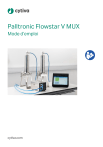
Palltronic Flowstar V MUX
Mode d’emploi
cytiva.com
Table des matières
1
Introduction ........................................................................................... 3
2
Consignes de sécurité ........................................................................... 4
3
Procédure de configuration ................................................................. 8
3.1
3.2
3.3
3.4
3.5
Raccordements .......................................................................................................................... 9
Connexions sur la partie arrière de l'unité MUX ............................................................. 10
Une seule unité MUX ................................................................................................................. 11
Plusieurs unités MUX ................................................................................................................ 12
Alimentation en pression ........................................................................................................ 13
4
Procédure de démarrage ...................................................................... 14
5
Configuration système ......................................................................... 15
6
Fonctionnement .................................................................................... 16
7
Maintenance .......................................................................................... 19
8
Messages d’erreur ................................................................................. 20
9
Données techniques ............................................................................. 21
2
Palltronic Flowstar V MUX Mode d’emploi USD3953 AB
1
Introduction
Ce document est valable pour toutes les unités Palltronic Flowstar V MUX portat la référence FFS05MUX.
L’instrument Palltronic Flowstar V MUX permet de tester le débit de diffusion, le point
de bulle, et le débit de diffusion et le point de bulle ensemble. Il sert aussi à effectuer des
tests d’intrusion d’eau, d’étanchéité, de chute de la pression sur au moins quatre
canaux, de manière séquentielle. Configurer le système, puis le laisser fonctionner et
effectuer les tests jusqu’à ce que tous les canaux actifs aient été testés.
Caractéristiques
L'unité Palltronic Flowstar V MUX, lorsqu’elle est connectée à un instrument Palltronic
Flowstar V instrument, permet de configurer au moins quatre tests d’intégrité. Une fois
la séquence de test lancée, l’instrument Palltronic Flowstar V instrument applique la
pression de test au premier canal programmé (via l'unité Palltronic Flowstar V MUX). À
la fin du premier test, l’unité Palltronic Flowstar V MUX dépressurise le premier canal et
achemine le gaz de test vers le canal actif suivant. Cette séquence se poursuit jusqu’à
ce que tous les canaux actifs aient été testés. Ensuite, l'unité Palltronic Flowstar V MUX
et l'instrument Palltronic Flowstar V instrument sont dépressurisés.
Il est possible d’étendre les capacités de l’instrument Palltronic Flowstar V instrument
jusqu’à quatre canaux en ajoutant une unité MUX et jusqu’à quatre canaux supplémentaires en ajoutant encore une unité MUX. D’autres unités peuvent être ajoutées si
nécessaire.
Palltronic Flowstar V MUX Mode d’emploi USD3953 AB
3
2
Consignes de sécurité
Définitions
Cette documentation utilisateur contient les consignes de sécurité (AVERTISSEMENT,
MISE EN GARDE et AVIS) relatives à l’utilisation du produit en toute sécurité. Elle
contient également des avis importants concernant des informations critiques relatives au logiciel ou à l'application. Voir les définitions ci-dessous.
Remarque :
AVERTISSEMENT
Un AVERTISSEMENT indique une situation dangereuse qui, si elle
n’est pas évitée, pourrait entraîner de graves blessures, voire la
mort. Il est important de ne pas continuer tant que toutes les
conditions mentionnées ne sont pas réunies et clairement
comprises.
MISE EN GARDE
Une MISE EN GARDE signale une situation dangereuse susceptible d’occasionner des blessures légères ou modérées. Il est
important de ne pas continuer tant que toutes les conditions
mentionnées ne sont pas réunies et clairement comprises.
AVIS
Un AVIS indique des instructions devant être suivies pour éviter
d’endommager le produit ou d’autres équipements.
IMPORTANT
La mention IMPORTANT signale des instructions qui sont essentielles au fonctionnement du logiciel ou de l'application.
4
Palltronic Flowstar V MUX Mode d’emploi USD3953 AB
Consignes générales
AVERTISSEMENT
Tous les utilisateurs doivent lire et comprendre l’intégralité
du contenu de ce chapitre général sur la sécurité ainsi que
toutes les consignes de sécurité spécifiques mentionnées
dans les chapitres suivants de ce manuel, afin de prendre
connaissance des dangers encourus.
AVERTISSEMENT
La pression de test doit être inférieure à la pression de service
maximale du corps de filtre ou de la capsule de filtration.
AVERTISSEMENT
Après le test, vérifier que le corps de filtre est dépressurisé et qu’il
est à la pression atmosphérique avant d’essayer d’utiliser ou de
démonter le système de filtration.
AVERTISSEMENT
La pression d’entrée maximale est de 8 bar (116 psi).
AVERTISSEMENT
Toutes les tubulures à air utilisées pour le test d’intégrité doivent
pouvoir résister à des pressions de gaz allant jusqu’à 8 bar (116 psi).
AVERTISSEMENT
Les tubulures et les raccords doivent être vérifiés avant chaque
utilisation.
Palltronic Flowstar V MUX Mode d’emploi USD3953 AB
5
AVERTISSEMENT
L'unité MUX ne dispose pas d’une alimentation électrique propre,
elle est alimentée par l’instrument.
AVERTISSEMENT
Seul le personnel agréé par Cytiva est autorisé à effectuer l’entretien et la maintenance du produit.
AVERTISSEMENT
Ne pas dépasser une pression d’entrée maximale de 8 bar (116 psi).
AVERTISSEMENT
Ne pas ouvrir le boîtier de l’instrument.
AVERTISSEMENT
Il existe un risque de blessure de l’opérateur ou d’endommagement de l’équipement.
AVERTISSEMENT
Il existe un risque d’endommagement de l’équipement si les tubulures et les connecteurs ne sont pas vérifiés avant chaque utilisation.
AVERTISSEMENT
Il existe un risque de raccordement croisé des connecteurs pneumatiques si une tubulure à air mâle-mâle est utilisée sur le connecteur de sortie d’air.
6
Palltronic Flowstar V MUX Mode d’emploi USD3953 AB
AVERTISSEMENT
Le gaz comprimé s’échappe par la vanne externe d’évacuation de
l'air et le connecteur VENT (Évacuation de l'air) à la fin du test. Ce
gaz peut contenir des aérosols en provenance du système de filtration.
Veiller à utiliser une alimentation en gaz sans huile régulée
pendant le fonctionnement de l’instrument.
AVERTISSEMENT
Éviter tout contact avec l’eau et d’autres solvants.
Palltronic Flowstar V MUX Mode d’emploi USD3953 AB
7
3
Procédure de configuration
Dans ce chapitre
Section
8
Voir page
3.1
Raccordements
9
3.2
Connexions sur la partie arrière de l'unité MUX
10
3.3
Une seule unité MUX
11
3.4
Plusieurs unités MUX
12
3.5
Alimentation en pression
13
Palltronic Flowstar V MUX Mode d’emploi USD3953 AB
3.1
Raccordements
2
3
4
1
5
Élément
Description
1
OUT (Sortie) (connexion à une autre unité MUX)
2
Raccordement au filtre
3
Raccordement électrique à la vanne d’évacuation de l'air
4
Affichage
5
IN (Entrée) (connexion à l'instrument Palltronic Flowstar V
instrument ou à une autre unité MUX)
Lors de l’utilisation de plusieurs unités MUX dans une configuration en chaîne :
• le côté gauche (1) abrite le raccord pneumatique (OUT (Sortie)) pour la connexion à
l’unité MUX suivante ;
• le côté droit (5) abrite la connexion (IN) pour l’alimentation en pression de l’unité via
l’instrument Palltronic Flowstar V instrument.
Palltronic Flowstar V MUX Mode d’emploi USD3953 AB
9
3.2
Connexions sur la partie arrière de l'unité MUX
La connexion à l’instrument Palltronic Flowstar V instrument (ou à l’unité MUX suivante)
est située à l’arrière. Cette partie comprend également un évent externe.
2
3
4
1
5
10
Élément
Description
1
IN (Entrée) (connexion à l'instrument Palltronic Flowstar V
instrument ou à une autre unité MUX)
2
Connexion CAN à l'instrument Palltronic Flowstar V instrument ou
à une autre unité MUX
3
Connexion CAN à une autre unité MUX
4
OUT (Sortie) (connexion à une autre unité MUX)
5
VENT (Évacuation de l'air)
Palltronic Flowstar V MUX Mode d’emploi USD3953 AB
3.3
Une seule unité MUX
Étape
Action
1
Configurer les paramètres du logiciel comme expliqué au Chapitre 5 Configuration système, à la page 15, puis activer l’unité MUX sur un instrument
Palltronic Flowstar V instrument sous tension. Ensuite, mettre l'instrument
hors tension et connecter l'unité MUX comme indiqué ci-dessous.
2
L’unité doit être branchée de sorte que les raccords sur le côté droit (IN
(Entrée)) soient insérés dans le port OUT (Sortie) de l’instrument Palltronic
Flowstar V instrument.
3
Le port de bus CAN situé sur le côté gauche de l’instrument Palltronic
Flowstar V instrument doit être connecté au port CAN IN (Entrée CAN) à l’arrière de l’unité MUX. Il s’agit d’une connexion unique entre l’instrument et
l'unité MUX destinée à l’alimentation et aux données.
4
Mettre l’instrument Palltronic Flowstar V instrument sous tension.
Palltronic Flowstar V MUX Mode d’emploi USD3953 AB
11
3.4
Plusieurs unités MUX
L’accessoire MUX est connecté à l’instrument Palltronic Flowstar V instrument via le
bus d’extension CAN, qui permet de relier successivement jusqu’à quatre unités MUX
en série à l’instrument et d’obtenir ainsi jusqu’à 16 canaux.
Les unités MUX supplémentaires peuvent être associées les unes aux autres via les
ports IN (Entrée) et OUT (Sortie) de chacune d’elles. Alternativement, elles peuvent être
reliées avec le tuyau à air fourni avec les raccords Stäubli. Le raccordement au système
à tester (par exemple, le filtre, l'écoulement, etc.) doit être assuré par un tuyau à air
spécifique muni d’une vanne intégrée d’évacuation de l'air. Ce tuyau et cette vanne se
terminent par un raccord pneumatique femelle Stäubli permettant de raccorder l’instrument au système à tester. L’unité MUX fournit quatre points de raccordement pour
ce tuyau à air spécifique.
Le câble CAN doit être raccordé aux ports CAN IN (Entrée CAN) et CAN OUT (Sortie
CAN) de chaque unité MUX.
Remarque :
12
Une fois la configuration terminée, les unités doivent afficher un
caractère (par exemple, A). Si aucun caractère n’est affiché, vérifier les connexions ; si le caractère clignote, vérifier la connexion
entre les unités MUX et l’instrument Palltronic Flowstar V
instrument.
Palltronic Flowstar V MUX Mode d’emploi USD3953 AB
3.5
Alimentation en pression
L’alimentation en pression est fournie par l’instrument de test Palltronic Flowstar V.
Une pression de ligne suffisante est nécessaire pour que l’instrument puisse mesurer le
débit à une pression de test donnée. L’instrument tente, dans tous les cas, de fonctionner dans des environnements de pression de ligne réduits et/ou instables, s’il peut
effectuer l’étape suivante du test.
En règle générale, les exigences de pression de ligne suivantes doivent être respectées
pour tous les tests.
• Pression de ligne minimum de 3 000 mbar
AVERTISSEMENT
Ne pas dépasser la pression de service du corps de filtre et de la
filtration à capsule, ni la pression d’alimentation de l’instrument
(8 000 mbar/116 psi).
Remarque :
Dans le présent Mode d’emploi, les valeurs de pression exprimées en psi ou mbar sont relatives à la pression atmosphérique :
• pression de ligne supérieure d’au moins 1 000 mbar à la pression de test, avec un débit < 150 ml/min ;
• pression de ligne supérieure d’au moins 2 000 mbar à la pression de test, avec un débit > 150 ml/min.
Palltronic Flowstar V MUX Mode d’emploi USD3953 AB
13
4
Procédure de démarrage
L’instrument Palltronic Flowstar V instrument est mis sous tension à l’aide de l’interrupteur d’alimentation électrique situé à l’arrière ; l’unité MUX est alimentée par l’instrument Palltronic Flowstar V instrument.
Période d’autotest et de préchauffage
Lors de la mise sous tension de l'instrument Palltronic Flowstar V instrument, l’écran
affiche la version logicielle puis passe automatiquement en mode d’autotest après
quelques secondes. L'unité Palltronic Flowstar V MUX n’est pas opérationnelle pendant
cette période.
Une fois l’autotest terminé et la durée de préchauffage écoulée, l’instrument Palltronic
Flowstar V instrument affiche Main Menu (Menu principal).
Remarque :
14
L’autotest démarre automatiquement une fois par jour lors de la
première mise sous tension.
Palltronic Flowstar V MUX Mode d’emploi USD3953 AB
5
Configuration système
Avant la première utilisation, la fonctionnalité Palltronic Flowstar V MUX doit être
activée dans la configuration de l’instrument Palltronic Flowstar V instrument.
• Pour accéder à cette configuration, appuyer sur le bouton TOOLS (Outils) situé sur le
côté gauche, puis sur le bouton General Settings (Paramètres généraux).
• Un niveau d’accès de superadministrateur est nécessaire pour pouvoir modifier la
configuration et configurer la gestion des accès. Le mot de passe par défaut pour
accéder à ces fonctions est <pall>.
Remarque :
Pour des informations plus détallées, voir le Mode d’emploi de
l’instrument de test d’intégrité Palltronic Flowstar V
USD3519.
IMPORTANT
Ne pas modifier la configuration de l’instrument lorsqu’un test
est en cours d’exécution.
Activation de l'unité MUX
Cette option permet à l’opérateur d’activer ou de désactiver la fonctionnalité Palltronic
Flowstar V MUX. La capture d’écran ci-dessous représente l’écran FFS05 et son menu
déroulant permettant d’activer l'unité MUX.
Palltronic Flowstar V MUX Mode d’emploi USD3953 AB
15
6
Fonctionnement
Voir le Mode d’emploi de l’instrument de test d’intégrité Palltronic Flowstar V USD3519
pour plus d’information sur le fonctionnement sûr et correct de l’instrument de test
d’intégrité Palltronic Flowstar V instrument.
Autotest manuel de l'unité MUX
Un autotest manuel est possible et peut être sélectionné dans le menu TOOLS (Outils)
de l'instrument Palltronic Flowstar V instrument. Cet autotest permet de tester l'étanchéité des circuits d’écoulement et de vérifier le fonctionnement des vannes.
Saisie pour tests multiples
Lors de l’exécution de tests sur différents filtres connectés aux unités MUX, le superviseur doit être connecté et le paramètre du premier filtre à tester doit être saisi. Suivre
les étapes ci-dessous :
Étape
Action
1
Sélectionner le type de test ou le programme de test dans Main Menu (Menu
principal).
Résultat :
L’écran de saisie des données s’affiche.
2
Pour rappeler un programme de test, sélectionner Edit (Modifier).
3
Saisir le nom de l’opérateur si nécessaire, puis sélectionner le canal à tester
en appuyant sur le bouton situé sous le nom de l’opérateur.
4
Toucher le bouton Channel Select (Sélectionner un canal) pour ouvrir une
fenêtre indiquant les canaux disponibles et sélectionner un canal. Les canaux
sont désignés par un code composé d’un caractère et d’un nombre.
5
Lors de la saisie des paramètres de test, un champ permettant de sélectionner le canal MUX sur lequel le test sera exécuté s’affiche également. Pour
l'unité MUX A, il s'agit des canaux A1 à A4 ; pour l'unité MUX B, des canaux B1
à B4, et ainsi de suite pour les unités MUX C et D.
6
Après avoir sélectionné le canal, valider le paramètre de test en appuyant sur
OK.
7
Si la fonction MUX est activée, il existe deux options pour démarrer le test :
• Start (Démarrer) : permet de lancer le test si aucun autre test n’est actif,
ou de le mettre en attente jusqu’à ce que les tests en cours soient
terminés.
16
Palltronic Flowstar V MUX Mode d’emploi USD3953 AB
Étape
Action
• Queue (File d’attente) : un test placé dans la file d’attente ne démarre pas
automatiquement. Il est toutefois visible dans la barre d’état en bas de
l’écran. Après avoir appuyé sur View (Visualiser), appuyer sur le bouton
Start pour lancer le test.
Résultat :
Le canal actif est signalé par un numéro illuminé en bleu sur l’unité MUX.
8
Il est possible de programmer d’autres tests sur d’autres canaux et de les
lancer pendant que les tests sont exécutés.
Remarque :
Si aucun canal n’est affiché ou que certains canaux sont manquants, vérifier
que les unités MUX sont sous tension et connectées correctement.
Remarque :
Si deux tests doivent être programmés sur le même canal, le second test est
nécessairement placé dans la file d’attente et devra être lancé manuellement.
L'image ci-dessous représente une unité MUX avec les canaux et leurs indicateurs.
Le tableau ci-dessous liste les couleurs des indicateurs et l'information correspondante
fournie par l'unité.
Couleur
Information de l’unité
Vert
Test conforme
Rouge
Échec/Erreur du test
Jaune clair
En attente
Palltronic Flowstar V MUX Mode d’emploi USD3953 AB
17
Couleur
Information de l’unité
Clignotement en bleu
Test en cours
Abandon manuel
• À tout moment de la séquence de test, il est possible d’appuyer sur le bouton Abort
(Abandonner) pour interrompre le test en cours.
• L’abandon du test arrête la séquence de sorte qu’aucun autre test ne démarre automatiquement. Une fenêtre contextuelle s’affiche et vous permet d’abandonner le
test en cours en appuyant sur OK.
• Si l’option All (Tous) est sélectionnée, tous les tests de la file d’attente sont abandonnés. Le résultat affiché pour ces tests est Manual Abort (Abandon manuel).
Programmes de test
Quand les filtres sont testés à plusieurs reprises avec les mêmes paramètres de test ou
qu’il est nécessaire de restreindre la saisie des paramètres de test par les opérateurs,
les paramètres de test peuvent être stockés dans un programme de tests qui peut être
rappelé au début de chaque test. Un programme de tests peut inclure le canal dans le
paramètre stocké.
Pour des informations plus détallées sur la création d’un programme de tests, voir le
Mode d’emploi de l’instrument de test d’intégrité Palltronic Flowstar V USD3519.
IMPORTANT
Un niveau d’accès de superviseur est nécessaire pour pouvoir
modifier ou gérer les programmes de tests. Le mot de passe initial
est Super.
18
Palltronic Flowstar V MUX Mode d’emploi USD3953 AB
7
Maintenance
La maintenance de routine de l’instrument est essentielle pour garantir le bon fonctionnement de ce dernier dans le temps. Elle inclut le test des composants internes et des
connexions, et le nettoyage de la vanne External Vent Valve (Vanne externe d’évacuation de l'air). Lorsqu’il fonctionne correctement, l’instrument est protégé contre toute
contamination provenant des composants par une vanne externe d’évacuation de l'air.
Les travaux de maintenance ou de réparation supplémentaires ne doivent pas être
entrepris par l’utilisateur. Toutes les réparations de l'équipement doivent être réalisées
par des techniciens de maintenance agréés par Cytiva. Il est recommandé de faire
réviser l’instrument dans son intégralité tous les ans par Cytiva. Au cours de cette révision, tous les composants sont vérifiés et nettoyés. Les unités Palltronic Flowstar V
MUX ne contiennent aucun élément nécessitant un étalonnage.
Palltronic Flowstar V MUX Mode d’emploi USD3953 AB
19
8
Messages d’erreur
Le tableau ci-dessous répertorie les situations d’erreur courantes et leurs causes possibles.
20
Erreur
Causes éventuelles
Action
Discordance entre
les canaux MUX
La configuration de l'instrument
Palltronic Flowstar V instrument
est incorrecte.
Vérifier les paramètres
de l'instrument
Palltronic Flowstar V
instrument.
Unité MUX non
connectée
La connexion entre l'unité MUX
et l'instrument Palltronic
Flowstar V instrument a été
interrompue.
Vérifier les raccords.
Erreur de configuration de l'unité MUX
Aucune unité n’est connectée au
canal actif.
Vérifier la configuration.
Palltronic Flowstar V MUX Mode d’emploi USD3953 AB
9
Données techniques
Catégorie
Information
Dimensions
physiques
146 mm × 218 mm × 285 mm (L × H × P)
Poids
FFS05MUX : 4,7 kg
Données électriques
FFS05MUX
Tension d’entrée : 24 VCC
Puissance d’entrée : 30 W
Vannes d’évacuation de l’air à distance : 24 VCC
Ports de communication
FFS05MUX
Caractéristiques
pneumatiques
Pression maximale de l’alimentation en gaz : 8000 mbar
(116 psi)
Deux ports de bus CAN dédiés aux communications avec une
unité MUX ou Palltronic Flowstar V instrument
Température de service : +5 °C à +40 °C
Température de stockage : -20 °C à +50 °C
Humidité : 80 % jusqu'à 31 °C, puis 50 % à 40 °C
Raccordements
pneumatiques
Entrée d’air comprimé : Stäubli Nipple RBE03.6150
Sortie d’air comprimé : Stäubli Coupling RBE03.2904
Évent : connexion par tuyau d’un diamètre externe de 6 mm
Conditions environnementales
Étanchéité : IP54
Palltronic Flowstar V MUX Mode d’emploi USD3953 AB
21
cytiva.com
Cytiva et le logo Drop sont des marques de commercede Life Sciences IP Holdings Corporation ou de l'une de ses
sociétés affiliées opérant sous le nom de Cytiva.
Staubli est une marque de commerce de Staubli International AG.
Toute autre marque de commerce tierce est la propriété de son détenteur respectif.
© 2024 Cytiva
Pour les coordonnées des bureaux locaux, visiter le site cytiva.com/contact
USD3953 AB V:9 08/2024
">