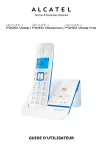
GUIDE D'UTILISATEUR
SPÉCIFICATIONS TECHNIQUES
Portée en champ libre
Jusqu'à 300 mètres*
Portée en intérieur
Jusqu'à 50 mètres*
Autonomie des batteries du
combiné (valeurs moyennes)
10 heures en conversation**
100 heures en veille**
Nombre de combinés
Jusqu'à 5
Communication entre
combinés
Oui
Conférence à trois
(1 correspondant externe +
2 correspondants internes)
Oui
Alimentation électrique/
Adaptateur de la base/
Chargeur
Adaptateur de la base :
Modèle : S004LV0600045
Entrée : 100-240 V/50-60 Hz/0,15 A
Sortie : 6 V CC / 450 mA
Adaptateur du chargeur :
Modèle : S004LV0600030
Entrée : 100-240 V/50-60 Hz/0,15 A
Sortie : 6 V CC/300 mA
Utilisez uniquement les adaptateurs fournis avec
votre téléphone.
Courant alternatif monophasé, excluant les
installations informatiques régies par la norme
EN60950.
Attention : selon cette norme, la tension du
réseau est considérée comme dangereuse.
Connexion téléphonique
Connexion à une ligne téléphonique analogique
de classe TRT3 (tension du réseau des
télécommunications), conformément à la norme
EN60950.
Batteries
AAA – 1,2 V – 400 mA
Utilisez uniquement les batteries fournies avec
votre téléphone.
L’utilisation d’un autre type de batteries vous
expose à un risque d'explosion. Eliminez vos
batteries usagées conformément aux règles de
protection de l'environnement en vigueur dans
votre région.
Plage de températures de
fonctionnement
Entre 5°C et 40°C
* Variable en fonction de l'environnement.
** Données dépendantes de la charge initiale des batteries.
2
SOMMAIRE
1
1.1
1.2
INSTRUCTIONS DE SÉCURITÉ IMPORTANTES..................................... 5
Contenu de la boîte............................................................................. 6
Précautions d’emploi........................................................................... 6
2
2.1
2.2
2.3
Installation de votre tÉlÉphone............................................. 7
Installation et chargement des batteries................................................ 7
Branchement de la base...................................................................... 8
Branchement du chargeur (pour les modèles Duo/Trio)..............................8
3
3.1
3.2
3.3
PrÉsentation du TÉLÉPHONE....................................................... 9
Présentation du combiné Versatis F230 Voice......................................... 9
Description de la base........................................................................11
Icônes et symboles de l'écran.............................................................13
4
4.1
4.2
4.3
4.4
4.5
4.6
4.7
4.8
4.9
4.10
UTILISATION DE VOTRE TÉLÉPHONE.............................................. 14
Emission d'un appel...........................................................................14
Réception d'appel..............................................................................15
Fin d'un appel...................................................................................15
Réglage du volume de l'écouteur et du mains libres ................................... 15
Désactivation du microphone..............................................................15
Désactivation de la sonnerie du combiné..............................................15
Verrouillage du clavier........................................................................16
Rappel des derniers numéros composés................................................16
Recherche du combiné.......................................................................17
Fonction intercom..............................................................................17
5
5.1
5.2
5.3
5.4
5.5
5.6
5.7
RÉPERTOIRE................................................................................... 19
Ajout d'un nouveau contact dans le répertoire.......................................19
Recherche d'un contact dans le répertoire.............................................19
Affichage d'un contact du répertoire.....................................................19
Modification d'un contact du répertoire.................................................20
Suppression d'un contact du répertoire.................................................20
Suppression de tous les contacts du répertoire......................................20
Etat du répertoire..............................................................................20
6
6.1
6.2
6.3
6.4
6.5
6.6
IDENTIFICATION DE VOS CORRESPONDANTS....................................21
Accès à la liste des appels...................................................................21
Enregistrement d'une entrée de la liste des appels dans le répertoire........21
Suppression d'une entrée de la liste des appels.....................................21
Suppression de toutes les entrées de la liste des appels..........................22
Affichage des informations détaillées sur les appels entrants...................22
Sélection des types d'appel à mettre dans le journal des appels...............22
3
7
MESSAGERIE VOCALE DE VOTRE OPERATEUR................................. 23
8
8.1
8.2
8.3
8.4
8.5
8.6
RÉGLAGES DU TÉLÉPHONE............................................................. 23
Date et heure...................................................................................23
Réglage du réveil...............................................................................24
Réglages du combiné.........................................................................25
Réglages de la base...........................................................................27
Association d’un combiné....................................................................28
Réinitialisation du téléphone...............................................................29
9
9.1
9.2
9.3
9.4
9.5
FONCTION RÉPONDEUR.................................................................. 30
Activation/désactivation du répondeur..................................................30
Écoute des messages du répondeur.....................................................30
Suppression de tous les messages du répondeur....................................31
Enregistrement d'un mémo.................................................................32
Configuration du répondeur................................................................32
10
EN CAS DE PROBLEME.................................................................... 37
11
GARANTIE...................................................................................... 39
12
SÉCURITÉ....................................................................................... 41
13
ENVIRONNEMENT........................................................................... 42
4
1
INSTRUCTIONS DE SÉCURITÉ IMPORTANTES
L'utilisation de cet appareil suppose le respect de certaines précautions de sécurité
élémentaires afin de réduire les risques d'incendie, de choc électrique et de
blessures corporelles, notamment ce qui suit :
1)
Lisez et comprenez toutes les instructions.
2)
Respectez tous les avertissements et toutes les instructions marqués sur
l'appareil.
3)
Débranchez le téléphone de la prise secteur avant de le nettoyer. N'utilisez
aucun produit nettoyant, aussi bien en flacon liquide qu'en aérosol, mais
uniquement un chiffon légèrement humide.
4)
N'utiliser pas le téléphone près d'une source d'eau (une baignoire, un évier,
une piscine, etc.).
5)
N'exposez pas le téléphone aux rayons directs du soleil ni à des températures
extrêmement froides. Ne posez pas le téléphone près d'une source de chaleur
telle qu'un radiateur, une cuisinière, etc.
6)
Ne surchargez pas les prises secteur et rallonges électriques, source d'incendie
et de choc électrique.
7)
N'UTILISEZ JAMAIS votre téléphone à l'extérieur pendant un orage.
Débranchez immédiatement la base de la ligne téléphonique et de la prise
secteur aux premiers signes d'un orage.
8)
En cas de fuite de gaz, n'utilisez pas votre téléphone pour appeler les autorités
responsables tant que vous êtes à proximité de la fuite.
9)
Utilisez uniquement les batteries rechargeables NiMH (Nickel Metal Hydride)
fournies. Les durées d'autonomie indiquées pour les combinés ne valent que
pour les batteries fournies.
10) L'utilisation de batteries d'un autre type ou de piles/cellules primaires non
rechargeables vous expose à un danger. Cela peut causer des interférences
et/ou endommager votre appareil. Le constructeur ne peut être tenu pour
responsable pour les dommages intervenus suite à cette négligence.
11) N'utilisez pas des chargeurs de fabricant tiers. Vous risquez d'endommager les
batteries.
12) Respectez le sens des polarités des batteries indiquées.
13) Débarrassez-vous de vos piles usagées en toute sécurité. Ne les jetez pas dans
l'eau, dans le feu et dans tout endroit où elles risquent d'être percées.
5
1.1
Contenu de la boîte
L’emballage contient les éléments suivants :
• 1 combiné
• 1 base
• 1 adaptateur secteur
• 1 câble de ligne téléphonique
• 2 batteries rechargeables
• 1 mini guide
Pour les modèles duo et trio, l’emballage contient en plus :
• Combiné (s) supplémentaire (s)
• Chargeur (s)
• Adaptateur secteur (s)
• Batteries rechargeables
1.2
Précautions d’emploi
Pour disposer de la portée maximale et pour réduire les interférences, voici
quelques recommandations qui vous seront très utiles pour choisir le meilleur
emplacement pour votre base.
- Choisissez un emplacement intérieur pratique, en hauteur et central, sans
obstacle entre le combiné et la base.
- La base doit être éloignée d'autres appareils électroniques tels qu'une télévision,
un four à micro-ondes, une radio, un ordinateur, un appareil sans fil ou un autre
téléphone sans fil.
- Ne posez pas la base en face d'un émetteur de fréquences radio, par exemple
l'antenne extérieure d'une station émettrice pour téléphones portables.
- Évitez de brancher la base sur la même ligne électrique qu'un gros appareil
électroménager pour éviter le risque potentiel d'interférence. Essayez de déplacer
l'appareil ou la base sur une autre prise secteur.
Si la qualité de réception est insuffisante, essayez de déplacer la base à un
autre endroit. La portée maximale peut être moindre que celle annoncée
selon l'environnement et divers facteurs structurels. La portée en intérieur est
normalement moindre que la portée en extérieur.
6
2
2.1
1.
2.
3.
4.
Installation de votre tÉlÉphone
Installation et chargement des batteries
Glissez le cache du compartiment des batteries vers le bas.
Introduisez les 2 batteries AAA rechargeables fournies, comme indiqué sur le
schéma. Respectez scrupuleusement le sens des polarités indiquées.
Refermez le compartiment des batteries.
Posez le combiné sur la base et laissez les batteries se charger pendant 15
heures avant la première utilisation.
Un bip retentit pour vous indiquer que le combiné est correctement placé sur la
base ou sur le chargeur.
Remarque :
Utilisez uniquement des batteries rechargeables de caractéristiques identiques
à celles fournies avec le produit. L’utilisation de piles non rechargeables ou nonconformes aux modèles préconisés (se référer au chapitre « Spécifications
techniques ») risque d'endommager votre produit et est dangereuse pour la santé
des personnes. Les batteries peuvent se fendre ou couler si elles sont mal insérées,
ouvertes ou exposées à la chaleur. Ne pas jeter les batteries dans un feu : risque
d’explosion.
7
2.2
1.
2.
3.
Branchement de la base
Connectez le cordon téléphonique et l’alimentation électrique comme indiqué
sous la base.
Branchez la prise téléphonique dans la fiche murale.
Connectez l’adaptateur secteur à une prise électrique 230V/50 Hz.
Si vous êtes connecté derrière une box ADSL,
un microfiltre est nécessaire (il n'est pas fourni dans l'emballage).
2.3
Branchement du chargeur (pour les modèles Duo/Trio)
Branchez l'adaptateur secteur sur une prise secteur 230 V CA, 50Hz.
Ligne téléphonique à haut débit
Pour relier votre téléphone à une ligne à large bande (ADSL), insérez un microfiltre
entre le téléphone et la ligne afin de protéger vos communications des interférences
entre le téléphone et la ligne et ainsi éviter des problèmes.
Avec une installation téléphonique à large bande, chaque téléphone doit être relié à
un microfiltre et non uniquement celui attaché au modem. Pour vous procurer des
microfiltres supplémentaires, contactez votre opérateur téléphonique.
8
3
PrÉsentation du TÉLÉPHONE
3.1
Présentation du combiné
1.
M
En mode veille : appuyez pour accéder au menu principal
Depuis un sous-menu : appuyez pour confirmer votre choix
Pendant un appel : appuyez pour accéder à la fonction Intercom/Répertoire/
Liste bis/Liste des appels reçus
2.
C
Depuis le menu principal : appuyez pour revenir en mode veille
Depuis un sous-menu : appuyez pour revenir au niveau précédent
Depuis un sous-menu : appuyez et maintenez enfoncée pour revenir en mode
veille
En mode modification/pré-numérotation : appuyez pour effacer un caractère/
un chiffre
En mode modification/pré-numérotation : appuyez et maintenez enfoncée pour
effacer tous les caractères/tous les chiffres
Pendant un appel : appuyez pour activer/désactiver le microphone
En mode veille : appuyez pour passer en mode intercom avec un autre combiné
Pendant la sonnerie : appuyez pour supprimer la sonnerie du combiné
9
3.
+
En mode veille : appuyez pour accéder à la liste des appels reçus*
Depuis un menu : appuyez pour remonter dans la liste des options du menu
Depuis le répertoire/la liste bis/la liste des appels reçus : appuyez pour
remonter dans la liste
Pendant un appel : appuyez pour augmenter le volume de l’écouteur
Pendant la sonnerie : appuyez pour augmenter le volume de la sonnerie
4.
En mode veille : appuyez pour accéder à la liste bis
Depuis un menu : appuyez pour descendre dans la liste des options du menu
Depuis le répertoire/la liste bis/la liste des appels reçus : appuyez pour
descendre dans la liste
Pendant un appel : appuyez pour diminuer le volume de l’écouteur
Pendant la sonnerie : appuyez pour diminuer le volume de la sonnerie
5.
O
Pendant un appel : appuyez pour terminer l'appel et revenir en mode veille
En mode menu/modification : appuyez pour revenir au menu précédent
En mode menu/modification : appuyez et maintenez enfoncée pour revenir en
mode veille
En mode veille : appuyez et maintenez enfoncée pour allumer/éteindre le
combiné
6.
R
7.
P
Pendant un appel : appuyez pour composer un flash
En mode veille : appuyez pour accéder au répertoire
8.
9.
S
Pendant un appel : appuyez pour activer/désactiver le mains libres
Depuis le mode veille/pré-numérotation/liste bis/liste des appels reçus/
répertoire : appuyez pour composer un appel et activer le mains libres
Pendant une sonnerie : appuyez pour répondre à un appel et activer le mains
libres
TOUCHES ALPHANUMÉRIQUES, *, #
Touche * en mode veille : appuyez et maintenez enfoncée pour activer ou
désactiver le verrouillage du clavier
Touche # en mode veille : appuyez et maintenez la touche enfoncée pour
activer/désactiver la sonnerie
Touche # dans la liste des appels reçus : appuyez pour afficher le numéro de
téléphone de l'appelant, s'il est disponible
Touche 0 en mode pré-numérotation/modification de numéro : appuyez et
maintenez enfoncée pour insérer une pause
Touches 1, 2, 3 en mode veille/décrocher : appuyez et maintenez enfoncée
pour composer le numéro affecté à la touche correspondante
10
10. T
En mode veille/pré-numérotation : appuyez pour composer un appel
Depuis une entrée de la liste bis/la liste des appels reçus/le répertoire :
appuyez pour composer le numéro de l'entrée sélectionnée
Pendant une sonnerie : appuyez pour répondre à un appel
3.2
1.
Description de la base
A
Appuyez sur la touche pour rechercher votre combiné. Le combiné sonne
pendant environ 60 secondes.
Appuyez sur la touche et maintenez-la enfoncée pendant environ cinq
secondes. La base se place en mode association de combiné.
2.
3.
+
Augmente le volume sonore dans le haut-parleur (+) pendant la lecture des
messages
ÉCRAN
0F-> -- La fonction répondeur est désactivée (OFF)
0n-> XX La fonction répondeur est activée (ON) et XX messages ont été
enregistrés sur le répondeur
00
Allumé fixe : le répondeur ne contient aucun message
XX
Clignotant : XX nouveaux messages ont été enregistrés sur le
répondeur
ZZ
Allumé fixe : le répondeur contient ZZ messages déjà lus (et aucun
nouveau message)
XX/FF XX clignote en alternance avec FF : XX nouveaux messages ont été
enregistrés, et la mémoire du répondeur est saturée
11
FF
- -/XX
-XX
A1/A2
XX/An
rA
LX
4. $
Clignote : la mémoire du répondeur est saturée avec des messages
déjà lus ; aucun nouveau message n'a été reçu
XX clignote en alternance avec - - : l'heure n'a pas été réglée et XX
nouveaux messages ont été enregistrés
- - clignote : l'heure n'a pas été réglée, aucun nouveau message n'a
été reçu
Allumé fixe : lecture de l'ancien message XX déjà reçu
Clignote : lecture du nouveau message XX reçu
Allumé fixe : lecture de l'annonce, avec A1 correspondant à
l'annonce pour le mode Répondeur/Enregistreur et A2 correspondant
à l'annonce pour le mode Répondeur simple
XX clignote en alternance avec An : un nouveau message XX est
actuellement enregistré
An signifie que l'enregistrement du message est en cours
Clignote : l'accès à distance est en cours
Allumé fixe : indique le niveau sonore actuel, avec X compris entre 1 et 8
Appuyez pour activer la fonction répondeur
Réappuyez pour désactiver la fonction répondeur
5.
=
Appuyez pour écouter le message
Réappuyez pour arrêter la lecture du message
6.
>
7.
?
Appuyez pour arrêter la lecture du message actuel et passer au message suivant
Appuyez une fois pour supprimer le message en cours de lecture
Appuyez et maintenez enfoncée pour supprimer tous les messages lus
8.
<
Appuyez pour relire le message actuel depuis le début
Appuyez deux fois pour arrêter la lecture en cours et lire le message précédent
9.
Diminue le volume sonore dans le haut-parleur (-) pendant la lecture des
messages
12
3.3
Icônes et symboles de l'écran
L'écran LCD affiche diverses informations sur l'état actuel du téléphone.
h
j
k
l
z
x
a
g
n
b
v
[
]
s
f
Allumé fixe : lorsque le combiné se trouve à portée de la base.
Clignote : lorsque le combiné se trouve hors de portée de la base ou n'est
pas associé auprès de la base.
Allumé fixe : pendant un appel interne.
Clignote : lorsque vous recevez un appel interne.
Indique qu'un appel est en cours.
Indique que vous utilisez le mains libres.
Allumé fixe : indique que le répondeur est activé.
Clignote : lorsque le répondeur a enregistré de nouveaux messages.
Allumé fixe : lorsque vous activez la fonction réveil.
Clignote : lorsque le réveil se déclenche.
Indique que le clavier est verrouillé.
Indique que vous avez reçu de nouveaux messages vocaux (sur la
messagerie de l’opérateur).
Ce symbole disparaît lorsque vous avez écouté tous les nouveaux
messages reçus. (Cette fonction dépend de votre opérateur téléphonique.)
Indique que la sonnerie est désactivée.
Indique que les batteries sont complètement chargées.
Toute l'icône clignote lors du chargement initial des batteries.
L'intérieur seul clignote lorsque les batteries sont presque totalement
chargées.
Indique que vous devez charger les batteries.
Clignote lorsque les batteries sont presque déchargées.
Indique que d'autres caractères existent avant la partie de texte
actuellement affichée.
Indique que d'autres caractères existent après la partie de texte
actuellement affichée.
Apparaît dans la liste des appels quand vous avez un appel manqué.
Disparait lorsque vous consultez le journal des appels.
Monte/descend dans la liste des options de menu/le répertoire/la liste bis/
la liste des appels reçus.
13
4
UTILISATION DE VOTRE TÉLÉPHONE
4.1
Emission d'un appel
4.1.1 Pré-numérotation
Composez un numéro de téléphone et appuyez sur T ou sur
l’appel. Appuyez sur la touche C pour effacer le numéro.
S pour lancer
4.1.2 Numérotation directe
Appuyez sur T ou sur S et composez le numéro.
4.1.3 Emission d'un appel depuis les touches mémoire directes
Appuyez sur la touche 1/2/3 et maintenez-la enfoncée pour composer le
numéro enregistré dans la mémoire. Vous devez, auparavant, enregistrer un
numéro de téléphone sur ces touches. Pour plus de détail, reportez-vous à la
section 8.3.8 de la notice.
4.1.4 Appel depuis le répertoire
Appuyez sur P pour accéder au répertoire puis sur +/- pour sélectionner la
personne que vous voulez appeler. Appuyez sur T ou sur S pour lancer l’appel.
4.1.5 Appel depuis la liste des appels reçus
Appuyez sur + pour accéder à la liste des appels puis sur +/- pour sélectionner
l'entrée de la liste que vous désirez. Appuyez sur T ou sur S pour lancer
l’appel. Vous pouvez également appuyer sur M pour accéder à la liste des appels
depuis le menu principal.
4.1.6 Durée de l'appel
Votre combiné affiche automatiquement la durée de la conversation pendant
chaque appel, quelques secondes après la composition du numéro. La durée de
l'appel est affichée au format heures, minutes et secondes (HH:MM:SS).
4.1.7 Appel depuis la liste bis
Appuyez sur la touche ou - pour ouvrir la liste bis, puis sur +/- jusqu'à
sélectionner l'entrée de la liste que vous désirez. Appuyez sur T ou sur S
pour lancer l’appel.
14
4.2
Réception d'appel
Si le combiné n'est pas posé sur le chargeur :
Dès que la sonnerie du téléphone retentit, appuyez sur
accepter l'appel.
Tou sur S pour
Si le combiné est posé sur le chargeur ou sur la base, alors que la fonction décrochage
automatique est activée : dès que la sonnerie du téléphone retentit, décrochez le
combiné pour prendre l'appel.
4.3
Fin d'un appel
Pendant un appel, appuyez sur
OU
Posez le combiné sur la base.
4.4
O pour terminer l'appel.
Réglage du volume de l'écouteur et du mains libres
Vous avez le choix entre 5 valeurs (VOLUME 1 à VOLUME 5).
Pendant un appel :
Appuyez sur +/- pour sélectionner une valeur entre 1 et 5. Le volume actuel est
affiché sur l'écran. Lorsque vous terminez l'appel en cours, le nouveau réglage du
volume sonore reste valable pour les appels suivants.
4.5
Désactivation du microphone
Vous pouvez désactiver le microphone afin que votre correspondant n'entende pas ce
que vous voulez dire à quelqu'un présent à côté de vous.
Pendant un appel :
Appuyez sur C pour désactiver le microphone. L'indication "MUET" apparaît sur
l'écran LCD et l'appelant ne vous entend plus. Réappuyez sur C pour réactiver le
microphone.
4.6
Désactivation de la sonnerie du combiné
En mode veille, appuyez sur la touche # et maintenez-la enfoncée pour désactiver
la sonnerie du combiné. L'icône n apparaît sur l'écran.
Pour réactiver la sonnerie du combiné, appuyez sur la touche # et maintenez-la
enfoncée. L'icône n disparaît.
15
4.7Verrouillage du clavier
En mode veille, appuyez sur la touche * et maintenez-la enfoncée pour verrouiller
le clavier. L'icône a apparaît sur l'écran.
Si vous appuyez sur une touche, le message "CLAV. VERR." s'affiche pendant 2
secondes puis l'indication "APP. SUR *" apparaît. Pour déverrouiller le clavier,
appuyez sur la touche * et maintenez-la enfoncée. L'icône a disparaît.
4.8
Rappel des derniers numéros composés
Vous pouvez rappeler l’un des 10 derniers numéros que vous avez appelés. Si l'un
d'eux est enregistré dans votre répertoire, le nom du contact apparaît à la place du
numéro de téléphone. Les appels sont affichés du plus récent au plus ancien.
4.8.1 Rappel depuis la liste bis
1. Pour afficher la liste bis, appuyez sur -.
2. Appuyez sur +/- pour parcourir la liste BIS.
3. Appuyez sur T ou sur S pour lancer l’appel.
Remarque : si le nom du contact apparaît dans la liste bis, appuyez sur la
touche # pour afficher le numéro de téléphone associé.
4.8.2 Enregistrement d'un numéro de la liste bis dans le répertoire
1. Exécutez les étapes 1 et 2 de la section 4.8.1.
2. Appuyez sur M et +/- jusqu'à sélectionner l'option AJOUTER.
3. Appuyez sur M et tapez le nom.
4. Appuyez sur la touche M pour enregistrer le numéro.
5. Appuyez sur M pour affecter une sonnerie à ce contact.
6. Appuyez sur +/- pour parcourir la liste des sonneries. Les sonneries
retentissent au fur et à mesure que vous les parcourez dans la liste.
7. Appuyez sur M pour confirmer.
4.8.3 Suppression d'un numéro de la liste bis
1. Exécutez les étapes 1 et 2 de la section 4.8.1.
2. Appuyez sur M et +/- jusqu'à sélectionner l'option SUPPRIMER.
3. Appuyez sur M pour confirmer.
4.8.4 Suppression de toutes les entrées de la liste bis
1. Exécutez les étapes 1 et 2 de la section 4.8.1.
2. Appuyez sur M et +/- jusqu'à sélectionner l'option SUPPRIM. TOUT.
3. Appuyez sur M pour confirmer.
4. Appuyez sur M pour confirmer.
16
4.9
Recherche du combiné
Pour rechercher votre combiné, appuyez sur la touche A de la base. Les combinés
associés à la base vont sonner. Pour arrêter la recherche, appuyez sur T/O/C
sur le combiné, ou sur la touche A de la base.
4.10 Fonction intercom
Cette fonction est disponible uniquement si vous avez associé au moins 2 combinés
à la base. Elle vous permet d'appeler un combiné en interne, de transférer des
appels externes d'un combiné à un autre combiné interne et d'utiliser la fonction
conférence à 3. Si le combiné appelé ne répond pas dans les 60 secondes, sa
sonnerie cesse de retentir et le combiné appelant retourne en mode veille.
4.10.1 Appel d’un combiné interne
1. En mode veille, appuyez sur C.
2.
3.
Composez le numéro du combiné interne (1 à 5) que vous voulez appeler.
La sonnerie du combiné appelé retentit. Le correspondant doit appuyer sur la
touche T de son combiné pour accepter l'appel interne.
Remarque : si seuls deux combinés sont associés, dès que vous appuyez sur
le 2ème combiné est automatiquement appelé.
C
4.10.2 Appel vers tous les combinés internes
1. En mode veille, appuyez sur C. La liste de tous les combinés associés
2.
apparaît.
Appuyez sur la touche
9 pour appeler tous les combinés associés.
4.10.3 Transfert d'un appel externe vers un autre combiné interne
Pendant un appel externe :
1. Appuyez sur M et +/- jusqu'à sélectionner l'option INTERCOM.
2. Appuyez sur M, sélectionnez le combiné vers lequel vous voulez transférer
3.
4.
5.
6.
l'appel externe.
L'appel externe est mis automatiquement en attente et la sonnerie retentit sur
le combiné appelé.
Le correspondant interne appuie sur T pour accepter l'appel interne.
Appuyez sur O ou posez votre combiné sur le chargeur ou la base pour
terminer votre communication avec l'appel externe.
L'appel externe est transféré sur le poste du correspondant interne que vous
avez appelé.
17
4.10.4 Conférence à 3
La fonction conférence à 3 permet de partager un appel externe avec deux
combinés internes. Les trois parties peuvent converser.
Pendant un appel externe :
1. Exécutez les instructions 1 à 4 de la section 4.10.3.
2. Appuyez sur la touche * du combiné appelant et maintenez-la enfoncée pour
établir la conférence.
Remarque : si l'un des deux correspondants internes raccroche, l'autre reste
malgré tout en communication avec le correspondant externe.
18
5
RÉPERTOIRE
Votre combiné peut enregistrer jusqu'à 50 contacts (noms et numéros). Chaque
fiche peut contenir jusqu'à 20 chiffres pour le numéro de téléphone et 12
caractères pour le nom. Vous pouvez affecter une sonnerie particulière à chaque
contact du répertoire. Les entrées du répertoire sont stockées dans l'ordre
alphabétique des noms.
5.1
Ajout d'un nouveau contact dans le répertoire
En mode veille :
1. Appuyez sur
P pour accéder au répertoire.
OU
Appuyez sur M et +/- jusqu'à sélectionner l'option RÉPERTOIRE puis appuyez
sur M pour ouvrir le répertoire.
2. Appuyez sur M pour sélectionner l'option AJOUTER.
3. Appuyez sur M et tapez le nom.
4. Appuyez sur M et tapez le numéro de téléphone.
5. Appuyez sur M et +/- pour sélectionner la une sonnerie particulière à
6.
affecter au contact.
Appuyez sur M pour ajouter ce nouveau contact au répertoire.
Remarque : pour obtenir la lettre O, appuyez 4 fois sur la touche 6.
5.2
Recherche d'un contact dans le répertoire
En mode veille :
1. Appuyez sur
2.
5.3
P pour accéder au répertoire.
Tapez le premier caractère du nom en appuyant le nombre de fois nécessaires
sur la touche appropriée.
Affichage d'un contact du répertoire
En mode veille :
1. Appuyez sur
2. Appuyez sur
3. Appuyez sur
P pour accéder au répertoire.
+/- jusqu'à sélectionner le contact du répertoire que vous désirez.
M et +/- jusqu'à sélectionner l'option VOIR.
Remarque : si le numéro de téléphone comporte plus de 12 chiffres, appuyez
sur M ou C pour accéder aux autres chiffres.
19
5.4
Modification d'un contact du répertoire
En mode veille :
1. Appuyez sur P pour accéder au répertoire.
2. Appuyez sur +/- jusqu'à sélectionner le contact du répertoire que vous désirez.
3. Appuyez sur M et +/- jusqu'à sélectionner l'option MODIFIER.
4. Appuyez sur M pour afficher les informations disponibles sur le contact.
5. Modifiez le nom (appuyez sur C pour supprimer un caractère) et appuyez
sur M.
6. Modifiez le numéro de téléphone (appuyez sur C pour supprimer un chiffre)
et appuyez sur M.
7. Appuyez sur +/- jusqu'à sélectionner la sonnerie que vous voulez affecter à
ce contact et appuyez sur M pour confirmer.
5.5
Suppression d'un contact du répertoire
En mode veille :
1. Appuyez sur P pour accéder au répertoire.
2. Appuyez sur +/- jusqu'à sélectionner le contact du répertoire que vous désirez.
3. Appuyez sur M and +/- jusqu'à sélectionner l'option SUPPRIMER.
4. Appuyez sur M pour confirmer.
5.6
1.
2.
3.
4.
5.7
Suppression de tous les contacts du répertoire
sur P pour accéder au répertoire.
sur M et +/- jusqu'à sélectionner l'option SUPPRIM. TOUT.
sur M pour confirmer.
sur M pour confirmer une seconde fois.
Appuyez
Appuyez
Appuyez
Appuyez
Etat du répertoire
Vous pouvez afficher le nombre de contacts actuellement enregistrés dans le
répertoire et le nombre de contacts que vous pouvez encore ajouter au répertoire.
1. Appuyez sur P pour accéder au répertoire.
2. Appuyez sur M et +/- jusqu'à sélectionner l'option ÉTAT RÉPERT.
3. Appuyez sur M pour confirmer.
20
6
IDENTIFICATION DE VOS CORRESPONDANTS
Sur abonnement auprès de votre opérateur au service « Identification de l’appelant »
et si le réseau transmet ces renseignements, le nom ou le numéro de votre
correspondant s’affichera sur l’écran. Le journal mémorise les 20 derniers appels
reçus avec la date et l’heure de réception des appels.
Si votre correspondant a demandé à ce que son numéro de téléphone n'apparaisse
pas, l'indication "SECRET" s'affichera sur l'écran de votre combiné.
Si le numéro de téléphone de votre correspondant n'est pas disponible, l'indication
"Indisponible" s'affichera sur l'écran de votre combiné.
En mode veille, si vous avez reçu trois appels et n'y avez pas répondu, l'indication
"3 NVX APPEL" apparaît sur l'écran.
6.1
Accès à la liste des appels
Tous les appels que vous recevez sont enregistrés dans la liste des appels, depuis
l'appel le plus récent jusqu'à l'appel le plus ancien. Lorsque cette liste est pleine,
l'appel le plus ancien est effacé afin d'enregistrer un nouvel appel. Les appels
auxquels vous n'avez pas répondu et que vous n'avez pas encore consultés sont
repérés par une astérisque s.
1. Appuyez sur + pour accéder à la liste des appels.
OU
Appuyez sur M et +/- jusqu'à sélectionner l'option JOURNAL.
2. Appuyez sur la touche +/- pour sélectionner l'appel que vous désirez.
3. Appuyez sur # pour afficher le numéro de téléphone de l'appelant, s'il est
disponible.
6.2
Enregistrement d'une entrée de la liste des appels dans
le répertoire
1.
2.
3.
4.
Exécutez les instructions 1 et 2 de la section 6.1.
Appuyez sur M et +/- jusqu'à sélectionner l'option AJOUTER.
Appuyez sur M et tapez le nom.
Appuyez sur M pour afficher le numéro de téléphone du contact.
5.
6.
7.
Modifiez ce numéro, le cas échéant.
Appuyez sur M ey +/- jusqu'à sélectionner une sonnerie.
Appuyez sur M pour confirmer.
6.3
1.
2.
3.
Suppression d'une entrée de la liste des appels
Exécutez les instructions 1 et 2 de la section 6.1.
Appuyez sur M et +/- jusqu'à sélectionner l'option SUPPRIMER.
Appuyez sur M pour confirmer.
21
6.4
1.
2.
3.
4.
6.5
Suppression de toutes les entrées de la liste des appels
Exécutez les instructions 1 et 2 de la section 6.1.
Appuyez sur M et +/- jusqu'à sélectionner l'option SUPPRIM. TOUT.
Appuyez sur M pour confirmer.
Appuyez sur M pour confirmer une seconde fois.
Affichage des informations détaillées sur les appels
entrants
1.
2.
3.
Exécutez les instructions 1 et 2 de la section 6.1.
Appuyez sur M et +/- jusqu'à sélectionner l'option DÉTAILS.
Appuyez sur M pour afficher la date et l'heure de réception de l'appel
4.
sélectionné dans la liste.
Appuyez sur M pour revenir à la page-écran précédente.
6.6
1.
2.
3.
4.
Sélection des types d'appel à mettre dans le journal des
appels
Appuyez sur +.
Appuyez sur M.
Sélectionnez TYPE APPEL et appuyez sur M pour confirmer.
Sélectionnez TOUS APPELS (si vous souhaitez que tous les appels soient
enregistrés dans le journal) ou MANQUES (si vous souhaitez que seulement
les appels manqués soient enregistrés dans le journal des appels) et appuyez
sur M pour confirmer.
22
7
MESSAGERIE VOCALE DE VOTRE OPERATEUR
Le service de messagerie vocale, disponible sur abonnement auprès de votre
opérateur, vous permet d'acheminer les appels reçus sur une messagerie vocale
lorsque vous êtes absent. Pour plus d'informations, prenez contact avec votre
opérateur téléphonique.
Chaque nouveau message vocal reçu est signalé par g sur l'écran. Cette icône g
disparaît dès que vous écoutez le message. Si cela ne se fait pas automatiquement,
appuyez sur la touche 4 et maintenez-la enfoncée alors que vous parcourez la
liste des appels pour faire disparaitre cette icône.
8
RÉGLAGES DU TÉLÉPHONE
Plusieurs réglages sont accessibles afin de personnaliser votre téléphone.
8.1
Date et heure
Vous devez régler l'heure et la date de votre téléphone pour connaître l'heure et la
date de réception des appels et des messages enregistrés par le répondeur.
Remarque : si vous êtes abonné au service « Identification de l’appelant », la date
et l’heure se mettent à jour automatiquement.
8.1.1 Format de la
1. Appuyez sur M
2. Appuyez sur M
3. Appuyez sur M
4. Appuyez sur M
5.
date
et +/et +/et +/et +/-
sélectionner
sélectionner
sélectionner
sélectionner
l'option REGL. COMB.
DATE & HEURE.
FORMAT DATE.
le format de date que vous
désirez (JJ-MM-AA ou MM-JJ-AA).
Appuyez sur M pour confirmer.
8.1.2 Format de l'heure
1. Appuyez sur M et +/2. Appuyez sur M et +/3. Appuyez sur M et +/4. Appuyez sur M et +/5.
jusqu'à
jusqu'à
jusqu'à
jusqu'à
jusqu'à
jusqu'à
jusqu'à
jusqu'à
sélectionner
sélectionner
sélectionner
sélectionner
désirez (12 HEURES ou 24 HEURES).
Appuyez sur M pour confirmer.
23
l'option REGL. COMB.
DATE & HEURE.
FORMAT HEURE.
le format de l'heure que vous
8.1.3 Réglage de l'heure
1. Appuyez sur M et +/- jusqu'à sélectionner l'option REGL. COMB.
2. Appuyez sur M et +/- jusqu'à sélectionner DATE & HEURE.
3. Appuyez sur M et +/- jusqu'à sélectionner REGLER HEURE.
4. Appuyez sur M et tapez l'heure actuelle. Respectez le format que vous avez
5.
sélectionné dans la section 8.1.2.
Appuyez sur M pour confirmer.
Remarque : si vous avez déjà réglé l'heure précédemment, celle-ci apparaît.
Sinon, l'indication "HH:MM" apparaît.
8.1.4 Réglage de la date
1. Appuyez sur M et +/- jusqu'à
2. Appuyez sur M et +/- jusqu'à
3. Appuyez sur M et +/- jusqu'à
4. Appuyez sur M et tapez la date.
5.
sélectionner l'option REGL. COMB.
sélectionner DATE & HEURE.
sélectionner REGLER DATE.
Respectez le format que vous avez
sélectionné dans la section 8.1.1.
Appuyez sur M pour confirmer.
Remarque : si vous avez réglé la date précédemment, celle-ci apparaît.
Sinon, l'indication "JJ-MM-AA" apparaît.
8.2
Réglage du réveil
Vous pouvez utiliser votre téléphone comme réveil. Lorsque vous activez cette
fonction, l'icône x apparaît sur l'écran. Au moment du déclenchement du réveil,
l'icône x et l'indication "ALARME ON" clignotent sur l'écran du combiné, et la
sonnerie retentit pendant 45 secondes. Pour l'arrêter, appuyez sur l'une des
touches de votre téléphone. Si vous avez activé la fonction « Snooze », la sonnerie
du réveil retentira de nouveau 7 minutes plus tard.
8.2.1 Activer/désactiver la fonction réveil
1. Appuyez sur M et +/- jusqu'à sélectionner l'option REGL. COMB.
2. Appuyez sur M et +/- jusqu'à sélectionner ALARME.
3. Appuyez sur M et +/- jusqu'à sélectionner ACTIVER/DESACTIVER.
4. Appuyez sur M pour confirmer.
Remarque : si vous activez la fonction réveil, vous devez programmer l'heure
de réveil.
8.2.2 Réglage de l'heure de réveil (si vous avez activé la fonction réveil)
1. Exécutez les instructions 1 à 4 de la section 8.2.1.
2. Tapez l'heure à laquelle vous voulez être réveillé.
3. Appuyez sur M pour activer la fonction Snooze.
4. Appuyez sur M et +/- jusqu'à sélectionner ACTIVER ou DESACTIVER.
5. Appuyez sur M pour confirmer.
24
8.3
Réglages du combiné
8.3.1 Sélection d'une sonnerie pour les appels internes/externes
1. Appuyez sur M et +/- jusqu'à sélectionner l'option REGL. COMB.
2. Appuyez sur M et +/- jusqu'à sélectionner SONNERIES.
3. Appuyez sur M et +/- jusqu'à sélectionner SONNERIE INT ou SONNERIE
4.
EXT.
Appuyez sur
5.
dans la liste proposée.
Remarque : les sonneries retentissent au fur et à mesure que vous les
parcourez dans la liste.
Appuyez sur M pour confirmer.
M et +/- jusqu'à sélectionner la sonnerie que vous désirez
8.3.2 Réglage du volume de la sonnerie
1. Appuyez sur M et +/- jusqu'à sélectionner
2. Appuyez sur M et +/- jusqu'à sélectionner
3. Appuyez sur M et +/- jusqu'à sélectionner
4. Appuyez sur M et +/- jusqu'à sélectionner
5.
l'option REGL. COMB.
SONNERIES.
VOL. SONNERIE.
le niveau sonore que vous
désirez pour la sonnerie (6 niveaux sont disponibles, y compris VOLUME OFF
pour désactiver la sonnerie).
Remarque : la sonnerie retentit au niveau sélectionné au fur et à mesure que
vous parcourez la liste des niveaux de volume. Pour le niveau
VOLUME OFF, aucune sonnerie ne retentit, mais l'icône n
apparaît sur l'écran.
Appuyez sur M pour confirmer.
8.3.3
touches/batterie faible/
1.
2.
3.
Activation/désactivation des bips (bips
hors portée)
Appuyez sur M et +/- jusqu'à sélectionner
Appuyez sur M et +/- jusqu'à sélectionner
Appuyez sur M et +/- jusqu'à sélectionner
l'option REGL. COMB.
ALERTES SON..
BIPS TOUCHES/BATT.
4.
5.
FAIBLE/HORS PORTEE.
Appuyez sur M et +/- pour activer ou désactiver ces bips d'alerte.
Appuyez sur M pour confirmer.
8.3.4 Sélection de la langue du combiné
1. Appuyez sur M et +/- jusqu'à sélectionner l'option REGL. COMB.
2. Appuyez sur M et +/- jusqu'à sélectionner LANGUE.
3. Appuyez sur M et +/- jusqu'à sélectionner la langue que vous désirez.
4. Appuyez sur M pour confirmer.
25
8.3.5 Modification du nom du combiné
1. Appuyez sur M et +/- jusqu'à sélectionner l'option REGL. COMB.
2. Appuyez sur M et +/- jusqu'à sélectionner RENOMMER CB.
3. Appuyez sur M et tapez le nom de votre combiné.
4. Appuyez sur M pour confirmer.
8.3.6 Informations affichées en mode veille
Lorsque votre combiné est en veille, vous pouvez afficher son nom ou l'heure sur
son écran.
1.
2.
3.
4.
Appuyez
Appuyez
Appuyez
Appuyez
sur
sur
sur
sur
M et +/- jusqu'à sélectionner l'option REGL. COMB.
M et +/- jusqu'à sélectionner AFFICHAGE.
M et +/- pour sélectionner NOM COMBINE ou HEURE.
M pour confirmer.
8.3.7 Activation du décrochage automatique
La prise d'appel automatique vous permet d'accepter un appel sans avoir à appuyer
sur aucune touche. Il suffit juste de soulever le combiné de la base ou du chargeur.
1.
2.
3.
4.
Appuyez
Appuyez
Appuyez
Appuyez
sur
sur
sur
sur
M et +/- jusqu'à sélectionner l'option REGL. COMB.
M et +/- jusqu'à sélectionner REPONSE AUTO.
M et +/- pour activer ou désactiver le décrochage automatique.
M pour confirmer.
8.3.8 Touches de raccourcis
1. Appuyez sur M et +/- jusqu'à sélectionner l'option REGL. COMB.
2. Appuyez sur M et +/- jusqu'à sélectionner MEM DIRECTE.
3. Appuyez sur M et +/- jusqu'à sélectionner la touche désirée (TOUCHE 1,
4.
5.
TOUCHE 2 ou TOUCHE 3).
Appuyez sur M et tapez le numéro de téléphone à enregistrer en mémoire.
Appuyez sur M pour confirmer.
Remarque : appuyez sur 1, 2 ou 3 et maintenez la touche enfoncée
pour appeler automatiquement le numéro enregistré.
26
8.4
Réglages de la base
Les réglages actuels sont repérés par une astérisque affichée à l'extrême droite de
chaque option.
8.4.1 Sélection d'une sonnerie pour la base
1. Appuyez sur M et +/- jusqu'à sélectionner l'option REGL. BASE.
2. Appuyez sur M et +/- jusqu'à sélectionner SONN. BASE.
3. Appuyez sur M et +/- jusqu'à sélectionner la sonnerie que vous désirez
4.
pour la base (5 sonneries sont disponibles).
Remarque : les sonneries retentissent au fur et à mesure que vous les
parcourez dans la liste.
Appuyez sur M pour confirmer.
8.4.2 Réglage du niveau sonore de la sonnerie pour la base
1. Appuyez sur M et +/- jusqu'à sélectionner l'option REGL. BASE.
2. Appuyez sur M et +/- jusqu'à sélectionner VOL. SONNERIE.
3. Appuyez sur M et +/- jusqu'à sélectionner le volume de la sonnerie
4.
(6 niveaux sont disponibles, y compris VOLUME OFF pour désactiver la sonnerie).
Remarque : la sonnerie retentit au niveau sélectionné au fur et à mesure que
vous parcourez la liste des niveaux de volume.
Appuyez sur M pour confirmer.
8.4.3 Dé-association d'un combiné
1. Appuyez sur M et +/- jusqu'à sélectionner l'option REGL. BASE.
2. Appuyez sur M et +/- jusqu'à sélectionner ANNULER COMB.
3. Appuyez sur M. Saisissez votre code PIN actuel apparaît.
4.
5.
6.
7.
Tapez les 4 chiffres de votre code PIN (par défaut 0000).
Appuyez sur M. La liste de tous les combinés associés apparaît sur l'écran.
Appuyez sur +/- et sélectionnez le combiné que vous voulez désassocier.
Appuyez sur M pour confirmer.
Remarque : vous ne pouvez pas dé-associer le combiné que vous utilisez
actuellement.
8.4.4
Réglage du temps de la coupure calibrée (R)
Sur le réseau public français, la durée de la coupure est de 250 ms (MEDIUM).
M et +/- jusqu'à sélectionner l'option REGL. BASE.
M et +/- jusqu'à sélectionner DÉLAI R.
M et +/- jusqu'à sélectionner le délai de rappel flash que
1.
2.
3.
Appuyez sur
Appuyez sur
Appuyez sur
4.
vous désirez (COURT, MEDIUM ou LONG).
Appuyez sur M pour confirmer.
27
8.4.5 Modification du code PIN
Les 4 chiffres du code PIN sont requis pour modifier les réglages système de la base,
ceci afin d'empêcher toute modification par des personnes non autorisées. Par défaut,
ce code est égal à "0000".
1.
2.
3.
4.
5.
6.
Appuyez
Appuyez
Appuyez
Appuyez
Appuyez
Appuyez
sur
sur
sur
sur
sur
sur
M et +/- jusqu'à sélectionner l'option REGL. BASE.
M et +/- jusqu'à sélectionner MODIFIER PIN.
M. Saisissez votre code PIN actuel apparaît.
M et tapez le nouveau code PIN que vous désirez.
M et retapez le même code pour confirmation.
M pour confirmer.
8.4.6 Activation/désactivation du
1. Appuyez sur M et +/- jusqu'à
2. Appuyez sur M et +/- jusqu'à
3. Appuyez sur M et +/- jusqu'à
4. Appuyez sur M pour confirmer.
8.5
mode ECO
sélectionner l'option REGL. BASE.
sélectionner MODE ÉCO.
sélectionner ACTIVER ou DESACTIVER.
Association d’un combiné
Lorsque vous achetez votre téléphone, le combiné est déjà associé à la base. Vous
pouvez associer jusqu'à cinq combinés sur une même base.
Si toutefois, il n’y a pas de tonalité et que h clignote, associez-le comme suit :
A de la base et maintenez-la enfoncée pendant
1.
Appuyez sur la touche
2.
3.
environ cinq secondes. La base se met en mode association.
Appuyez sur M et +/- jusqu'à sélectionner l'option ASSOCIATION.
Appuyez sur M.
4.
5.
Tapez les 4 chiffres de votre code PIN (ce code est égal à 0000 par défaut).
Appuyez sur M pour confirmer.
Lorsque le combiné est associé à la base, celle-ci lui attribue automatiquement un
numéro (1 à 5), affiché à droite de l’écran. Ce numéro est à utiliser pour les appels
internes. Si l’association a échoué, h continue de clignoter.
28
8.6
Réinitialisation du téléphone
Vous pourrez rétablir à tout moment les réglages effectués en usine. Attention ! Cette
opération efface tous vos réglages et tout le contenu de la liste des appels, mais pas
votre répertoire qui, lui, est conservé.
1.
2.
Appuyez sur M et
Appuyez sur M.
3.
4.
5.
Tapez les 4 chiffres de votre code PIN (ce code est égal à 0000 par défaut).
Appuyez sur M pour confirmer.
Appuyez sur M pour confirmer une seconde fois.
+/- jusqu'à sélectionner l'option DEFAUT.
29
9
FONCTION RÉPONDEUR
L’accès au répondeur se fait via les touches situées sur la base ou via le combiné.
Le répondeur a une capacité d’enregistrement de 18 minutes. Vous pouvez
également enregistrer des mémos à l'attention des personnes qui utiliseront votre
téléphone. Lorsque la mémoire du répondeur est pleine, le message MEM REP SAT
s'affiche sur l'écran du combiné.
9.1
Activation/désactivation du répondeur
Vous activez/désactivez la fonction répondeur depuis la base ou le combiné. Par
défaut, le répondeur est en service et en mode répondeur-enregistreur. Une
annonce pré-enregistrée sera diffusée à vos correspondants, les invitant à laisser un
message. Même si le répondeur est éteint, il se mettra automatiquement en service
en mode répondeur simple après 10 sonneries, permettant ainsi son activation et
son réglage à distance.
Depuis la base :
1. Appuyez sur la touche $ de la base.
➢➢ Si vous activez le répondeur, z s'affiche sur l'écran du combiné.
➢➢ Si vous désactivez le répondeur, z disparaît de l'écran du combiné et le
compteur de la base affiche --.
Depuis le combiné :
1. Appuyez sur M et +/- jusqu'à sélectionner l'option RÉPONDEUR.
2. Appuyez sur M et +/- jusqu'à sélectionner REP. ON/OFF.
3. Appuyez sur M et +/- jusqu'à sélectionner ACTIVER ou DESACTIVER.
4. Appuyez sur M pour confirmer.
➢➢ Si vous activez le répondeur, z s'affiche sur l'écran du combiné.
➢➢ Si vous désactivez le répondeur, z disparaît de l'écran du combiné et le
compteur de la base affiche --.
9.2
Écoute des messages du répondeur
Lors de la réception de nouveaux messages sur le répondeur, z clignote sur l'écran
du combiné et le nombre de nouveaux messages clignote sur le compteur de la base.
Les anciens messages sont lus immédiatement après les nouveaux messages.
Écoute des nouveaux messages depuis la base :
1. Appuyez sur la touche = de la base.
2.
3.
Ils sont diffusés dans l’ordre où ils ont été enregistrés.
Appuyez sur la touche + pour augmenter le volume sonore et sur la touche
pour le diminuer.
30
-
Écoute des nouveaux messages depuis le combiné :
1. Appuyez sur M et +/- jusqu'à sélectionner l'option RÉPONDEUR.
2. Appuyez sur M et +/- jusqu'à sélectionner LIRE MSG.
3.
4.
5.
Appuyez sur M pour entendre le premier message et afficher la date et
l'heure de réception.
Pendant la lecture des messages, appuyez sur +/- pour, respectivement,
augmenter ou diminuer le volume sonore.
Pendant la lecture des messages, appuyez sur M et +/- pour exécuter
l'une des fonctions suivantes : STOP, TRANSFÉRER, PRÉCÉDENT ou
SUPPRIMER.
STOP :
TRANSFÉRER :
PRÉCÉDENT :
SUPPRIMER :
arrête la lecture du message en cours.
lit le message suivant.
redémarre la lecture du message actuel depuis le début.
supprime le message actuel et démarre la lecture du message
suivant.
Remarque :
vous pouvez également utiliser les touches suivantes pendant la lecture des
messages.
Appuyez sur la touche 5 pour arrêter la lecture en cours.
Appuyez une fois sur la touche 4 pour reprendre la lecture du message actuel
depuis le début. Appuyez deux fois sur 4 pour arrêter la lecture en cours et
lire le message précédent.
Appuyez sur la touche 6 pour lire le message suivant.
Appuyez sur la touche 2 pour supprimer le message actuellement lu.
6.
9.3
Appuyez sur
M pour confirmer.
Suppression de tous les messages du répondeur
Suppression de tous les messages depuis la base :
En mode veille :
1. Appuyez sur la touche ? de la base et maintenez-la enfoncée.
2.
Tous les messages lus sont supprimés.
Remarque : les nouveaux messages sont conservés.
Suppression de tous les messages depuis le combiné :
1. Appuyez sur M et +/- jusqu'à sélectionner l'option RÉPONDEUR.
2. Appuyez sur M et +/- jusqu'à sélectionner l'option SUPPRIM. TOUT.
3. Appuyez sur M pour confirmer.
4. Appuyez sur M pour supprimer tous les messages lus.
31
9.4
Enregistrement d'un mémo
Le mémo est un message que vous enregistrez et que vos proches peuvent écouter
en rentrant à la maison ou en interrogeant votre répondeur à distance.
M et +/- jusqu'à sélectionner l'option REPONDEUR.
M et +/- jusqu'à sélectionner MEMO.
M pour démarrer l'enregistrement du mémo. L'indication
1.
2.
3.
Appuyez sur
Appuyez sur
Appuyez sur
4.
"ENREG" apparaît sur l'écran.
Appuyez sur M pour arrêter l'enregistrement et sauvegarder le mémo.
OU
4. Appuyez sur
9.5
C pour arrêter l'enregistrement sans sauvegarder le mémo.
Configuration du répondeur
Vous pouvez régler le répondeur depuis le menu REGLAGES REP.
9.5.1 Modification du mode de réponse
Par défaut, le répondeur fonctionne en mode répondeur-enregistreur (REP. ENREG),
permettant à vos correspondants de laisser un message. Il peut également
fonctionner en mode répondeur simple (REP. SEUL) permettant à vos
correspondants d'entendre votre annonce, mais pas de laisser un message. Ceux-ci
seront alors avisés de retéléphoner ultérieurement.
1.
2.
3.
4.
5.
Appuyez
Appuyez
Appuyez
Appuyez
Appuyez
sur
sur
sur
sur
sur
M et +/- jusqu'à sélectionner l'option RÉPONDEUR.
M et +/- jusqu'à sélectionner REGLAGES REP.
M et +/- jusqu'à sélectionner MODE REP..
M et +/- jusqu'à sélectionner REP. ENREG ou REP. SEUL.
M pour confirmer.
9.5.2 Modification de la langue de l'annonce
Le répondeur diffuse une annonce à vos correspondants. Votre combiné vous est
fourni avec une annonce préenregistrée pour le mode REP. ENREG et une autre
pour le mode REP. SEUL. Vous pouvez modifier la langue de cette annonce.
1.
2.
3.
4.
Appuyez
Appuyez
Appuyez
Appuyez
sur
sur
sur
sur
5.
vous désirez.
Appuyez sur M pour confirmer.
M et +/- jusqu'à sélectionner l'option RÉPONDEUR.
M et +/- jusqu'à sélectionner REGLAGES REP.
M et +/- jusqu'à sélectionner LANGUE REP.
M et +/- jusqu'à sélectionner la langue de l'annonce que
32
9.5.3 Enregistrement de votre propre annonce
Vous pouvez enregistrer votre propre annonce pour les modes REP. ENREG et
REP. SEUL. Elle sera diffusée à chaque prise d'appel par le répondeur. En cas de
suppression de votre annonce, le répondeur diffuse automatiquement l'annonce
préenregistrée dans votre téléphone.
1.
2.
3.
4.
5.
6.
Appuyez
Appuyez
Appuyez
Appuyez
Appuyez
Appuyez
sur
sur
sur
sur
sur
sur
7.
L'indication "ENREG" s'affiche sur l'écran.
Appuyez sur M pour arrêter l'enregistrement et sauvegarder votre annonce.
Vous pouvez également appuyer sur C pour arrêter l'enregistrement sans
M et +/- jusqu'à sélectionner l'option RÉPONDEUR.
M et +/- jusqu'à sélectionner REGLAGES REP.
M et +/- jusqu'à sélectionner ANNONCES.
M et +/- jusqu'à sélectionner REP. ENREG ou REP. SEUL.
M et +/- jusqu'à sélectionner ENR. ANNONCE.
M pour démarrer l'enregistrement de votre annonce.
sauvegarder l'annonce.
9.5.4
Lecture et suppression de l'annonce
9.5.4.1 Lecture de l'annonce
1.
2.
3.
4.
5.
6.
Appuyez
Appuyez
Appuyez
Appuyez
Appuyez
Appuyez
sur
sur
sur
sur
sur
sur
M et +/- jusqu'à sélectionner l'option RÉPONDEUR.
M et +/- jusqu'à sélectionner REGLAGES REP.
M et +/- jusqu'à sélectionner ANNONCES.
M et +/- jusqu'à sélectionner REP. ENREG ou REP. SEUL.
M et +/- jusqu'à sélectionner LIRE ANNONCE.
M pour écouter votre annonce (si vous avez enregistré votre
7.
propre annonce). Le message "LECT. ANNONCE" s'affiche sur l'écran.
Appuyez sur M pour arrêter la lecture.
9.5.4.2 Suppression de votre annonce personnalisée
1.
2.
Exécutez les instructions 1 à 6 de la section 9.5.4.1.
Appuyez sur C pour supprimer votre annonce. L'annonce préenregistrée est
automatiquement réactivée.
Remarque : la suppression de l'annonce préenregistrée n'est pas possible.
33
9.5.5 Modification du nombre de sonneries
Lorsqu’il est en service, le répondeur se déclenche après un nombre de sonneries
défini entre 2 et 8. La fonction économiseur de taxe « ECO APPEL » permet, lors
d’une interrogation à distance, de déclencher le répondeur après 4 sonneries s’il y a
des messages et après 8 sonneries s’il n’y a pas de messages.
1.
2.
3.
Appuyez sur
Appuyez sur
Appuyez sur
4.
possibles sont : 2 SONNERIES, 4 SONNERIES, 6 SONNERIES, 8 SONNERIES
ou ECO APPEL.
Appuyez sur M et +/- jusqu'à sélectionner le délai avant la prise d'appel
5.
par le répondeur.
Appuyez sur M pour confirmer.
M et +/- jusqu'à sélectionner l'option RÉPONDEUR.
M et +/- jusqu'à sélectionner REGLAGES REP.
M et +/- jusqu'à sélectionner NB SONNERIES. Les valeurs
9.5.6 Durée d'enregistrement des messages
Vous pouvez spécifier la durée maximale d'enregistrement des messages laissés
par vos correspondants.
M et +/- jusqu'à sélectionner l'option RÉPONDEUR.
M et +/- jusqu'à sélectionner REGLAGES REP.
M et +/- jusqu'à sélectionner TMPS ENREG. Les valeurs
1.
2.
3.
Appuyez sur
Appuyez sur
Appuyez sur
4.
possibles sont : 60S, 120S, 180S ou ILLIMITE).
Appuyez sur M et +/- jusqu'à sélectionner la durée d'enregistrement que
5.
vous désirez.
Appuyez sur M pour confirmer.
9.5.7 Activation/désactivation du filtrage sur la base
Vous activez ou désactivez le filtrage des appels sur la base depuis le menu
REGLAGES REP de votre combiné.
1.
2.
3.
4.
5.
Appuyez
Appuyez
Appuyez
Appuyez
Appuyez
sur
sur
sur
sur
sur
M et +/- jusqu'à sélectionner l'option RÉPONDEUR.
M et +/- jusqu'à sélectionner REGLAGES REP.
M et +/- jusqu'à sélectionner FILTRAGE.
M et +/- jusqu'à sélectionner ACTIVER ou DESACTIVER.
M pour confirmer.
34
9.5.8 Qualité d'enregistrement
Vous avez le choix entre trois taux de compression (HAUTE, MEDIUM ou BASSE),
chacun correspondant à une qualité d'enregistrement différente des messages. Plus
le taux est faible et plus la qualité d'enregistrement est bonne.
1.
2.
3.
4.
Appuyez
Appuyez
Appuyez
Appuyez
sur
sur
sur
sur
5.
vous désirez.
Appuyez sur M pour confirmer.
M et +/- jusqu'à sélectionner l'option RÉPONDEUR.
M et +/- jusqu'à sélectionner REGLAGES REP.
M et +/- jusqu'à sélectionner COMPRESSION.
M et +/- jusqu'à sélectionner le taux de compression que
9.5.9 Interrogation et commande à distance
Si vous vous absentez, vous pouvez interroger et régler votre répondeur à partir d’un
autre téléphone.
9.5.9.1 Activation/désactivation de l'accès à distance
1.
2.
3.
4.
Appuyez
Appuyez
Appuyez
Appuyez
sur
sur
sur
sur
M et +/- jusqu'à sélectionner l'option RÉPONDEUR.
M et +/- jusqu'à sélectionner REGLAGES REP.
M et +/- jusqu'à sélectionner CODE INTERRO.
M et +/- jusqu'à sélectionner ACTIVER ou DESACTIVER
5.
pour, respectivement, activer ou désactiver l'accès à distance.
Appuyez sur M pour confirmer.
9.5.9.2 Accès à votre répondeur depuis un autre téléphone
1.
2.
3.
Composez le numéro de votre domicile depuis un autre téléphone.
Dès que le répondeur prend votre appel et démarre la lecture de votre
annonce, appuyez sur la touche *.
Remarque : vous devez appuyer sur la touche * pendant la lecture de
l'annonce puis procéder exactement comme indiqué ci-dessous.
Tapez les 4 chiffres de votre code PIN d'accès à distance.
Remarque : après trois essais infructueux de saisie de votre code PIN, votre
appel est automatiquement terminé.
35
4.
Selon la fonction que vous voulez exécuter, tapez sur les touches indiquées
ci-dessous.
Touche
2
4
5
6
7
8
9
*
Fonctions
Aucun message n'est lu
Pendant la lecture d'un
message
Supprime le message
Redémarre la lecture du message
depuis le début. Appuyez deux fois
pour arrêter la lecture en cours et
lire le message précédent.
Diffuse le message
Arrête la lecture du message
Diffuse le message suivant
Active le répondeur
Arrête la lecture du message
Désactive le répondeur
Tapez les 4 chiffres de votre code
PIN d'accès à distance
Remarque : si vous avez désactivé le répondeur, le téléphone attend la 10e sonnerie
avant de prendre l'appel. Vous pouvez appuyer sur la touche * et
taper les 4 chiffres de votre code PIN (0000 par défaut) pour activer
l'accès à distance.
Si la mémoire du répondeur est pleine et que vous travaillez en mode REP. ENREG,
le répondeur se positionne automatiquement en mode REP. SEUL. Si vous
supprimez des messages, il repasse automatiquement en mode REP. ENREG.
9.5.10 Filtrage des appels
Pour prendre l'appel, même si le répondeur s’est déclenché, appuyez sur la touche
T du combiné. L'enregistrement du message s'arrête automatiquement.
36
10
EN CAS DE PROBLEME
Si vous rencontrez des problèmes avec votre téléphone, consultez le tableau ci-dessous.
Dès que vous constatez un problème avec votre téléphone, retirez les batteries de
tous les combinés, débranchez la base de l'alimentation secteur, rebranchez la base et
réinstallez les batteries dans les combinés (1 minute suffit pour toute cette opération).
Problème
Cause possible
Suggestions
a. Le téléphone n’est pas
Aucune tonalité
a. Vérifiez que le câble
connecté au réseau
lorsque j'appuie sur la
téléphonique est
téléphonique.
correctement branché
touche T
b. L'adaptateur n'est pas
sur la base et sur la prise
branché correctement sur
téléphonique murale.
la base.
b. Vérifiez le branchement de
c. Un autre combiné utilise
l’alimentation électrique.
déjà la ligne.
c. Attendez que la ligne soit
libre.
Le message "HORS
PORTEE" est affiché.
a. Le combiné est hors de
portée de la base.
b. La base n'est pas
connectée au secteur.
a. Rapprochez-vous de la
base.
b. Branchez la base sur une
prise secteur.
L'écran est éteint.
Les batteries ne sont plus
suffisamment chargées.
Rechargez les batteries.
Votre correspondant
ne vous entend pas.
Le micro est coupé et la
fonction secret est activée.
Réactiver le micro.
a. Le répondeur est
désactivé.
b. Vous êtes en mode
répondeur simple.
c. La mémoire est pleine.
a. Activez le répondeur.
b. Reprogrammez le mode
répondeur enregistreur.
c. Effacer des messages.
RÉPONDEUR
Le répondeur
n'enregistre aucun
nouveau message.
L'appelant ne peut pas a. Le répondeur est
a. Activez le répondeur.
laisser de message.
désactivé.
b. Effacez les messages
b. La mémoire du répondeur
que vous ne voulez plus
est pleine.
garder.
Impossible d'accéder
au répondeur à
distance.
a. Vous avez tapé un code
PIN incorrect.
b. Vous avez composé
le numéro de votre
téléphone trop
rapidement.
c. Le répondeur est
désactivé.
a. Si vous ne vous rappelez
pas votre code PIN,
réactivez le code PIN par
défaut.
b. Appuyez fermement sur
chaque touche.
c. Activez le répondeur.
Pendant
l'enregistrement
de l'annonce ou la
lecture d'un message
sur le répondeur, la
sonnerie retentit et
l'enregistrement ou la
lecture s'arrête.
Un appel a été détecté.
Répondez à l'appel puis
reprenez l'enregistrement de
votre annonce.
37
Toutefois, si le problème persiste, une assistance téléphonique est à votre disposition
au numéro suivant : 0820 820 217 du lundi au samedi de 8 h 00 à 19 h 00 (appel
facturé selon le tarif en vigueur).
Avant de contacter l'assistance technique, merci de noter le numéro de série de
votre téléphone, situé sous la base.
Par ailleurs, nous vous prions de bien vouloir contacter l'assistance téléphonique
avec un autre poste téléphonique, que celui pour lequel vous appelez, et d'avoir ce
dernier à portée de main pour d'éventuelles manipulations.
Le magasin où vous avez acheté votre téléphone est également en mesure de vous
renseigner et d'assurer le service après-vente.
38
11
GARANTIE
Vous êtes priés de lire attentivement le guide d’utilisation inclus dans ce coffret.
Le produit Versatis F230 Voice et Versatis F230 Voice duo/trio est un équipement
agréé conformément à la réglementation européenne, attesté par le marquage CE.
Le produit que vous venez d’acheter est un produit technologique, il doit être
manipulé avec soin.
A noter : vous disposez d’une garantie légale sur ce produit conformément à la
réglementation applicable à la vente des biens de consommation dans le pays dans
lequel vous avez effectué cet achat.
Pour toute information relative à cette garantie légale, veuillez vous adresser à
votre revendeur.
Sans préjudice de la garantie légale dont les produits bénéficient, ATLINKS garantit
que le produit figurant dans le présent coffret est conforme à ses spécifications
techniques figurant dans le guide d’utilisation inclus dans le présent coffret, et ce
pendant une période de garantie, comptée à partir de la date d’achat du Produit
neuf, la date figurant sur votre facture ou votre ticket de caisse où est indiqué le
nom de votre revendeur faisant foi, et égale à :
Vingt quatre (24) mois pour l’appareil téléphonique, à l’exclusion des
consommables, accessoires et batteries.
Pour toute réclamation au titre de cette garantie pendant la période de garantie,
vous devez retourner le Produit au complet, auprès de votre revendeur,
accompagné de la preuve d’achat, constituée par la facture ou ce ticket de caisse
émis par votre revendeur, indiquant le lieu de l’achat et le numéro de série du
Produit, suivant l’apparition ou la découverte de la défectuosité.
ATLINKS s’engage à réparer tout élément défectueux du fait d’un vice de
conception, de matière ou de fabrication, à ses frais, ou à le remplacer, à ses frais,
par un élément identique ou au moins équivalent en termes de fonctionnalités et de
performances.
Si la réparation ou le remplacement s’avèrent impossibles à des conditions
commerciales normales, le Produit vous sera remboursé ou remplacé par un Produit
équivalent.
Dans la limite maximum autorisée par le droit applicable, le produit ou l’élément de
remplacement, qui peut être neuf ou reconditionné, est garanti pendant une période
de quatre vingt dix (90) jours à compter de la date de réparation ou jusqu’à la date
de fin de la période de garantie initiale si cette dernière est supérieure à quatre
vingt dix (90) jours, étant précisé que toute période d’immobilisation du Produit d’au
moins sept (7) jours s’ajoutera à la durée de garantie restant à courir.
Cette garantie ne s’applique pas dans les cas suivants :
-- Installation ou utilisation non conforme aux instructions figurant dans le guide de
l’utilisateur,
39
-- Mauvais branchement ou utilisation anormale du Produit, notamment avec des
accessoires non compatibles, comme indiqué sur le guide d’utilisation,
-- Produit ouvert, modifié ou remplacé au moyen de pièces non agréées, numéro
de série effacé, illisible, détérioré,
-- Usure normale, y compris l’usure normale des accessoires, batteries et écrans,
-- Non respect des normes techniques et de sécurité en vigueur dans la zone
géographique d’utilisation,
-- Produit ayant subi un choc ou une chute,
-- Produit détérioré par la foudre, une surtension électrique, une source de chaleur
ou des rayonnements, un dégât des eaux, l’exposition à des conditions de
température, d’humidité ou autres conditions ambiantes excessives ou toute
autre cause extérieure au produit,
-- Une négligence ou un entretien défectueux,
-- Une intervention, une modification ou une réparation effectuées par une
personne non agréée par ATLINKS.
Si le Produit retourné n’est pas couvert par la garantie, vous recevrez un devis
de réparation qui mentionnera le coût d’analyse et les frais de transport qui vous
seront facturés si vous souhaitez que le Produit vous soit retourné.
Cette garantie est valable dans le pays dans lequel vous avez régulièrement acheté
le Produit, à condition que ce pays soit un membre de l’Union Européenne.
Sous réserve des dispositions légales en vigueur, toutes garanties autres que celle
décrite aux présentes sont expressément exclues.
DANS LA MESURE MAXIMUM AUTORISEE PAR LA LOI APPLICABLE,
A) LA PRESENTE GARANTIE EST, EXCLUSIVE DE TOUTES AUTRES GARANTIES
EXPRESSES OU IMPLICITES, Y COMPRIS MAIS DE MANIERE NON LIMITATIVE,
DES GARANTIES DE QUALITE MARCHANDE OU D’ADAPTATION A UN OBJET
PARTICULIER;
B) ATLINKS DECLINE TOUTE RESPONSABILITE POUR PERTE OU DETERIORATION
DE DONNEES, PERTE D’USAGE MANQUE A GAGNER, PERTE DE CHANCE, DE
CHIFFRE D’AFFAIRES OU DE REVENUS, PERTES D’EXPLOITATION, DOMMAGES
INDIRECTS, IMMATERIELS, CONSECUTIFS OU INCIDENTS;
C) LA RESPONSABILITE D’ATLINKS EST LIMITEE A LA VALEUR D’ACHAT DU
PRODUIT, SAUF FAUTE LOURDE OU INTENTIONELLE, ET SAUF DOMMAGE
CORPOREL.
40
12
SÉCURITÉ
En cas de danger, l’adaptateur secteur sert de dispositif de sectionnement de
l’alimentation 230 V. Il doit donc être installé, par précaution, près de l’appareil
et être facilement accessible. Pour couper le dispositif de la source d’alimentation
primaire, l’adaptateur secteur doit être débranché de la prise 230 V AC/50 Hz.
En cas de défaillance de l’adaptateur secteur, ce dernier doit être remplacé par un
modèle identique.
En l’absence d’alimentation secteur ou en cas de coupure secteur, les postes
utilisant des combinés sans fil ne sont plus fonctionnels. Vous ne pourrez pas
passer ou recevoir des appels en cas d’urgence.
Pour cette raison, il est recommandé d’utiliser en complément un poste
téléphonique conventionnel ne nécessitant pas de courant secteur.
! Ne pas utiliser votre poste téléphonique pour signaler une fuite de gaz à
proximité de cette fuite.
En cas d’orage, il est préconisé de ne pas utiliser cet appareil.
Ne tentez pas d’ouvrir les piles ou batteries qui contiennent des substances
chimiques. En cas de suintement ou de coulure, empêchez tout contact avec la
peau et les muqueuses (les yeux, la bouche, le nez). Le cas échéant, rincez la
partie atteinte pendant une vingtaine de minutes à l’eau courante et consultez
d’urgence un médecin.
Nettoyez le téléphone à l’aide d’un papier absorbant ou d’un chiffon sec et contactez
votre revendeur pour changer vos piles ou batteries.
Par la présente ATLINKS déclare que les modèles suivants sont conformes aux
exigences essentielles et aux autres dispositions pertinentes de la directive 1999/5/CE.
Versatis F230 Voice/Versatis F230 Voice Duo/Trio
41
13
ENVIRONNEMENT
Ce symbole signifie que votre appareil électronique hors d'usage doit être
collecté séparément et non jeté avec les déchets ménagers. Dans ce but,
l'Union Européenne a institué un système de collecte et de recyclage
spécifique dont les producteurs ont la responsabilité. Cet appareil a été
conçu et fabriqué avec des matériaux et des composants de haute qualité
pouvant être recyclés et réutilisés. Les appareils électriques et électroniques sont
susceptibles de contenir des éléments qui, bien qu'indispensables au bon
fonctionnement du système, peuvent s'avérer dangereux pour la santé et
l'environnement s'ils sont manipulés ou éliminés de manière incorrecte. Par
conséquent, veuillez ne pas jeter votre appareil usagé avec les ordures ménagères.
Si vous êtes propriétaire de l'appareil, vous devez le déposer au point de collecte
local approprié ou le remettre à votre vendeur contre l'achat d'un appareil neuf.
-- Si vous êtes un utilisateur professionnel, référez-vous aux instructions de votre
fournisseur.
-- Si l'appareil vous est loué ou remis en dépôt, contactez votre fournisseur de
service.
ATLINKS, soucieux de préserver l’environnement, a équipé cet appareil avec
une alimentation secteur de technologie à découpage, offrant un meilleur
rendement. Ses atouts sont donc non seulement une très faible consommation
d’énergie électrique, mais aussi une réduction de l’encombrement par rapport aux
alimentations conventionnelles utilisées sur la gamme précédente. Les piles ou
batteries usagées de votre téléphone (s’il en est équipé) doivent être éliminées
conformément à la réglementation en vigueur sur la protection de l’environnement.
Veuillez vous conformer aux réglementations locales. Vous devez rapporter vos
piles ou batteries à votre revendeur ou les déposer dans un centre de récupération
prévu à cet effet.
Aidez-nous à préserver l'environnement dans lequel nous vivons !
42
www.alcatel-home.com
ATLINKS Europe
22 quai Gallieni
92150 Suresnes- France
© ATLINKS 2012 - Reproduction interdite
Le constructeur se réserve le droit de modifier les caractéristiques de ses produits
en vue d’y apporter des améliorations techniques ou de respecter de nouvelles
réglementations.
ATLINKS, ALCATEL et VERSATIS sont des marques déposées.
Le logo et le nom Alcatel sont des marques enregistrées d'Alcatel Lucent, utilisées
sous licence par ATLINKS.
F230 Voice/F230 Voice Duo/Trio
A/W No.:10000708 Rev.0 (FR)
">