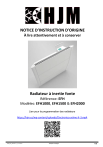
NOTICE D’INSTRUCTION D'ORIGINE
À lire attentivement et à conserver
Radiateur à inertie fonte
Référence: EFH
Modèles: EFH1000, EFH1500 & EFH2000
Lien pour la programmation des radiateurs
https://hjm.es/wp-content/uploads/Electronica-selmo-fr-3.mp4
HJM_EFH_FR Rev.17_15-12-2021
Fabriqué en Espagne
1/32
AVERTISSEMENTS IMPORTANTS
Cher client:
Nous vous remercions de la confiance que vous nous témoignez
en acquérant notre radiateur. Ces appareils sont extrêmement
sûrs, silencieux et faciles à installer. Ils ne requièrent pas
d’entretien spécifique. Ils sont fabriqués en aluminium extrudé,
un matériel de haute durabilité qui préserve l’environnement.
Avant la première mise en service, veuillez lire attentivement le
présent mode d’emploi. Conservez ces instructions pour
d’éventuelles consultations ultérieures.
INSTRUCTIONS GENERALES DE SÉCURITÉ
1. Cet appareil peut être utilisé par des enfants âgés d'au moins
8 ans et par des personnes ayant des capacités physiques,
sensorielles ou mentales réduites ou dénuées d’expérience ou
de connaissance, s'ils (si elles) sont correctement surveillé(e)s
ou si des instructions relatives à l'utilisation de l'appareil en
toute sécurité leur ont été données et si les risques encourus
ont été appréhendés. Les enfants ne doivent pas jouer avec
l’appareil. Le nettoyage et l'entretien par l'usager ne doivent
pas être effectués par des enfants sans surveillance.
2. Il convient de maintenir à distance les enfants de moins de 3
ans, à moins qu'ils ne soient sous une surveillance continue.
3. Les enfants âgés entre 3 ans et 8 ans doivent uniquement
mettre l'appareil en marche ou à l'arrêt, à condition que ce
dernier ait été placé ou installé dans une position normale
prévue et que ces enfants disposent d'une surveillance ou
aient reçu des instructions quant à l'utilisation de l'appareil en
toute sécurité et en comprennent bien les dangers potentiels.
Les enfants âgés entre 3 ans et 8 ans ne doivent ni brancher,
HJM_EFH_FR Rev.17_15-12-2021
Fabriqué en Espagne
2/32
ni régler ni nettoyer l'appareil, et ni réaliser l'entretien de
l'utilisateur.
4. Les éléments de l’emballage ne doivent pas être à la portée
des enfants car il s’agit de sources potentielles de danger.
5. ATTENTION - Certaines parties de ce produit peuvent
devenir très chaudes et provoquer des brûlures. Il faut
prêter une attention particulière en présence d'enfants et de
personnes vulnérables.
6. Si le câble d'alimentation est endommagé, il doit être
remplacé par le fabricant, son service après vente ou des
personnes de qualification similaire afin d'éviter un danger.
7. MISE EN GARDE: Pour éviter une surchauffe, ne pas couvrir
l'appareil de chauffage:
8. L’appareil
de chauffage ne doit pas être placé juste en
dessous d’une prise de courant.
9. En ce qui concerne les informations détaillées sur la méthode
de fixation, référez-vous à la section “INSTALLATION ET
FIXATION AU MUR” ci-après.
10. Attention: Ne pas utiliser cet appareil de chauffage dans
l’environnement immédiat d’une baignoire, d’une douche ou
d’une piscine. Il ne doit pas être possible d’accéder aux
commandes de l’appareil à partir de la baignoire ou de la
douche ou lorsque l’on est en contact avec de l’eau
(Utilisation en volume 0, ou 1 d’une salle de bain strictement
interdit: demander conseil à un électricien qualifié ).
11. L’appareil doit être alimenté par l'intermédiaire d'un dispositif
à courant différentiel résiduel (DDR) ayant un courant
HJM_EFH_FR Rev.17_15-12-2021
Fabriqué en Espagne
3/32
différentiel de fonctionnement assigné ne dépassant pas 30
mA (demander conseil à un électricien qualifié).
12. Un moyen de déconnexion du réseau d’alimentation ayant
une distance d’ouverture des contacts de tous les pôles doit
être prévu dans la canalisation fixe conformément aux règles
d’installation.
13. N’utilisez pas l’appareil dans une pièce où se trouvent des gaz
ou produits inflammables ( colles etc. …).
14. Lisez attentivement ce mode d’emploi avant de mettre
l’appareil en marche pour la première fois. Conservez le mode
d’emploi ainsi que le bon de garantie, votre ticket de caisse et
si possible, le carton avec l’emballage se trouvant à l’intérieur.
15. N’utilisez cet appareil que pour un usage privé et pour les
tâches auxquelles il est destiné. Cet appareil n’est pas prévu
pour une utilisation professionnelle.
En aucun cas, il ne doit être utilisé à l’extérieur, dans des
serres ou pour la reproduction et l'élevage d’animaux !!!.
Protégez-le de la chaleur, des rayons directs du soleil, de
l’humidité (ne le plongez en aucun cas dans l’eau) et des
objets tranchants. N’utilisez pas cet appareil avec des mains
humides. S’il arrive que de l’humidité ou de l’eau atteignent
l’appareil, coupez aussitôt son alimentation. Ne touchez pas
les parties mouillées.
16. Ne pas utiliser des accessoires non recommandés par le
fabricant, cela peut présenter un danger pour l’utilisateur et
risque d’endommager l’appareil.
17. Contrôlez régulièrement l’appareil et le câble. Ne mettez
pas l’appareil en marche s’il est endommagé.
18. Ne réparez pas l’appareil vous-même. Contactez un
technicien qualifié.
19. N’utilisez que les accessoires d’origine.
HJM_EFH_FR Rev.17_15-12-2021
Fabriqué en Espagne
4/32
20. Par mesure de sécurité vis-à-vis des enfants, ne laissez pas les
emballages (sac en plastique, carton, polystyrène) à leur
portée.
21. Avant d'utiliser l'appareil, vérifiez que la tension du réseau
correspond bien à celle notée sur la plaque signalétique de
l'appareil.
22. Respectez les « Instructions de sécurité spécifiques à cet
appareil » données ci-après .
INSTRUCTIONS DE SÉCURITÉ SPÉCIFIQUES À CET APPAREIL
• Pour une plus grande sécurité, cet appareil est muni d’un
dispositif qui en interrompt le fonctionnement en cas de
surchauffe.
• N’utilisez l’appareil qu’en position verticale.
• Ce radiateur est conçu pour être utilisé exclusivement fixé à
un mur. Suivre les instructions de l'alinéa INSTALLATION et en
particulier les consignes concernant le raccordement au
réseau d’alimentation car votre appareil est livré sans fiche
d’alimentation. Assurez-vous toujours que l'appareil est
solidement fixé. Respectez les distances d’installation
indiquées.
• Installez toujours l’appareil de telle manière que des matières
inflammables tels que des rideaux, serviettes… ne puissent
pas rentrer en contact (attention au coup de vent).
• Assurez-vous toujours que les orifices d'entrée et sortie d’air
ne sont pas obstrués.
• N’insérez aucun objet à travers la grille ou à l’intérieur de
l’appareil.
• Ne rien accrocher sur ou devant l’appareil.
• La garantie ne s’appliquera pas si les instructions de la
présente notice n’ont pas été respectées.
HJM_EFH_FR Rev.17_15-12-2021
Fabriqué en Espagne
5/32
• Lors du nettoyage de votre appareil, conformez-vous aux
instructions du paragraphe « ENTRETIEN ET MAINTENANCE »
exclusivement car la pénétration d’eau par les grilles d’air
peut s’avérer néfaste pour votre appareil.
INSTALLATION
• Lors de la première utilisation et pendant quelques minutes,
des odeurs et des bruits peuvent se produire en raison de la
dilatation de certaines pièces internes. Ceci est normal,
prévoyez par conséquent une ventilation suffisante. Les
odeurs ne seront que provisoires et s’estomperont
rapidement.
• Pour une plus haute efficacité, assurez-vous de bien calculer
la puissance ou le nombre d’éléments de l’appareil en
fonction de la superficie de la pièce. Pour la réalisation de ce
calcul, veuillez consulter votre vendeur. Dans tous les cas, un
minimum de 100W de puissance par m² à chauffer doit être
respecté (Pièce correctement isolée, avec un plafond
standard d'environ 2.50m, sans mezzanine et non ouverte sur
une pièce non chauffée).
• Fixez le radiateur à un mur ferme et bien nivelé, dans un
espace sans meubles et en évitant les objets situés à
proximité.
• Évitez d’installer l’appareil dans les coins.
• Il est déconseillé de mettre l’appareil sous les fenêtres car
ceci favorise la perte de chaleur.
• Le radiateur doit être à une distance d’au moins 15 cm par
rapport à tout matériau combustible ( rideaux, meubles,
fauteuils, etc).(Fig.1)
• Une distance minimale de 1 m doit être prévue entre la face
frontale de votre appareil et tout obstacle qui pourrait gêner
son fonctionnement (meuble, mur, rideau, par exemple).
HJM_EFH_FR Rev.17_15-12-2021
Fabriqué en Espagne
6/32
• Une distance minimale de 15 cm doit être prévue entre les
parois latérales de votre appareil et tout obstacle qui pourrait
gêner son fonctionnement (murs par exemple).
• Laissez
Une distance
minimale
de 15 cm
doit être
prévue
les
également
une distance
minimum
de 35
cm auentre
dessus
parois
latéralespar
de rapport
votre appareil
tout obstacle
par
de
l'appareil
à toutetobstacle
et une(murs
distance
exemple)qui
pourrait
gêner
son fonctionnement. Laissez
minimum
15 cm
par rapport
au sol.
également de
une
distance
minimum
de 35 cm au dessus de
si cet
appareil
estetinstallé
dans une
salle de
l'appareil par rapport
à tout
obstacle
une distance
minimum
de
• AVERTISSEMENT:
15 cmilrapport
au sol.
bain,
doit être
installé uniquement dans les volumes 2 ou 3
de la salle de bain, conformément aux exigences de la norme
française d’Installation Électrique à Basse Tension NF C 15100, Partie 7-701. (L’installation en volume 0 ou 1 d’une salle
de bain est strictement interdite). La figure 2 ci-après est
donnée à titre informatif uniquement: nous vous suggérons
de contacter un électricien professionnel pour toute aide.
- Distances Minimales -
Volume 1: Appareils en très basse tension de sécurité
(TBTS).
Volume 2: Appareils électriques Classe II – IP X4
Fig.1
HJM_EFH_FR Rev.17_15-12-2021
Fig.2
Fabriqué en Espagne
7/32
FIXATION AU MUR
Le radiateur est équipé avec 1 support de
suspension du radiateur.
Pour la fixation de l’appareil au mur, utilisez le gabarit fourni
dans le carton. Veuillez suivre les indications ci-dessous:
•
•
•
•
•
Posez le gabarit en carton sur le sol et contre le mur sur
lequel vous allez placer le radiateur.
Marquez sur le mur l’emplacement des trous à percer.
Percez les trous marqués sur le mur et insérez les chevilles
fournies dans le kit de fixation.
Placez le support, puis serrez les vis. Assurez-vous que le
support soit bien fixé au mur.
Coupez votre alimentation générale et procédez au
raccordement
électrique
(voir
le
paragraphe
"RACCORDEMENT ELECTRIQUE" ci-après.
HJM_EFH_FR Rev.17_15-12-2021
Fabriqué en Espagne
8/32
ATTENTION: la boite de raccordement doit avoir, au minimum, le
même degré de protection que le panneau rayonnant (IP24).
•
Accrochez l’appareil au support fixé au mur, et pour finir,
assurez-vous que la pièce de sécurité du support est bien
encliquetée.
RACCORDEMENT ELECTRIQUE
Cet appareil est équipé d’un cordon d’alimentation H05V2V2-F
3x1.0mm².
ATTENTION: Raccordez les conducteurs à un boîtier de
raccordement (Degré IP24 minimum) en respectant les polarités
ci-dessous:
- Phase: Marron
- Neutre: Bleu
- Noir : Fil Pilote 6 ordres pour centrale de commande
déportée.
En connectant le fil pilote à une centrale de commande déportée
de chauffage (non fournie), vous pouvez faire varier la
température et les périodes de chauffage en fonction des ordres
fournis par votre centrale.
Important: Dans les installations où le fil pilote (de couleur
noire) n'est pas utilisé, il doit être isolé.
HJM_EFH_FR Rev.17_15-12-2021
Fabriqué en Espagne
9/32
Attention: Ne jamais brancher le fil pilote noir à la terre.
Veillez toujours au bon état de votre installation électrique et
des fils de raccordement.
Cet appareil ne nécessite pas de raccordement à la terre, car il
possède une double isolation.
Contactez un électricien professionnel pour toute aide.
CARACTERISTIQUES TECHNIQUES
Modèle
Tension Nominale
Fréquence Nominale
Puissance Nominale
Classe de Protection
Degré de Protection IP
Dimensions supports
compris (LxHxP) (mm)
Poids (kg)
HJM_EFH_FR Rev.17_15-12-2021
EFH1000
230 V~
50 Hz
1000 W
II
IP24
EFH1500
230 V~
50 Hz
1500 W
II
IP24
EFH2000
230 V~
50 Hz
2000 W
II
IP24
635x590x145
765x590x145
895x590x145
10,7
14,6
18,2
Fabriqué en Espagne
10/32
THERMOSTAT NUMÉRIQUE PROGRAMMABLE
Ce radiateur est équipé de plusieurs fonctionnalités et modes opératoires que l'utilisateur
peut sélectionner avec la touche «"MODE"» .
Les modes opératoires sont les suivants: Fil Pilote, Confort, Économique, Dégivrage,
Vacances, Chrono, Turbo, Éco et Éteint (Stand-by). Les symboles correspondants sont les
suivants:
•
Mode Fil pilote: Les fonctionnalités du thermostat sont commandées par le
signal reçu à partir de la centrale « Fil Pilote ». SEULEMENT VALABLE EN FRANCE
•
Mode Confort: Le thermostat maintient la température ambiante à la valeur
établie par l'utilisateur.
•
Mode Économique: Le thermostat maintient la température ambiante à un
niveau en-dessous de la valeur de Confort configurée.
•
Mode dégivrage Le thermostat maintient la température ambiante à environ
7°C.
•
Mode vacances: Le radiateur se met sur le mode « Dégivrage » pendant une
durée établie par l'utilisateur.
•
Mode chrono: Le thermostat fonctionne
quotidien / hebdomadaire établi par l'utilisateur.
•
Mode turbo/boost: Le thermostat alimente la résistance de manière
continue pendant une durée que l'utilisateur peut régler (2 heures maximum. À la
fin de cette durée, le dispositif se remet sur le mode opératoire précédent. Pour
des raisons de sécurité, la température ambiante est commandée de manière
automatique afin de ne jamais dépasser 32°C.
•
Mode Économique fixe 17⁰C: L'appareil maintient une température
ambiante de 17°C
•
Mode éteint (Stand-by): Sur ce mode, la résistance électrique n'est pas
alimentée et le fond d'écran est éteint, mais le thermostat reste opérationnel.
HJM_EFH_FR Rev.17_15-12-2021
Fabriqué en Espagne
selon
un
programme
11/32
• Autres fonctionnalités et symboles
Voici d'autres fonctionnalités présentes sur le thermostat:
•
Détection de fenêtres ouvertes: Cette fonctionnalité permet de détecter
l'ouverture d'une fenêtre suite à une diminution soudaine de la température de la
pièce. Dans ce cas, le dispositif interrompt l'alimentation de la résistance pendant
30 minutes maximum ou jusqu'à ce qu'il y ait une augmentation soudaine de la
température de la pièce indiquant que la fenêtre a été fermée.
•
Commande adaptative de la température (ASC): Cette fonctionnalité
anticipe l'heure de mise en fonctionnement du radiateur par rapport à la valeur
programmée (pour le mode Chrono seulement).
•
Sécurité enfants: Cette fonctionnalité permet de diminuer la température
de la surface du radiateur.
•
Indicateur de niveau de puissance: Affichage du niveau de la puissance
consommée instantanée.
•
Verrouillage : Fonctionnalité empêchant un usage accidentel ou inapproprié.
•
Compteur de consommation: Cette fonctionnalité permet de consulter les
consommations effectuées pendant différentes périodes, en kWh.
•
Indicateur de consommation (période de chauffe): Affichage de l'état de la
résistance (alimentée ou non alimentée). C'est à dire des périodes de
consommation ou non consommation (en chauffe ou non).
HJM_EFH_FR Rev.17_15-12-2021
Fabriqué en Espagne
12/32
ÉCRAN
1. ON / OFF (STAND-BY)
Appuyez sur la touche
ON / OFF (Stand-by) pour allumer le radiateur ou pour le mettre
en mode éteint / stand-by.
Si le mode éteint / stand-by est activé, le symbole correspondant
est affiché sur l'écran,
deux signaux sonores de 0,5 secondes sont émis et l'heure est affichée.
À l'allumage de l'appareil, un signal sonore est émis pendant une seconde et le symbole
disparait.
HJM_EFH_FR Rev.17_15-12-2021
Fabriqué en Espagne
13/32
2. PROGRAMMATION DU JOUR ET DE L'HEURE
1.
Réglez le radiateur sur le mode éteint / stand-by. Le symbole
2.
Gardez la touche
sera affiché.
appuyée pendant plus de 3 secondes, jusqu'à ce que les
fonctionnalités soient affichées. En appuyant sur la touche , vous pouvez vous
déplacer parmi les options suivantes : « ted » (heure et date), « prog »
(programmation) et « ofst » (étalonnage de la sonde de température).
3.
Sélectionnez l'option « ted » et confirmez en appuyant sur la touche
4.
Saisissez l'année actuelle (15-99) à l'aide des touches
touche
5.
et
. Appuyez sur la
et
. Appuyez sur la
pour confirmer la sélection.
Saisissez le mois actuel (1-12) à l'aide des touches
touche
.
pour confirmer la sélection.
6.
Saisissez le jour actuel (1-31) à l'aide des touches
et
7.
pour confirmer la sélection.
Saisissez le jour de la semaine (1=Lundi, 2=Mardi, 3=Mercredi, 4=Jeudi,
5=Vendredi, 6=Samedi, 7=Dimanche) à l'aide des touches
. Appuyez sur la touche
et
. Appuyez sur
8.
la touche
pour confirmer la sélection.
Ensuite, l'écran devrait afficher l'heure actuelle avec les numéros clignotants.
9.
L'heure peut être réglée à l'aide des touches
et
. Appuyez sur la touche
pour confirmer la sélection.
Les numéros correspondant aux minutes clignotent sur l'écran. Les minutes
peuvent être réglées à l'aide des touches
pour confirmer la sélection.
et
. Appuyez sur la touche
REMARQUE: à la fin de la programmation, 2 bips sonores se font entendre, l’écran affiche
l’heure et le jour en cours (Ex : 2 pour mardi) qui ont été programmés.
HJM_EFH_FR Rev.17_15-12-2021
Fabriqué en Espagne
14/32
3. FONCTIONNALITÉS PRINCIPALES
3.1- Mode FIL PILOTE : (SEULEMENT VALABLE EN FRANCE). Sur ce mode, le radiateur
est commandé à partir d'une centrale dotée de ce système.
Pour l'activer, suivez les indications suivantes:
1.
Appuyez sur la touche «"Mode"»
de manière répétée jusqu'à ce que le
symbole
soit affiché sur l'écran. À partir de ce moment, le mode opératoire
du radiateur est celui indiqué par la centrale.
REMARQUE: la température prise en compte par la centrale sera celle programmée en
mode CONFORT et/ou en mode ECONOMIQUE. Durant le fonctionnement en mode FIL
PILOTE, la température du mode en cours commandé par la centrale peut être modifiée en
appuyant sur les touches
et .
ATTENTION:
-lorsque le mode FIL PILOTE est abandonné, la ou les températures programmées sont
conservées.
- la température du mode ECONOMIQUE ne peut pas être supérieure à celle du mode
CONFORT. De même la température du mode CONFORT ne peut pas être inférieure à celle
du mode ECONOMIQUE. Si la programmation d'une température est impossible: vérifier la
température programmée dans l'autre mode.
3.2.-Mode CONFORT: C'est le mode opératoire standard du radiateur pour maintenir
la température souhaitée par l'utilisateur.
Pour l'activer, suivez les indications suivantes:
1.
Appuyez sur la touche «"Mode"»
symbole
2.
de manière répétée jusqu'à ce que le
soit affiché sur l'écran.
Sélectionnez la température souhaitée à l'aide des touches
et . La valeur
minimale programmable est égale à la valeur de la température programmée sur
le mode économique plus 0,5°C. La valeur maximale est de 32°C.
HJM_EFH_FR Rev.17_15-12-2021
Fabriqué en Espagne
15/32
3.3.-Mode ÉCONOMIQUE: En sélectionnant ce mode, le radiateur maintient la
température ambiante à celle sélectionnée pour celui-ci.
Pour l'activer, suivez les indications suivantes:
1.
Appuyez sur la touche «"Mode"»
symbole
2.
de manière répétée jusqu'à ce que le
soit affiché sur l'écran.
Sélectionnez la température souhaitée à l'aide des touches
et . La valeur
maximale programmable est égale à la valeur de la température de CONFORT
moins 0,5°C. La valeur minimale est de 7°C.
REMARQUE: Les températures des modes CONFORT et ÉCONOMIQUE sont les valeurs clés
de la programmation. Il n'est pas possible de sélectionner une valeur de température du
mode ÉCONOMIQUE supérieure à la valeur de température du mode CONFORT, car le
thermostat électronique ne le permet pas. Durant le fonctionnement, la température peut
être modifiée en toute simplicité en appuyant sur les touches
et
.
3.4.-MODE DÉGIVRAGE: Lorsque ce mode est sélectionné, la température ambiante
est établie à 7°C. Pour l'activer, appuyez sur la touche «"Mode"»
de manière répétée
jusqu'à ce que le symbole
soit affiché sur l'écran.
REMARQUE: il n'est pas possible, ni de modifier, ni d'afficher à l'écran la température
préétablie de 7°C.
3.5.-MODE VACANCES : En sélectionnant ce mode, le radiateur se met sur le mode
DÉGIVRAGE (Hors Gel) pendant une durée établie par l'utilisateur.
Pour l'activer, suivez les indications suivantes :
1.
Appuyez sur la touche «"Mode"»
symbole
2.
de manière répétée jusqu'à ce que le
soit affiché sur l'écran.
Les touches
et
permettent de sélectionner la durée de la période de
vacances, de 12 heures à 40 jours, avec une incrémentation d'une heure entre 12
et 24 heures et une incrémentation d'un jour à partir de 24 heures.
HJM_EFH_FR Rev.17_15-12-2021
Fabriqué en Espagne
16/32
3.6.-MODE CHRONO : Pour activer le Mode Chrono, sélectionnez d’abord les
températures Confort et Économique que vous souhaitez. Ensuite, suivez les indications
suivantes :
1.
Appuyez sur la touche « Mode »
symbole
2.
de manière répétée jusqu'à ce que le
soit affiché sur l'écran.
Appuyez sur la touche CHRONO
pour sélectionner l'un des programmes
préétablis d'usine (P1
et P2
) ou le programme paramétrable par
l'utilisateur (P3
).
Pour la programmation paramétrable P3, voir le chapitre « 5. PROGRAMMATION » du
manuel.
Les programmes P1 et P2 préétablis sont les suivants :
REMARQUE: la température prise en compte sera celle programmée en mode CONFORT
et/ou en mode ECONOMIQUE. Durant le fonctionnement d'un programme, seule la
température du mode en cours peut être modifiée en appuyant sur les touches
et .
ATTENTION: la température du mode ECONOMIQUE ne peut pas être supérieure à celle du
mode CONFORT. De même la température du mode CONFORT ne peut pas être inférieure
à celle du mode ECONOMIQUE. Si la programmation d'une température est impossible:
vérifier la température programmée dans l'autre mode.
HJM_EFH_FR Rev.17_15-12-2021
Fabriqué en Espagne
17/32
3.7.-MODE TURBO/BOOST : Ce mode peut être utilisé pour réchauffer une pièce
plus rapidement.
Pour l'activer, suivez les indications suivantes :
1.
Appuyez sur la touche « Mode »
symbole
de manière répétée jusqu'à ce que le
soit affiché sur l'écran.
2. En appuyant sur les touches
et , on peut sélectionner la durée de la période
TURBO/BOOST de 5 à 120 minutes. Quand cette fonctionnalité est activée, le
radiateur fonctionne à la puissance maximale, en faisant attention de ne jamais
dépasser une température de 32°C. Une fois le temps programmé écoulé (l'écran
affiche un compte à rebours), le radiateur se remet sur le mode précédent.
3.8.-MODE ÉCONOMIQUE 17⁰C: En activant ce mode, le radiateur fonctionne à une
température préétablie de 17°C qui ne peut pas être modifiée. Cette fonctionnalité permet
de réduire la consommation, par exemple, si la chambre ou la maison reste vide pour une
durée indéterminée.
Pour sélectionner ce mode, appuyez sur la touche « Mode »
jusqu'à ce que le symbole
de manière répétée
soit affiché sur l'écran.
4. AUTRES FONCTIONNALITÉS ET SYMBOLES
DÉTECTION DE FENÊTRES OUVERTES : Le radiateur est capable de détecter si une
fenêtre est ouverte suite à une diminution soudaine de la température (5 °C ou plus, en
moins de de 30 minutes). Dans ce cas, l'appareil est mis en veille pendant 30 minutes puis il
se remet en fonctionnement sur le mode en cours lors de la mise en veille, s'il détecte une
augmentation de température de 1 degré de manière continue (par exemple, si la fenêtre
a été refermée). Dans le cas contraire, l'appareil restera déconnecté pendant une durée de
30 minutes supplémentaires.
Lorsque la détection de fenêtres ouvertes est activée, le symbole correspondant
clignote sur l'écran (excepté sur le mode éteint / stand-by). Une fois désactivée, le symbole
disparait.
Pour activer cette fonctionnalité, veuillez consulter le chapitre « 4. PROGRAMMATION ».
HJM_EFH_FR Rev.17_15-12-2021
Fabriqué en Espagne
18/32
PROTECTION ENFANTS : Lorsque cette fonctionnalité est activée, la température de la
face avant du radiateur diminue pour assurer la sécurité en présence d'enfants. De plus,
cette fonctionnalité permet l'utilisation du radiateur dans des pièces plus petites que celle
dans laquelle il est installé sans impliquer de grands changements dans la température
ambiante.
Lorsque cette fonctionnalité est activée, le niveau de puissance du radiateur est établi par
l'utilisateur (40 % - 50 % - 60 %).
Pour activer cette fonctionnalité, veuillez consulter le chapitre « 4. PROGRAMMATION ».
ASC (COMMANDE ADAPTATIVE DE LA TEMPÉRATURE) : Lorsque cette fonctionnalité
est activée, l'appareil est mis en chauffe avant l'heure établie dans la programmation
(maximum 2 heures avant) pour que la pièce atteigne la température programmée à
l'heure établie.
Lorsque cette fonctionnalité est activée, le symbole correspondant
est affiché sur
l'écran (excepté sur le mode éteint / stand-by).
Pour activer cette fonctionnalité, veuillez consulter le chapitre « 4. PROGRAMMATION ».
INDICATEUR DE NIVEAU DE PUISSANCE : Il est affiché à gauche de l'écran et il dépend
du niveau de température programmée. Plus la température programmée est élevée, plus
le symbole aura de barres. C'est un affichage de la consommation instantanée, car plus la
température programmée est élevée, plus la consommation d'énergie augmente.
FONCTIONNALITÉ VERROUILLAGE : Le radiateur peut être verrouillé pour
éviter toute utilisation inappropriée en présence d'enfants ou dans les espaces
publics, par exemple.
Pour verrouiller / déverrouiller les touches, appuyez sur la touche « Mode »
et
gardez-la appuyée pendant 8 secondes environ, jusqu'à ce que le symbole
soit
affiché (verrouillé) ou disparaisse (déverrouillé). Un signal sonore est alors émis.
Une fois que le radiateur est verrouillé et allumé, toutes les touches sont
désactivées à l’exception de la touche marche-arrêt du radiateur. Vous pouvez
l’éteindre en appuyant sur la touche marche-arrêt .
Pour remettre en marche le radiateur, vous devez d'abord le déverrouiller en
suivant les indications ci-dessus.
HJM_EFH_FR Rev.17_15-12-2021
Fabriqué en Espagne
19/32
FONCTIONNALITÉ COMPTEUR DE CONSOMMATION : Cette fonctionnalité permet
de lire la consommation du radiateur, exprimée en kWh. Pour ce faire, il faut avoir
préalablement réglé la puissance du radiateur, en suivant les indications ci-après :
1.
Disjoncter l'appareil du réseau électrique.
2.
Appuyez sur les touches
et
de manière simultanée.
3. Réalimenter l'appareil en gardant appuyées les touches
et
pendant 5
secondes au moins jusqu'à ce que la fonction de réglage de puissance soit
affichée, comme sur le dessin :
4.
Utilisez les touches
Watts.
et
pour sélectionner la puissance de votre radiateur en
5.
Confirmez la sélection en appuyant sur la touche
.
Cette opération doit seulement être réalisée la première fois et les données seront
enregistrées ; il n'est pas nécessaire de répéter cette opération chaque fois que vous
souhaitez consulter la consommation.
À présent, vous pourrez lire la consommation pour différentes périodes de la même
manière :
1.
Réglez le radiateur sur le mode éteint / stand-by.
2.
Appuyez sur la touche
pendant plus de 3 secondes, jusqu'à ce que l'écran
affiche les données de consommation.
3.
En appuyant sur les touches
et , vous pouvez vous déplacer dans le menu
de consommation.
Les symboles apparaitront progressivement à droite de l'écran. Chaque symbole
affiche les kWh consommés durant la période correspondante, selon le détail
suivant :
4.
HJM_EFH_FR Rev.17_15-12-2021
Fabriqué en Espagne
20/32
= jour actuel
= jour précédent
= semaine actuelle
= semaine précédente
= mois actuel
= mois précédent
= année actuelle
+
= année précédente
+
= total
+
= indicateur de la puissance du radiateur
REMARQUE: sans action sur l'une des touches pendant quelques secondes, l'appareil
revient automatiquement à l'état de veille. Il est possible également de remettre l'appareil
en veille à tout moment en appuyant sur la touche
.
INDICATEUR DE CHAUFFE ET DE CONSOMMATION : Lorsque la température de la
pièce descend en-dessous de la température configurée, le thermostat du radiateur
alimente la résistance et le symbole
s'allume sur l'écran, ce qui indique qu'il
consomme de l'énergie car la résistance est en chauffe. Dès que la pièce atteint la
température sélectionnée, le thermostat interrompt l'alimentation de la résistance et le
symbole
n'est plus affiché sur l'écran, il ne consomme donc plus d'énergie.
NOTE IMPORTANTE : Si « ALL » est affiché sur l'écran, cela indique que la sonde de
température est cassée ou endommagée et le radiateur n'est pas opérationnel. Veuillez
contacter notre service technique.
5. PROGRAMMATION
PARAMÉTRAGE DU PROGRAMME P3
ATTENTION : Pour un fonctionnement correct de la programmation, il est indispensable de
configurer préalablement la température souhaitée pendant les heures en mode
« confort » (voir 3.2.), et la température souhaitée pendant les heures en mode
« économique » (voir 3.3.).
Autrement, il est probable que vous n’arriviez pas à atteindre un résultat satisfaisant.
HJM_EFH_FR Rev.17_15-12-2021
Fabriqué en Espagne
21/32
Vous pouvez configurer votre propre programme opératoire (P3) pour chaque jour de la
semaine en suivant les indications ci-après :
1.
Réglez le radiateur sur le mode éteint / stand-by. Le symbole
2.
Gardez la touche
sera affiché.
appuyée pendant plus de 3 secondes. En appuyant sur la
touche , vous pouvez afficher les options suivantes : « ted » (heure et date),
« prog » (programmation) et « ofst » (étalonnage de la sonde de température).
3.
4.
Sélectionnez l'option « Prog » et confirmez en appuyant sur la touche
.
La programmation commencera le premier jour de la semaine (1=Lundi), à 0h. La
journée est divisée en plages horaires d'une heure chacune.
5.
En appuyant sur la touche , on sélectionne le mode CONFORT pour cette plage
horaire (la plage horaire entière sera affichée en surbrillance = 2 barres
superposées). En appuyant sur la touche , on sélectionne le mode
ÉCONOMIQUE pour cette plage horaire (la moitié de la plage horaire sera affichée
en surbrillance = 1 barre). Et ainsi de suite jusqu'à compléter les 24 heures de la
6.
journée 1 (Lundi). Confirmez la programmation en appuyant sur la touche
.
Le système passera automatiquement à la programmation du jour 2=Mardi, et la
programmation établie pour le lundi sera préprogrammée. Si vous souhaitez la
maintenir, appuyez directement sur la touche
pour confirmer et passer au
jour suivant (3). Dans le cas contraire, vous pouvez modifier la programmation à
7.
votre gré à l'aide des touches
et
.
Suivez les mêmes instructions pour chaque jour de la semaine jusqu'au
7=Dimanche.
REMARQUE: sans action sur l'une des touches pendant quelques secondes, l'appareil
revient automatiquement à l'état de veille. La programmation effectuée au préalable
est automatiquement enregistrée.
HJM_EFH_FR Rev.17_15-12-2021
Fabriqué en Espagne
22/32
ÉTALONNAGE DE LA SONDE DE TEMPÉRATURE
Si le radiateur n'est pas installé à un endroit optimal pour assurer la bonne détection de la
température ambiante (par exemple, s'il est posé sur un mur froid ou en présence de
courants d'air…) la température ambiante mesurée pourrait ne pas correspondre à la
température réelle. Pour assurer la plus haute efficacité, il est conseillé d'éliminer cette
différence de température.
Pour ce faire, suivez les indications suivantes :
1.
Réglez le radiateur sur le mode éteint / stand-by. Le symbole
2.
Gardez la touche
sera affiché.
appuyée pendant plus de 3 secondes. En appuyant sur la
touche , vous pouvez afficher les options suivantes : « ted » (heure et date),
« prog » (programmation) et « ofst » (étalonnage de la sonde de température).
3.
Sélectionnez l'option « ofst » et confirmez en appuyant sur la touche
.
4.
En appuyant sur les touches
et
, affichez la différence entre la température
ambiante (mesurée à l'aide d'un thermomètre) et celle détectée par le radiateur
(température visible sur l’écran lorsque le radiateur est en marche). Cette
différence peut être réglée entre -5 °C et +5 °C par pas de 0.5°C.
5.
Appuyez sur la touche
pour confirmer la sélection.
ACTIVATION DES AUTRES FONCTIONNALITÉS
DÉTECTION DE FENÊTRES OUVERTES
1.
Réglez le radiateur sur le mode éteint / stand-by. Le symbole
2.
Gardez la touche
sera affiché.
appuyée pendant plus de trois secondes, jusqu'à ce que
l'écran affiche le symbole
.
3.
Appuyez à nouveau sur la touche
pour activer ou désactiver la fonctionnalité
Fenêtres ouvertes (ON=activer ; OFF=désactiver).
4.
Appuyez sur la touche
suivante :
HJM_EFH_FR Rev.17_15-12-2021
pour confirmer la sélection et passer à la fonctionnalité
Fabriqué en Espagne
23/32
ASC (COMMANDE ADAPTATIVE DE LA TEMPÉRATURE)
1.
A partir de l’étape 4 ci-avant, appuyez sur la touche
la fonctionnalité ASC (ON=activer ; OFF=désactiver).
2.
Appuyez sur la touche
suivante :
pour activer ou désactiver
pour confirmer la sélection et passer à la fonctionnalité
REMARQUE: le symbole ASC sera visible en mode CHRONO uniquement.
PROTECTION ENFANTS
1.
A partir de l’étape 2 ci-avant, appuyez sur la touche
pour activer ou désactiver
la fonctionnalité Protection enfants (ON=activer ; OFF=désactiver).
2.
Appuyez sur la touche
pour confirmer la sélection. Si vous avez sélectionné
OFF (désactiver), le radiateur se mettra automatiquement sur le mode
éteint / stand-by. Par contre, si vous avez sélectionné ON (activer), vous pourrez
programmer le taux de puissance souhaité parmi les valeurs suivantes : 40 % /
50 % / 60 %. Avec la touche
3.
, sélectionnez l'option de votre choix.
Confirmez le taux souhaité en appuyant sur la touche
. Tous les changements
effectués dans les fonctionnalités précédentes resteront ainsi enregistrés et le
radiateur se remettra sur le mode éteint / stand-by .
HJM_EFH_FR Rev.17_15-12-2021
Fabriqué en Espagne
24/32
QUESTIONS ET REPONSES
QUESTIONS
RADIATEUR
CAUSE ÉVENTUELLE
L’équipement ne s’allume
pas
L’écran du radiateur ne
s’allume pas.
L’écran de l’équipement
montre le texte « ALL »
L’écran affiche le
message "ALL"
Le radiateur est froid.
Le radiateur semble
fonctionner correctement
mais n’atteint pas la
température configurée
Le radiateur est chaud
pendant les heures où il
est configuré en mode
économique
La température mesurée
par le radiateur ne se
correspond pas avec la
température ambiante
HJM_EFH_FR Rev.17_15-12-2021
Vérifier
l’approvisionnement en
énergie.
Faille dans la sonde de
température ambiante
Éventuelle défaillance de la
Température de confort
résistance électrique ou du
configurée supérieure à la
programmateur
température ambiante.
électronique
Température de confort
configurée inférieure à la
température ambiante.
Mal configuré.
FONCTIONNE
CORRECTEMENT
La puissance du radiateur
n’est pas suffisante par
rapport aux dimensions du
séjour.
Le radiateur peut être en
train de recevoir un courant
d’air et altère la mesure de
la sonde.
La fonction
« protection enfants »
est activée. Le
L’écran affiche le symbole
radiateur fonctionne à
une puissance
inférieure à la
puissance nominale
La température configurée
en mode économique est
très élevée. Le radiateur
FONCTIONNE
mesure continuellement la
CORRECTEMENT
température ambiante et
détecte qu’elle est
inférieure à celle qui a été
configurée.
FONCTIONNE
CORRECTEMENT
FONCTIONNE
CORRECTEMENT
Mauvais calibrage de la
sonde
Fabriqué en Espagne
RESPONSES
Si l’approvisionnement
électrique est correct,
contacter un service
technique officiel
Contacter un service
technique officiel
Contacter un service
technique officiel
Vous devez élever la
température de confort
au-dessus de la
température ambiante
Remplacer le radiateur
par un autre ayant une
puissance supérieure ou
ajouter un autre
radiateur au séjour,
jusqu’à atteindre une
puissance installée de
100-120 W/m2
Changer la position du
radiateur
Désactivez la fonction
« protection enfants »
suivant les indications
du manuel.
Si la température
ambiante est inférieure à
la température
configurée, il commence
à chauffer.
Vous devez baisser la
température configurée
en mode économique.
Calibrer la mesure de la
sonde selon les
indications
25/32
Déclaration UE de Conformité
Produit:
Radiateur à inertie fonte
Marque Commerciale:
EFH1000 (230V 50Hz; 1000W; IP24; Classe II)
EFH1500 (230V 50Hz; 1500W; IP24; Classe II)
EFH2000 (230V 50Hz; 2000W; IP24; Classe II)
Lot et Nº de Série:
Mx - YYDDD-XXX (1)
(1) Explication du code "Lot et Nº de Série": Mx - YYDDD - XXX
Modèles:
Lot = Mx - YYDDD; oú: Mx = Ligne d'assemblage (M1,..., M4); YY = Année de fabrication (16, 17, ..., 99) et
DDD = Jour corrélative de fabrication (001,..., 365).
Nº de Série = XXX (001,..., 999).
Nous:
HERMANOS JULIÁN M., S.L.
Bureau Central: Esposos Curie,44 / Usine: Gutenberg,91-93
Polígono Industrial “Los Villares” . 37184 Villares de la Reina . Salamanca . España
Tf.+34 923 222 277 +34 923 222 282 . Fax +34 923 223 397
www.hjm.es
Déclarons par la présente que l'équipement suivant répond à toutes les exigences essentielles de santé et de
sécurité des Directives Européennes.
2014/30/UE EMC DIRECTIVE 2014/35/UE LV DIRECTIVE
2011/65/UE RoHS DIRECTIVE 2009/125/CE (ErP Directive)
Y en aplicación de las siguientes normas / En application des normes suivantes / With reference to the application
of the followinf standards: / Em aplicação das seguintes normas:
2014/30/UE EMC DIRECTIVE
2014/35/UE LVD DIRECTIVE
2011/65/UE RoHS DIRECTIVE
2009/125/CE ErP DIRECTIVE
HJM_EFH_FR Rev.17_15-12-2021
EN 55014-1:2006 +A1:2009 +A2:2011
EN 61000-3-2:2014
EN 61000-3-3:2013
EN 55014-2:1997 +AC: 1997 +A1:2001 +A2:2008
EN 61000-4-2:2009
EN 61000-4-3:2006 +A1:2008 +A2:2010
EN 61000-4-4:2012
EN 61000-4-5:2006
EN 61000-4-6:2013
EN 61000-4-11:2004
EN 60335-2-30:2009 + CORR:2010 +A11:2012
EN 60335-1:2012 +AC:2014 +A11:2014
EN 62233:2008 +CORR:2008
EN 62321-1:2013
UE 2015/1188
Fabriqué en Espagne
26/32
Exigences en matière d'informations sur les produits
en ce qui concerne les exigences d'écoconception:
Modèle: EFH
Caractéristique
Symbole
Valeur
Unité
Puissance
thermique
maximale
continue
Pnom
Pmax,c
2
2
kW
contrôle de la puissance
thermique à un palier, pas
de
contrôle
de
la
température de la pièce
non
KW
contrôle
à
deux
ou
plusieurs paliers manuels,
pas de contrôle de la
température de la pièce
non
contrôle de la température
de la pièce avec thermostat
mécanique
non
KW
contrôle électronique de la
température de la pièce
non
KW
contrôle électronique de la
température de la pièce et
programmateur journalier
non
contrôle électronique de la
température de la pièce et
programmateur
hebdomadaire
oui
Consommation
d'électricité
auxiliaire
À la puissance
thermique
nominale
En mode veille
HJM_EFH_FR Rev.17_15-12-2021
elmax
elSB
2
0.0005
Unité
Type de contrôle de la puissance
thermique/de la température de la
pièce (sélectionner un seul type)
PUISSANCE THERMIQUE
2000
Puissance
thermique
nominale
Caractéristique
Fabriqué en Espagne
27/32
Autres options de
(sélectionner une ou
options)
PUISSANCE THERMIQUE
1500
Puissance
thermique
nominale
Puissance
thermique
maximale
continue
Pnom
Pmax,c
1,5
1,5
contrôle
plusieurs
kW
contrôle de la température
de la pièce, avec détecteur
de présence
non
KW
contrôle de la température
de la pièce, avec détecteur
de fenêtre ouverte
oui
option contrôle à distance
non
oui
Consommation
d'électricité
auxiliaire
À la puissance
thermique
nominale
elmax
1,5
KW
contrôle
adaptatif
l'activation
En mode veille
elSB
0.0005
KW
limitation de
d'activation
la
capteur à globe noir
de
durée
oui
non
PUISSANCE THERMIQUE
1000
Puissance
thermique
nominale
Puissance
thermique
maximale
HJM_EFH_FR Rev.17_15-12-2021
Pnom
1
kW
Pmax,c
1
KW
Fabriqué en Espagne
28/32
continue
Consommation
d'électricité
auxiliaire
À la puissance
thermique
nominale
elmax
1
KW
En mode veille
elSB
0.0005
KW
Coordonnées de
contact
HERMANOS JULIAN M., S.L.
Usine: Gutenberg,91-93 Polígono Industrial “Los Villares”
ES-37184 Villares de la Reina. Salamanca. Espagne
+34 923 222 277 - +34 923 222 282
Fax: +34 923 223 397
Web: www.calorhjm.es
ESB-37295664
L'efficacité énergétique saisonnière pour le chauffage des locaux de dispositifs de
chauffage décentralisés:
S = S,on - 10% + F(1) + F(2) + F(3) - F(4) - F(5)
= 40 -10%+0+7+2-0-0 = 39%
HJM_EFH_FR Rev.17_15-12-2021
Fabriqué en Espagne
29/32
SÉCURITÉ THERMIQUE
En cas de surchauffe, un dispositif de sécurité coupe
automatiquement le fonctionnement de l’appareil puis le remet
en marche après refroidissement.
ENTRETIEN ET MAINTENANCE.
L'appareil de chauffage exige un entretien régulier pour s’assurer
de son bon fonctionnement:
Déconnectez toujours l'appareil du réseau avant toute opération
de nettoyage et de maintenance (La déconnection doit se faire
par le disjoncteur se trouvant sur le tableau d’alimentation
principal).
Laissez refroidir avant de le nettoyer.
Pour éviter tout risque de décharge électrique, nettoyez votre
appareil avec un chiffon doux et humide pour essuyer l'extérieur
du chauffage et enlever la poussière et la saleté.
Ne pas utiliser de détergent, de solvant, de produit abrasif ou
tout autre produit chimique pour nettoyer l’appareil.
Ne jamais immerger l’appareil dans l’eau ou tout autre liquide
Vous pouvez utiliser un aspirateur ou une brosse souple pour
nettoyer les grilles d’air. Cet entretien est à effectuer
régulièrement pour garantir un fonctionnement convenable de
votre appareil.
S’assurer que l'appareil de chauffage est sec avant de
réenclencher le disjoncteur.
HJM_EFH_FR Rev.17_15-12-2021
Fabriqué en Espagne
30/32
RECYCLAGE (élimination du produit à la fin de sa vie)
Basé sur la DirectiveEuropéenne2012/19/UE relative aux déchets
d'équipements électriques et électroniques (DEEE), les vieux appareils,
ils ne peuvent pas être jetés à déchets municipaux non triés normale;
doivent être collectés séparé ment a fin d'optimiser la récupération et le
recyclage des composants et des matériaux qui les composent et réduire
l'impact sur la santé humaine et l'environnement.
Le symbole de la poubelle barrée d'une croix est apposé sur tous les
produits électriques et électroniques, de rappeler le consommateur,
l'obligation de les séparer pour la collecte.
Les consommateurs devront contacter les autorités locales ou votre revendeur pour obtenir des
informations concernant l'enlèvement de leur vieil appareil.
HJM_EFH_FR Rev.17_15-12-2021
Fabriqué en Espagne
31/32
Lien pour la programmation des radiateurs
https://hjm.es/wp-content/uploads/Electronica-selmo-fr-3.mp4
Fabriqué par
HERMANOS JULIAN M., S.L.
Bureau Central: Gutenberg,91-93
Usine: Gutenberg,91-93
Polígono Industrial “Los Villares”
ES-37184 Villares de la Reina . Salamanca . Spain
+34 923 222 277 - +34 923 222 282
Fax: +34 923 223 397
Web: www.hjm.es
VAT: ESB-37295664
HJM_EFH_FR Rev.17_15-12-2021
Fabriqué en Espagne
32/32
">