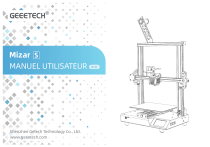
Mizar S
MANUEL UTILISATEUR
Shenzhen Getech Technology Co., Ltd.
www.geeetech.com
V1.0
CONDITIONS
Veuillez prendre connaissances des conditions suivantes (ci-nommées « les Conditions ») concernant ce Manuel utilisateur (ci-nommé « ce Manuel ») :
Toutes les informations contenues dans ce manuel sont susceptibles d’être modifiées à tout moment sans préavis et sont fournies à des fins de
commodité uniquement. GEEETECH se réserve le droit de modifier ou de réviser ce Manuel à sa seule discrétion et à tout moment. Vous acceptez de
vous tenir informé de toute modification et/ou révision de ce Manuel. Contactez l’équipe d’assistance GEEETECH pour obtenir des informations à jour.
AVERTISSEMENTS
Ni GEEETECH ni aucune de nos sociétés affiliées ne garantit l’exactitude ou l’exhaustivité des informations, produits ou services fournis au travers ou par le
biais de ce manuel, qui sont fournis « telles quelles » et sans aucune garantie expresse ou implicite d’aucune sorte, y compris les garanties de capacité du
commerçant, d’adéquation à un usage particulier ou de non-violation de la propriété intellectuelle. Dans toutes les mesures permises par la loi applicable,
nous déclinons par la présente toute responsabilité pour le défaut ou la défaillance du produit ou pour les réclamations qui sont dues à l’usure normale, à
un usage impropre ou excessif du produit, à la modification du produit, à une sélection incorrecte de produit (filament, buse…), au non-respect des codes
ou à un détournement. Dans toutes les mesures autorisées par la loi applicable, nous déclinons par la présente toute responsabilité, risque, obligation et
dommages résultant d’un décès ou d’une blessure corporelle résultant de l’assemblage ou du fonctionnement de nos produits. GEEETECH n’endossera
aucune responsabilité pour tout dommage, virus ou logiciel malveillant pouvant infecter votre ordinateur, votre équipement de télécommunication ou tout
autre matériel, causé par ou découlant de téléchargement de toute information ou matériel lié aux produits GEEETECH.
CONTACTEZ-NOUS
E-mail après-vente
Rita technical <[email protected]>
Support technique
https://www.geeetech.com/contactus.html
Support technique
CONTENU
1. Information avant utilisation
1
11. Démarrer l’impression
19
2. Contenu du colis
2
12. Réglage des paramètres après le début de l’impression
20
3. Inspection de la structure de la machine
3
13. Suspendre l’impression
21
4. Vérification l’alimentation
4
14. Pause-Reprise
21
5. Composants de la machine
5
15. Détecteur de filament
21
6. Assemblez la machine
6
16. Logiciel de découpageLogiciel de découpage
22
7. Connectez les câbles
8
17. Online impression
22
8. Écran tactile UI Introduction
9
18. Suggestions d’entretien quotidien et d’utilisation
23
9. Nivellement du «hotbed»
14
19. Foire aux questions (FAQ)
24
10. Filament de chargement
18
20. Schéma de câblage et paramètres de la machine
26
1 INFORMATION AVANT UTILISATION
Après le déballage, veuillez vérifier si les accessoires sont complets. S’il manque des accessoires, veuillez contacter le service
clientèle pour un envoi complémentaire.
Veuillez lire attentivement ce document pour vous assurer que vous comprenez chaque étape d’installation, ce qui améliorera
l’efficacité de votre assemblage et réduira les erreurs.
Veuillez placer l’imprimante dans un environnement spacieux, plat et ventilé. Si vous n’utilisez pas la machine pendant une
longue période, veuillez faire attention à la protection imperméable et à l’humidité de l’imprimante.
Ne touchez aucune pièce mobile lorsque l’imprimante est en marche afin d’éviter tout risque de blessures.
Ne touchez pas la buse et le «hotbed» lorsque l’imprimante fonctionne, afin de ne pas causer de brûlures.
Lorsque vous utilisez l’écran tactile dans le processus d’impression, veuillez faire attention au mouvement du «hotbed» pour
éviter que le «hotbed» ne frappe vos doigts.
Veuillez utiliser l’imprimante dans un environnement entre 10 à 40 ° C, sinon l’impression sera affectée.
Il peut y avoir de légères différences entre le produit réel et ce document, ce qui n’affectera pas votre utilisation, veuillez-vous
référer au produit réel.
L’Imprimante Mizar S n’est pas nivelé à l’usine. Veuillez niveler le «hotbed» avant d’utiliser Mizar S, sinon Mizar S ne pourra pas
imprimer. Veuillez-vous référer aux chapitres pour le nivellement du «hotbed» dans ce manuel.
1
2 CONTENU DU COLIS
Câble USB*1
Cordon
*1
d’alimentation
*1 Tube *1 Attaches *1
Pelle en téflon con zippées Support de filament*1
Trousse à outil
Manuel utilisateur*1
Buse de rechange*2
Micro SD*1
Carte de service*1
Sac à vis
Kit de «hotbed»*1
Kit de portique
Tendeur de courroie*2
Interrupteur de fin
de course de l’axe Y*1
Filament d’essai
2
3 INSPECTION DE L’ENSEMBLE DE LA STRUCTURE DE LA MACHINE
Après déballage veuillez procéder à une inspection de l’imprimante Mizar S. Vérifiez d’abord si les accessoires sont manquants, puis vérifiez
si l’hotend et le «hotbed» sont desserrés (le hotend et le hotbed peuvent être se desserrés pendant le transport), et enfin vérifiez si la tension
d’alimentation est correcte. Les méthodes spécifiques sont les suivantes:
1
2
Vérification du hotend.
Vérifiez le «hotbed».
Déplacez le «hotbed» à la main pour vérifier s’il fonctionne correctement
sur l’axe Y. S’il s’avère être lâche ou coincé, veuillez utiliser la clé dans la
boîte à outils pour ajuster les 2 écrous excentriques sous le «hotbed». Il
est recommandé de déplacer le «hotbed» pendant le réglage pour éviter
que le «hotbed» ne soit trop lâche ou trop serré sur l’axe Y.
Déplacez le hotend à la main pour vérifier s’il fonctionne correctement sur
l’axe X. S’il s’avère qu’il est lâche ou coincé, utilisez la clé dans la trousse à
outils pour ajuster l’écrou excentrique derrière le hotend. Il est recommandé
de déplacer le «hotend» pendant le réglage pour éviter que la hotend ne soit
trop lâche ou trop serrée sur l’axe des X.
3
3
Vérifiez la courroie de l’axe X&Y.
Tirez la courroie de l’axe X&Y à la main pour vérifier si la tension est appropriée. S’il est trop lâche ou trop serré, veuillez utiliser le tendeur de courroie du
côté X & Y pour l’ajuster (Lorsque Mizar S quitte l’usine, les tendeurs de courroie utilisent des vis ordinaires. Si nécessaire, vous pouvez les remplacer par
les vis moletées dans les accessoires qui peuvent être ajustés manuellement).
4 VÉRIFIER L'ALIMENTATION
L’alimentation MIZAR S a deux câbles d’alimentation 230V et 115V. Veuillez sélectionner le câble d’alimentation en fonction du pays ou de la région où vous
vous trouvez et assurez-vous que l’alimentation soit dans la bonne position. Sinon, l’alimentation sera endommagée. Une fois vérifié l’imprimante peut être
mise sous tension.
115
4
5 COMPOSANTS DE LA MACHINE
Support de filament
Extrudeuse
Détecteur de filament
Hotend
Tendeur de
courroie à axe X
«hotbed»
Interrupteur
d’alimentation
Écran tactile
USB
TF
Tendeur de courroie
à axe Y
Alimentation 115V/230V
5
Interrupteur de fin de
course de l’axe Y
6 ASSEMBLAGE DE LA MACHINE
1
Récupérez le kit de «hotbed» et le kit de portique, placez-les sur un établi
plat.
2
Prenez les vis M5 * 35 dans le kit d’outils, assemblez le kit de portique et le
kit de «hotbed» selon l’image ci-dessous. Au total, 4 vis M5 * 35 sont
nécessaires.
3 Récupérez le kit d’interrupteur de fin de course de l’axe Y et les vis
M3 * 16, assemblez l’interrupteur de fin de course de l’axe Y enfonction
de l’image ci-dessous. Au total, 2 vis M3 * 16 sont nécessaires.
4 Trouvez le kit de support de filament et assemblez le.
M5*35
M5*35
6
STEP 1
STEP 2
5
Prenez la vis M3 * 6 et l’écrou en T, fixez le support de filament au sommet
du portique comme le montre l’image ci-dessous.
SCREWS M3*6
STEP 3
T-NUT
6
STEP 1
STEP 2
7
Insérez l’autre extrémité du tube en téflon à le «hotend» dans l’extrudeuse.
7 CONNECTION DES CÂBLES
Chaque câble de l’imprimante est étiqueté. Veuillez connecter les câbles correctement selon l’image suivante.
FD1
X_ES
X_M
E1_M
Z1_ES
Z2_ES
Z1_M
Z2_M
Y_ES
DEVANT
DERRIERE
8
8 PRÉSENTATION DE L’INTERFACE UTILISATEUR DE L’ÉCRAN TACTILE
Toutes les icônes grises de l’interface utilisateur indiquent que l’opération n’est pas disponible ou que la fonction correspondante n’est pas disponible.
2 Tool menu.
1 Main page.
Tool
2.1 Preheat.
Tools: principalement pour définir les paramètres d’impression.
Setting: principalement pour régler l’interrupteur buzzer, la langue, le
détecteur de filament, l’éclairage LED et d’autres fonctions.
­
Printing: pour choisir les fichiers G-code et commencez l’impression.
Preheat
9
PLA
ABS
PLA: Appuyez pour préchauffer le filament PLA. Veuillez noter que même si
vous quittez cette page après le démarrage du préchauffage, l’imprimante
sera toujours dans l’état de préchauffage. Si vous souhaitez désactiver le
préchauffage, veuillez entrer à nouveau dans la page et cliquer sur l’icône «
Cool » pour mettre fin au préchauffage.
ABS: Sélectionnez pour préchauffer le filament ABS. Veuillez noter que
même si vous quittez cette page après le préchauffage, l’imprimante sera
toujours en état de préchauffage. Si vous souhaitez désactiver le
préchauffage, veuillez entrer à nouveau dans la page et cliquer sur l’icône «
Cool » pour mettre fin au préchauffage.
Cool: désactive le préchauffage actuel.
Custom: Température de préchauffage personnalisée.
Diminuer la température.
Appuyez sur cette icône pour basculer entre le «hotbed»
et la buse.
Valeur de la température pour chaque clic sur l’icône
de réglage de la température.
Désactivez le préchauffage actuel.
2.2 Change Filament.
Custom
­
Change
Filament
Augmentez la température.
10
2.4 Home.
Load: pour charger le filament.
Il n’y a pas de menu de niveau supérieur pour ce bouton.
Si vous appuyez dessus, les axes X, Y et Z reviendront à la
position initiale (home) en même temps.
Unload: pour aspirer le filament.
2.3 Move axis X/Y/Z.
2.5 Auto Level.
YX+
X-
Move
Z+
Y+
AutoLevel
Z-
Leveling: menu de nivellement automatique du «hotbed», cliquez
sur cette icône pour accéder à l’interface d’opération de nivellement
automatique du «hotbed». La méthode détaillée de nivellement
automatique est répertoriée à la page 15 n ° 9.1 .
Cette interface permet de vérifier si l’axe X/Y/Z est anormal.
X-: déplace l’axe X vers la gauche.
X+: déplace l’axe X vers la droite.
Y-: déplace l’axe Y vers l’arrière.
Y+: déplacez l’axe Y vers l’avant.
Z-: se déplace vers le bas de l’axe Z.
Z+: montez sur l’axe Z.
1mm: échelle mobile X / Y / Z. Il existe trois échelles de 0,1 mm / 1 mm /
10 mm au total, qui peuvent être sélectionnées selon les besoins.
Z-offset: Cette fonction est utilisée pour ajuster la distance entre la
buse et le « hotbed ». Après avoir utilisé le mode de nivellement
automatique pour terminer le nivellement du «hotbed», si vous
souhaitez rendre l’adhérence de la première couche plus ferme et
parfaite, vous pouvez utiliser cette fonction pour un léger ajustement.
11
Dans des conditions courantes, vous pouvez commencer à imprimer
directement après le nivellement automatique. Cette fonction ne peut
être utilisée qu’une fois l’opération de nivellement terminée. Avant la fin
du nivellement, il est grisé. La méthode de fonctionnement spécifique
du nivellement des hotbed est détaillée dans « IX. NIVELLEMENT DU
HOTBED » à la page 14.
2.8 Back.
Cette icône est utilisée pour revenir au menu de
niveau supérieur.
2.6 Manu level.
3 Setting Menu.
Confirm
ManuLevel
Settings
Le nivellement manuel du hotbed nécessite que l’utilisateur mesure
manuellement chaque point de référence. Contrairement à l’écrou de
réglage traditionnel du hotbed, Mizar S utilise la hauteur de la buse pour
ajuster la buse afin d’obtenir une mesure manuelle. La méthode
spécifique est présentée à l’étape 9.2 en page 16.
Runout: Il est utilisé pour activer / désactiver la fonction de
détecteur de filament. Lorsque l’interrupteur est allumé et que
l’imprimante 3D détecte la rupture ou l’épuisement du filament,
l’imprimante 3D suspend automatiquement le travail d’impression
en cours. Vous pouvez reprendre manuellement la tâche d’impression après avoir remplacé le filament. L’icône grise indique que la
fonction est désactivée et l’icône colorée indique que la fonction est
activée.
2.7 Unlock Motor.
Cette icône est utilisée pour déverrouiller en même temps
les moteurs de l’axe X / Y / Z.
12
language: Pour basculer entre le chinois et l’anglais. La langue
par défaut est l’anglais.
Buzzer: Utilisé pour activer / désactiver le son de rétroaction du bouton
de l’écran tactile, activé par défaut.
Off/White/Color: Utilisé pour contrôler la couleur et l’arrêt de la LED
pour l’ « hot end», il y a trois états : LED éteinte, lumière blanche, lumière
colorée changeante. La couleur par défaut est la lumière colorée
changeante. Chaque fois que l’imprimante est éteinte ou redémarrée, la
lumière colorée changeante est sélectionnée par défaut, vous pouvez
réinitialiser le mode LED si nécessaire.
_gtm
sll-.g
_0w1
51m-.g
_QW1_
Faci-.g
_gtm
sll-.g
_0w1
30m-.g
_QW1_
V60-.g
Printing
À propos
Après avoir cliqué sur le bouton « Impression », il entrera dans
l’interface de sélection du fichier d’impression. Vous pouvez tourner la
page à travers les flèches haut et bas de la page. Après avoir choisi le
fichier dont vous avez besoin, vous pouvez commencer à imprimer en
fonction des invites.
­­
­
1.9.2
5 Printing State Interfacet.
­
­­­
_3DBenchy~.g
Ce menu contient principalement des informations sur le matériel et le
micrologiciel de l’imprimante 3D.
Restore: ce bouton est uniquement utilisé pour effacer les données de
nivellement du «hotbed» de l’imprimante. Après avoir cliqué sur ce bouton
pour restaurer les paramètres d’usine de l’imprimante, l’imprimante doit
être remise à niveau avant de pouvoir être utilisée.
­
4 Printing Menu.
13
­
Pourcentage de la progression de l’impression.
Rapport de taux d’extrusion de l’extrudeuse.
Heure d’impression.
Pourcentage de la vitesse du ventilateur de
refroidissement à chaud.
Pourcentage de la vitesse d’impression.
Hauteur relevée de l’axe Z.
Température actuelle de la buse / température de
réglage de la buse.
Vitesse d’impression en temps réel.
Température actuelle du «hotbed» / température de
consigne du «hotbed».
Reprenez l’impression en cours.
Attendez que l’imprimante termine l’opération en cours.
Arrêtez l’impression en cours.
Cliquez sur cette icône pendant l’impression pour accéder
à la page de définition des paramètres d’impression de base.
Mettez en pause l’impression en cours.
9 NIVELLEMENT DU «HOTBED»
Mizar S ne nivelle pas le «hotbed» par défaut lorsqu’il quitte l’usine. Après avoir assemblé l’imprimante, l’utilisateur doit niveler le «hotbed» avant
l’impression, sinon le système interdira l’opération d’impression.
Mizar S a deux types de méthode de nivellement : le nivellement automatique et le nivellement manuel. L’un ou l’autre des deux modes permet
une impression précise. En raison de la commodité et de la vitesse du mode automatique, nous vous conseillons d’utiliser le mode de niveau
automatique. Une fois le «hotbed» ajusté, vous pouvez l’utiliser pendant une longue période sans avoir à l’ajuster avant l’impression. Si vous
constatez que le filament de la première couche n’adhère pas bien au «hotbed», nivelez à nouveau.
14
Si le nivellement automatique échoue, l’utilisateur peut utiliser le mode
Nivellement Manuelle « Manu Level » pour niveler le «hotbed».
9.1 Nivellement automatique.
Comment juger si l’imprimante est bien nivelée ?
Vous pouvez cliquer sur « Impression » sur l’interface d’accueil pour entrer
dans la page de sélection du fichier d’impression, l’état de nivellement de
l’imprimante sera affiché dans le coin supérieur droit de l’interface.
_gtm
sll-.g
_0w1
51m-.g
_QW1_
Faci-.g
_gtm
sll-.g
_0w1
30m-.g
_QW1_
V60-.g
Cancel
_gtm
sll-.g
_0w1
51m-.g
_QW1_
Faci-.g
_gtm
sll-.g
_0w1
30m-.g
_QW1_
V60-.g
2. Cliquez ensuite sur "Tool"→"Auto level"→"Leveling" pour
«hotbed» nivelé
nettoyer la buse avant le début du nivellement automatique, il
ne doit pas y avoir de filament résiduel.
accéder à l’interface de nivellement automatique. Veuillez
utiliser l’outil pour terminer l’étalonnage du capteur de
nivellement en fonction de l’invite de texte à l’écran.
1. Veuillez utiliser une pince à épiler ou d’autres outils pour
3. Une fois le capteur de nivellement étalonné, Mizar S
commencera automatiquement à chauffer la buse et le
«hotbed», et démarrera automatiquement le nivellement du
«hotbed» après le chauffage de la buse et du «hotbed». Pour
assurer la précision du nivellement, l’ensemble du processus
prend environ 5 à 7 minutes. Merci de patienter.
«hotbed» non nivelé
15
6. Une fois le nivellement terminé, vous pouvez commencer à utiliser
7
8
9
6
5
4
1
2
3
l’imprimante.
Échec anormal de l’élimination automatique du niveau :
1. Veuillez vérifier si la connexion entre la carte principale et le «hotend»
est normale ou cassée.
2. Retirez le couvercle de le «hotend» et vérifiez si le câblage interne est
desserré ou cassé.
3. Le tube en téflon à le «hotend» est enveloppé, veuillez le redresser et le
Back
Stop
niveler à nouveau.
4. Veuillez ne pas toucher le « hotend » et le tube en téflon à la main
lors du processus de nivellement automatique de l’imprimante,
sinon le nivellement pourrait échouer.
5. Pendant le processus de nivellement, si le test échoue à un certain
point, l’imprimante répétera le test plusieurs fois. Veuillez patienter.
Si le test réussit, le test suivant sera effectué. En cas de défaillance,
l’imprimante rappellera « Échec de l’enquête ». À ce stade, vérifiez
si le «hotend» est desserrée, si l’imprimante 3D est placée horizon
talement, si l’environnement vibre, etc. , puis sélectionnez «
Réinitialiser » pour redémarrer le système et réessayer de niveler.
4. Dommages au capteur, veuillez contacter le personnel après-vente ;
5. Le chauffage de la buse est anormal, veuillez vérifier si la ligne de
connexion de la buse est normale.
9.2 Niveau manuel.
1. Cliquez sur "Tool" → "Manu Level" pour accéder à l’interface de
nivellement manuel.
2. Après être entré dans l’interface « Nivellement manuel », le «hotend»
sera automatiquement à la position « home ». Lorsque le repérage
automatique est terminé, l’écran invite à cliquer sur « Confirmer »
pour démarrer le nivellement du «hotbed».
Reset
16
Confirm
3. Cliquez sur l’icône « Confirmer » et le «hotend» se déplacera vers le coin
5. Il y a 9 points au total pour le nivellement manuel. Après la mesure
inférieur gauche du «hotbed». Maintenant, vous pouvez commencer le
nivellement manuel du «hotbed».
du 9ème point, cliquez sur l’icône de « Confirm» et il affichera «
Nivellement terminé » sur l’interface. L’axe XYZ reviendra à la position
« home » en même temps, indiquant que le nivellement est terminé
et que vous pouvez commencer l’impression.
Confirm
Confirm
4. Une fois le nivellement commencé, placez un morceau de papier A4
entre la buse et le «hotbed», puis cliquez sur Z+ ou Z- et déplacez le
papier A4 d’avant en arrière pour détecter la distance entre la buse et le
«hotbed». Lorsque le papier A4 frotte simplement sur la buse, c’est la
meilleure distance, puis cliquez sur l’icône « Confirmer », le «hotend» se
déplacera vers le point de mesure suivant et l’utilisateur n’aura qu’à
répéter les étapes ci-dessus avec du papier A4.
Remarque: Les données de nivellement manuel et de nivellement automatique seront enregistrées par l’imprimante, et
l’imprimante utilisera de préférence les données de nivellement
et d’étalonnage obtenues par le dernier nivellement.
9.3 Z-offset.
Afin de vous assurer que le filament peut être bien fixé au
«hotbed», veuillez faire attention à choisir la hauteur de couche
initiale d’impression appropriée lors du découpage du modèle.
Si vous constatez que la première couche ne colle pas bien au
«hotbed» ou que la buse est trop proche ou trop éloignée du
«hotbed», il est conseillé d’ajuster le Z-offset. Cette fonction est
utilisée pour ajuster la distance entre la buse et le «hotbed».
A4
17
1. Cliquez sur "Tool"→"Auto level"→"Z-offset" à tour de rôle pour
10 CHARGEMENT DU FILAMENT
accéder au menu de réglage du Z-offset (lors de la première
utilisation de l’imprimante 3D, l’icône « Z-offset » sur la page Niveau
automatique est grise, indiquant qu’elle est inutilisable, indiquant
que l’utilisateur n’a pas entré la page « Nivellement » en premier
pour terminer le nivellement automatique).
1. Cliquez sur "Tool" → "Change" pour accéder à l’interface du
filament d’échange, puis cliquez sur l’icône « Load». À ce
stade, l’imprimante chauffera automatiquement la buse à
200 ° C. Avant que la buse n’atteigne 200°C, les icônes «
Load » et « Unload » sont désactivées, Merci de patienter.
Confirm
Save
­
¡
Cancel
2. Après être entré dans l’interface Z-offset, cliquez sur l’icône «
Démarrer » et le «hotend» se déplacera vers le milieu du «hotbed». À
ce stade, veuillez placer un morceau de papier A4 entre la buse et le
«hotbed», ajuster les icônes fléchées haut et bas sur l’interface et
déplacer la position de la buse (sur la page, vous pouvez ajuster
l’icône pour chaque moteur pour se déplacer de haut en bas, et la
distance à laquelle la buse se déplace. Lorsque la buse est proche
du «hotbed», il est recommandé de passer à une échelle plus petite
pour éviter d’endommager la buse et le «hotbed»), et de déplacer le
papier A4, de prendre du papier A4 juste frotté sur la buse comme la
meilleure distance, de cliquer sur l’icône « Enregistrer » pour
enregistrer le paramètre Z-offset et de terminer le réglage de la
distance entre la buse et le «hotbed».
Chauffage
2. Après avoir chauffé la buse, le système vous rappellera de
placer le filament dans l’orifice d’alimentation de l’extrude
use. Insérez le filament dans l’extrudeuse, puis cliquez sur «
Confirm » pour charger le filament.
18
3. Insérez la carte d’impression micro SD dans l’emplacement
pour carte de l’imprimante.
Conseil: Avant d’insérer le filament, veuillez redresser l’extrémité
avant du filament de 5 cm et ne pas le plier, sinon le filament ne
traversera pas l’extrudeuse en douceur.
3. Lorsque vous voyez que la buse a une extrusion de filament, cela
signifie que le filament de chargement est terminé.
11 DÉMARRER L’IMPRESSION
1. L’imprimante ne prend en charge que les fichiers G-code.
Vous pouvez utiliser le logiciel « Easy Print Pro » dans la Micro
SD qui l’accompagne pour créer des fichiers G-code, ou
utiliser Cura, Repetier-Host et d’autres segments couramment
utilisés. S’il vous plaît rechercher un logiciel de découpage
spécifique dans Google par vous-même.
2. Placez G-code dans le répertoire racine de Micro SD. Notez
que G-code ne peut pas être placé dans un dossier, sinon
l’imprimante ne peut pas reconnaître G-code dans le fichier.
19
4. Cliquez sur « Impression » sur l’interface d’accueil pour
entrer dans la page de sélection des fichiers G-code.
Cliquez sur le fichier G-code que vous souhaitez imprimer,
et la page vous rappellera si vous souhaitez imprimer le
fichier sélectionné, choisissez « Confirmer » pour
commencer l’impression.
12 RÉGLAGE DES PARAMÈTRES APRÈS LE DÉMARRAGE DE L’IMPRESSION
Après le démarrage de l’impression, vous pouvez utiliser le menu
« Option » de l’interface d’état d’impression pour ajuster certains
paramètres afin d’obtenir une meilleure qualité d’impression.
_3DBenchy~.g
­
­
Temp: Il s’agit d’ajuster la température actuelle du «hotbed» et de la buse.
Change: Cette fonction est utilisée pour changer le filament en cas de
besoin. Lorsque vous cliquez sur l’icône « modifier », l’imprimante met en
pause le travail en cours. Vous pouvez utiliser les icônes « Load » et «
Unload » sur la page pour changer de filament. Après avoir remplacé le
filament, cliquez sur « Back» en continu pour revenir à l’interface d’état
d’impression, puis cliquez sur l’icône « Resume » pour reprendre la tâche
d’impression précédemment suspendue.
Fan: Cette étape est utilisée pour ajuster la vitesse du ventilateur de
dissipation de chaleur utilisé pour refroidir l’objet imprimé à l’ «hotend». Les
utilisateurs peuvent ajuster la vitesse selon leurs besoins. Notez que la
vitesse du ventilateur de dissipation de chaleur du tuyau ne peut pas être
ajusté ici.
Color/Off/White: Pendant l’impression, vous pouvez contrôler la couleur
de la LED du «hotend» ou l’éteindre.
Runout: Ceci est utilisé pour activer / désactiver la fonction de détecteur de
filament. Lorsque la fonction est activée, l’imprimante Mizar S suspend
automatiquement la tâche d’impression en cours si le filament est cassé ou
usé. Une fois le filament remplacé, la tâche d’impression suspendue peut
être reprise sur l’interface d’état d’impression.
Babystep: Cette fonction est utilisée pour ajuster la distance entre la buse
et le «hotbed» pendant l’impression. Si la distance entre la buse et le
«hotbed» est trop proche ou trop éloignée pendant l’impression, l’utilisateur
peut utiliser cette fonction pour effectuer des ajustements fins. La valeur
ajustée ici ne sera pas enregistrée. Si vous devez enregistrer la valeur de
distance ajustée, vous pouvez utiliser le Z-offset pour ajuster, puis enregistrer. Pour plus de détails, reportez-vous à l’étape 9.3 à la page 17.
Speed: Ici, vous pouvez ajuster la vitesse d’impression et la vitesse
d’extrusion de l’extrudeuse pendant le processus d’impression.
20
13 PAUSE D’ IMPRESSION
Pendant le processus d’impression, vous pouvez cliquer sur l’icône « Pause » pour suspendre l’impression en cours, Si vous devez reprendre
l’impression, cliquez simplement sur l’icône « Resume » pour continuer le processus d’impression. Ne déplacez pas l’axe Z pendant la pause,
sinon cela entraînera un échec d’impression.
14 REPRISE D’IMPRESSION
1. Si l’imprimante rencontre une panne de courant soudaine pendant le fonctionnement, l’imprimante enregistre la tâche d’impres
sion en cours. Une fois l’alimentation rétablie, il vous suffit de choisir de reprendre l’impression en fonction de la fenêtre de rappel
de l’écran d’affichage.
2. Une fois l’imprimante hors tension, veuillez ne pas déplacer l’axe Z, sinon cela entraînera l’échec de l’impression de récupération.
3. Si vous souhaitez suspendre l’impression et que vous devez l’éteindre, il est recommandé de suspendre l’impression avant de la
mettre hors tension, puis de débrancher le bloc d’alimentation de l’imprimante. Il est préférable de ne pas éteindre directement
pour s’assurer que l’imprimante peut mieux enregistrer les données du processus d’impression en cours.
4. Afin de faire en sorte que la surface du modèle ne présente aucun défaut évident après une panne de courant, utiliser une pince à
épiler pour nettoyer le dépôt de filament sur la buse avant la reprise de l’impression.
15 DÉTECTEUR DE FILAMENT
Mizar S dispose d’un capteur de détection de filament. Pendant le processus d’impression, si le filament se casse ou s’épuise, le
système suspend automatiquement le travail d’impression en cours pour éviter l’échec d’impression causé par un manque de
filament. Les utilisateurs n’ont qu’à remplacer le filament pour poursuivre la tâche d’impression suspendue. Il y a un interrupteur
dans le menu pour allumer / éteindre le capteur de détection de filament. Vérifiez que le capteur de fin de course est activé avant
l’impression.
21
16 LOGICIEL SLICING
Slicing software is a software tool that converts 3d models of objects into G-code files that can be recognized by printers. Mizar S
only supports files in G-code format. If you want to use 3D printer to print an object, you need to convert the 3D model of the object
into G-code through slicing software. Common slicing software includes Cura(attached with TF card), Repetier Host and other
software. You can download and search their using method on the Internet.
Certains logiciels de découpage ont une fonction d’impression en ligne. Si vous voulez utiliser l’impression en ligne, veuillez-vous
référer au contenu suivant sur l’impression en ligne.
17 IMPRESSION ONLINE
L’impression en ligne fait référence à la connexion du PC et de
l’imprimante via un câble USB (accessoire standard Mizar S),
puis au contrôle de l’imprimante pour qu’elle fonctionne via un
logiciel de tranchage (Cura, Repetier Host, etc. )
Si les utilisateurs doivent utiliser la fonction d’impression en
ligne, vous devez d’abord installer le pilote d’imprimante. Mizar
S utilise une puce CH340 et le pilote est présent dans la carte TF
connectée avec le port série. Veuillez sélectionner le pilote de
version du système d’exploitation correspondant en fonction de
vos besoins.
22
Après avoir installé le pilote, allumez le bloc d’alimentation de
l’imprimante, connectez le câble USB au PC et à l’imprimante
respectivement. Prenons l’exemple du PC. Vous devez vérifier
le port connecté à l’imprimante dans « Gestionnaire de
périphériques ». Si aucun port n’est trouvé dans le « Gestionnaire de périphériques », vérifiez si le pilote est installé
correctement et si le port USB du PC fonctionne correctement.
Ouvrez le logiciel de découpe, définissez le port et le débit en bauds de l’imprimante. Le débit en bauds du port série de Mizar S
est de 250000. Veuillez le remplir correctement dans le logiciel de découpage, sinon le logiciel de découpage risque de ne pas se
connecter à l’imprimante.
Conseils:
1. En raison de facteurs instables tels que les interférences de signal dans le câble USB, des défaillances d’impression sont souvent
rencontrées. Par conséquent, il est recommandé de choisir la carte TF pour l’impression hors ligne.
2. Pour l’impression en ligne, la fonctionnalité de reprise en cas de rupture est désactivée. Si vous devez imprimer un grand modèle,
il n’est pas recommandé d’utiliser l’impression en ligne afin de garantir la réussite de la tâche d’impression.
18 SUGGESTIONS D’ENTRETIEN ET D’UTILISATION QUOTIDIENNES
Pour que Mizar S fonctionne dans les meilleures conditions, Mizar S doit être entretenu régulièrement. Le contenu de maintenance
est le suivant :
1. L’ajout régulier de graisse à la vis de l’axe Z réduira le frottement entre les pièces mobiles et l’usure de la vis.
2. Ajustez régulièrement les courroies de l’axe X et de l’axe Y pour éviter les problèmes tels que les erreurs d’impression causées par
le relâchement de la courroie.
3. L’imprimante doit être utilisée dans un environnement avec une température appropriée. Une température ambiante trop élevée
ou trop basse affectera le fonctionnement normal de l’imprimante.
4. Vérifiez régulièrement si le «hotbed» et le «hotend» sont lâches. S’il y a un relâchement, utilisez une clé pour ajuster les écrous
excentriques sur le «hotbed» et l’ «hotend», et fixez à nouveau le «hotbed» et l’ «hotend».
5. Veuillez éteindre l’alimentation de l’imprimante après avoir utilisé l’imprimante.
6. Si l’imprimante n’est pas utilisée pendant une longue période, veuillez faire attention au traitement étanche de l’imprimante.
7. Si le filament adhère à la surface du «hotbed» et est difficile à gratter avec une spatule, il est recommandé de chauffer le
«hotbed» à environ 90 ° C pour ramollir le filament collé à la surface du «hotbed», de sorte que le filament adhérent puisse être
facilement retiré avec une spatule.
23
19 FAQ (FOIRE AUX QUESTIONS)
Extrusion anormale
1. Le filament est emmêlé.
2. La température de la buse est trop basse pour atteindre la température de fusion requise.
3. Il y a des résidus carbonisés à l’intérieur de la buse. Veuillez le remplacer par la buse de rechange.
4. Une dissipation thermique insuffisante du radiateur de la tête de l’extrudeuse provoque la fusion du filament dans le tube à
l’avance et la force d’extrusion est insuffisante. Veuillez vérifier si le ventilateur de refroidissement fonctionne normalement.
5. La vitesse d’impression est si rapide que la vitesse d’extrusion ne peut pas l’égaler. Veuillez réduire la vitesse d’impression sur
l’axe Y.
L’engrenage de l’extrudeuse saute et fait un bruit anormal.
1. La buse est bouchée ; veuillez-vous référer à une extrusion anormale.
2. Vérifiez si la force de frottement entre l’engrenage de l’extrudeuse et le filament est suffisante. Veuillez nettoyer le résidu.
Première couche anormale
1. Antiadhésif :
La buse est trop éloignée du «hotbed». Veuillez remettre à niveau le hotbed, essayez de coller du papier de masquage ou du bâton
de colle sur la surface du «hotbed».
2. Non extrudé et le hotbed rayé:
a. La buse est trop proche du «hotbed». Veuillez re-niveler le hotbed.
b. Vérifiez si l’extrusion de la buse est normale.
24
Décalage de calque
1. La vitesse d’impression est trop rapide. Veuillez le ralentir.
2. La ceinture de l’axe X ou Y est trop lâche. Veuillez le resserrez.
3. La molette de synchronisation de l’axe X ou Y n’est pas fixée fermement. Veuillez ajuster les écrous excentriques.
Impression arrêtée
1. Impression USB: le signal est interféré. Veuillez copier le modèle sur la carte TF et imprimer via la carte TF.
2. Impression de la carte TF: le fichier g-code dans la carte TF est anormal, veuillez le découper à nouveau.
3. La qualité de la carte TF est médiocre. Veuillez essayer une autre carte TF.
4. La tension d’alimentation dans la zone n’est pas stable ; veuillez imprimer une fois que la tension est stable.
Pour plus de dépannage et de solutions aux problèmes d’imprimante, reportez-vous aux manuels de la carte TF jointe.
25
20 SCHÉMA DE CÂBLAGE ET PARAMÈTRES DE LA MACHINE
1 Schéma de câblage de la carte mère
26
2 Schéma de câblage Hotend
27
3 Paramètres de la machine
Technologie d’impression
Épaisseur de la couche
Taille d’impression
Vitesse d’impression
FDM
0.1~0.2mm
255*255*260mm
√ Low Speed: 10~150mm/s
Medium Speed: 150~300mm/s
High Speed: >300mm/s
Précision d’impression
±0.1mm
Logiciel de découpage
EasyPrint , Repetier-Host,Cura
Température maximale du
«hotbed» (°C)
Température ambiante (°C)
Taille de la machine
Poids net de la machine
110℃
10~40℃
377(L)*362(W)*653(H)mm
8.9kg
Entrée d’alimentation
Puissance de sortie
Matériau d’impression
Connectivité
Diamètre de la buse (mm)
Quantité de buse
AC 115/230V, 50/60Hz
DC24V / 14. 6A, 350W
1. 75mm PLA / ABS / PLA / bois-polymère /
PVA / HIPS / PETG, etc.
TF Card, USB
0.4
1
Format de fichier pris en charge
.Gcode
Température maximale de hotend (°C)
250℃
Taille d’emballage
Poids du colis
28
522(L)*482(W)*310(H)mm
11.2kg
Shenzhen Getech Technology CO., LTD.
Room 103, Building 8, Yungu II, Pingshan 1st Road, Taoyuan
Street, Nanshan District, Shenzhen City, Guangdong Province, China
Website: https://www.geeetech.com
">