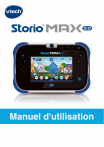
Manuel d'utilisation
ENREGISTREMENT DE LA TABLETTE
L'enregistrement de la tablette est nécessaire pour :
• Bénéficier de deux téléchargements gratuits2, parmi une large
sélection d'applications.
• Débloquer les applications Kid Connect, Mes vœux, et Ciné
Star .
(1) CHARGER1 Storio® MAX 2.0 à l'aide du câble USB et du
transformateur inclus puis mettre en marche la tablette.
(2) RÉGLER la date et l'heure, puis établir une connexion Wi-Fi. Une
fois la connexion Wi-Fi activée, toucher la coche
.
(3) ENREGISTRER la tablette Storio® MAX 2.0 en créant un compte
parent et en configurant Kid Connect.
(4) SE CONNECTER à l'Explor@ Park pour choisir les deux
applications offertes2.
(5) STORIO® MAX 2.0 est maintenant prêt à jouer !
La batterie de Storio® MAX 2.0 est normalement chargée lors de la première utilisation. Merci de consulter
la partie "Charger la tablette" pour plus d'informations.
2
Sous condition d'inscription au Club VTech.
1
1
FONCTIONNALITÉS
Appareil photo rotatif
Microphone
Boutons Réglage du
volume sonore
DEL témoin de
chargement
Bouton Marche/Arrêt
Bouton Menu
Bouton Retour
Bouton Aide
Curseur multidirectionnel
Bouton Accueil
Écran tactile
capacitif
Prise casque Jack
Port Micro-USB
Port carte microSD
(carte microSD non incluse)
Port Cartouche
de jeu
2
Pour commencer...
Charger la tablette
Lors de la première utilisation de la tablette, la batterie est complètement
ou partiellement chargée. Merci de la charger complètement avant la
première utilisation en suivant les indications ci-dessous :
Important : Ne pas ouvrir le produit pour changer la batterie. La batterie n'est ni
amovible, ni remplaçable.
1. Insérez l'extrémité la plus large du câble USB (inclus) dans l'encoche
USB du transformateur secteur (inclus) et l'autre extrémité
dans le port Micro-USB de Storio® MAX 2.0. Branchez ensuite le
transformateur secteur à une source d'alimentation.
Note : le transformateur secteur n'est pas un jouet et doit être manipulé par un
adulte.
2. La DEL verte Témoin de chargement s'allume pour indiquer que la
tablette est en charge. Une fois la batterie complètement chargée,
la DEL s'éteint. 4h30 environ sont nécessaires pour recharger
complètement Storio® MAX 2.0 avec l'adaptateur USB.
Allumer ou éteindre Storio® MAX 2.0
Pour allumer Storio® MAX 2.0, appuyez sur le bouton Marche/Arrêt
pendant 3 secondes. Le logo VTech apparaît alors à l'écran. Merci de
consulter la section "Enregistrement de la tablette" pour découvrir
comment configurer la tablette lors de la première utilisation.
Pour éteindre la tablette lorsqu'elle n'est pas utilisée, appuyez sur le
bouton Marche/Arrêt puis touchez l'icône qui apparaît à l'écran pour
confirmer.
Verrouiller/Déverrouiller la tablette
Storio® MAX 2.0 se met par défaut en veille en cas de non utilisation
prolongée. L'écran est alors verrouillé.
Pour déverrouiller la tablette, appuyez sur le bouton Marche/Arrêt.
Touchez l'icône du profil puis faites-la glisser dans le cercle au centre
de l'écran. Pour verrouiller la tablette, appuyez brièvement sur le bouton
Marche/ Arrêt. L'écran va alors s'éteindre.
3
INSÉRER UNE CARTE MICROSD
Il est possible d'augmenter la mémoire de la tablette Storio® MAX
2.0 en ajoutant une carte microSD (non incluse). Storio® MAX 2.0 est
compatible avec les cartes microSD jusqu'à 32 Go.
Insérer la carte microSD comme
indiqué dans le schéma ci-dessus.
Port carte microSD
• Assurez-vous que la tablette est éteinte avant d'insérer la carte
microSD.
• Retournez Storio® MAX 2.0 et insérez la carte microSD comme indiqué
dans le schéma ci-dessus.
ACTIVER, DÉSACTIVER ET CONFIGURER LA CONNEXION WI-FI
Merci de suivre les étapes suivantes pour activer, désactiver ou
configurer une connexion Wi-Fi :
1. Depuis l'écran de verrouillage, touchez l'icône Contrôles parentaux
pour accéder aux Contrôles parentaux. Entrez ensuite les
identifiants d'accès aux Contrôles parentaux.
2. Touchez l'icône Wi-Fi
.
4
3. Une fois le Wi-Fi activé, la tablette va lister les réseaux Wi-Fi
disponibles. Touchez un réseau pour vous y connecter puis entrez le
mot de passe de connexion au réseau si nécessaire.
Note : Storio® MAX 2.0 supporte les connexions Wi-Fi standards 802.11 b/g/n.
Touchez ici pour activer ou désactiver le Wi-Fi.
Utilisation du menu de la tablette
Photo du profil
Informations
système
Cartouche
Kid Connect
Navigateur Internet
Explor@ Park
Photo du profil
Touchez cette image pour changer de profil utilisateur.
Cartouche
Touchez cette icône pour accéder au contenu de la cartouche
lorsqu'une cartouche compatible est insérée dans la tablette.
5
Informations système
Indique le témoin de chargement de la batterie, l'heure et la
connexion Wi-Fi si elle est activée. L'icône d'accès aux Contrôles
parentaux est aussi disponible dans les Informations système.
Applications incluses
Il y a de nombreuses applications incluses dans votre Storio® MAX 2.0
dont des jeux, des lecteurs de vidéo et de musique, des outils pratiques
et des bibliothèques pour y ajouter des contenus. Touchez l'écran et
déplacez votre doigt vers la droite ou vers la gauche pour découvrir
les applications incluses.
Explor@ Park
Touchez l'icône Explor@ Park pour découvrir le très large choix de
contenus (jeux, histoires, vidéos, musiques et bien plus encore !) à
télécharger sur Storio® MAX 2.0. L'achat d'applications ne peut être
effectué qu'avec le mot de passe du Compte parent.
Kid Connect
Grâce à cette application, votre enfant peut envoyer des messages
écrits et vocaux, des images et bien plus encore sur votre
Smartphone !
Contrôles parentaux
Touchez cette icône pour accéder aux Contrôles parentaux.
Kid Connect de VTech
Avec Storio® MAX 2.0, votre enfant peut envoyer des messages
vocaux ou écrits, des photos, des dessins ou des émoticônes sur votre
Smartphone (Android™ ou iPhone®) ou celui de ses grands-parents
et vous pouvez lui répondre. C'est facile ! Même si votre enfant ne sait
pas encore lire, et entièrement sécurisé.
Configuration
1. Assurez-vous que votre Storio® MAX 2.0 est enregistrée. Pendant
l'enregistrement, les idenfiants Kid Connect sont configurés. Ces
identifiants sont uniques.
2. Téléchargez et installez l'application Kid Connect sur votre
Smartphone (disponible sur App Store pour les iPhones et Google
Play pour les Smartphones Android).
(Kid Connect requière un iPhone 4 ou version ultérieure, iOS5.x ou version
ultérieure, Android 4.0.3 ou version ultérieure. Résolution minimum :
320x480.)
6
3. Démarrez l'application sur votre smartphone et identifiez-vous avec
vos identifiants Kid Connect.
Gérer les contacts de votre enfant
Vous pouvez gérer la liste des contacts de votre enfant depuis
l'application Kid Connect de votre Smartphone.
• Voir les contacts de votre enfant
Allez dans la liste des contacts, puis touchez l'icône à droite du
prénom de votre enfant pour voir tous ses contacts.
Cliquez ici pour
voir la liste des
contacts de
l'enfant
• Ajouter et supprimer des contacts de la liste de contacts de votre enfant.
Supprimer des contacts
Famille proche
Votre nom ainsi que ceux des
enfants enregistrés avec votre
compte apparaissent dans
cette section. Ils sont ajoutés
automatiquement et ne peuvent
pas être supprimés.
Touchez la clé à molette
pour modifier les paramètres.
pour
Touchez l'icône
supprimer un contact.
Ajouter des contacts
Touchez le signe + pour
ajouter un nouveau contact
Famille éloignée et Amis
Tous les autres contacts
apparaissent ici.
7
• Envoyer des demandes d'ajout et des invitations
Toucher le signe + à côté de "Famille éloignée et Amis" pour ajouter
de nouveaux amis :
Recherche
Résultats de la recherche
Une fois la recherche
effectuée, touchez le contact
recherché puis suivez les
indications à l'écran pour
envoyer une demande
d'ajout d'amis. Le nouvel ami
apparaîtra dans la liste des
contacts une fois la demande
acceptée.
Pour rechercher une personne
qui s'est déjà enregistrée à Kid
Connect, entrez son nom ou
son identifiant Kid Connect et
touchez l'icône "Rechercher".
Inviter un nouveau contact
Cliquez ici pour inviter un
membre de votre famille ou
un ami qui ne s'est pas encore
enregistré à Kid Connect.
Notes :
VTech recommande d'effectuer les recherches avec l'identifiant Kid Connect.
L'identifiant Kid Connect peut être trouvé sous le nom de l'enfant dans la liste
des contacts. Les demandes d'ajout d'amis entre Smartphones ne sont pas
possibles. L'application ne peut être utilisée que pour communiquer avec des
utilisateurs de tablettes VTech compatibles.
L'icône "Inviter un nouvel utilisateur" peut être utilisée pour inviter
un membre de votre famille ou un ami qui n'a pas encore de compte
Kid Connect. L'invité doit avoir un Smartphone pour pouvoir installer
l'application Kid Connect.
8
• Accepter ou refuser les demandes d'ajout d'amis
Touchez l'icône
pour voir les demandes d'ajout d'amis pour vous
ou votre enfant. Sélectionnez une demande pour l'accepter ou la
refuser.
Touchez cette icône pour voir les demandes d'ajout envoyées par
d'autres utilisateurs Kid Connect.
Contrôles parentaux
Les Contrôles parentaux permettent de gérer les profils enfants, de
sécuriser et paramétrer votre Storio® MAX 2.0. Depuis le menu, touchez
pour accéder aux Contrôles parentaux.
l'icône
Touchez cette
image ou
appuyez sur le
bouton Accueil
pour quitter
les Contrôles
parentaux.
Icônes de
gestion des
Contrôles
parentaux
9
Wi-Fi
Gestion du
temps
d'utilisation
Contenu bloqué
Contrôle du
navigateur
Internet
Gestionnaire des
profils
Compte parent
Suivi des progrès
Options
Explor@ Park
Galerie de
cadeaux
Gestionnaire de
téléchargement
Touchez cette icône pour activer, désactiver ou
paramétrer une connexion Wi-Fi.
Touchez cette icône pour limiter le temps d'utilisation
de la tablette.
Touchez cette icône pour verrouiller certains contenus
afin d'éviter qu'ils ne soient accidentellement
supprimés.
Touchez cette icône pour ajouter ou supprimer des sites
Internet de la liste blanche des sites autorisés. Vous
pouvez aussi limiter le temps d'utilisation du navigateur
Internet.
Touchez cette icône pour ajouter ou supprimer des
profils utilisateurs sur votre tablette.
Touchez cette icône pour voir ou modifier les informations
du Compte parent. Vous pouvez aussi modifier depuis
cet endroit les paramètres de l'application Mes voeux.
Touchez cette icône pour voir les progrès et
apprentissages de votre enfant.
Note : Le suivi des progrès est applicable uniquement
pour les jeux en cartouche.
Touchez cette icône pour configurer les paramètres
système de la tablette.
Touchez cette icône pour accéder à l'Explor@ Park et
découvrir les nombreux contenus gratuits et payants
(histoires, jeux, vidéos, musiques, etc.) à télécharger
sur Storio® MAX 2.0.
Touchez cette icône pour accéder à la Galerie de
cadeaux qui vous permet de récompenser votre enfant
en lui offrant des images pour Kid Connect, des thèmes
pour son menu et des accessoires pour le jeu Mes
haricots magiques.
Utilisez cet outil pour installer ou désinstaller les
applications que vous avez achetées sur l'Explor@ Park.
Consultez la section "Gérer les applications" pour plus
de détails.
Pour quitter les Contrôles parentaux et revenir à l'écran d'accueil,
appuyez sur le bouton Menu
10
Gérer les applications
Touchez l'icône du Gestionnaire de téléchargement
pour gérer les
applications achetées sur l'Explor@ Park pour Storio® MAX 2.0.
• Télécharger ou supprimer les applications
Toucher un onglet de catégorie dans le Gestionnaire de téléchargement
pour voir les applications achetées et/ou téléchargées sur l'Explor@
Park.
Corbeille
Touchez la
corbeille pour
supprimer
l'application.
• Paramètres de téléchargement automatique
Stop
Touchez l'icône
Stop pour arrêter un
téléchargement en
cours.
Télécharger
Touchez l'icône
Télécharger pour
télécharger et installer
une application.
Lorsqu'une nouvelle application est achetée ou lorsque la mise à
jour d'une application est disponible, le téléchargement ou la mise
à jour se lancent automatiquement. Si le téléchargement ne se lance
pas, assurez-vous que l'installation automatique et la mise à jour
automatique sont bien activés.
Activez ce paramètre
pour que les
nouveaux achats
soient téléchargés
automatiquement
Activez ce
paramètre pour
que les nouvelles
applications soient
téléchargées
automatiquement
sur votre tablette
11
Plus de 2000 contenus accessibles avec l'Explor@ Park
Lorsque votre tablette est connectée en Wi-Fi, vous pouvez accéder à
l'Explor@ Park et découvrir de nombreux contenus additionnels gratuits
ou payants pour Storio® MAX 2.0. Touchez l'icône de l'Explor@ Park dans
les Contrôles parentaux pour découvrir ces contenus téléchargeables.
Par défaut, lorsqu'une connexion Internet est active, les applications
récemment achetées seront automatiquement téléchargées.
Mes vœux
Avec Mes vœux, votre enfant peut découvrir les applications disponibles
sur l'Explor@ Park et vous informer des jeux, histoires, vidéos et
musiques qu'il aimerait avoir sur sa tablette en faisant un "vœu". La
liste de vœux de votre enfant vous est ensuite envoyée par email sur
l'adresse électronique utilisée lors de la création du Compte parent.
Gérer les vœux
Pour découvrir les vœux de votre enfant, cliquez sur le lien présent
dans l'email que vous avez reçu. Le Gestionnaire de listes de vœux va
s'ouvrir dans votre navigateur Internet. Suivez les indications à l'écran
si vous souhaitez acheter une application proposée par votre enfant.
12
Les applications achetées seront téléchargées sur Storio® MAX 2.0 (la
tablette doit être connectée en Wi-Fi pour le téléchargement). Merci de
consulter la section "Gérer les applications" pour plus d"informations
sur le téléchargement des applications
Messages "pop up" sur Storio® MAX 2.0
Des messages vont apparaître de temps en temps à l'écran de Storio®
MAX 2.0, proposant à votre enfant des applications qui pourraient lui
plaire. Pour désactiver ces messages, allez dans les paramètres de
"Mes voeux" dans la section Compte parent, dans Contrôles parentaux.
Paramètres "Mes vœux"
Pour accéder aux paramètres de Mes vœux, allez dans les Contrôles
parentaux et sélectionnez "Compte parent".
13
Faire défiler l'écran vers le bas pour accéder aux paramètres de Mes
vœux. Les paramètres permettent de :
• Activer ou désactiver les messages "pop up" qui apparaissent à
l'écran pour proposer de nouvelles applications.
• Choisir de recevoir ou non des emails indiquant les vœux faits par
votre enfant et la fréquence de réception.
Utiliser une cartouche de jeu avec Storio® MAX 2.0
Une mise à jour peut être nécessaire pour la lecture de certaines
cartouches. Assurez-vous que la connexion Wi-Fi de la tablette est
activée pour effectuer la mise à jour qui permettra de jouer avec la
cartouche.
14
Une fois la mise à jour effectuée, l'image du jeu apparaîtra comme icône
de Cartouche dans le menu. Touchez l'image pour jouer.
Pour consulter la liste des cartouches compatibles, merci de visiter le
lien suivant :
http://www.vtech-jouets.com/compatibilite
Note : Storio® MAX 2.0 peut contenir 3 cartouches Storio au maximum. Les mises
à jours effaceront les anciennes versions. La remise à zéro de la tablette efface
les mises à jour effectuées. Dans ce cas, les mises à jour pour la compatiblité des
cartouches seront à effectuer à nouveau.
Transférer des images, vidéos et chansons
Notes :
L'utilisation d'une carte microSD (non incluse) est nécessaire pour
le transfert des fichiers audio et vidéo personnels.
Transférer depuis un ordinateur sous Windows
Insérez une carte microSD (non incluse) dans la
tablette puis connectez votre Storio® MAX 2.0 à
votre ordinateur grâce au câble USB inclus. Storio®
MAX 2.0 apparaît alors comme un périphérique
externe dans votre Poste de travail. Double cliquer
sur Storio® MAX 2.0, pour voir apparaître deux
dossier : SD et INT. Double cliquer sur SD, puis créer
un dossier "PICTURES", un dossier "MUSIC" et un
dossier "MOVIE". Vous pourrez alors transférer vos
fichiers en les copiant dans les dossiers créés. Ces
fichiers seront ensuite visibles dans les dossiers
Médias (pour les vidéos et les images) et Musique
de Storio® MAX 2.0.
15
Attention : les fichiers vidéo et audio doivent être dans un format
compatible avec Storio® MAX 2.0. Pour plus d'information, merci de
consulter les paragraphes suivants.
Transférer depuis un Macintosh Transfert
Allez sur le site officiel Android pour télécharger le logiciel de transferts.
https://www.android.com/intl/fr/filetransfer/ Suivez les instructions et
installez le logiciel.
Convertir des vidéos pour Storio® MAX 2.0
Storio® MAX 2.0 accepte certains formats de vidéos. Nous vous
conseillons d'utiliser des vidéos respectant le format suivant :
Format : Vidéo H.264 baseline profile et audio AAC en format MP4.
Résolution : 1024x578 si le fichier source est en 16:9. Les autres
résolutions sont supportées mais non optimales pour la tablette.
Débit binaire vidéo recommandé : 2000kbps. Les autres Bit rates sont
supportés mais ne sont pas les meilleurs pour la tablette.
Débit binaire audio recommandé : 128kbps Bit rate constant. Les autres
Bit rates sont supportés mais ne sont pas les meilleurs pour la tablette.
Taille maximale du fichier : 4GB
Notes :
• Il peut exister des restrictions légales liées à l’utilisation de fichiers vidéo, de
films ou de programmes commerciaux, dont VTech® ne peut en aucun cas être
tenu pour responsable. Les utilisateurs ont la responsabilité de respecter la
législation sur les droits d’auteur en vigueur dans leur pays.
• VTech® n’accepte aucune responsabilité quant à l’utilisation de logiciels de
conversion ou de logiciels de transfert de fichiers.
Note : pour les utilisateurs de Windows, nous conseillons l'utilisation de Windows
7 ou d'une version ultérieure. Windows XP peut ne pas détecter la tablette.
Convertir des musiques pour Storio® MAX 2.0
Storio® MAX 2.0 accepte les musiques au format MP3. Il existe de
nombreux logiciels de conversion de musiques en ligne, mais la plupart
des musiques sont déjà au bon format et donc transférables sur Storio®
MAX 2.0.
16
Mise à jour du programme interne
Pour installer manuellement la mise à jour du programme interne :
1. Allez dans les Contrôles parentaux.
2. Assurez-vous que Storio® MAX 2.0 est connectée à Internet
(connexion Wi-Fi activée).
3. Touchez l'icône Options
interne"
puis sélectionnez "Mise à jour du logiciel
4. Storio® MAX 2.0 va chercher la dernière mise à jour disponible. Si une
version plus récente est disponible, suivez les indications à l'écran
pour effectuer le téléchargement et l'installation.
Entretien
1. Évitez toute exposition prolongée de Storio® MAX 2.0 au soleil ou à
toute autre source de chaleur.
2. Éteignez Storio® MAX 2.0 en cas de non-utilisation prolongée.
3. Évitez de faire tomber la tablette. Ne JAMAIS tenter de la démonter.
4. Évitez toute exposition de Storio® MAX 2.0 à l'eau ou à l'humidité.
17
5. VTech® recommande aux parents de vérifier régulièrement
l'état du transformateur utilisé avec le jeu. Ils surveilleront tout
particulièrement l'état du câble USB, du boîtier et de la prise de
courant. En cas de dommage, le jeu ne doit pas être réutilisé avec le
transformateur jusqu'à ce que celui-ci ait été remplacé.
6. Ce jouet contient une batterie non remplaçable.
7. Le jouet doit uniquement être connecté à des équipements de classe
II portant le symbole suivant .
8. Assurez-vous que le cache du port microUSB est bien refermé après
utilisation pour le protéger.
9. Utilisez uniquement le câble USB avec ferrite fourni avec la tablette
pour que le produit soit conforme à la norme EMC 2004/108/EC.
Fonctionnement de l'écan tactile:
• Utilisez votre doigt pour naviguer sur la tablette. Exercez une
pression raisonnable sur l’écran. Une pression trop forte pourrait
l’endommager.
• Utilisez uniquement un stylet VTech pour Storio® MAX 2.0 (vendu
séparément) avec Storio® MAX 2.0. L'utilisation d'autres stylets
pourrait abîmer l'écran.
• ATTENTION : Ne pas mettre le stylet à la bouche. La gomme du stylet,
en étant arrachée avec les dents, pourrait se détacher et présenter
des risques d'étouffement. Le stylet ne doit pas être utilisé par les
enfants de moins de 3 ans.
Nettoyage de l’écran tactile
• Humidifiez légèrement le chiffon doux avec un peu d’eau et nettoyez
l’écran de Storio® MAX 2.0.
• Utilisez un chiffon propre et sec pour sécher l’écran. Répétez les deux
étapes une seconde fois si nécessaire.
Nettoyage de la tablette Storio® MAX 2.0
• Pour nettoyer Storio® MAX 2.0, utilisez un linge légèrement humide.
N'utilisez pas de solvants ni de produits corrosifs.
18
Résolution de problèmes
Problème
Raison
possible
Solution
Le message "Batterie
faible" apparaît
pendant la mise à
jour de la tablette.
La batterie est
faible.
Branchez la tablette à une source
d'alimentation. La DEL verte de la
tablette s'allume pour vous indiquer
que la batterie se recharge. La mise
à jour du programme de la tablette
reprendra automatiquement quand
la batterie sera rechargée.
Au moment
d'enregister un
Compte parent, la
tablette indique que
l'adresse email est
déjà associée à un
Compte parent.
L'adresse
email est déjà
associée à
un Compte
parent.
Utilisez une autre adresse email
pour vous inscrire.
Au moment
d'enregistrer un
Compte Kid Connect,
la tablette indique
que l'adresse email
est déjà associée à un
Compte Kid Connect.
L'adresse
email est déjà
associée à un
Compte Kid
Connect.
Si vous avez déjà enregistré un
compte Kid Connect, entrez
votre mot de passe et touchez
"Vérifier" pour continuer. Si vous
avez oublié votre mot de passe,
touchez "Mot de passe oublié" et
suivez les instructions qui vous
seront envoyées par email pour
réinitialiser le mot de passe.
Éteignez puis allumez de nouveau
votre tablette. Choisissez "Se
connecter à un Compte parent
existant" et entrez votre adresse
email. Si vous avez oublié votre
mot de passe, appuyez sur "Mot de
passe oublié ?"
Appuyez sur le lien "ici" sous le
champ pour entrer le mot de passe
et utilisez une adresse email valide.
Kid Connect ne se
charge pas.
Le profil doit
être réinitialisé
Dans l'écran de Contrôles Parentaux,
appuyez sur Gestionnaire des profils.
Appuyez sur la photo du profil puis
touchez la clé pour modifier.
Une fois le profil effacé, ajoutez de
nouveau votre enfant en appuyant
sur le signe " + ". Sélectionnez le
même enfant dans le champ du
prénom. Appuyez sur OK une fois
que vous avez terminé.
19
L’image s’affiche sur
l’écran LCD mais le
son est inaudible.
Le volume
sonore est au
minimum.
Ajustez le volume sonore.
Un casque est
connecté.
Débranchez le casque.
L'écran s'allume
puis s'éteint
immédiatement.
La batterie est
faible.
Branchez la tablette à une source
d'alimentation. La DEL verte de la
tablette s'allume pour vous indiquer
que la batterie se recharge. Une
fois rechargée à 100%, la DEL verte
s'éteindra.
Le bouton Marche /
Arrêt ne répond pas.
Il n'y a aucune image
affichée à l'écran.
La batterie est
faible.
Branchez la tablette à une source
d'alimentation. La DEL verte de la
tablette s'allume pour vous indiquer
que la batterie se recharge. Une
fois rechargée à 100%, la DEL verte
s'éteindra.
Le
programme a
besoin d'être
relancé.
Assurez-vous que la tablette est
bien éteinte en appuyant pendant
10 secondes sur le bouton Marche/
Arrêt. Appuyez de nouveau sur ce
bouton pendant 3 secondes pour
allumer la tablette.
Il y a une image
à l'écran mais la
tablette ne répond
pas.
Le
programme a
besoin d'être
relancé.
Assurez-vous que la tablette est
bien éteinte en appuyant pendant
10 secondes sur le bouton Marche/
Arrêt. Appuyez de nouveau sur ce
bouton pendant 3 secondes pour
allumer la tablette.
Aucun réseau Wi-Fi
n'apparaît.
Une
réinitialisation
de la tablette
est nécessaire
(remise à
zéro).
Pour réinitialiser la tablette aux
paramètres d'usine, assurezvous que la tablette est éteinte.
Appuyez simultanément sur le côté
gauche ou le côté haut du curseur
multidirectionnel, sur le bouton
aide (?) et sur le bouton marche.
Maintenir appuyé jusqu'à voir
apparaître l'écran de réinitialisation.
Le message "Réinitialisation aux
paramètres d'usine" apparaît.
Appuyez sur Oui pour confirmer.
Toutes les données sauvegardées
sur la tablette seront alors
supprimées.
20
"Safe mode" apparaît
en bas de l'écran à
gauche.
La tablette
est en mode
"sans échec".
Éteindre la tablette en maintenant
le bouton marche/arrêt appuyé
pendant 3 secondes, puis toucher le
mot "Éteindre" qui apparaît à l'écran.
Allumer à nouveau la tablette.
S'assurer de ne pas appuyer sur le
bouton Menu lors de l'allumage de
la tablette.
Impossible de
recharger la tablette
La tablette
n'est pas
connectée
correctement
à une source
d'alimentation.
Vérifiez que votre tablette est
bien connectée à un câble USB ou
branchée sur secteur.
L'écran tactile n'est
pas précis ou il
est impossible de
sélectionner une
icône précise sur
l'écran
Un stylet non
compatible
est utilisé avec
Storio® MAX
2.0.
Utilisez exclusivement votre doigt
ou le stylet VTech compatible
avec Storio® MAX 2.0 (vendu
séparément).
Il y a une cartouche
insérée mais l’icône
Cartouche de jeu
n'apparaît pas.
Mauvaise
insertion de la
cartouche
Retirez la cartouche, nettoyez-la
avec un linge légèrement humide
si nécessaire, puis installez-la de
nouveau dans l'emplacement prévu
sur votre tablette.
La cartouche
n'est pas
compatible
Vérifiez la compatibilité de la
cartouche au dos de la boîte ou en
visitant la page Internet :
http://www.vtech-jouets.com/
compatibilite
Si Storio® MAX 2.0 ne semble pas détecter une cartouche insérée, merci
de suivre les étapes suivantes :
• Éteindre Storio® MAX 2.0 et déconnecter les branchements.
• Utilisez un coton imbibé d’alcool à brûler ou de produit à nettoyer
les vitres pour nettoyer soigneusement l’emplacement au contact
de la cartouche.
• Si nécessaire, séchez les parties nettoyées avec un linge propre qui
ne bouloche pas.
• Veuillez vous assurer que toutes les parties nettoyées sont bien sèches
avant de de mettre votre tablette en mode Marche.
21
Des interférences environnementales, telles que de l’électricité statique
ou des transitoires électriques rapides de l’alimentation, peuvent
provoquer de légers dysfonctionnements de Storio® MAX 2.0. Dans
certains cas, les paramètres de jeu enregistrés dans Storio® MAX
2.0 peuvent être perdus. Auquel cas, débranchez puis rebranchez le
transformateur. Si les dysfonctionnements dus à l’électricité statique
surviennent pendant le processus de téléchargement, déconnectez le
câble USB, supprimez le fichier corrompu, débranchez puis rebranchez
le transformateur. Puis reconnectez le câble USB puis relancer le
téléchargement.
Note: Tension maximale de sortie ≤150mV.
Réinitialiser votre tablette aux paramètres par défaut
(remise à zéro)
Pour revenir aux paramètres par défaut, merci de suivre les étapes
suivantes:
1. Assurez-vous que la tablette est bien éteinte.
2. Appuyez simultanément sur le côté gauche ou le côté haut du curseur
et sur le bouton marche et
multidirectionnel, sur le bouton aide
maintenir appuyé jusqu'à ce que l'écran de réinitialisation apparaisse.
3. Le message "Veux-tu vraiment réinitialiser la tablette aux paramètres
d'usine ?" apparaît. Appuyez sur Oui pour continuer.
Attention ! En réinitialisant votre tablette aux paramètres par défaut,
toutes les données sauvegardées sur la tablette seront supprimées
(comme l'avancement dans les jeux par exemple).
Informations sécurité pour l'utilisation de la batterie et
du chargeur
Important :
• Le transformateur n’est pas un jouet et doit être manipulé uniquement
par un adulte.
• La température doit être comprise entre 5°C~35°C (41°F~95°F). Si
les batteries ne se rechargent pas correctement, essayez d’effectuer
cette action dans un lieu dont la température est plus adaptée.
• La batterie n'est ni amovible, ni remplaçable. Ne pas tenter d'ouvrir
ni de démonter l'appareil.
• Déconnectez le transformateur de la tablette et éteignez la tablette
avant de la nettoyer.
22
• Pour des performances optimales, utilisez le câble USB et le
transformateur inclus dans la boîte de Storio® MAX 2.0.
• Pour éviter toute électrocution ou départ de feu, ne pas exposer les
batteries à la pluie ou à l’humidité.
• Ne pas jeter ce produit avec les déchets ménagers. Batterie
recyclable: merci de suivre les instructions liés au tri sélectif et au
recyclage des déchets, appareils électriques et électroniques.
• Les transformateurs pour jouets et les chargeurs de batterie destinés
à être utilisés par les enfants ne sont pas considérés comme faisant
partie d’un jouet, même s'ils sont fournis avec un jouet. L'utilisation
du transformateur doit être faite uniquement sous le contrôle d'un
adulte.
• En cas de non-utilisation prolongée, Storio® MAX 2.0 se met en veille.
La connexion Wi-Fi se désactive automatiquement lorsque la charge
de la batterie est faible.
Directives standards pour les jouets à transformateur et
produits commandés électriquement
• Attention. Le produit ne convient pas aux enfants de moins de 36
mois.
• Comme tous les produits électriques, des précautions doivent être
prises durant la manipulation et l'utilisation du produit pour éviter
tout choc électrique. La surveillance d'un adulte est recommandée
durant l'utilisation.
• Débrancher le transformateur du secteur et du jeu en cas de
nonutilisation prolongée.
• Le produit doit uniquement être utilisé avec un transformateur pour
jouets. Utiliser uniquement le transformateur fourni avec la tablette
(sortie 5V CC) conforme à la norme EN61558/EN62368.
• Ne jamais netttoyer l'appareil avec de l'eau pendant qu'il est en
charge.
• Ne jamais exposer à l’humidité un jouet branché sur le secteur.
• Le jouet ne doit pas être raccordé à un nombre de sources
d’alimentation supérieur à celui recommandé.
• Le transformateur n’est pas un jouet.
• Si les fiches de l'adaptateur sont endommagées, ne l'utilisez pas et
jetez-le dans un endroit prévu à cet effet.
• Vérifier régulièrement l’état du transformateur (fiches de
raccordement, boîtier, prise ou toute autre pièce). Ne pas utiliser un
transformateur endommagé.
23
• Batterie recyclable : merci de suivre les instructions liés au tri sélectif
et au recyclage des déchets, appareils électriques et électroniques.
• Contactez notre Service client pour toute
assistance : www.vtech-jouets.com, rubrique Assistance.
Avertissements de sécurité
Avant toute utilisation, lire attentivement cette notice et utiliser le
transformateur uniquement comme indiqué dans cette notice :
1. La puissance de sortie de l'alimentation ne doit pas dépasser la valeur
nominale indiquée sur l'alimentation.
2. L'appareil n'est pas destiné à être réparé en cas de panne ou de
défaut de composant (l'appareil peut être déposé dans un point de
collecte d'équipements électriques et électroniques)
3. Le câble souple externe de cette alimentation secteur ne peut pas
être remplacé ; en cas d'endommagement du cordon, il convient de
se débarasser de l'appareil en le déposant dans un point de collecte
d'équipements électriques et électroniques.
4. La coupure de l'alimentation s'effectue en débranchant la fiche
secteur.
5. La prise de courant doit être située à proximité de l'équipement et
doit être facilement accessible.
6. Pour usage intérieur uniquement
7. Instructions aux parents : les transformateurs et alimentations
électriques pour jouets ne sont pas destinés à être utilisés comme
des jouets et l'utilisation de ces produits par des enfants doit se faire
sous la surveillance d'un adulte.
Informations sur les symboles présents sur le transformateur :
SMPS incorporant un transformateur de sécurité
résistant aux courts-circuits
Equipement de classe II
Pour usage intérieur uniquement
S
SMPS (blocs d'alimentation à découpage)
Transformateurs pour jouets (transformateurs résistants
aux courts-circuits par dispositif incorporé)
24
Informations sur les alimentations électriques externes :
Marque commerciale
Numéro d’enregistrement au registre
du commerce
Adresse
Référence de modèle
Tension d’entrée/Fréquence du CA
d’entrée
Tension de sortie
VTech
12044228
PO Box 10042, 6000 GA
Weert, The Netherlands.
SJB0501000VE
100-240V~ 50-60Hz
5V
Courant de sortie
1A
Puissance de sortie
5W
Rendement moyen en mode actif
73.62%
Consommation électrique hors charge
0.1W
INFORMATIONS SUR LE DAS
Cet appareil est conforme à la Directive 2014/53/UE relative à
l'exposition aux ondes radio.
Cette directive utilise une unité de mesure connue sous le nom de Débit
d'absorption spécifique ou DAS. Le DAS maximal autorisé est de
2 W/kg pour le tronc et de 4 W/kg pour les membres.
Des tests de DAS sont réalisés grâce à des positions de fonctionnement
standard lorsque l'appareil transmet à son niveau de puissance certifié
le plus élevé dans toutes les bandes de fréquences testées. Les valeurs
de DAS les plus élevées pour cet appareil sont :
DAS pour le tronc : 0.316 W/Kg
DAS pour les membres : 0.218 W/Kg
Tri des produits et piles usagés
• Les jouets VTech® sont des équipements électriques et électroniques
(EEE) qui, en fin de vie, feront l’objet d’une collecte sélective en vue
de leur recyclage. Ainsi, afin de préserver l’environnement, VTech®
vous recommande de déposer le jouet en fin de vie dans les points de
collecte mis à disposition dans les magasins ou dans votre commune.
• Le symbole de la poubelle barrée sur les produits et les piles ou sur
leur emballage respectif indique que les équipements électriques et
électroniques ainsi que les piles ne doivent pas être jetés dans les
déchets ménagers car ils contiennent des substances pouvant
être néfastes à l’environnement et à la santé.
25
• Lorsque les symboles Hg, Cd ou Pb sont indiqués, cela
signifie que la pile contient plus de mercure (Hg), cadmium
(Cd) ou plomb (Pb) que la valeur spécifiée dans la Directive
2006/66/CE sur les piles et les accumulateurs.
• La barre solide sous le symbole de la poubelle barrée
indique que le produit a été placé sur le marché après le 13
août 2005.
• Contribuez à la protection de l’environnement en triant vos
produits et piles usagés.
• Pour plus d’informations sur la collecte et le tri des piles
usagées, vous pouvez visiter le site Internet http://www.corepile.fr.
• Pour plus d’informations sur le tri des produits électriques et
électroniques, vous pouvez contacter notre service consommateurs.
IMPORTANT
Utilisez exclusivement le transformateur et le câble USB fournis avec Storio® MAX
2.0 pour recharger la tablette.
L'utilisation d'autres types de transformateurs pourraient endommager l'appareil.
Important : Essayer de retirer ou remplacer la batterie peut endommager Storio®
MAX 2.0 et entraîne l'annulation de la garantie de l'appareil.
BESOIN D’AIDE SUR NOS PRODUITS ?
Pour la France, la Belgique et la Suisse francophones :
www.vtech-jouets.com, rubrique Assistance
Pour le Canada : www.vtechkids.ca/fr, rubrique Soutien à la clientèle
VOUS SOUHAITEZ CONSULTER NOTRE POLITIQUE DE
GARANTIE ?
Pour la France, la Belgique et la Suisse francophones :
www.vtech-jouets.com, rubrique Garantie
Pour le Canada : www.vtechkids.ca/fr, rubrique Politiques
26
À LIRE AVANT TOUTE UTILISATION D'UN JEU VIDÉO PAR
VOUS-MÊME OU PAR VOTRE ENFANT
I. Précautions à prendre dans tous les cas pour l'utilisation d'un jeu
vidéo
Évitez de jouer si vous êtes fatigué ou si vous manquez de sommeil.
Assurez-vous que vous jouez dans une pièce bien éclairée en
modérant la luminosité de votre écran. Lorsque vous utilisez un jeu
vidéo susceptible d'être connecté à un écran, jouez à bonne distance
de cet écran de télévision et aussi loin que le permet le cordon de
raccordement. En cours d'utilisation, faites des pauses de dix à quinze
minutes toutes les heures.
II. Avertissement sur l'épilepsie
Certaines personnes sont susceptibles de faire des crises d'épilepsie
comportant, le cas échéant, des pertes de conscience à la vue,
notamment, de certains types de stimulations lumineuses fortes :
succession rapide d'images ou répétition de figures géométriques
simples, d'éclairs ou d'explosions. Ces personnes s'exposent à des
crises lorsqu'elles jouent à certains jeux vidéo comportant de telles
stimulations, alors même qu'elles n'ont pas d'antécédent médical
ou n'ont jamais été sujettes elles-mêmes à des crises d'épilepsie. Si
vous-même ou un membre de votre famille avez déjà présenté des
symptômes liés à l'épilepsie (crise ou perte de conscience) en présence
de stimulations lumineuses, consultez votre médecin avant toute
utilisation. Les parents se doivent également d'être particulièrement
attentifs à leurs enfants lorsqu'ils jouent à des jeux vidéo. Si vousmême ou votre enfant présentez un des symptômes suivants : vertige,
trouble de la vision, contraction des yeux ou des muscles, trouble de
l'orientation, mouvement involontaire ou convulsion, perte momentanée
de conscience, il faut cesser immédiatement de jouer et consulter un
médecin.
Protégez les oreilles de votre enfant lorsqu’il utilise un
casque ou des écouteurs
• Une exposition excessive de son oreille à un volume élevé peut
endommager son audition.
• Diminuez toujours le volume avant de connecter un casque ou des
écouteurs à une source audio et réglez le volume minimum nécessaire
permettant à votre enfant d’entendre la musique.
• Utiliser ce produit avec le premier casque audio VTech permet
d'assurer le respect de la puissance sonore maximale fixée par
27
l'article L5232-1 du Code de la Santé Publique français.
CONTRAT DE LICENCE DE L’UTILISATEUR FINAL
CECI EST UN ACCORD LÉGAL ENTRE VOUS ET LA SOCIÉTÉ VTECH (CI-APRÈS
DÉNOMMÉE « VTECH »), ÉTABLISSANT LES TERMES QUI RÉGISSENT VOTRE
UTILISATION DU LOGICIEL POUR STORIO OU EN LIEN AVEC L’APPLICATION DU
LOGICIEL (CI-APRÈS DÉNOMMÉ « LOGICIEL »). LE LOGICIEL INCLUT LES FICHIERS
AUDIO POUR LE SYSTÈME STORIO.
L’ACTIVATION, L’UTILISATION, LE TÉLÉCHARGEMENT OU L’INSTALLATION DE CE
LOGICIEL VALENT ACCEPTATION DES TERMES DE CE CONTRAT. VOTRE DROIT
D’UTILISER LE LOGICIEL EST CONDITIONNÉ À VOTRE ACCORD AVEC LES TERMES
DE CE CONTRAT. SI VOUS N’ÊTES PAS DISPOSÉ À RESPECTER LES TERMES DE CE
CONTRAT DE LICENCE, VOUS N’ÊTES PAS EN DROIT D’UTILISER CE LOGICIEL ET VOUS
DEVEZ LE RENVOYER RAPIDEMENT À VTECH, OU LE SUPPRIMER.
SI VOUS AVEZ MOINS DE 18 ANS OU ÊTES CONSIDÉRÉ COMME MINEUR DANS VOTRE
JURIDICTION, VOUS DEVEZ PRENDRE CONNAISSANCE DES TERMES ET CONDITIONS
AVEC VOS PARENTS OU VOTRE TUTEUR (CI-APRÈS CONJOINTEMENT DÉNOMMÉS
« PARENTS ») ET ÊTRE SÛR QUE VOS PARENTS COMPRENNENT ET ACCEPTENT EN
VOTRE NOM CES TERMES ET CONDITIONS.
LORSQUE CET ACCORD SE RÉFÈRE À « VOUS » OU « VOTRE », CELA INCLUT À LA
FOIS LES PARENTS ET LES ENFANTS UTILISATEURS, SAUF LORSQUE L’ENFANT N’A
PAS L’ÂGE LÉGAL DE S’ENGAGER CONTRACTUELLEMENT (COMME DANS LE CAS
D’UNE TRANSACTION EN COMMERCE ÉLECTRONIQUE), OU DE FOURNIR TOUS LES
CONSENTEMENTS NÉCESSAIRES (TELS QUE LE CONSENTEMENT À L’OBTENTION,
AU TRAITEMENT OU AU TRANSFERT DE DONNÉES), AUQUEL CAS LE PARENT DE
CET ENFANT RECONNAÎT QU’IL AGIT AU NOM DE L’ENFANT POUR S’ENGAGER
CONTRACTUELLEMENT ET EST ENTIÈREMENT RESPONSABLE DES ACTES DE SON
ENFANT DANS LE CADRE DE SON UTILISATION DU LOGICIEL ET DE SES SERVICES.
1. PROPRIÉTÉ. Le logiciel et tous les documents contenus dans le produit sont détenus par
VTECH, ou ses licencieurs, et sont protégés par les droits de reproduction internationaux
et autres lois sur la propriété intellectuelle. Le logiciel et les documents ne doivent être
utilisés que par vous, en accord avec ce contrat. Le logiciel et les documents sont sous
licence, et non vendus. À l’exception de ce qui est spécifiquement exposé ci-après, VTECH
et ses licencieurs conservent tous les droits, titres et intérêts, incluant tous les droits de
propriété intellectuelle, pour le logiciel et les documents.
2. TERMES DE LA LICENCE. VTECH vous concède, dans la limite des termes et conditions
définis plus loin dans ce contrat, une licence non exclusive, non sous-licenciable et non
transférable pour une utilisation non commerciale du logiciel, et pour utiliser les documents
de la même manière que le logiciel. Toute modification, actualisation, correction d’erreur,
ou autre mise à jour du logiciel fournie par VTECH doit être considérée comme faisant
partie du logiciel et son utilisation doit suivre les termes et conditions de ce contrat, sauf
si les parties se sont engagées dans un contrat séparé écrit régissant ces modifications,
actualisations, corrections d’erreurs, ou autres mises à jour.
3. RESTRICTIONS DE LA RÉTRO-INGÉNIERIE ET SÉCURITÉ. Sauf dans la mesure où vous
y auriez été expressément et sans ambiguïté autorisé par VTECH, ou dans la mesure où
de telles restrictions seraient explicitement interdites par la loi, VOUS NE DEVEZ PAS
inverser l’ingénierie, décompiler, désassembler, traduire ou tenter de connaître le code
source du logiciel, copier, modifier, créer des oeuvres dérivées, distribuer, vendre, assigner,
gager, sous-licencier, louer, prêter, exploiter en temps partagé, distribuer ou transférer le
logiciel, supprimer le logiciel, altérer ou ajouter des droits d’exploitation, des marques de
commerce, des noms de marques, des logos, des notifications, des notations, enfreindre
ou falsifier toutes les mesures ou systèmes de sécurité implémentés par VTECH, qui sont
destinés à empêcher la copie illégale du logiciel. Toute utilisation de ce type met fin
à votre licence d’utilisation du logiciel sans préavis.
28
4. GARANTIE LIMITÉE. VTECH vous garantit que (sous réserve de votre accord avec les
termes définis), pendant une période de 90 jours après l’achat du produit, le logiciel sera
substantiellement conforme aux spécifications publiées par VTECH. Votre seul et unique
recours sous cette garantie est pour VTECH, à sa convenance, d’effectuer des actions
commerciales raisonnables pour corriger toute non-conformité substantielle du logiciel
rapportée par écrit à VTECH pendant la période de garantie et de fournir un exemplaire de
remplacement du logiciel. La présente garantie ne s’applique pas à toute non-conformité
qui serait due à une utilisation du logiciel avec une application ou dans un environnement
autres que ceux qui sont recommandés par VTECH, à des modifications du logiciel non
effectuées par VTECH ou à l’utilisation de matériels ou de logiciels fournis par un tiers.
VTECH NE GARANTIT PAS QUE LE LOGICIEL NE CONTIENNE AUCUNE ERREUR OU
QU’IL SOIT ADAPTÉ À UN USAGE PARTICULIER. VTECH NE GARANTIT RIEN DE PLUS
QUE CE QUI A ÉTÉ DÉFINI CI-AVANT ET REJETTE TOUTE AUTRE GARANTIE, QU’ELLE
SOIT EXPRESSE, IMPLICITE OU RÉGLEMENTAIRE, CONCERNANT LE LOGICIEL OU LES
DOCUMENTS, Y COMPRIS, SANS LIMITATION, TOUTE GARANTIE IMPLICITE DE LA
QUALITÉ MARCHANDE, L’APTITUDE À UN USAGE PARTICULIER ET L’ABSENCE DE
CONTREFAÇON. AUCUNE INFORMATION NI AUCUN CONSEIL, QU’ILS SOIENT ÉCRITS
OU ORAUX, DONNÉS PAR VTECH, SES REVENDEURS, AGENTS OU EMPLOYÉS NE
CONSTITUENT UNE GARANTIE.
5. LIMITATION DE RESPONSABILITÉ. En aucun cas VTECH ne peut être tenu pour
responsable de toute perte de bénéfice, inexactitude ou altération de données, coûts
de remplacements de biens ou de matériels ou de tout dommage consécutif, particulier,
accidentel ou indirect résultant de votre utilisation ou de votre incapacité à utiliser le
téléchargement du logiciel ou les documents, même si VTECH avait connaissance ou aurait
dû avoir connaissance de l’éventualité de tels dommages, et nonobstant tout échec de
l’objet essentiel de tout recours limité indiqué dans les présentes. Vous acceptez le fait
qu’en aucun cas la responsabilité globale de VTECH énoncée aux présentes ou liée à votre
utilisation du logiciel ou des documents ne pourra excéder le montant d’argent payé par
vous pour le produit et/ou pour le logiciel.
6. RÉSILIATION. Cet accord de licence sera automatiquement résilié en cas de non-respect
d’un quelconque terme de l’accord. Aucun préavis ne sera exigé de VTECH pour procéder
à cette résiliation.
Déclaration UE de conformité simplifiée
Le soussigné, VTech Electronics Europe BV, déclare que l'équipement
radioélectrique du type 1088 est conforme à la directive 2014/53/EU.
Le texte complet de la déclaration UE de conformité est disponible à
l'adresse internet suivante: www.vtech.com/re-directive
Bande de radiofréquence : 2.4-2.4835GHz
Puissance de radiofréquence maximale : < 0.1W(20dBm)
Veuillez prendre quelques instants pour lire notre politique de
confidentialité et obtenir des informations complètes sur la façon dont
vos données personnelles sont traitées par VTech.
Cette politique de confidentialité est disponible sur :
https://www.vtech-jouets.com/politique-de-confidentialite
29
Besoin d’aide sur nos produits ?
Pour la France, la Belgique et la Suisse francophones :
www.vtech-jouets.com, rubrique Assistance.
Pour le Canada : www.vtechkids.ca/fr, rubrique Soutien à la clientèle.
Vous souhaitez consulter notre politique de garantie ?
Pour la France, la Belgique et la Suisse francophones :
www.vtech-jouets.com, rubrique Garantie.
Pour le Canada : www.vtechkids.ca/fr, rubrique Politiques.
Les tablettes développées par VTech permettent à l'enfant de faire
ses premiers pas dans le monde digital de façon contrôlée, sécurisée
et intelligente.
Cependant, nous recommandons une utilisation raisonnée des
tablettes et des écrans pour les enfants. Nous vous conseillons donc
de limiter le temps passé devant les écrans et de proposer d'autres jeux
et activités à votre enfant. Pour vous aider, VTech a mis en place un
paramétrage (accessible dans les Contrôles parentaux de la tablette)
qui vous permet de limiter la durée quotidienne d'utilisation. Afin
d'éviter toute frustration, un petit message prévient l'enfant quand il
ne lui reste que quelques minutes de jeu. Ainsi, il peut finir sa partie en
cours et anticiper l'extinction automatique du jouet. Votre enfant peut
ensuite passer à une autre activité.
Pour plus d'informations sur un usage raisonnable des tablettes, vous
pouvez également consulter notre site internet :
https://www.vtech-jouets.com/conseils_ecrans_enfants
30
Venez découvrir tous nos produits
sur notre site Internet :
Pour la France : www.vtech-jouets.com
Pour le Canada :
www.vtechkids.ca/fr
Version: 4
Release date: May 12. 2020
TM & © 2017 VTech Holdings Limited.
Tous droits réservés.
Imprimé en Chine. FR
">