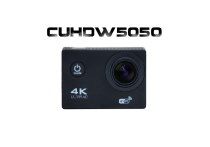
CUHDW5050
1
Table des matières
DETAILS DE LA CAMERA ............................................................................... 4
DIAGRAMME DES MODES OPERATIONNELS ...................................................... 5
UTILISATION DE VOTRE CAMERA SPORTIVE....................................................... 7
APPLICATION (ANDROID ET IOS)................................................................. 17
BOITIER ETANCHE .................................................................................... 22
INFORMATIONS DE SECURITE ...................................................................... 23
GENERALITES.......................................................................................... 23
SECURITE............................................................................................... 24
ALIMENTATION ÉLECTRIQUE DU PRODUIT...................................................... 24
CHOIX DE L’EMPLACEMENT DU PRODUIT....................................................... 25
2
NETTOYAGE............................................................................................ 25
DEPANNAGE........................................................................................... 26
SECURITE – ENVIRONNEMENT .................................................................... 26
CONDITIONS DE GARANTIE......................................................................... 28
SITE WEB STOREX ................................................................................... 31
ENREGISTREMENT DE LA GARANTIE .............................................................. 31
3
DETAILS DE LA CAMERA
4
DIAGRAMME DES MODES OPERATIONNELS
Une fois la caméra allumée, vous pouvez appuyer sur le bouton Marche/Mode
pour passer d’un mode à l’autre :
Vidéo
Photo
Rafale
5
Time laps
Configurations
Vidéo
Enregistrer une vidéo
Photo
Prendre une photo.
Rafale
Prendre plusieurs photos d’affilés
Time Lapse
Série de plusieurs photos par intervalle de temps
Configurations
Accéder aux paramètres de la caméra
6
UTILISATION DE VOTRE CAMERA SPORTIVE
Lorsque vous utilisez la caméra pour la première fois veuillez :
1. Insérer une carte micro SD ou SDHC, tel qu’indiqué sur l’illustration suivante.
Une carte haute vitesse de classe 4 est recommandée. Une carte mémoire de
classe 10 s’impose lorsque vous utilisez la fonction de temporisation ou
d’enregistrement vidéo en mode professionnel.
Éteignez la caméra avant d’insérer ou de retirer la carte.
7
Installation de la batterie
Veuillez installer la batterie lithium-ion correctement tel qu’indiqué sur
l’illustration suivante :
Étape 1 : Mettez le verrou du couvercle de la batterie en position déverrouillée,
et enlevez le couvercle.
Étape 2 : Insérez la batterie lithium-ion dans son réceptacle. Assurez-vous que
les contacteurs de la batterie correspondent aux symboles apposés sur la coque
de la caméra.
Étape 3 : Replacez le couvercle de la batterie et mettez le verrou du couvercle de
la batterie en position verrouillée pour fixer la batterie.
8
Chargement de la batterie
La caméra sportive utilise une batterie lithium-ion rechargeable et amovible.
Lorsqu’elle est éteinte, connectez la caméra à votre ordinateur par
l’intermédiaire du câble USB afin de recharger la batterie. En cours de charge,
le témoin de statut clignote (en bleu) et s’éteint une fois la batterie rechargée.
Remarque : la batterie ne se recharge pas lorsque celle-ci est allumée et
connectée à l’ordinateur.
9
Allumer/Eteindre
Allumer : Maintenez appuyé le bouton
pendant trois secondes, l’écran
LCD affiche « ON » et la caméra émet un signal sonore.
Eteindre : Maintenez appuyé le bouton
pendant trois secondes, l’écran LCD
affiche « OFF » et la caméra émet un signal sonore.
Remarque : La caméra s’éteint au bout de cinq minutes sans utilisation.
10
PREMIERS PAS
MODE VIDEO
Vérifiez que la caméra est en mode vidéo. Si l'icône « vidéo » ne s'affiche pas,
appuyez sur le bouton Power/Mode à plusieurs reprises jusqu'à ce qu'il
apparaisse.
Pour démarrer l'enregistrement :
Appuyer sur le bouton de « Obturateur/Select. » L'appareil émet un bip et les
voyants d'état de caméra s’allumera pendant l'enregistrement.
11
Pour arrêter l’enregistrement:
Appuyez sur le bouton de « Obturateur/Select. » les voyants d'état de la
caméra clignotent et l'appareil émet un bip pour indiquer l'enregistrement.
Cet appareil arrête automatiquement l'enregistrement lorsque la batterie est
déchargée. Votre vidéo sera sauvegardée avant que l'appareil photo s'éteigne.
12
MODE PHOTO
Pour prendre une photo, vérifiez que l'appareil est en mode Photo. Si l'icône
Photo ne s'affiche pas, appuyez sur « Power/Mode » bouton à plusieurs reprises
jusqu'à ce qu'il apparaisse.
Prendre une photo:
Appuyez sur le bouton de « Obturateur/Select. » les voyants d'état de la
caméra clignotent et l'appareil émet un bip pour indiquer la prise.
13
MODE BURST PHOTO
Pour prendre une photo, vérifiez que l'appareil est en mode Burst Photo. Si
l'icône Photo ne s'affiche pas, appuyez sur « Power/Mode » bouton à plusieurs
reprises jusqu'à ce qu'il apparaisse.
En mode rafale, la camera prend 3 photos toutes les seconds et demi.
Appuyez sur le bouton de « Obturateur/Select. » les voyants d'état de la
caméra clignotent et l'appareil émet un bip pour indiquer la prise.
14
MODE TIME LAPSE
Pour prendre une photo, vérifiez que l'appareil est en mode Time Laps. Si l'icône
Photo ne s'affiche pas, appuyez sur « Power/Mode » bouton à plusieurs reprises
jusqu'à ce qu'il apparaisse.
En mode Time Lapse, la caméra capture une série de photo aux intervalles
suivants: 2, 3, 5, 10, 20, 30 ou 60 secondes
Pour lancer un Time Lapse:
Appuyez sur le bouton de « Obturateur/Select. » les voyants d'état de la
caméra clignotent et l'appareil émet un bip pour indiquer la prise.
15
Activer/Désactiver le Wi-Fi
Appuyez et maintenez le bouton Bas/Wi-Fi pendant trois secondes pour
désactiver le Wi-Fi.
16
APPLICATION (ANDROID ET IOS)
1. Installation de l’application
1.1 Recherchez « XDV » dans Google Play ou l’APP Store pour pouvoir vous
connecter à la caméra.
17
2. Application Android
2.1 Installez l’application XDV sur votre smartphone ou tablette.
2.2 Insérez la carte Micro SD puis allumez la caméra. Appuyez sur le bouton
Wi-Fi pour l’activer. Le témoin Wi-Fi s’affiche désormais sur l’écran LCD.
2.3 Activer le Wi-Fi sur le smartphone ou tablette et recherchez le signal AP WiFi
de la caméra, puis lancez la connexion. Une fois la connexion établie, l’écran
affiche le message « connexion réussie ».
Remarque : Lorsque vous connectez au WiFi de la caméra pour la première fois,
vous devez saisir le mot de passe « 1234567890 ».
18
2.4 Appuyez sur l’icône
dans la liste des applications du smartphone ou
tablette afin de l’ouvrir. Vous pouvez désormais pré-visualiser l’image envoyée
par la caméra sur le smartphone ou tablette.
19
3. Application iOS
3.1 Installez l’application XDV sur votre téléphone ou produit iOS.
3.2 Insérez la carte Micro SD puis mettez la caméra en marche, et appuyez enfin
sur le bouton Wi-Fi pour l’activer. Le témoin Wi-Fi s’affiche désormais sur l’écran
LCD.
3.3 Activez le Wi-Fi sur le smartphone ou produit iOS et recherchez le signal
WiFi de la caméra, puis lancez la connexion avec la caméra. Une fois la
connexion établie, l’écran affiche le message « connexion réussie ».
Remarque : Lorsque vous connectez la caméra pour la première fois, vous devez
saisir le mot de passe « 1234567890 ».
20
3.4 Appuyez sur le symbole
dans la liste des applications du smartphone
ou produit iOS afin de l’ouvrir. Vous pouvez désormais pré-visualiser l’image
envoyée par la caméra au smartphone ou produit.
21
BOITIER ETANCHE
Avant de fermer le boîtier étanche, nettoyez les joints d’étanchéité en
caoutchouc du boîtier; un seul cheveu ou grain de sable peut provoquer
une pénétration d’eau. Pour vérifier, fermez le boîtier sans y introduire la
caméra. Submergez entièrement le boîtier pendant environ une minute.
Sortez le boîtier de l’eau, séchez l’extérieur avec une serviette et ouvrez-le.
Si l’intérieur est complètement sec, cela signifie que le boîtier est
totalement étanche et peut être utilisé sous l’eau.
Rincez l’extérieur du boîtier avec de l’eau douce et séchez-le après chaque
utilisation. Si vous ne le faites pas, de la corrosion peut apparaître au
niveau de la charnière et du sel peut s’accumuler sur le joint d’étanchéité
ce qui peut causer des défaillances.
Pour nettoyer le joint d’étanchéité, rincez-le à l’eau claire et secouez-le
pour le sécher (ne pas le sécher avec un chiffon). Remettez le joint en place
dans les rainures de la fermeture arrière du boîtier.
22
INFORMATIONS DE SECURITE
Cet appareil a été conçu et fabriqué afin d’assurer votre sécurité. Les
mécanismes de sécurité intégrés au produit vous protègeront si vous observez
les procédures d’installation, d’utilisation et de dépannage suivantes :
Lisez attentivement et respectez les instructions ci-après avant toute
manipulation et installation de votre matériel.
Conservez ces instructions afin de pouvoir vous y référer ultérieurement.
GENERALITES
Ne secouez pas le produit sous peine de l’endommager.
N’utilisez que des pièces et accessoires (bloc d’alimentation…) préconisés par le
fabricant,
Les illustrations du produit peuvent varier du produit actuel.
23
SECURITE
Afin d’éviter les incendies ou les chocs électriques, ne placez pas l’appareil à
proximité d’objets remplis de liquide.
Si un objet lourd ou du liquide venait à tomber sur l’appareil, faites-le vérifier
par un personnel qualifié avant de le réutiliser.
En fonctionnement, la surface du boîtier dégage de la chaleur ; par conséquent,
évitez de le couvrir ou de poser un quelconque objet dessus.
ALIMENTATION ÉLECTRIQUE DU PRODUIT
L’adaptateur de courant fourni est spécifique au produit. L’utilisation d’un autre
adaptateur pourrait endommager le produit ou entraîner des accidents.
24
CHOIX DE L’EMPLACEMENT DU PRODUIT
Installez l’appareil loin de tout équipement à forte attraction tels que four à
micro-ondes, gros haut-parleurs…
NETTOYAGE
N’ouvrez jamais le produit pour le nettoyer sous peine de voir s’annuler la
garantie.
Débranchez le produit du chargeur USB avant de procéder au nettoyage du
produit,
Nettoyez l’extérieur du produit à l’aide d’un chiffon doux et sec. Ne jamais
utiliser de tampon abrasif, de poudre à récurer ou de solvants tels que l’alcool
ou l’essence.
25
DEPANNAGE
Confiez tout dépannage à un personnel qualifié. Un dépannage est nécessaire si
l’appareil a été endommagé de quelle que manière que ce soit : fiche ou cordon
d’alimentation endommagé, liquide renversé sur le produit, introduction de
petits objets dans le produit, exposition à la pluie ou à l’humidité, anomalie de
fonctionnement, chute du produit…
SECURITE – ENVIRONNEMENT
Votre produit STOREX a été testé en laboratoire ; il est conforme aux directives
Européennes correspondant au marquage CE en vigueur au moment de sa
commercialisation.
Une traçabilité des composants de votre produit STOREX a été réalisée ; elle
26
nous a démontré la conformité du produit à la directive environnementale
(RoHS) en vigueur au moment de sa commercialisation.
En fin de vie, ne pas jeter le produit à la poubelle mais le ramener au
distributeur ou à votre déchetterie qui se chargera de faire passer le produit
dans une filière de recyclage des déchets électriques, électromécaniques et
électroniques (DEEE).
27
CONDITIONS DE GARANTIE
La garantie proposée par STOREX est de 1 an pour le produit et de 3 mois pour
ses accessoires (télécommande, câbles AV, bloc d’alimentation…).
STOREX garantit votre produit contre tout défaut de fabrication ou
d’assemblage. Cette garantie ne s’applique qu’au premier achat d’un produit par
l’utilisateur final et n’est pas transférable si l’appareil est revendu. La garantie ne
couvre pas les incompatibilités détectées par l’utilisateur final en dehors des
recommandations d’utilisation imprimées sur l’emballage et les incompatibilités
générées avec un autre matériel ou logiciel installé sur l’ordinateur auquel est
connecté le produit.
28
Une preuve d’achat doit être présentée à nos services pour mettre en œuvre la
garantie auprès de STOREX.
La garantie ne couvre pas les pannes ou les défauts liés à un non-respect des
instructions de ce manuel, une négligence, une transformation du produit, une
mauvaise installation ou manipulation, des réparations ou des modifications non
autorisées par STOREX, des tests inappropriés, des accidents ou des facteurs
externes tels que, non exhaustifs, une chaleur ou une humidité excessive, des
pannes de courant ou une mauvaise installation/désinstallation du produit.
La seule obligation contractuelle de STOREX consiste en la réparation et le
remplacement d’un produit défectueux. En aucun cas STOREX ne peut être tenu
29
pour responsable des pertes de données ou de ses conséquences consécutives à
un défaut de fonctionnement ou à une panne du produit. En tout état de cause,
la responsabilité financière de STOREX ne pourra pas être engagée pour un
montant supérieur à la valeur d’acquisition du produit par le client final.
La présente garantie est ainsi définie et ne pourra pas être modifiée, diminuée
ou élargie sans accord écrit de STOREX. De plus, STOREX ne pourra pas être tenu
pour responsable de tout conseil technique ou service fourni en relation avec le
produit.
Pour toute demande hors garantie, nous vous invitons à contacter le support.
30
SITE WEB STOREX
Rendez-vous à l’adresse http://www.storex.eu.
ENREGISTREMENT DE LA GARANTIE
Afin de faciliter votre prise en charge lors d'un éventuel entretien avec notre
équipe de support, nous vous invitons à enregistrer la garantie de votre produit
sur notre site Web à l’adresse :
http://garantie.storex.eu
31
En cas de panne, veuillez contacter votre revendeur pour faire réparer votre
"produit" sous garantie, ou veuillez adresser votre demande par courrier
électronique à l’adresse :
[email protected]
ou par téléphone au
France :
Portugal :
Espagne :
Angleterre :
01 55 85 82 00 ([email protected])
308 800 836 ([email protected])
902 110 572 ([email protected])
([email protected])
du Lundi au Jeudi de 09h30 à 19h30.
le vendredi de 9h30 à 18h30.
32
33
34
35
">