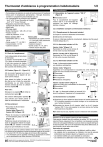
Thermostat d’ambiance à programmation hebdomadaire
1) Caractéristiques
1/2
3) Raccordement
• Commutateur de sélection du mode de fonctionnement (7 positions)
• Choix parmi 3 températures permanentes : Hors-gel, Economie,
Confort et 1 programme personnalisable par jour
• Les 3 températures de consigne sont réglables :
- de 5° à 30 °C pour Economie et Confort,
- de 5° à 15 °C pour Hors-gel
• Régulation proportionnelle intégrale
(catégorie B) base de temps : 15 mn
• Mode veille
• Affichage digital
• Boîtier d’ambiance : 128 x 85 x 31 mm
• Fixation murale
• Indice de protection : IP 30
3.1 Alimentation de l’appareil version “230 V”
(Figure 4)
➊ Alimentation 230 V
Pour le raccordement de l’appareil
version “230 V”, il est nécessaire de
respecter les règles de câblage
décrites ci-dessus.
N Ph
4
1
3
2
1
Version secteur 230 V
• Alimentation 230 V, ± 10 %,
50 Hz
• Sortie contact 1 T, 1 A, 230 V
• Consommation : 0,5 VA
• Isolement classe II
Version piles
• Alimentation par 3 piles alcalines
1,5 V de type LR03 (autonomie
supérieure à 1 an)
• Isolement classe II
• Sortie contact 1T, 1A, 230 V
• Témoin d'usure des piles
2) Installation
2.1 Choix de l’emplacement
Il est indispensable de bien placer
le thermostat.
La hauteur recommandée est de
1,5 m dans un endroit accessible,
à l’abri des sources de chaleur
(cheminée, influence du soleil) et
des courants d’air (fenêtre, porte).
2.2 Fixation (Figure 2.1 - Figure 2.2)
Afin de monter l'appareil sur le mur, il
est nécessaire de le séparer de son
socle comme indiqué.
Ainsi séparé du boîtier, le socle doit
être fixé au mur à l'aide d'un ensemble
vis/chevilles ou sur boîte d'encastrement (entraxe 60 mm) en utilisant
les trous repérés ➊.
3.2 L’installation comporte un thermostat d’ambiance
3.2.1 Remplacement du thermostat existant
1) Coupez le courant et démontez le thermostat
2) Débranchez le thermostat.
Si celui-ci n’était pas positionné correctement, déplacez les fils jusqu’à
l’endroit adéquat (§ 2.1).
3.2.2 Le thermostat existant a 2 fils
Version “piles” (Figure 5.1)
Raccordez les 2 fils sur les bornes 6
et 8 de votre nouveau thermostat.
5
5.1
Version “secteur 230 V” (Figure 5.2)
Raccordez les 2 fils sur les bornes 4
et 5 de votre nouveau thermostat.
1,50 m
3.2.3 Le thermostat existant a 3 fils
Mini 20 cm
1
2
2.1
Pour cela :
1er cas : Le thermostat existant possède
une résistance anticipatrice.
5.2
Version “piles” (Figure 6)
Supprimez le fil correspondant et raccordez les 2 fils restants aux
bornes 6 et 8 du nouveau thermostat.
1
➊ Thermostat
➋ Vers chaudière
4
3
➌ Fil à supprimer
2
➍ Résistance anticipatrice
6
Version “secteur 230 V” (Figure 7)
Utilisez le fil bleu pour l’alimentation du thermostat.
➊ Alimentation 230 V
➋ Vers contact
Dévissez la vis repérée ➋ afin d'ôter le
cache-bornier repéré ➎.
2 ème cas : Le thermostat existant est raccordé à la
terre (fil vert/jaune). Supprimez le fil correspondant.
Des cloisons défonçables repérées ➌
sont prévues pour laisser passer le
câble de raccordement si nécessaire.
3.3 Branchement à la chaudière
2.2
2.3 Raccordement
• Raccordez les fils de liaison
(voir chapitre 3).
Version piles (Figure 3.1)
Version 230 V (Figure 3.2)
• Placez de nouveau le cache-bornier
en l'immobilisant grâce à la vis ➋
(Figure 2.2).
Positionnez ensuite le thermostat sur le
socle en engageant d'abord les ergots
repérés ➍ puis rabattre le thermostat
jusqu'à ce qu'il s'emboîte sur le socle.
3
3.1
3.2
Par souci de clarté, les schémas réalisés sont à retenir dans leur principe.
N'y figurent pas les protections et autres accessoires exigés par les normes.
• La norme UTE C15-100 et les règles de l'art doivent être respectées.
• Il est nécessaire que les appareils connectés ou environnants ne créent
pas de perturbations trop fortes (directives CEE 89/336).
Appareil conforme aux exigences des directives : CEE 89/336 (Compatibilité ElectroMagnétique)
et CEE 73/23 modifiée CEE 93/68 (Sécurité basse tension).
7
1
N
Ph
2
a) Supprimez le shunt reliant les deux bornes de l'entrée thermostat.
Si la chaudière possède une entrée horloge, ne la confondez pas
avec l'entrée thermostat.
b) Raccordez les bornes 6 et 8 (version “piles”) ou 4 et 5 (version
“secteur 230 V”) de votre appareil à ces deux bornes de l'entrée
thermostat de la chaudière.
N.B : Dans tous les cas, reportez vous à la notice de votre chaudière.
Garantie
Garantie 2 ans de cet appareil à partir de la date d’installation.
Cette garantie s'applique dans les conditions des articles 1641 et suivants du
code civil (France uniquement). Pour en bénéficier, il est nécessaire de joindre
à l'envoi de votre appareil défectueux la preuve d'achat sur laquelle doit figurer
la date d'acquisition. Elle couvre le remplacement des pièces défectueuses, la
main d'oeuvre et le port retour chez le client.
Sont exclus de la garantie :
• Les matériels dont le numéro de série a été détérioré, modifié ou effacé.
• Les matériels dont le raccordement ou l'utilisation n'ont pas été exécutés
conformément aux indications figurant sur l'appareil ou sur la notice.
• Les matériels modifiés sans accord préalable du constructeur.
• Les matériels dont la détérioration serait consécutive à des chocs.
Thermostat d’ambiance à programmation hebdomadaire
1) Description
2/2
5) Programmation hebdomadaire
Jour en cours
5.1 Déterminez votre programmation hebdomadaire
Affichage de la température
Vous disposez de 4 programmes pré-établis. Vous pouvez sélectionner
l’un d’entre eux par rotation du commutateur.
Témoin d'usure des piles (version piles)
Etat de la sortie chauffage ( = Marche)
Profil du programme journalier
( : Confort, : Economie)
Hors-gel permanent
(réglable de 5 à 15 °C)
1
2
3
4
5
6
7
Economie permanent
(réglable de 5 à 30 °C)
1
2
3
4
5
6
7
Confort permanent
(réglable de 5 à 30 °C)
1
2
3
4
5
6
7
Touches de modification
Affichage de la température mesurée
ou validation en mode programmation
0h 2 4 6 8 10 12 14 16 18 20 22 24
Repère de sélection du commutateur
Commutateur de choix du mode de
fonctionnement (7 positions)
2) Mise en place des piles
0h 2 4 6 8 10 12 14 16 18 20 22 24
3 piles alcalines 1,5 V de type LR03 ou AAA
(autonomie supérieure à 1 an).
“ Pas de piles rechargeables”.
0h 2 4 6 8 10 12 14 16
18 20 22 24
Pour les mettre en place, séparez l'appareil
de son socle, insérez les piles en prenant
soin de respecter les polarités puis remontez
l'appareil sur le socle.
➌ Appuyez obligatoirement sur
pour valider et passer au jour
suivant.
Répétez les opérations ➋ et ➌ pour chaque jour
➍ Après la programmation, mettez le commutateur sur AUTO.
3) Mise à l’heure
Positionnez le commutateur de réglage sur
.
Le réglage de l’heure s’effectue par
et
.
Chaque passage à 24 h 00 vous permet de changer de jour.
1
2
3
4
5
6
7
Nota : Dans le mode de réglage de l’heure, le
chauffage est à l’arrêt.
1
2
3
4
5
6
7
0h 2 4 6 8 10 12 14 16 18 20 22 24
Ex : Prog.1, il est 20 h 15.
Le créneau horaire correspondant clignote. La
température confort est demandée, sa valeur
est affichée.
ou Prog.1, il est 05 h 20
La température de consigne Economie s’affiche.
1
2
3
4
5
6
7
0h 2 4 6 8 10 12 14 16 18 20 22 24
Mise en veille pour le fonctionnement hors période de chauffe.
4.1 Réglage de la température Hors-gel
Mettre le commutateur sur la position
A la mise en service : Hors-gel = 7 °C
.
L’appareil affiche 4 tirets.
➊ Positionnez le commutateur sur
➋
ou
Choix de la température (5 à 15 °C)
7) Un problème ?
Problème
4.2 Réglage de la température Economie
Le symbole
A la mise en service : Economie = 16 °C.
➊ Positionnez le commutateur sur
➋
ou
Choix de la température (5 à 30 °C)
apparaît.
Diagnostic / Solutions
• Les piles sont usées
Changez les piles
Rien n’apparaît sur l'écran. • Pas d’alimentation
- modèle ”secteur 230 V” : vérifiez
l’alimentation 230 V
- modèle “piles”: changez les piles
ou vérifiez leurs polarités (sens)
4.3 Réglage de la température Confort
A la mise en service : Confort = 19 °C.
Chauffage à eau chaude
Vérifiez que la valeur réglée sur l’appareil est
La température de la pièce supérieure (de 2 ou 3 °C) au réglage du
n’atteint pas la valeur
radiateur.
désirée par le réglage du
radiateur.
➊ Positionnez le commutateur sur
➋
ou
Choix de la température (5 à 30 °C)
Appuyez sur la touche
.
La valeur de la température de la pièce s’affiche.
Nota : Pour les modes
,
et AUTO, la
température affichée correspond à la température
de consigne pour le créneau horaire en cours.
6) Arrêt du chauffage / Mode veille
4) Réglage des températures
4.4 Visualisation de la température mesurée
0h 2 4 6 8 10 12 14 16 18 20 22 24
➊ Positionnez le commutateur sur PROG
P
L’affichage de la température disparaît.
R
Le programme attribué au 1er jour apparaît.
O
G
Le 1er créneau horaire clignote.
➋ Appuyez sur
pour 1 heure de Confort ou
pour 1 heure
d’Economie (Passage au créneau suivant)
Répétez l’opération pour chaque créneau horaire
Vous disposez d'environ 1 minute pour
mettre en place les nouvelles piles tout en
conservant votre programmation.
Appui maintenu : Avance rapide
1
2
3
4
5
6
7
5.2 Modifiez et enregistrez votre programmation
Remplacement des piles :
Le témoin d'usure
s'allume, ne laissez
pas les piles usées séjourner dans l'appareil
(la garantie ne couvre pas les dégradations
dues à des piles ayant coulé).
Appui bref : Avance au pas de 1 minute
A la mise en service,
Confort de 6 à 23 h pour
tous les jours de la semaine.
Ce programme est modifiable (§ 5.2)
A
U
T
O
1
2
3
4
5
6
7
Appareil conforme aux exigences des directives : CEE 89/336 (Compatibilité ElectroMagnétique)
et CEE 73/23 modifiée CEE 93/68 (Sécurité basse tension).
Tout l’affichage clignote
L’appareil vient d’être mis sous tension.
Vérifiez et réglez si nécessaire l’horloge et les
températures, sinon appuyez sur une touche.
">