Manuel d’utilisation
Introduction
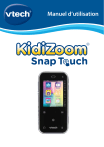
Vous venez d’acquérir le KidiZoom Snap Touch de VTech®. Félicitations !
Amuse-toi avec cet appareil compact, rempli d’applications et d’activités.
Il est doté d’un double appareil photo de 5 MP, de jeux, de filtres photo
et vidéo amusants, d’une petite messagerie, d’un enregistreur vocal et
bien plus encore.
CONTENU DE LA BOÎTE
• KidiZoom® Snap Touch
• Câble micro-USB
• Guide de démarrage rapide
Note :
Le revêtement métallique du KidiZoom® Snap Touch est isolant.
ATTENTION : pour la sécurité de votre enfant, débarrassez-vous de tous
les produits d’emballage tels que rubans adhésifs, feuilles de plastique,
attaches, étiquettes, cordons et vis d’emballage. Ils ne font pas partie du
jouet.
Il est conseillé de sauvegarder ce manuel d’utilisation car il comporte des
informations importantes.
WARNING: All packing materials such as tape, plastic sheets, packaging
locks, removable tags, cable ties, cords and packaging screws are not
part of this toy, and should be discarded for your child’s safety.
NOTE: Please save this user’s manual as it contains important
information.
The battery in this product must not be disposed of with household
waste. This battery is recyclable. Please follow your local recycling
regulations.
Le jouet doit uniquement être connecté à des équipements portant l’un
des symboles suivants :
ou
2
ATTENTION ! Ne convient pas aux enfants de moins de 36 mois.
Jouet électronique pouvant être branché à un transformateur. Danger de
choc électrique.
ATTENTION ! Pour des raisons de sécurité, merci de lire les
instructions.
Informations de sécurité lors de l’utilisation d’une
alimentation électrique pour jouets
•
•
•
•
•
•
•
•
Utiliser uniquement le câble micro-USB fourni ou un adaptateur secteur
Vtech AC/DC 80-405149 5V 1A (vendu séparément).
Le jouet doit uniquement être utilisé avec une source d’alimentation
électrique pour jouets.
La source d’alimentation n’est pas un jouet.
Attention ! Le jouet ne convient pas aux enfants de moins de 36 mois.
Le jouet ne doit pas être raccordé à un nombre de sources
d’alimentation supérieur à celui recommandé.
Ne jamais exposer à l’humidité un jouet branché sur le secteur.
Vérifier régulièrement l’état de la source d’alimentation (fiches de
raccordement, boîtier, prise ou toute autre pièce). Ne pas utiliser une
source d’alimentation endommagée pour éviter tout risque d’incendie,
de choc électrique ou de dommage corporel.
Les sources d’alimentation ne sont pas destinées à être utilisées
comme jouets, et l’utilisation de ces produits par les enfants doit se
faire sour la surveillance des parents.
3
CARACTÉRISTIQUEs
Port audio Jack
Bouton
Marche/Arrêt
Objectif pour selfie
Objectif frontal
Bouton Photo
Bouton Galerie
Volume +
Emplacement
carte microSD
Volume -
Port
micro-USB
Curseur batterie
Déclencheur
Bouton Musique
Bouton
Enregistreur vocal
Bouton Accueil
4
Boutons
Description
Curseur Batterie
Déplace le curseur sur la position
Marche avant de l’utiliser et pour
charger la batterie.
Note : il n’est pas nécessaire d’éteindre
l’appareil tous les jours. En position
Arrêt, l’appareil ne fonctionne pas. Il
est dès lors nécessaire de paramétrer
à nouveau l’heure et la date lors de la
prochaine utilisation.
Bouton Marche/Arrêt
Appuie sur ce bouton pour allumer ou
éteindre l’appareil.
Déclencheur
Appuie sur ce bouton pour prendre
des photos ou vidéos.
Volume +
Appuie sur ce bouton pour augmenter
le volume sonore.
En mode Photos ou Vidéos, utilise ce
bouton pour zoomer.
Volume -
Appuie sur ce bouton pour diminuer le
volume sonore.
En mode Photos ou Vidéos, utilise ce
bouton pour dézoomer.
Bouton Accueil
Touche ce bouton pour voir le menu
Accueil et choisir des activités.
Dans une application ou activité,
utilise ce bouton pour revenir à l’écran
précédent.
Bouton Photo
Touche ce bouton pour prendre des
photos.
Bouton Galerie
Touche ce bouton pour visionner
les photos ou vidéos déjà prises et
rangées dans la Galerie.
Bouton Musique
Touche ce bouton pour aller dans la
fonction Musique (une carte microSD
est nécessaire pour stocker les
fichiers mp3)
5
Bouton Enregistreur vocal
Touche ce bouton pour aller dans la
fonction Enregistreur vocal.
Port micro-USB
Branche le câble micro-USB à ton
ordinateur pour charger ou transférer
des fichiers.
Emplacement carte
microSD
Insère une carte microSD pour
ajouter de la mémoire (carte microSD
non fournie).
Port audio jack
Insère des écouteurs pour écouter la
musique stockée dans l'appareil.
Caractéristiques du produit
Affichage
Écran couleur tactile de 2,4”
Langues
Anglais (UK)
Français (FR)
Résolution des photos
5,0 MP (1920 X 2560) – extrapolé
2,0 MP (1200 X 1600)
0,3 MP (480 X 640)
Résolution des vidéos
240 X 320
Durée limite des
vidéos par fichier
5 min. par fichier sur la mémoire
interne
10 min. par fichier sur une carte
mémoire (non fournie)
Mise au point
À partir de 45 cm
Mémoire interne
Mémoire interne de 256 Mo (partagée
avec les données des programmes, la
mémoire disponible pour les fichiers
photo/vidéo/audio est donc moindre)
Format carte mémoire et
capacité de stockage
Carte microSD/microSDHC (non fournie)
avec une capacité de 1 Go à 32 Go,
classe 10 ou supérieure recommandée.
6
Formats supportés
Photo : Standard Baseline JPEG
Vidéo : AVI (Motion JPEG)
Voix : wave (22k16bit)
Connecteur externe
Câble micro-USB 2.0 (inclus) pour
charger ou transférer les fichiers.
Bluetooth® (BLE) pour se connecter
à un autre Snap Touch pour envoyer
des messages, des photos, des
fichiers audio et pour jouer à 2.
Amplitude thermique
maximale pour un bon
fonctionnement
0 °C - 40 °C (32 °F - 104 °F)
CAPACITÉS DE STOCKAGE
Mémoire
interne
8
Go
Carte
microSD
16
Go
32
Go
MP3
Photos
5,0 MP
Photos
2,0 MP
Photos
0,3 MP
Vidéos
(minutes)
(environ 5 Mo
pour chaque
fichier)
140
160
800
5
NA
10 600
12 700
65 000
370
1 638
21 200
25 400
130 000
740
3 276
42 400
50 800
260 000
1 480
6 552
Note : les données ci-dessus sont des estimations. La capacité réelle
dépend de l’environnement de prise de vue.
La limite de durée de la vidéo par fichier est de 10 minutes lors de
l’utilisation de la carte mémoire. La taille maximale des fichiers est de
2 Go.
7
POUR COMMENCER À JOUER
Lors de la première utilisation, déplacer le
curseur Batterie situé au dos de la montre sur la
position
. Si le curseur est sur la position
,
il ne sera pas possible de charger l’appareil, de
jouer et l’heure sera réinitialisée.
CHARGEMENT DE LA BATTERIE
Note : le chargement de la batterie doit être effectué par un adulte.
• S’assurer que la batterie est sur la position
. Soulever le cache en
caoutchouc protégeant le port micro-USB sur le côté.
• Insérer le câble micro-USB (petite prise) dans le port micro-USB de la
montre.
• Ou, utiliser un adaptateur secteur Vtech AC/DC 80-405149 (vendu
séparément) et le brancher à un équipement avec un port USB (sortie
DC 5V 1A) avec la mention suivante :
ou
.
• Une fois la connexion réussie, le symbole de la batterie en chargement
sera affiché sur l’écran.
• Lorsque la batterie est intégralement chargée, un message s’affiche
sur l’écran, puis l’écran s’éteint. Débrancher l’appareil de l’ordinateur.
DIRECTIVES DE CHARGEMENT
Pour charger KidiZoom® Snap Touch, utiliser le câble micro-USB fourni ou
un adaptateur secteur Vtech AC/DC 80-405149 (vendu séparément) à
un équipement avec un port USB (sortie DC 5V 1A) avec la mention
suivante :
ou
. Avant toute utilisation, inspectez le cordon pour
vérifier qu’il est en bon état et qu’il n’y a pas de rupture ou de fil exposé.
Assurez-vous qu’il n’y a pas de particules ou de liquide (eau, jus, etc.)
dans l’un des connecteurs avant de brancher l’une des extrémités du
câble. L’appareil doit être complètement sec et aucun débris ne doit se
trouver dans les connecteurs du câble lors de la charge. Branchez le
câble en toute sécurité, dans le bon sens. Si l’appareil est allumé lorsqu’il
est branché, une boîte de dialogue peut s’ouvrir sur votre ordinateur
pour vous permettre d’accéder au lecteur de l’appareil. Ne laissez jamais
l’appareil sans surveillance pendant le chargement. Ne chargez pas
votre appareil sur des surfaces molles, car elles peuvent piéger la chaleur
autour de l’appareil. Le temps de recharge typique est d’environ 4h-4h30
si la batterie est complètement déchargée. Débranchez l’appareil lorsqu’il
est entièrement chargé. Ne laissez pas l’appareil en charge pendant plus
de 5 heures.
8
Vérifier régulièrement le cordon de charge pour détecter les conditions qui
pourraient entraîner un risque d’incendie, d’électrocution ou de blessure,
comme des dommages au cordon, au boîtier ou autres pièces. Dans ce
cas, le cordon ne doit pas être utilisé jusqu’à ce qu’il soit correctement
réparé ou remplacé.
Note : la durée du rechargement dépend de l’alimentation électrique, du
niveau de la batterie avant chargement et de la température ambiante de
l’environnement de chargement. L’amplitude thermique maximale pour
un bon fonctionnement est 0 °C- 40 °C.
MESSAGES D’AVERTISSEMENT
1
Le curseur Batterie est sur
la position Arrêt.
Déplace le curseur sur la position
avant de charger
Marche
l’appareil.
2
La température est hors des
limites recommandées.
L’amplitude thermique maximale
pour un bon fonctionnement est
0 °C- 40 °C.
DURÉE DE LA BATTERIE
La durée de la batterie dépend de l’utilisation de la montre. Comme
tout appareil électronique, plus l’usage est fréquent et plus la batterie
se décharge rapidement. Lorsque le niveau de la batterie est faible,
rechargez la batterie avant de continuer à l’utiliser. Lorsque le niveau
de la batterie est trop faible, la montre ne s’allume pas tant qu’elle n’est
pas rechargée. Si vous constatez que le temps entre les charges est
considérablement réduit sans changement d’utilisation, la batterie est
9
peut-être en fin de vie. La durée de vie de la batterie varie d’une batterie
à l’autre en fonction du stockage, des conditions de fonctionnement et de
l’environnement.
ENTRETIEN DE LA BATTERIE
Charger régulièrement la batterie pour garder une performance optimale,
même si la montre n’est pas utilisée. Par exemple, charger la montre
tous les 6 mois. Déplacer le curseur sur la position Arrêt
, seulement
lorsque la montre n’est pas utilisée pendant une longue période.
Ce jouet contient des piles non remplaçables.
Vérifier régulièrement l’état du câble micro-USB fourni avec le jouet afin
de prévenir le risque d’incendie, de décharge électrique ou de blessures.
En cas de dégâts sur le fil ou sur les autres parties du câble, le réparer
avant utilisation.
ATTENTION ! Pour charger l’appareil, utiliser uniquement le
câble micro-USB fourni ou un adaptateur secteur Vtech AC/DC
80-405149 5V 1A (vendu séparément).
Tri des produits et piles usagés
• Les jouets VTech® sont des équipements électriques et électroniques
(EEE) qui, en fin de vie, feront l’objet d’une collecte sélective en vue
de leur recyclage. Ainsi, afin de préserver l’environnement, VTech®
vous recommande de retirer et de jeter vos piles usagées dans les
containers prévus à cet effet, puis de déposer le jouet en fin de vie
dans les points de collecte mis à disposition dans les magasins ou
dans votre commune.
• Le symbole de la poubelle barrée sur les produits et les piles
ou sur leur emballage respectif indique que les équipements
électriques et électroniques ainsi que les piles ne doivent
pas être jetés dans les déchets ménagers car ils contiennent
des substances pouvant être néfastes à l’environnement et
à la santé.
• Lorsque les symboles Hg, Cd ou Pb sont indiqués, cela
signifie que la pile contient plus de mercure (Hg), cadmium
(Cd) ou plomb (Pb) que la valeur spécifiée dans la Directive
2006/66/CE sur les piles et les accumulateurs.
• La barre solide sous le symbole de la poubelle barrée
indique que le produit a été placé sur le marché après le 13
août 2005.
10
• Contribuez à la protection de l’environnement en triant vos produits et
piles usagés.
• Pour plus d’informations sur la collecte et le tri des piles usagées, vous
pouvez visiter le site Internet http://www.corepile.fr.
• Pour plus d’informations sur le tri des produits électriques et
électroniques, vous pouvez contacter notre service consommateurs.
MISE EN PLACE DE LA CARTE MÉMOIRE
KidiZoom® Snap Touch est compatible avec les cartes mémoires
microSD/SDHC jusqu’à 32 Go, vendues séparément.
• Pour commencer, s’assurer que l’appareil est éteint.
• Soulever le cache en caoutchouc de
l’emplacement pour carte mémoire
situé sur le côté de l’appareil.
• Insérer la carte mémoire en respectant
le schéma ci-contre.
• Replacer le cache pour protéger la
carte mémoire.
• Pour retirer la carte microSD/SDHC,
appuyer une fois sur la carte afin de
l’éjecter.
Note :
• Il est recommandé de formater la carte mémoire avant de l’utiliser
avec l’appareil.
• Lorsqu’une carte mémoire est insérée, les fichiers sauvegardés sur
la mémoire interne ne sont plus accessibles. Vérifier que les fichiers
sont bien sauvegardés sur l’ordinateur pour éviter toute perte de
donnée. Afin d’éviter d’éventuelles dégradations de l’appareil ou carte
mémoire, éteindre l’appareil avant de retirer la carte mémoire.
11
POUR COMMENCER À UTILISER LE
Kidizoom® Snap Touch
S’assurer que le curseur est sur la position Marche
et charger la
batterie avant de commencer.
Choisir une langue
Pour allumer la première fois l’appareil, appuyer sur le bouton Marche/
Arrêt.
Le menu Langues apparaît à l’écran. Toucher la langue souhaitée puis
toucher la coche
.
Régler la date et l’heure
Ensuite, il sera nécessaire de régler la date et l’heure souhaités. Faire
glisser les jours, mois, années, heures et minutes pour les paramétrer.
Puis toucher la coche
pour confirmer.
Pour commencer à jouer
• Toucher le bouton Accueil pour se diriger vers le menu des applications.
• Appuyer sur le déclencheur ou toucher le bouton Photos pour accéder
à la fonction Appareil photo.
• Toucher le bouton Galerie pour visionner les photos et vidéos déjà
prises.
• Toucher le bouton Musique pour accéder aux musiques. (Ranger les
fichiers MP3 dans le dossier MUSIC de la carte mémoire). Tu peux
aussi écouter la musique avec des écouteurs en les branchant sur la
prise audio Jack.
• Touche le bouton Enregistreur vocal pour enregistrer ta voix ou écouter
les fichiers déjà enregistrés.
ÉCONOMIE D’ÉNERGIE
Pour préserver la vie de la batterie, l’appareil s’éteint automatiquement
après une courte période d’inactivité.
Note : la durée de l’affichage de l’heure peut être réglée dans l’option
Affichage de l’heure dans les Réglages. Veuillez vous reporter à la
section Réglages de ce guide. Pour les autres activités, l’appareil
reviendra automatiquement à l’écran de l’horloge s’il n’y a pas d’activité
pendant deux minutes. Dans le mode Photos, Jeux et Messages, l’écran
de l’heure réapparaît après trois minutes d’inactivité.
12
TRANSFERT DE FICHIERS
Il est possible de connecter l’appareil à un ordinateur à l’aide du câble
micro-USB inclus. Une fois l’appareil branché, transférer des fichiers
entre l’appareil et l’ordinateur. Suivre les instructions suivantes pour
établir la connexion :
• Soulever la protection du port micro-USB sur le côté de l’appareil.
• Insérer le câble micro-USB (petite prise) dans le port micro-USB de
l’appareil.
• Brancher l’autre extrémité du câble micro-USB (grande prise) sur le
port USB de l’ordinateur.
• Utiliser le disque “VTech 5492” pour transférer des fichiers de et
vers l’appareil. Si vous utilisez une carte mémoire, utiliser le disque
correspondant.
Le disque “VT SYSTEM” stocke les données du système et son accès
est impossible. Ne pas supprimer ce disque.
Note : une fois l’appareil branché à l’ordinateur, ne pas le débrancher
lorsqu’il est en train de télécharger. Lorsque le téléchargement est
terminé, débrancher le câble micro-USB en suivant les étapes pour
déconnecter en toute sécurité un appareil d’un ordinateur puis retirer
le câble.
Pour enregistrer sur un ordinateur les photos et les vidéos prises
avec le Snap Touch :
• Ouvrir le dossier DCIM dans le disque amovible “VTech® 5492”
• Les fichiers photo et vidéo seront placés dans un sous-dossier. Les
copier et les coller sur un ordinateur pour les sauvegarder.
Pour enregistrer sur un ordinateur les fichiers d’enregistrement :
• Ouvrir le dossier VOICE dans le disque amovible “VTech® 5492”
• Déplacer et coller les fichiers sur l’ordinateur pour les sauvegarder.
Pour transférer des fichiers d’enregistrement sur le
KidiZoom® Snap Touch :
• Sélectionnez les fichiers MP3 que vous souhaitez installer sur
l’appareil.
• Ouvrir le dossier MUSIC sur la carte mémoire et y déposer les fichiers
MP3.
NOTE : l’appareil ne lit pas les fichiers MP3 sur le système interne
VTech®5492. Ne pas sauvegarder les fichiers MP3 sur ce système car il
prendra de la mémoire inutilement.
13
Pour transférer des fichiers photo et vidéo sur le
KidiZoom® Snap Touch :
• Sélectionnez les photos et vidéos que vous souhaitez installer sur
l’appareil.
• Ouvrir le dossier DOWNLOAD dans le système VTech® 5492 et y
déposer les photos et vidéos dans le sous-dossier PHOTO ou VIDEO.
Note : ne pas transférer de photos ou de vidéos enregistrées avec un
autre appareil que le KidiZoom® Snap Touch car le format des fichiers
pourrait ne pas être compatible.
Configuration minimale requise
Microsoft® Windows® 10 ou versions supérieures.
macOS 10.12 ou versions ultérieures.
Port USB requis.
Microsoft® et les logos Windows sont des marques de Microsoft
Corporation, aux États-Unis et/ou dans d’autres pays.
Brancher un casque
Pour diffuser le son de l’appareil au moyen d’un casque, localisez la prise
audio sur le dessus de l’appareil, puis insérez une fiche de 3,5 mm pour
vos écouteurs (non inclus).
14
ACTIVITÉS
Menu Accueil
Ici tu pourras accéder à toutes les activités de l’appareil, à l’état de la
batterie et à l’heure.
• Touche une icône pour accéder à une activité.
• Fais glisser l’écran vers la droite ou vers la gauche pour changer de
page.
• Le fond d’écran peut être modifié dans les Réglages de l’appareil.
L’ordre des activités peut être différent si des activités ont été
volontairement bloquées dans les Réglages. Dans ce cas, certaines
applications seront masquées.
15
Photos
Prends des photos avec des effets spéciaux !
Touche l’icône
pour alterner entre le mode normal et
le mode Selfie.
Touche l’icône
pour afficher les différents effets
spéciaux.
Touche les flèches gauche ou droite pour voir les effets
spéciaux.
Touche l’icône
pour afficher le retardateur.
Appuie sur les boutons volume + ou - pour zoomer ou dézoomer. La
barre du zoom apparaît lorsqu’on zoome.
Touche l’icône
ou appuie sur le déclencheur ou sur le bouton Photos
pour prendre une photo.
Vidéos
Prends des vidéos avec des effets spéciaux et un retardateur.
Touche l’icône
pour alterner entre le mode normal et
le mode Selfie.
Touche l’icône
pour afficher les différents effets
spéciaux.
Touche les flèches gauche ou droite pour voir les effets
spéciaux.
Touche l’icône
pour afficher le retardateur.
Appuie sur les boutons volume + ou - pour zoomer ou dézoomer. La
barre du zoom apparaît lorsqu’on zoome.
Touche l’icône
pour démarrer l’enregistrement, touche l’icône
pour
l’arrêter.
Magic’vidéos
Capture des vidéos marrantes en ajoutant des tampons !
Touche l’icône
pour alterner entre le mode normal et
le mode Selfie.
Touche l’icône de l’effet spécial pour démarrer
l’enregistrement. Touche encore l’icône pour l’arrêter.
16
Musique
Écoute des fichiers MP3 de ta carte mémoire.
Choisis la chanson pour l’écouter.
Touche l’icône
pour démarrer l’écoute.
Touche l’icône
pour supprimer une chanson ou un
dossier.
Touche les flèches haut et bas pour voir les différentes
musiques du répertoire.
Touche l’icône
pour mettre l’écoute en pause.
Touche l’icône
ou
pour écouter la musique
précédente ou suivante.
pour revenir à la liste de lecture.
Touche l’icône
Touche l’icône
pour sélectionner le mode Répétition
souhaité.
Touche l’icône
pour sélectionner le mode Aléatoire.
Note : tu peux écouter de la musique à l’aide d’un casque
(non fourni).
Retouches photo
Tu peux modifier les photos en :
• ajoutant un cadre
• ajoutant des vignettes (maximum 10)
• ajoutant des bulles (maximum 5)
• ajoutant des filtres couleurs
• dessinant sur ta photo
Choisis une icône
pour rentrer dans le
sous-menu des effets.
Pour les vignettes et les bulles, fais glisser ton doigt sur
la barre des effets spéciaux au bas des options, touche
une icône pour la faire apparaître sur la photo. Déplace
l’effet spécial à l’endroit souhaité sur la photo. Pour
changer le texte dans la bulle, touche l’icône T et entre
ton texte à l’aide du clavier. Touche la coche
lorsque tu as fini.
Pour dessiner sur la photo, fais glisser ton doigt sur la barre de couleur
au bas pour voir les différentes options de crayons, touche une couleur
puis commence ton dessin sur la photo.
Touche l’icône
pour effacer ta dernière action (maximum 10 annulations).
Touche l’icône
pour sauvegarder une photo.
Dans le sous-menu des effets spéciaux, touche la coche
pour
confirmer. Tu peux à nouveau modifier ta photo si tu le souhaites.
17
Calendrier
Pour voir les jours, semaines et mois de l’année.
Fais glisser l’écran vers la gauche pour voir le mois
suivant.
Fais glisser l’écran vers la droite pour voir le mois
précédent.
Fais glisser l’écran vers le haut pour voir l’année suivante.
Fais glisser l’écran vers le bas pour voir l’année
précédente.
Enregistreur rigolo
Enregistre un petit morceau (moins de 10 secondes) avec un personnage
animé.
Il y a 8 personnages et certains ont une fonction Déformation de voix.
Tu peux créer jusqu’à 30 animations. Tu peux les partager avec tes amis
dans les Messages.
Touche une icône Humeur
pour changer l’expression
du personnage.
Touche l’icône
pour commencer l’enregistrement du
personnage.
Lorsque tu as fini d’enregistrer, le personnage répète ce
que tu as enregistré. Touche les flèches gauche et droite
pour changer la manière dont le personnage bouge.
Touche l’icône
pour réécouter l’enregistrement.
Touche l’icône
pour confirmer et sauvegarder l’enregistrement.
Touche l’icône
pour annuler l’enregistrement.
Anim’fun
Crée des animations rigolotes avec ton visage.
Les animations créées peuvent être partagées avec tes
amis dans les Messages.
Aligne les contours de ton visage dans les pointillés
et prends-toi en photo (ou tes amis). Fais défiler les
différentes vignettes au bas de l’écran puis touche celle
que tu souhaites voir apparaître avec ta photo.
Touche l’icône
pour sauvegarder l’animation.
18
Journal personnalisé
Crée ton propre journal avec tes photos.
Choisis ton modèle, puis ajoute ta photo et ton texte sur
la page.
Clavier
Touche les lettres pour rédiger ton texte.
Touche l’icône
pour choisir si tu veux utiliser des
lettres majuscules ou minuscules.
Touche l’icône
pour afficher les nombres et les
symboles.
Touche l’icône
pour effacer les lettres/symboles
entrées, et maintiens appuyé pendant 3 secondes pour
tout effacer. Touche OUI pour effacer tout le contenu
entré.
Touche l’icône
pour afficher les caractères spéciaux du clavier.
Touche l’icône
pour afficher les caractères normaux du clavier.
Touche l’icône
pour ajouter un espace.
Touche l’icône
pour aller à la page précédente ou suivante.
Touche l’icône
pour valider le texte entré et passer à la prochaine
étape. (Dans les Messages, une icôné Envoyé
remplace la coche ).
Messages
Connecte-toi et discute avec tes amis possédant un
autre Snap Touch. Choisissez le même code pour vous
connecter entre vous. Lorsque vous êtes connectés, vous
pouvez vous envoyer :
• des messages
• des émoticônes
• des photos
• des animations créées dans Enregistreur rigolo
• des vignettes
Touche les icônes
dans le menu pour
envoyer le contenu souhaité.
Lorsqu’un message est envoyé, une boîte de messagerie
apparaît. Fais défiler l’écran pour voir l’historique.
L’historique est effacé quand on sort de l’écran.
NOTE : la connexion ne fonctionne pas au-delà de 5
mètres de distance entre les 2 appareils.
19
Galerie
Visionne des photos et vidéos dans la Galerie. Elles se
trouvent sur la mémoire interne si aucune carte microSD
n’est insérée. Elles se trouvent sur la carte microSD si
une carte est insérée.
Pour les fichiers audio touche l’icône
pour les écouter.
Touche l’icône
pour voir les fichiers en miniature.
Touche l’icône
pour afficher le menu des suppressions.
Touche l’icône
pour faire pivoter les photos à 90∘ dans le sens des
aiguilles d’une montre.
Appuie sur les boutons volume + ou - pour zoomer ou dézoomer.
Photomontages
Prends des photos ou choisis des photos de la Galerie
pour en faire des montages rigolos. Tu peux aussi
modifier le fond.
Maquillage studio
Ajoute des effets Maquillages sur tes photos.
Positionne ton visage et prends-le en photo, puis ajoute
les effets.
Touche les icônes
pour entrer dans le menu
des effets de maquillage souhaité.
Pour l’effet Éponge, choisis ta couleur du menu des
couleurs au bas de l’écran, puis touche la couleur
souhaitée afin de la mettre sur le visage. Touche l’icône
Pinceau
pour changer de pinceau et dessiner sur la photo.
Pour les autres effets Maquillages, fais défiler le menu des effets au bas
de l’écran puis touche l’icône de l’effet souhaité. Déplace l’effet sur la
photo pour l’insérer.
Touche l’icône
pour effacer la dernière action.
Touche l’icône
pour sauvegarder l’image.
Habillage
Mélange les styles pour créer ton propre costume !
Tu peux sauvegarder jusqu’à 30 costumes en mélangeant des
coiffures, des T-shirts, des jupes, des pantalons, des chaussettes, des
chaussures,etc.
20
Touche une icône pour modifier le costume du
personnage à l’écran.
pour choisir un costume au hasard.
Touche l’icône
pour sauvegarder ta création.
Touche l’icône
Roulette
Tourne la roue pour gagner un prix ! Enregistre ta voix
pour entendre ta récompense personnalisée.
Dans le menu des annonces :
pour en rajouter
Touche l’icône Ajouter une annonce
une nouvelle.
pour supprimer une annonce.
Touche l’icône Moins
Touche le bouton Enregistrement pour enregistrer
ton annonce (moins de 5 secondes) pour la case
spécifique. Annonce 1 pour la case 1, Annonce 2 pour
la case 2 etc.
Après l’enregistrement, le bouton Enregistrement
et Corbeille
disparaît. Les boutons Lecture
apparaissent
. Appuie sur le bouton Commencer pour jouer !
Sort de l’araignée
Ajoute une ou plusieurs photos pour les découvrir dans les cadeaux
lorsque l’araignée rentrera dedans.
Dans le menu, tu peux :
.
Ajouter une option
.
Supprimer une option
Touche l’icône Photos pour prendre une photo.
ou la
Après avoir pris la photo, tu peux la voir
supprimer
.
Machine à pince
Déplace la pince pour attraper une balle et résoudre une énigme.
Tu as droit à 5 pièces par jour.
pour insérer une pièce dans la machine.
Touche l’icône
pour bouger la pince vers la gauche.
Touche l’icône
pour bouger la pince vers la droite.
Touche l’icône
Touche l’icône pour faire descendre la pince et attraper
une balle.
21
Pensée du jour
Lis une pensée du jour par jour. Les pensées sont sauvegardées dans le
menu Galerie de cette application.
Série de 3
Aligne 3 ingrédients à la suite et collectionne-les pour en
faire un bon plat.
Pour déplacer un ingrédient pour en aligner 3 à la suite,
touches-en un, puis celui avec lequel il échange sa
place. Une fois les 3 ingrédients identiques alignés, ils
s’effacent et de nouveaux ingrédients entrent dans la
grille.
Le nombre d’ingrédients nécessaire est enregistré dans
le coin supérieur droit. Lorsque la quantité minimale est
atteinte, l’écran du score s’affiche et le temps restant est
également comptabilisé. Au plus tu alignes d’ingrédients en un minimum
de temps, au plus ton score sera élevé.
Jeu de parcours
Le petit personnage cherche les notes magiques pour
révéler le puzzle du Monde merveilleux. Aide-le à trouver
les notes et les pierres de cristal pour avancer dans les
niveaux.
Touche l’endroit où tu veux que le personnage se déplace
pour collectionner les notes et les pierres de cristal. Fais
attention aux obstacles.
Touche l’icône
ou
pour attraper les objets.
pour monter ou descendre.
Touche l’échelle
Trouve la sortie pour quitter le lieu après avoir trouvé assez de notes
et de pierres de cristal . Touche la sortie pour sortir du labyrinthe .
Abeille en vol
La petite abeille doit partir récolter du pollen pour sa ruche.
Touche l’icône
pour déplacer l’abeille vers la
gauche ou vers la droite pour collecter le pollen. Attention
aux obstacles !
Tu as 3 vies, tu en perds une à chaque fois que tu touches
un obstacle. Si tu touches 3 obstacles, tu perds la partie.
Collecte le nombre de pollens nécessaire pour passer au
niveau suivant.
22
Ours caché
Un petit ours est caché parmi les bonshommes de neige
et d’autres objets. Trouve l’ours pour gagner des points.
Tu peux aussi jouer à 2 à ce jeu en te connectant avec un
autre Snap Touch.
Entre le même code que ton ami possédant aussi un
Snap Touch pour jouer ensemble. Si un des 2 joueurs
quitte le jeu, la connexion se coupe.
Note : la distance maximale entre 2 appareils pour pouvoir jouer
ensemble est de 5 mètres.
4 à la suite
Joue à “4 à la suite” contre un robot ou contre un ami en mode Connecté.
Touche les flèches gauche ou droite pour placer ta pièce. Puis touche la
pièce pour la faire descendre dans la colonne souhaitée.
Dans le mode Jeu contre le robot, le joueur et le robot
jouent chacun à leur tour.
Pour jouer à 2, choisis l’icône des 2 joueurs, puis choisis
le même code pour jouer ensemble. Chaque joueur joue
chacun son tour.
Si un joueur attend trop longtemps avant de jouer, l’autre
joueur gagne la partie.
Si un des 2 joueurs quitte le jeu, la connexion se coupe.
Note : la distance maximale entre 2 appareils pour pouvoir jouer
ensemble est de 5 mètres.
Jeu du serpent
Tu peux jouer contre le robot ou contre un ami. Chacun lance le dé à son
tour puis avance d’autant de cases. Quand un joueur arrive près d’une
échelle, il la monte automatiquement. Quand il arrive près d’une tête de
serpent, il redescendra vers la queue du serpent.
En mode Jeu contre le robot, chacun joue à son tour,
lance le dé et avance.
En mode Jeu contre un autre joueur, les joueurs doivent
choisir le même code puis établir une connexion pour
pouvoir jouer ensemble. Chacun son tour lance le dé et
avance.
23
Le joueur qui arrive au bout du jeu en premier gagne la partie.
Si un joueur attend trop longtemps avant de jouer, l’autre joueur gagne
la partie.
Si un des 2 joueurs quitte le jeu, la connexion se coupe.
Note : la distance maximale entre 2 appareils pour pouvoir jouer
ensemble est de 5 mètres.
Réveil
Règle un réveil pour avoir une alarme récurrente ou
occasionnelle.
Fais défiler les heures pour régler l’heure.
Touche l’icône de la cloche pour régler l’alarme
, la
faire répéter
ou l’éteindre
.
Touche les flèches pour changer la tonalité de l’alarme.
Touche la coche
pour confirmer la modification.
Rappels
Enregistre des rappels pour ne jamais rien oublier !
Crée jusqu’à 40 rappels par jour.
Il existe plus de 60 rappels différents sous forme d’icônes
ou de photos.
Touche l’icône Nouveau rappel
pour ajouter un
rappel.
Touche un rappel pour le modifier.
Touche l’icône de la cloche pour chaque rappel pour
créer un rappel (chaque jour
, une fois
,
éteindre le rappel
).
Sablier
Compte à rebours jusqu’à 99 minutes.
Fais défiler les chiffres du sablier pour régler le compte
à rebours.
Touche l’icône
pour démarrer le sablier.
Touche l’icône
pour mettre en pause le sablier, puis
touche l’icône
pour le reprendre.
Touche l’icône
pour réinitialiser le compte à rebours.
24
Chronomètre
Chronomètre jusqu’à 99 minutes.
pour démarrer le chronomètre.
Touche l’icône
pour arrêter le chronomètre.
Touche l’icône
pour enregistrer des tours (jusqu’à 10
Touche l’icône
tours au maximum).
Dessin
Crée tes propres dessins avec 6 crayons de couleurs
différentes et sauvegarde-les !
Dessine directement sur l’espace blanc.
pour effacer la dernière action
Touche l’icône
(au maximum 3 annulations).
pour effacer tes traits. Passe sur les
Touche l’icône
zones à effacer pour les supprimer.
Touche l’icône pour afficher les couleurs.
pour sauvegarder le dessin.
Touche l’icône
Notes
Tu peux écrire jusqu’à 40 notes.
pour créer une nouvelle
Touche l’icône
note et commencer à écrire le texte. Lorsque tu as fini,
appuie sur la coche puis reviens à l’écran pour voir la
nouvelle note. Appuie sur la note pour voir apparaître
la corbeille
si tu veux la supprimer.
Paramètres applications
Ici tu peux choisir de bloquer certaines applications de
l’appareil.
Touche l’icône
pour bloquer l’application et ne plus
y avoir accès.
Touche l’icône
pour débloquer l’application et y avoir
accès.
Seules les applications des pages 3 et 4 peuvent être
bloquées.
Enregistreur vocal
Tu peux enregistrer jusqu’à 5 minutes par fichier et
ajouter des effets spéciaux.
pour enregistrer ta voix.
Touche l’icône
Touche un fichier voix pour le sélectionner.
25
Touche l’icône
pour écouter le fichier. Touche l’icône
pour mettre en pause l’écoute.
Touche l’icône
pour afficher le menu des effets
spéciaux.
touche l’icône
pour choisir un fichier à supprimer.
touche l’icône
pour arrêter l’enregistrement.
Dans le menu des effets spéciaux :
• Touche une icône pour entendre l’enregistrement avec l’effet sélectionné.
• Touche l’icône Sauvegarder pour sauvegarder le fichier voix avec l’effet
spécial choisi.
Calculatrice
Touche un chiffre et un symbole pour faire tes calculs,
puis appuie sur = pour voir le résultat.
Tu peux entrer jusqu’à 12 chiffres sur l’écran. Si tu entres
plus de 12 chiffres, un symbole d’erreur
apparaîtra.
Touche C pour tout effacer.
Touche l’icône
pour effacer la dernière action.
Convertisseur chiffres romains
Entre un nombre pour le convertir en chiffres romains.
Touche l’icône
pour effacer la dernière entrée.
Touche ? pour voir un glossaire des chiffres romains.
Réglages
Fais défiler les fonctions vers la droite ou vers la gauche sur le haut de
l’écran des réglages.
• Luminosité
Touche l’icône
pour augmenter le niveau de luminosité.
Touche l’icône
pour diminuer le niveau de luminosité.
• Date & heure
Fais défiler les jours, mois, heures, minutes pour régler la date et l’heure.
Touche les flèches haut et bas pour changer le format de la date ou de
l’heure.
Lorsque les réglages sont modifiés, appuie sur la coche pour
confirmer
.
26
• Fond d’écran
Touche les flèches gauche ou droite pour faire défiler les différents fonds
d’écran.
Touche l’icône
pour confirmer ton choix.
Il est possible d’utiliser une photo comme fond d’écran. Touche l’icône
Photo puis choisi la photo que tu souhaites comme fond d’écran.
• Modes de déverrouillage
Il est possible de verrouiller l’appareil de 2 manières.
Verrouillage facial : il te sera demandé de positionner ton visage et de
faire plusieurs expressions pour mieux reconnaître ton visage.
Verrouillage par modèle : il te sera demandé de tracer un schéma reliant
5 à 9 points et de répéter l’action pour confirmer le modèle.
Touche les flèches gauche ou droite pour voir les différentes options.
Touche l’icône
pour confirmer ton choix.
**********Mot de passe oublié**********
Dans le mode Déverrouillage par modèle, appuie sur les boutons
Volume + - ++ - dans les 5 secondes pour déverrouiller l’appareil.
• Mémoire
Ici tu verras la mémoire restante sur l’appareil et l’option de formater
l’appareil.
• Résolution photo
Tu peux choisir la résolution photo (0,3 Mp, 2 Mp ou 5 Mp extrapolé).
Touche les flèches gauche ou droite pour choisir puis appuie sur la coche
pour confirmer. Choisis une résolution élevée pour des photos de
bonne qualité, choisis une résolution plus basse pour stocker plus de
photos.
• Arrêt automatique
Tu peux régler le temps pendant lequel l’appareil reste en marche.
Appuie sur les flèches gauche ou droite pour choisir la durée puis appuie
sur la coche
pour confirmer.
Astuce : si l’arrêt automatique est activé sur une longue durée, la batterie
s’épuisera plus rapidement.
• Balayage
Il est recommandé de conserver le réglage initial, excepté en cas de
voyage. La fréquence par défaut est de 60 Hz pour les États-Unis et de
50 Hz pour l’Europe.
27
• Nom de l’appareil (pour les modes connectés)
Tu peux changer le nom de l’appareil qui apparaît lorsque tu es connecté
avec un autre Snap Touch.
• Contrôle parental (limitation des temps de jeu/connexion activée
ou désactivée)
Suis les instructions à l’écran pour limiter le temps de jeu ou activer/
désactiver la fonction de connexion avec un autre joueur.
• Langues
Choisis parmi la liste la langue souhaitée.
• Paramètres d’usine
La remise à zéro aux paramètres d’usine efface tout le contenu (dont
les photos, vidéos et fichiers) sauvegardé dans la mémoire interne de
l’appareil et réinitialise tous les réglages à la configuration d’usine (y
compris les niveaux de jeu et les index). Les fichiers de la carte mémoire
(si insérée) ne seront pas effacés.
Note : le formatage efface toutes les données de la mémoire (tous les
fichiers photo et vidéo). Si une carte mémoire est utilisée, les données
stockées dans la mémoire interne ne sont pas visibles. Retirer la carte
mémoire pour accéder aux données internes. Lorsque la mémoire interne
est presque pleine, ou que le fichier Index est intégralement utilisé,
déplacer les fichiers de la mémoire interne sur l’ordinateur. Ensuite,
supprimer les fichiers de la mémoire interne pour libérer de l’espace.
ATTENTION
Un très faible pourcentage du public, en raison d’une condition existante,
peut subir des crises d’épilepsie ou une perte de conscience momentanée
à la vue de certains types de couleurs ou de motifs clignotants. Bien
que l’appareil ne contribue à aucun risque supplémentaire, nous
recommandons aux parents de surveiller leurs enfants lorsqu’ils
jouent. Si votre enfant présente des vertiges, une vision altérée, une
désorientation ou des convulsions, cessez immédiatement de l’utiliser
et consultez votre médecin. Veuillez noter que le fait de se concentrer
de près sur l’appareil ou de le manipuler comme une manette de jeu
pendant une période prolongée peut entraîner une fatigue ou un malaise.
Nous recommandons aux enfants de prendre une pause de 15 minutes
pour toutes les heures de jeu.
28
Pression acoustique élevée
Risque de lésion auditive
N’écoutez pas à un volume élevé pendant une période prolongée
ENTRETIEN
• Gardez le couvercle en caoutchouc sur le port micro-USB et
l’emplacement carte microSD bien fermé lorsqu’il n’est pas utilisé afin
d’éviter les dommages causés par la poussière ou l’eau.
• Gardez la montre propre en l’essuyant avec un chiffon légèrement
humide.
• Éteindre l’appareil en déplaçant le curseur sur la position Arrêt s’il
n’est pas utilisé pendant une longue période.
• Conservez l’appareil à l’abri de la lumière directe du soleil et des
sources de chaleur directes.
• Ne laissez pas tomber l’appareil sur une surface dure, ne l’exposez
pas à l’humidité et ne le plongez pas dans l’eau.
• Garder l’objectif propre. Si les images apparaissent floues, vérifiez
qu’il n’y ait pas de poussières ou de taches sur l’objectif de l’appareil.
29
RÉSOLUTION DE PROBLÈMES
Consultez cette section si vous rencontrez des difficultés lors de
l’utilisation du KidiZoom® Snap Touch.
Problème
Solution
L’appareil ne fonctionne
plus
• Déplacer le curseur de la batterie
sur la position Arrêt pour éteindre
le jouet complètement puis attendre
30 secondes.
• Déplacer le curseur de la batterie
sur la position Marche et appuyer
sur le bouton Marche/Arrêt pour
allumer le jouet. L’appareil devrait à
nouveau fonctionner correctement.
• Si le problème n’est pas résolu,
recharger la batterie et réessayer.
(Se référer à la section portant sur
le rechargement de la batterie pour
plus de détails).
L’affichage à l’écran est
anormal
• Déplacer le curseur de la batterie
sur la position Arrêt pour éteindre
le jouet complètement puis attendre
30 secondes.
• Déplacer le curseur de la batterie
sur la position Marche et appuyer
sur le bouton Menu/Marche/Arrêt
pour allumer le jouet. L’affichage
à l’écran devrait de nouveau
fonctionner correctement.
Les photos et les vidéos
prises sont floues
1. S’assurer que les conditions de
luminosité de la prise de vue sont
bonnes.
2. S’assurer que la lentille de protection
de l’objectif est propre.
30
L’enregistrement n’est
pas toujours fluide
Vérifier les performances de la
carte mémoire : il est recommandé
d’utiliser une carte microSD ou
microSDHC de classe 10 ou
supérieure. L’utilisation d’une carte
mémoire moins performante peut
affecter la qualité d’une vidéo. Si
tel est le cas, assurez-vous de
sauvegarder vos fichiers sur votre
ordinateur et formater la carte
mémoire.
Ne se connecte pas à
l’ordinateur
• S’assurer que le câble microUSB est correctement branché
sur l’appareil d’une part et sur
l’ordinateur d’autre part et se référer
aux instructions de ce manuel.
• Éteindre la batterie pendant 30
secondes.
• Allumer la batterie et brancher la
caméra à l’appareil.
Lumière vacillante dans
la vidéo enregistrée
• Vérifier que le réglage de la
fréquence du balayage soit correct.
• Pendant la vidéo, éviter une exposition
directe du soleil.
Aucune connexion avec
un autre KidiZoom®
Snap Touch
• S’assurer que les 2 joueurs sont
sur la même activité et ont choisi le
même code.
• S’assurer que les 2 joueurs ne sont
pas éloignés à plus de 5 mètres de
distance.
31
La carte mémoire n’est
pas détectée
• Vérifier que la carte mémoire est
correctement insérée.
• S’assurer que la carte mémoire est
du type supporté. L’appareil photo
supporte seulement les cartes
microSD ou microSDHC.
• Vérifier que le système de fichiers
de la carte mémoire est FAT ou FAT
32, l’appareil ne reconnaît pas les
systèmes NTFS ou exFat. Nous
conseillons de sauvegarder toutes
les données importantes de la
carte mémoire et de les convertir
au format système de fichier FAT
ou FAT 32 avant de les utiliser sur
l’appareil.
Les fichiers photo et
vidéo téléchargés dans
l’appareil ne peuvent pas
être visionnés
Vérifier que les fichiers téléchargés
sont dans le bon répertoire de
l’appareil. Les photos doivent être
placées dans le dossier DOWNLOAD/
PHOTO, les vidéos doivent être
placées dans le dossier DOWNLOAD/
VIDEO de l’appareil.
• L’appareil supporte uniquement les
formats suivants : photos en JPEG
Standard et vidéos en AVI (Motion
JPEG), fichiers créés avec l’appareil.
32
Déclaration de conformité
Le soussigné, VTech Electronics Europe BV, déclare que l’équipement
radioélectrique du type 5492 est conforme à la directive 2014/53/EU.
Le texte complet de la déclaration UE de conformité est disponible à
l’adresse Internet suivante : www.vtech.com/re-directive
Nom du fabricant : VTech Electronics Europe BV
Adresse du fabricant : PO Box 10042, 6000 GA Weert, The Netherlands. Bande de fréquence : 2400 MHz - 2483.5 MHz
Puissance RF maximale : 0.0010 W (0 dBm)
Besoin d’aide sur nos produits ?
Pour la France, la Belgique et la Suisse francophones :
www.vtech-jouets.com, rubrique Assistance.
Pour le Canada: www.vtechkids.ca/fr, rubrique Soutien.
Vous souhaitez consulter notre
politique de garantie ?
Pour la France, la Belgique et la Suisse francophones :
www.vtech-jouets.com, rubrique Garantie.
Pour le Canada : www.vtechkids.ca/fr, rubrique Politiques.
33
Venez découvrir tous nos produits
sur notre site Internet :
www.vtech-jouets.com
Pour le Canada : www.vtechkids.ca/fr
Pour la France :
TM & © 2022 VTech Holdings Limited.
Tous droits réservés.
Imprimé en Chine.
IM-549200-001
Version:0
">