Patricia C.
How to update or reset the E-SAT HD-W3 device?
A satellite update occurs automatically when the device is switched from standby mode to on. If the device experiences errors or system lock-ups, perform a reset through the System menu.
E-SAT HD-W3 1 E-SAT HD-W3 2 E-SAT HD-W3 1. Introduction ................................................................................................... 6 1.1. 1.2. 2. Consignes de sécurité ........................................................................................ 6 Conformité ....................................................................................................... 7 Description .................................................................................................... 8 2.1. 2.2. 2.3. 2.4. 2.5. 2.6. 2.6.1. 2.6.2. Contenu .......................................................................................................... 8 Fonctionnalités .................................................................................................. 8 Connectique ..................................................................................................... 8 La face avant .................................................................................................... 9 La face arrière .................................................................................................. 9 La télécommande ............................................................................................ 10 Description des touches .................................................................................... 10 Installation des piles de la télécommande ............................................................. 12 3.1. 3.2. 3.3. 3.4. Label FRANSAT ............................................................................................... 12 Utilisation de la carte à puce fournie................................................................... 12 Mise à jour ..................................................................................................... 13 Enregistrements cryptés ..................................................................................... 13 3. 4. Informations Importantes ............................................................................. 12 Branchements .............................................................................................. 13 4.1. 4.2. 4.3. 4.4. 4.4.1. Branchement standard ..................................................................................... 13 Orienter votre parabole .................................................................................... 14 Raccordement à un amplificateur audio .............................................................. 14 Branchement pour faire des enregistrements ........................................................ 14 Enregistrements sur support de stockage USB ........................................................ 14 4.4.1.1. 4.4.1.2. Raccordement du support de stockage USB .......................................................................14 Bien choisir son support de stockage USB pour bien réussir ses enregistrements numériques .........14 4.4.2. 4.5. 5. Enregistrement sur un magnétoscope ou un graveur DVD ........................................ 14 Trucs et astuces ............................................................................................... 15 Première mise en route et installation rapide ................................................ 15 5.1. 5.2. 5.2.1. 5.3. Navigation et utilisation des menus..................................................................... 15 Démarrage..................................................................................................... 16 Afficher l’image du E-SAT HD-W3 sur votre TV ...................................................... 16 Installation rapide ............................................................................................ 16 6.1. 6.2. 6.3. 6.4. 6.5. 6.6. 6.7. 6.8. 6.8.1. 6.8.2. Regarder une chaîne de télévision ...................................................................... 18 Contrôle du volume ......................................................................................... 18 Afficher la liste des chaînes ............................................................................... 18 Numérotation des chaînes ................................................................................ 19 Le bandeau d’information ................................................................................. 19 Sélectionner une piste audio.............................................................................. 19 Afficher les sous-titres ....................................................................................... 19 Consulter le guide des programmes (EPG) ........................................................... 20 Description de l’interface ................................................................................... 20 Liste des différentes fonctions disponibles depuis le guide (EPG) ............................... 20 6.8.2.1. Programmer un enregistrement depuis le guide des programmes ............................................20 6.9. 6.9.1. 6.9.2. Enregistrement sur support de stockage USB ........................................................ 21 Brancher un support de stockage USB ................................................................. 21 Lancer un enregistrement ................................................................................... 21 6. Utilisation au quotidien ................................................................................ 18 3 E-SAT HD-W3 6.9.3. 6.9.4. 6.9.5. Modifier la durée d’un enregistrement ................................................................. 22 Arrêter un enregistrement ................................................................................... 22 Lire un enregistrement ....................................................................................... 22 6.9.5.1. 6.9.5.2. 6.9.5.3. 6.9.5.4. Description du gestionnaire des enregistrements (liste des enregistrements) ................................22 Lecture d’un enregistrement.............................................................................................23 Reprise de la lecture .....................................................................................................23 Positionner le curseur de lecture à un emplacement précis (Aller à) ..........................................23 6.9.10.1. 6.9.10.2. Programmer un enregistrement simple ...............................................................................24 Programmer un enregistrement quotidien ou hebdomadaire...................................................24 6.11.2.1. Reprise de la lecture .....................................................................................................26 6.12. 6.12.1. 6.12.2. 6.13. 6.14. 6.14.1. 6.14.2. 6.14.3. 6.15. 6.16. 6.17. 6.18. 6.19. 6.19.1. Liste de favoris ................................................................................................ 26 Créer une liste de favoris .................................................................................. 26 Sélectionner une liste de favoris ou une autre liste .................................................. 26 Afficher le télétexte........................................................................................... 27 Modifier la Qualité d’image .............................................................................. 27 Changer la résolution HDMI .............................................................................. 27 Modifier le recadrage de l’image ....................................................................... 27 Modifier le format de la sortie péritel ................................................................... 27 Sélectionner la langue, les sous-titres .................................................................. 27 Réglage audio avec une chaîne Hi-Fi ou home cinéma.......................................... 28 Modifier ou désactiver le contrôle parental .......................................................... 28 Verrouiller/déverrouiller une chaîne .................................................................... 28 Les codes PIN ................................................................................................. 28 Le Code PIN Parental ....................................................................................... 29 6.19.1.1. 6.19.1.2. Changer le Code PIN Parental .......................................................................................29 Réinitialiser le Code PIN Parental ....................................................................................29 6.19.2.1. 6.19.2.2. Changer le Code PIN Carte ..........................................................................................29 Réinitialiser le Code PIN Carte .......................................................................................29 6.20. 6.21. 6.21.1. 6.21.2. 6.21.3. Mise en veille automatique................................................................................ 29 Recherche des chaînes ..................................................................................... 29 Effectuer une nouvelle recherche des chaînes FRANSAT .......................................... 30 Recherche des chaînes sur un satellite différent d’Atlantic Bird3 (Eutelsat 5WA) ........... 30 Rechercher des chaînes sur plusieurs satellites avec un commutateur (switch) DiSEqCTM. 30 6.21.3.1. Accéder aux paramètres DiSEqC ....................................................................................30 6.9.6. 6.9.7. 6.9.8. 6.9.9. 6.9.10. 6.9.11. 6.10. 6.10.1. 6.10.2. 6.11. 6.11.1. 6.11.2. 6.19.2. Changer de chaîne pendant un enregistrement ..................................................... 23 Mise en veille pendant un enregistrement ............................................................. 24 Renommer une enregistrement ............................................................................ 24 Supprimer un enregistrement .............................................................................. 24 Ajouter un programme d’enregistrement (Timer) ..................................................... 24 Supprimer un programme d’enregistrement (Timer) ................................................. 24 Utiliser la « Pause du Direct » (Timeshift) .............................................................. 25 C’est quoi la « Pause du Direct » (Timeshift) .......................................................... 25 Comment utiliser la « Pause du Direct » (Timeshift) .................................................. 25 Lire des fichiers multimédia depuis le support de stockage USB ............................... 25 Comment accéder aux fichiers Multimédia ........................................................... 25 Lecture d’un fichier Multimédia ........................................................................... 25 Le Code PIN Carte .......................................................................................... 29 4 E-SAT HD-W3 6.21.3.2. Configuration des paramètres DiSEqC ..............................................................................31 6.22. 6.23. 6.24. 6.25. Changer la sélection régionale de France 3 ......................................................... 32 Réinitialiser les paramètres (retour aux réglages usine) ........................................... 32 Formater le support de stockage USB ................................................................. 33 Améliorer votre appareil ................................................................................... 33 7. 7.1. 7.2. 7.3. 7.4. 7.5. 7.6. 7.7. 7.8. 7.9. Description des menus ................................................................................. 33 Menu chaînes ................................................................................................. 33 Menu Image ................................................................................................... 34 Menu Configurer ............................................................................................. 34 Menu Heure ................................................................................................... 34 Menu Langues ................................................................................................ 34 Menu Système................................................................................................. 34 Menu USB ...................................................................................................... 34 Menu Via Eutelsat ............................................................................................ 34 Menu Viaccess ................................................................................................ 34 8. En cas de problème ..................................................................................... 35 9. SAV, HOTLINE, fabriquant et Garantie ......................................................... 37 10. Caractéristiques techniques .......................................................................... 38 39 5 E-SAT HD-W3 1. Introduction Le terminal de réception satellite E-SAT HD-W3, permet la réception et l’enregistrement des chaînes de la TNT disponibles par satellite avec FRANSAT aussi bien en Haute Définition (TNT-HD) qu’en simple définition (TNT-SD). Il a été fabriqué selon les normes internationales en matière de sécurité. Afin d’utiliser votre terminal en toute sécurité, nous vous recommandons de lire attentivement les consignes de sécurité ci-dessous avant sa mise en service. Ce récepteur satellite permet aussi de recevoir la totalité des chaînes FTA disponibles sur le satellite Atlantic Bird3 (Eutelsat 5WA) mais aussi d’autres satellites. 1.1. Consignes de sécurité Veuillez lire ce manuel dans son intégralité avant d’installer votre E-SAT HD-W3. Branchez l’alimentation de l’appareil uniquement sur une prise secteur ayant les caractéristiques suivantes: 110240VAC, 50/60Hz. N’ouvrez jamais l’appareil ou son alimentation; cela vous exposerait à des risques de chocs électriques mortels et vous ferait perdre le bénéfice de la garantie. Toute rupture de l’étiquette d’inviolabilité marquée : « Warranty void if seal is broken or removed1» annulera la garantie de l’appareil. Si nécessaire, confiez votre équipement à un réparateur spécialisé. Protection contre la foudre : en cas d’orage, nous vous recommandons d’éteindre le terminal, de débrancher son alimentation de la prise secteur et de déconnecter le câble d’antenne afin d’éviter tout dommage. Placez le terminal à l’intérieur, dans un endroit sec et correctement ventilé, à l’abri des rayons du soleil, suffisamment éloigné d’éventuelles sources de chaleur (radiateur par exemple). Ne le posez pas sur un objet mou tel que tapis ou mousse. Il est important de vérifier qu’il y a suffisamment d’espace autour de l’appareil afin d’assurer une ventilation correcte. Ne manipulez pas l’appareil ou les câbles avec les mains mouillées ou dans une atmosphère très humide. Quand vous n’utilisez pas votre terminal pendant une longue période (vacances par exemple), débranchez le du secteur et du câble antenne afin de faire des économies d’énergie et de le protéger contre un éventuel « Coup de Foudre ». Ne posez aucun objet sur votre terminal. Si celui-ci doit être installé dans un meuble, prévoyez au moins 6cm d’espace libre au-dessus. Vérifiez qu’aucun objet n’est entré dans l’appareil par ses fentes de ventilation car cela pourrait l’endommager irrémédiablement. Les fentes de ventilation ne doivent jamais être obstruées. Ne posez jamais d’objets lourds sur le terminal, même s’il n’est pas en service. Ne posez jamais de récipient contenant un quelconque liquide à proximité ou sur le terminal. Assurez-vous qu’aucun liquide n’entre dans l’appareil. N’utilisez jamais de détergents liquides pour le nettoyer. La présence d’un quelconque liquide à l’intérieur de l’appareil vous exposerait à des risques de chocs électriques mortels. Déplacer le terminal depuis un endroit froid vers un endroit chaud peut faire apparaître de la condensation. Dans ce cas, attendez au moins deux heures avant de le remettre en route pour permettre à la condensation de s’évacuer totalement. Les piles (pack de piles ou piles installées) ne doivent pas être exposées à une chaleur excessive comme le soleil, le feu ou autres. L'adaptateur AC / DC est utilisé comme dispositif de déconnexion, il doit rester facilement accessible. CGV ne peut être tenu pour responsable de dommages occasionnés du fait de la non-observation des consignes de sécurité ou d’une utilisation inappropriée de l’appareil. Conservez la totalité du matériel d’emballage original pour un éventuel retour de l’appareil en SAV. 6 E-SAT HD-W3 1.2. Conformité Déchets d’équipements électriques et électroniques Ce symbole sur le produit, ses accessoires ou sa documentation indique que ce dernier est conforme à la Directive européenne 2002/96/CE. Cela signifie que ni le produit, ni ses accessoires électroniques usagés ne peuvent être jetés avec les autres déchets ménagers. Veuillez séparer vos produits et accessoires usagés des autres déchets. La mise au rebut citoyenne de votre ancien produit permet de protéger l’environnement et la santé, vous favoriserez ainsi le recyclage de la matière qui les compose dans le cadre d’un développement durable. Les particuliers sont invités à contacter les autorités locales pour connaitre les procédures et les points de collectes de ces produits en vue de leur recyclage. MARQUAGE POUR L’EUROPE Le marquage CE qui est attaché à ce produit signifie sa conformité aux Directives Européennes de sécurité EMC (2004/108/EC), EN 60065 et LVD (2006/95/EC). Ce produit est conforme à la directive 2011/65/CE. Les substances soumises à limitation n’excèdent pas les valeurs de concentration maximales tolérées en poids dans les matériaux homogènes (Plomb (0,1 %), Mercure (0,1 %), Cadmium (0,01 %), Chrome hexavalent (0,1 %), Polybromobiphényles (PBB) (0,1 %), Polybromodiphényléthers (PBDE) (0,1 %)). Piles et Accumulateurs Les piles, y compris celles qui ne contiennent aucun métal lourd, ne doivent pas être jetées avec les ordures ménagères. Veuillez vous débarrasser des piles usagées d’une façon ne présentant aucun danger pour l’environnement. Renseignez-vous sur la réglementation en vigueur dans votre région à ce sujet. Fabriqué sous licence de Dolby Laboratories. Le terme « Dolby » et le sigle double D sont des marques commerciales de Dolby Laboratories. Le logo HDMI et High-Definition Multimedia Interface sont des marques commerciales ou des marques déposées de HDMI Licensing LLC aux États-Unis et dans d'autres pays. 7 E-SAT HD-W3 2. Description 2.1. Le terminal satellite numérique E-SAT HD-W3 Une carte à puce prépayée donnant accès aux chaînes de la TNT SD et HD disponibles par satellite avec FRANSAT. 1 télécommande 2 piles LR03/AAA de 1,5V Un bloc secteur 230VAC->12VDC, 2A Ce manuel d’utilisation 2.2. Fonctionnalités Capacité de 4000 chaînes TV et radios. Recherche automatique et manuelle des chaînes. Gestion des décrochages régionaux de France 3. Sous-titrage et Télétexte. Affichage du programme courant/suivant dans le bandeau d’information. Guide électronique des programmes (EPG). Contrôle parental suivant les recommandations du Conseil Supérieur de l’Audiovisuel (CSA). Verrouillage des chaînes par l’utilisateur (mot de passe demandé pour afficher la chaîne). Suppression de chaînes (uniquement les chaînes gratuites non incluses dans le service FRANSAT). Liste de chaînes favorites. Port USB 2.0 pour l’enregistrement numérique des chaînes (Simple et Haute Définition : SD et HD) sans perte de qualité, sur support de stockage USB externe formaté en FAT32 ou NTFS (enregistrements cryptés). Programmer jusqu’à 30 Timers (programmateur d’enregistrement). Programmation d’enregistrements journalier et hebdomadaire. Possibilité de renommer les enregistrements. Fonction de reprise de la lecture et fonction "Aller à". « Pause du Direct » (Timeshift) pour une maîtrise totale du direct. Lecture multimédia : photos (JPG), musique (MP3) et film (XviD). Mise à jour automatique du logiciel par les airs (OTA). Commutation DiSEqCTM 1.0 et DiSEqCTM 1.1 Possibilité de rechercher les chaînes FTA d’autres satellites (même si la recherche du satellite Atlantic Bird3 n’a pas été effectuée). Résolution HDMI jusqu'à 1080p. Affichage du menu en plusieurs langues (Français et Anglais). Import/export de la liste des chaînes sur support de stockage USB. Eco-veille : Très faible consommation en mode veille (<0,5 W). Télécommande simple et ergonomique. 2.3. Contenu 1 1 1 1 1 3 1 1 1 1 Connectique tuner satellite 1 entrée et une sortie lecteur de carte à puce VIACCESS intégré prise péritel : Pour relier à la TV, au magnétoscope, DVD-R ou à un autre appareil sortie audio numérique S/PDIF optique sortie audio stéréo analogique (prises RCA droite/gauche) boutons en façade afficheur 4 chiffres à 7 segments port USB 2.0 sortie audio/vidéo numérique HDMI (HDCP 1.2) entrée diffuseur infrarouge 8 E-SAT HD-W3 2.4. La face avant 1 2 3 4 5 6 7 1: Bouton de mise en marche/mise en veille du E-SAT HD-W3. 2: Bouton de sélection/affichage de la chaîne précédente. 3: Bouton de sélection/affichage de la chaîne suivante. 4 : Afficheur : Affiche le numéro de chaîne, OtA pendant une mise à jour… 5 : Voyant ON/OFF : VERT lorsque le E-SAT HD-W3 est en fonctionnement et ROUGE lorsqu’il est en veille. 6 : USB : Port USB 2.0 pour connexion d’un support de stockage USB. 7 : Lecteur de carte à puce : voir §3.2 p12. 2.5. La face arrière 1 2 3 4 5 6 7 8 1 : AUDIO L /R : Sorties audio analogique stéréo à raccorder sur une chaîne Hi-Fi par exemple (facultatif). 2 : S/PDIF: Sortie audio numérique optique à raccorder à un home cinéma pour profiter du son Dolby Digital (facultatif). 3 : PARABOLE OUT : Permet de raccorder un second terminal satellite (facultatif). 4 : PARABOLE IN : Reliez ce connecteur à votre parabole à l’aide d’un câble coaxial adéquat. Attention : votre parabole doit être orientée vers le satellite Atlantic Bird3 (EUTELSAT 5WA). 5 : HDMI : Sortie audio/vidéo numérique HDMI à brancher sur votre TV pour bénéficier de la Haute Définition. 6 : TV : Reliez cette prise à la prise péritel de votre téléviseur uniquement si votre TV ne dispose pas d’entrée HDMI. Reliez cette prise à un magnétoscope ou un graveur DVD-R si vous désirez effectuer des enregistrements (facultatifs). 7 : IR EXT : Entrée capteur infrarouge. Branchez un capteur infrarouge (non fourni) afin de dissimuler votre récepteur dans un meuble tout en continuant à utiliser votre télécommande. 8 : DC12V/2A : Entrée d’alimentation du E-SAT HD-W3. La source d’alimentation à connecter sur cette entrée doit fournir une tension comprise entre 10 et 15V continu et 2A. Il est conseillé d’utiliser le bloc secteur fourni (230VAC>DC12V/2A) comme source d’alimentation. Toutefois cette entrée est compatible avec les sources d’alimentations des véhicules (camping-car, caravane, etc…) équipés d'une batterie 12V. Attention : CGV ne garantit pas l’utilisation du E-SAT HD-W3 dans les véhicules. Ces installations doivent être effectuées par un professionnel. CGV ne pourrait être tenu responsable en cas de défaut de fonctionnement. 9 E-SAT HD-W3 2.6. 2.6.1. La télécommande Description des touches La télécommande de votre E-SAT HD-W3 permet d’accéder aux différents menus et fonctions de votre terminal. 1 2 3 4 5 6 7 8 9 10 11 12 13 14 15 16 17 18 20 19 21 22 23 25 24 26 10 E-SAT HD-W3 1 2 3 4 5 6 7 8 9 10 11 12 13 14 15 16 17 18 19 20 21 22 23 24 25 26 ON/OFF : Bouton de mise en marche/mise en veille du E-SAT HD-W3. Non utilisé. Pavé numérique : Permet d’entrer une valeur numérique (numéro de chaîne, fréquence, etc.). TV/RADIO : Permet de passer de la liste des chaînes TV à la liste des radios et inversement. RETOUR : Retour au programme précédent. MUTE: Coupe /rétablit le son. P+ / P- : Chaîne suivante / Chaîne précédente. Vol+/ Vol- : Augmenter ou diminuer le niveau sonore. Non utilisé. MENU : Afficher/fermer le « Menu principal » (voir §7 p33). Q.MENU : Affiche le gestionnaire/la liste des enregistrements contenus dans le support de stockage USB branché sur le port USB 2.0 du E-SAT HD-W3 (voir §6.9.5 p22). Pavé directionnel : ◄ ►: Sélection de la valeur d’un paramètre dans les menus. ▲▼ : Déplacement haut/bas dans les menus. Changement de chaîne. OK : validation dans les menus ou affichage de la liste des chaînes. BACK : Revenir un cran en arrière dans la navigation USB. MULTIMEDIA : Ouvre le menu multimédia, permet d’accéder au support de stockage USB. EXIT : Sortie d’un menu / annulation d’une fonction. INFO : Affiche le bandeau d’informations de la chaîne en cours de visualisation : nom de chaîne, nom du programme en cours, etc. (voir §6.5 p19). Un second appui ouvre le menu d’info étendu. EPG : Affiche le guide des programmes TV (voir §6.8 p20). Accédez au programme TV de votre soirée en un coup d’œil. FAV : Sélection des listes de chaînes favorites (voir §6.12 p26). OPT : Sélection du format d’image : Auto, 16:9 et 4:3 recadrage,… (voir §6.14.2 p27). TEXT : Affiche le télétexte (si diffusé par la chaîne). Touches de couleurs : Actions spéciales dans les menus. Une aide sera toujours affichée pour décrire l’action correspondant à la touche. Par exemple, dans la liste des enregistrements : ROUGE : Permet de lancer la lecture d’un fichier vidéo en plein écran. VERTE : Permet de renommer les enregistrements (voir §6.9.8 p24). JAUNE : Permet de supprimer des enregistrements (voir §6.9.9 p24). BLEU : Ouvre la fonction « Aller à » durant la lecture d’un enregistrement/fichier vidéo (voir §6.9.5.4 p23). Non utilisé AUDIO : Sélection de la langue du programme/film (voir §6.6 p19). SUBT : Activation/désactivation et sélection de la piste de sous-titres (voir §6.7 p19). Touches PVR : (REC) : Lance l’enregistrement d’une chaîne (voir §6.9.2 p21). (LECTURE) : Relance la lecture d’une chaîne en pause (Timeshift). Lance la lecture d’un enregistrement depuis le gestionnaire/la liste des enregistrements (voir §6.9.5 p22), ou d’un fichier multimédia depuis le menu multimédia (voir §6.11 p25). (PAUSE) : Met en pause l’image d’une chaîne (démarre le Timeshift, voir §6.10 p25) ou d’un enregistrement/fichier multimédia. (STOP) : Arrêt d’un enregistrement, d’une lecture en cours ou du Timeshift. / (Retour/Avance rapide): par appuis courts successifs, 5 vitesses sont possibles en retour/avance rapide (x2, x4, x8, x16, x32). Fonctions disponibles en lecture et Timeshift. 11 E-SAT HD-W3 2.6.2. Installation des piles de la télécommande Ouvrez le compartiment à piles en retirant le couvercle et insérez les piles en respectant la polarité indiquée au fond du compartiment. Si le terminal ne répond plus correctement à la télécommande, les piles sont certainement vides et doivent être remplacées par des neuves (toujours changer les deux piles simultanément). Le fabriquant n’assume aucune responsabilité pour des dommages résultants de piles ayant coulées. REMARQUE : Les piles, y compris celles qui ne contiennent aucun métal lourd, ne doivent pas être jetées avec les ordures ménagères. Veuillez-vous débarrasser des piles usagées d’une façon ne présentant aucun danger pour l’environnement. Renseignez-vous sur la réglementation en vigueur dans votre région à ce sujet. 3. Informations Importantes 3.1. Label FRANSAT L’E-SAT HD-W3 est labellisé FRANSAT, ce qui signifie qu’il peut recevoir et afficher les chaînes de la TNT disponibles sur le satellite Atlantic Bird3 (Eutelsat 5WA) grâce à la carte à puce FRANSAT fournie. Cependant, il peut aussi recevoir les chaînes payantes (bouquet BIS TV, BEIN SPORTS ou encore THEATRES) par simple appel et inscription, sans changement de carte à puce. Rendez-vous sur le site www.fransat.fr pour plus d’informations sur les différents bouquets et conditions d’abonnements. L’E-SAT HDW3 peut aussi recevoir les chaînes FTA d’autres satellites. 3.2. Utilisation de la carte à puce fournie Votre E-SAT HD-W3 est équipé d’un lecteur de carte à puce qui vous ouvre l’accès aux chaînes de la TNT disponibles par satellite avec FRANSAT. Pour pouvoir accéder à l’offre de service FRANSAT, insérez votre carte à puce dans la fente du lecteur prévue à cet effet, puce vers le bas comme indiqué sur l’image ci-dessous. Pour information, les cartes FRANSAT possèdent un Code PIN Carte, nécessaire pour la protection des mineurs (contre les programmes de catégorie V, c'est-à-dire interdit aux -18 ans). Ainsi, lorsqu’une carte à puce FRANSAT est utilisée dans un terminal E-SAT HD-W3, il y a en fait deux codes secrets qui cohabitent dans le terminal : Le Code PIN Parental (que vous avez choisi lors de la première installation). Le Code PIN Carte VIACCESS (qui est propre à la carte FRANSAT). Le Code PIN Carte VIACCESS vous sera demandé lorsque : Un programme interdit aux -18 ans s’affiche (même si vous n’avez pas activé le contrôle parental). Vous effectuerez votre premier enregistrement ou Timeshift. Vous pouvez toutefois ne pas saisir ce code et appuyer sur la touche [EXIT] pour supprimer ce message. Mais dans ce cas, l’enregistrement ou le Timeshift des programmes ayant la classification -18 ne fonctionnera pas. Note : Un enregistrement démarré sur un programme standard ne sera pas valide si jamais une partie de l’enregistrement contient un secteur interdit aux -18 ans. 12 E-SAT HD-W3 3.3. Mise à jour L’E-SAT HD-W3 est équipé d’un système de mise à jour automatique. Il est capable de détecter quand une mise à jour est disponible via le satellite et de l’effectuer lorsque la machine redémarre. Pour bénéficier de ces mises à jour, il est donc recommandé de mettre en veille puis de rallumer votre E-SAT HD-W3 régulièrement. Si la mise à jour venait à être interrompue par une perturbation du signal, l’E-SAT HD-W3 interrompra la procédure de mise à jour après 5 minutes et retournera dans son état normal en affichant une chaîne. L’E-SAT HD-W3 peut aussi être mis à jour par l’intermédiaire de son port USB. Rendez-vous sur www.cgv.fr pour télécharger les derniers logiciels. 3.4. Enregistrements cryptés ATTENTION, le label FRANSAT impose, pour des raisons de propriété intellectuelle et de sécurité, que tous les enregistrements numériques faits sur support de stockage USB par votre E-SAT HD-W3 soient cryptés ; En d’autres termes, les enregistrements ne pourront pas être relus par un ordinateur ou par d’autres modèles de récepteurs satellite. 4. Branchements Afin de profiter pleinement des avancées technologiques de votre E-SAT HD-W3, il est important que l'ensemble de votre installation (paraboles, câbles et accessoires divers) soit de bonne qualité. 4.1. Branchement standard 1. Raccordez votre parabole orientée sur Atlantic Bird3 (EUTELSAT 5WA) sur l’entrée PARABOLE IN. 2. Connectez la prise HDMI de votre E-SAT HD-W3 à l’entrée HDMI de votre téléviseur. La prise HDMI est la seule prise qui permet d’obtenir la Haute Définition, ce type de connecteur transporte l’image et le son. Si vous n’avez pas de prise HDMI, connectez la prise péritel TV de votre E-SAT HD-W3 à la prise péritel de votre TV. 3. Connectez la sortie du bloc secteur dans la prise DC12V/2A de votre E-SAT HD-W3, puis branchez le bloc secteur sur une prise secteur 230VAC 50Hz. 13 E-SAT HD-W3 4.2. Orienter votre parabole Pour recevoir les chaînes de la TNT sur votre récepteur satellite E-SAT HD-W3 FRANSAT, votre parabole doit être correctement orientée vers le satellite Atlantic Bird3 (EUTELSAT 5WA). Positionnez votre parabole à l’aide de l’application FRANSAT Assistance disponible sur PLAY STORE d’Android ou sur l’APPSTORE d’Apple. Téléchargez l’application FRANSAT Assistance sur votre Smartphone/tablette et disposez d’une aide efficace au pointage de l’antenne intégrant l’ensemble des paramètres précis de réglage : azimut, élévation et polarisation. L’orientation de la parabole est l’une des parties les plus importante de l’installation, ne la négligez pas. 4.3. Raccordement à un amplificateur audio Vous pouvez raccorder votre E-SAT HD-W3 à une chaîne Hi-Fi ou à un amplificateur Home cinéma : 1. En analogique, connectez les sorties AUDIO L/R sur l’entrée AUX de votre amplificateur. 2. En numérique, connectez la sortie SPDIF sur l'entrée optique de votre amplificateur à l’aide d’un câble optique. Note : En numérique, vous pouvez profiter du son numérique 5.1 des chaînes TNT (si disponible) et d’une meilleure qualité audio. Pour profiter du son 5.1, vous devrez paramétrer votre E-SAT HD-W3 en mode « Multicanal » (voir §6.15 p24) et votre amplificateur Home Cinéma doit être équipé d’un décodeur DOLBY DIGITAL. 4.4. 4.4.1. 4.4.1.1. Branchement pour faire des enregistrements Enregistrements sur support de stockage USB Raccordement du support de stockage USB Connectez un support de stockage USB sur le port USB de la face avant de votre E-SAT HD-W3. Le raccordement d’un support de stockage USB sur l’E-SAT HD-W3 permet d’effectuer des enregistrements, en qualité numérique Haute Définition, de profiter de la « Pause du Direct » (Timeshift) ou encore de lire des fichiers multimédias. Attention : Le label FRANSAT impose, pour des raisons de propriété intellectuelle et de sécurité, que tous les enregistrements numériques faits sur support de stockage USB par votre E-SAT HD-W3 soient cryptés ; En d’autres termes, les enregistrements ne pourront pas être relus par un ordinateur ou par d’autres récepteurs satellite. 4.4.1.2. Bien choisir son support de stockage USB pour bien réussir ses enregistrements numériques 1. Préférez un disque dur USB 2.0 avec une capacité de 160Go à 1To. Toutefois, l’E-SAT HD-W3 supporte les supports de stockage USB >1To, mais dans ce cas le formatage du disque à l’aide d’un ordinateur pourrait être nécessaire. 2. Choisissez plutôt un disque dur de marque (Seagate/Maxtor - Western Digital - LaCie - Storeva – AluSlim) ayant une interface USB de bonne qualité et préférez un disque dur rapide (7200tr/min). 3. Nous déconseillons les disques durs multimédia car le risque d’incompatibilité est plus important. 4. N’utilisez pas de disque dur avec mise en veille automatique ou disposant d’une partition sécurisée non supprimable contenant divers logiciels préinstallés. 4.4.2. Enregistrement sur un magnétoscope ou un graveur DVD Si vous souhaitez enregistrer une chaîne à partir de votre E-SAT HD-W3 sur votre magnétoscope ou graveur DVD, branchez la prise péritel TV de votre E-SAT HD-W3 sur la prise AV de votre magnétoscope ou graveur DVD. Sélectionnez la chaîne AV (ou Ext ou AU) sur votre magnétoscope ou graveur DVD pour que les enregistrements s’effectuent correctement. Attention : Pour toutes les programmations d’enregistrement, vous devrez alors programmer un Timer de rappel sur votre E-SAT HD-W3 et un Timer d’enregistrement sur votre magnétoscope ou graveur DVD. 14 E-SAT HD-W3 4.5. Trucs et astuces Si votre TV dispose d’une entrée HDMI, préférez ce branchement plutôt que la prise péritel ou CINCH, vous pourrez ainsi bénéficier de la Haute Définition. Si vous utilisez le HDMI, pensez à sélectionner la bonne entrée sur votre TV. Il n'est pas nécessaire d’effectuer un raccordement audio séparé, car le HDMI inclut l’audio multicanal. Cependant vous pouvez toujours effectuer des raccordements audio externes additionnels (Home cinéma, chaîne Hi-Fi…). Certains téléviseurs ou plus généralement certains systèmes d’affichage ne possèdent pas de prise péritel mais plutôt des prises VIDEO IN (connecteur RCA ou CINCH). Si c’est le cas de votre téléviseur (ou système d’affichage), utilisez un adaptateur, afin de raccorder votre E-SAT HD-W3 à l’entrée VIDEO IN de votre système d’affichage. Si vous utilisez un cordon péritel standard, vous n’avez pas besoin d’effectuer de raccordement audio, car le connecteur péritel inclut l’audio stéréo. Par contre, si vous utilisez un câble ou un adaptateur vidéo, tel qu’un câble péritelcomposite, vous devrez alors effectuer un raccordement audio séparé. 5. Première mise en route et installation rapide En premier lieu, les branchements doivent être effectués ; suivez le schéma de branchement (voir §4 p13), en omettant éventuellement les branchements facultatifs et insérez votre carte à puce dans le lecteur de carte prévu à cet effet. ATTENTION au sens : puce vers le bas (voir §3.2 p12). Lors de la première mise sous tension, le menu d’installation rapide vous permettra de configurer votre récepteur. 5.1. Navigation et utilisation des menus Votre E-SAT HD-W3 a été élaboré pour une utilisation ergonomique. Les fonctions de votre E-SAT HD-W3 sont accessibles soit directement par une touche de la télécommande, soit par un système simple de menus et sous-menus. Dans la plupart de ces menus, une zone d’aide contextuelle, affichée en bas de l’écran, rappelle les fonctions attribuées aux touches de la télécommande. Pour des raisons de place et de lisibilité, il se peut que certaines touches ne soient pas représentées dans certains menus. Pour bien comprendre l’utilisation de chaque rubrique, il est indispensable de se familiariser avec le principe de fonctionnement des menus et sous-menus. De manière générale : La touche [MENU] permet d’afficher le « Menu principal ». Les touches [◄]/[►] et [▲]/[▼] permettent : o De naviguer dans les différents menus et sous-menus. o De modifier la valeur de certains paramètres. o De sélectionner une réponse à une question. La touche [OK] permet de valider une modification ou de répondre à une question. Dans certains menus, les touches de couleur : sont utilisées pour effectuer des actions spéciales. Le cas échéant, cela sera toujours indiqué dans l’aide contextuelle au bas de l’écran. La touche [EXIT] permet de revenir un cran en arrière dans un menu ou une fonction. Appuyez plusieurs fois sur la touche [EXIT] pour quitter le menu. 15 E-SAT HD-W3 5.2. 5.2.1. Démarrage Afficher l’image du E-SAT HD-W3 sur votre TV Une fois les branchements effectués : 1. Allumez en premier votre TV et sélectionnez l’entrée HDMI correspondant à votre E-SAT HD-W3. 2. Insérez la carte FRANSAT fournie dans le terminal puce vers le bas, écriture VIACCESS visible (voir §3.2 p12). 3. Allumez votre E-SAT HD-W3 et patientez. Un voyant vert s’allume sur sa face avant et l’afficheur indique « boot » puis « Ft1 » et enfin, le menu d’installation rapide de votre E-SAT HD-W3 s’affiche sur votre TV. Important : Assurez-vous que l’antenne est branchée et orientée vers le satellite Atlantic Bird3 (Eutelsat 5WA) et que la carte FRANSAT fournie est insérée dans le terminal avant d’allumer votre E-SAT HD-W3 pour la première fois. Le menu d’installation s’affiche sur votre TV : Si votre TV n’affiche pas le menu d’installation du E-SAT HD-W3 alors : 1. Vérifiez que l’appareil est allumé, la LED située à droite de l’afficheur est alors allumée en vert. Si la LED est allumée en rouge, appuyez sur le bouton de mise en marche pour allumer votre E-SAT HD-W3. 2. Si l’appareil est allumé, appuyez sur la touche [MENU] de la télécommande du E-SAT HD-W3 pour essayer d’afficher le menu. Si le « Menu principal » s’affiche, effectuez une réinitialisation des paramètres (voir §6.23 p32). Si le menu ne s’affiche pas alors passez à l’étape ci-dessous : 3. Si l’appareil est allumé (la LED est verte) mais que votre TV affiche un message « PAS DE SIGNAL » alors, avec la télécommande de votre TV, essayez les différentes entrées HDMI de votre TV jusqu'à afficher la page d’installation. 5.3. Installation rapide Dès lors que le menu d’installation est affiché : Etape 1 : Paramètres de langue Sélectionnez une langue puis appuyez sur la touche [ROUGE] pour passer à l’étape suivante. Etape 2 : Paramètres A/V - Format de TV : laissez sur « 16/9 Ecran large » si vous utilisez un TV HD standard. - Format HD : Laissez la résolution par défaut sur « 1080i ». 16 E-SAT HD-W3 - Sortie numérique : o « PCM » si vous ne savez pas quoi choisir. o « Multicanal (HDMI) » si vous raccordez votre E-SAT HD-W3 à un ampli home cinéma DOLBY DIGITAL en utilisant un câble HDMI. o « Multicanal (SPDIF) » si vous raccordez votre E-SAT HD-W3 à un ampli home cinéma DOLBY DIGITAL en utilisant un câble optique. o « Arrêt » si vous ne souhaitez pas avoir de son sur la sortie HDMI ou optique du E-SAT HD-W3. Note : si votre ampli home cinéma/chaîne Hi-Fi n’est pas DOLBY DIGITAL, vous pouvez toutefois y connecter votre E-SAT HD-W3 en laissant ce paramètre sur « PCM » et en utilisant la prise optique ou les sorties AUDIO L/R. Appuyez sur la touche [ROUGE] pour passer à l’étape suivante. Etape 3 : Contrôle parental : Activez ou non le contrôle parental. Sélectionnez « NON » et appuyez sur [OK] si vous ne souhaitez pas activer le contrôle parental et passer à l’étape suivante. Si vous activez Le contrôle parental, vous devrez saisir le mot de passe (Code PIN Parental) pour visualiser certain type de programme. Le mot de passe (Code PIN Parental) devra être entré pour visualiser Réglage : les programmes ayant les pictogrammes : - 18 ans - 16 ans - 12 ans - 10 ans Sélectionnez un des réglages et appuyez sur [OK] pour valider et choisir votre Code PIN Parental. Choisissez un Code PIN Parental que vous n’oublierez pas, même après plusieurs mois/années. Ce code vous sera demandé pour afficher une chaîne bloquée par le contrôle parental (si activé), pour entrer dans les menus verrouillés ou encore pour effectuer une réinitialisation des paramètres. Note : Ce Code PIN Parental est différent du Code PIN Carte VIACCESS demandé lors du déclenchement de l’enregistrement d’un programme adulte interdit aux -18 ans (§6.9.2 p21). Etape 4 : Recherche des Chaînes 17 E-SAT HD-W3 L’indication de « Qualité » doit être au moins à 50% pour que la recherche automatique fonctionne correctement. La fonction « Beeper » du E-SAT HD-W3 (appuyez sur la touche [MUTE] pour l’activer/la désactiver) permet d’ajuster plus facilement la position de la parabole (plus le « Beep » est fort, meilleure est la réception). Si les indications « Signal » et « Qualité » restent faibles, cela peut signifier que : a.Votre parabole n’est pas correctement orientée sur le satellite Atlantic Bird3 (Eutelsat 5WA), vous devez alors réorienter votre parabole (voir §4.2 p14 pour plus d’information et prendre connaissance des paramètres d’orientations de votre parabole sur le satellite Atlantic Bird3 (EUTELSAT 5WA)). b.Vous utilisez une installation de parabole complexe comportant un switch DiSEqCTM nécessitant la sélection d’une entrée. Sélectionnez le réglage « DiSEqC1.0 » et choisissez le numéro de « LNB » correspondant au branchement de votre parabole sur le switch DiSEqCTM (voir §6.21 p29). Après avoir effectué tous les réglages et obtenu des niveaux de « Signal » et de « Qualité » corrects, appuyez sur la touche [BLEU] pour lancer la recherche automatique et patientez. Le menu de recherche liste les différentes chaînes et radios trouvées. Attention : Si aucune chaîne n’est trouvée, votre parabole est probablement mal orientée. Avant de modifier l’orientation de votre parabole, essayez votre E-SAT HD-W3 sur une installation FRANSAT fonctionnelle, chez un ami ou voisin (voir §4.2 p14 pour plus d’information sur l’orientation de la parabole et §6.21 p29 pour une nouvelle recherche des chaînes) Note : Effectuez une seconde recherche automatique des chaînes pour obtenir la totalité des chaînes FTA (Free-ToAir ou chaînes gratuites) disponibles sur le satellite Atlantic Bird3 (Eutelsat 5WA). La première recherche ne trouve que les chaînes et radios du bouquet FRANSAT (voir §6.21.1 p30 pour savoir comment relancer une nouvelle recherche des chaînes). Ces chaînes supplémentaires seront accessibles depuis la liste Tous (voir §6.12.2 p26 pour plus d’information sur la sélection d’une liste). Etape 5 : Sélectionnez le décrochage régional (France 3 régional) Sélectionnez votre France 3 Régional dans la liste de droite en appuyant sur [►]. Utilisez [▲]/[▼] pour sélectionner votre France 3. Appuyez sur [OK] pour valider et patientez. L’installation est terminée lorsque la chaîne « 0 FRANSAT INFO HD » s’affiche. 6. Utilisation au quotidien 6.1. Regarder une chaîne de télévision Lorsque vous regardez une chaîne (pas de menu ouvert), vous pouvez : Passer à la chaîne suivante/précédente en appuyant sur les touches [P+]/[P-]. Sélectionner une chaîne directement en tapant son numéro à l’aide du [Pavé numérique]. Appuyer sur [OK] pour afficher la liste des chaînes, puis sélectionner une chaîne à l’aide du [Pavé directionnel] (voir §6.3 p18 pour plus d’information sur la liste des chaînes). 6.2. Contrôle du volume Utilisez [V-]/[V+] pour régler le volume sonore à un niveau satisfaisant. Le volume nominal du E-SAT HD-W3 est obtenu lorsque le volume est à 100%. Pour couper provisoirement le son, appuyez sur [MUTE]. Appuyez à nouveau sur [MUTE] pour le réactiver Attention : Le volume de votre TV doit être ajusté en fonction de celui de votre E-SAT HD-W3 et des autres appareils de votre installation Audio/Vidéo. 6.3. Afficher la liste des chaînes Pour accéder à la liste des chaînes, appuyez sur [OK]. 18 E-SAT HD-W3 Utilisez les touches [▲]/[▼] pour monter/descendre et [◄]/[►] pour afficher les autres chaînes disponibles, puis appuyez sur [OK] pour afficher la chaîne sélectionnée. ATTENTION, la liste des chaînes/numérotation des chaînes peut changer puisqu’elle dépend de la liste sélectionnée par la touche FAV (liste Fransat HD, Fransat SD, Tous ou Favoris). Veuillez noter qu’il est préférable de choisir la liste Fransat HD par défaut. Si jamais la liste des chaînes/numérotation des chaînes a changé et ne vous convient plus, appuyez alors sur la touche [FAV] de la télécommande et sélectionnez la liste Fransat HD. 6.4. Numérotation des chaînes La numérotation des chaînes dépend de la liste des chaînes sélectionnée. Si la numérotation des chaînes semble mélangée (TF1 en numéro 5 par exemple), appuyez sur la touche [FAV] de la télécommande et sélectionnez la liste Fransat HD pour remettre ainsi les chaînes dans le bon ordre (tel que défini par le CSA). 6.5. Le bandeau d’information Le bandeau d’information de la chaîne s’affiche et se ferme automatiquement lorsque vous changez de chaîne. Vous pouvez aussi afficher le bandeau d’information en appuyant sur [i] (INFO), appuyez une seconde fois sur [i] (INFO) pour afficher les informations détaillées et une troisième fois sur [i] (INFO) pour revenir au bandeau d’information. Le bandeau d’information affiche le nom de la chaîne, le titre du programme en cours, le titre du programme suivant, l’heure, la liste couramment sélectionnée. Liste des chaînes sélectionnée Heure de début, de fin et titre du programme en cours 6.6. Numéro et nom de la chaîne Heure de début, de fin et titre du programme suivant Heure Classification du programme (niveau de moralité) Sélectionner une piste audio Certains programmes proposent plusieurs pistes audio, dans une ou plusieurs langues et parfois en AC3 (Dolby Digital 2.0 ou 5.1). Pour sélectionner une des pistes audio disponibles, appuyez plusieurs fois sur [LANG] pour prendre connaissance des différentes pistes audio disponibles, puis choisissez la piste audio qui vous intéresse. La piste audio sélectionnée sera alors diffusée. Note : Les pistes audio disponibles dépendent de la chaîne TNT en cours de visualisation. Vous pourrez, lorsque la chaîne le diffuse, disposer de 3 types de pistes audio : Française, version originale et audio description. Attention : Certaines chaînes proposent des pistes audio muettes ou erronées. Ce problème est dû à une mauvaise transmission des informations de la part de ces chaînes. Votre E SAT HD-W3 n’est pas en cause. CGV ne peut en aucun cas contrôler le contenu, ni être tenu pour responsable des informations transmises par les chaînes. 6.7. Afficher les sous-titres Certains programmes disposent de sous-titres. Appuyez sur la touche [SUBT] pour prendre connaissance des différentes pistes de sous-titres disponibles, puis choisissez la piste de sous-titres qui vous intéresse. Les sous-titres sélectionnés seront alors affichés. 19 E-SAT HD-W3 Attention : certaines chaînes proposent des pistes de sous-titres vides ou erronées. Ce problème est dû à une mauvaise transmission des informations de la part de ces chaînes. Votre E SAT HD-W3 n’est pas en cause. CGV ne peut en aucun cas contrôler le contenu, ni être tenu pour responsable des informations transmises par les chaînes. 6.8. 6.8.1. Consulter le guide des programmes (EPG) Description de l’interface Le guide des programmes vous donne la liste des noms du programme et du programme suivant, ainsi qu’un résumé de chaque programme. Appuyez sur la touche [EPG] pour ouvrir le guide électronique des programmes (EPG). Le guide électronique des programmes vous fournit les informations suivantes : Jour sélectionné Chaîne sélectionnée Fonctions disponibles Liste des programmes diffusés Par la chaîne sélectionnée Détails du programme diffusé par la chaîne sélectionnée Sélectionnez une chaîne à l’aide des touches [◄]/[►]. Sélectionnez ensuite un programme avec les touches [▲]/[▼]. Les informations et le résumé du programme sélectionné s’affichent sur la partie de droite. Note : Toutes les chaînes TNT ne transmettent pas un guide électronique des programmes complet. Cependant, les chaînes ont obligation de transmettre au minimum les informations sur le programme en cours et sur le suivant (sauf chaînes locales). 6.8.2. Liste des différentes fonctions disponibles depuis le guide (EPG) Depuis le guide électronique des programmes (EPG), vous pouvez : Prendre connaissance de la grille des programmes des prochains jours en appuyant sur la touche [ROUGE] de la télécommande du E-SAT HD-W3 (si la chaîne diffuse les informations d’EPG sur plusieurs jours) et/ou programmer un enregistrement en appuyant sur la touche [OK]. 6.8.2.1. Programmer un enregistrement depuis le guide des programmes Programmez l’enregistrement d’un programme simplement en appuyant sur la touche [OK] lorsqu’un programme est sélectionné (voir §6.9.10 p24 et §6.9.11 p24 pour modifier ou supprimer ce programmateur (Timer)). 20 E-SAT HD-W3 6.9. 6.9.1. Enregistrement sur support de stockage USB Brancher un support de stockage USB Pour effectuer un enregistrement, vous devez avoir connecté un support de stockage USB dans la prise USB 2.0 de la face avant de votre E-SAT HD-W3. Pour des raisons de performances et de capacité de stockage, il est recommandé d’utiliser un disque dur externe USB (voir §4.4.1.2 p14 pour savoir comment bien choisir son support de stockage USB). C’est sur ce support de stockage USB que s’effectueront tous les enregistrements numériques, aussi bien de chaînes Simple Définition (SD) que de chaînes Haute Définition (HD). Lorsque vous branchez un support de stockage USB, le message « le dispositif USB est inséré » s’affiche au bout de quelques secondes pour indiquer que l’E-SAT HD-W3 a bien détecté votre support de stockage USB. Si votre support de stockage USB n’est pas correctement formaté en FAT32 ou NTFS alors, le message de formatage s’affiche et vous propose de lancer le formatage de votre support de stockage USB. Attention : votre support de stockage USB contient peut-être des données importantes et précieuses ! L'opération « Formatage » effacera, de manière définitive et irrémédiable, toutes les partitions et toutes les données, y compris les partitions et données non visible depuis l’E-SAT HD-W3. Si votre support de stockage USB contient des données importantes et précieuses, connectez-le d’abord sur un ordinateur et sauvegardez vos données, avant de lancer l'opération « Formatage ». Il est recommandé de dédier un support de stockage USB à l'utilisation sur votre appareil. Après l’opération, la capacité totale de votre support de stockage USB sera disponible, dans une seule et unique partition en FAT 32 ou NTFS et sans aucune donnée. Si aucun message ne s’affiche, essayez les différentes manipulations listées ci-dessous : Vérifiez que votre support de stockage USB est correctement branché et alimenté (bloc secteur branché sur une prise de courant et correctement branché sur le support de stockage USB) et qu’il est bien allumé. Débranchez et éteignez le support de stockage USB et l’E-SAT HD-W3. Patientez 5 secondes, rallumez l’E-SAT HD-W3, puis rebranchez et rallumez le support de stockage USB lorsque l’image d’une chaîne est affichée. Vérifiez que votre support de stockage USB fonctionne correctement sur un ordinateur. Effectuez un formatage du support de stockage USB (voir §6.24 p33). 6.9.2. Lancer un enregistrement 1. Appuyez sur la touche [ ] (REC) de la télécommande pour enregistrer la chaîne que vous regardez. 2. L’enregistrement démarre directement. Pour les programmes adultes interdits aux -18 ans (non disponible sur le bouquet de base FRANSAT), le Code PIN Carte est demandé. Attention : le Code PIN Carte de la carte à puce FRANSAT demandé pour un programme interdit aux -18 ans est différent du Code PIN Parental que vous avez choisi lors de la première installation de votre terminal. Le Code PIN Carte par défaut de la carte à puce FRANSAT vous sera communiqué lors de votre abonnement à un bouquet complémentaire. Ce Code PIN Carte ne sert qu’à autoriser les enregistrements ou la « pause du direct » (Timeshift) des programmes pour adultes interdits aux moins de 18 ans. Il s’agit d’une surprotection liée à la carte FRANSAT différente du contrôle parental du E-SAT HD-W3. Cette surprotection n’a aucun impact sur les autres enregistrements/programmes ayant une classification inférieure. Lorsque ce message s’affiche, vous avez donc la possibilité de : Appuyez sur [EXIT] pour fermer ce message sans entrer le Code PIN Carte et donc de ne pas autoriser les enregistrements ou la « Pause du Direct » (Timeshift) des programmes avec classification -18. Saisir le Code PIN Carte afin de débloquer l’enregistrement ou la « Pause du Direct » (Timeshift) des programmes avec la classification -18. 3. Le message s’affiche brièvement sur l’écran. 21 E-SAT HD-W3 4. Le temps écoulé s’affiche en haut à gauche de l’écran. Appuyez sur [EXIT] pour l’effacer. Note : L’E-SAT HD-W3 utilise le nom de la chaîne, la date et l’heure pour nommer l’enregistrement. Un enregistrement occupe environ 2 à 4 Go/heure d’espace sur le support de stockage USB (en fonction du débit du programme enregistré). ATTENTION, si le Guide Électronique des Programmes (EPG) est en retard, la durée de l’enregistrement pourrait ne pas correspondre à la durée du programme que vous souhaitez enregistrer. Pour plus de sécurité, enregistrez à l’aide de l’EPG (Cf. §6.8p20). 6.9.3. Modifier la durée d’un enregistrement Lorsque vous appuyez sur la touche [ ] (REC), l’enregistrement démarre et vous n’avez rien d’autre à faire car cet enregistrement s’arrêtera automatiquement lorsque le programme sera terminé. Votre E-SAT HD-W3 utilise les informations du Guide Électronique des Programmes (EPG) (Cf. §6.8p20) pour déterminer automatiquement la durée de l’enregistrement et ajoute environ 10min pour être sûr de bien enregistrer la totalité du programme en cas de retard de l’EPG. Appuyez sur la touche [i] (info) pour afficher la durée déjà enregistrée en haut de l’écran à gauche. Appuyez une deuxième fois sur la touche [i] (info) pour avoir des informations complémentaires. Appuyez à nouveau sur [i] (info) ou sur [EXIT] pour quitter la page d’information. ATTENTION : Si vous souhaitez faire des enregistrements en contrôlant leur durée, il est nécessaire d'utiliser l’interface des Timers (Cf. §6.9.10 p24), plutôt que l'appui direct sur la touche [ ] (REC). Vous pourrez ainsi définir l’heure de début et la durée d’enregistrement voulues. La solution la plus simple est de passer par le Guide Électronique des Programmes (EPG) (Cf. §6.8p20), de sélectionner le programme à enregistrer puis d’appuyer sur OK pour programmer automatiquement le timer. 6.9.4. Arrêter un enregistrement Pour arrêter un enregistrement, appuyez une première fois sur [ ] (STOP), un message s’affiche et vous demande de confirmer l’arrêt de l’enregistrement. Appuyez sur [OK] pour confirmer. 6.9.5. 6.9.5.1. Lire un enregistrement Description du gestionnaire des enregistrements (liste des enregistrements) Appuyez sur [Q.MENU] pour afficher le gestionnaire/la liste des enregistrements ou appuyez sur [ puis sélectionnez « PVR » : Enregistrement sélectionné. ] (Multimédia) Ecran de prévisualisation. Liste des enregistrements stockés sur le support de stockage USB. Liste des options disponibles 22 E-SAT HD-W3 « Lecture » : Appuyez sur la touche [OK] pour démarrer la prévisualisation. « Retour » : Appuyez plusieurs fois sur la touche [BACK] pour quitter le menu et revenir à la sélection multimédia. « Shuffle » : Appuyez plusieurs fois sur la touche [FAV] pour sélectionner le mode de lecture : « une fois », « en boucle » ou « Aléatoire ». « Plein écran » : Appuyez sur la touche [ROUGE] (plein écran) pour afficher la vidéo en plein écran. « Renommer » : Appuyez sur la touche [VERT] (renommer) pour renommer l’enregistrement sélectionné. « Supprimer » : Appuyez sur la touche [JAUNE] pour supprimer l’enregistrement sélectionné. « Aller à » : Appuyez sur la touche [BLEU] et le [Pavé numérique] pour entrer la position en HH:MM:SS que vous souhaitez rejoindre sur la lecture en cours. Confirmez avec [OK]. Note : Si vous ne trouvez plus vos enregistrements (liste vide), éteignez puis rallumez l’E-SAT HD-W3, puis appuyez de nouveau sur [Q.MENU] pour afficher le gestionnaire/la liste des enregistrements. 6.9.5.2. Lecture d’un enregistrement Sélectionnez un des enregistrements et appuyez sur [OK] pour lancer la lecture de l’enregistrement sélectionné. Appuyez ensuite sur la touche [ROUGE] (plein écran) pour afficher la vidéo en plein écran. Vous pouvez aussi appuyez directement sur [ ] (LECTURE) : La lecture se fera directement en plein écran. Pendant la lecture d’un enregistrement, vous pouvez utiliser les touches suivantes : [ ] (PAUSE) : Met en pause la lecture d’un enregistrement. [ ] (STOP) : Stoppe la lecture en cours et revient sur le gestionnaire/la liste des enregistrements. [BLEU] : Fonction « Aller à » pour entrer la position en HH:MM:SS que vous souhaitez rejoindre (utilisez le [Pavé numérique] de la télécommande pour entrer une valeur). Appuyez sur [OK] pour confirmer. [ ]/[ ] (Retour/Avance rapide) : par appuis courts successifs, 5 vitesses sont possibles en retour/avance rapide (x2, x4, x8, x16, x32). [AUDIO] : Sélection de la piste audio de l’enregistrement, uniquement si le programme enregistré contenait différentes pistes audio (voir §6.6 p19). [SUBT] : Active/désactive et permet la sélection des sous-titres, uniquement si le programme enregistré contenait des sous-titres (voir §6.7 p19). 6.9.5.3. Reprise de la lecture L’E-SAT HD-W3 mémorise la dernière interruption de lecture des enregistrements, ce qui permet très facilement de reprendre la lecture là où elle a été précédemment arrêtée. Appuyez sur [ ] (STOP) pour que la mémorisation soit effective. Si vous stoppez la lecture avec la touche [EXIT], l’interruption de lecture ne sera pas mémorisée. 6.9.5.4. Positionner le curseur de lecture à un emplacement précis (Aller à) Appuyez sur la touche [BLEU] pendant la lecture d’un enregistrement, puis entrez la position en HH:MM:SS que vous souhaitez rejoindre grâce au [Pavé numérique]. Appuyez sur [OK] pour valider. 6.9.6. Changer de chaîne pendant un enregistrement L’E-SAT HD-W3 est un récepteur satellite simple tuner, donc lorsqu’un enregistrement est en cours, il n’est pas possible de changer de chaîne. Le message suivant s’affiche lorsque vous essayez de changer de chaîne : 23 E-SAT HD-W3 6.9.7. Mise en veille pendant un enregistrement Appuyez sur la touche de mise en veille pour éteindre l’E-SAT HD-W3 pendant un enregistrement. L’image se coupe et l’afficheur indique le numéro de la chaîne pour signaler que l’enregistrement est toujours en cours. L’afficheur s’éteint quelques secondes après la fin de l’enregistrement. 6.9.8. Renommer une enregistrement Pour renommer un enregistrement, appuyez sur la touche [Q.MENU] pour ouvrir le gestionnaire/la liste des enregistrements. Avec les flèches [▲]/[▼] sélectionnez l’enregistrement à renommer, puis appuyez sur la touche [VERT] (renommer). Un clavier virtuel s’ouvre à l’écran. Utilisez les flèches [◄]/[►] et [▲]/[▼] pour choisir un caractère et validez avec [OK]. « Etendre » vous donne accès aux caractères accentués et « Majusc désactivé » verrouille/déverrouille les majuscules, activez-les en appuyant sur [OK]. Pour effacer un caractère, placez-vous sur « Retour » et appuyez sur [OK]. Une fois terminé, placez-vous sur « Oui » et appuyez sur [OK]. 6.9.9. Supprimer un enregistrement Pour supprimer un enregistrement, appuyez sur la touche [Q.MENU] pour ouvrir le gestionnaire/la liste des enregistrements. Avec les flèches [▲]/[▼] sélectionnez l’enregistrement à supprimer, puis appuyez sur la touche [JAUNE] (Supprimer). L’enregistrement aura alors un « » sur sa droite. Appuyez sur [OK], un message de confirmation s’affiche, choisissez « Oui » (« Oui » doit être en bleu) et appuyez sur [OK] pour confirmer. 6.9.10. Ajouter un programme d’enregistrement (Timer) L’E-SAT HD-W3 est équipé d’une fonction Timer qui permet de déclencher des enregistrements automatiquement. L’enregistrement démarrera même si l’E-SAT HD-W3 est en veille. Vous pouvez programmer jusqu’à 30 Timers. Attention : L’E-SAT HD-W3 ne possède qu’un seul tuner il n’est donc pas possible d’effectuer plusieurs enregistrements simultanément ou d’afficher une autre chaîne que celle sur laquelle s’effectue l’enregistrement. 6.9.10.1. Programmer un enregistrement simple Vous disposez de deux méthodes pour programmer votre Timer : Via le « Menu principal » : Appuyez sur « MENU » pour ouvrir le « Menu principal », sélectionnez le menu « USB », puis « Timer ». Appuyez sur la touche [ROUGE] (ajouter) pour ajouter un Timer et entrez les paramètres, appuyez sur [OK] pour valider et fermer la page « Ajouter Evènement » puis sur [EXIT] pour fermer la liste des Timers. Pour valider le Timer lorsqu’il s’agit d’un programme pour adulte, appuyez sur la touche [ROUGE] (Programme adulte) et entrez le Code PIN Carte. Via le « guide des programmes » (EPG), en sélectionnant le programme que vous souhaitez enregistrer (si disponible), puis en appuyant sur la touche [OK]. L’appui sur la touche [OK] remplie automatiquement les paramètres dans le Timer. Attention : Une horloge bleue apparait à côté du programme pour rappeler qu’un Timer pour ce programme a été créé et enregistré. Par défaut le timer est un timer de « rappel » et non d’« enregistrement ». 6.9.10.2. Programmer un enregistrement quotidien ou hebdomadaire Modifiez le paramètre « Répéter » du Timer : Sélectionnez « Quotidien » pour que l’enregistrement s’effectue tous les jours à partir de la date choisie, sur la chaîne sélectionnée et à l’heure réglée. Modifiez le paramètre « Répéter » du Timer : Sélectionnez « Hebdomadaire » pour que l’enregistrement s’effectue une fois par semaine à partir de la date choisie, sur la chaîne sélectionnée et à l’heure réglée. 6.9.11. Supprimer un programme d’enregistrement (Timer) Pour supprimer un Timer, appuyez sur [MENU] pour ouvrir le « Menu principal », sélectionnez le menu « USB », puis « Timer ». Placez-vous sur le Timer à supprimer dans la liste. Appuyez sur la touche [BLEU] (Supprimer). Un message de confirmation s’affiche. Choisissez « Oui » (« Oui » doit être en bleu) et appuyez sur [OK] pour confirmer. 24 E-SAT HD-W3 6.10. Utiliser la « Pause du Direct » (Timeshift) 6.10.1. C’est quoi la « Pause du Direct » (Timeshift) Votre E-SAT HD-W3 est équipé de la fonction « Pause du Direct », aussi appelée « Timeshift » en anglais. Avant toute chose, il est important de décrire rapidement ce qu’est le « Timeshift » et comment il fonctionne : La fonction « Timeshift » permet de mettre en pause l’affichage d’un programme en cours de visionnage ; puis de relancer le visionnage pour regarder la suite du programme à partir de la pause, sans en perdre la moindre seconde. La fonction « Timeshift » utilise un enregistrement temporaire sur un support de stockage USB externe pour fonctionner. Il est donc impératif qu’un support de stockage USB - disque dur ou clé USB - soit connecté au port USB 2.0 de votre E-SAT HD-W3. Pour des raisons de performance et de capacité de stockage, il est recommandé d’utiliser un disque dur USB (voir §4.4.1.2 p14 pour savoir comment bien choisir son support de stockage USB). 6.10.2. Comment utiliser la « Pause du Direct » (Timeshift) Pour mettre en pause le direct, il suffit d’appuyer sur la touche [ ] (PAUSE) de la télécommande lorsque vous regardez une chaîne ; l’image se met alors en pause et l’enregistrement temporaire du « Timeshift » est lancé. Pour sortir du « Timeshift », appuyez sur la touche [ ] (LECTURE). Pour arrêter le « Timeshift », appuyez sur la touche [ ] (STOP). Appuyez sur les touches [ ]/[ ] (Retour/Avance rapide) par appuis courts successifs, 5 vitesses sont possibles en retour/avance rapide (x2, x4, x8, x16, x32). Appuyez sur la touche [ ] (LECTURE) pour reprendre la lecture en vitesse normale. Note : Pour changer de chaîne lorsque la « Pause du Direct » est en cours, appuyez d’abord sur [ ] (STOP) afin de l’arrêter. Il n’est pas possible d’effectuer de Retour/Avance rapide lorsque la « Pause du Direct » n’a pas été lancée en appuyant sur [ ] (PAUSE). 6.11. Lire des fichiers multimédia depuis le support de stockage USB 6.11.1. Comment accéder aux fichiers Multimédia Pour lire un fichier Multimédia (Film, Musique ou Photo), un support de stockage USB contenant des fichiers Multimédia compatibles doit obligatoirement être branché sur l’E-SAT HD-W3. Appuyez sur la touche [ ] (Multimédia) pour afficher le menu « Multimédia ». Sélectionnez le type de fichier que vous souhaitez chercher : « Musique » : Sélectionnez ce type pour ne lister que les fichiers musicaux au format MP3. « Photo » : Sélectionnez ce type pour ne lister que les fichiers photos au format JPEG. « Film » : Sélectionnez ce menu pour ne lister que les fichiers vidéo au format XVID. « PVR » : Sélectionnez ce menu pour ne lister que les enregistrements effectués avec l’E-SAT HD-W3. Sélectionnez tout d’abord un type de fichier puis le dossier dans lequel se trouve le fichier de votre choix, sélectionnez le fichier à lire et appuyez sur [OK] pour lancer la lecture. Note : La bannière d’aide en bas du menu « Multimédia » liste les différentes fonctionnalités disponibles dans ce menu (voir §6.9.5.1 p22 pour plus d’information sur les options disponibles). 6.11.2. Lecture d’un fichier Multimédia Sélectionnez un des fichiers et appuyez sur [OK] pour lancer la lecture. Pendant la lecture d’un fichier Multimédia, vous pouvez utiliser les touches suivantes : [ ] (LECTURE) : Lance la lecture d’un fichier. Pour les photos, un 2ème appui lance le diaporama. [ ] (PAUSE) : Met en pause la lecture. [ ] (STOP) : Stoppe la lecture en cours et revient sur le gestionnaire de fichier multimédia. [ ]/[ ] (Retour/Avance rapide): Par appuis courts successifs, 5 vitesses sont possibles en retour/avance rapide (x2, x4, x8, x16, x32). Photo précédente/suivante. [FAV] : Sélection du mode de lecture (« Tout », « 1 fois », « aléatoire »…). [ROUGE] : Affichage en plein écran. 25 E-SAT HD-W3 [BLEU] : Fonction « Aller à » pour les films. Appuyez sur la touche [BLEU] pendant la lecture d’un enregistrement, puis entrez la position en HH:MM:SS que vous souhaitez rejoindre à l’aide du [Pavé numérique] de la télécommande, puis validez grâce à [OK]. Affichage mosaïque pour les photos. [VERT] : Rotation à droite lors de la lecture de photos. [JAUNE] : Rotation à gauche lors de la lecture de photos. 6.11.2.1. Reprise de la lecture L’E-SAT HD-W3 mémorise la position de la dernière interruption de lecture des fichiers vidéo, ce qui permet de reprendre très facilement la lecture là où elle a été arrêtée. Appuyez sur [ ] (STOP) pour que la mémorisation soit effective. Si vous stoppez la lecture avec la touche [EXIT], la position ne sera pas mémorisée. 6.12. Liste de favoris 6.12.1. Créer une liste de favoris Pour créer une liste de favoris : 1. Appuyez sur [MENU] pour ouvrir le « Menu principal ». 2. Entrez dans le menu « Chaînes ». 3. Sélectionnez « Editer Chaînes » et appuyez sur la touche [OK]. 4. Entrez votre Code PIN Parental. 5. Sélectionnez une chaîne depuis la liste des chaînes. 6. Appuyez sur [FAV] pour mettre cette chaîne en favoris. Un cœur s’affiche à côté du nom de la chaîne. 7. Recommencez l’opération pour toutes les chaînes que vous souhaitez mettre en favoris. 8. Appuyez sur [EXIT] pour fermer le menu d’édition des favoris. Note : pour supprimer une chaîne de la liste de favoris, sélectionnez la chaîne à supprimer et appuyez sur [FAV]. La chaîne sera uniquement supprimée de la liste des favoris. 6.12.2. Sélectionner une liste de favoris ou une autre liste Appuyez plusieurs fois sur [FAV] pour faire défiler les différentes listes disponibles et sélectionnez la liste que vous souhaitez (premier appui indique la liste des bouquets, le second appui affiche la liste de FAV). Sélectionnez « Favoris » si vous souhaitez accéder à la liste de favoris que vous avez créé ou sélectionnez « Tous » si vous souhaitez afficher toutes les chaînes. Une fois la liste « Favoris » sélectionnée, vous n’avez accès qu’aux chaînes mises en favoris (un cœur s’affiche à côté du nom de la chaîne dans le bandeau d’information) lorsque vous changez de chaînes. 26 E-SAT HD-W3 6.13. Afficher le télétexte Certaines chaînes proposent du télétexte, permettant d’obtenir des informations supplémentaires telles que la météo, les informations ou les cours de la bourse. Appuyez sur [TEXT] pour afficher la page d’accueil du télétexte. Sélectionnez la page que vous désirez afficher en saisissant son numéro à l’aide du [Pavé numérique]. Pour fermer le télétexte, appuyez sur [EXIT] ou à nouveau sur [TEXT]. 6.14. Modifier la Qualité d’image 6.14.1. Changer la résolution HDMI Pour modifier la résolution HDMI, appuyez sur [MENU], puis sélectionnez « Image ». Allez à la ligne « Résolution » pour modifier le paramètre. Modifiez la valeur à l’aide des touches [◄]/[►]. Pour obtenir la meilleure qualité d'affichage, il est recommandé de laisser la résolution par défaut « 1080i ». 6.14.2. Modifier le recadrage de l’image Pour modifier le recadrage de l’image, c'est-à-dire le traitement appliqué à l’image lorsque le format de la chaîne affichée n’est pas 16:9. Appuyez sur [MENU], puis sélectionnez « Image ». « Aspect » permet de choisir le format de votre écran de TV. Par défaut le réglage est sur « Auto ». Modifiez ce paramètre selon la taille de votre écran (4:3 ou 16:9). « Format d’image » permet de choisir le type de traitement lorsque le format de votre écran et le format de l’image diffusée par la chaîne sont différents. Vous pouvez conserver les proportions de l’image et dans ce cas avoir des bandes noires. Vous pouvez aussi supprimer les bandes noires et dans ce cas, avoir une image déformée ou rognée. 6.14.3. Modifier le format de la sortie péritel Pour modifier le format de la sortie péritel, appuyez sur [MENU], puis sélectionnez « Image ». Allez à la ligne « Sortie Vidéo » pour modifier le paramètre. Modifiez la valeur à l’aide des touches [◄]/[►]. Le format RVB propose la meilleure qualité. Ce réglage n’a pas d’influence sur la sortie HDMI. 6.15. Sélectionner la langue, les sous-titres Pour modifier la langue des sous titres, appuyez sur [MENU], puis sélectionnez « Langues ». Allez à la ligne « Langue sous-titres » pour modifier le paramètre. Modifiez la valeur à l’aide des touches [◄]/[►]. Lorsqu’une chaîne propose une langue de sous-titres que vous avez choisie, les sous-titres seront automatiquement affichés. Attention : les chaînes françaises ne diffusent que des sous-titres en français (lorsque les sous-titres sont présents). 27 E-SAT HD-W3 6.16. Réglage audio avec une chaîne Hi-Fi ou home cinéma Pour accéder au menu de réglage des sorties audio. Appuyez sur la touche [MENU], puis sélectionnez « Langues ». Allez à la ligne « Sortie Numérique » pour modifier le paramètre. Si vous avez raccordé un ampli home cinéma DOLBY DIGITAL sur l’E-SAT HD-W3 par l’intermédiaire d’un câble optique. Basculez le paramètre « Sortie numérique » sur « Multicanal (SPDIF) » pour profiter du son 5.1 (si disponible). Si vous avez raccordé un ampli cinéma DOLBY DIGITAL sur l’E-SAT HD-W3 par l’intermédiaire d’un câble HDMI alors basculez le paramètre « Sortie numérique » sur « Multicanal (HDMI) ». Si vous avez raccordé un ampli home cinéma (non DOLBY DIGITAL) sur l’E-SAT HD-W3 par l’intermédiaire d’un câble optique ou HDMI alors laissez le paramètre « Sortie numérique » sur « PCM ». Si vous avez raccordé un ampli home cinéma sur l’E-SAT HD-W3 via la sortie AUDIO L/R alors ne tenez pas compte de ce réglage. Note : Un mauvais réglage de ce paramètre peut générer un bruit/craquement important. 6.17. Modifier ou désactiver le contrôle parental Appuyez sur [MENU] puis allez à « Système ». Allez à la ligne « Contrôle parental » et saisissez le Code PIN Parental. Modifiez la valeur du « Contrôle parental » à l’aide des touches [◄]/[►]. Choisissez « Arrêt » si vous souhaitez désactiver le contrôle parental. Appuyez sur [EXIT] pour quitter le menu. 6.18. Verrouiller/déverrouiller une chaîne Appuyez sur [MENU] puis allez à « Chaîne ». Allez à la ligne « Editer chaîne » et appuyez sur [OK]. Entrez le Code PIN Parental. Sélectionnez la chaîne à verrouiller dans la liste des chaînes. Appuyez sur la touche [JAUNE] (Verrouiller) pour verrouiller la chaîne. Entrez le Code PIN Parental. Un petit cadenas s’affiche à côté du nom de la chaîne. Appuyez sur [EXIT] pour quitter. L’accès à cette chaîne nécessite maintenant le Code PIN Parental. Pour déverrouiller une chaîne, sélectionnez la chaine à déverrouiller dans la liste des chaînes. Appuyez sur la touche [JAUNE] (Déverrouiller). Entrez le Code PIN Parental. Appuyez sur [EXIT] pour quitter. 6.19. Les codes PIN L’E-SAT HD-W3 possède 2 codes secrets (dès lors qu’une carte à puce est insérée) : Le Code PIN Parental (que vous avez choisi lors de la première installation). Le Code PIN Carte qui est propre à la carte à puce (communiqué par FRANSAT lors de votre abonnement à un bouquet complémentaire). Le Code PIN Parental est demandé lorsque vous: Entrez dans un menu permettant de faire d’importantes modifications. Affichez un programme avec un niveau de moralité supérieur au niveau de moralité que vous avez choisi lors du paramétrage du contrôle parental. Affichez une chaîne que vous avez verrouillée depuis le menu « Editer chaînes ». Souhaitez changer le Code PIN Parental. Le Code PIN Carte est demandé lorsque vous: Affichez un programme de catégorie V (interdits au -18 ans), même si vous n’avez pas activé le contrôle parental, il s’agit d’une surprotection. Souhaitez changer le Code PIN Carte. Note : Un enregistrement démarré sur un programme standard ne sera pas valide si jamais une partie de l’enregistrement contient un secteur -18. Il est conseillé de ne pas changer ce code. 28 E-SAT HD-W3 6.19.1. Le Code PIN Parental 6.19.1.1. Changer le Code PIN Parental Appuyez sur [MENU], Allez à « Système ». A la ligne « Modifier Code PIN », appuyez sur [OK]. Entrez votre ancien Code PIN Parental, puis entrez votre nouveau Code PIN Parental. Entrez une seconde fois votre nouveau Code PIN Parental pour confirmer. Appuyez sur [EXIT] pour quitter. 6.19.1.2. Réinitialiser le Code PIN Parental Appuyez sur [MENU], Allez à « Système ». A la ligne « Modifier Code PIN », appuyez sur [OK]. Entrez le code PIN Universel : 4000. Entrez votre nouveau Code PIN Parental. Entrez une seconde fois votre nouveau Code PIN Parental pour confirmer. Appuyez sur [EXIT] pour quitter. 6.19.2. Le Code PIN Carte 6.19.2.1. Changer le Code PIN Carte Appuyez sur [MENU], Allez à « Viaccess ». A la ligne « Modification du PIN », appuyez sur [OK]. Entrez le Code PIN Carte de votre carte à puce (communiqué par FRANSAT lors de votre abonnement à un bouquet complémentaire) et validez par [OK]. Choisissez un nouveau Code PIN Carte. Entrez uns seconde fois le nouveau Code PIN Carte pour confirmer. Appuyez sur [OK], puis [EXIT] pour quitter. 6.19.2.2. Réinitialiser le Code PIN Carte Contactez le fournisseur de votre carte à puce. Pour les cartes FRANSAT, appelez le numéro 3260 et dites « Fransat » (du Lundi au Vendredi de 9h à 18h (0,15€ TTC/min)). 6.20. Mise en veille automatique Par défaut votre E-SAT HD-W3 passera automatiquement en veille après 4h d’inactivité, c’est à dire, 4h sans manipulation des boutons de la télécommande ou de la face avant. Appuyez sur [MENU], puis allez à « Heure ». Modifiez le paramètre « Veille » à l’aide des touches [◄]/[►]. Appuyez sur [EXIT] pour sortir du menu. 6.21. Recherche des chaînes Le récepteur satellite E-SAT HD-W3 est capable de recevoir les chaînes de la TNT distribuées par FRANSAT depuis le satellite Atlantic Bird3 (Eutelsat 5WA), mais il peut aussi recevoir les chaînes « FTA » (Free-To-Air ou chaînes gratuites) d’autres satellites. Il existe plusieurs types d’installations de parabole (avec une ou plusieurs paraboles) nécessitant l’utilisation d’un commutateur (switch) DiSEqCTM. Ce chapitre décrit comment configurer et effectuer une recherche des chaînes pour les cas suivants : Effectuer une nouvelle recherche des chaînes FRANSAT. Effectuer une recherche des chaînes sur un satellite différent d’Atlantic Bird3 (Eutelsat 5WA). Effectuer une recherche des chaînes de plusieurs satellites sur une installation équipée d’un commutateur (switch) DiSEqCTM. 29 E-SAT HD-W3 6.21.1. Effectuer une nouvelle recherche des chaînes FRANSAT La première recherche automatique des chaînes ne recherche que les chaînes du bouquet FRANSAT. Effectuez une nouvelle recherche des chaînes pour trouver la totalité des chaînes « FTA » (Free-To-Air ou chaînes gratuites) disponibles sur le satellite Atlantic Bird3 (Eutelsat 5WA). Appuyez sur [MENU], puis allez à « Configurer ». Allez à la ligne « Config. Parabole » et entrez votre Code PIN Parental. Sélectionnez le satellite dans la liste. Pour rechercher les chaînes de FRANSAT, choisissez le satellite « 00.5W Ku_Eutelsat 5 West (5° Ouest) » (le premier de la liste). Appuyez sur la touche [BLEU] (Rechercher). Sélectionnez le mode de recherche (Mode Scan). Choisissez "Automatique" pour rechercher toutes les chaînes. Appuyez sur [OK] pour confirmer. Un message s’affiche, choisissez « Oui » (« Oui » doit être en bleu). Cela effacera toutes les chaînes et effectuera une recherche automatique. Une fois la recherche terminée, sélectionnez la liste « Toutes TV » pour accéder aux chaînes « FTA » trouvées lors de cette nouvelle recherche (voir §6.12.2 p26 pour plus d’information sur la sélection d’une liste). 6.21.2. Recherche des chaînes sur un satellite différent d’Atlantic Bird3 (Eutelsat 5WA) L’E-SAT HD-W3 est capable de recevoir les chaînes « FTA » (Free-To-Air ou chaînes gratuites) d’une multitude de satellites : Eutelsat 5W; Eutelsat 9E; Astra 19.2E; Hot Bird 13A; Eutelsat 16E; Türksat 42E; Astra 28.2E; Hispasat 30W; Nilesat 7W. Toutefois, pour que l’E-SAT HD-W3 puisse recevoir les chaînes « FTA » de ces satellites il est absolument nécessaire que votre/vos paraboles soient orientées vers l’un de ces satellites (rendez-vous sur le site internet www.telesatellite.com pour prendre connaissance de la couverture de ces satellites). Si votre parabole est orientée vers l’un de ces satellites suivez alors les étapes ci-dessous pour effectuer la recherche des chaînes « FTA » de l’un de ces satellites : 1. Appuyez sur la touche [MENU] puis allez à « Configurer ». 2. Allez à « Config. Parabole » et appuyez sur [OK]. Entrez votre Code PIN Parental. 3. Sélectionnez le satellite désiré (celui pointé par votre parabole) et ne touchez pas au paramètre. Si l’orientation de la parabole correspond bien au satellite sélectionné, les indications « Signal » et « Qualité » doivent-être de couleurs bleues et supérieures à 50%. Si ce n’est pas le cas alors cela signifie peut-être que : a. Votre parabole n’est pas correctement orientée sur le satellite sélectionné. La fonction « Beeper » du E-SAT HDW3 (appuyez sur la touche [MUTE] pour l’activer/désactiver) permet d’ajuster plus facilement la position de la parabole (plus le « Beep » est fort, meilleure est la réception). b. Vous utilisez une installation de parabole complexe comportant un commutateur (switch) DiSEqCTM nécessitant le paramétrage du E-SAT HD-W3, consultez alors le chapitre ci-dessous (voir §6.21.3 p30). 4. Dès lors que les indications « Signal » et « Qualité » sont de couleurs bleues, appuyez sur la touche [BLEU] (Rechercher). Sélectionnez le « Mode Scan » (mode de recherche) en « Automatique » pour rechercher toutes les chaînes. Appuyez sur [OK] pour confirmer. Un message s’affiche, choisissez « Oui » (« Oui » doit être en bleu). Cela effacera toutes les chaînes et effectuera une recherche automatique. Patientez (la recherche peut durer une vingtaine de minutes). 6.21.3. Rechercher des chaînes sur plusieurs satellites avec un commutateur (switch) DiSEqCTM. Si votre installation parabole dispose d’un commutateur (switch) DiSEqCTM vous devez alors configurer les paramètres DiSEqC de votre E-SAT HD-W3. 6.21.3.1. Accéder aux paramètres DiSEqC Il y a deux manières d’accéder aux paramètres DiSEqC: En appuyant sur la touche [BLEU] (Rechercher) lors de l’étape « Réception antenne » de la première installation. Ou si vous avez déjà effectué une recherche des chaînes, en appuyant sur [MENU] pour ouvrir le « Menu principal ». Entrez alors dans le menu « Configurer », puis entrez dans le menu « Config. Parabole » (entrez votre Code PIN Parental pour accéder au menu). Appuyez sur la touche [►] pour accéder à la partie de droite. Allez à la ligne « DiSEqC1.0 » : 30 E-SAT HD-W3 6.21.3.2. Configuration des paramètres DiSEqC Voici un exemple de configuration avec une installation utilisant un commutateur (switch) DiSEqC 4 ports dont seuls 3 entrées sont connectées à une parabole : Port N°1 : Parabole orientée vers Eutelsat Hot Bird 13 (13° Est). Port N°2 : Parabole orientée vers Astra 19.2° Est. Port N°3 : Parabole orientée vers Eutelsat 5 West (5° Ouest) (Atlantic Bird3). Port N°4 : Aucune parabole connectée. Pour cet exemple : 1. Sélectionnez le Satellite « Eutelsat Hot Bird 13 (13° Est) ». 2. Mettez le paramètre « DiSEqC1.0 » sur « LNB1 », correspondant au port N°1. Les indications « Niveau » et « Qualité » sont supérieures à 50% si la parabole connectée sur le port N°1 du commutateur (switch) DiSEqC est correctement orientée vers le satellite « Eutelsat Hot Bird 13 (13° Est) ». 3. Appuyez sur [EXIT] pour revenir à la liste des satellites. Sélectionnez le satellite « Astra 19.2° Est ». 4. Mettez le paramètre « DiSEqC1.0 » sur « LNB2 », correspondant au port N°2. Les indications « Niveau » et « Qualité » sont supérieures à 50% si la parabole connectée sur le port N°2 du commutateur (switch) DiSEqC est correctement orientée vers le satellite « Astra 19.2° Est ». 5. Appuyez sur [EXIT] pour revenir à la liste des satellites. Sélectionnez le satellite « Eutelsat 5 West (5° Ouest) ». 6. Mettez le paramètre « DiSEqC1.0 » sur « LNB3 », correspondant au port N°3. Les indications « Niveau » et « Qualité » sont supérieures à 50% si la parabole connectée sur le port N°3 du commutateur (switch) DiSEqC est correctement orientée vers le satellite « Eutelsat 5 West (5° Ouest) ». 7. La configuration du DiSEqC est terminée. 8. Retournez dans la liste des satellites. Sélectionnez chacun des satellites que vous avez choisis en appuyant sur la touche [OK]. Un petit « » rouge s’affiche alors à droite du nom du satellite, comme ci-après : 31 E-SAT HD-W3 Pour lancer la recherche des chaînes, appuyez sur la touche [BLEU] (Rechercher). Sélectionnez le « Mode Scan » (mode de recherche) en « Automatique » pour rechercher toutes les chaînes. Appuyez sur [OK] pour confirmer. Un message s’affiche, choisissez « Oui » (« Oui » doit être en bleu). Cela effacera toutes les chaînes et effectuera une recherche automatique. Patientez (la recherche peut durer une vingtaine de minutes). Note : Vous devez sélectionner la liste « Tous » pour accéder à toutes les chaînes « FTA » trouvées lors de ces différentes recherches (voir §6.12.2 p26 pour savoir comment sélectionner une liste). Attention : il n’est pas possible d’avoir 2 fois le même satellite sur 2 entrées différentes d’un commutateur (switch) DiSEqC. 6.22. Changer la sélection régionale de France 3 Si vous souhaitez sélectionner un autre décrochage régional pour votre chaîne « France 3 ». Appuyez sur [MENU], puis allez à « Chaîne ». Allez à la ligne « Choix régional ». A la page « Décrochage », appuyez sur la touche [►] pour accéder à la liste des chaînes France 3 régionaux sur la partie droite de l’écran. Avec les flèches [▲]/[▼] sélectionnez le décrochage régional souhaité. Appuyez sur [OK] pour valider. 6.23. Réinitialiser les paramètres (retour aux réglages usine) Pour effectuer une réinitialisation (remise à zéro) des paramètres de votre E-SAT HD-W3, appuyez sur [MENU] pour ouvrir le « Menu principal » puis sélectionnez « Système » à l’aide des touches [◄]/[►]. Allez à la ligne « Remise à zéro », appuyez sur [OK] et entrez votre Code PIN Parental. Un message d’avertissement s’affiche, choisissez « Oui » (« Oui » doit être en bleu) et validez par [OK]. Attention : La réinitialisation (remise à zéro) des paramètres de votre E-SAT HD-W3, effacera toutes les chaînes ainsi que les favoris et Timers sauvegardés. 32 E-SAT HD-W3 6.24. Formater le support de stockage USB Pour que les enregistrements sur support de stockage USB fonctionnent, celui-ci doit être formaté en FAT32 ou NTFS. Attention : le formatage de votre support de stockage USB supprime de façon définitive toutes les données présentes sur votre support de stockage USB. Veillez donc à sauvegarder le contenu de votre support de stockage USB avant d’effectuer tout formatage, CGV ne peut être tenu responsable en cas de perte de données. Pour effectuer un formatage de votre support de stockage USB avec l’E-SAT HD-W3 : 1. Connectez votre support de stockage USB. 2. Appuyez sur [MENU]. Allez à « USB », puis à « Paramètres PVR ». Validez par [OK]. 3. Allez à « Formatage » et validez par [OK]. 4. Répondez « Oui » (« Oui » doit être en bleu) au message « Formatage du support USB » 5. Allez à la ligne « Système de fichiers » pour choisir « FAT32 » ou « NTFS ». Revenez à la ligne « Formatage » et validez par [OK]. 6. Appuyez sur [OK] pour répondre au message « Confirmer le formatage ? ». Le formatage est terminé lorsque le message « Le formatage est terminé. » s’affiche. Appuyez sur [OK] pour fermer le message puis sur [EXIT] pour quitter le menu. Note : L’E-SAT HD-W3 ne peut formater les supports de stockage USB ayant une capacité supérieure à 1To. Attention : Cette opération dépend de la taille de votre support de stockage USB et peut durer plusieurs minutes, n’interrompez pas l’opération (ne pas débrancher le disque ou éteindre l’E-SAT HD-W3), cela endommagerait votre support de stockage USB. Si votre support de stockage USB n’est pas reconnu par le E-SAT HD-W3, connectez le sur un PC et effectuez le formatage sur le PC à l’aide du logiciel gratuit « MiniTool Partition Wizard 8.1.1 Home Edition ». 6.25. Améliorer votre appareil Pour profiter des dernières améliorations de fonctionnement de votre E-SAT HD-W3, CGV vous invite à télécharger la notice et le logiciel le plus récent en vous rendant sur le site internet de CGV (www.cgv.fr – rubrique support) ou sur le forum de CGV (www.cgvforum.fr). C’est dans le but de toujours satisfaire ses utilisateurs que CGV améliore sans cesse ses produits et vous propose régulièrement de nouveaux logiciels plus performants. Notre forum est à votre disposition, n’hésitez pas à nous faire part de vos questions, commentaires ou autres suggestions à propos de votre E-SAT HD-W3. 7. Description des menus Lorsque vous regardez une chaîne (aucun menu déjà ouvert), appuyez sur [MENU] de la télécommande pour faire apparaître le « Menu principal » de votre E-SAT HD-W3. Il est composé de 9 sous-menus permettant d’effectuer tous les réglages et d’accéder à toutes les fonctions de votre terminal. Voici quelques indications générales pour utiliser les différents menus et sous-menus : Les touches [◄]/[►] et [▲]/[▼] permettent de sélectionner les différents paramètres/sous-menus ou de modifier la valeur de certains paramètres. [OK] permet de valider vos sélections. [EXIT] permet de sortir complètement des menus et sous-menus. [BACK] permet de revenir au menu précédent dans les menus et sous-menus « Multimédia ». Les paragraphes suivants décrivent en détail les différents menus et sous-menus ainsi que leurs options. 7.1. Menu chaînes Le menu « Chaînes » permet d’éditer les chaînes (classer dans la liste des favoris, verrouiller, déplacer…). Il permet aussi d’ouvrir le guide électronique des programmes (EPG) et de choisir le décrochage régional France 3. 33 E-SAT HD-W3 7.2. Menu Image Aspect : permet de choisir le format de votre TV (16:9, 4:3). Format d’image : permet de choisir un traitement à appliquer à l’image lorsque le format de la chaîne affichée ne correspond pas au format de votre TV (bandes noires, zoom, LetterBox). Résolution : permet de choisir l’une des résolutions suivantes : 1080i, 1080p (50Hz), 576i, 576p, 720p. Standard TV : permet de choisir entre PAL, NTSC et SECAM. Sortie Vidéo : permet de choisir le format de la sortie péritel en CVBS ou RVB. 7.3. Menu Configurer Le menu « Configurer » permet d’effectuer la recherche des chaînes et de régler les paramètres pour votre parabole. Il permet aussi sauvegarder l’installation sur un support USB (charger depuis un support ou sauvegarder sur un support). 7.4. Menu Heure Mode de réglage : permet de choisir le mode « Auto » ou le mode « Manuel ». Fuseau horaire : permet de régler le fuseau horaire. Date : permet de régler la date. Heure : permet de régler l’heure. Veille : permet de régler la durée d’inactivité prise en compte pour la mise en veille automatique. 7.5. Menu Langues Langues de menu : permet de choisir dans quelle langue sont affichés les menus. Langues des sous-titres : permet d’activer l’affichage automatique des sous-titres dans la langue choisie (si la chaîne diffuse des sous-titres dans la langue choisie). Langue audio : permet de sélectionner automatiquement le langage de la bande son si la chaîne la diffuse. Sortie numérique : permet de sélectionner le type de format audio des sorties HDMI et SPDIF. 7.6. Menu Système Contrôle parental : permet de modifier le niveau de moralité et de désactiver le contrôle parental. Modifier Code PIN : permet de modifier le Code PIN Parental. Remise à zéro : permet de réinitialiser l’appareil. Remet tous les paramètres à leur valeur par défaut. Informations : permet de connaitre la version logicielle. Mise à jour : permet d’effectuer la mise à jour logiciel à partir d’un support USB. 7.7. Menu USB Multimédia : ouvre le menu multimédia permettant la lecture des musiques, vidéos et photos. Paramètres photo : permet de régler les paramètres pour l’affichage des photos. Paramètres film : permet de régler les paramètres d’affichage des sous-titres. Paramètres PVR : Permet de régler la taille du fichier temporaire du Timeshift. Permet de formater le support de stockage USB. Timer : permet de créer les Timers. 7.8. Menu Via Eutelsat Affiche les informations concernant le satellite, l’appareil et la carte à puce. 7.9. Menu Viaccess Permet d’afficher des informations de l’appareil, sur la carte à puce et l’opérateur FRANSAT. Il permet aussi de modifier le Code PIN Carte. Il n’est pas recommandé de modifier ces paramètres. 34 E-SAT HD-W3 8. En cas de problème PROBLEME Au moment de l’installation l’indication de « Niveau » est bonne (>40%) mais l’indication « Qualité » est à 0. Aucune chaîne n’est trouvée alors que les indications de « Niveau » et « Qualité » sont bons. La recherche automatique à l’installation a trouvé toutes les chaînes, mais certaines chaînes ne peuvent pas être visualisées : écran noir avec le message « pas de signal ». Le message « pas de signal » s’affiche à l’écran L’image apparaît, mais elle est pixellisée (Formation de carrés dans l’image) ou se fige La télécommande ne répond plus Vous voyez l’image, mais il n’y a pas de son SOLUTION(S) Trois cas peuvent expliquer qu’il y ait du « Niveau », mais pas de « Qualité » : La parabole n’est pas orientée sur le bon satellite (voir §4.2 p14). La tête de votre parabole génère un signal trop fort qui « sature » le tuner du E-SAT HD-W3. Il faut essayer de rajouter un atténuateur (20dB) à l’entrée du tuner du E-SAT HDW3. Veuillez contacter CGV (voir §9 p37). Un réglage du commutateur (switch) DiSEqCTM est peut être nécessaire (voir §6.21.3 p30). La parabole n’est pas orientée sur le bon satellite (voir §4.2 p14). Vérifiez que la carte à puce est correctement insérée, puce vers le bas (voir §3.2 p12). La tête de votre parabole génère peut-être un signal trop fort qui « sature » le tuner du E-SAT HD-W3. Il faut essayer de rajouter un atténuateur (20dB) à l’entrée du tuner du E-SAT HDW3. Veuillez contacter CGV (voir §9 p37). Débranchez la prise de courant du E-SAT HD-W3, patientez 10 secondes et rebranchez. Vérifiez les branchements (voir §4 p13). La chaîne sélectionnée a changé de fréquence, effectuez une nouvelle recherche des chaînes (voir §6.21.1 p30). Réinitialisez l’E-SAT HD-W3 (voir §6.23 p32). Votre parabole a peut-être bougé. Il faudra certainement refaire un réglage (voir §4.2 p14). Débranchez la prise de courant du E-SAT HD-W3, patientez 10 secondes et rebranchez. Le signal réceptionné par votre parabole est trop faible. Il faudra peut-être la réorienter (voir §4.2 p14) ou ajouter un amplificateur. Une mauvaise connexion entre votre câble coaxial et votre fiche F est peut être la source du problème. Les piles sont peut-être usées (remplacez-les). La télécommande n’est pas dirigée correctement ou vous êtes situé trop loin de votre terminal. Pointez la télécommande en direction d’un appareil photo numérique et zappez. A travers l’écran de votre appareil photo, vous devez voir une lumière clignoté si la télécommande fonctionne. Votre cordon péritel ou HDMI n’est pas correctement connecté ou est défectueux, essayez-en un autre. Le volume du terminal est au minimum. La fonction MUET (MUTE) de votre TV ou de votre E-SAT HDW3 est peut-être activée. La piste audio sélectionnée n’est pas bonne (voir §6.6 p19). 35 E-SAT HD-W3 Le format audio sélectionné n’est pas bon (voir §6.16 p27, §4.3 p14 et §7.5 p34). Vous avez inséré votre carte à puce, mais le Vérifiez que la carte à puce est correctement insérée, puce vers message « Insérer la carte » est toujours affiché. le bas (voir §3.2 p12). La liste et les numéros des chaînes ont subitement changé. Votre E-SAT HD-W3 possède plusieurs listes de chaînes : Appuyez plusieurs fois sur la touche [FAV] de la télécommande et sélectionnez la liste « Fransat HD » (voir §6.12.2 p26) L’E-SAT HD-W3 semble ne plus réagir normalement : Images figées, la télécommande ne Débranchez la prise de courant de votre E-SAT HD-W3, fonctionne plus, les boutons de la face avant ne patientez 10 secondes et rebranchez. répondent plus… De manière générale, il est bon de savoir qu’il est toujours possible de « nettoyer » votre E-SAT HD-W3 de tous L’E-SAT HD-W3 semble mal configuré ou des comportements étranges ou mauvaises configurations en chaînes ont disparu ou certaines fonctions effectuant une « Réinitialisation » de l’appareil (voir §6.23 semblent bloquées… p32). Avant de contacter CGV ou de retourner votre appareil en SAV, une « Réinitialisation » corrige bien souvent certains problèmes… Cela signifie que l’E-SAT HD-W3 s’est installé dans un mode spécifique, qui n’est pas destiné aux installations « classiques » Le message « CETTE CHAÎNE N’EST PAS (ex : parabole seule ou plusieurs paraboles et commutateur ACCESSIBLE DANS VOTRE INSTALLATION. (switch) DiSEqCTM). Cela peut arriver si, vous connectez l’E-SAT VEUILLEZ CONTACTER VOTRE DISTRIBUTEUR » HD-W3 à la parabole après avoir démarré la recherche rapide s’affiche lorsque vous tentez d’accéder à certaines des chaînes, ou si un problème de réception intervient pendant chaînes. celle-ci. Effectuez une « réinitialisation » pour corriger le problème (voir §6.23 p32). J’ai oublié le code PIN Voir §6.19 p28. Mon code PIN ne fonctionne pas Voir §6.19 p28. Il s’agit du Code PIN Carte et non du Code PIN Parental (que L’E-SAT HD-W3 me demande un code PIN lorsque vous avez choisi lors de la première installation). Le Code PIN je démarre un enregistrement, un Timeshift ou Carte par défaut est communiqué par FRANSAT lors de votre lorsque je programme un Timer. abonnement à un bouquet complémentaire (voir §6.19 p28). Assurez-vous que votre support de stockage USB est correctement alimenté. Le support de stockage USB connecté sur le port Assurez-vous que votre support de stockage USB fonctionne USB du E-SAT HD-W3 n'est pas reconnu. correctement en le connectant sur un ordinateur. Effectuez un formatage (voir §6.24 p33) Si votre problème n’est pas listé dans ce tableau, vous pouvez toujours contacter l’un de nos techniciens via notre forum gratuit (www.cgvforum.fr) ou via notre Hotline (voir §9 p37). Téléchargez la toute dernière version logicielle pour profiter de toutes les dernières améliorations et corrections ainsi que la dernière version de notice sur notre site internet www.cgv.fr, rubrique support. 36 E-SAT HD-W3 9. SAV, HOTLINE, fabriquant et Garantie CGV (Compagnie Générale de Vidéotechnique) ZA la Vigie 18 Rue Théodore Monod BP 90004 67541 Ostwald cedex Malgré le soin que nous avons apporté à la conception de nos produits et à la réalisation de cette notice, vous avez peut-être rencontré certaines difficultés. N’hésitez pas à nous contacter, nos spécialistes sont à votre disposition pour vous conseiller. Forum CGV : www.cgvforum.fr Email : [email protected] Service Hotline : Site Internet CGV : www.cgv.fr Fax : 03 88 26 13 94 GARANTIE : La garantie offerte par la société CGV sur les terminaux numériques ainsi que sur ses accessoires fournis (carte à puce et télécommande) se conforme aux dispositions légales à la date de l’achat. Les pièces détachées pour cet appareil sont au moins disponibles pendant toute la durée de la garantie. Site officiel FRANSAT : http://www.FRANSAT.tv Fabriqué sous licence de Dolby Laboratories. Le terme « Dolby » et le sigle double D sont des marques commerciales de Dolby Laboratories. 37 E-SAT HD-W3 10. Caractéristiques techniques Généralités : Tension d’alimentation : DC12V/2A Bloc d’alimentation : Entrée : 100-240V ~50-60Hz Sortie : DC12V/2A Consommation d’énergie maximale : 22W Consommation d’énergie en veille : <0,5 W Température de fonctionnement: 5ºC - +40ºC Température de conservation: -20ºC / +70ºC Humidité: 25 à 75 % d’humidité relative Dimensions physiques : 138 x 231 x 38 mm Poids : 450 gr Démodulation DVB-S : Prend en charge un profil de services de diffusion de DVB-S2 QPSK avec TAUX DE SYMBOLE de 1/2, 3/5, 2/3, 3/4, 4/5, 5/6, 8/9, 9/10 Msps 8PSK avec taux de symbole de 3/5, 2/3, 3/4, 5/6, 8/9, 9/10. Démodulateur/décodeur Legacy QPSK 1-45 MBauds DVB-S 5-30 MBAUD DVB-S2 Port USB : Version : Port USB 2.0 High Speed Type de connecteur : Connecteur de type A Nom de la certification : Certification USB-IF Caractéristiques électriques : 5VDC/1,35A Conformité avec le support de stockage USB : Conforme avec la classe USB Mass Storage Télécommande : Distance de fonctionnement : 7 m Max. Piles : 2x1.5V (R-03/AAA) Tuner : Plage de fréquence : 950MHz – 2150MHz Alimentation LNB : Courant d’alimentation : 300 mA (protection contre les courts circuits) Tension de pol. Vert. : 12.5 Volt à 14 Volt Tension de pol. Hor. : 17 Volt à 19.1 Volt Tone 22kHz : Fréquence de 22kHz ± 2kHz Amplitude 0.6 Vpp +/-0.2Vpp Formats de TV et d’images : 4:3 (Normal) et 16:9 (Ecran large) Sorties audio/vidéo/données : HDMI : HDMI 1.2 ; HDCP 1.2 Résolution Vidéo : 576i/50, 576p/50, 720p/50, 1080i, 1080p. Péritel TV : CVBS, RGB, Audio L/R RCA : Audio L/R, Vidéo composite Vidéo : S/PDIF : Audio numérique (Optique) MP @ ML, PAL, 4:3/16:9 PCM lorsque la piste audio est MPEG-1 Layer II MPEG-4 AVC/H.264 HP@L4 VIDEO DECODER AC3 bitstream lorsque la piste audio est Dolby AC3 ou Dolby AC-3+ Audio: Possibilité de forcer la sortie S/PDIF en PCM quel MPEG-2 MPEG-1 Layer I/II: décodage audio Layer II, que soit le format de la piste audio. Dolby Digital et Dolby Digital Plus. Fréquences d’échantillonnage de 32 kHz, 44,1kHz et 48 kHz. 38 E-SAT HD-W3 39 4NT_E-SAT HD-W3_1q Mars 2016 E-SAT HD-W3 40 ">
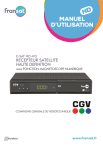
The public link to your chat has been updated. You may view and manage your chat links after registration here.

How to update or reset the E-SAT HD-W3 device?
A satellite update occurs automatically when the device is switched from standby mode to on. If the device experiences errors or system lock-ups, perform a reset through the System menu.
How to perform a software update on the E-SAT HD-W3 receiver?
Updates are performed automatically when the device is switched from standby mode to active mode. Manual updates can also be conducted via the USB port.
How to update the E-SAT HD-W3 or resolve update issues?
Software updates occur automatically via satellite when the device is placed in standby and then powered back on. If the device freezes or behaves abnormally, a system reset can be performed through the System menu.
How to update the E-SAT HD-W3 or resolve system errors?
The device updates automatically via satellite when switched from standby to on. If system errors or update interruptions occur, a reset can be performed via the System menu.
How to update the E-SAT HD-W3 device?
Updates can be performed automatically by putting the device on standby and then turning it back on (satellite update), or manually via the USB port. If the device behaves abnormally, a reset via the System menu is recommended.
Login to continue


