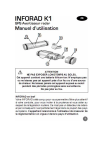
INFORAD K1
GPS Avertisseur radar
Manuel d'utilisation
A ATTENTION
NE PAS EXPOSER LONGTEMPS AU SOLEIL
Cet appareil contient une batterie lithium-ion: N'employez pas
ou ne laissez pas cet appareil pres d'un feu ou d'une source
de chaleur. Ne laissez jamais cet appareil exposé au soleil
pendant des périodes prolongées sans surveillance.
Ne pas jeter au feu.
INFORAD en bref
Votre INFORAD a été conçu pour vous permettre d'être plus attentif
à votre conduite, pour vous inciter à la prudence et vous aider au
respect de la législation routière. Ce n'est pas un détecteur de radars
et par conséquent il est parfaitement légal dans la plupart des pays
évropéens. Il appartient néanmoins à l'utilisateur de s'assurer de
la réglementation en vigueur dans le pays d'utilisation.
1 - Comment fonctionne INFORAD K1 ?
Utilisant le réseau de satellites GPS (Global Fositioning System),
INFORAD K1 connaît en permanence la position de votre véhicule
& son processeur la compare avec plus de 17000 zones à risques
contenues dans sa base de donnees. INFORAD K1 vous avertit alors
a |'approche de toute zone dangereuse, materialisee ou non par un
radar.
2 - Installation de votre INFORAD
21 - Verifiez que le contenu du paquet est complet
II doit comprendre le boitier INFORAD, un adaptateur allume-cigare,
un clip de fixation pare-brise (D)et une notice.
22 - Installez INFORAD dans votre véhicule
Votre INFORAD peut être placé directement sur le tableau de bord de la
voiture, au plus pres du pare-brise et dans laligne de vue du conducteur; ou
fixé au pare-brise grêce a son clip de fixation. L'utilisation du clip de fixation
est particulièrement recommandée en cas de pare-brise athermique : Voir
55 «Optimisation de l'acquisition satellites».
Quelle que soit la position adoptée, assurez-vous que le logo
INFORAD gravé sur l'appareil soit dirigé vers le ciel.
Allumer l'appareil en commutant l'interrupteur (C). Dés la mise sous
tension, INFORAD démarre aussitôt et 3 bips retentissent, indiquant
le bon démarrage de l'appareil.
3 - Utilisation
41 - Acquisition des données satellites
Une fois INFORAD K1 en service, la LED (B)clignote en vert pendant
[acquisition des donnees satellites. Cela peut prendre 1 é 5 minu-
tes en fonction de l'endroit où vous vous trouvez (l'acquisition sera
plus rapide en zone dégagée qu'en milieu urbäin ou en pleine forêt).
Aussitôt l'acquisition effectuée, la LED (B) devient verte fixe et une
mélodie vous prévient que votre INFORAD K1 vous protège. O
Si, pour quelque raison que ce soit, la LED (B) continue a clignoter
en vert, cela signifie que les satellites n'ont pas encore été trouvés.
5 cest le cas, reportez-vous au paragraphe $5 «Optimisation de
| acquisition satellites» et si cela ne suffit pas, contactez notre centre
de support technique.
3.2 - Interrupteur marche/arrêt
L'interrupteur (CG) permet d'allumer ou éteindre votre INFORAD KA.
3.3 - Batterie
INFORAD K1 possède une batterie. Lorsqu'elle est chargée,
votre INFORAD est complétement autonome (aucun raccordement
nécessaire). Pour recharger la batterie, utiliser l'adaptateur allume-
cigare fourni ou toute prise US6 d'ordinateur. La LED (A)est allumée
lorsque la batterie se recharge et s'éteint lorsqu'elle est totalement
chargée. Lorsque la batterie est complétement déchargée, aucune
LED ne s'allume.
34 - Adaptateur allume-cigare
Permet de recharger là batterie du K1 dans le véhicule. Insérez
ladaptateur dans la prise allume-cigare de votre véhicule, enlevez
le bouchon (F) de votre INFORAD et connectez la prise USE (E) dans
l'adaptateur allume-cigare.
35 - Clip de fixation
Four libérer INFORAD Ki de son clip de fixation, exercer une
pression sur |es languettes latérales.
4 — Alarmes
Votre INFORAD vous prévient à l'approche de zones à risques par des
darmes visuelles, utilisant а LED (B), et sonores comme suit :
&
ALERTES SATELLITES :
Recherche
de satellites LED verte clignotante
Appareil en fonction,
INFORAD LED verte fixe + melodie
vous protege
ALERTES RADARS et Points personnels d'Intérêt (POI) :
votre position| En approche Vitesse
type de zone de la zone excessive
Zone a risque 3 Bips + PE iy "
certifiée LED rouge fixe dignotante
Alarme Z tons +
Zone de controle 3 Bips+ Lo sano a
mobile eventuel LED orange fixe dignotante
Zone SPECS de ¿E nai
contróle de vitesse Matement gnotement
vert / orange vert / orange
Zone de 2 Bips +
point personnel (POI) | LED orange fixe
NB.
-Un didacticiel des alertes est inclus dans INFORAD MANAGER.
- Vous pouvez rencontrer d'autres alarmes pendant l'autotest ou
lorsque vous connectez l'appareil à votre PC.
5 - Optimisation de acquisition satellites
51. - Assurez-vous que le logo INFORAD gravé sur l'appareil
Soit dirigé vers le ciel.
5 2. - Installer le plus près possible du pare-brise.
Assurez-vous que votre INFORAD est installé aussi pres que
possible à l'avant du pare-brise. Ceci est trés important car le dessus
de l'appareil (le coté dulogo INFORAD gravé) doit pouvoir être visible
du ciel pour capter les satellites. Si l'appareil n'est pas suffisamment
à l'avant dutableau de bord, letoit du vénicule peut masquer certains
satellites et rendre la réception des signaux plus difficile.
5.3. - Etre patient.
Au premier démarrage d INFORAD, la capture des signaux satellites
peut prendre un peu plus de temps. Soyez patient, cela ne doit norma-
ement pas prendre plus de 5 minutes. Si tel n'était pas le cas, merci
de consulter notre support technique (Voir en fin de notice).
5.4. - Rester immobile.
Four un meilleur résultat, arrêtez-vous dans une zone dégagée d'obs-
tacle aérien (garage, couverture d'arbres, murs d'immeubles, etc).
65. - Vérifier Si votre pare-brise est athermique ou chauffant.
souvent les véhicules munis d'une climatisation sont équipés d'un
pare-brise athermique ou chauffant. De tels pare-brises affaiblissent,
voire bloquent, les signaux GPS. Pour vérifier Si tel est le cas, essayez
votre INFORAD à l'arrêt en le mettant à l'extérieur du véhicule. Si la
LED (B) devient verte fixe, il y à de fortes probabilités que votre pare-
brise soit athermique. Dans ce cas, repérer les zones non athermiques
de votre par-brise et fixer le clip de fixation Sur une de ces zones grace
a sa partie adhésive (veiller à ce que cette zone du pare-brise Soit
parfaitement propre et sèche avant fixation). Insérer ensuite votre
INFORAD dans le clip de fixation.
6 — Mise a jour de la base de données
Base de données des positions radars
votre INFORAD est livré avec une base de données pré-installée,
comprenant la position de plus de 17000 radars situés en Europe et
œuvre actuellement le Royaume-Uni, le Benelux, la France, les DOM
TOM, l'Italie, l'Espagne l'idande, l'Allemagne, l'Autriche, le Portugal,
la Suède, la Norvège, la Suisse, la Hollande et la Grèce. Des équipes
INFORAD sillonnent constamment les routes et vérifient la validité de
à base de données afin d'assurer la meilleure couverture possible.
Méanmoins, Si vous découvrez une anomalie ou une nouvelle posi-
fon radar qui ne figure pas dans notre dernière base de données,
Nous VOUS remercions de nous en informer en utilisant notre logiciel
INFORAD MANAGER (formulaire de renseignement sur zone a
nsque) ou bien notre site \Veb (participer à la communauté Inforad).
La base de données évolue en permanence et afin de vous
assurer une protection maximale il est recommandé de mettre à
jour votre INFORAD de façon hebdomadaire à l'aide d'INFORAD
MANAGER.
7 - Logiciel INFORAD MANAGER
Systeme minimum nécessaire :
Processeur : Pentium |! ou Supérieur
RAM : 128 Mo
systèmes d'exploitation : MS Windows® 985E, ME, 2000, NT, XP
et VISTA.
votre INFORAD est totalement parametrable grace au logiciel
INFORAD MANAGER télechargeable gratuitement sur notre site web.
INFORAD MANAGER vous permet de configurer votre appareil et,
entre autres :
©
- de modifier la distance de sécurité par rapport aux radars, en
approche et en éloignement,
- d'activer et d'utiliser l'enregistreur de parcours,
- de diagnostiquer des erreurs,
- de gérer votre propre base de points personnels (FOI Points of
Interest),
- de télécharger les mises á jour de la base de données.
8 - Installation et utilisation
Four utiliser INFORAD MANAGER, vous devez d'abord telecharger le
logiciel à partir du site web (voir fin de notice pour l'adresse internet).
Suivre les instructions indiquées à l'écran. Si vous n'avez pas d'icône
sur le bureau de votre PC, il y à de fortes chances qu'INFORAD
MANAGER ne soit pas correctement installé.
8.1 - Connexion d'INFORAD à votre PC.
N.B. L'ordre de connexion est importante.
Tout d'abord, assurez-vous d'avoir correctement installé INFORAD
MANAGER sur votre PC. Allumez votre INFORAD et connectez le à
uné des prises USB de votre PC. Démarrez INFORAD MANAGER et
cliquez sur le bouton «démarrer» de là page d'accueil pour lancer la
détection de votre appareil.
si au bout de quelques secondes INFORAD MANAGER n'arrive pas à
détecter votre appareil, vérifiez que votre INFORAD est correctement
branché et, éventuellement, branchez INFORAD sur un autre port
USB de votre PC. Assurez-vous également que votre INFORAD est
bien connecté directement à votre PC et non à un hub USB utilisé
avec certains PC portables. Une fois l'appareil détecté par l'INFORAD
MANAGER, vous pouvez passer au point Suivant.
NB. Veillez à toujours quitter INFORAD MANAGER avant de décon-
necter votre INFORAD K1 de votre ordinateur ou vous risquez de
perdre des informations.
8.2 - Assurez-vous que vous avez une connexion Internet.
INFORAD MANAGER necessite obligatoirement une connexion
internet pour executer corectement toutes ses fonctions. Verifiez
que votre connexion Internet fonctionne correctement. Si c'est le cas,
vouS pouvez passer au point Suivant, Sinon vous devez redémarrer
la connexion.
8.3 - Logiciel anti-virus ou pare-feu.
Sl vous rencontrez des problèmes de connexion Internet via INFORAD
MANAGER, il se peut qu'un logiciel anti-virus ou pare-feu installé sur
votre PC en soit а cause. Dans ce cas, vous devez arrêter ce logiciel le
temps des mises à jour.
5 aprés avoir Suivi tous ces points, le problème persiste, veuillez
contacter le «support technique» en cliquant sur le lien que vous
trouverez dans la section «Aide» du logiciel INFORAD MANAGER.
Vous devez alors compléter |e formulaire en décrivant votre problème.
Aprés examen de votre probléme, nous ferons notre possible pour le
résoudre dans les meilleurs délais. Vous pouvez également adresser un
email à notre équipe de support (voir $9 - Support technique en ligne)
9 - Support technique en ligne
5 vous rencontrez des difficultés pour installer ou utiliser votre
appareil INFORAD, référez-vous à la section «Questions-Réponses»
sur le site web ou bien contactez notre support clients par email:
[email protected]
Le symbole “poubelle barrée signifie que ce produit et les piles qu'il
contient ne peuvent être jetés avec les déchets domestiques. Ils font
l'objet d'un tn sélectif spécifique. Déposez les Datteries ainsi que votre
produit électronique en fin de vie dans un espace de collecte autorise
afin de les recycler. Cette valorisation de vos déchets électroniques
permettra |s protection de l'environnement et de votre santé.
10 = Specifications
Récepteur GPS: SiRFstarlll”, 20 canaux
Temps d'acquisition moyen*: Initalisation: 3 min, 38 secondes à froid
et 8 secondes a chaud
Temps de réactualisation: 1 seconde
Précision: position 10 mêtres KMS - vitesse < à 1km/h
Processeur: KISC 32 bits AKM7 at 44MHz
Mémoire: Processeur 12Z8KD - Vive Mb
Alarme: Sonore et visuelle
Batterie: Lithium-ion. 4h30 d'autonomie
Alimentation: 5 Vdc par adaptateur allume-cigare : Entrée: 12/24
Vdc, Sortie: 5 Vdc- 850 mA max.
Dimensions: Longueur: 75 mm- Largeur 28 mm- Hauteur: 17 mm
Poids du produit complet: 30 g.
* Dependant des conditions météorologiques locales
Utilisable simultanément comme récepteur GPS compatible
NMEA-0183 v2.0 4800 Bauds pour les applications
de navigation fonctionnant sur PC.
INFORAD Ltd
Unit Le, Smithstown Industrial Estate,
Shannon, County Clare,
Ireland
Tel: +353 61 719750 - Fax: +353 61 719747
site Web: http/'www.gpsinforad.com
Contact: [email protected]
Support technique: [email protected]
CE
">